
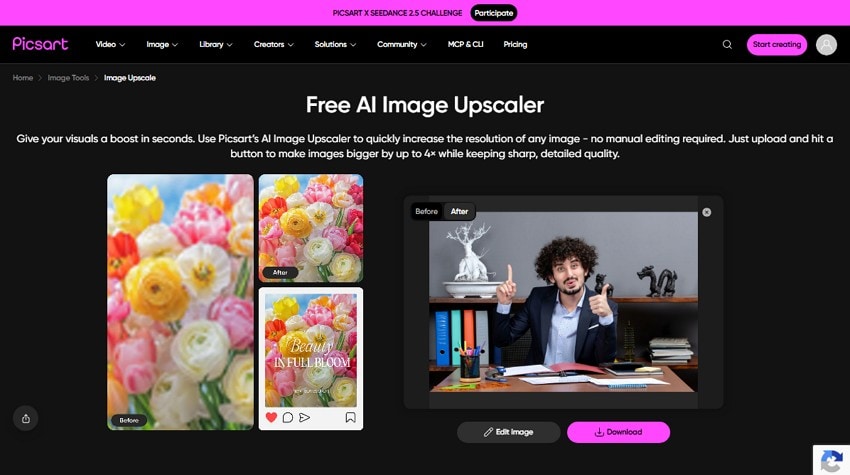
Blurry photos, faded old pictures, and grainy low-light shots can hide the details that make an image worth keeping. Choosing the right tool depends on what needs fixing. Picsart Photo Enhancer offers quick AI enhancement for sharpening details, reducing noise, and improving overall image quality in one workflow.
Repairit takes a more specialized approach, with dedicated tools for blur, low resolution, portraits, and old photo damage. This guide tests both tools across practical photo scenarios, comparing sharpness, detail, restoration, and natural-looking results to determine which option delivers better photos for different enhancement needs.
In this article
Part 1. Picsart AI Enhance vs Repairit: One Tool or Dedicated Modes?
That single-pass design comes with a trade-off. Picsart AI Enhance automatically improves multiple image issues in one workflow, making it quick and convenient for general enhancement. Repairit takes a more specialized approach, offering dedicated tools for different needs, including blur, low resolution, portraits, and old photo restoration. The table below compares where each approach works best:
| Enhancement Need | Picsart Approach | Repairit Approach | Better Fit |
| General Improvement | One-tap enhancement for multiple issues | General Model for overall enhancement | Picsart |
| Blurry Photos | Blur correction during AI enhancement | AI Image Sharpener for targeted sharpening | Repairit |
| Low-Resolution Images | AI upscaling with 2x and 4x options | AI Image Upscaler with selectable factors | Repairit |
| Portraits | Face improvement within general enhancement | Portrait Enhancer with face-focused processing | Repairit |
| Old and Damaged Photos | Enhancement with additional retouching tools | Dedicated Old Photo Restoration model | Repairit |
| Heavy Upscaling | Supports 2x and 4x enlargement | Supports 2X, 4X, and up to 8X | Repairit |
Part 2. What Does Picsart Photo Enhancer Fix Automatically?
Picsart's help documentation explains that AI Enhance can sharpen details, reduce blur, and balance colors with one tap. Here are the main image issues Picsart Photo Enhancer can address:
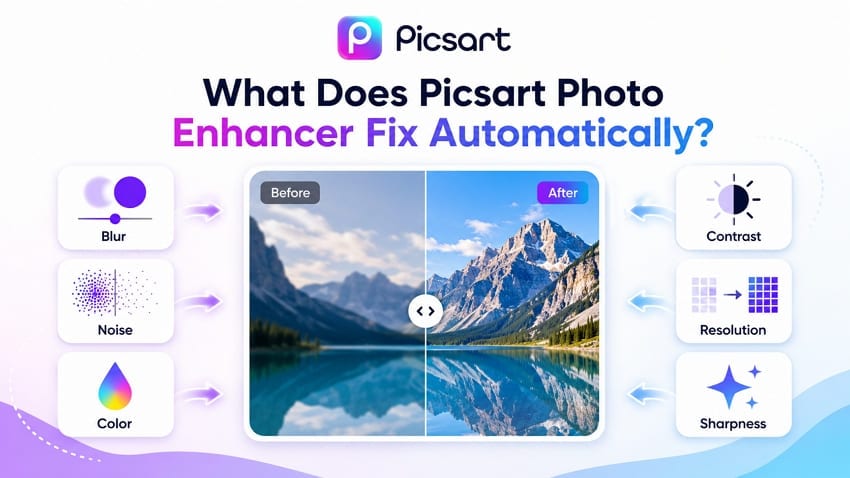
- Blur and Soft Details: Picsart AI Enhance automatically reduces blur and sharpens soft details. Its AI enhancement can also improve low-resolution images by generating additional detail instead of simply stretching existing pixels.
- Image Noise: Picsart AI Image Enhancer can reduce image noise and visible grain while improving overall clarity. Noise reduction works as part of the broader AI enhancement process rather than as a separate denoising step.
- Low Contrast: This AI image enhancer can improve low-contrast images that appear flat or dull. It adjusts tonal definition to create clearer separation between lighter and darker areas.
- Color Balance: Its AI enhancer automatically adjusts colors to produce a more balanced and vibrant appearance. Results can vary with difficult lighting, particularly images captured under mixed or unusual light sources.
- Low Resolution and Pixelation: The AI Image Enhancer increases image resolution and helps reduce visible pixelation. AI upscaling generates additional pixels and details rather than simply enlarging the existing pixel structure.
- General Sharpness and Clarity: Picsart automatically sharpens visible details to make images appear clearer and more defined. This can improve edges, textures, and overall clarity in photos that look slightly soft.
Part 3. Repairit's Four Photo Enhancement Features
While Picsart Photo Enhancer combines these corrections within a general enhancement workflow, Repairit provides specialized AI models and tools for different photo issues. Users can choose options for general enhancement, portraits, old photo restoration, sharpening, and upscaling. Supported workflows also provide batch processing, result previews, and high-resolution output.
Blurry Photo Enhancer
Repairit's AI Image Sharpener is designed to address common blur problems, including static, motion, and lens blur. According to Repairit, its AI analyzes blurry areas and enhances edges, fine details, and overall clarity automatically without requiring users to select a blur type. Repairit also offers AI Denoise to reduce grain and image noise while preserving important details.
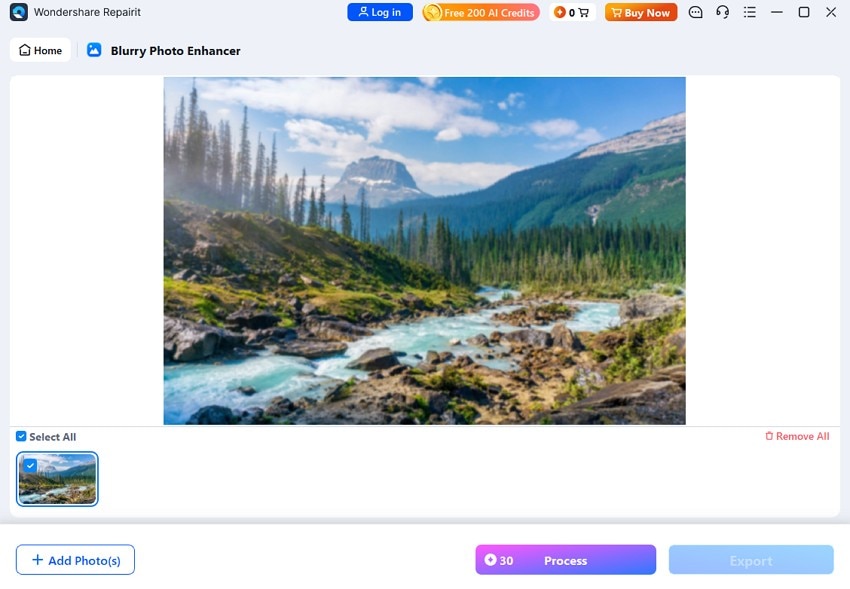
Image Upscaler
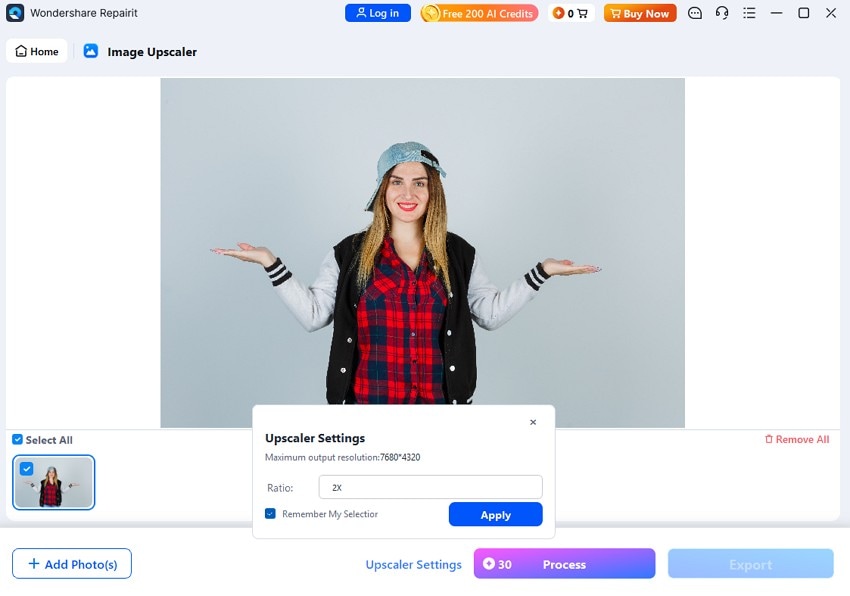
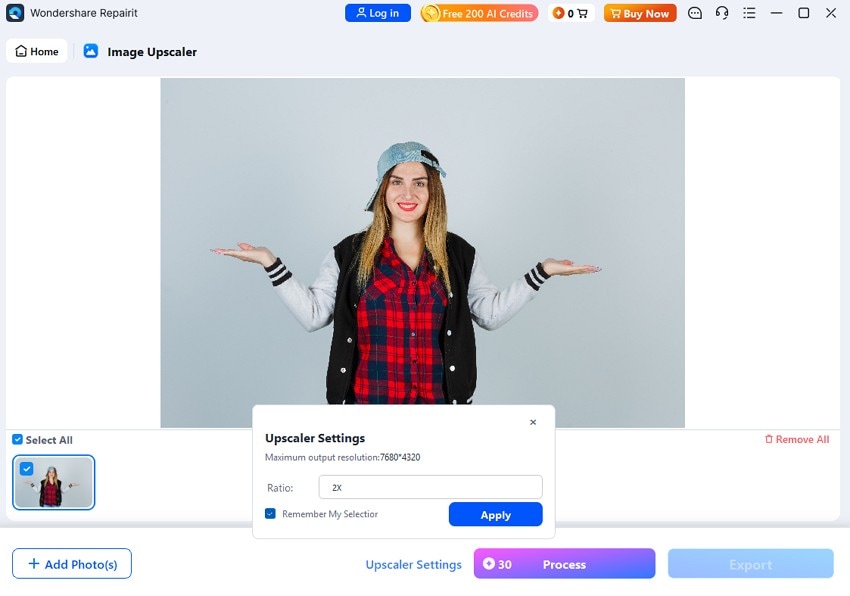
Repairit supports AI upscaling up to 8x, allowing users to enlarge smaller images while improving resolution and reducing visible pixelation. Users can choose 2x, 4x, or 8x enlargement based on the desired output size. However, higher upscale factors may generate AI-estimated details that were not present in the original image.
In Repairit Online, users can choose 100% or 200% resolution when enhancing supported images. Its Portrait Enhancer is designed specifically for faces and portrait photos, using AI to improve facial clarity, focus, and visible details.
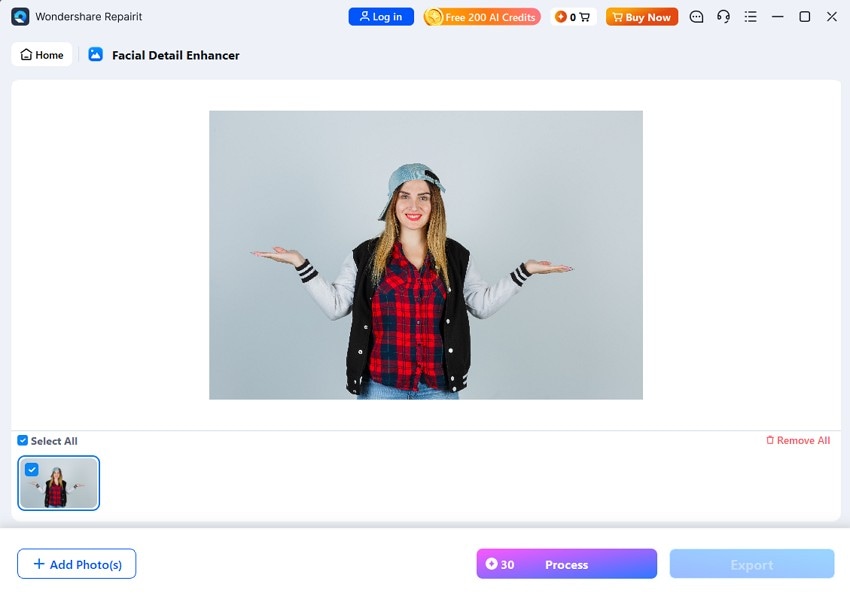
Facial Detail Enhancer
Unlike Picsart AI Enhance, Repairit’s Portrait Enhancer focuses specifically on facial improvement. It includes 3 capabilities: Make Face Lighter, Accurate Face Focus, and Facial Features Recognition. Accurate Face Focus improves facial clarity and sharpness, while Facial Features Recognition enhances individual features such as the eyes, nose, and lips. Make Face Lighter brightens the face while maintaining a natural-looking skin tone.
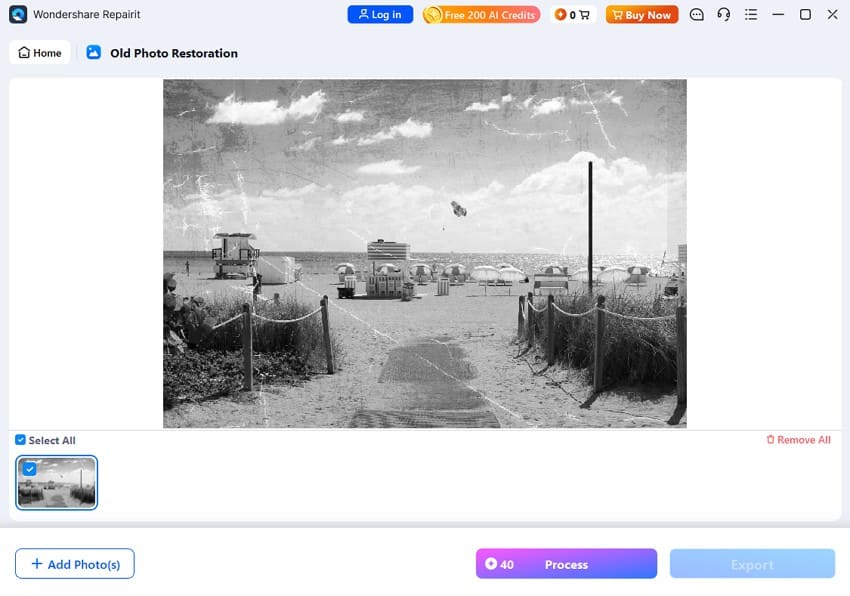
Old Photo Restoration
Repairit’s AI Old Photo Restoration targets common damage in vintage photos, including scratches, tears, spots, dust, stains, fading, and blurry details. It can reconstruct missing textures, sharpen edges, restore faded areas, and recover facial details affected by age or physical damage.
The tool also supports AI colorization for black-and-white and faded photos, adding natural-looking colors while improving overall clarity. For heavily damaged portraits, it can repair cracks, reconstruct missing areas, revive skin tones, and enhance facial features before users preview and save the restored result.
Part 4. Picsart and Repairit AI Enhance Through 5 Real-World Tests
To compare Repairit with Picsart Photo Enhancer in practical use, this section puts both tools through 5 real-world photo challenges. Each test examines how effectively they handle a specific image problem and highlights which tool delivers the better result.
Challenge 1. Slightly Blurry Smartphone Photo
Picsart handles mild blur well because sharpening and blur reduction are core parts of its AI enhancement. Both tools can improve edge definition, but results may differ in fine textures such as fabric, hair, or foliage. When comparing outputs, inspect high-contrast edges for halos or excessive sharpening and check whether fine textures remain natural rather than looking artificially enhanced.
Challenge 2. Very Small Low-Resolution Image
Repairit performs better for very small, low-resolution images because its AI Image Upscaler provides selectable 2x, 4x, and 8x enlargement. The higher 8x option gives small scans more room for substantial resolution improvement than Picsart’s lower upscale factors. Compare the final outputs for edge clarity, fine detail, pixelation, and natural-looking AI reconstruction.
Challenge 3. Soft Portrait Photo
Portrait photos reveal where Picsart AI Enhance and Repairit take different approaches. Repairit’s Portrait Enhancer uses Accurate Face Focus to improve facial clarity and Facial Features Recognition to enhance details such as the eyes, nose, and lips. This face-focused processing gives Repairit an advantage over Picsart when sharper, more natural-looking facial details are the priority.
Challenge 4. Noisy Low-Light Photo
Noise reduction can remove unwanted grain, but aggressive processing may also soften fine details and natural textures. Picsart handles these improvements within its broader enhancement workflow, while Repairit provides dedicated AI Denoise and AI Image Sharpener capabilities. This gives Repairit an advantage for noisy low-light photos by reducing visible grain while improving clarity and preserving important image details.
Challenge 5. Faded or Damaged Old Photo
Scratches, creases, fading, and other physical damage require more specialized restoration than general image enhancement. While Picsart can improve overall clarity and appearance, Repairit’s dedicated Old Photo Restoration targets damaged areas and reconstructs missing details. This gives Repairit the advantage for old photos where repairing visible damage and recovering facial details are the main priorities.
Part 5. Picsart Photo Enhancer for Upscaling vs Repairit
Upscaling clearly separates Picsart Photo Enhancer from Repairit when improving small or low-resolution images. Both use AI-powered upscaling, but Repairit provides selectable 2x, 4x, and 8x enlargement options. The table below compares their key upscaling capabilities:
| Test | Picsart AI Enhance | Repairit AI | Winner |
| 2x Enlargement | Supports 2x AI upscaling | Selectable 2x AI upscaling | Tie |
| 4x Enlargement | Supports 4x AI upscaling | Selectable 4x AI upscaling | Tie |
| 8x Availability | Limited to 8x upscaling | Selectable 8x AI upscaling | Repairit |
| Pixelation Reduction | AI improves low-resolution images | AI reduces pixelation during upscaling | Repairit |
| Fine Detail | AI generates additional image detail | AI enhances details during enlargement | Repairit |
| Upscaling Control | Fewer enlargement options | Selectable 2x, 4x, and 8x factors | Repairit |
Verdict: Both tools support AI enlargement up to 4x, but Repairit extends this to 8x, giving it an advantage for very small or cropped images. A 600-pixel image reaches 2400 pixels at 4x and 4800 pixels at 8x. However, print quality still depends on source quality, print dimensions, and required pixel density.
Part 6. Portrait Enhancement: Automatic vs Face-Specific
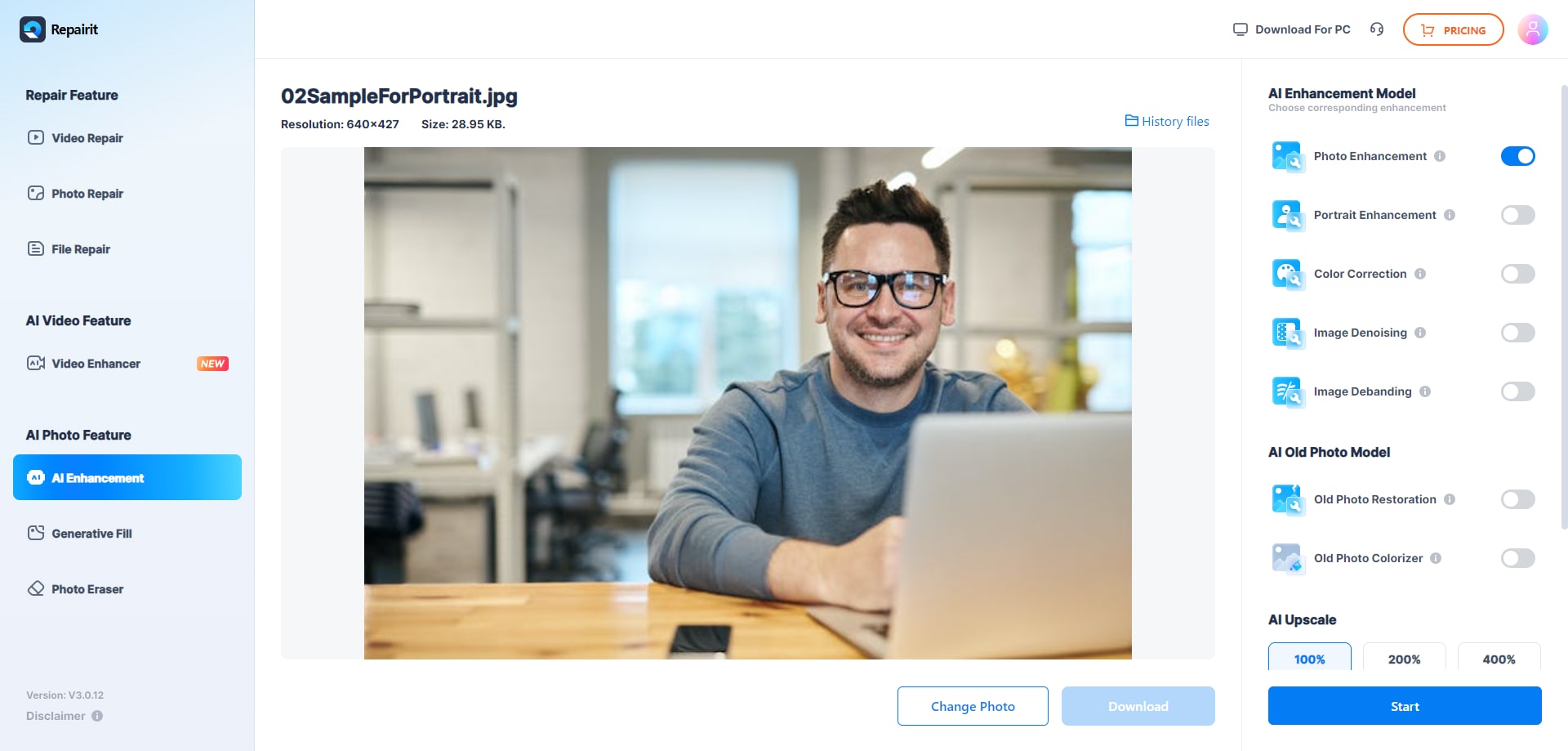
Portrait enhancement shows a clear difference in how the two tools approach faces. Picsart AI Enhance improves the entire photo in one pass, so facial enhancement happens alongside changes to the background, colors, sharpness, and other details. Picsart also offers HD Portrait through its Retouch tool for dedicated portrait refinement.
Repairit separates portrait enhancement from general photo improvement. Its Portrait Enhancer prioritizes the face as the main subject, making it better suited to headshots, close-ups, and photos where facial quality matters most. This focused workflow gives users a more purpose-built option for portraits instead of relying on whole-image enhancement.
Which Is Better for Portraits?
The table below highlights how Picsart image enhancer and Repairit differ across key areas of portrait enhancement.
| Metric | Picsart AI Enhance | Repairit AI |
| Face Sharpness | Improved during overall enhancement | Prioritized by Portrait Enhancer |
| Facial Features | Enhanced with the overall image | Specifically identifies facial features |
| Skin Appearance | Adjusted within broader enhancement | Designed to maintain natural-looking skin tones |
| Background Treatment | Enhanced alongside the subject | Portrait processing emphasizes the face |
| Dedicated Portrait Tool | HD Portrait available in Retouch | Dedicated Portrait Enhancer model |
Part 7. Old Photo Restoration: Picsart vs Repairit
Enhancement and restoration serve different purposes, especially when working with aged or physically damaged photos. Picsart Photo Enhancer can improve overall image quality, while Repairit provides dedicated AI restoration for repairing visible damage and recovering lost details. The table below compares how both tools handle common old photo problems.
| Old Photo Problem | Picsart AI Enhance | Repairit AI | What to Inspect | Winner |
| Fading | Revives washed-out colors | Rebalances aged and faded tones | Color consistency across the photo | Repairit |
| Scratches | Needs separate retouching | Removes visible scratch damage | Clean fills around important details | Repairit |
| Creases | Uses additional editing tools | Reconstructs areas affected by folds | Smooth transitions across crease lines | Repairit |
| Blur | Sharpens soft areas | Improves definition in aged images | Clear edges without excessive sharpening | Repairit |
| Facial Detail | Refines faces during enhancement | Recovers obscured facial features | Definition around eyes, nose, and lips | Repairit |
| Fine Texture | Strengthens visible texture | Rebuilds missing surface information | Realistic texture without artificial patterns | Repairit |
| Natural Output | Works well for mild aging | Better suited to physical deterioration | Balanced appearance after restoration | Repairit |
Part 8. Where Picsart AI Enhance Has the Advantage
Based on the detailed evaluation, the following points explain where Picsart Photo Enhancer excels:
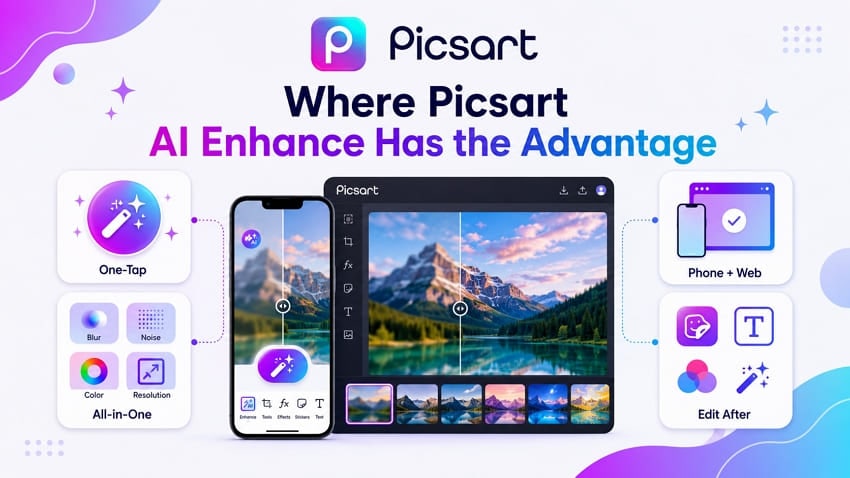
- Fast One-Tap Fix: No need to figure out what's wrong with the photo first. This suits users who care about the result, not the process.
- Several Fixes at Once: Blur, noise, color, and resolution all improve in one step, not through separate passes.
- Works on Phone and Browser: Picsart AI Enhance runs in both the app and the web editor, so phone photos stay in the same workflow from start to finish.
- Edit Right After: Filters, stickers, and text can be added right away, keeping the whole process in one place for social posts.
Part 9. Where Repairit Has the Advantage
Since Picsart Photo Enhancer lacks some aspects, these points show why Repairit is the recommended choice:
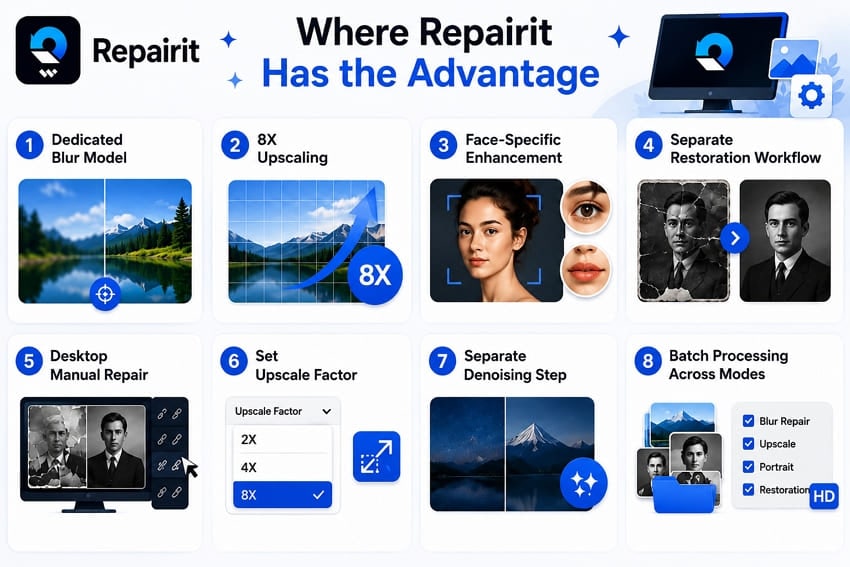
- Dedicated AI Sharpening: Repairit’s AI Image Sharpener targets blurry images, improving edges, fine details, and overall clarity without requiring users to identify the blur type.
- Up to 8x Upscaling: Repairit supports 8x AI upscaling to significantly enlarge low-resolution images while improving clarity and visible detail.
- Face-Specific Enhancement: Portrait Enhancer uses Accurate Face Focus and Facial Features Recognition to improve facial clarity and refine individual features such as eyes, nose, and lips.
- Dedicated Old Photo Restoration: Repairit provides AI restoration specifically for aged and damaged photos, addressing scratches, fading, missing details, and other visible deterioration.
- Old Photo Colorization: Alongside restoration, Repairit can add natural-looking colors to black-and-white and faded old photos using AI-powered colorization.
- Selectable Upscale Factors: Users can choose 2x, 4x, or 8x enlargement based on the source image and desired output dimensions instead of using one fixed factor.
- Dedicated AI Denoise: Repairit provides AI Denoise for reducing visible grain and image noise while retaining important details and improving overall image clarity.
- Batch Processing: Supported Repairit enhancement workflows allow multiple photos to be processed together, making it more convenient when enhancing larger groups of images.
Part 10. Picsart Photo Enhancer vs Repairit: Choose by User Type
For those who seek a quick verdict for this Picsart AI Enhance and Repairit comparison, here is the comprehensive table:
| User | Better Choice | Reason |
| Casual Social Media User | Picsart | Quick enhancement with built-in creative editing tools |
| Mobile Photo Editor | Picsart | Combines AI enhancement and creative editing on mobile |
| Low-Resolution Image User | Repairit | Offers higher AI upscaling for small images |
| Portrait Photographer | Repairit | Provides dedicated face-focused portrait enhancement |
| Old Family Photo Restorer | Repairit | Repairs visible damage and reconstructs lost details |
| User Needing 8x Upscaling | Repairit | Supports AI enlargement up to 8x |
Choose Picsart If You Want Fast All-in-One Enhancement
Picsart AI Enhance works well for everyday photos that need quick improvements to blur, noise, color, and overall clarity. Its one-tap workflow and built-in creative tools make it convenient for social media users who prioritize speed and simple editing.
Choose Repairit If You Want Specialized Photo Enhancement
Repairit is better suited to photos that need targeted AI enhancement. Its dedicated capabilities cover sharpening, denoising, portrait enhancement, old photo restoration, and up to 8x upscaling, giving users more specialized options for challenging image problems.
Conclusion
Picsart Photo Enhancer works well for everyday photos that need several quick improvements at once, including blur reduction, sharpening, and color enhancement. However, Repairit AI provides more specialized AI capabilities for demanding cases. Its dedicated tools handle portraits, noise, damaged old photos, and low-resolution images, while 8x AI upscaling supports larger output sizes.
FAQ
-
Does Picsart AI Enhance automatically upscale photos?
Yes. Picsart image enhancer automatically improves resolution as part of its overall enhancement process, while its upscaling feature supports 2x and 4x enlargement. For users who need greater enlargement, Repairit provides selectable 2x, 4x, and 8x AI upscaling. -
Can Picsart restore old and damaged photos?
Repairit is better suited to physically damaged old photos because its dedicated Old Photo Restoration targets scratches, fading, missing details, and other visible damage. Picsart can improve color, sharpness, and overall image quality, but more complex damage may require additional retouching tools. -
Is Repairit better than Picsart for face enhancement?
Yes, especially for portraits. Repairit's Portrait Enhancer uses Accurate Face Focus to improve facial clarity and Facial Features Recognition to enhance features such as the eyes, nose, and lips. Picsart AI Enhance focuses more broadly on improving the overall image. -
Which tool is better for enlarging very small photos?
Repairit is the better choice because it supports up to 8x AI upscaling, compared with Picsart's 4x option. This higher enlargement factor can produce larger pixel dimensions from very small images, though final print quality still depends on the original image quality and intended print size.




