
A deepfake image maker swaps one face onto another photo using AI instead of manual editing. Some tools focus on face replacement in existing pictures, while others generate entirely new images from a text prompt. The results range from single-face swaps to full group photos with several faces at once.
Quality depends on factors like skin-tone matching, lighting, facial details, and natural-looking edges. This guide compares 6 options in 2026, explains what makes a swap convincing, and covers responsible use. It also explores how Repairit can enhance blurry, noisy, or low-resolution results after creating deepfake images.
In this article
Part 1. How Does a Deepfake Image Maker Work?
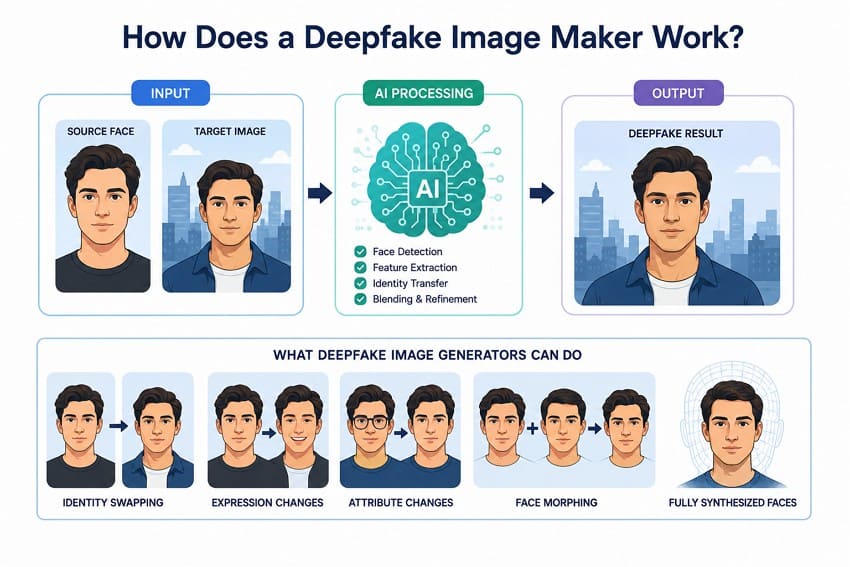
A deepfake image generator uses AI to create or modify images involving a person’s face or identity. In face swapping, it transfers one person’s identity onto a target image while preserving much of the original pose, expression, clothing, and background.
Some deepfake image generators go beyond face replacement and create entirely new images from prompts or reference photos. Depending on the technology, they can support identity swaps, facial expression changes, face morphing, and fully synthesized faces.
AI Face Swap vs AI Image Generation
Not every deepfake image maker uses the same approach. Some tools specialize in swapping faces within existing photos, while others generate or modify complete images using AI. A 2026 review of deepfake face-swapping research highlights how these systems differ in preserving facial identity, expressions, poses, and other target details. The table below explains the main approaches and how each one works:
| Method | Starting Input | What the AI Changes | Typical Result |
| AI Face Swap | Source face + target photo | Replaces the target identity while preserving most of the original scene | Existing photo with a different face |
| Prompt-Based Image Generation | Text prompt, sometimes reference images | Generates most or all visual elements from the provided instructions | Entirely new AI-generated image |
| Image-to-Image Generation | Existing image + prompt or controls | Modifies the image while preserving selected elements of its original structure | New variation of an existing image |
| Face Morphing | Two or more face images | Blends facial characteristics from multiple faces into one identity | Synthesized face combining multiple identities |
NIST distinguishes face morphing from simple face replacement. Face morphing combines features from two or more facial images to create a synthesized face. However, the underlying process varies across AI systems, with different techniques used to preserve identity and blend facial features naturally.
Single-Face vs Multiple-Face Deepfake Images
These terms describe different workflows within a deepfake AI image generator, so understanding their differences can help you choose the right feature:
| Workflow | What It Means | Best For |
| Single-Face Swap | Replaces one selected face with another face in an image | Portraits and simple face swaps |
| Multiple-Face Swap | Replaces multiple faces within the same image with assigned source faces | Group photos with several people |
| Batch Face Swap | Applies face swapping across multiple separate images in one processing job | Large sets of individual photos |
| Multi-Face Batch Processing | Combines multiple-face replacement with processing across several images | Large sets of group photos |
What Makes an AI Deepfake Image Look Realistic?
These 6 factors help determine the output quality of a deepfake image maker. Checking them can reveal how realistic and visually consistent the generated face appears.
| Factor | What to Check |
| Face Similarity | How closely the generated face resembles the source identity |
| Skin-Tone Matching | Natural blending between face and neck tones without noticeable color differences |
| Lighting Consistency | Highlights and shadows that match the lighting of the surrounding scene |
| Facial Edges | Smooth blending around the jawline, hairline, and other facial boundaries |
| Hair and Fine Details | Clarity and natural appearance of hair strands and smaller facial details |
| Source Image Quality | Sufficient resolution, sharp focus, and visible facial detail in the supplied image |
Part 2. 6 Best Deepfake Image Makers in 2026
Based on these factors, here are 6 of the best deepfake image generator options to consider in 2026. Start with the quick comparison below, then explore each tool in detail:
| Tool | Best For | Multi-Face | Editing Options | Platform | Ease of Use |
| Dreamina | Overall versatility | Yes | AI generation and image editing | Web | Easy |
| DeepSwap | Realistic face swaps | Up to 6 faces | Face enhancement and background tools | Web | Easy |
| Remaker AI | Beginners | Yes | Face swapping and other AI image tools | Web | Very easy |
| Vidnoz | Multiple-face swaps | Up to 10 faces | Face swap, video, and AI tools | Web | Easy |
| FaceSwapper | Batch face swapping | Yes | Face swapping and AI image editing | Web | Very easy |
| FaceFusion | Advanced users | Yes | Face swapping and restoration tools | Local install | Technical |
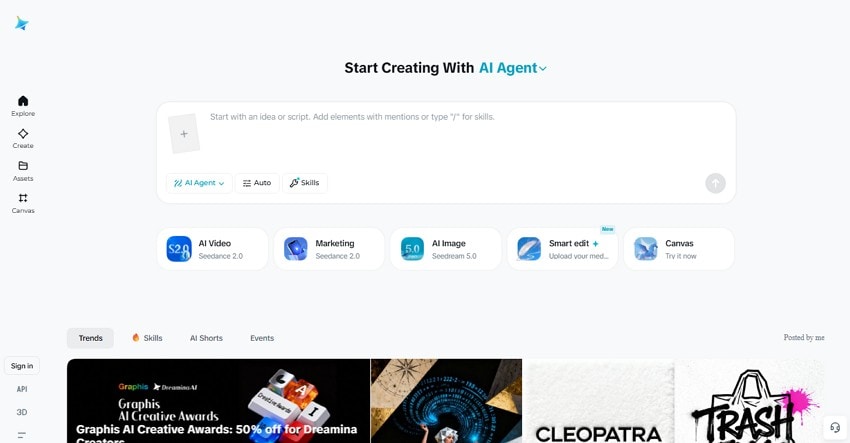
1. Dreamina - Best Overall Deepfake Image Maker
Dreamina uses AI models such as Seedream 5.0 to generate and edit images with attention to structure, lighting, texture, and composition. It can turn text prompts into complete scenes or use reference images to guide the desired appearance. For targeted edits, users can select a specific area and describe the required changes, helping preserve the surrounding elements while refining only the chosen region.
2. DeepSwap - Best for Realistic Face Swaps
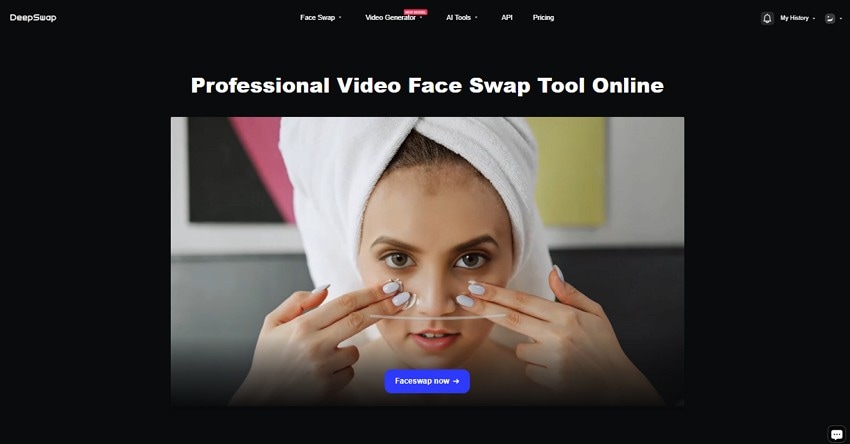
This deepfake AI image generator focuses on realistic face swapping across challenging poses, expressions, lighting conditions, and other scenarios. DeepSwap claims over 90% face-swap similarity and says its GPU-powered processing can handle a 1-minute video in about 10 seconds. Users can swap up to 6 faces within one video and work with photos, videos, and GIFs.
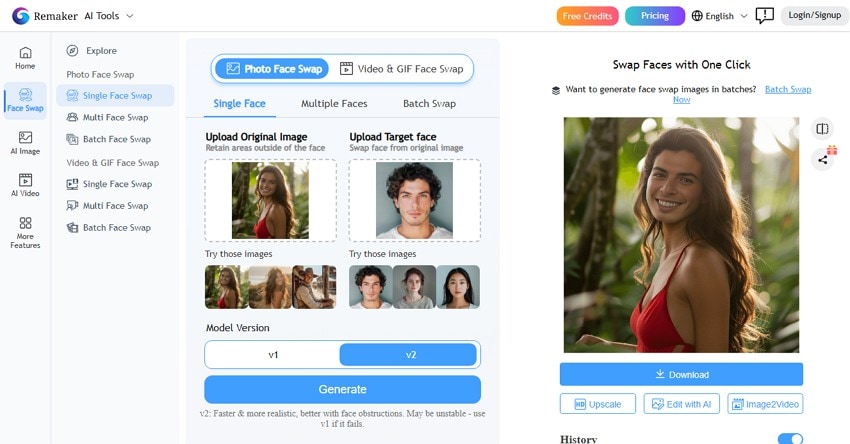
3. Remaker AI - Best Deepfake Image Maker for Beginners
Designed for flexible face swapping, Remaker AI supports single-face edits, multiple faces within group photos, and batch processing across several images. It also offers tools for replacing unwanted facial expressions or closed eyes using a more suitable face from another photo. Beyond standard photos, its face-swapping features extend to GIFs and other creative content, making it useful for both simple and varied editing tasks.
4. Vidnoz - Best for Multiple Face Swaps
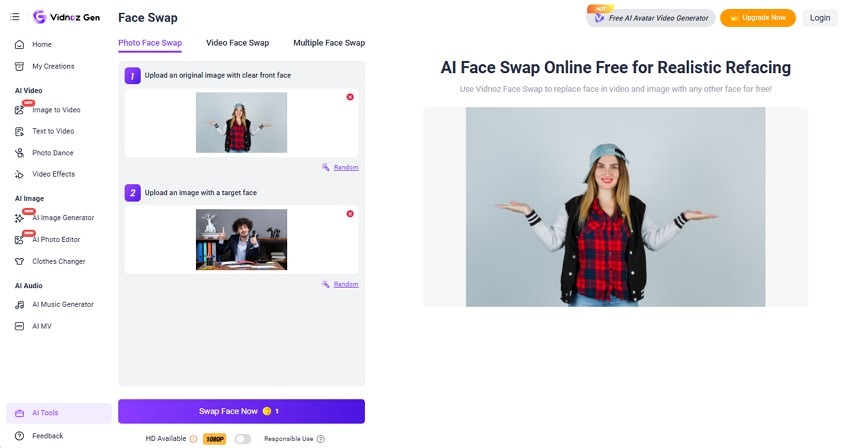
Vidnoz deepfake AI image generator has 3 separate modes for handling single photos, videos, and group shots with multiple faces at once. It supports 1080p HD results for higher-quality face swaps. Furthermore, it handles videos up to 50 minutes long and accepts JPG, PNG, WEBP, GIF, MP4, M4V, MOV, and WEBM files. According to Vidnoz, uploaded content and personal data are kept confidential and are not shared with third parties.
5. FaceSwapper - Best for Batch Deepfake Images
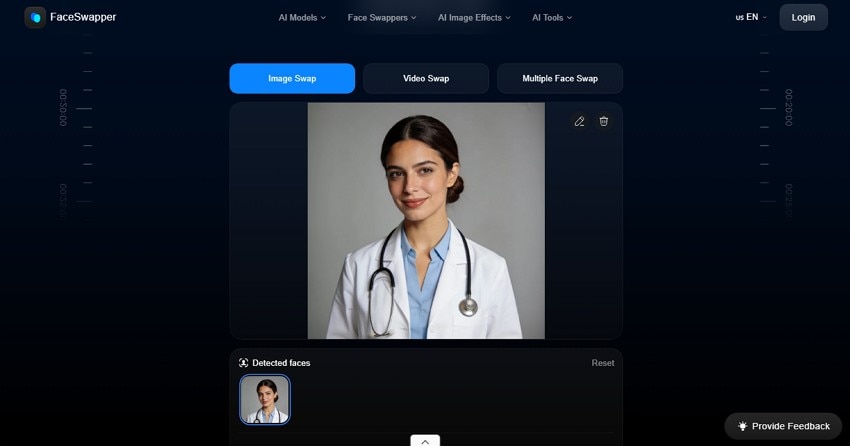
FaceSwapper is another deepfake image generator that offers unlimited usage without requiring credits or an account. It supports photos, videos, and animated GIFs, along with multiple-face swaps and batch processing across several images. Beyond face swapping, users can erase unwanted objects or add new elements through text-based editing tools. The platform is also accessible on mobile devices, making it convenient for editing beyond desktop use.
6. FaceFusion - Best for Advanced Deepfake Users
Designed for advanced users, FaceFusion is an open-source tool that can run locally, keeping processing on the user’s system. It supports commands such as run, headless-run, batch-run, and benchmark for different processing workflows. Users can also create, queue, submit, and delete jobs while managing individual job steps. FaceFusion supports different execution environments, including CPU, CUDA, TensorRT, and ROCm options through its available installation and Docker configurations.
Part 3. How to Choose the Best Deepfake AI Image Generator?
Choosing the right deepfake AI image generator requires looking beyond basic face-swapping capabilities. Consider the following factors to find a tool that matches your desired quality, workflow, and editing needs:
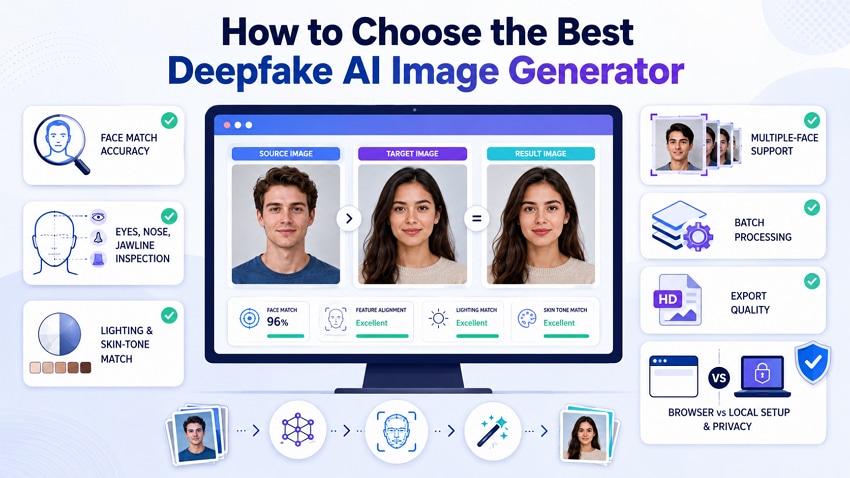
- Face Match Accuracy: Compare the generated face with the source image to see whether the identity remains recognizable. Then compare it with the target image to check whether the pose, expression, and facial proportions fit naturally.
- Eyes, Nose, and Jawline Check: Examine the eyes, nose, mouth, jawline, and overall face shape. Large differences in pose or expression between the source and target can make a face swap harder to blend naturally.
- Lighting and Skin Tone Match: Check whether the highlights and shadows on the swapped face match the surrounding scene. Examine the jawline, forehead, hairline, and neck for noticeable differences in skin tone, texture, resolution, or blending.
- Multiple-Face Support: For group photos, confirm that the tool can replace several faces rather than simply detect them. A useful multi-face feature should let you assign each source face to the correct person in the target image.
- Multi-Face vs Batch Processing: These features serve different purposes. Multi-face swapping replaces several faces within one photo, while batch processing handles multiple image files in one job. Check current platform limits when either capability is important.
- Export Quality Check: Review the final resolution, pixel dimensions, supported file formats, and watermark restrictions before choosing a tool. Export limitations can vary between platforms and subscription plans.
- Browser vs Local Setup: Browser-based tools generally require less setup, while locally installed tools can provide greater control over processing. For cloud-based services, review their privacy, retention, and deletion policies before uploading personal face images.
Part 4. Repairit vs a Deepfake Image Maker
Output quality is an important consideration after creating a deepfake image. A deepfake image maker generates or replaces facial identities, while Repairit focuses on enhancing existing images. The two serve different purposes but can work together when the results generated need further refinement. The table below shows which Repairit feature can help with common post-generation image issues:
| Task | Deepfake Image Maker | Repairit |
| Replace a Face | Yes, a primary function of face-swap tools | No |
| Generate a New Image | Available in some prompt-based tools | No |
| Improve a Soft or Blurry Image | No | AI Photo Enhancer |
| Increase Resolution | No | AI Image Upscaler at 2X, 4X, or 8X |
| Enhance Facial Details | No | Portrait Enhancer |
| Reduce Image Noise | No | AI Denoise |
| Remove Objects or Artifacts | No | AI Photo Eraser |
| Extend Image Borders | No | AI Image Extender |
Repairit AI Features That Improve Face Swap Output
Face swaps can sometimes contain blur, noise, low resolution, or visible artifacts. Repairit provides dedicated AI features for addressing these post-generation issues. Each tool below targets a specific image-quality problem while helping refine the existing result.
AI Photo Enhancer: The general enhancement model improves sharpness, clarity, color, and detail across the whole image in one pass. Facial Features Recognition focuses on areas such as eyes, hair, and skin for more targeted refinement. Lighting can also be rebalanced across the face, which helps when a deepfake image generator produces a swapped region that does not naturally match the surrounding scene.
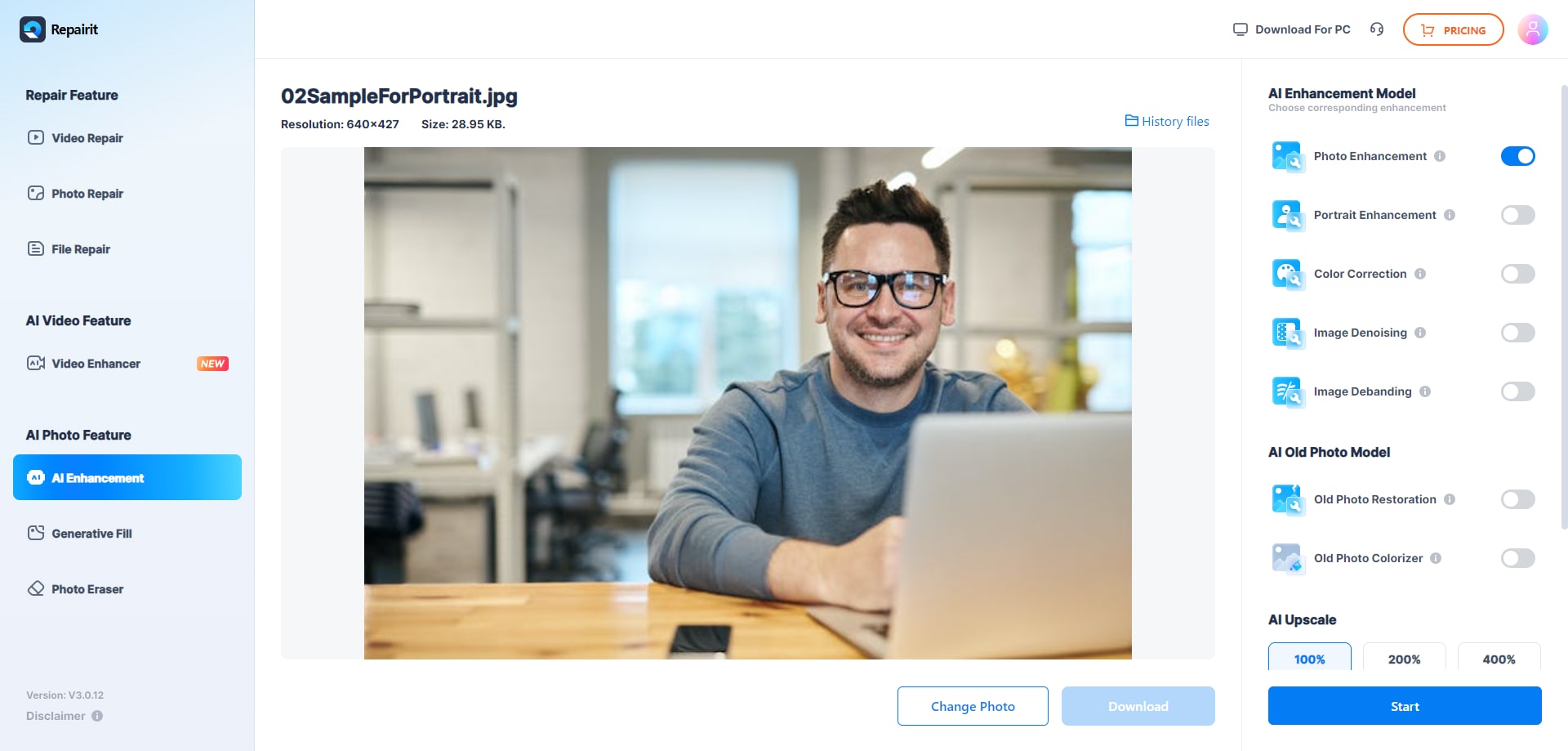
Portrait Enhancer: Accurate Face Focus locates the face and concentrates processing there instead of spreading it evenly. Facial Features Recognition then targets areas such as the eyes, hair, and skin for more focused refinement. Light is rebalanced across the face at the same time, which helps when the swapped region is lit differently from the target scene.
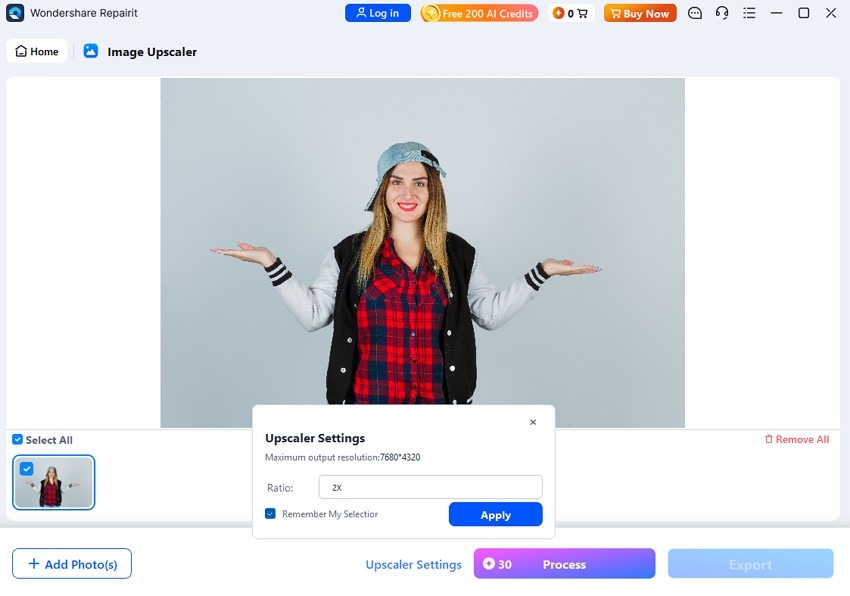
AI Image Upscaler: Enlargement runs at 2x, 4x, or 8x, reaching up to 800% of the source dimensions. Pixelation is addressed during enlargement, helping edges and fine details appear clearer instead of simply stretching existing pixels. This makes the feature useful when a face swap has limited resolution or needs enlargement for a larger output.
AI Denoise: Removes grain and digital noise while preserving fine image details. Processing order matters because enlargement can make existing noise more noticeable. Denoising before upscaling can provide a cleaner base for enlargement, especially when a deepfake image generator produces grainy or compressed results.
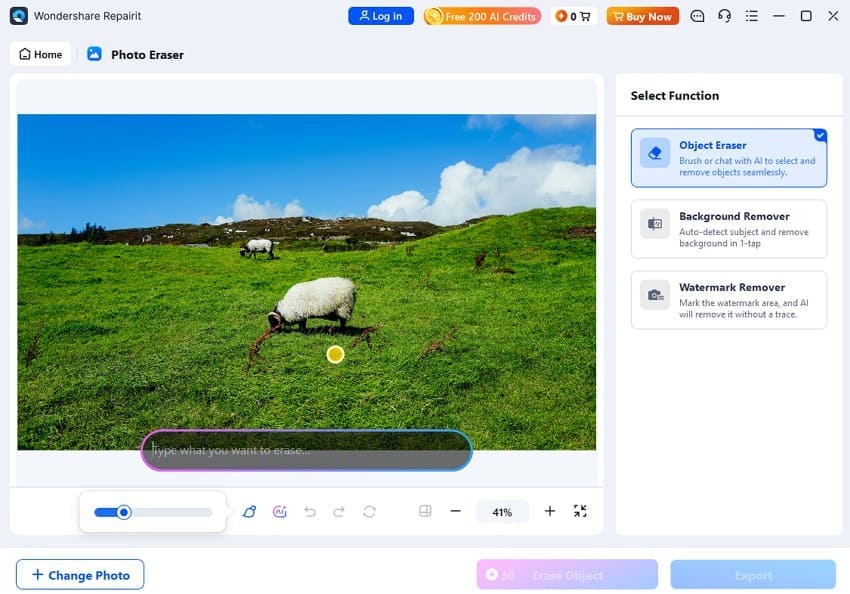
AI Photo Eraser: A zoomable brush lets you mark unwanted areas, while AI reconstructs the selected region based on its surroundings. Beyond unwanted objects, it can address glare, moiré, reflections, and shadows. This can also help clean up visible artifacts around the jawline, hairline, or background after an imperfect face swap.
AI Image Extender: Extends an image beyond its original borders by generating new content that blends with the surrounding scene. If a deepfake image maker produces an image with a tight crop, this feature can expand the composition and create additional space around the subject without changing the existing face swap.
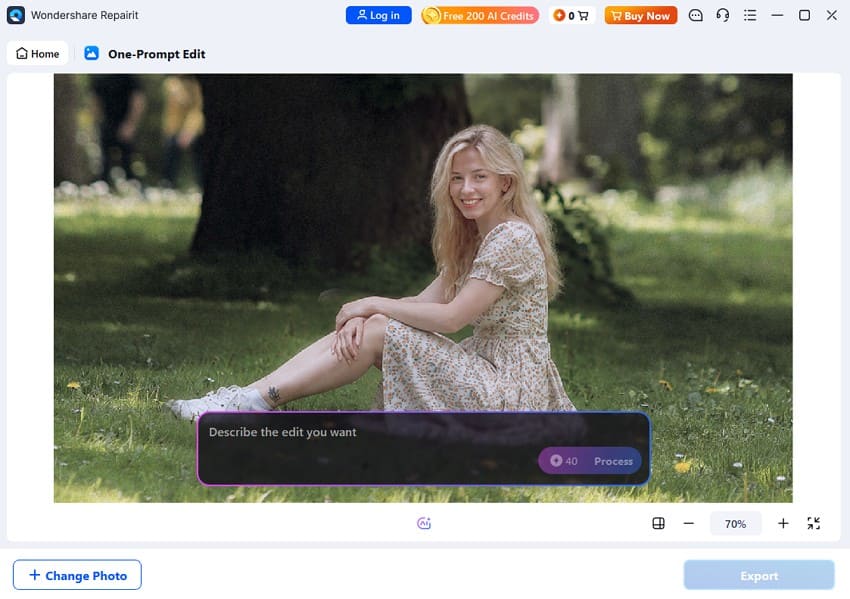
Prompt-Based Editing: Lets you describe changes to an existing image using natural-language prompts. It can simplify adjustments such as correcting lighting or modifying background details without manually selecting every element. Follow-up prompts can further refine the previous result, making it easier to improve the image through multiple editing steps.
Part 5. Use Deepfake Image Makers Responsibly
Realistic output is only one consideration when using a deepfake image generator. You also need to consider consent, privacy, impersonation, and applicable laws before creating or sharing synthetic images. Some forms of deepfake misuse can carry legal or criminal consequences in the United States. The following practices can help you use these tools responsibly:
| Rule | Why It Matters | Best Practice |
| Get Permission | Publicly available photos do not automatically indicate consent for synthetic use. | Use images you own or have permission to edit. |
| Avoid Fraud or Impersonation | Synthetic identities can be misused to deceive others or obtain money, information, or access. | Never use deepfakes to fraudulently impersonate someone. |
| Avoid Nonconsensual Intimate Content | The TAKE IT DOWN Act addresses certain nonconsensual intimate images, including qualifying digital forgeries. | Never create or share intimate synthetic images without consent. |
| Label Synthetic Images When Needed | Unlabeled AI-generated or manipulated content may mislead viewers about what is authentic. | Clearly disclose AI manipulation when context requires transparency. |
| Protect Uploaded Images | Facial images can contain personal information and may be processed or retained by online services. | Review privacy, retention, and deletion policies before uploading. |
| Review Tool Rules | Consent, acceptable-use, watermarking, and publishing policies can differ between platforms. | Check the platform’s latest terms before creating or publishing content. |
Under the TAKE IT DOWN Act, covered platforms must remove qualifying nonconsensual intimate content and known identical copies within 48 hours of receiving a valid request. The Act was signed into law in May 2025, when its criminal prohibition took effect, while the platform notice-and-removal requirements took effect in May 2026. See the FTC and Congressional Research Service.
Conclusion
Match the tool to the job, not a ranking. Vidnoz handles the largest groups, FaceSwapper covers batch work for free, and FaceFusion keeps everything local for those willing to install it.
DeepSwap gives the most convincing single swaps, Dreamina suits generated targets, and Remaker AI suits first attempts. Two factors outrank all of them: source image quality and consent. When a deepfake image maker returns a soft or resolution-capped result, Repairit closes that gap afterward.
FAQ
-
What is the difference between a deepfake image maker and a face swapper?
The terms often overlap, but a face swapper primarily replaces one person's face with another in an existing image. A deepfake image maker is a broader category that can include face swapping, facial manipulation, and generating synthetic faces or images using AI. -
Can a deepfake image generator replace several faces in one photo?
Yes. Some deepfake image generator tools support multiple-face swapping within a single photo. Vidnoz supports up to 10 faces, while DeepSwap supports up to 6 faces. For group photos, accurate face-to-person assignment is also important for achieving consistent and natural-looking results. -
Why do some deepfake images look blurry after generation?
Deepfake images can look blurry when the source face lacks detail or the tool limits output resolution. Differences in face size, focus, or image quality can also affect the swapped region. AI upscaling and portrait enhancement can improve clarity afterward, although they cannot fully restore details missing from the original. -
Can deepfake image makers handle side-profile or partially covered faces?
Yes, but results can be less consistent with side profiles or partially covered faces. Extreme viewing angles, sunglasses, hair, masks, or other obstructions can hide important facial details, making it harder for a deepfake image maker to preserve identity and produce a natural-looking swap.




