PicLumen AI looks appealing when you want to make an image without learning a complicated design program. The harder question comes after your first prompt: will the free allowance last, can the result be used in a paid campaign, and do you actually need to generate an entirely new picture? This PicLumen AI review explains the tools, the costs that change by model, and the moments when a focused photo editor makes more sense.
In this article
Part 1: What Is PicLumen AI?
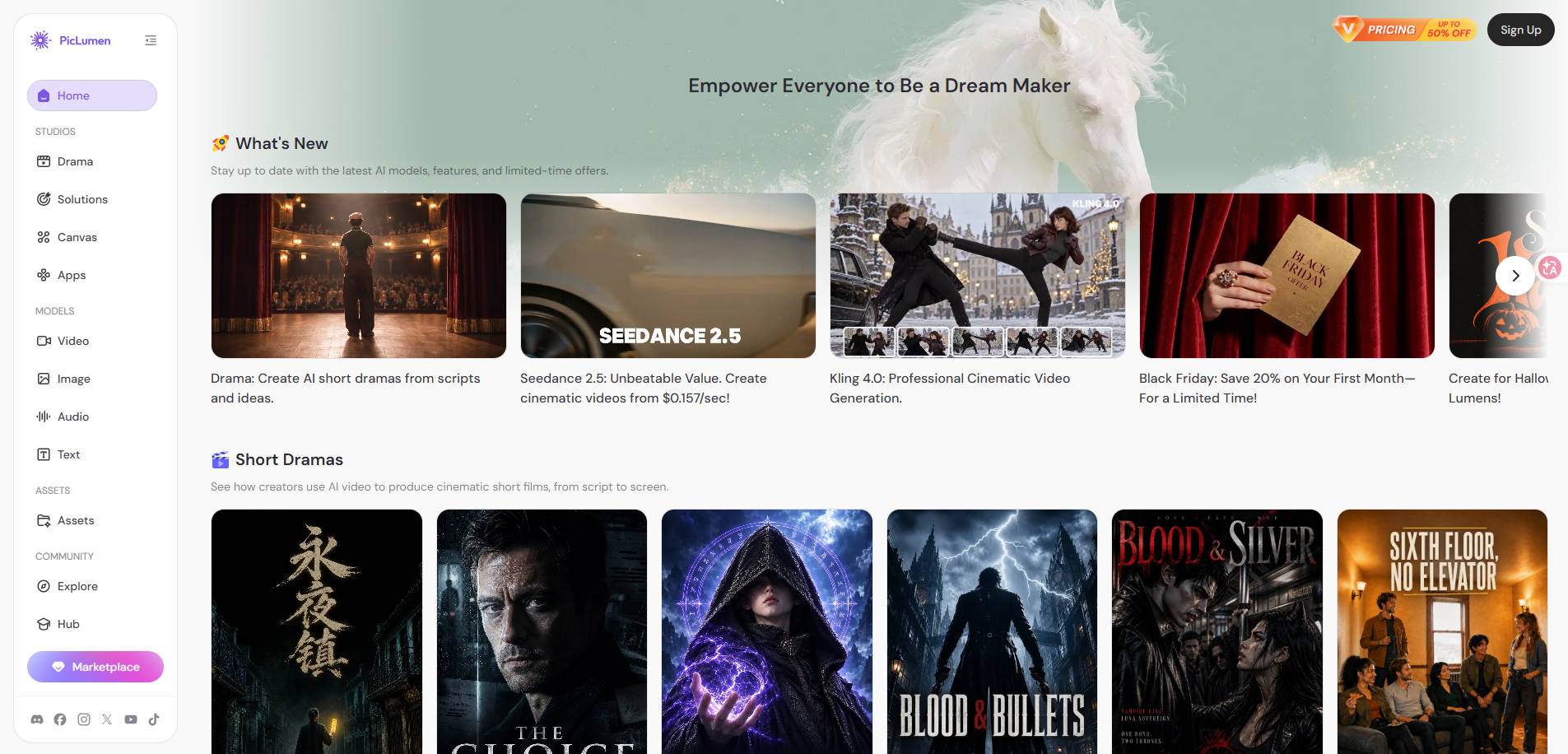
PicLumen is a browser-based AI creative platform for text-to-image, image-to-image, image and video generation, canvas-based edits, and other multimedia projects. It combines multiple models under one account rather than limiting you to a single image engine. That flexibility is useful for experimenting, but also means the model you select can change your cost and output characteristics.
Its core audience includes illustrators brainstorming concepts, social-media creators building visuals, ecommerce teams preparing assets, and people turning pictures into short motion clips. PicLumen is not primarily a conventional photo-repair application; generating a new image and preserving the original details of a damaged photograph are different jobs.
Part 2: What Can You Make with PicLumen?
Text-to-image and image-to-image creation
Describe a subject, scene, lighting and aspect ratio to generate an image. Alternatively, start from a reference picture and describe the transformation you want. Text-to-image is helpful for concepts that do not yet exist; image-to-image makes more sense when composition, subject or style should stay recognizable.
Canvas editing, background removal and upscaling
PicLumen promotes a Canvas environment for tasks such as AI replacement, background removal and resolution enhancement. For an ecommerce image, this distinction matters: replacing the background may be useful, but an AI result should not alter product color, packaging text, dimensions or included accessories. Review these against the original before publication.
Image-to-video and additional creative models
PicLumen also offers AI video creation from prompts or images, plus access to other creative models. A still photo can become a short motion clip, but movement quality, clip duration, aspect ratio and Lumen consumption vary by chosen model. Do not assume the allowance advertised for an image model applies to video generation.
| Task | PicLumen workflow | What to check before using it |
| Concept illustration | Text-to-image prompt | Style, consistency, rights |
| Product photo variation | Image-to-image or Canvas edit | True product details, label fidelity |
| Fix a blurry photo | Upscale / enhancement | Whether details are authentic or newly synthesized |
| Photo motion | Image-to-video | Credit cost, motion errors, export specs |
| Social graphics | Create image and assemble final design | Legible text, platform dimensions |
Part 3: PicLumen Pricing, Free Lumens, and Real Usage Costs
Is PicLumen free? Yes. PicLumen’s official FAQ states that Basic users receive 10 Lumens per day, subject to daily generation limits. Lumens are credits used across image, video and editing tasks; the exact number required depends on the model and operation. The free plan should therefore be treated as a way to explore the tool, not as a promise of a fixed number of high-resolution images or videos.
| Plan | Listed monthly price (USD) | Included Lumens / notable access |
| Basic | $0 | 10 free Lumens per day; no commercial rights |
| Lite | $7.59 / month | 750 Lumens/month; limited commercial license |
| Standard | $24.99 / month | 2,500 Lumens/month; full commercial license |
| Pro | $49.99 / month | 6,000 Lumens/month; expanded rights and faster queue |
| Elite | From $359.99 / month, depending on tier | Higher allocations; verify current tier and terms |
How to budget: Find the Lumen cost of the exact model you want to use, then multiply it by your planned iterations—not just the final number of files. For example, 12 final product visuals may require dozens of attempts once you account for aspect-ratio changes, failed prompts and revisions. PicLumen’s estimates of image/video output on its pricing page are examples, not guarantees across every model.
Subscription Lumens generally reset with the billing cycle rather than rolling over automatically; special rollover rules apply to certain Elite tiers. Check the official PicLumen pricing and Lumen terms before paying, especially if you plan to generate only occasionally. Prices above reflect publicly displayed monthly pricing checked in November 2026 and may change.
Part 4: How to Generate and Edit an Image with PicLumen
You can learn the tool with a small, controlled project rather than testing ten unrelated prompts. For example, imagine you sell a ceramic coffee mug and need a calm kitchen-lifestyle image for your store.
- Choose the input. Start from a real product photograph when exact appearance matters; use text-to-image for fictional concepts or background ideas.
- Describe the target result. Specify the object, camera angle, surface, lighting, background and aspect ratio. Explicitly state what should remain unchanged if editing an existing photo.
- Select a model and inspect its cost. Confirm the Lumen charge before you generate. Different models may handle lettering, surfaces and perspective differently.
- Generate a draft. Compare the result with the original product: handle shape, color, printed labels and included items must be correct.
- Refine selectively. Change only the problematic part of the scene, where supported, rather than regenerating everything from scratch.
- Export and inspect at publishing size. Check small text, transparent edges, strange fingers or objects, image dimensions and commercial-use eligibility before uploading to a store or ad account.
A sample prompt for a concept scene is: “Photorealistic ceramic coffee mug on a bright oak kitchen counter, soft morning window light, neutral background, natural shadows, 4:5 composition; preserve the reference mug’s exact handle shape and glaze color.” A prompt helps, but it does not guarantee product fidelity.
Part 5: PicLumen Pros and Cons
PicLumen provides a broad creative starting point, yet its strengths depend on the model and project. The points below describe product characteristics and decision trade-offs, not results of an undisclosed hands-on benchmark.
Part 6: Can You Use PicLumen Images for Commercial Projects?
Commercial use is plan-dependent. PicLumen says Basic users have no commercial rights, Lite users have limited commercial licensing, Standard users have full commercial licensing, and higher tiers add broader rights. These are plan-level descriptions, not legal advice or a guarantee that every generated image is cleared for every use.
If you run an online store, distinguish your own generated work from images shared publicly by other creators. PicLumen says publicly shared outputs belonging to others can be used as references, not copied for commercial use. You must still consider trademarks, recognizable people, protected characters, product claims and the platform rules of the marketplace where you publish.
What to check for product ads and ecommerce listings
- Does the selected subscription explicitly permit your commercial use?
- Does the image depict the real item without invented features or accessories?
- Are labels, logos and colorways accurate to the product sold?
- Are there identifiable people or third-party reference images requiring permission?
- Will the ad platform or marketplace accept this representation?
Part 7: PicLumen vs. Repairit for Existing Photos
Sometimes the job is not to invent a new image. You already have a portrait, product photo or family picture and simply want it cleaner, more polished or subtly animated. In those cases, a targeted editor is worth comparing before spending more Lumens.
Wondershare Repairit offers One-Prompt Edit for prompt-driven changes to existing photos, and Animate Photo for turning still images into motion clips. For store visuals, AI Product Photography is another relevant feature to investigate. These are task-specific options; they do not replace PicLumen’s multi-model image generator, Canvas system or audio tools.
| Your starting point | Consider first | Why |
| Only a written idea | PicLumen text-to-image | Create new imagery from a prompt |
| Existing photo needs a scene or look change | Repairit One-Prompt Edit or PicLumen Canvas | Edit an existing visual |
| Existing photo needs short motion | Repairit Animate Photo or PicLumen image-to-video | Focus on motion rather than a complete generator suite |
| Product imagery for a store | Repairit product photo tools or PicLumen image editing | Inspect product fidelity and commercial rights |
Choose an editor based on the exact image you have and the result you need. A successful photo enhancement should preserve important details; a new AI-generated scene may intentionally invent them.
Part 8: Is PicLumen AI Worth It?
PicLumen is worth considering if you regularly experiment with different visual models, produce both images and short videos, or need a flexible creative canvas. Its free allowance is most useful for understanding the editor and trying a few ideas before committing to recurring credits.
It may be less suitable if you only need to fix one blurry photo, adjust a real product background, or animate an existing portrait occasionally. Before subscribing, compare one complete project—including retries, export quality and rights—rather than evaluating a single attractive preview. If another workflow better matches your task, this comparison of best PicLumen AI alternatives separates dedicated photo tools from broad generative platforms.
Conclusion
PicLumen offers a versatile way to generate images, experiment with visual models and explore motion content. Its value depends on the cost of the models you actually use and whether the license covers your project. If you work from existing photos instead of generating entirely new artwork, compare a focused photo editor before committing to a larger subscription.
FAQ
-
Is PicLumen AI free?
Yes. Its official FAQ describes a Basic plan with 10 free Lumens per day, subject to model and usage limits.
-
What are PicLumen Lumens?
Lumens are usage credits. Image, video and editing operations can have different costs depending on the selected model.
-
Can I use PicLumen AI for commercial work?
Not on the Basic tier under the current published terms. Paid licensing varies by tier; review the current license and your specific use case.
-
Does PicLumen support image-to-video?
Yes. It lists image-to-video and other AI video workflows, though outputs and credit costs depend on the model.
-
Can PicLumen fix blurry photos?
Its editing tools include upscaling, but AI enhancement may infer details rather than restore an exact original. Inspect the image closely.
-
Is PicLumen better than Repairit?
They overlap in certain image-editing and animation tasks but have different broader purposes. PicLumen is a multi-model creative studio; Repairit is more focused on photo-editing, animation and repair workflows.