Diwali portraits look their best when the lighting, decorations, and clothing feel festive without changing the people in the original photograph. These 15 Diwali AI photo editing prompts cover solo portraits, couples, family photos, rangoli scenes, and greeting images, with practical instructions for keeping faces and details natural.
Quick Answer: Upload a clear photo to an AI image editor and use a prompt that names the subject, Diwali setting, clothing, lighting, and what must stay unchanged. Try: "Keep my face and skin tone recognizable, add realistic diyas and marigold decorations, and use gentle golden-hour light without changing my facial features." Choose one of the 15 prompts below for a more specific look.
In this article
Part 1. How to Write Better Diwali AI Photo Editing Prompts
A strong Diwali photo prompt is a short creative brief, not just "make it festive." Specify who is in the photo, the atmosphere, the lighting, and which details must remain intact. Start with a sharp picture where faces are visible and nothing important is cropped off.
| Prompt element | What to describe | Example |
|---|---|---|
| Identity | What must not change | Preserve face, age, skin tone, and expression |
| Scene | Where the celebration happens | Home courtyard with rangoli and diyas |
| Lighting | How the photo should feel | Warm evening light with realistic shadows |
| Outfit | Clothing, only if a change is wanted | Deep blue kurta with natural fabric texture |
| Output | Purpose and framing | Vertical 9:16 story with clean margins |
For better results, upload a separate reference image when the editor supports it, or use the original photograph as the primary identity reference. Face preservation is an instruction to the model, not a guarantee; inspect edited faces, hands, jewelry, and skin tone before sharing.
Part 2. 15 Diwali AI Photo Editing Prompts for Stunning Festival Photos
Each prompt is designed to be copied and adapted. Replace clothing colors, setting, and photo format to suit your actual picture. Scenes involving multiple people may require an additional editing pass to preserve each identity.
Solo Portraits
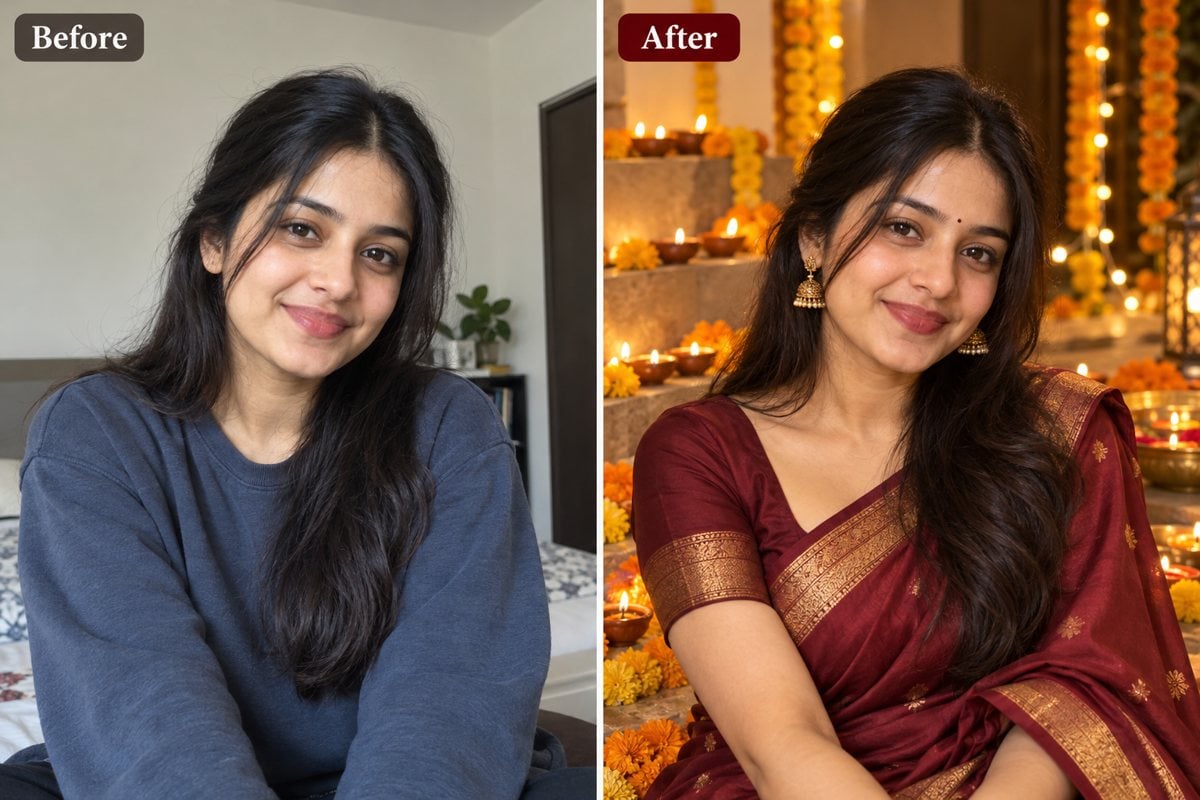
1. Elegant Saree Portrait
Best for: A natural portrait for a festive Instagram post.
Copy-ready prompt:
Edit the uploaded photo into a realistic Diwali portrait. Keep my face, skin tone, age, hairstyle, and body proportions recognizable. Dress me in an elegant maroon silk saree with a subtle gold border. Add a softly illuminated diya arrangement and marigold flowers in the background. Use warm evening light, realistic skin texture, and an editorial photography style. Avoid changing my facial features or adding extra fingers.
2. Festive Lehenga at Golden Hour
Best for: Full-length traditional outfit photo.
Copy-ready prompt:
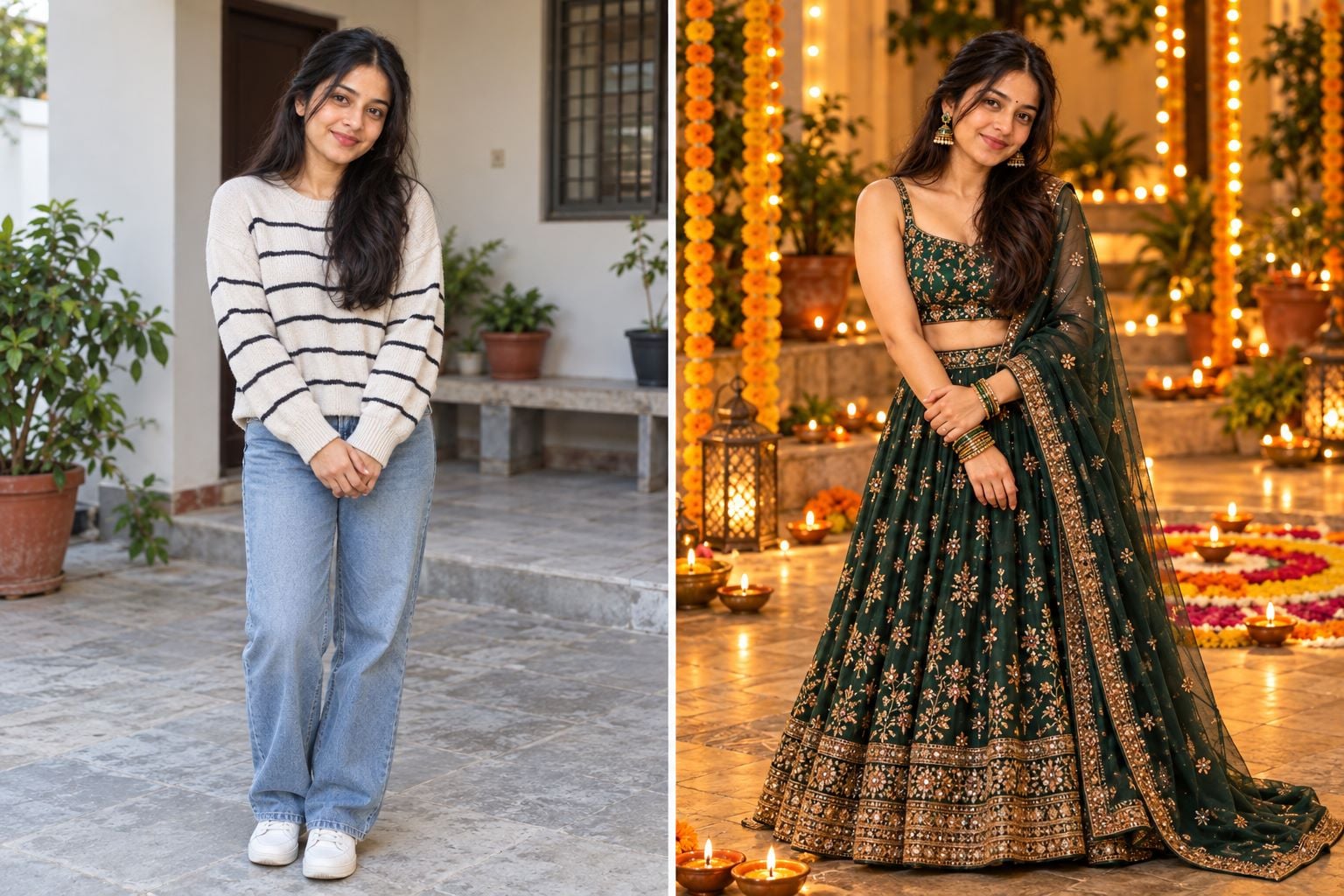
Use my uploaded image as the identity reference. Keep my facial features and natural complexion unchanged. Create a full-length Diwali photo featuring a deep emerald lehenga, tasteful jewelry, and a courtyard decorated with rangoli and small diyas at golden hour. Preserve believable fabric folds, hand anatomy, and realistic shadows. No artificial glitter or over-smoothed skin.
3. Kurta and Nehru Jacket Look
Best for: Men's traditional outfit portrait.
Copy-ready prompt:
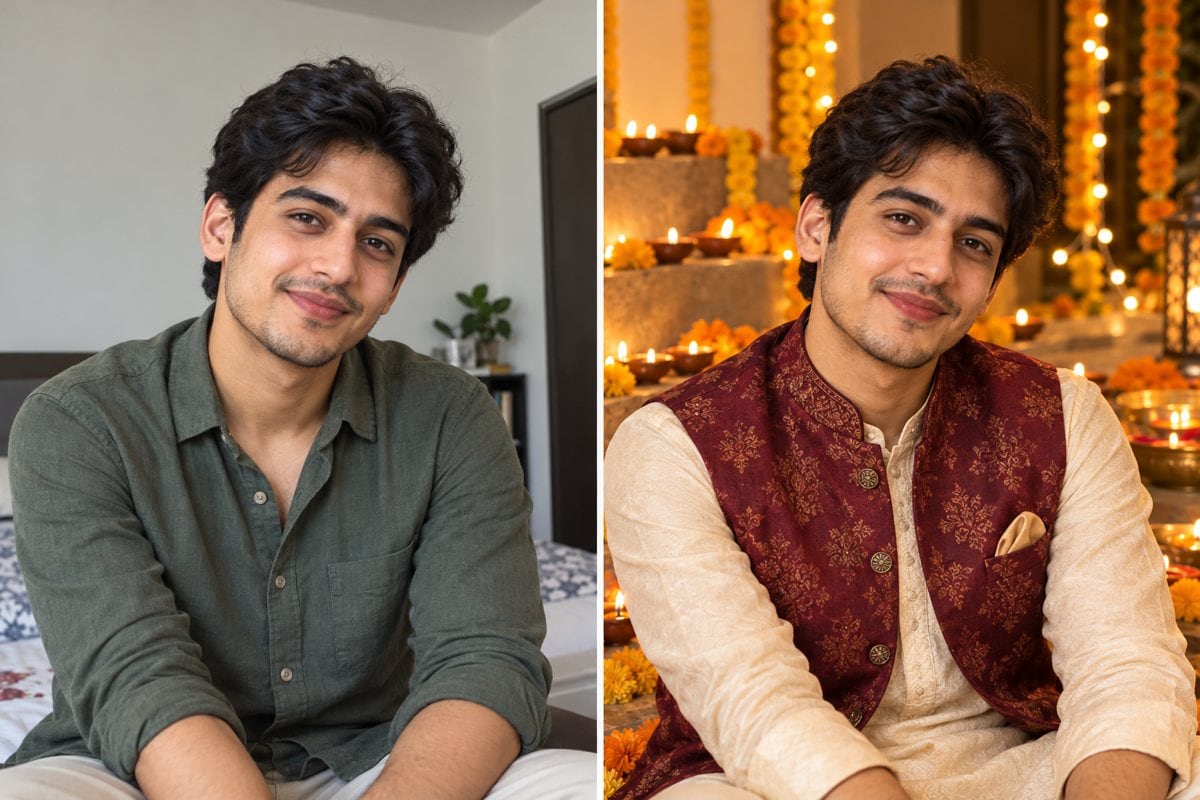
Transform my uploaded portrait into a realistic Diwali celebration photograph. Preserve my face, expression, hairstyle, beard if present, and skin tone. Dress me in a navy blue kurta and a textured cream Nehru jacket. Place me beside a doorway with warm lanterns and marigold garlands. Keep the background slightly blurred and natural, with no text or logos.
4. Diya Close-Up Portrait
Best for: Atmospheric portrait for Stories.
Copy-ready prompt:
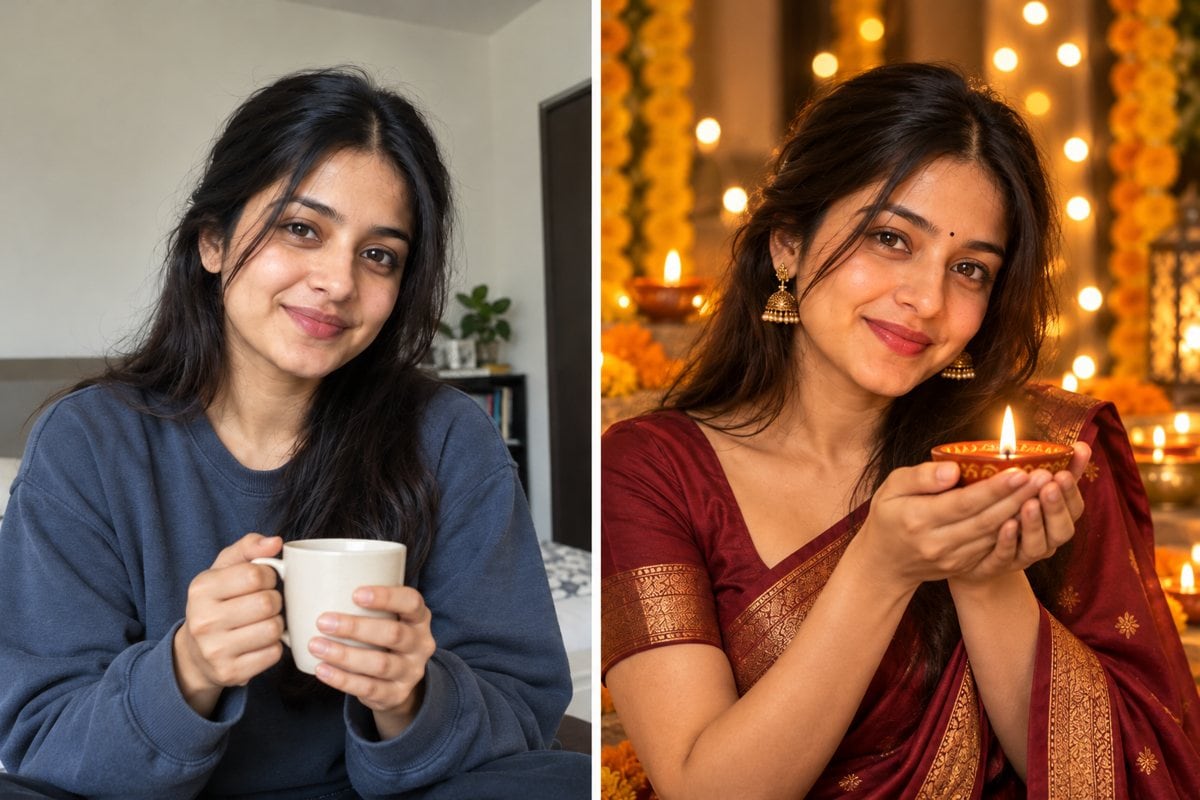
Keep the person in my original photo recognizable. Create a close-up Diwali evening portrait holding one small diya safely at chest height. Light the face gently from the front and side with a believable warm flame glow. Add distant festive lights as subtle bokeh, not large glowing circles. Preserve authentic skin detail, realistic fingers, and the original expression.
Couples and Families
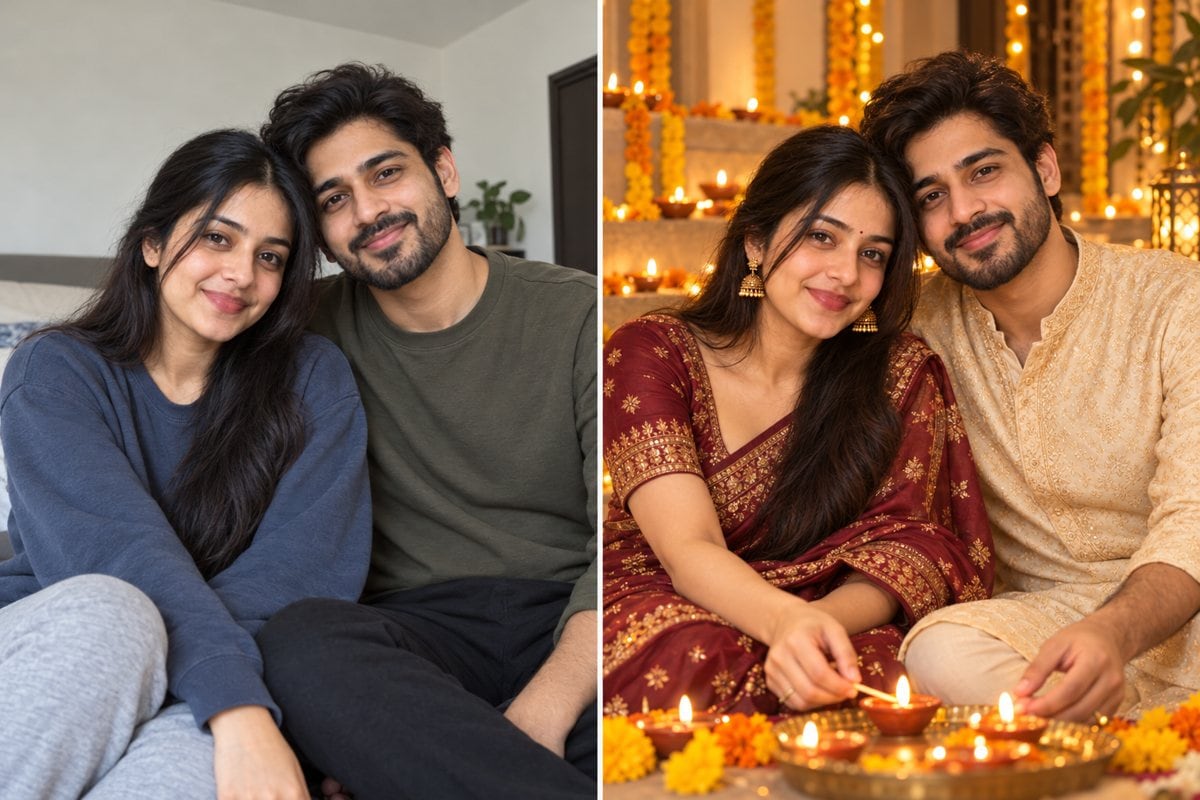
5. Couple Lighting Diyas
Best for: Romantic two-person Diwali photograph.
Copy-ready prompt:
Edit this uploaded couple photo into a candid Diwali evening moment as we arrange diyas on a terrace. Keep both people distinct and recognizable: preserve each face, expression, skin tone, and relative height. Add elegant Indian festive clothing, soft lantern lighting, and a realistic city background. Do not merge facial features, change the number of people, or add extra hands.
6. Family Around Rangoli
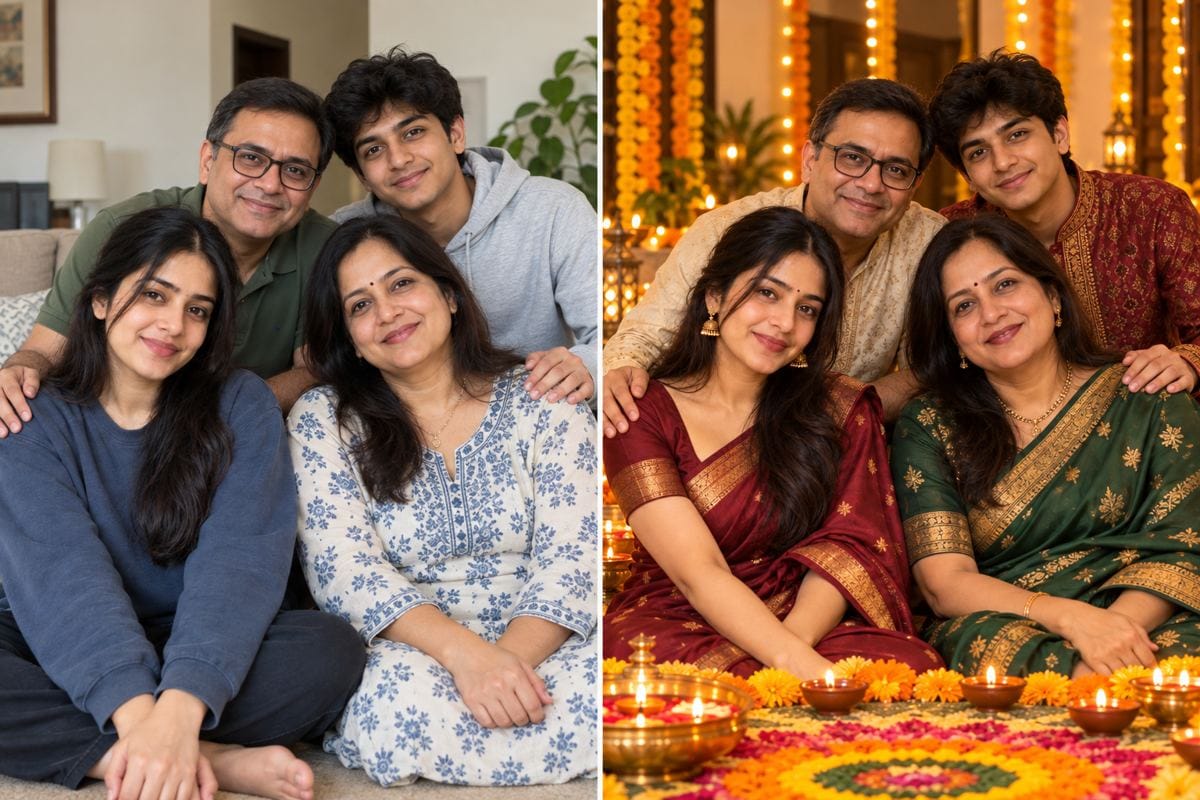
Best for: Family portrait with several faces.
Copy-ready prompt:
Use our group photo as the reference. Preserve every family member, face, age, skin tone, expression, and relative position. Create a warm Diwali gathering around a colorful floral rangoli with small diyas. Add tasteful marigold decorations and natural indoor lighting. Keep each hand and face realistic, with no missing or extra people.
7. Kids With Festive Lanterns
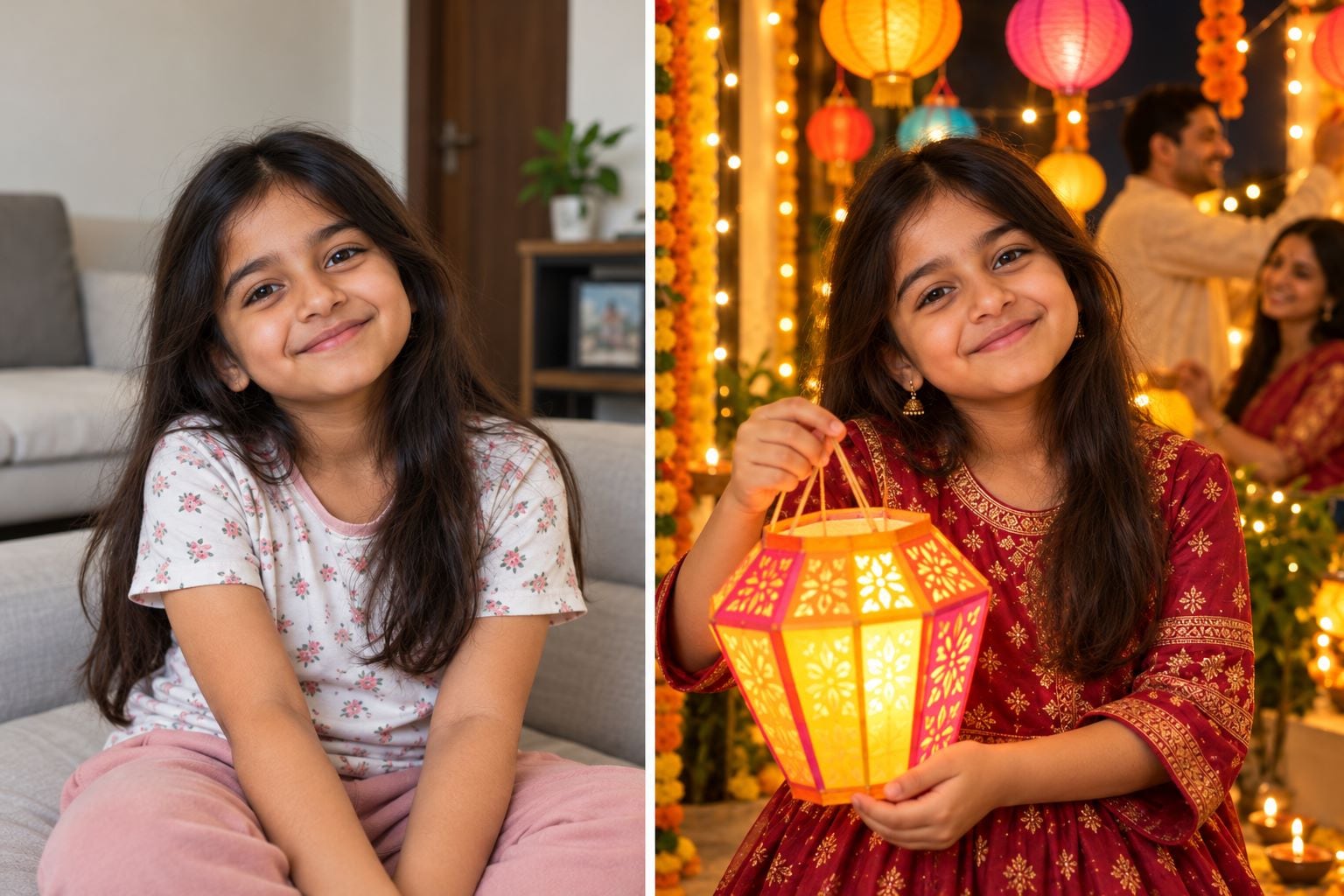
Best for: Child-friendly celebration photo.
Copy-ready prompt:
Enhance this child's original photo into a joyful Diwali family scene. Keep the child's facial identity, age, skin tone, and expression the same. Add paper lanterns and warm decorative lighting in the background, with no fire or fireworks in the child's hands. Preserve natural proportions and make the overall look photographic rather than cartoonish.
8. Grandparents' Diwali Memory
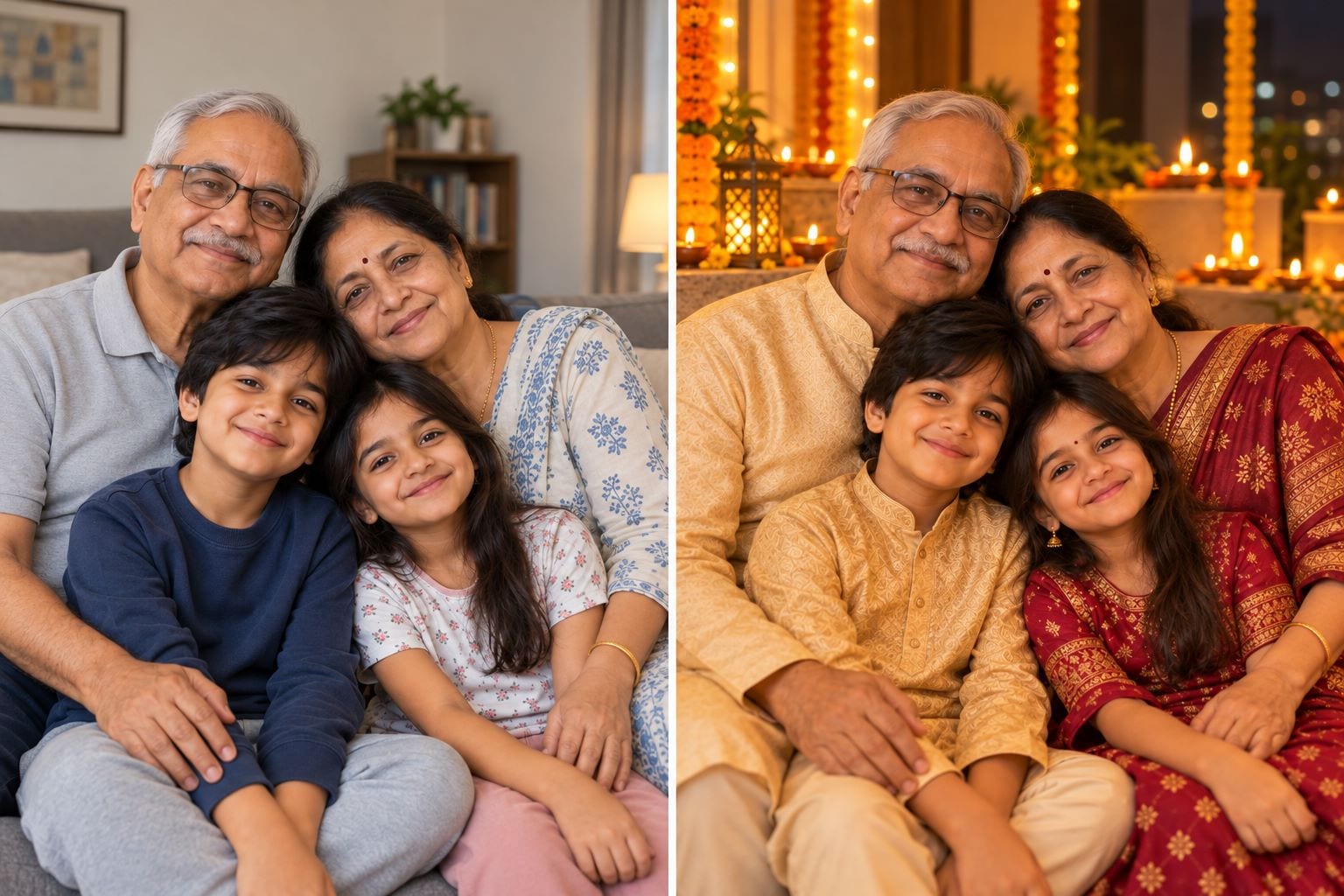
Best for: Gentle vintage-family aesthetic.
Copy-ready prompt:
Edit our uploaded family photo into a cozy Diwali evening portrait with grandparents and grandchildren. Preserve everyone's age, wrinkles, facial structure, and real relationships. Add gentle diya lighting, a traditional decorated living room, and natural fabric textures. Do not make older faces look younger or change anyone's identity.
Festive Scenes
9. Rangoli Courtyard
Best for: Background-first festive transformation.
Copy-ready prompt:
Keep the person in my uploaded photo unchanged and rebuild only the surrounding scene as a Diwali courtyard. Add a detailed floral rangoli on the floor, symmetrical diya placement, and modest marigold strings around the doorway. Match the lighting and shadows to the original subject. Avoid floating decorations, warped architecture, or invented signage.
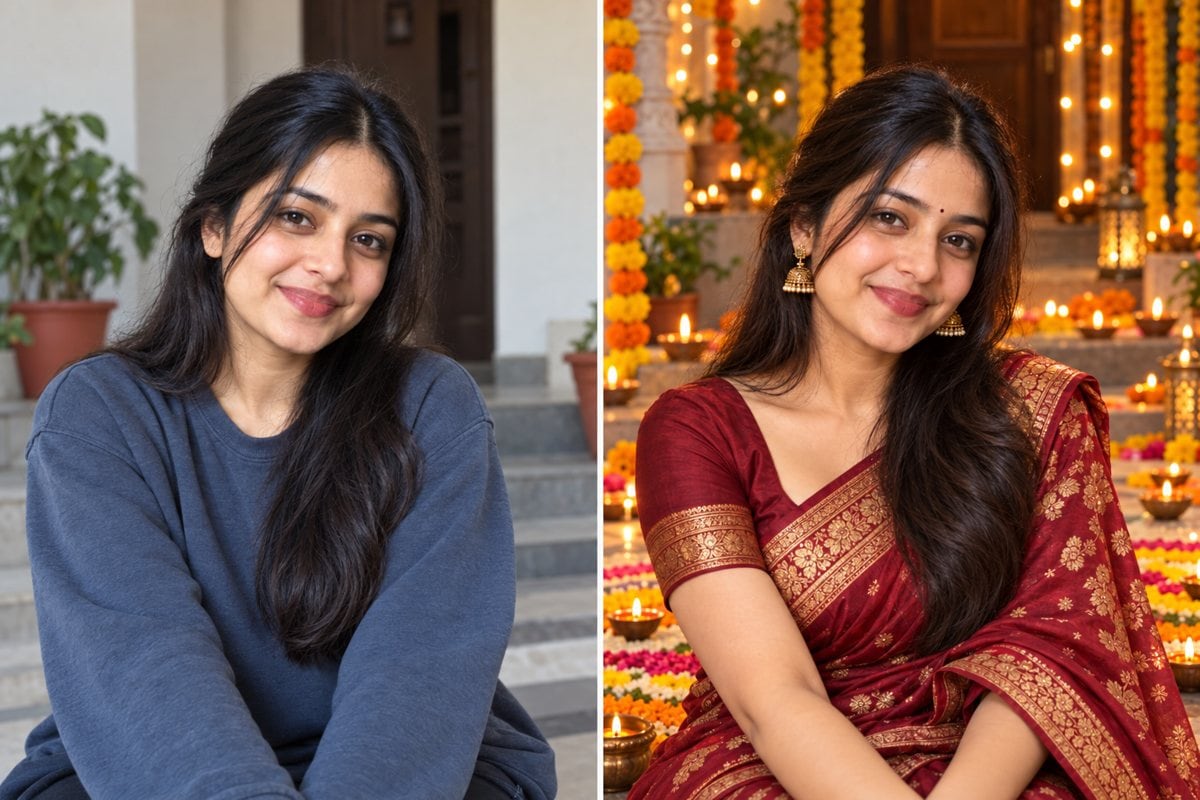
10. Balcony With Golden Lights
Best for: Warm night-time festive scene.
Copy-ready prompt:
Transform the background of my photo into a Diwali balcony at dusk. Preserve my face, outfit, posture, and proportions. Add warm string lights and a few lanterns with realistic reflections on the railing. Keep the exposure balanced so the person is visible, with no fake firework explosions or heavily saturated orange skin.
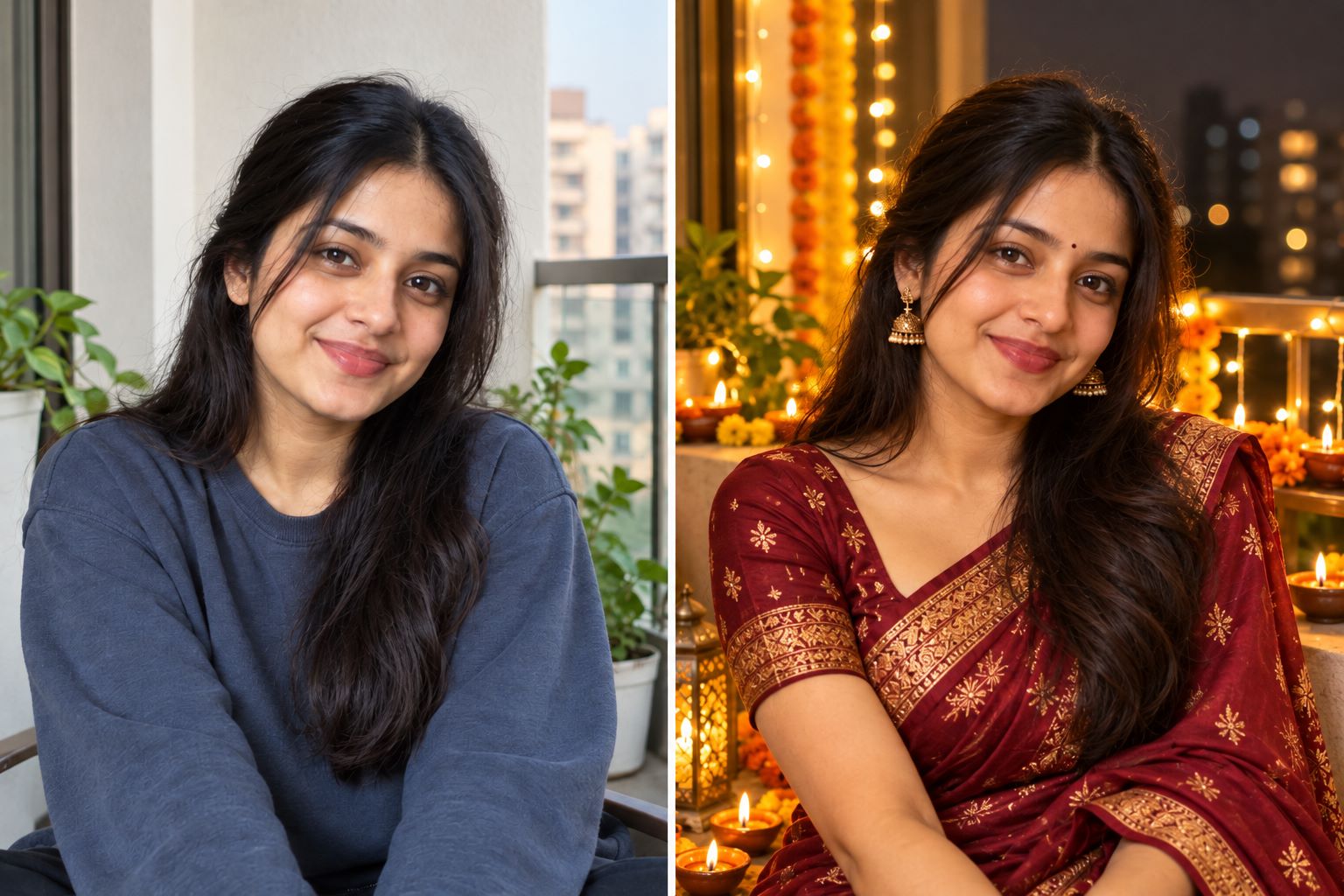
11. Sparkler Evening Photo
Best for: Cinematic but realistic photograph.
Copy-ready prompt:
Turn my uploaded outdoor photo into a realistic Diwali sparkler scene. Preserve the original subject's identity, body shape, and expression. Add a small handheld sparkler with believable sparks and light falloff, and distant festive decorations. Keep hand anatomy accurate and avoid excessive smoke or fireworks near faces.
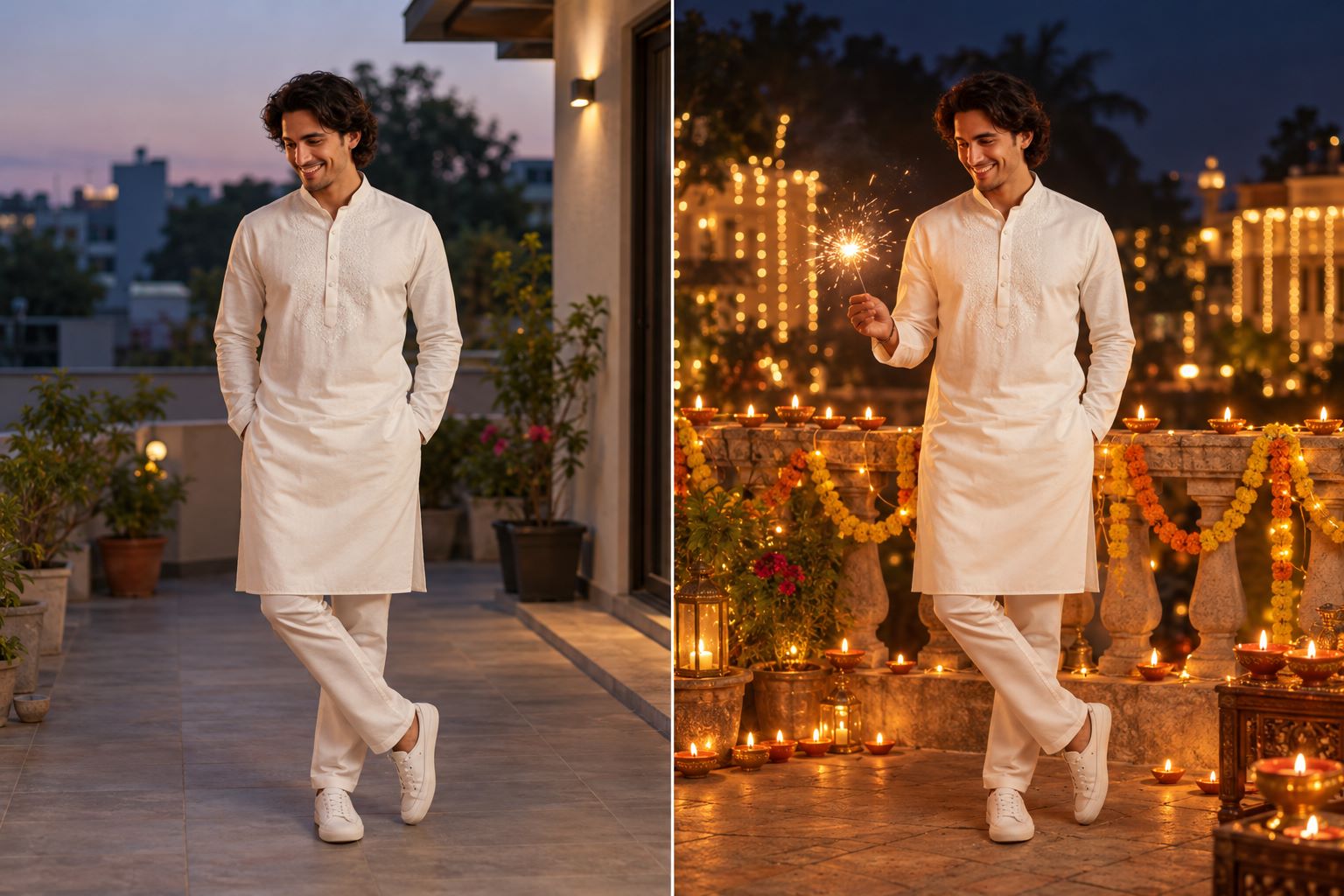
12. Minimal Diwali Flat Lay
Best for: Festive still life for a post.
Copy-ready prompt:
Create a photorealistic top-down Diwali flat-lay inspired by the uploaded reference image. Arrange a few lit clay diyas, marigold petals, a simple rangoli pattern, and brass details on a neutral stone surface. Keep ample negative space in the upper third for a caption to be added later. Do not generate any letters, watermarks, or logos.
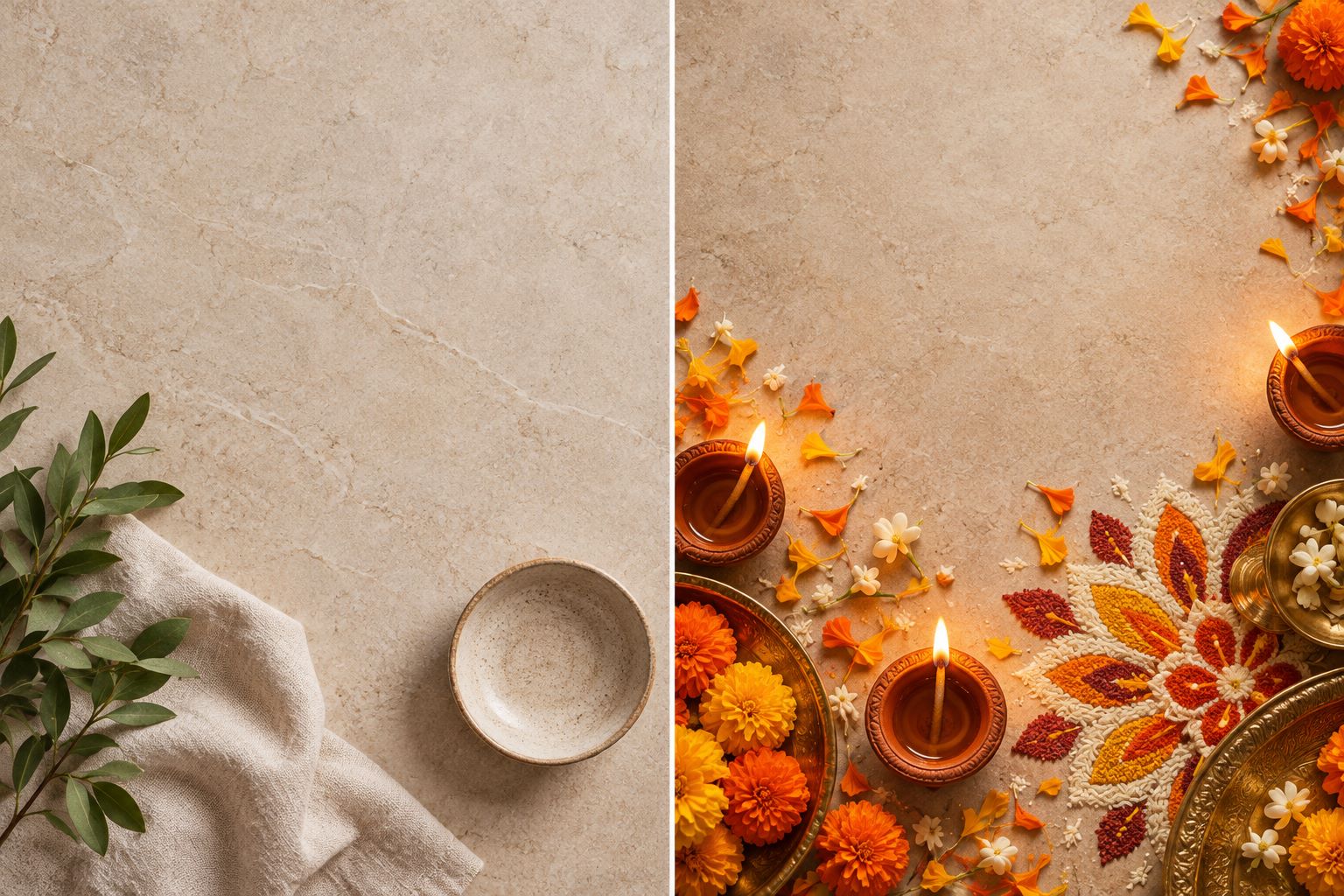
Social Posts and Greetings
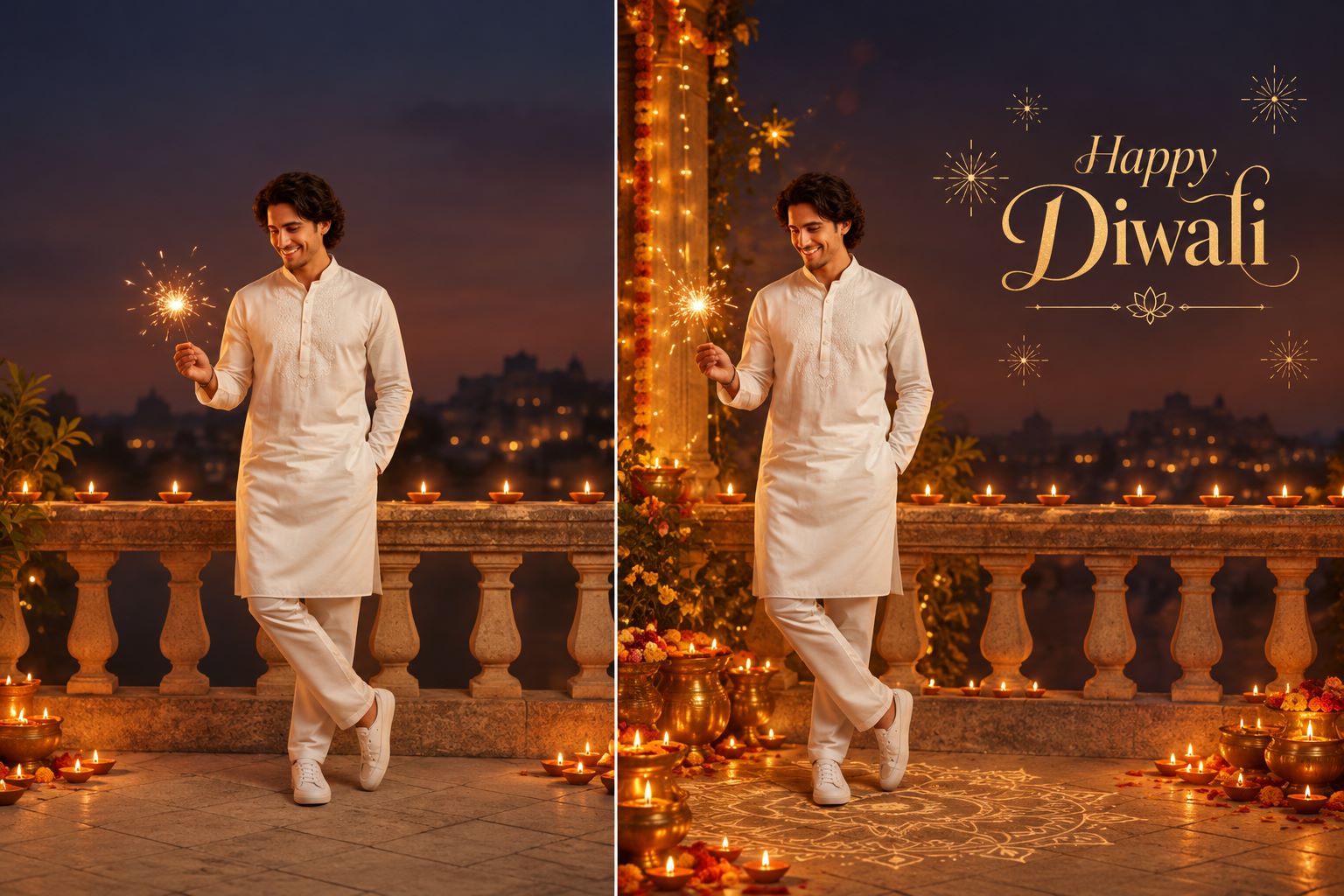
13. Happy Diwali Greeting Background
Best for: Image background for a greeting card.
Copy-ready prompt:
Use the colors and atmosphere of the uploaded photo to create a tasteful Diwali greeting-card background. Include warm diyas, subtle rangoli motifs, and clean negative space on the right for a manually added Happy Diwali message. Keep all people from the original photo recognizable if present. Do not render any text, logos, or watermarks.
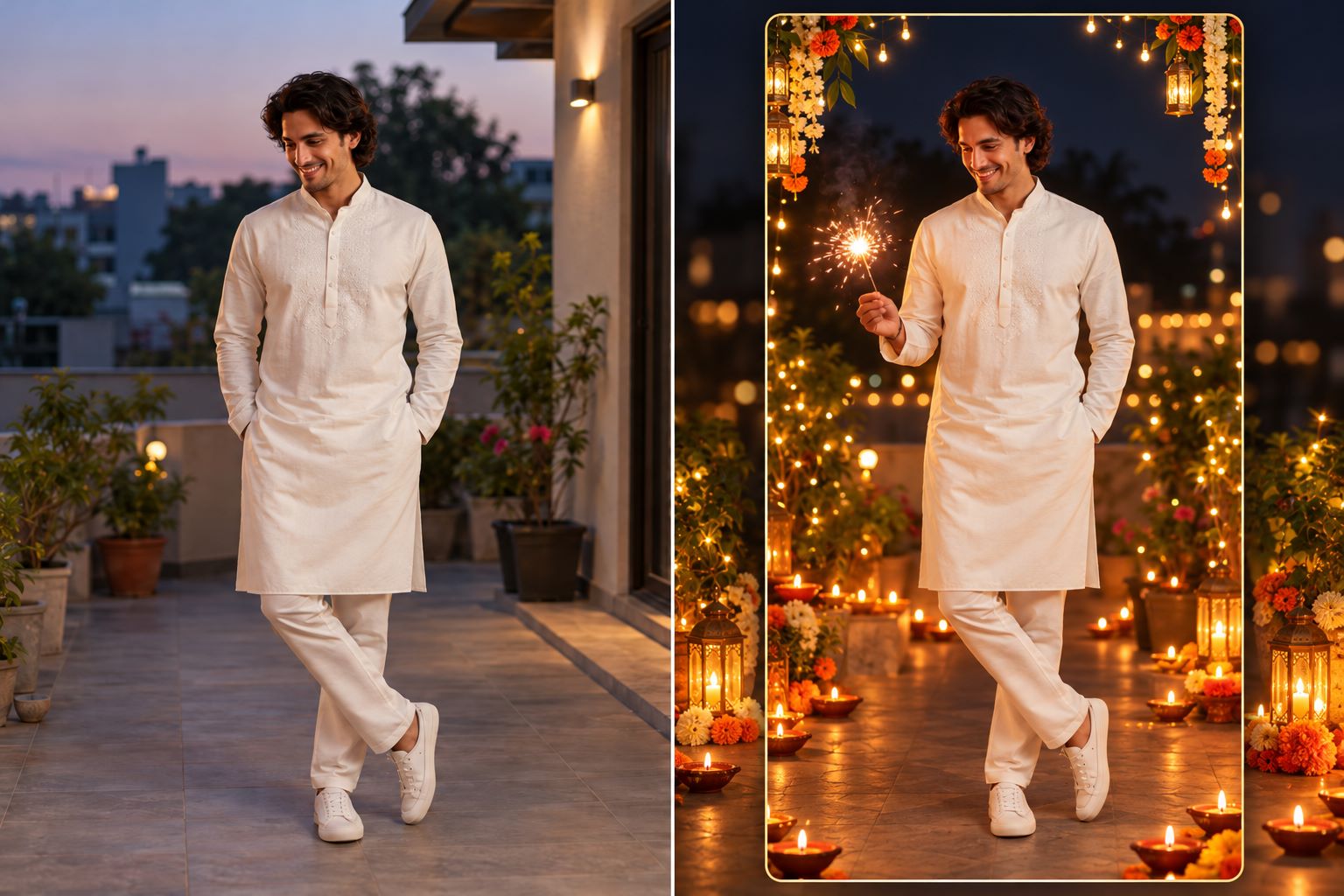
14. Vertical WhatsApp Status
Best for: Mobile-friendly 9:16 composition.
Copy-ready prompt:
Reframe the uploaded portrait into a vertical 9:16 Diwali photo for WhatsApp Status. Preserve my identity and the essential parts of the original image. Add soft diyas and decorative lights to the upper and lower corners while leaving the center clear. Maintain realistic colors, sharp facial detail, and safe margins for interface overlays. Do not add text.
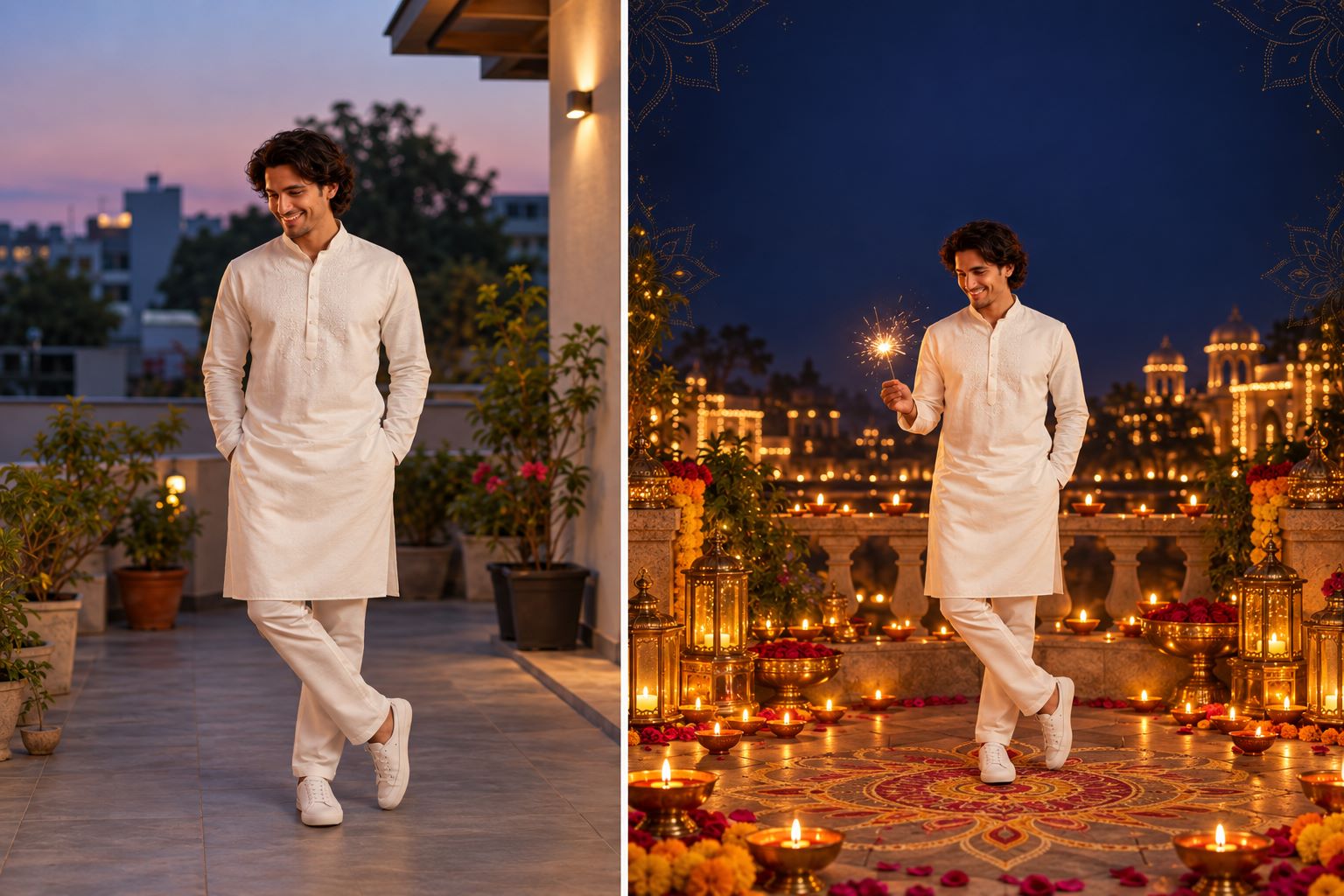
15. Diwali Poster Portrait
Best for: Personal poster-style portrait, not a text layout tool.
Copy-ready prompt:
Create a polished Diwali-themed portrait from my uploaded image for use in a personal poster. Preserve my face and natural skin tone. Add a deep indigo and gold festive background with rangoli-inspired shapes and soft lamps. Leave a clean empty region across the top for a separate design tool to add the greeting later. Do not generate typographic elements, watermarks, or logos.
For a Diwali poster, produce the artwork first and add final text using a dedicated design or layout editor. Image generators may distort lettering, so a separate text layer is more dependable.
Part 3. How to Edit Diwali Photos with Repairit One-Prompt Edit
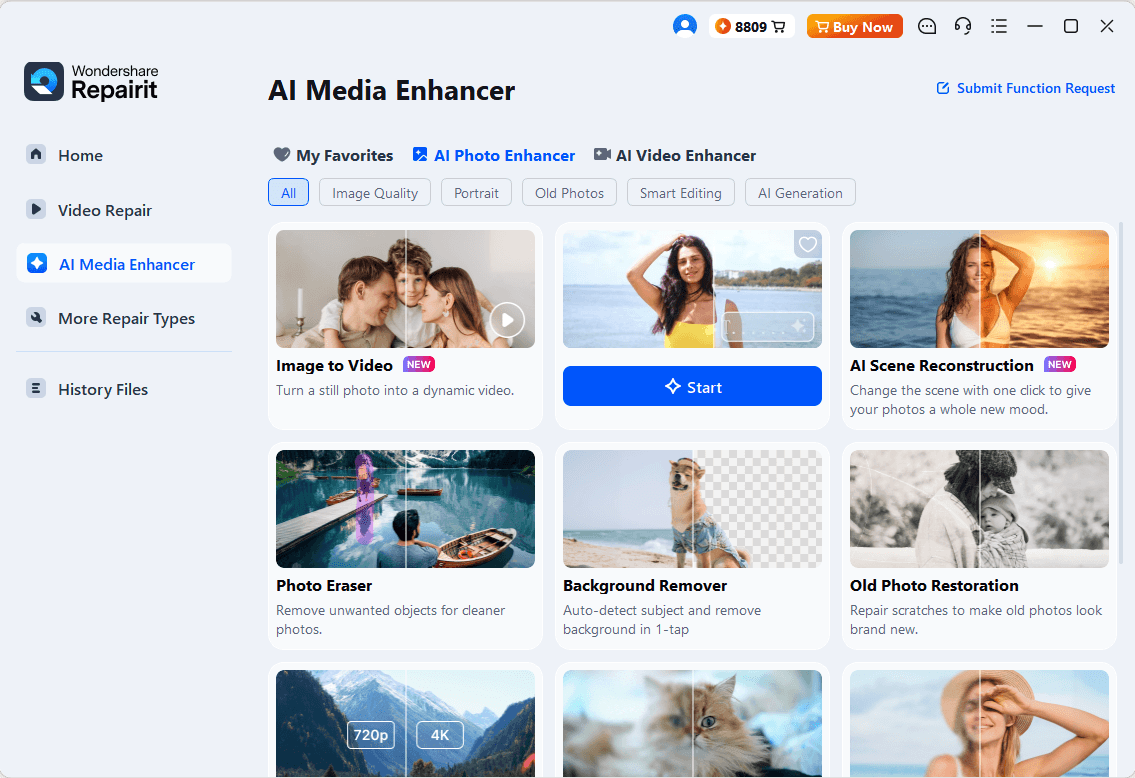
You can apply these ideas to your own photos with Wondershare Repairit One-Prompt Edit, which accepts natural-language instructions for image adjustments and creative changes. Its interface lets you upload a photo, describe the change, preview the result, and save an edited copy. Preserve your original photo in case you want to compare different looks.
Step 1. Open One-Prompt Edit
Launch Repairit on Windows or Mac and choose One-Prompt Edit from the AI photo editing tools.
Step 2. Upload Your Photo and Enter a Diwali Prompt
Add your preferred portrait or family photo, then paste one of the prompts above. For example, use the Family Around Rangoli prompt for a group photo. Keep the instructions focused and check that the request does not overwrite important facial details.
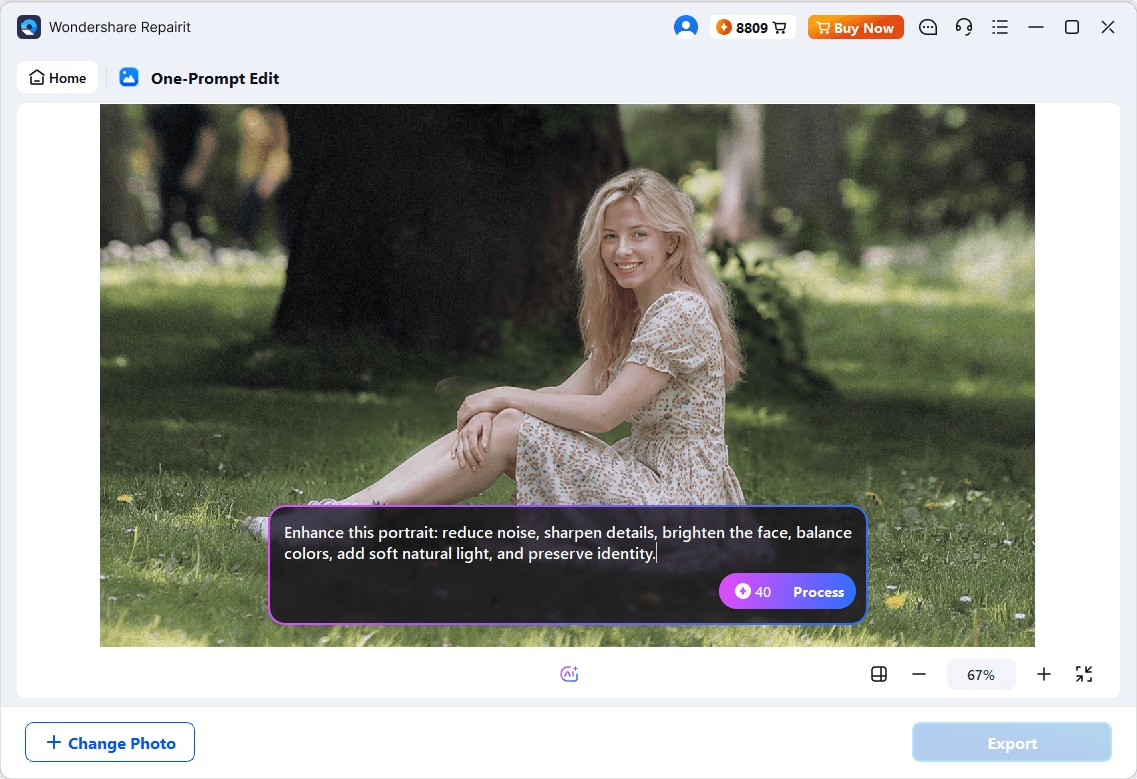
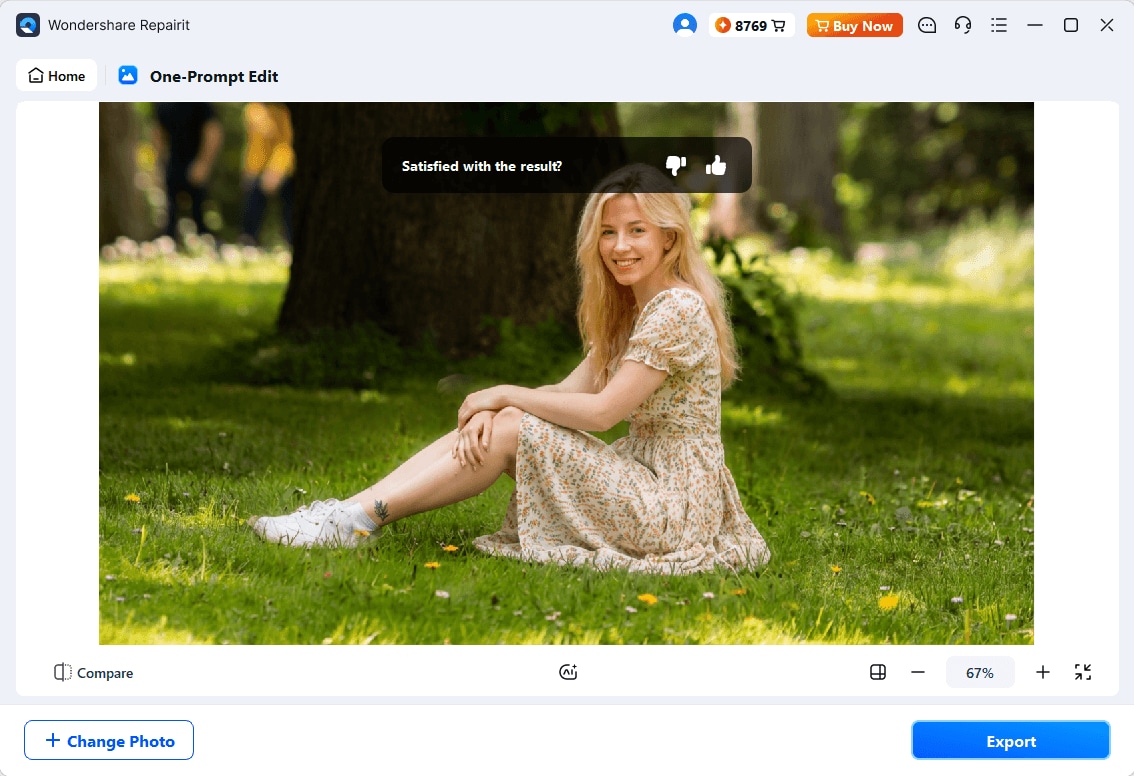
Step 3. Generate, Preview, and Save
Start processing, review the edited image, and check eyes, hands, outfits, and decorations. Save the image once you are satisfied. Some prompts may need a shorter follow-up request or a second attempt for a natural result.
If you prefer trying ready-made looks on a phone, Relumi AI Filters lets you select a filter, process a photo, and preview it before saving. Filter styles vary, so choose one that complements your Diwali photo rather than assuming every preset is festival-specific.
Part 4. How to Enhance Low-Light Diwali Photos
Even a carefully styled Diwali picture can look grainy or dark when photographed indoors or at night. Repairit AI Photo Enhancer is a better fit for improving an existing photo's clarity, exposure, and noise than for generating new costumes or festive scenes. Those are separate editing goals.
| Photo problem | Recommended adjustment | What to check afterward |
|---|---|---|
| Low-light noise around faces | General enhancement and noise reduction | Skin texture remains realistic |
| Soft portrait details | Portrait enhancement when available | Eyes and facial features stay natural |
| Dark background | Balanced brightness and exposure | Diya flames do not become blown out |
| Small photo for social sharing | Appropriate output resolution | No halos, unnatural edges, or over-sharpening |
How to Enhance a Diwali Photo with Repairit
Step 1: Open Repairit and choose AI Photo Enhancer. Import a copy of your photo.
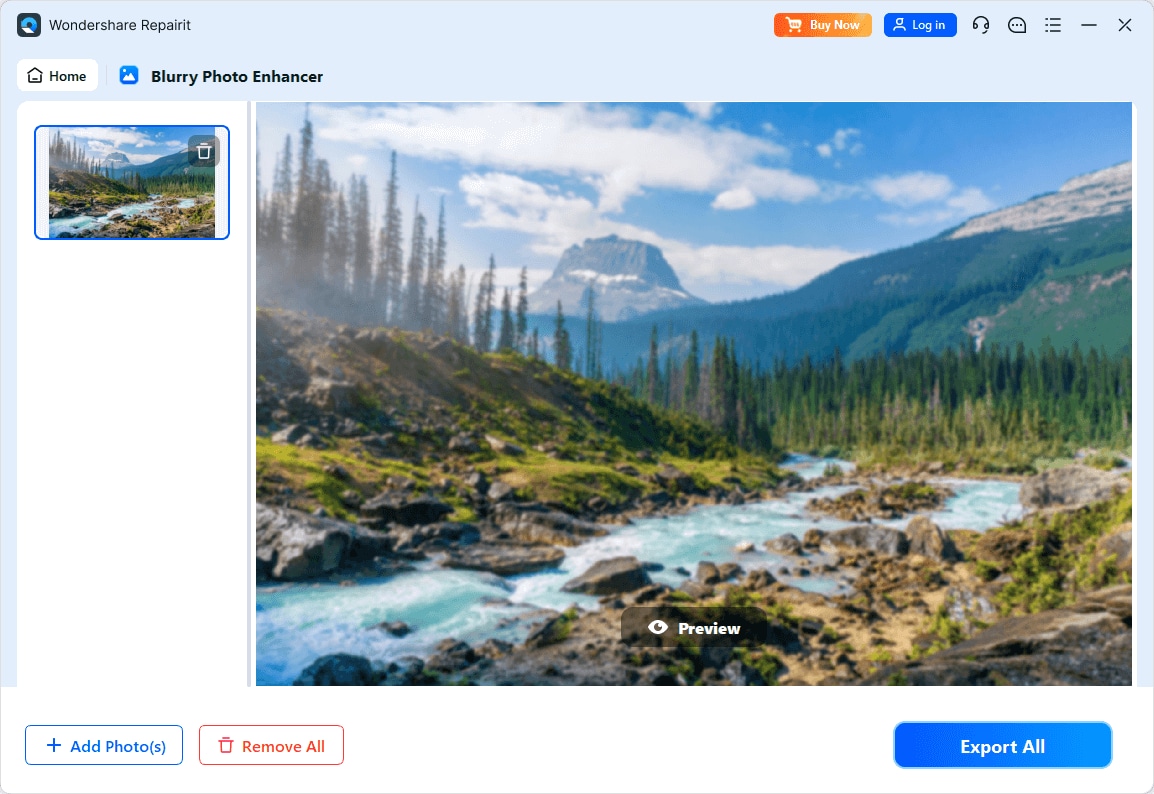
Step 2: Choose a suitable enhancement model and output resolution, then start enhancing. For a group portrait, compare how the process handles each face, not only the overall brightness.
Step 3: Preview the result at full size and save a version that retains authentic skin texture, warm lights, and the natural feel of the celebration.
Photo enhancement can improve visibility and apparent detail, but it cannot guarantee accurate recovery of detail that was never captured. If a photograph is actually damaged or unreadable, that calls for a different workflow from ordinary enhancement.
Part 5. Tips for Natural Diwali Photo Editing
- Start with a recognizable original: use a clear, front-facing photo when facial identity matters.
- Protect natural skin tone: warm lantern light should not turn every face uniformly orange.
- Keep decorative elements plausible: diyas, rangoli, and marigold garlands should sit on believable surfaces.
- Use the right frame: 9:16 works well for Stories and Status; a portrait crop can suit social feeds.
- Check group photos closely: AI may add or remove people or blend features, especially in crowded scenes.
- Separate photo editing from poster design: export the image, then add exact greeting text in a layout tool.
- Respect traditions and privacy: choose culturally appropriate imagery and ask permission before editing other people's portraits.
Conclusion
The best Diwali AI photo editing prompts give an editor specific creative direction while keeping people recognizable. Choose a portrait, family, background, or greeting prompt that fits your original photo; refine the results instead of accepting an unrealistic first pass. One-Prompt Edit works for instructed visual changes, while Photo Enhancer is useful when an existing Diwali photo needs clearer, better-balanced detail.
Frequently Asked Questions
-
1. What is the best AI prompt for Diwali photo editing?
Start with the photo type and a clear identity instruction, such as preserving the face and skin tone, then specify diyas, rangoli, festive lighting, clothing if needed, and the preferred image shape. A precise prompt often works better than the vague instruction "make this a Diwali photo." -
2. How can I keep my face the same in an AI Diwali portrait?
Use a clear reference photo and explicitly ask the AI to preserve your facial proportions, age, expression, and natural skin tone. Review the output manually because no prompt can guarantee perfect identity preservation. -
3. Can I create a Diwali couple or family photo with AI?
Yes, some AI image editors can restyle an existing couple or family picture. Use a reference with all people visible and tell the AI not to add, remove, or combine people. Multiple-person edits may need extra corrections. -
4. What is a good Diwali photo editing prompt for girls or boys?
For a girl's portrait, describe a saree or lehenga, soft diya lighting, and realistic jewelry. For a boy's portrait, try a kurta and Nehru jacket with festive decorations. Keep clothing descriptions optional and preserve the person's natural appearance. -
5. How do I create a Happy Diwali poster from my photo?
Create a festive background or portrait with negative space for text, then add "Happy Diwali" and other details in a separate design editor. This avoids misspelled or distorted AI-generated lettering. -
6. Can AI improve blurry Diwali photos taken at night?
AI enhancement can reduce noise and improve clarity, exposure, and perceived sharpness, depending on the original. Severe motion blur and missing image detail may not be fully recoverable. -
7. Can I use Diwali AI photo editing prompts on mobile?
Yes, depending on the editor you choose. For a filter-first workflow, the Relumi mobile app provides AI Filters with selection, processing, preview, and saving.