
 TL;DR:
Although commonly searched as ChatGPT Images 2.0, GPT-4o image generation natively handles highly accurate visual communication tasks, but real-world workflows often require a secondary mobile application to finalize presentation styles.
● ChatGPT allows users to render readable text for menus or labels, upload existing reference images, and execute targeted modifications using built-in selection tools without external desktop software.
● The native model presents specific performance limitations, occasionally requiring up to two minutes to render detailed outputs and struggling with tight cropping restrictions on certain long image formats.
● Small creators and social media users can export their generated assets into the Repairit App AI Filters for Photos feature to apply one-tap visual variations like 3D Figurine or RPG styles prior to mobile publishing.
Ask AI for a summary
 ChatGPT
 Perplexity
 Gemini
 Claude
 Grok
Grok
Many people search for ChatGPT Images 2.0 when they want to understand the newer image generation experience inside ChatGPT. While that phrase is popular in search, OpenAI officially describes the experience as image generation in ChatGPT and GPT 4o image generation. The important point is the same: users want to know whether ChatGPT can now create and edit images in a way that feels useful for real work, not just for novelty.
That search intent is practical. People are not only asking whether ChatGPT can make nice images. They want to know if it can help with social posts, product visuals, thumbnails, posters, concept art, and quick edits on existing images. OpenAI says its latest image system is built to render text more accurately, follow prompts more precisely, work with uploaded images, and support image refinement through natural conversation.
There is also a second step that many articles miss. After users generate an image, they often want to make it feel more personal, more social ready, or more visually distinctive on mobile. That is where a lightweight follow up tool becomes relevant. From the official Repairit App page, AI Filters for Photos is a natural fit for this topic because it helps users restyle images quickly for sharing.
Table of Contents
Part 1. What People Really Mean by ChatGPT Images 2.0
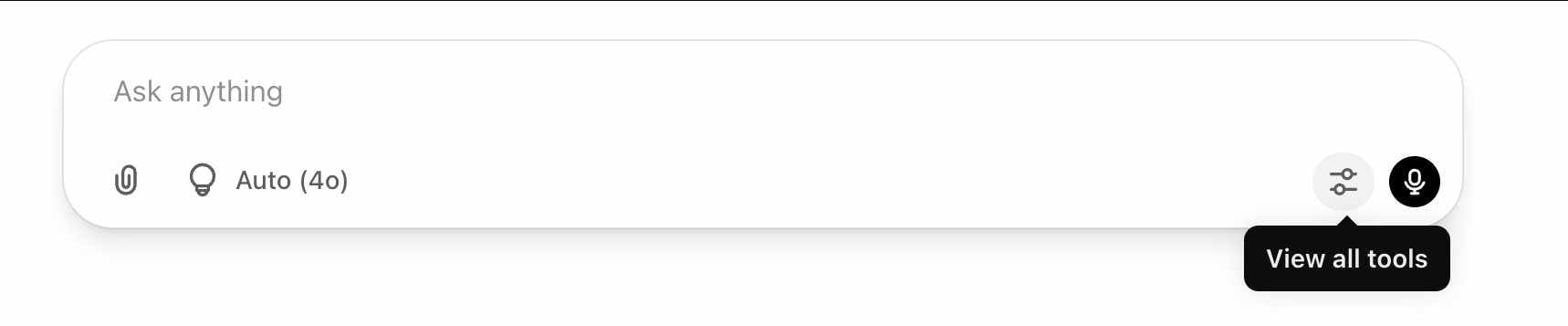
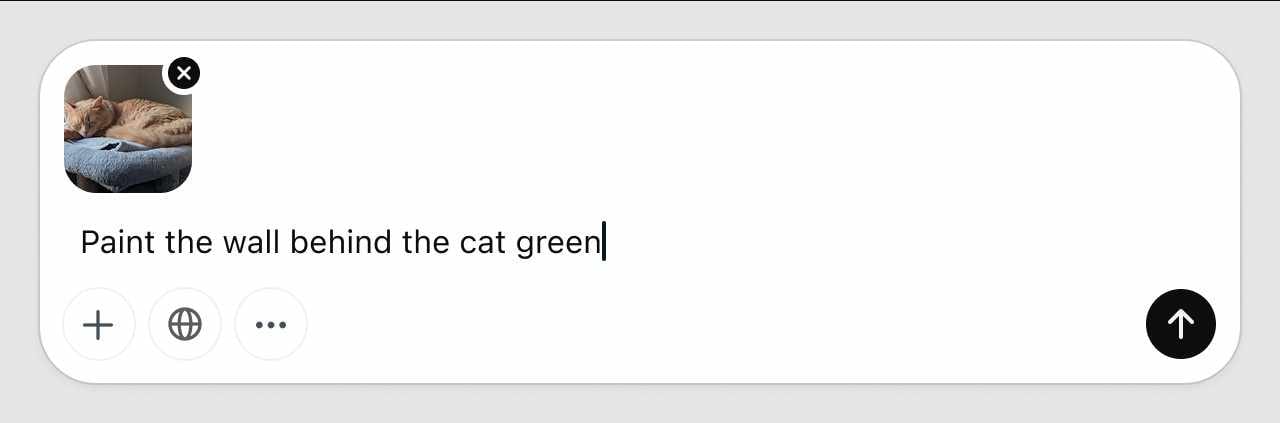
In search behavior, ChatGPT Images 2.0 usually refers to the newer image creation and editing experience inside ChatGPT. OpenAI explains that users can create images by asking ChatGPT directly, use the built in image creation tool, upload an image for editing, and even select a specific area of an image to change.
Why this topic is trending
| Search interest | What users actually want |
| Better image quality | They want images that feel usable, not just impressive |
| Better text in images | They want posters, menus, labels, and social graphics |
| Easier editing | They want to revise images in plain language |
| More control | They want more accurate prompts and visual consistency |
| Faster sharing | They want content that can move from idea to post quickly |
OpenAI’s own positioning is a big reason this topic has momentum. The company says its image generation in GPT 4o is meant to be more practical, more precise, and more useful for communication, not only for artistic experiments.
Part 2. What Users Actually Want From the New ChatGPT Image Tools
The hottest AI image stories tend to focus on hype, but the real search intent is much more grounded.
Real search intent behind the trend
| What users search | What they really mean |
| Is ChatGPT Images 2.0 worth it | Can I use this for real creative work |
| Can ChatGPT make posters or thumbnails | Is the text and layout good enough |
| Can ChatGPT edit images | Do I need another editor for basic changes |
| How do I improve AI generated images | What do I do after the first result |
| What tool should I use on mobile | How do I make the image easier to share |
This matters because OpenAI is not only talking about image generation quality. It also highlights stronger text rendering, detailed prompt following, editing through conversation, and support for uploaded images. Those are exactly the features that push image generation closer to mainstream use.
Part 3. What ChatGPT Image Generation Does Well Right Now
Core strengths highlighted by OpenAI
| Capability | Why it matters for users |
| Better text rendering | More useful for posters, labels, menus, and graphics |
| Strong prompt following | Easier to get closer to the intended result |
| Conversational refinement | Easier to improve results without restarting |
| Editing uploaded images | Helpful for revisions and updates |
| Context awareness | More consistency across multiple iterations |
OpenAI says GPT 4o image generation is designed to be useful for visual communication. It can follow detailed prompts, keep track of prior context in the conversation, and work with uploaded images as references or editing inputs.
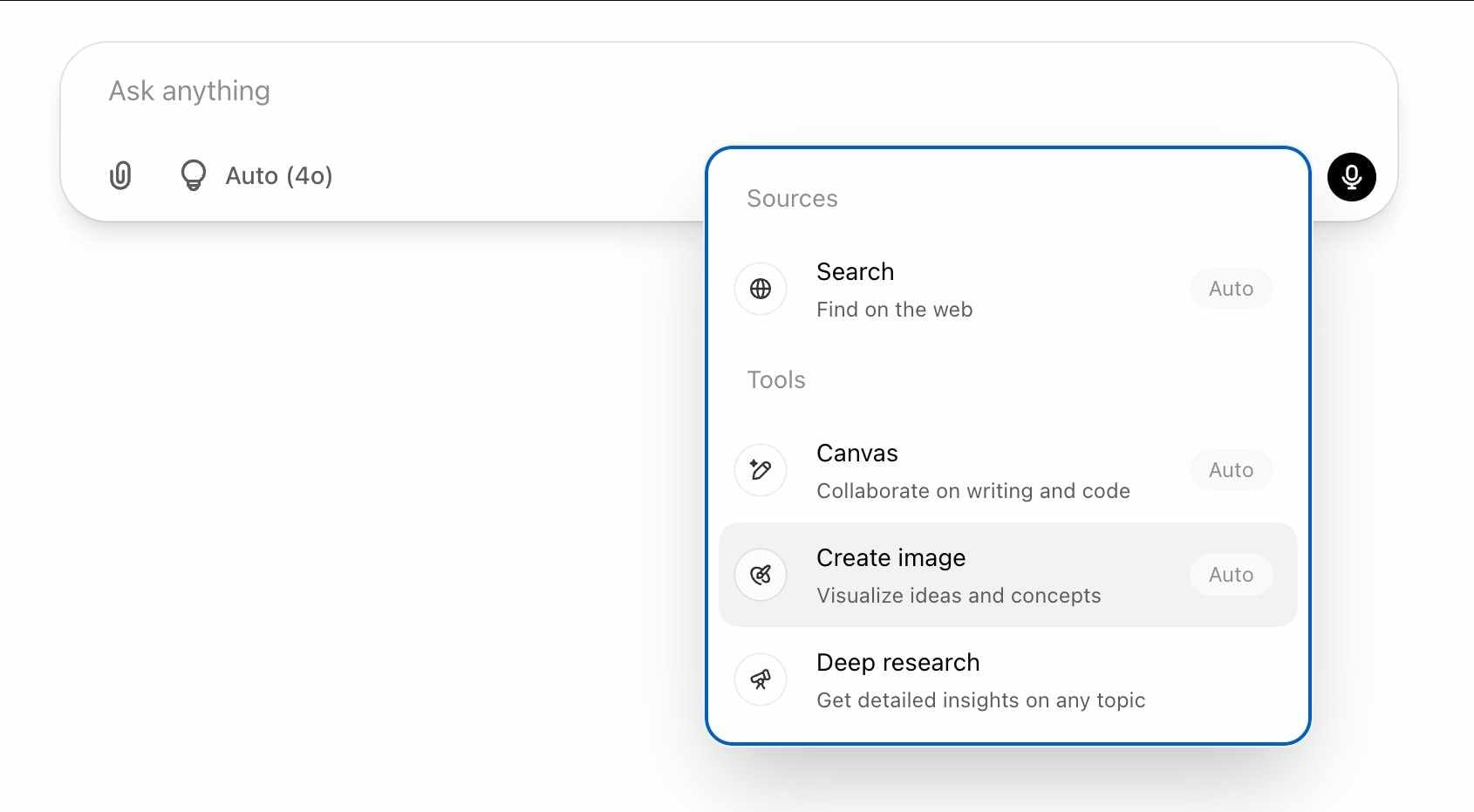
The Help Center also makes the workflow simple for ordinary users. You can ask ChatGPT to create an image, choose the image tool directly, upload an image to edit, and use the selection tool for more targeted changes. OpenAI also notes that more complex generations can take longer, sometimes up to around two minutes.
A practical summary
- Better for social graphics
- Better for concept visuals
- Better for text inside images
- Better for revisions in chat
- Better for users who want fewer steps
Example of the editing flow
Part 4. Where the Workflow Still Feels Incomplete
Even when the first image looks good, many users still want one more step before posting.
| After the first result | What users still want |
| The idea is right | A more personal visual style |
| The image is useful | A more shareable mobile look |
| The content is clear | A stronger visual identity |
| The result works | A quicker way to create more variations |
This is one reason the topic keeps growing. Users are no longer satisfied with just “AI made an image.” They want a workflow that continues from generation to refinement to sharing. OpenAI also acknowledges that the model still has limitations, including issues such as tight cropping on some long images and slower rendering for more detailed outputs.
That makes the post generation step more important. In real usage, people often want to stylize, personalize, or soften the look of an image before it goes live on a profile, a story, or a social post.
Part 5. Why Repairit App Fits as a Mobile Follow Up
If the goal is only to generate an image, ChatGPT may already do enough for many users. But if the goal is to make that image feel more distinctive before sharing, a mobile follow up tool starts to make sense.
AI Filters for Photos
From the official Repairit App page, AI Filters for Photos is a relevant next step for this use case. The feature is presented as a one tap way to create fresh visual styles, with looks such as Cartoon, 3D Figurine, RPG, and Grid Art. That makes it easy to understand why it fits a trend article about AI image creation and social sharing.


Repairit Al Photo Enhancer
Edit Photos with Words, Create Magic with Al

 Text-to-Edit: Describe it, AI repairs, enhances & colorizes instantly.
-
Memory Revival: Restore old photos, fix scratches & blur, relive details.
-
Creative Freedom: Remove objects & turn ordinary shots into unique stories.
-
Universal Recovery: Rescue corrupted photos from 2,000+ devices & RAW formats, all securely processed.
Why this feature fits the topic well
| Repairit App feature | Why it works here |
| AI Filters for Photos | Helps restyle AI generated images quickly |
| Mobile workflow | Useful for users who edit and post from their phone |
| Fast style variation | Good for profile visuals and social content |
| Shareable output | Matches how people use AI images in real life |
This recommendation also feels natural because it complements, rather than competes with, ChatGPT. ChatGPT handles ideation, generation, and conversational edits. Repairit App helps with the next mobile friendly step, especially when the user wants a more eye catching style for sharing.
Other Official Repairit App Features
| Feature | Official use case |
| AI Retake | Fix closed eyes, awkward expressions, and slight blur |
| Photo Animation | Turn still photos into animated visuals |
| Old Photo Restoration and AI Colorization | Restore faded or damaged old photos |
| Smart AI Object Removal | Remove unwanted people, text, or clutter |
| AI Image Quality Enhancer | Improve blurry or low resolution photos |
| Corrupted Photo Repair | Fix unreadable or damaged image files |
For this article, AI Filters for Photos is still the most natural fit because the user intent here is not file repair. It is style, presentation, and shareability after image generation.
Part 6. A Simple Workflow for Creators and Everyday Users
Use the following workflow if you want to move from idea to finished social content with less friction.
Step 1. Create the base image in ChatGPT. Use ChatGPT when you need a social post concept, a profile image idea, a poster draft, a quick thumbnail concept, or a branded visual test. OpenAI says users can simply ask ChatGPT to create an image or use the built in image creation tool.
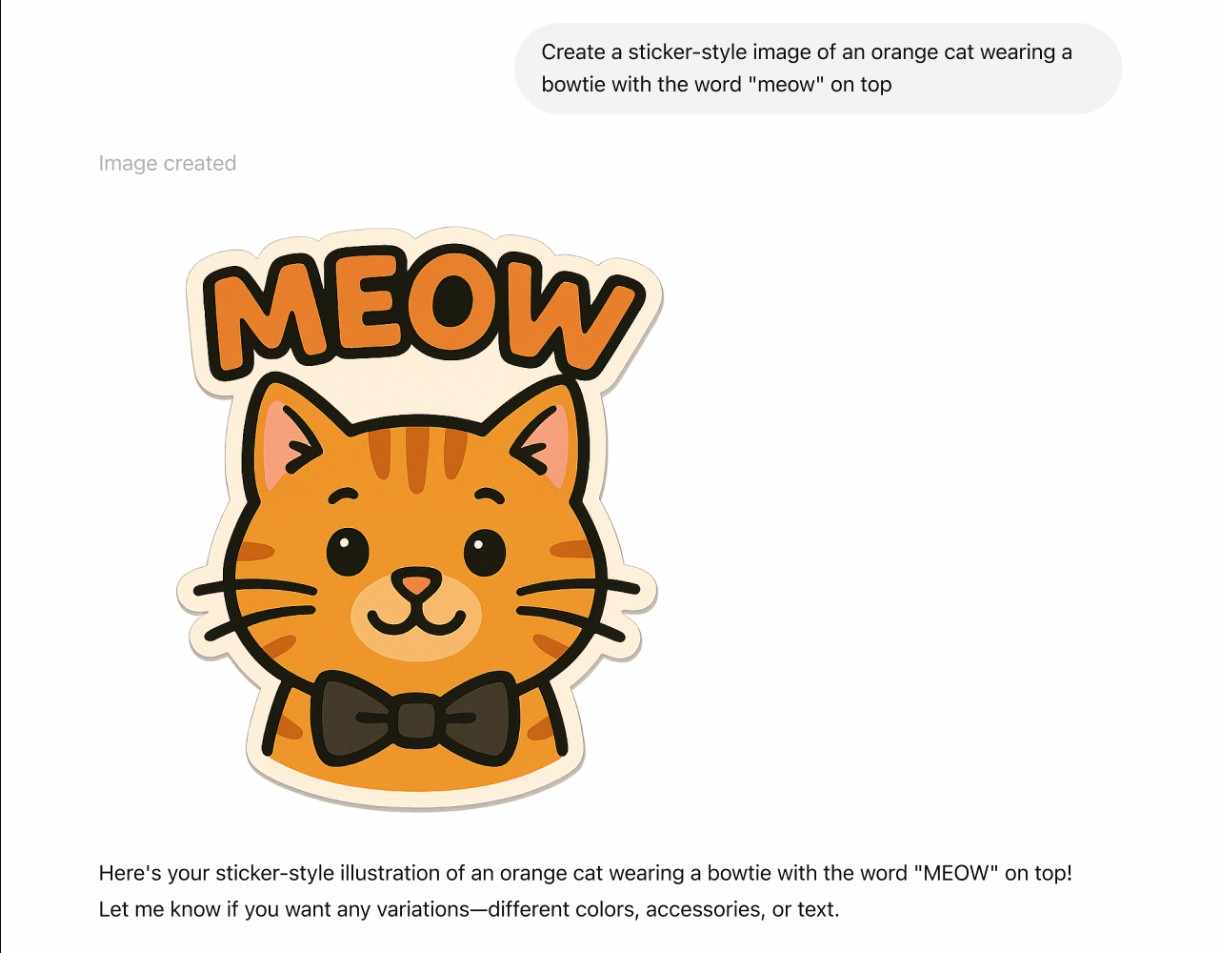
Step 2. Refine the image in chat. If the first result is close but not right, continue the conversation. OpenAI highlights conversational refinement as one of the biggest advantages of native image generation in GPT 4o.
Step 3. Move to Repairit App if you want a stronger mobile style. Use AI Filters for Photos when you want a more playful look, a more stylized profile picture, a fresh social post variation, or a faster mobile finishing step.
Step 4. Export and share. This workflow works especially well for social media users, small creators, students, side hustlers, and casual AI users who want a simpler mobile finish.
| User type | Why this flow helps |
| Social media users | Fast from idea to post |
| Small creators | Easy to test visual styles |
| Students | Useful for presentations and profile visuals |
| Side hustlers | Good for quick promo graphics |
| Casual AI users | Simple enough without a heavy editor |
Part 7. Conclusion
The reason ChatGPT Images 2.0 is trending is not just because AI images look better. It is because the newer image tools inside ChatGPT feel more useful for everyday visual tasks. OpenAI’s current image workflow focuses on better text rendering, stronger prompt following, editing through conversation, and more practical image creation overall.
At the same time, real user workflows do not stop at generation. People often want to restyle the result, make it feel more personal, and get it ready for sharing on mobile. That is why Repairit App AI Filters for Photos is a sensible recommendation in this context. It gives users a simple follow up step after AI generation, especially when the goal is not only to create an image, but also to make it feel more distinctive before posting.
FAQ
-
Is ChatGPT Images 2.0 an official OpenAI product name?
Not exactly. It is a popular search phrase, but OpenAI officially refers to the current experience as image generation in ChatGPT and GPT 4o image generation. -
What is the biggest improvement in the latest ChatGPT image workflow?
One of the biggest practical improvements is better text rendering, along with stronger prompt following and easier image editing through conversation. -
Can ChatGPT edit existing images?
Yes. OpenAI says users can upload an image, describe the changes they want, and also use selection based editing tools inside ChatGPT. -
Why mention Repairit App in an article about ChatGPT image generation?
Because many users want a follow up step after generation. They do not just want an AI image. They want an image that feels more polished, more personal, and more ready to share. -
Which Repairit App feature fits this topic best?
AI Filters for Photos is the most relevant fit because it supports fast mobile restyling for social content and visual experimentation after image generation.





