
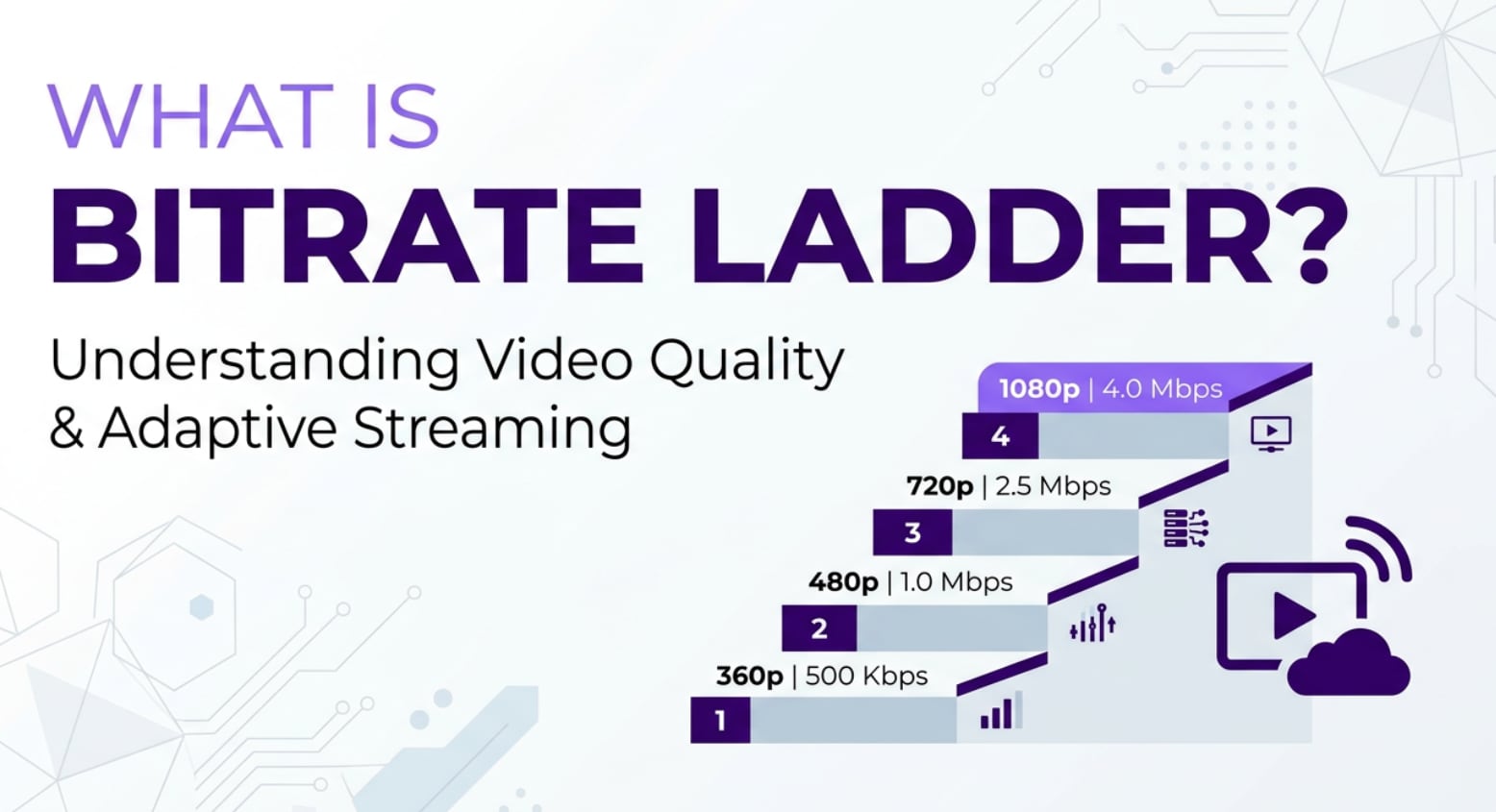
A bitrate ladder is a planning tool you will see whenever video is recorded, edited, encoded, and streamed online. It defines multiple quality levels for the same clip so platforms like YouTube, Netflix, or OTT apps can adapt smoothly to different screens and internet speeds. Understanding how a bitrate ladder works helps content creators, editors, and streaming engineers balance image quality, storage cost, and viewer experience across phones, TVs, and browsers.
Repair Corrupted Files To Save Your Data
 Security Verified. Over 7,302,189 people have downloaded it.
In this article
What Is Bitrate Ladder?
A bitrate ladder, often called an encoding ladder, is a predefined list of rendition profiles for a single video. Each rung on the ladder pairs a specific resolution (such as 426x240, 1920x1080, or 3840x2160) with a matching target bitrate (for example 400 kbps, 5 Mbps, or 15 Mbps). Together these rungs form the set of versions a streaming service uses for adaptive bitrate streaming.
Instead of delivering one heavy 4K file to everyone, the platform encodes the master into many outputs at different bitrates. Players on slow connections request low rungs while viewers on fiber and large TVs step up to higher rungs. This structure is central to adaptive bitrate streaming (ABR) and directly impacts streaming quality, buffering, and bandwidth efficiency.
Typical bitrate ladders differ depending on codec (H.264, HEVC, AV1), content type (sports vs. animation), and device focus (mobile-first vs. living-room TV). For example, an OTT provider might use a denser ladder around 720p and 1080p where most viewing happens and fewer rungs at the extremes to control CDN and storage costs.
| Rung | Example resolution/bitrate pair |
|---|---|
| Low mobile | 426x240 at 400 kbps |
| Main HD | 1920x1080 at 5 Mbps |
| Premium UHD | 3840x2160 at 15 Mbps |
How Does Bitrate Ladder Work in the Real Workflow?
From capture to encoding
In a real production pipeline, you encounter the bitrate ladder when you leave the camera and editing stages and move into mezzanine preparation, encoding, and packaging:
- Recording and ingest: Cameras or recorders capture high-bitrate or intraframe codecs (ProRes, DNxHR, BRAW, etc.) that preserve detail but are not suitable for direct OTT delivery.
- Editing and mastering: Editors cut and grade in NLEs such as Adobe Premiere Pro, DaVinci Resolve, or Final Cut Pro, exporting a high-quality master or mezzanine file.
- Encoding configuration: In encoders like FFmpeg, Telestream Vantage, AWS Elemental, or cloud SaaS platforms, engineers define the encoding ladder as a set of presets. Each preset includes resolution, video bitrate, audio bitrate, codec, profile, and sometimes frame rate or HDR metadata.
- Batch processing: The encoder reads the mezzanine file and outputs one file per rung, then segments those files into short chunks (usually 2–10 seconds) and creates manifest files (HLS M3U8 or DASH MPD) that list every rung in the adaptive bitrate streaming set.
During this stage, any issue with the source video, such as corruption, dropped frames, or audio glitches, is replicated across every rung in the ladder. This is why repairing damaged masters before encoding is critical to avoid broken playback on all variants.
Adaptive streaming and playback
Once the bitrate ladder is encoded and uploaded to the CDN, it becomes part of the end-to-end streaming quality experience:
- Manifest exposure: The HLS or DASH manifest lists each rung with tags like bandwidth, resolution, and codec, allowing the video player to understand what options are available.
- Client adaptation logic: On players such as HTML5 video with Media Source Extensions, mobile SDKs, smart TVs, or game consoles, an ABR algorithm observes real-time conditions (available bandwidth, buffer length, dropped frames, and device performance). Based on this, it chooses which rung of the bitrate ladder to request next.
- Dynamic switching: As conditions change, the player may step up from 720p to 1080p or down to 480p to prevent buffering. Proper spacing between rungs is essential: if rungs are too far apart, quality jumps feel jarring; if too close, you waste encoding and CDN resources.
- Platform compatibility: Different platforms may filter the ladder. A low-power set-top box might ignore heavy 4K rungs, while a mobile app may cap playback to 720p over cellular to save data.
In day-to-day monitoring with tools like QoE dashboards, CDN logs, or player analytics, you will see which rungs get the most traffic and where playback errors occur. If certain renditions have corrupted segments, those errors show as stalls or failures, making proactive file repair a necessary part of the workflow.
Where Is Bitrate Ladder Commonly Used?
The bitrate ladder underpins almost every modern streaming experience where content moves from editing software to cloud encoders, CDNs, and playback devices:
- OTT and subscription video services: Platforms like subscription VOD, live sports streamers, and movie services rely heavily on carefully tuned ladders to deliver stable full HD and UHD across varying network conditions.
- User-generated content platforms: Video-sharing sites accept uploads at many resolutions and re-encode them into internal adaptive bitrate streaming ladders so that viewers can manually pick "480p, 720p, 1080p" or let the player choose automatically.
- Live streaming for events and esports: Broadcasters and production companies stream conferences, concerts, and tournaments using real-time encoders that output multiple rungs simultaneously, from low-bitrate mobile feeds to high-bitrate broadcast quality.
- Enterprise and education: Internal training portals, lecture capture systems, and corporate town hall streams use ladders to ensure watchable playback on office Wi-Fi, home broadband, and mobile networks.
- Social and short-form video: Mobile-first apps tune ladders aggressively for small screens, balancing aggressive compression and limited data plans while maintaining acceptable clarity for fast-scrolling feeds.
Wherever video passes through a cloud or on-prem encoder and is delivered via HLS or DASH, a bitrate ladder is shaping the quality and consistency of the viewing experience.
How to Use Repairit to Fix a Corrupted Video File
What is Wondershare Repairit?
Even a perfectly designed encoding ladder cannot compensate for a damaged source or rendition. Glitches, freezing, or files that refuse to open will propagate into every rung and ruin streaming quality. Wondershare Repairit is a dedicated media repair tool that helps you recover corrupted video files before they enter your encoding or OTT pipeline. You can learn more and download it from the Repairit official website.
Key features of Repairit
- Repairs corrupted or unplayable videos across many popular formats used in production and streaming workflows.
- Offers an intuitive interface with guided workflows so editors, technicians, and creators can fix issues without complex setup.
- Supports advanced repair using a sample file from the same device or camera to handle severe damage more accurately.
Steps to repair corrupted video files
- Add corrupted video files

- Repair video files

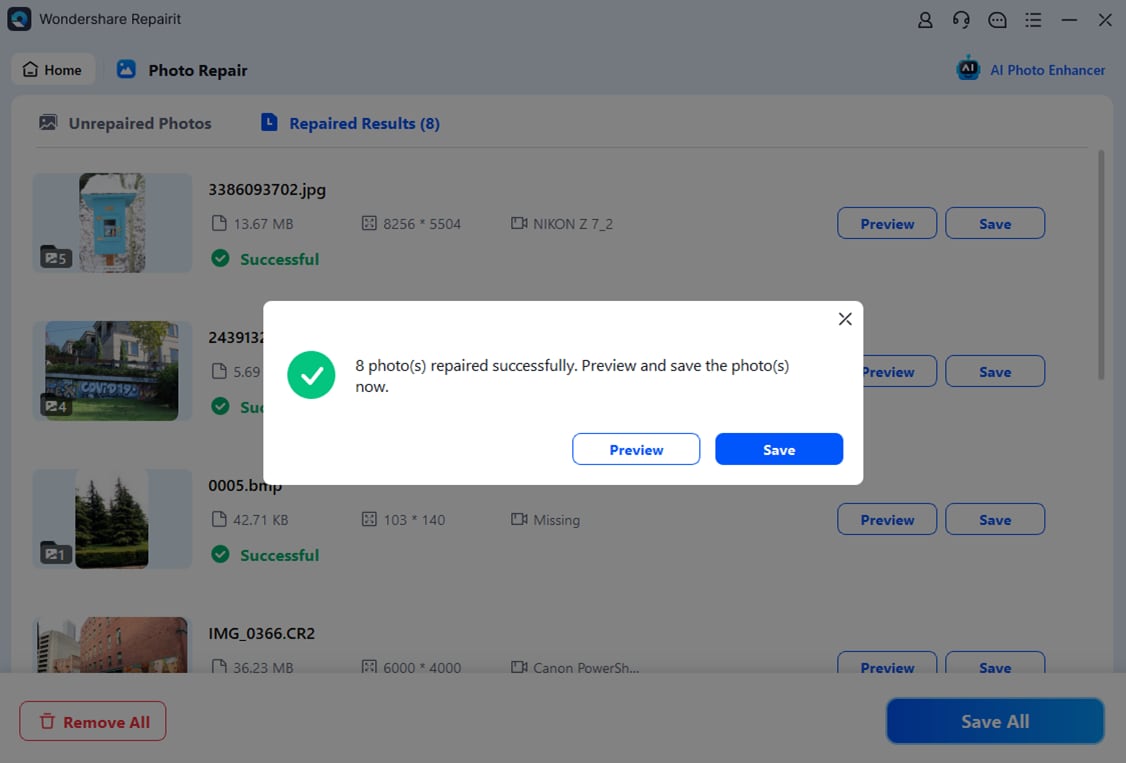
- Save the repaired video files
Conclusion
The bitrate ladder is the blueprint behind every adaptive streaming experience. By defining smart resolution and bitrate steps, it allows OTT platforms, broadcasters, and UGC sites to match picture quality to real-world bandwidth and device limitations, reducing buffering while controlling CDN and storage costs.
However, if your masters or encoded renditions are corrupted, even the best adaptive bitrate streaming strategy cannot protect viewers from freezes, errors, and visual artifacts. Integrating Wondershare Repairit into your workflow helps you fix damaged video files before encoding, so every rung of your encoding ladder is stable and ready for seamless playback on any platform.
Next: Manifest File
FAQ
-
1. What is a bitrate ladder in streaming?
A bitrate ladder is a structured list of renditions for one video, each combining a specific resolution and bitrate. Streaming platforms use this ladder in adaptive bitrate streaming so the player can switch among versions that best match a viewer's connection and device capabilities. -
2. How many rungs should my bitrate ladder have?
There is no universal number, but many services use 6–10 rungs per asset. The ideal count depends on your audience's bandwidth distribution, targeted devices, chosen codec, and acceptable encoding/CDN costs. You can start with a reference ladder and refine it using real playback analytics. -
3. How does a bitrate ladder affect streaming quality?
A well-designed ladder keeps visual quality high while minimizing buffering and abrupt resolution changes. Poor spacing or inappropriate bitrates can lead to wasted bandwidth, frequent up/down switches, or overly soft images, especially on larger screens. -
4. Can I use one bitrate ladder for every type of content?
You can maintain a baseline ladder, but it is often better to customize for content categories. Fast-motion sports, for example, typically require higher bitrates than static talking-head videos to avoid motion artifacts, and some regions may need additional low-bitrate rungs for slower networks. -
5. Why should I repair corrupted video files before encoding a bitrate ladder?
If your masters or intermediate files are corrupted, the encoder will carry those errors into every rung in the ladder. This results in playback failures or glitches across all quality levels. Repairing the files first with a tool like Wondershare Repairit ensures each rendition is built from a clean, stable source.




