
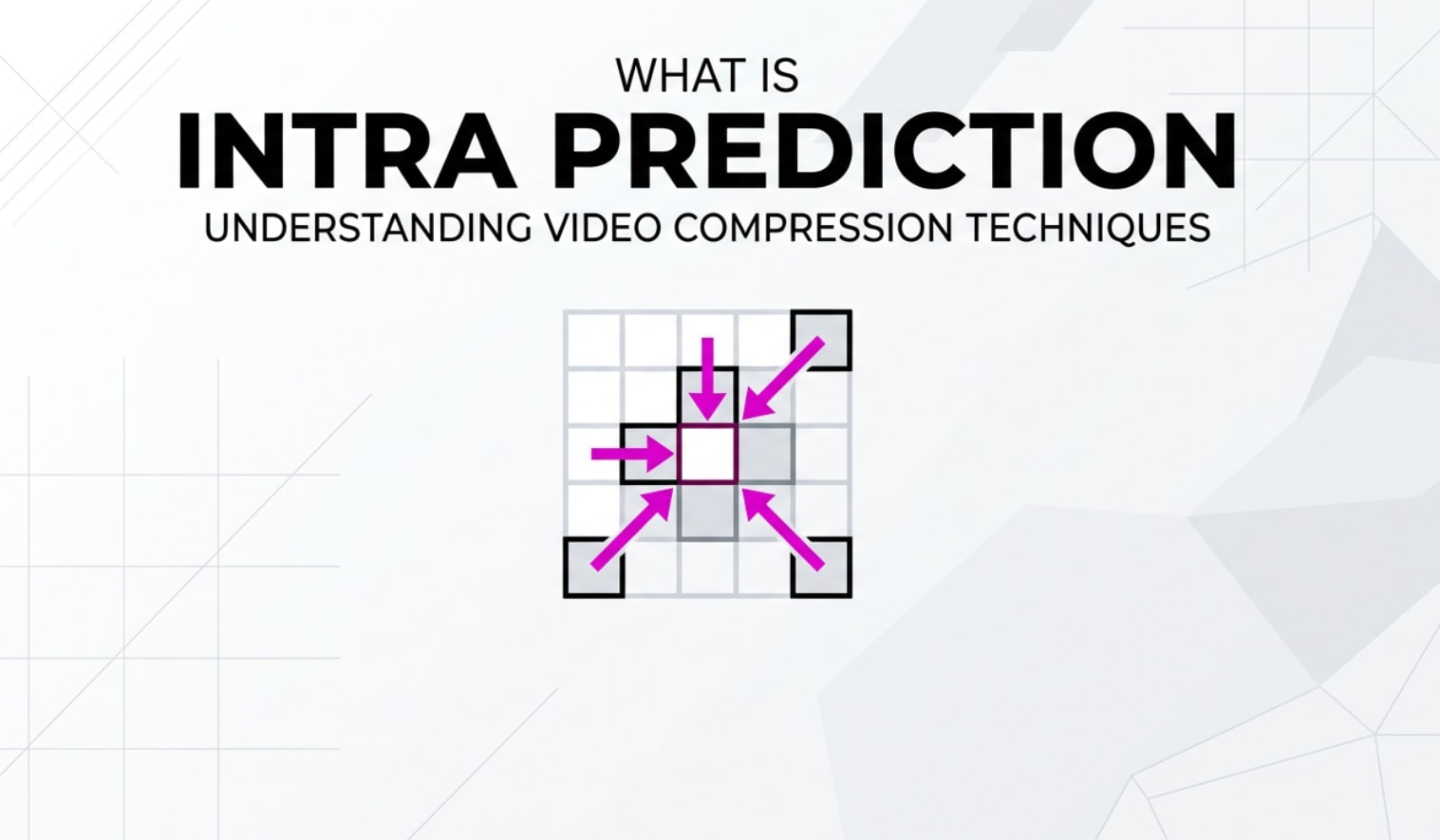
When you record, edit, export, or stream a video, techniques inside the codec quietly decide how large the file is and how sharp it looks. One of these core techniques is intra prediction. You will see this term in encoder settings for H.264, HEVC, AV1, or tools like FFmpeg, OBS, and HandBrake. Understanding it helps you balance quality, bitrate, and compatibility across cameras, editors, and playback platforms.
Repair Corrupted Files To Save Your Data
 Security Verified. Over 7,302,189 people have downloaded it.
In this article
What Is Intra Prediction?
Intra prediction is a prediction method used in video codecs to compress each frame more efficiently. Instead of encoding the value of every pixel from scratch, the encoder predicts the pixels of a small block using neighboring pixels from the same frame, then stores only the difference.
Technically, it is a spatial prediction tool that operates inside a single frame (an intra frame or I-frame). It belongs to the family of block-based compression tools that also includes transforms, quantization, and entropy coding. In the encoding pipeline, intra prediction generates a "best guess" of what a block should look like; the encoder then encodes only the residual error between this guess and the original block.
This method is fundamental in standards like h.264 (AVC), hevc (H.265), and av1, and it affects how your footage is stored on cameras, exported from editors, and streamed to platforms such as YouTube or social media.
Why Is Intra Prediction Important in Video Compression?
The main problem intra prediction solves is how to reduce file size without destroying image detail. Neighboring pixels in a frame are often very similar, especially in areas like skies, walls, or skin tones. By exploiting this similarity, the codec can avoid writing redundant information.
Key effects on your videos:
- Better bitrate efficiency and smaller files: Because only the differences (residual) are stored, less data is needed, which lowers bitrate and file size while retaining acceptable quality.
- Higher image quality at the same bitrate: Efficient block based prediction gives the encoder more "budget" to preserve edges, textures, and fine detail within each frame.
- Robustness when motion data is not available: For I-frames, scene changes, or static shots where inter prediction is less efficient, intra prediction carries the load for compression.
- Editing and seeking friendliness: Strong intra coding improves the quality of keyframes, which makes scrubbing in editors and players smoother and more accurate.
Limitations and trade-offs:
- Higher complexity: Modern codecs test many intra modes (different directions and patterns) to find the best one, which adds CPU/GPU load for encoding and decoding.
- Artifacts at low bitrate: If the bitrate is too low or the intra block sizes are too large, you may see blockiness, banding, or blurring, especially in flat areas or gradients.
- Less efficient for fast motion than inter prediction: Because it only looks within the frame, intra prediction cannot exploit temporal similarity across frames like inter prediction does.
How Does Intra Prediction Work in the Encoding Workflow?
In the full encoding workflow of a camera, editor, or streaming encoder, intra prediction is one stage among several. It works on block-based representations of the image and is tightly connected to transforms, quantization, and entropy coding.
Intra prediction inside modern codecs (H.264, HEVC, AV1)
Although details vary across standards such as h.264, hevc, and av1, the high-level process is similar:
- Frame is split into blocks: The encoder divides the frame into coding units (macroblocks, CTUs, or superblocks) and then into smaller blocks for luma and chroma.
- Neighboring samples are collected: For each block, the encoder reads pixels from the top and left neighboring blocks that have already been encoded and reconstructed.
- Multiple prediction modes are tested: The encoder tries different intra modes (e.g., vertical, horizontal, diagonal, planar, DC) to predict the current block from those neighbors.
- Residual is computed: It subtracts the predicted block from the original block, producing a residual that captures only the remaining detail and texture.
- Transform and quantization: The residual block is transformed (e.g., DCT-like) and quantized to reduce data volume, with strength based on your bitrate/quality settings.
- Entropy coding and writing the bitstream: Finally, the encoder compresses the prediction mode, block partitioning, and quantized coefficients using entropy coding and writes them into the video bitstream.
During playback, the decoder reverses these steps: it reconstructs the neighbors, applies the stored intra prediction mode to re-predict the block, adds the decoded residual, and outputs the final pixels for display or further processing.
Where you see intra prediction in real-world tools
You may not always see the label "intra prediction" directly, but many practical settings are built on it:
- FFmpeg / x264 / x265: Parameters like
-x264-params keyint=,scenecut=, and presets ("veryfast", "slow") influence how often intra frame coding is used and how thoroughly intra modes are searched. - OBS, streaming encoders, and capture tools: The "Keyframe interval" or "I-frame interval" defines how frequently fully intra-coded frames occur, affecting seeking, latency, and resilience to network errors.
- HandBrake, Premiere Pro, Media Encoder: Quality sliders, bitrate targets, and profile/level choices indirectly control how aggressive intra prediction and quantization are, which you notice as softer or sharper keyframes.
- Hardware encoders (GPUs, cameras): Options like "All-Intra" vs "Long-GOP" recording on cameras dictate whether every frame uses intra-only compression or a mix of intra and inter prediction.
When something goes wrong in these stages (bad headers, damaged prediction data, or broken residuals), the decoder may show heavy video artifacts such as colored blocks, smeared edges, or entire frames freezing. In severe cases, the video might refuse to play at all, which is when a repair tool becomes necessary.
When Should You Care About Intra Prediction? Common Mistakes and Quick Tips
Most casual viewers never think about intra prediction, but if you record, edit, encode, or stream video, it matters more than you might expect.
Who should care the most?
- Video editors and colorists: All-Intra or high-quality I-frames give smoother scrubbing, better frame-accurate cuts, and more robust grading, especially with high-resolution footage.
- Streamers and live broadcasters: Proper I-frame intervals and intra quality affect how quickly streams recover from drops and how clean scene changes look.
- Content creators and YouTubers: Export settings that choose the right GOP structure and keyframe distance can reduce upload sizes while keeping thumbnails and key moments sharp.
- Archivists and post houses: Intra-heavy mezzanine codecs preserve image quality for future edits and re-encodes.
Common misunderstandings:
- "All-Intra is always better": All-Intra helps editing and high-motion detail but creates much larger files than Long-GOP, which uses more inter prediction.
- "Keyframe interval does not affect quality": Too few I-frames can cause long error propagation and poor seekability; too many can waste bitrate on frequent heavy intra coding.
- "Artifacts are always from bad export settings": Sometimes artifacts come from damaged containers or corrupted intra-coded blocks after transfer, storage failure, or interrupted downloads.
Quick tips and takeaway:
- For heavy editing, prefer intra-friendly or All-Intra formats from your camera or export tool.
- For streaming, set a reasonable keyframe interval (e.g., 2 seconds) as many platforms recommend.
- If a video suddenly develops strange video artifacts after copying or crashing, suspect corruption and repair the file rather than re-encoding it multiple times.
The core takeaway: intra prediction is a key lever behind how your video looks and how big it is. You rarely toggle it directly, but many quality and performance settings are built around how intra frames are predicted and compressed.
How to Use Repairit to Fix a Corrupted Video File
Brief introduction to Repairit
When corruption breaks the internal structure of a video file, decoders may fail to reconstruct intra frame data correctly, causing heavy artifacts or playback errors. Repairit official website offers a dedicated media repair solution that focuses on rebuilding damaged headers, stream data, and timing information. Whether your file comes from a camera, screen recording, editing export, or download, Repairit aims to restore it so you can play, edit, and share it again.
Key features of Repairit
- Repairs multiple corrupted video files from various cameras, smartphones, drones, and recording devices in one batch.
- Supports many common editing and distribution formats and resolutions, from SD clips to high-bitrate 4K and beyond.
- Provides a guided repair workflow with an integrated preview window so you can confirm results before saving.
Step-by-step guide: Repair a corrupted video with Repairit
- Add corrupted video files
Open Repairit and switch to the Video Repair module. Click the button to add files, then select your damaged clips from local drives, memory cards, or external disks. You can load several problematic videos together, which is useful if a batch export or transfer corrupted multiple files at once.

- Repair video files
After importing, start the repair process with a single click. Repairit analyzes each file, checks the container, and attempts to rebuild broken headers, index tables, and stream data that affect decoding and video compression structures like intra-coded blocks. When the repair is complete, use the preview option to quickly scrub through the clip and confirm that image and audio playback are back to normal.

- Save the repaired video files
If the preview looks correct, choose a new, safe output location different from the original folder. Click to save, and Repairit will export clean copies of your repaired videos. You can then import them into your editing software, upload to streaming platforms, or archive them, without the artifacts or playback failures caused by the previous corruption.

Conclusion
Intra prediction is a cornerstone of modern video compression, allowing codecs to predict pixel values within a frame and encode only the residual differences. This keeps bitrates manageable while preserving detail in intra frame content, especially at scene changes or when motion data is unavailable.
However, if the underlying bitstream or container is corrupted, the decoder may no longer reconstruct these intra-coded blocks correctly, leading to visible video artifacts or unplayable files. By understanding where intra prediction fits into recording, editing, exporting, and streaming workflows, and by using a repair tool like Repairit when damage occurs, you can better protect, diagnose, and recover your valuable video projects across different platforms and devices.
Next: Inter Prediction
FAQ
-
1. What is intra prediction in simple terms?
Intra prediction is a method where the encoder estimates the pixels of a block using neighboring pixels from the same frame, then encodes only the difference between the prediction and the actual pixels. Because nearby pixels are often similar, this greatly reduces the amount of data needed for each frame. -
2. How is intra prediction different from inter prediction?
Intra prediction works only within a single frame using spatial neighbors, while inter prediction looks across multiple frames, using motion vectors and reference frames to reuse information over time. Intra is used heavily in I-frames, whereas inter dominates P and B frames in long-GOP video. -
3. Which video codecs use intra prediction?
Nearly all modern video codecs use intra prediction, including H.264/AVC, H.265/HEVC, VP9, and AV1. Each defines its own set of prediction modes and block sizes, but the core idea of predicting new blocks from previously decoded neighbors is shared across standards. -
4. Can intra prediction cause visible artifacts?
Yes. If the bitrate is too low or the quantization is too strong, the residual data cannot fully describe the difference between prediction and the original image. This can lead to blockiness, banding, and soft textures. Corruption in intra-coded data can also produce dramatic artifacts like colored squares or broken frames. -
5. How can I fix a video that has artifacts or will not play?
First, try playing the file in a different player and copying it to another drive to rule out software or hardware issues. If the video still shows artifacts or fails to open, use a repair tool such as Wondershare Repairit to analyze the file structure, rebuild damaged headers and streams, and export a repaired version that decodes correctly.




