
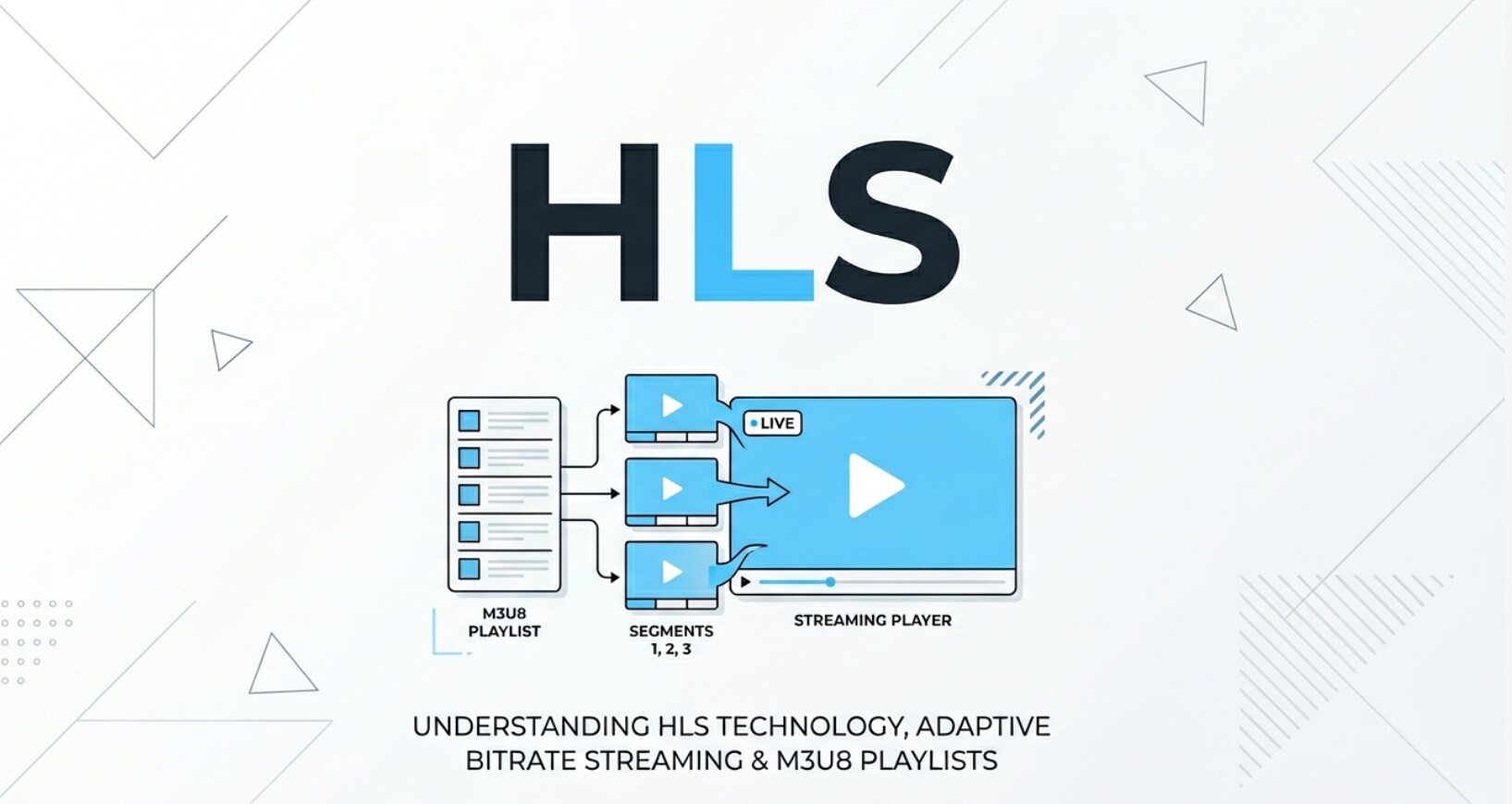
HTTP Live Streaming (HLS) is a core web technology you bump into whenever you watch live sports, binge a series, or stream a tutorial on your phone, TV, or laptop. It describes how video and audio are encoded, chunked, and delivered over the internet for smooth playback. Understanding HLS streaming helps creators, editors, and businesses make better decisions about recording formats, export settings, platform compatibility, and how to deliver reliable video experiences to viewers.
Repair Corrupted Files To Save Your Data
 Security Verified. Over 7,302,189 people have downloaded it.
In this article
What Is HTTP Live Streaming (HLS)?
HTTP Live Streaming is a streaming protocol created by Apple to deliver video and audio over regular HTTP connections. Instead of sending one long file, HLS protocol breaks media into many short segments (typically 2–10 seconds) and describes them in a playlist file known as an M3U8 manifest.
For recording and post-production teams, HLS defines how finished videos are encoded and prepared for the web: the video is transcoded into several qualities and bitrates, then split into segments. For playback, players on iOS, Android, smart TVs, and browsers download segments over the internet and stitch them together in real time, switching quality levels based on available bandwidth. This makes adaptive bitrate streaming possible so viewers see fewer stalls and buffering wheels.
How Does HTTP Live Streaming (HLS) Work in the Real Workflow?
In practice, HLS streaming fits into an end-to-end chain that starts with cameras or screen recorders and ends with players embedded on websites, apps, and OTT services. Here is how HLS appears in a real production and delivery pipeline.
1. Recording, ingest, and encoding
The workflow begins with acquisition, where you capture footage with cameras, phones, or capture cards. At this stage, media is usually stored in formats such as MP4, MOV, MXF, or ProRes rather than HLS itself.
- Editors and creators import footage into NLE tools like Adobe Premiere Pro, Final Cut Pro, or DaVinci Resolve for trimming, color correction, and audio mixing.
- For live workflows, an encoder such as OBS Studio, Wirecast, vMix, or hardware encoders (Teradek, Magewell, Blackmagic) accept SDI/HDMI inputs and compress them to H.264 or H.265 in real time.
- In both live and VOD scenarios, an encoder or cloud service then creates multiple video renditions (e.g., 1080p, 720p, 480p) at different bitrates for adaptive bitrate streaming.
These renditions are not yet HLS; they are continuous streams or files that will be cut into segments. Many cloud platforms like AWS Elemental MediaLive, Wowza Streaming Engine, and various SaaS streaming services handle this encoding automatically once you upload a master file or send a live RTMP input.
2. Packaging, delivery, and playback
Next comes HLS packaging, where your encoded video is turned into HLS-specific assets.
- The video is split into short .ts or .mp4 segments.
- For each quality level, an HLS media playlist (M3U8) is created listing those segments.
- A master playlist references all quality-specific playlists, enabling the player to choose between them.
These files are stored on HTTP servers and typically cached on CDNs like CloudFront, Akamai, or Cloudflare. From the outside, they look like regular web assets accessed via URLs such as:
https://cdn.example.com/live/event/master.m3u8
On the playback side:
- On iOS, tvOS, and Safari, HLS playback is built into the operating system, so apps and sites can feed M3U8 URLs directly to native players.
- On desktop browsers and Android, JavaScript players such as hls.js, Video.js, Shaka Player, or JW Player fetch the manifest, download segments, and feed them into the Media Source Extensions (MSE) pipeline.
- The player constantly measures bandwidth and device performance, requesting higher or lower bitrate segments to keep playback smooth.
For editors and technical teams, this means that export presets like "HLS 1080p" in media encoders (Adobe Media Encoder, FFmpeg scripts, or cloud transcoders) automate the rendering and packaging so your files are ready to upload to streaming platforms that expect HLS protocol outputs.
Where Is HTTP Live Streaming (HLS) Commonly Used?
HLS streaming has become the default choice for many online video services because it works over standard HTTP and is compatible with a wide range of devices. You are most likely to encounter HLS in these situations:
- OTT and VOD platforms: Subscription and ad-supported services use HLS to deliver shows, movies, and series across phones, smart TVs, and web browsers.
- Live event streaming: Sports broadcasts, concerts, conferences, webinars, and gaming tournaments rely on HTTP Live Streaming to reach large audiences with adaptive quality and scalable delivery.
- Social media and creator platforms: Many live and on-demand features on video-sharing and social apps ultimately deliver content using HLS behind the scenes, even if you upload simple MP4 files.
- Corporate and education video: Internal town halls, virtual classrooms, training libraries, and enterprise video portals often standardize on HLS protocol for firewall-friendly streaming and recording archives.
- Broadcast and hybrid TV services: Broadcasters moving from traditional cable/satellite to IP-based delivery use adaptive bitrate streaming with HLS or similar protocols for catch-up TV and simulcasts.
Because HLS is HTTP-based, it passes easily through most firewalls and works well with existing web infrastructure, which is why system integrators, CDNs, and cloud streaming providers all support it as a first-class format.
How to Use Repairit to Fix a Corrupted Video File
Repairit introduction
To keep an HLS streaming workflow stable, you need clean, playable source recordings and exports. When camera files, screen captures, or master MP4 renders become corrupted, they can break live workflows and VOD ingest pipelines. Wondershare Repairit is a dedicated repair tool that focuses on restoring damaged or unplayable video files without requiring deep technical skills. You can learn more and download it from the Repairit official website, then repair problematic clips on your Windows or Mac computer before encoding them for HTTP Live Streaming.
Key features of Repairit
- Repairs multiple corrupted or unplayable video files in one batch, ideal for large editing or streaming projects.
- Supports a wide range of video formats from cameras, phones, recorders, and exported editing timelines.
- Offers an intuitive repair process with a preview window so you can verify fixed playback quality before saving.
Step-by-step: repair a corrupted video file
- Add corrupted video files
Install and launch Wondershare Repairit, then choose the Video Repair module from the main screen. Click the add icon or simply drag and drop your corrupted clips into the window. You can import multiple files at once, for example camera cards from a live show or exported MP4 masters prepared for HLS packaging.

- Repair video files
After loading the files, check the list to confirm the formats, resolution, and duration look correct. When ready, click the Repair button. Repairit scans each video, fixes structural damage, and attempts to restore both video and audio streams. Once processing finishes, use the Preview option to play the repaired versions and confirm that they run smoothly without glitches or sudden stops.

- Save the repaired video files
If the preview looks good, click Save or Save All to export your fixed clips. Choose a different destination folder from the original files to avoid overwriting them. The repaired videos can now be imported back into your editing software, uploaded to your streaming platform, or fed to encoders that will convert them into HTTP Live Streaming segments and playlists.

Conclusion
HTTP Live Streaming has become a foundation for modern video delivery because it uses standard HTTP, supports adaptive bitrate streaming, and works across mobile, desktop, and connected TV devices. By segmenting media and using playlists, HLS protocol allows platforms to adjust quality on the fly so viewers experience fewer interruptions and smoother playback.
To keep this workflow reliable, you need healthy source recordings and exports before they are turned into HLS streaming assets. When files are damaged by crashes, transfer errors, or storage problems, a dedicated repair solution like Wondershare Repairit can restore them quickly so your live events, VOD libraries, and professional productions stay on schedule.
Next: Low-Latency Hls (Ll-Hls)
FAQ
-
1. What is HTTP Live Streaming (HLS) in simple terms?
HTTP Live Streaming (HLS) is a way of delivering video over the internet by cutting it into many small segments and downloading them over normal HTTP. A player reads a playlist file (M3U8) and stitches the segments together, switching quality levels based on your internet speed for smoother playback. -
2. Is HLS only for Apple devices?
No. Although Apple created HLS, it is now widely supported beyond iOS and macOS. Modern browsers, Android devices, smart TVs, and dedicated streaming players can handle HLS natively or through JavaScript players like hls.js. -
3. How does HLS differ from MPEG-DASH?
Both HLS and MPEG-DASH are adaptive bitrate streaming protocols, but they use different specifications and playlist formats. HLS is defined by Apple and historically used TS segments and M3U8 manifests, while MPEG-DASH is an open standard that typically uses ISO BMFF segments and MPD manifests. Many platforms support both and choose which one to serve based on device or browser support. -
4. Can HLS be used for both live and on-demand video?
Yes. HLS works for live events and on-demand libraries. In live scenarios, the playlist keeps updating as new segments are produced, allowing near-real-time playback. For VOD content, the playlist is usually fixed after encoding, giving viewers the full timeline at once. -
5. What should I do if my source video files for HLS are corrupted?
If your source files are corrupted or will not play, repair them before re-encoding for HLS. Tools like Wondershare Repairit can scan damaged videos, fix container and data issues, and output playable files that you can safely upload to your encoder or streaming platform.




