
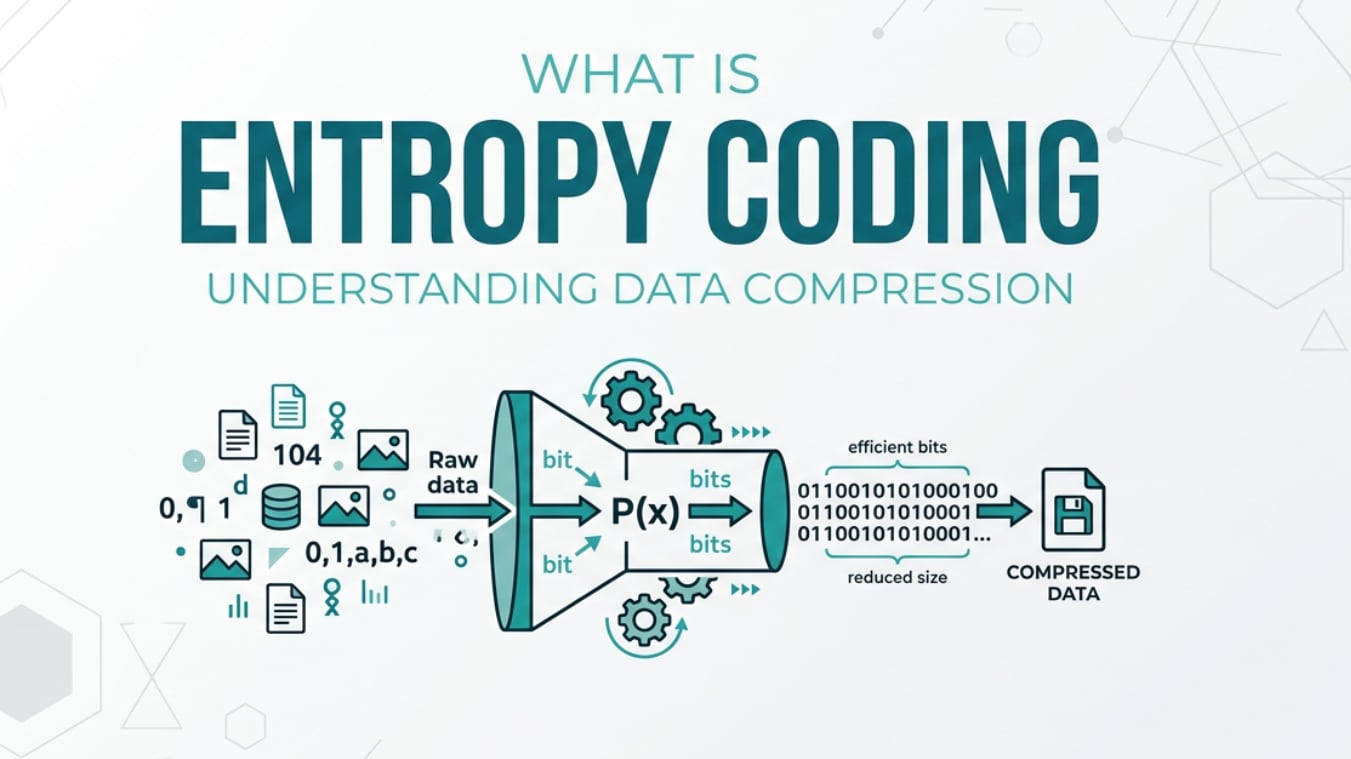
Entropy coding is a fundamental idea in modern photo and video technology that you will encounter when recording, editing, exporting, streaming, and playing back compressed footage. It is built into formats such as H.264/AVC, HEVC/H.265, AV1, and many camera and phone codecs. Understanding how entropy coding works explains why one file can look sharp at a low bitrate while another looks blocky, and helps you tune export or streaming settings more confidently.
Repair Corrupted Files To Save Your Data
 Security Verified. Over 7,302,189 people have downloaded it.
In this article
What Is Entropy Coding?
Entropy coding is a type of lossless data compression method used at the final stage of many photo and video codecs. It belongs to the category of entropy coding methods, which convert a sequence of symbols (such as motion vectors, transform coefficients, or prediction flags) into a compact bitstream where frequent values use fewer bits and rare values use more bits.
In practical terms, entropy coding takes the already processed data from your encoder and packs it as tightly as possible without losing any information. In formats like H.264 and HEVC, this is where techniques such as CABAC and CAVLC come into play, turning the encoder's internal decisions into the final stream that your camera, NLE export, streaming platform, or hardware player will store and decode.
Because it is lossless, entropy coding by itself does not reduce visual quality. Instead, it determines how efficiently the encoded video is stored or transmitted, which directly affects file size and achievable quality at a given bitrate.
Why Is Entropy Coding Important in Video Compression?
The main problem entropy coding solves is redundancy in the symbols produced by earlier stages of the encoder. After prediction and quantization, some patterns of values occur far more often than others. If all symbols used the same number of bits, you would waste storage and bandwidth describing predictable information.
With entropy coding, common patterns (for example, small residual coefficients in flat regions of an image) get short codes, and unusual patterns get longer codes. Over the entire stream this leads to:
- Better bitrate efficiency – you get more visual detail for the same bitrate, or similar quality at a lower bitrate.
- Smaller file sizes – especially noticeable for long videos, high-resolution exports, and cloud storage.
- Improved streaming performance – efficient packing makes it easier to hit strict bandwidth budgets for OTT and live platforms.
However, there are also limitations and trade-offs:
- Higher decoding complexity – advanced methods like CABAC are computationally heavier than simpler schemes, which can matter on low-power devices or during multi-stream playback.
- Encoding speed impact – more complex entropy coding can slow down exports or live encoding, especially at high resolutions.
- No direct quality control – entropy coding does not change the underlying picture; all perceptual quality decisions happen earlier (resolution, bitrate, quantization, filtering).
In short, entropy coding is critical because it directly determines how much "payload" you can fit into a given bitrate envelope, which is vital for 4K delivery, mobile streaming, and archiving large photo and video libraries.
How Does Entropy Coding Work in the Encoding Workflow?
In a typical video encoding pipeline, entropy coding sits right at the end of the process, after the encoder has already decided how each frame should look. A simplified workflow looks like this:
- Color space conversion and block partitioning
- Intra/inter prediction (using neighboring pixels or motion from other frames)
- Transform (e.g., DCT-like) of residuals
- Quantization (where actual quality loss happens)
- Reordering and run-length style processing
- Entropy coding (final compression into a bitstream)
By the time entropy coding starts, every decision about motion, texture, and detail has already been made. The encoder now sees a stream of syntax elements (flags, coefficient levels, motion vectors, prediction modes, headers) and applies an entropy coding algorithm to represent them using as few bits as possible.
Entropy coding inside popular codecs and tools
Different codecs and tools expose entropy coding options in various ways:
- H.264/AVC – offers CAVLC (Context-Adaptive Variable Length Coding) and CABAC (Context-Adaptive Binary Arithmetic Coding). CABAC is more efficient but slower to encode and decode, commonly used in "High" profiles for Blu-ray, high-quality exports, and professional workflows.
- HEVC/H.265 – primarily uses CABAC-style arithmetic coding, refined for better efficiency, which is one reason HEVC can outperform H.264 at the same bitrate.
- AV1 – uses advanced entropy coding based on boolean and arithmetic coders with rich context modeling, enabling strong compression at the cost of higher complexity.
You may see these options in:
- FFmpeg – parameters like "coder=ac" or "cabac=1" in x264, or internal default arithmetic coding in HEVC/AV1 encoders.
- x264/x265 – profile and level choices (e.g., Baseline vs High profile in x264) implicitly decide which entropy coder is used.
- OBS Studio – when choosing encoder presets (e.g., "x264 high quality"), it typically enables CABAC behind the scenes for better video compression efficiency.
- HandBrake – profile and tune settings for H.264/H.265 internally select entropy coding modes optimized for web, devices, or archival needs.
- Adobe Premiere Pro / Media Encoder – export presets like "High Profile" or hardware encoder options (NVIDIA, Intel, Apple Silicon) choose the entropy coding method consistent with the chosen codec and profile.
How entropy coding interacts with other stages
Entropy coding does not operate in isolation; its performance depends heavily on earlier stages:
- Prediction quality – better motion and spatial prediction produce residuals that are smaller and more predictable, ideal for entropy coding to compress.
- Quantization strength – stronger quantization tends to produce more zeros in transform blocks. Entropy coders compress long runs of zeros very efficiently, reducing bitrate, but at the cost of visible artifacts.
- Rate control – when you set a target bitrate (CBR/VBR/CRF), the encoder may adjust quantization and mode decisions to maintain that target, while entropy coding ensures the final bit usage is as compact as possible.
For everyday users, you generally do not tweak entropy coding settings directly. Instead, you select:
- A codec (H.264, HEVC, AV1, ProRes, etc.).
- A profile or preset (Baseline/Main/High, fast/slow, quality-focused vs speed-focused).
- Bitrate or quality controls (bitrate, CRF, QP, "quality" sliders).
The encoder then chooses the most suitable entropy coding mode for that combination, balancing compression gains against CPU/GPU load and hardware compatibility.
When Should You Care About Entropy Coding? Common Mistakes and Quick Tips
Not everyone needs to think deeply about entropy coding, but certain users benefit from understanding it:
- Streamers – working within tight upload bandwidth; better entropy coding means cleaner streams at the same bitrate.
- Editors and colorists – exporting masters and review files where small file sizes and good quality save render time, storage, and transfer bandwidth.
- Encoding specialists / post houses – tuning transcode pipelines for OTT platforms, VOD libraries, or broadcast delivery.
Cases where it matters most:
- Delivering 4K or HDR content over limited networks or to storage-constrained environments.
- Archiving large numbers of photo sequences or video assets where every percentage of compression matters.
- Choosing between "fast" and "slow" encoder presets for on-the-fly versus offline encoding.
Common misunderstandings include:
- "If I enable CABAC or a more advanced coder, my video will look better." In reality, it just saves bits; quality is limited by resolution, bitrate, and quantization.
- "My video looks blocky because CABAC is bad." Blockiness comes from low bitrates or aggressive compression earlier in the chain, not the entropy coder itself.
- "Changing entropy coding will fix playback glitches." Playback issues are usually due to corruption, incompatible profiles, or insufficient device power.
Quick tips and takeaway:
- Use High/Main profiles and "slow" presets when exporting final deliverables; these typically enable the most efficient entropy coding.
- For live streaming or low-powered hardware encoders, balance complexity and latency: a slightly less efficient mode may give smoother, more stable performance.
- If your videos become corrupted and fail to decode, entropy-coded syntax may be damaged; use a dedicated repair tool rather than re-encoding a broken file.
The key takeaway: entropy coding is about storage efficiency, not artistic quality. Tuning your bitrate, resolution, and encoder preset matters more, while entropy coding quietly works in the background to squeeze the most out of the bits you have.
How to Use Repairit to Fix a Corrupted Video File
When a video file is damaged, even the best entropy coding cannot save it if key parts of the bitstream are missing or unreadable. In such cases, using a purpose-built repair tool is far more effective than trying to re-encode the broken file. Wondershare Repairit is designed precisely for this job, offering an intuitive workflow that helps you recover unplayable or glitchy footage from cameras, phones, and computers. You can learn more and download the tool from the Repairit official website.
Key features of Repairit for corrupted video
- Repair corrupted video files from various cameras, phones, and storage devices, including clips that will not open or keep freezing during playback.
- Support for many common video compression formats and codecs, so you can fix issues across H.264, HEVC, and other popular recording options.
- A guided, user-friendly repair process that walks you from file selection to export, suitable for beginners and professionals alike.
Step-by-step guide to fix corrupted videos with Repairit
- Add corrupted video files
Install and open Wondershare Repairit, then switch to the Video Repair section on the main screen. Click the add button and browse to the folder that holds your damaged clips from cameras, phones, or memory cards. Select one or multiple problem files; Repairit will list them with basic details such as resolution, duration, and format so you can confirm you picked the right footage.

- Repair video files
After adding your clips, start the repair by clicking the Repair button. Repairit analyzes each video to detect issues like broken headers, missing metadata, or scrambled video encoding structures. It then applies appropriate fixes automatically. When the process finishes, you can preview the repaired results inside the program to verify that playback is smooth, audio is in sync, and there are no new glitches.

- Save the repaired video files
If the preview looks correct, continue by clicking Save to export your repaired clips. Choose a safe destination folder on a reliable drive with enough free space so you do not overwrite the original damaged files. Once Repairit completes the save process, open the output folder and play the fixed videos in your usual media player to confirm that they now run without errors.

Conclusion
Entropy coding is the final, decisive step that turns an encoder's predictions and residual data into a compact stream suitable for recording, exporting, streaming, and long-term storage. By assigning shorter codes to frequent patterns and longer codes to rare ones, it delivers the efficiency gains that make modern video compression standards like H.264 and HEVC so powerful.
While entropy coding does not directly change image quality, it determines how effectively a given bitrate is used, influencing how sharp your content looks at low data rates and how smoothly it streams across networks. When compressed videos become unreadable due to corruption rather than poor compression, a dedicated repair tool such as Wondershare Repairit offers a practical way to restore damaged footage and keep your creative or professional projects on track.
Next: Cabac
FAQ
-
1. Is entropy coding lossless or lossy?
Entropy coding itself is a lossless process. It rearranges and re-encodes symbols into shorter or longer bit patterns without changing the underlying information. Any visible quality loss in compressed video comes from earlier, lossy stages such as transform and quantization, not from the entropy coder.
-
2. How is entropy coding used in H.264 and HEVC?
In H.264, entropy coding is mainly handled by CAVLC and CABAC, which compress syntax elements and residual data into the final bitstream. HEVC relies heavily on CABAC-style arithmetic coding, refined for better efficiency. In both standards, entropy coding is the last stage before storage or transmission.
-
3. Does picking a different entropy coder improve visual quality?
Choosing a more efficient entropy coding method does not directly improve image quality, but it reduces the bits needed to represent the same information. With a fixed bitrate, those savings allow the encoder to allocate more bits where they matter most, which can indirectly improve perceived quality or let you lower the bitrate for the same quality.
-
4. Why do my highly compressed videos still look blocky even with advanced entropy coding?
Blockiness, banding, and noise usually stem from strong quantization and low bitrates, not from the entropy coder. Even very advanced video compression techniques like CABAC cannot recover detail that was discarded earlier. To reduce artifacts, increase bitrate, use a higher-quality preset, or adjust rate control rather than changing entropy coding alone.
-
5. Can entropy coding errors corrupt a video file, and can they be fixed?
Yes. If bits are lost, truncated, or flipped during storage, transfer, or editing, the decoder may misinterpret the entropy coding structure and fail to parse the bitstream, causing playback errors or missing sections. In many cases, Wondershare Repairit can rebuild damaged headers and structures so the video becomes playable again.




