
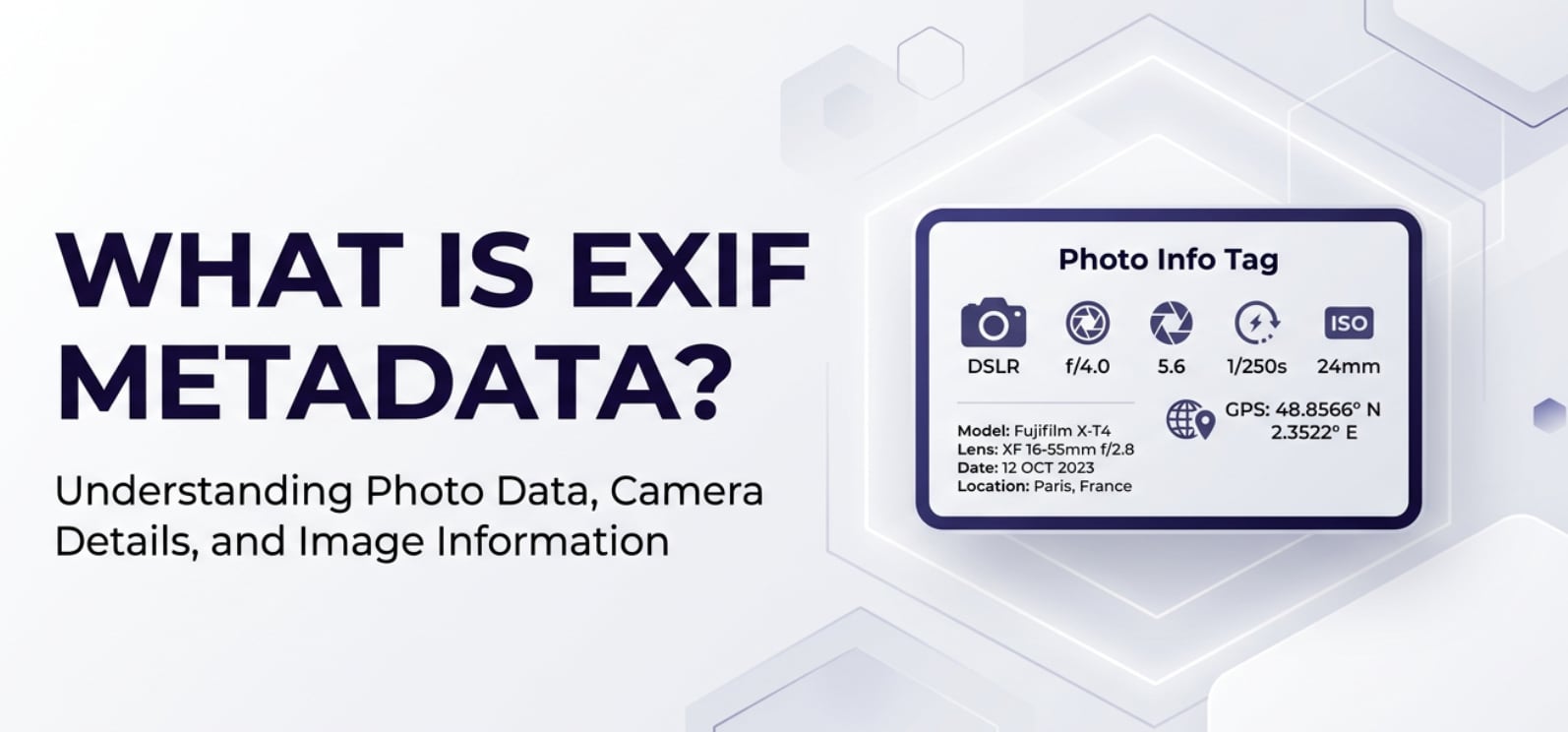
EXIF metadata is the quiet record keeper behind almost every digital photo you take. You will see it mentioned in camera menus, photo editors, gallery apps, and social platforms whenever you check details like shutter speed, lens, or GPS location. Understanding this hidden data helps you organize images better, improve your editing, and avoid privacy risks when you share photos online.
Repair Corrupted Files To Save Your Data
 Security Verified. Over 7,302,189 people have downloaded it.
In this article
Introduction
Photo metadata may sound technical, but it is simply information about your pictures rather than the picture itself. Every time you shoot with a phone, DSLR, mirrorless camera, or even many webcams, extra data is written into the file in the background. Knowing what that data is, where it shows up, and how to control it can make a big difference in how you manage and protect your photos.
What Is EXIF Metadata?
EXIF metadata (Exchangeable Image File Format metadata) is a standardized set of information stored inside image and some video files. It belongs to the category of image metadata and acts like a digital note attached to each shot.
Instead of changing the pixels you see, EXIF stores camera and scene details such as:
- Camera make and model, lens model, and firmware
- Exposure settings: shutter speed, aperture, ISO, exposure compensation
- Focal length and focus distance
- White balance, color space, and flash status
- Date and time of capture
- Optional GPS coordinates and elevation
- Software or app used for editing or exporting
You will encounter EXIF in camera info screens, "Details" or "Info" panels in photo apps, and when sorting or searching images by date, device, or location. It plays a role across the full imaging pipeline: recording, editing, encoding, exporting, streaming, playback, and sharing on platforms.
What Does EXIF Metadata Affect?
EXIF and image quality, appearance, and workflow
EXIF does not directly change the pixels, but it strongly influences how you understand and handle image quality.
- Diagnosing exposure and sharpness problems – If a photo is blurry or noisy, EXIF tells you whether a slow shutter speed, high ISO, or long focal length was used. That makes it easier to adjust your technique or camera settings next time.
- Color and tone interpretation – Fields such as white balance, color space (sRGB, Adobe RGB), and picture style help editors interpret the file correctly during import, preview, and export.
- RAW processing behavior – For RAW files, EXIF includes camera profiles, lens correction data, and more. Editing software reads this to apply default lens corrections, sharpening, or noise reduction.
- Editing and export consistency – When you batch-edit images, EXIF fields like capture time and ISO let you apply appropriate presets or filters to similar shots, improving consistency and saving time.
EXIF and privacy, compatibility, and file size
Beyond quality and workflow, EXIF has direct impact on how safe and portable your pictures are.
- Privacy and location tracking – GPS data in EXIF can reveal the exact spot where a photo was taken, including home, workplace, or school. Sharing images publicly with intact EXIF can unintentionally expose sensitive information.
- Platform behavior and compatibility – Some social networks strip EXIF on upload to reduce file size and protect users, while others keep selected fields like orientation or device model. Misread orientation tags can lead to sideways or upside-down photos in certain viewers.
- File size overhead – EXIF is usually small compared with the image itself, but heavy use of metadata (GPS tracks, edit history, thumbnails) can add extra kilobytes, which matters for large galleries or high-volume workflows.
- Cataloging and backup strategies – Photo managers rely on EXIF dates and camera IDs to group photos into albums, events, or smart collections. If EXIF is missing or wrong, your files can appear out of order.
How Does EXIF Metadata Work in Real Use?
In day-to-day photography, EXIF metadata flows through many tools and stages, even if you never see it directly.
- In cameras and smartphones – When you press the shutter, the device records scene data and writes EXIF into the JPEG or RAW file as it is encoded. Orientation, capture time, and camera settings are set here. Phones can also attach GPS from location services.
- In editing software – Programs like Lightroom, Photoshop, Capture One, and many mobile editing apps read EXIF to show you histograms, lens data, and shooting settings. They use it to:
- Apply lens profiles automatically
- Sort and filter images (by camera, lens, ISO, date, etc.)
- Keep track of edit history and software versions in some cases
- During exporting and converting – When you export a final JPEG, TIFF, or PNG, you can usually choose whether to keep, modify, or strip image metadata. Many apps have checkboxes such as "Include metadata," "Remove location info," or "Strip all EXIF."
- On websites and social media – Platforms like Facebook, Instagram, and many galleries read EXIF to:
- Rotate photos correctly based on orientation tags
- Show capture date or device model
- Optimize compression settings
- In operating systems and file browsers – Windows, macOS, and many Linux file managers let you view EXIF under file "Properties" or "Info." You can often edit simple fields such as title, description, keywords, or even time and date.
Because of this, what is EXIF is not just an academic question. It governs how your images are read and handled as they move through different devices, apps, and cloud services.
Common Mistakes and Quick Tips
- Mistake: Assuming EXIF always stays the same
Many apps compress, strip, or rewrite EXIF on export or upload. That can change dates, remove GPS, or overwrite camera tags. - Mistake: Believing EXIF determines image quality
EXIF is descriptive, not creative. It records settings but does not guarantee a good photo. Two images with identical EXIF can look very different depending on lighting and composition. - Mistake: Forgetting about privacy
Sharing photos with GPS and personal data intact can expose where you live, work, or travel. - Mistake: Ignoring wrong dates and times
Incorrect camera clocks lead to messy timelines and albums that are hard to search and sort later.
Quick tips for managing EXIF metadata
- Before sharing publicly, remove or anonymize GPS and personal data using a metadata editor or export setting.
- Keep your camera clock in sync, especially when traveling across time zones or using multiple cameras.
- Use EXIF-based filters in photo organizers to analyze why certain shots turned out well (or poorly), and refine your shooting habits.
- When re-encoding or resizing images for the web, choose export options that preserve only the EXIF fields you really need.
- If image metadata disappears or becomes unreadable due to corruption, focus on recovering the image content first, then repair or re-add metadata where possible.
How to Use Repairit to Fix a Corrupted Photo File
Why choose Repairit for corrupted photos
Even though EXIF metadata is important, it cannot protect a file from becoming corrupted due to card errors, interrupted transfers, or system crashes. When a photo will not open, shows gray blocks, strange colors, or missing areas, a dedicated repair tool is often the fastest solution. Wondershare Repairit is designed to fix damaged media files with a guided, beginner-friendly process. You can learn more on the Repairit official website.
Here are three key benefits that make Repairit especially useful when your images fail to display correctly:
- Fixes corrupted, broken, or unplayable photo and video files from cameras, phones, drones, and other devices.
- Supports many popular formats and batch repair, so you can restore multiple problem files in one run.
- Provides clear preview and save steps, letting you confirm the repaired result before exporting.
Step-by-step: Repair corrupted photo files
- Add corrupted photo files
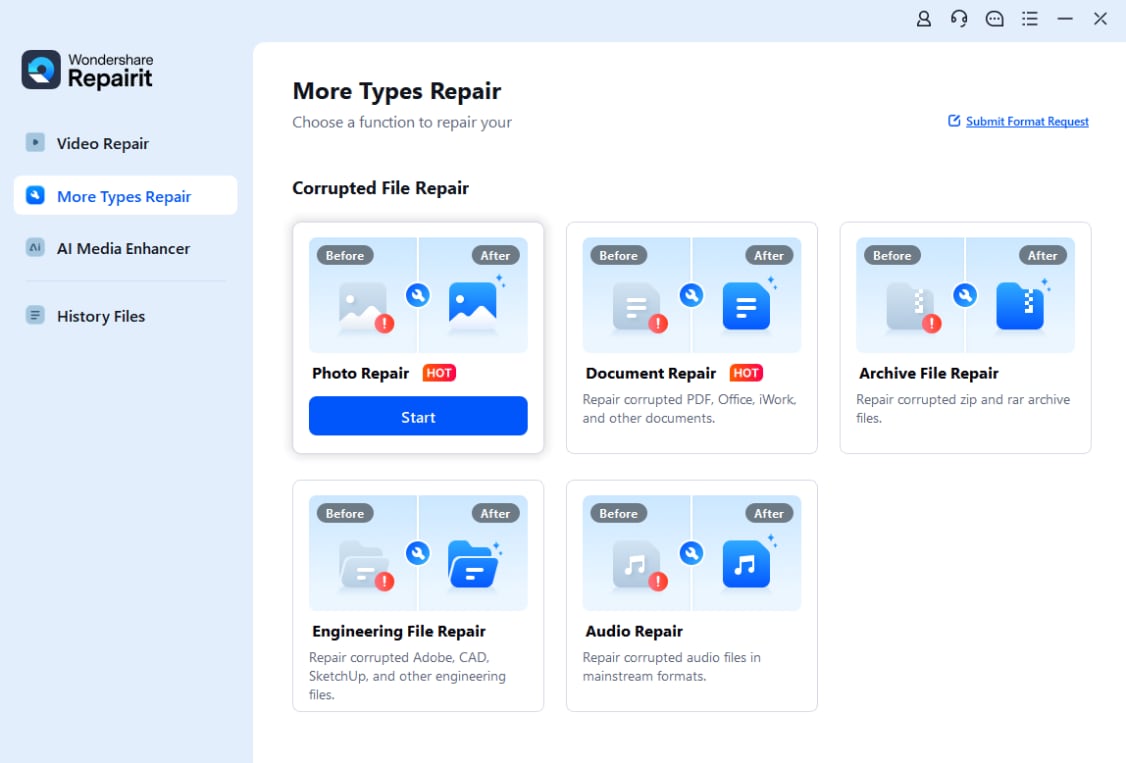
Install and launch Wondershare Repairit, then go to the Photo Repair section. Click the "Add" button and browse to the folder where your broken or unreadable images are stored. Select one or more corrupted photo files and confirm to load them into the repair queue.
- Repair photo files
After your images are listed, click "Repair" to start the automatic fixing process. Repairit scans each file structure, locates corrupted data blocks, and attempts to rebuild valid image information. When the process ends, you can click on individual items to preview the repaired photos and verify that key details are visible again.

- Save the repaired photo files
If the previews look correct, click "Save" and choose a safe destination on a healthy drive or folder. Avoid overwriting the original damaged files; keep them in a separate location in case you need to try additional recovery later. Repairit will export clean copies of your photos, ready for viewing, editing, and re-adding photo metadata if needed.

Conclusion
EXIF metadata quietly documents the technical and contextual story behind each image, from shutter speed and ISO to capture time and GPS. Used thoughtfully, it becomes a valuable tool for organizing photo libraries, understanding why images look the way they do, and keeping your editing workflow consistent across devices and platforms.
At the same time, EXIF can expose private location details and is vulnerable to loss when files become corrupted. Learning how to view, manage, edit, and when necessary remove EXIF, combined with having a reliable repair solution like Wondershare Repairit for damaged photos and videos, helps you keep your visual archive both powerful and safe.
Next: What is Icc Color Profile?
FAQ
-
1. What is EXIF metadata in a photo file?
EXIF metadata is a block of technical and contextual information embedded in an image file. It records camera model, exposure settings, capture time, optional GPS location, and sometimes software or editing details, without changing the visible pixels.
-
2. Does EXIF metadata affect image quality?
EXIF does not directly change image quality, but it records the settings that created the picture. By reading camera settings data like shutter speed, ISO, and aperture, you can understand why a photo is overexposed, blurry, or noisy and improve future shots.
-
3. Should I remove EXIF metadata before sharing photos online?
It is often a good idea to remove EXIF or at least strip GPS and personal fields before public sharing. This reduces the risk of revealing your home address, routine locations, or device details that could be misused.
-
4. Can I edit EXIF metadata after taking a photo?
Yes. Many desktop and mobile tools let you edit EXIF fields such as title, description, keywords, date and time, and even location. Some camera-specific tags, like internal serial numbers, may be harder or impossible to change.
-
5. What if my photos are corrupted and EXIF data is missing?
When photo files are damaged, EXIF can become unreadable or disappear entirely. In that case, prioritize restoring the image itself using a dedicated photo repair tool like Wondershare Repairit. After recovery, you can manually re-add important image metadata such as dates or captions.




