
If you mainly use inPixio Photo Studio to fix damaged, distorted, or low-quality images, you may feel limited by its repair depth, batch handling, or format support. Modern photo repair software can restore corrupted images, fix pixelation and artifacts, and intelligently enhance details beyond what a standard editor offers.
Below you will find a focused overview of repair-centric inpixio photo studio alternative tools, how they compare, and which one fits different photo restoration software scenarios best so you can confidently choose the right way to fix corrupted photos and improve results.
Repair Corrupted Files To Save Your Data
 Security Verified. Over 7,302,189 people have downloaded it.
In this article
Side-by-Side Comparison Table of inPixio Photo Studio Alternatives
| Software | Supported Formats | Price | Free Version | Ease of Use | Repair Speed | Repair Success Rate | Key Features |
|---|---|---|---|---|---|---|---|
| Wondershare Repairit Photo Repair | JPEG, JPG, TIFF, PNG, ARW, CR2, NEF, RAF and more | From $39.99/year | Yes, preview before save | Very easy, wizard-style | Fast for small to medium batches | High on heavily corrupted photos | Advanced photo repair software, batch repair, support for RAW camera files, preview before export |
| Stellar Repair for Photo | JPEG, JPG, HEIC, TIFF, ARW, CR2, NEF, ORF and more | From $49.99/year | Yes, limited preview | Easy, clean interface | Moderate on large batches | High for common corruption issues | Batch repair, support for multiple camera brands, restores thumbnails, fixes grainy or pixelated images |
| Kernel Photo Repair | JPEG, JPG, BMP, TIFF, PNG, GIF | From $39.00 lifetime | Yes, preview-only | Easy for beginners | Fast on individual files | Good for mild to moderate corruption | Single-click jpeg repair tool, batch support, retains original image quality, repairs header-level issues |
| PixRecovery | JPEG, JPG, PNG, BMP, GIF, TIFF | From $49.00 lifetime | Demo with limitations | Moderate, older UI | Fast for single images | Good on structurally damaged files | Rebuilds damaged images, restores color palette, recovers from bad sectors, saves to multiple formats |
| Corel PaintShop Pro | JPEG, JPG, TIFF, PNG, HEIC, RAW (various) | From $79.99 one-time | Free trial | Moderate, feature-rich | Depends on manual workflow | High for quality and detail restoration | AI-powered image enhancement tool, noise removal, scratch and blemish repair, color correction, lens distortion fixes |
How to Choose the Right inPixio Photo Studio Alternative
When selecting a inpixio photo studio alternative, start by assessing what you repair most often: non-opening files, visual artifacts, or general quality loss. Dedicated photo repair software such as Wondershare Repairit or Stellar Repair for Photo is better for deep corruption, while editors like PaintShop Pro shine when you need retouching and image enhancement tool features.
Next, consider volume and formats. Studios handling thousands of RAW shots should prioritize batch processing and wide camera support. Home users who just need a reliable jpeg repair tool for family photos can pick a simpler, more affordable option. Finally, check whether you also want tools to fix corrupted photos alongside videos or documents, in which case an all-in-one repair suite like Repairit adds extra value.
5 Best inPixio Photo Studio Alternatives
Repairit

Repairit
Repairit by Wondershare is a dedicated photo repair software that automatically fixes corrupted, distorted, or non-opening pictures, including many camera RAW formats.
Users who need a reliable inpixio photo studio alternative to fix corrupted photos that refuse to open or display severe artifacts, without learning complex editing tools.
Key features
- Repairs severely damaged JPEG, PNG, TIFF, and many RAW formats with high success rates.
- Batch mode to process hundreds of photos at once and preview results before saving.
- Part of a broader suite that can also handle video, audio, and file corruption in one workflow.
Pros
- Very simple 3-step workflow that suits beginners and busy professionals alike.
- Consistently strong performance on non-opening or heavily pixelated photos.
- Active development with frequent engine updates and compatibility improvements.
Cons
- Does not replace a full-featured editor for creative retouching or design work.
- Advanced features require a paid license after the trial period.
Stellar Repair for Photo

Stellar Repair for Photo
Stellar Repair for Photo is a specialist photo repair software that restores corrupted, grainy, or distorted images from a wide variety of cameras and storage devices.
Photographers and studios that regularly process large shoots and need a dependable inpixio photo studio alternative for batch recovery across multiple camera brands.
Key features
- Repairs JPEG, HEIC, TIFF, and various RAW formats from leading camera manufacturers.
- Restores broken thumbnails, color glitches, and pixelation caused by data corruption.
- Processes hundreds of files together, making it efficient for event or wedding workflows.
Pros
- Strong batch performance when handling entire memory cards or folders.
- Wide format support suitable for mixed DSLR, mirrorless, and phone libraries.
- Clear interface that keeps the repair pipeline easy to follow.
Cons
- Subscription cost can be high for occasional home users.
- Interface and workflow feel more utilitarian than modern all-in-one editors.
Kernel Photo Repair

Kernel Photo Repair
Kernel Photo Repair is a lightweight Windows utility that focuses on quick jpeg repair tool tasks for commonly used image formats with minimal setup.
Home and office users who want a simple photo repair software to repair everyday corruption problems in JPEG, PNG, BMP, and GIF files without complex controls.
Key features
- Single-click repair flow suitable for non-technical users on Windows.
- Supports batch processing of multiple photos in common formats.
- Targets header and structural issues to preserve image quality where possible.
Pros
- Affordable lifetime license that avoids recurring subscription fees.
- Very easy to use, making it ideal for occasional fix corrupted photos tasks.
- Works well on mild to moderate corruption that prevents simple viewing or sharing.
Cons
- No macOS version, limiting cross-platform workflows.
- Does not support many niche or advanced RAW camera formats.
PixRecovery
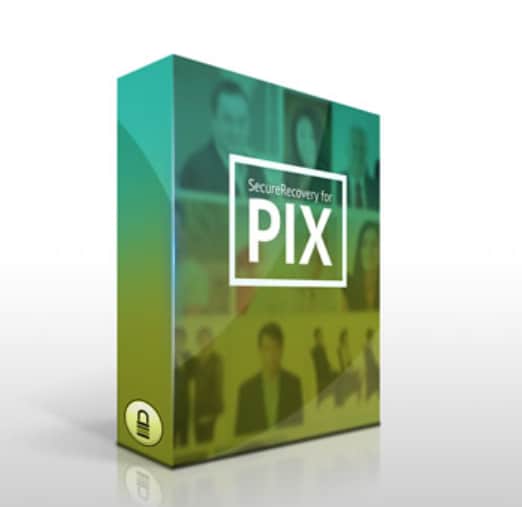
PixRecovery
PixRecovery is a specialized tool that rebuilds damaged image structures to fix corrupted photos caused by bad sectors, power loss, or faulty transfers.
Technically inclined users who need a targeted photo repair software to recover structurally broken files in formats like JPEG, PNG, BMP, GIF, and TIFF.
Key features
- Reconstructs damaged image headers and data blocks from corrupted files.
- Restores color palettes and visual integrity for older or legacy images.
- Saves recovered photos into multiple formats, useful when converting archives.
Pros
- Effective on structurally damaged images that other tools may reject.
- Supports several legacy formats, helping with older backups and archives.
- Small, lightweight installation suitable for use on older PCs.
Cons
- Interface looks dated and is less intuitive for beginners.
- Lacks advanced enhancement or creative editing capabilities.
Corel PaintShop Pro

Corel PaintShop Pro
Corel PaintShop Pro is a full-featured editor and image enhancement tool that combines AI-powered correction with manual retouching to restore detail and reduce noise.
Creators who want an inpixio photo studio alternative that offers advanced retouching, upscaling, and photo restoration software tools in a single editing environment.
Key features
- AI-powered tools to sharpen, upscale, and enhance soft or low-resolution images.
- Comprehensive noise removal, color correction, and scratch or blemish repair.
- Layer-based editing and creative filters for full post-production control.
Pros
- One-time purchase offers long-term value compared with recurring subscriptions.
- Strong toolset for restoring old photos, scanned prints, and low-quality shots.
- Large user community and tutorials for learning advanced enhancement skills.
Cons
- Not a deep corruption engine, so it may not repair non-opening files.
- Feature-rich interface can feel overwhelming if you only need quick fixes.
Tips for Switching from inPixio to a Dedicated Photo Repair Tool
Before leaving inPixio, review the types of issues you encounter most frequently: unreadable files, artifacts, or general quality problems. For serious corruption, adopt a dedicated photo repair software such as Repairit, then keep an editor like inPixio or PaintShop Pro for finishing touches and creative work.
When migrating, back up your original folders, test different inpixio photo studio alternative options on the same problem files, and compare results side by side. This makes it easier to decide whether you need a powerful jpeg repair tool, an AI-driven image enhancement tool, or a combination of both to reliably fix corrupted photos in your everyday workflow.
Conclusion
If inPixio Photo Studio no longer meets your repair needs, you have several stronger, repair-centric choices. Dedicated tools like Wondershare Repairit and Stellar Repair for Photo are better suited for fixing non-opening, heavily corrupted, or distorted image files, especially when you need consistent results across large batches.
For users with lighter repair requirements or a desire for editing flexibility, options like Kernel Photo Repair, PixRecovery, and PaintShop Pro provide a mix of structural repair and visual enhancement. Choose based on how severe your photo damage is, how many files you handle, and whether you prefer an automated repair utility or an all-in-one editor with restoration tools.
FAQ
-
Is inPixio Photo Studio good for repairing corrupted photos?
inPixio Photo Studio is mainly a photo editor and enhancer rather than deep photo repair software. It can improve exposure, color, and basic flaws, but it usually struggles with badly corrupted or non-opening files where dedicated repair tools work better. -
Which inPixio Photo Studio alternative is best for heavily corrupted images?
For severely damaged or unreadable images, Wondershare Repairit and Stellar Repair for Photo are often the most effective inpixio photo studio alternative options. They specialize in rebuilding broken file structures and image data, including many RAW formats. -
Can these alternatives fix pixelation and compression artifacts?
Yes, tools like Repairit, Stellar Repair for Photo, and PaintShop Pro can frequently reduce pixelation, blockiness, and compression artifacts. Results depend on how much original detail remains, but they typically outperform a standard jpeg repair tool built into basic editors. -
Do I still need a photo editor after repairing my pictures?
If your main issue is corruption or unreadable files, a dedicated photo repair software may be enough for recovery. For retouching, color grading, and creative effects, you will usually pair it with an editor such as PaintShop Pro or continue using inPixio for post-repair editing. -
Can I preview repaired photos before saving them?
Most modern tools, including Repairit, Stellar Repair for Photo, and Kernel Photo Repair, let you preview output before saving. This helps you verify that they successfully fix corrupted photos and maintain quality without overwriting your originals.




