
ARC Raiders is Embark Studios' ambitious PvPvE extraction shooter — a game built on Unreal Engine 5, requiring a precise stack of system components, runtime libraries, and anti-cheat infrastructure to function correctly. When any piece of that stack is missing or misconfigured, the result is almost always the same: ARC Raiders not launching, crashing silently on startup, or freezing on the splash screen before you ever see the main menu. The frustrating part is that the game often gives you no error message at all, leaving you with zero clue where to start.
This guide covers every proven fix for ARC Raiders not launching in 2025 and 2026 — from the most common quick fixes (outdated GPU drivers, corrupted files, Easy Anti-Cheat failures) to deeper solutions for DirectX errors, overlay conflicts, and XMP/overclocking instability. Whether ARC Raiders won't launch after a fresh install, stopped working after an update, or simply refuses to open every other session, you'll find a working solution in the steps below.
Table of Contents
-
- Fix 1. Update Your GPU Drivers
- Fix 2. Verify Game Files on Steam
- Fix 3. Repair or Reinstall Easy Anti-Cheat (EAC)
- Fix 4. Run ARC Raiders as Administrator
- Fix 5. Add the -dx11 Launch Parameter
- Fix 6. Reinstall DirectX and Visual C++ Runtimes
- Fix 7. Disable Overlays and Conflicting Background Apps
- Fix 8. Disable XMP/EXPO and Move the Game to an SSD
Part 1. Why Is ARC Raiders Not Launching?
Before jumping into fixes, understanding the root causes of ARC Raiders not launching helps you target the right solution immediately rather than working through every fix at random. Here are the 6 most common reasons the game fails to start:
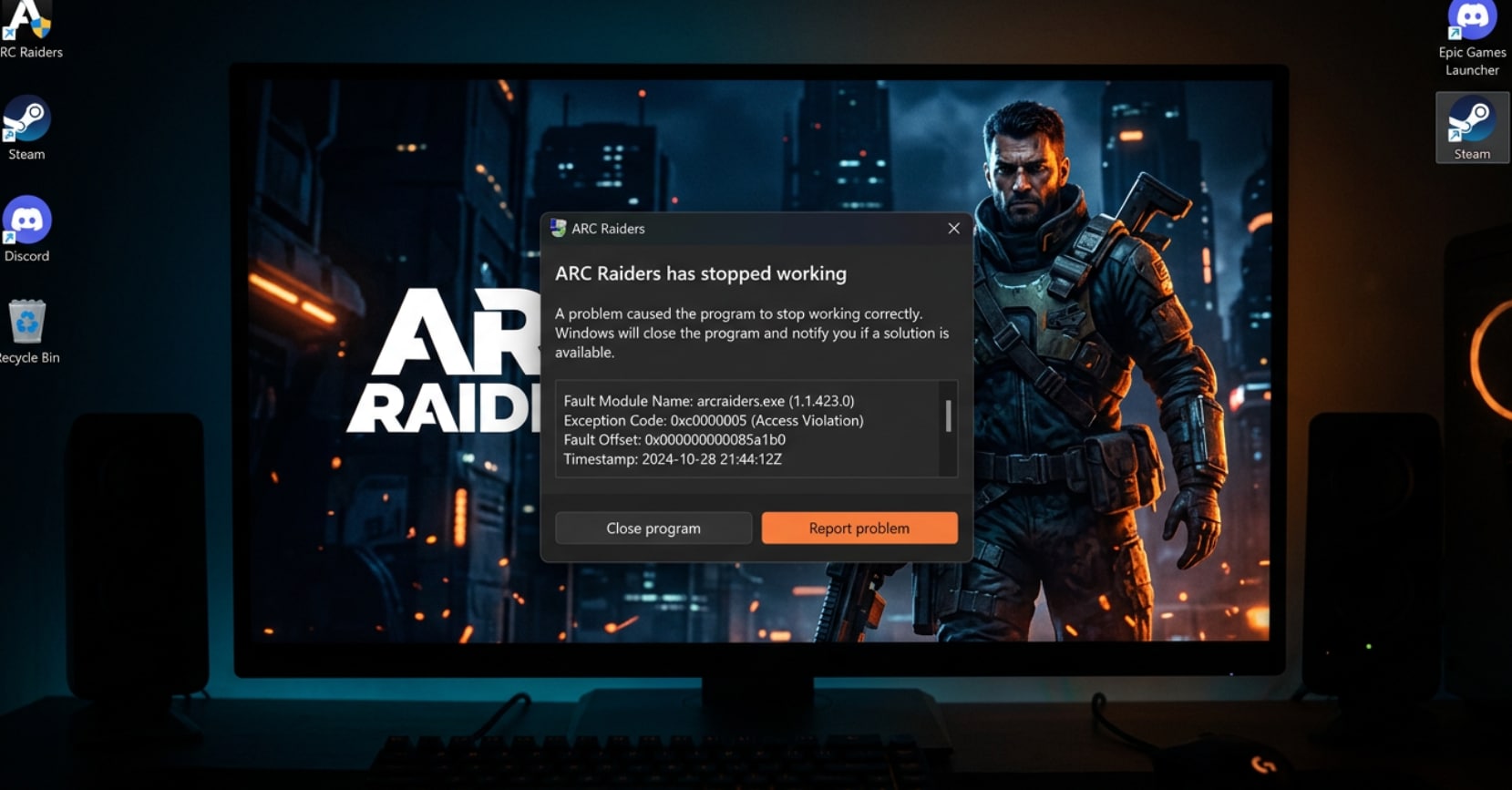
- Outdated or Corrupted GPU Drivers: ARC Raiders is a demanding Unreal Engine 5 title with heavy DirectX 12 reliance. Running it on outdated NVIDIA or AMD drivers is one of the top causes of silent launch failures and startup crashes — especially after a major game update.
- Corrupted or Incomplete Game Files: A dropped internet connection during a patch download, a storage write error, or an interrupted initial install can leave critical game files corrupted or missing. The game may appear installed but silently fail to start when those files are needed.
- Missing DirectX or Visual C++ Runtime Components: ARC Raiders requires specific versions of DirectX runtime libraries and Visual C++ Redistributable packages (2015–2022). If these are missing, outdated, or damaged, you'll typically see a black screen followed by a silent exit, or a "missing .dll" error in some cases.
- Software Overlay Conflicts: Discord's hardware acceleration, GeForce Experience overlay, Xbox Game Bar, and MSI Afterburner's RivaTuner Statistics Server are the most commonly reported conflicts. These overlays inject code into the game process and can prevent ARC Raiders from initializing — particularly in combination with EAC.
- RAM Overclocking (XMP/EXPO) Instability: This is a less obvious but surprisingly common cause. XMP or EXPO memory profiles push RAM beyond its rated speed and can cause instability specifically when games demand sustained memory throughput — resulting in crashes immediately after the Embark Studios logo, or failures to launch entirely.
Part 2. How to Fix ARC Raiders Not Launching — 8 Proven Methods
Work through the following fixes in order — they're arranged from simplest and most commonly effective to more advanced troubleshooting. Most players experiencing ARC Raiders not launching will resolve the issue within the first three steps.
Fix 1. Update Your GPU Drivers
Outdated GPU drivers are the single most common cause of ARC Raiders not launching, particularly after the game receives a major update or patch. Embark Studios regularly optimizes the game's renderer for recent driver versions, and running old drivers can cause the game to exit silently at startup without any on-screen error. Both NVIDIA and AMD have dedicated apps that make updating a one-click process.
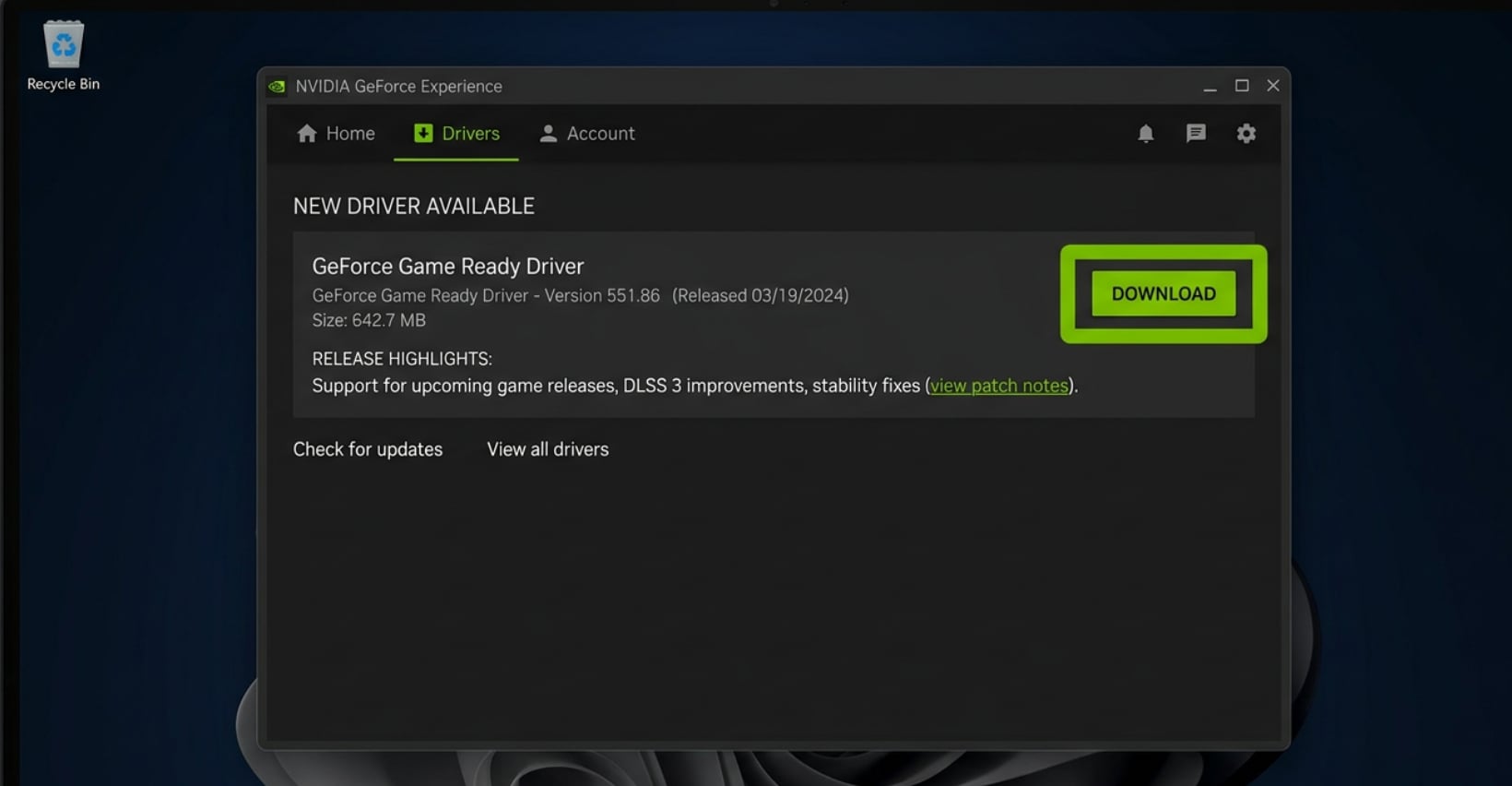
Steps to update NVIDIA drivers:
- Download and open the NVIDIA App (or NVIDIA GeForce Experience) from nvidia.com.
- Go to the Drivers tab and click Check for Updates.
- Download the latest driver and run Express Installation.
- Restart your PC after the installation completes.
Steps to update AMD drivers:
- Open AMD Software: Adrenalin Edition from amd.com.
- Click the Driver & Software tab in the top right corner.
- Click Update if a new version is available and follow the on-screen prompts.
- Restart your PC after the update finishes.
After restarting, launch ARC Raiders and check if the issue is resolved. Also make sure Windows itself is fully up to date: go to Settings → Windows Update → Check for updates and install any pending updates before testing.
Fix 2. Verify Game Files on Steam
If ARC Raiders stops launching after an update, or if your installation was interrupted at any point, one or more game files may be corrupted or missing. Steam's built-in file verification tool automatically detects and redownloads any damaged files without requiring a full reinstall — making it one of the fastest and most reliable fixes for ARC Raiders not launching after a patch.
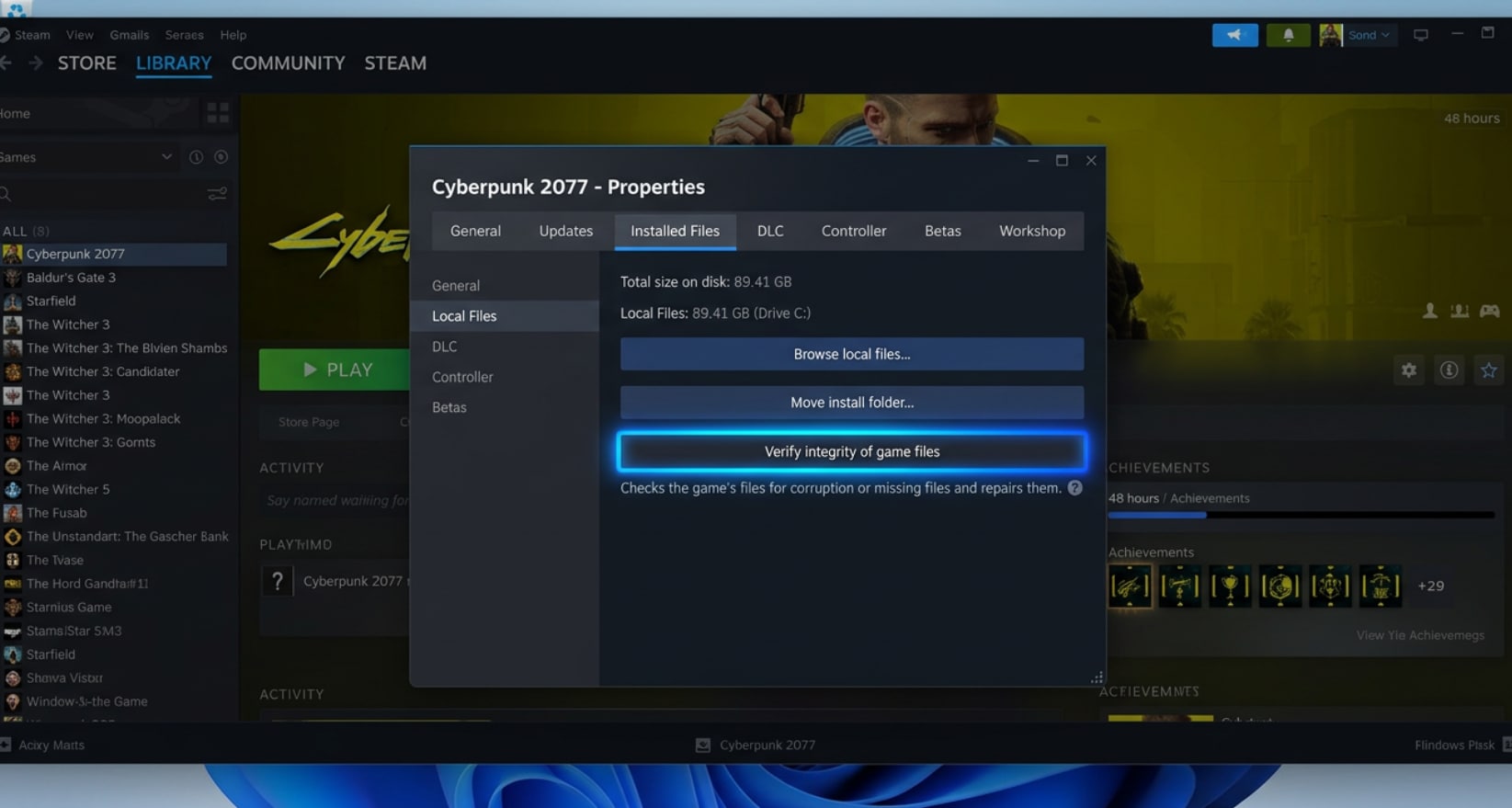
- Open Steam and navigate to your game library.
- Right-click on ARC Raiders and select Properties.
- Go to the Installed Files tab.
- Click Verify integrity of game files and wait for the process to complete.
- Steam will automatically repair or redownload any files that fail verification.
- Restart Steam and try launching ARC Raiders again.
Note: If verification repeatedly finds and "fixes" the same files but the problem persists, this may point to a storage drive issue (bad sectors). In that case, proceed to Fix 8 and consider moving the game to a different SSD.
Fix 3. Repair or Reinstall Easy Anti-Cheat (EAC)
Easy Anti-Cheat is a mandatory component of ARC Raiders — the game will not launch if EAC fails to initialize, even if everything else is working perfectly. A failed or corrupted EAC installation is one of the top reasons players see ARC Raiders exit immediately on startup with no error message. Repairing it takes less than two minutes and resolves the issue in the majority of EAC-related cases.
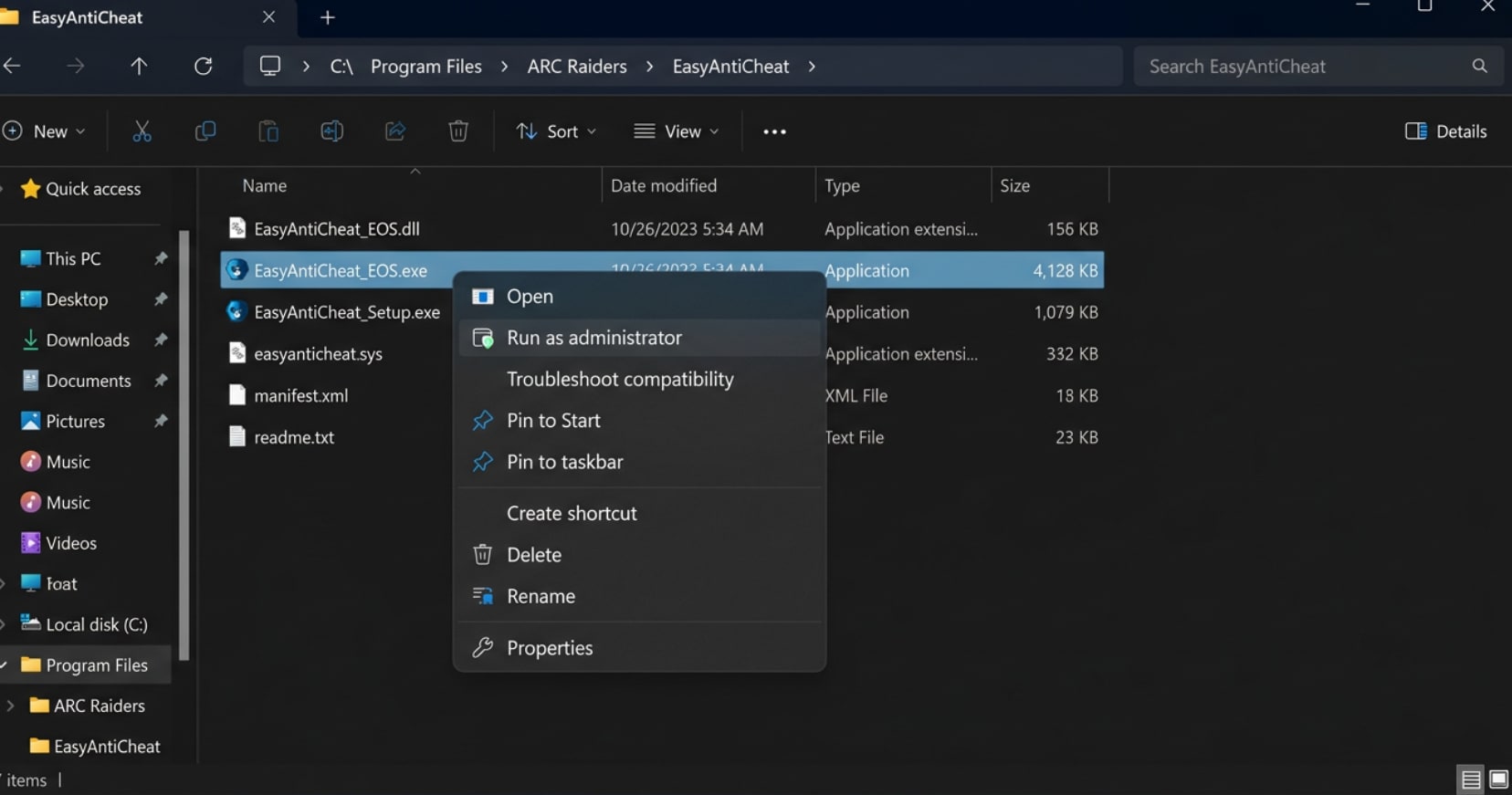
- In your Steam Library, right-click ARC Raiders → Manage → Browse local files.
- Open the EasyAntiCheat folder inside the game directory.
- Find and run EasyAntiCheat_Setup.exe as Administrator (right-click → Run as administrator).
- In the EAC setup window, select ARC Raiders from the game list, then click Repair Service.
- Wait for the repair to complete, then click Finish.
- Restart your PC and try launching ARC Raiders again.
If the Repair option does not resolve it, run the setup again and select Uninstall, then run it a third time and select Install to do a full EAC reinstall. Also ensure your antivirus is not blocking EAC — add the entire ARC Raiders game folder to your antivirus exclusion list.
Fix 4. Run ARC Raiders as Administrator
Windows User Account Control can silently block ARC Raiders from accessing the system resources it needs — particularly when Easy Anti-Cheat requires elevated permissions to install its kernel-level driver components. Running both Steam and ARC Raiders with administrator privileges is a simple fix that resolves permission-related launch failures in many cases.
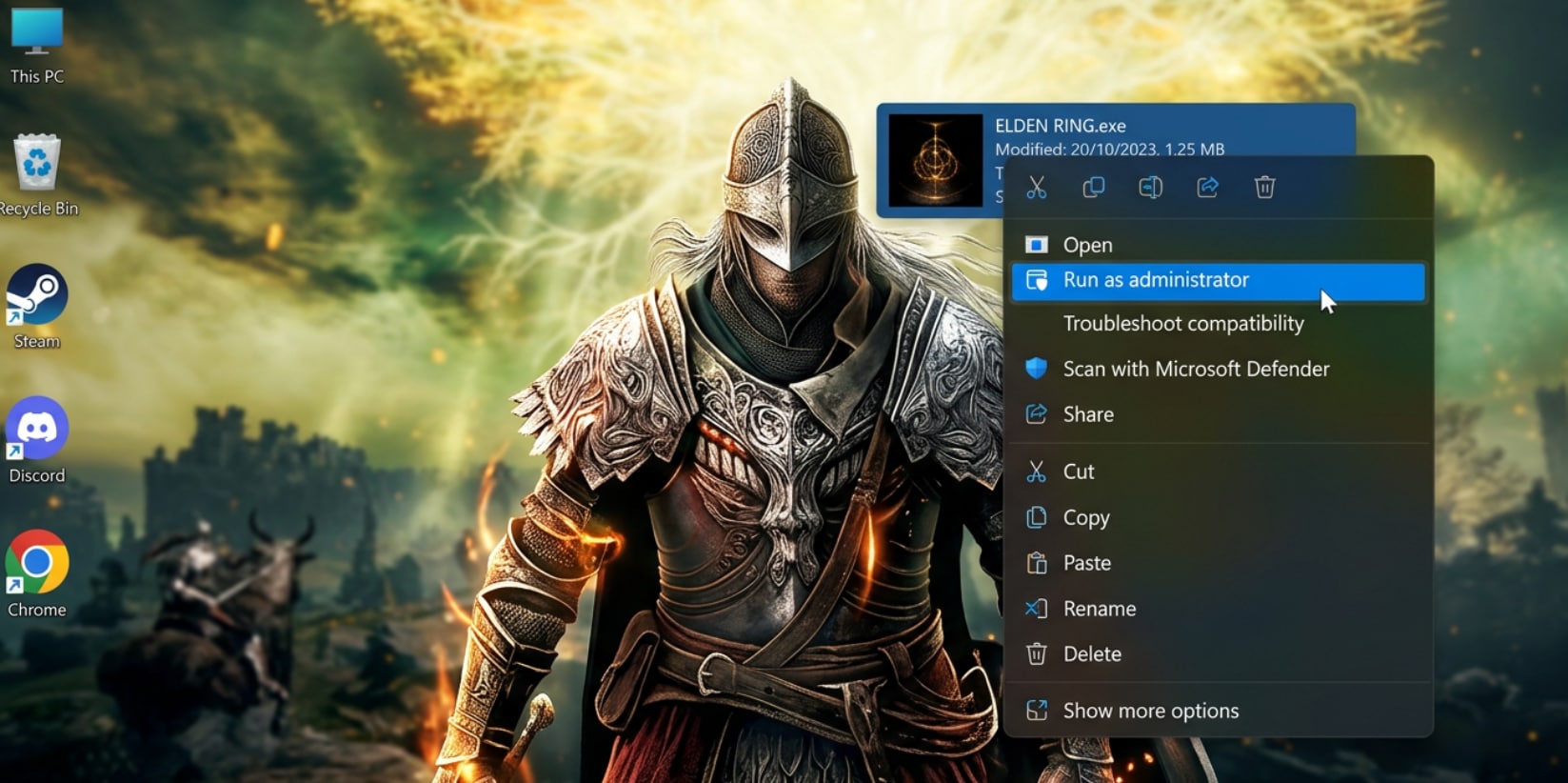
- Close Steam completely (right-click the taskbar icon → Exit Steam).
- Find the Steam.exe file (typically in
C:\Program Files (x86)\Steam), right-click it, and select Run as administrator. - Open your library, right-click ARC Raiders → Manage → Browse local files.
- Find the game's main launcher executable, right-click it, and open Properties → Compatibility.
- Check the box for "Run this program as an administrator", then click Apply and OK.
- Launch ARC Raiders through Steam as normal and test if it opens.
Fix 5. Add the -dx11 Launch Parameter
ARC Raiders defaults to DirectX 12, which offers better performance on supported hardware but can cause immediate startup crashes on certain GPU configurations — especially on older cards, some AMD GPUs, or after driver updates that affect DX12 compatibility. Forcing the game to use DirectX 11 via a Steam launch parameter is one of the most widely reported community fixes for ARC Raiders not launching.
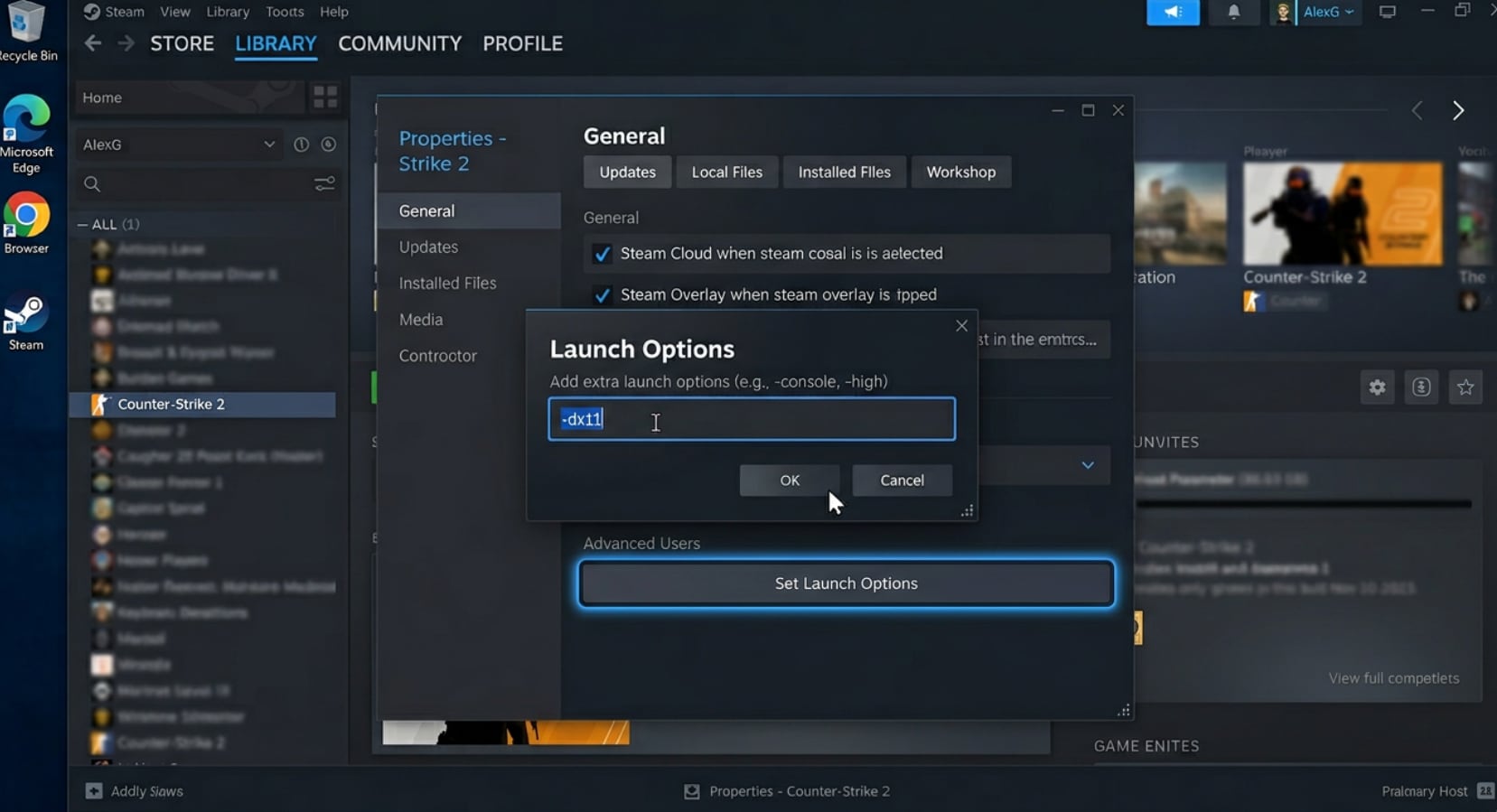
- Open Steam and right-click on ARC Raiders in your library.
- Select Properties.
- In the General tab, find the Launch Options field.
- Type
-dx11in the field (exactly as shown, with the dash). - Close the Properties window and launch ARC Raiders.
If the game now launches successfully with -dx11, your current DX12 setup (drivers, hardware, or configuration) is the root cause. Try updating your GPU drivers (Fix 1) and then removing the parameter to test if DX12 becomes stable again.
Fix 6. Reinstall DirectX and Visual C++ Runtimes
ARC Raiders depends on specific versions of the DirectX runtime and Microsoft Visual C++ Redistributable packages being correctly installed on your system. Corrupted or outdated runtime components are a common cause of ARC Raiders failing to launch — particularly on fresh Windows installations, after OS upgrades, or when the game throws a missing .dll error during startup. Both packages are free downloads directly from Microsoft.
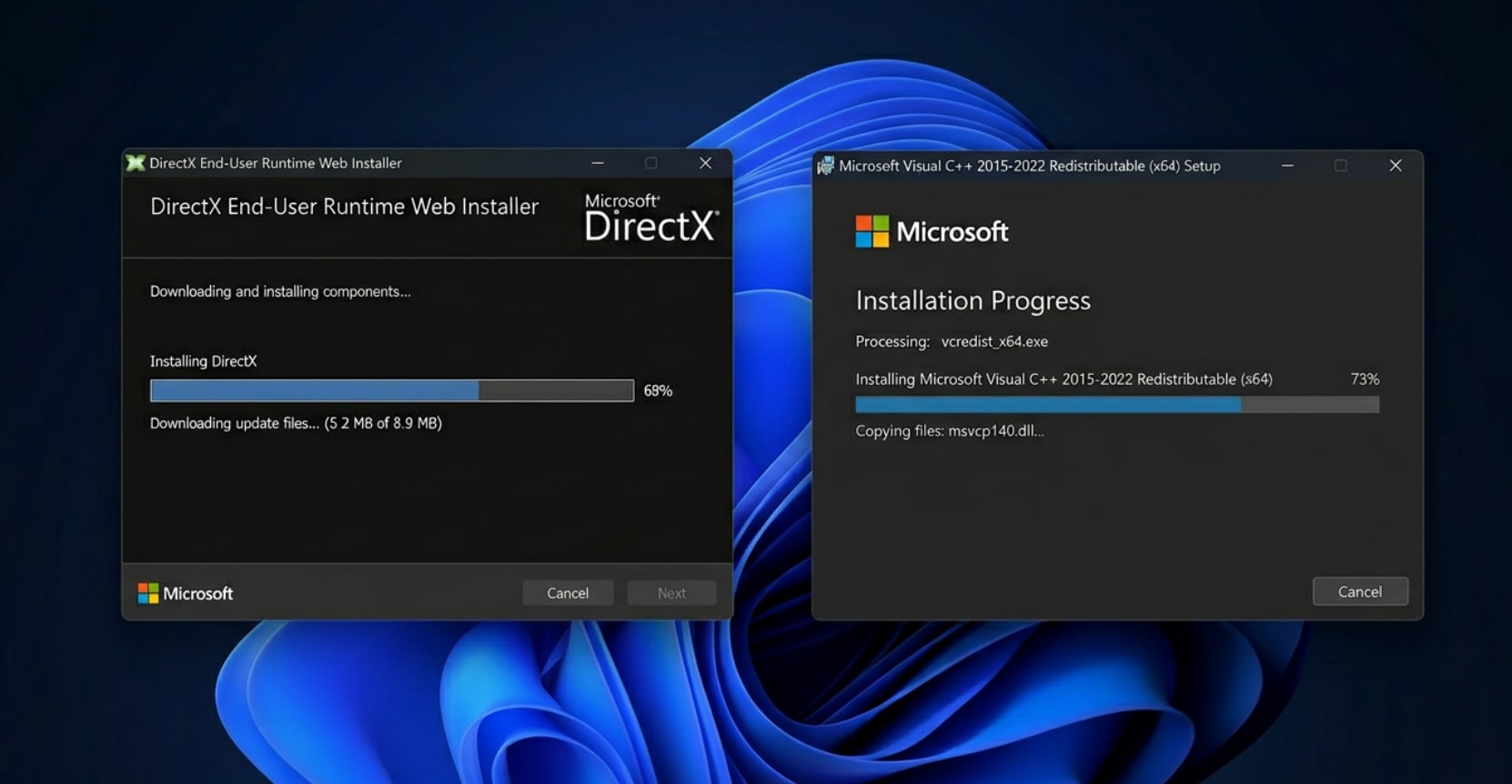
- Go to the Microsoft DirectX End-User Runtime Web Installer page and download the installer.
- Run the installer and follow the prompts to repair or reinstall the DirectX runtime components.
- Next, go to the Microsoft Visual C++ Redistributable downloads page.
- Download and install both the x64 and x86 versions of the 2015–2022 redistributable package.
- Also install the .NET Desktop Runtime — go to dotnet.microsoft.com, download the latest .NET Desktop Runtime x64, and install it.
- Restart your PC and try launching ARC Raiders again.
Fix 7. Disable Overlays and Conflicting Background Apps
Third-party software overlays inject code directly into running game processes, which can trigger Easy Anti-Cheat to block the launch or cause ARC Raiders to crash immediately at startup. Discord (with hardware acceleration), GeForce Experience Overlay, Xbox Game Bar, MSI Afterburner with RivaTuner, and OBS virtual camera are the most commonly reported causes of launch conflicts with ARC Raiders' EAC implementation.
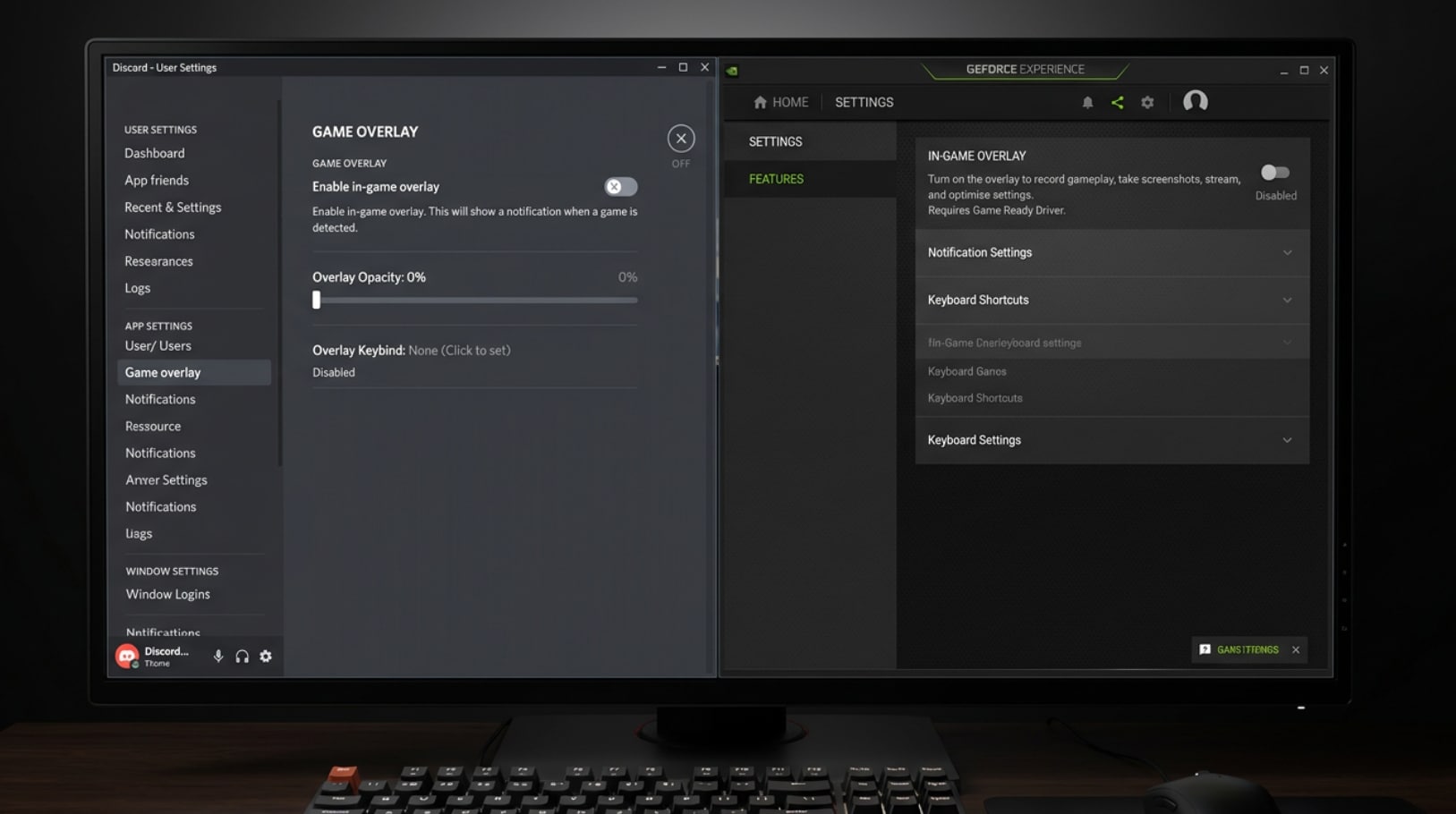
To disable Discord overlay:
- Open Discord → User Settings → Advanced.
- Turn off Hardware Acceleration.
- Go to Activity Settings → Game Overlay and toggle off Enable in-game overlay.
To disable GeForce Experience overlay:
- Open GeForce Experience → Settings (gear icon) → General.
- Toggle off In-Game Overlay.
To disable Xbox Game Bar:
- Go to Windows Settings → Gaming → Xbox Game Bar.
- Toggle it Off.
After disabling overlays, open Task Manager (Ctrl + Shift + Esc), close any non-essential background applications consuming significant CPU or memory, and try launching ARC Raiders again. Also temporarily disable your antivirus software and test — if the game launches, add the entire game folder to your antivirus whitelist rather than disabling protection permanently.
Fix 8. Disable XMP/EXPO and Move the Game to an SSD
RAM overclocking profiles (XMP on Intel platforms, EXPO on AMD) push memory beyond its base specifications and can cause system-level instability that manifests specifically when a demanding game like ARC Raiders stresses memory bandwidth at launch. Multiple Reddit and Steam community reports confirm that disabling XMP/EXPO in BIOS completely resolved ARC Raiders not launching on otherwise well-specced systems. Additionally, running ARC Raiders from an HDD instead of an SSD can cause file-loading timeouts that trigger an apparent launch failure.
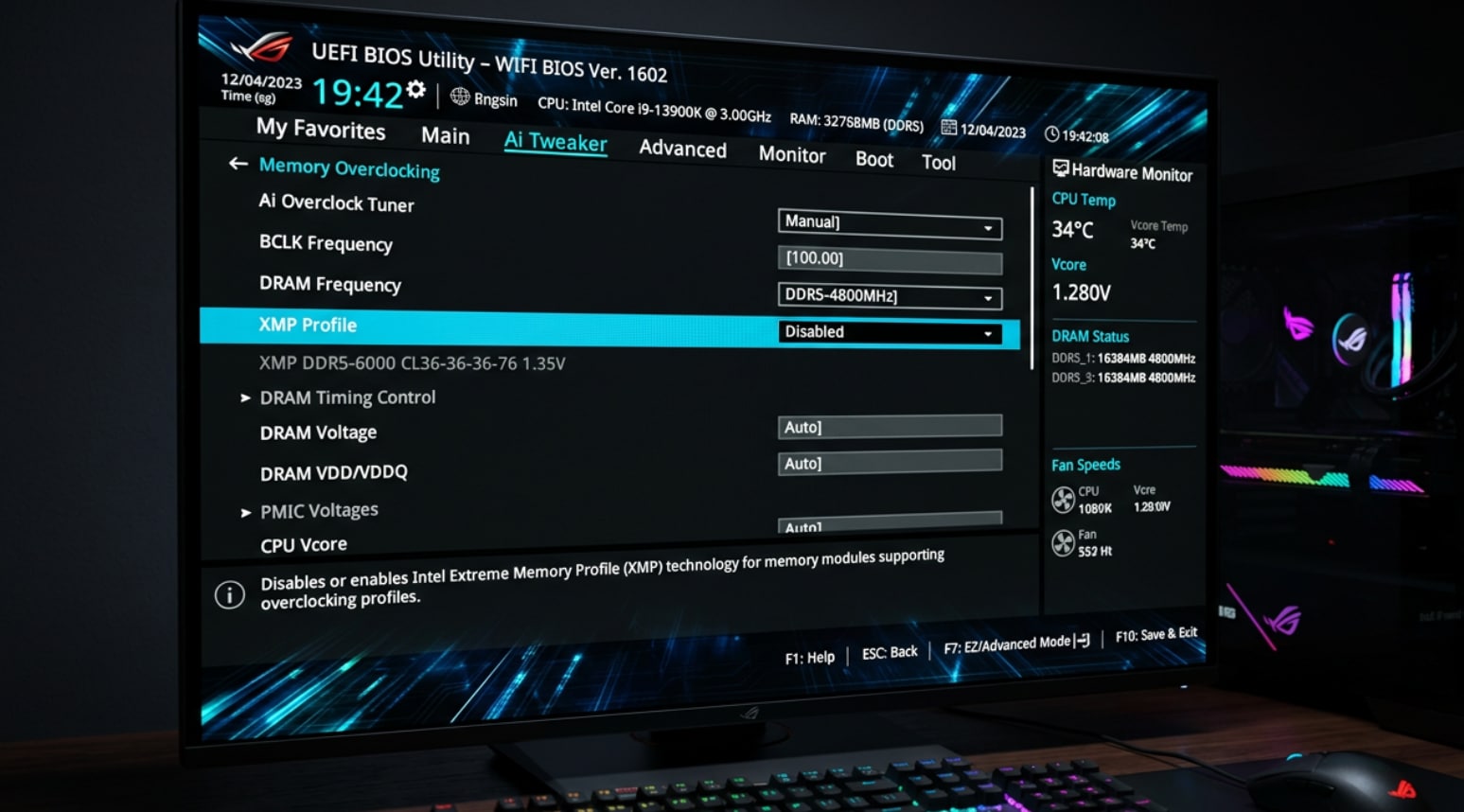
To disable XMP/EXPO:
- Restart your PC and enter BIOS (usually by pressing Del, F2, or F12 during startup — check your motherboard manual for the exact key).
- Navigate to the AI Tweaker (ASUS), OC (MSI), or Extreme Tweaker (Gigabyte) section — the name varies by motherboard brand.
- Find XMP or EXPO and set it to Disabled (or change from "Profile 1/2" to "Auto").
- Save and exit BIOS (usually F10), then boot Windows normally and test ARC Raiders.
To move ARC Raiders to an SSD:
- In Steam, right-click ARC Raiders → Properties → Installed Files → Move Install Folder.
- Select your SSD as the destination and click Move.
- Steam will transfer the game files automatically — no reinstall required.
Pro Tip: Recover Corrupted Game Recordings and Replay Videos with Wondershare Repairit
After finally getting ARC Raiders running smoothly, many players capture their best raids and clutch moments — only to discover that the recording won't play back correctly. Video files from in-game capture tools (NVIDIA ShadowPlay, AMD ReLive, Xbox Game Bar) and screen recorders can become corrupted if the game crashes mid-recording, the storage drive fills up unexpectedly, or the recording is cut short by a system restart.
Repairit is purpose-built for exactly these scenarios — it repairs corrupted game recordings, gameplay captures, and saved clips across all major formats including MP4, MOV, MKV, and AVI.
Key Features
-
Game Recording Support: Repairs MP4, MOV, MKV, AVI, and 15+ additional formats — covering game captures from NVIDIA ShadowPlay, AMD ReLive, Xbox Game Bar, OBS, and all major screen recorders.
-
Advanced Repair Mode: For severely corrupted recordings that standard repair can't fully recover, provides a healthy clip from the same capture setup so Repairit can perform a precise, reference-guided reconstruction.
-
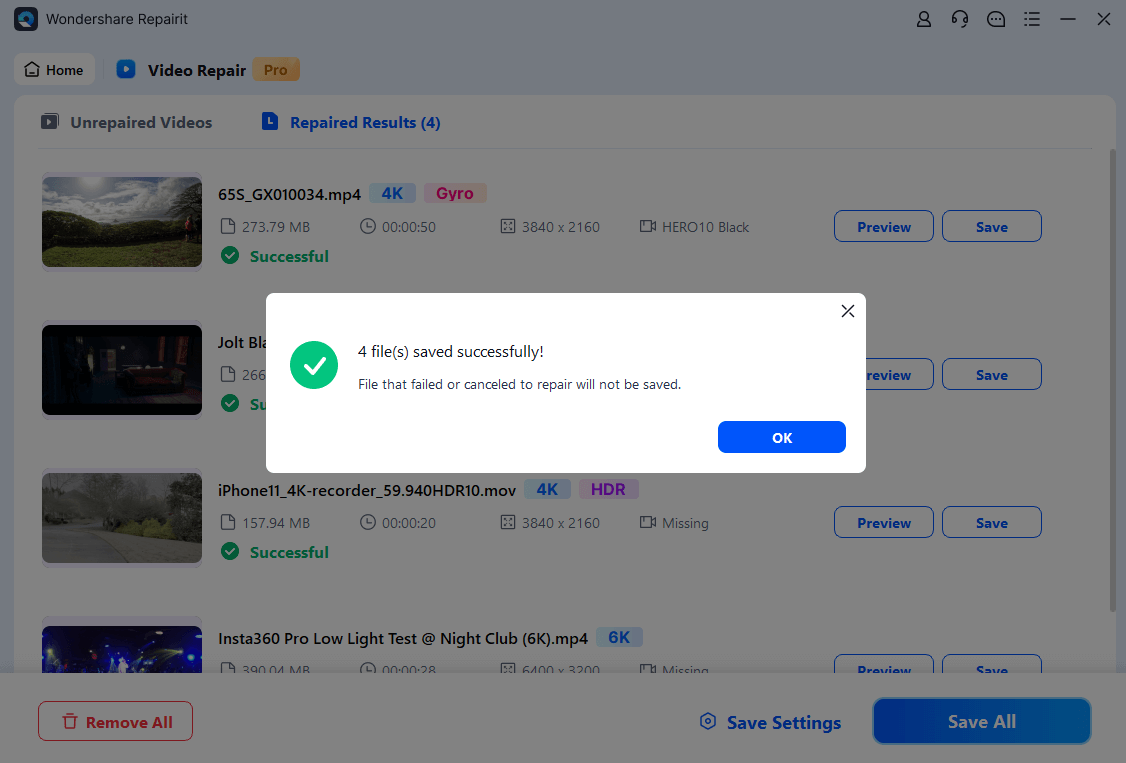
Batch Repair with Preview: Process multiple corrupted game clips simultaneously and preview each repaired result before exporting — confirm the footage looks right before saving it.
How to Repair Corrupted ARC Raiders Game Recordings with Repairit
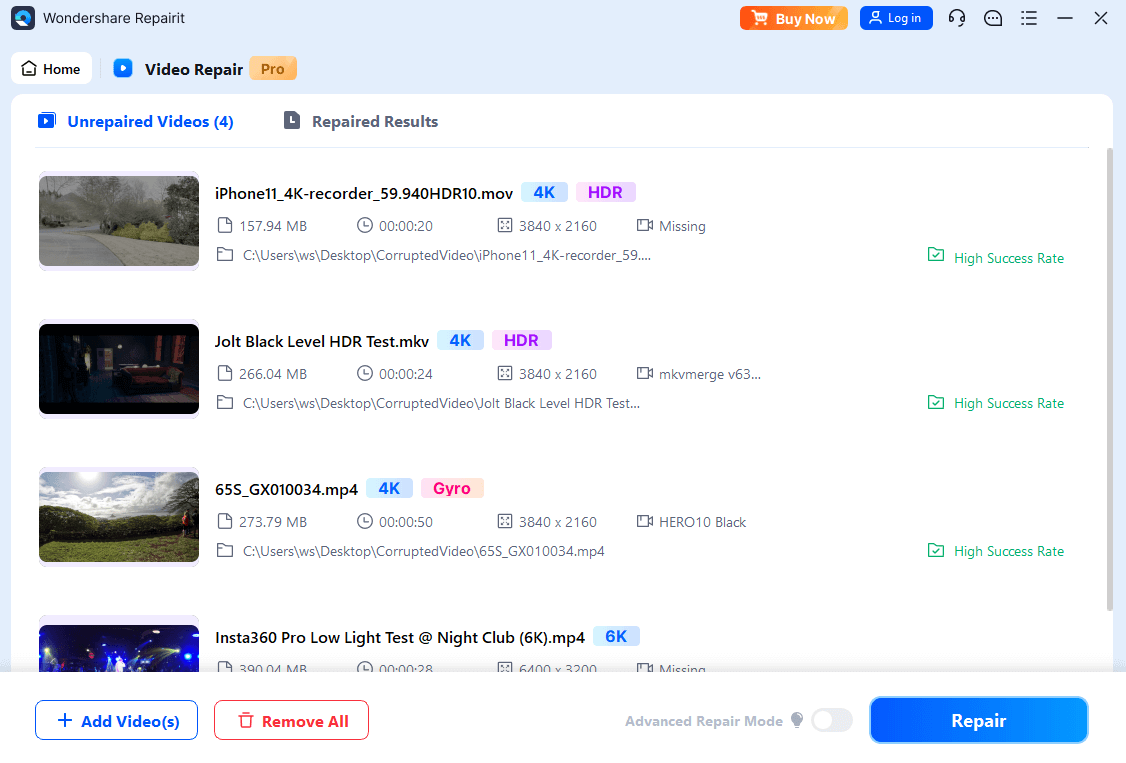
If a video recording of your ARC Raiders gameplay is corrupted or unplayable, follow these 3 steps to restore it:
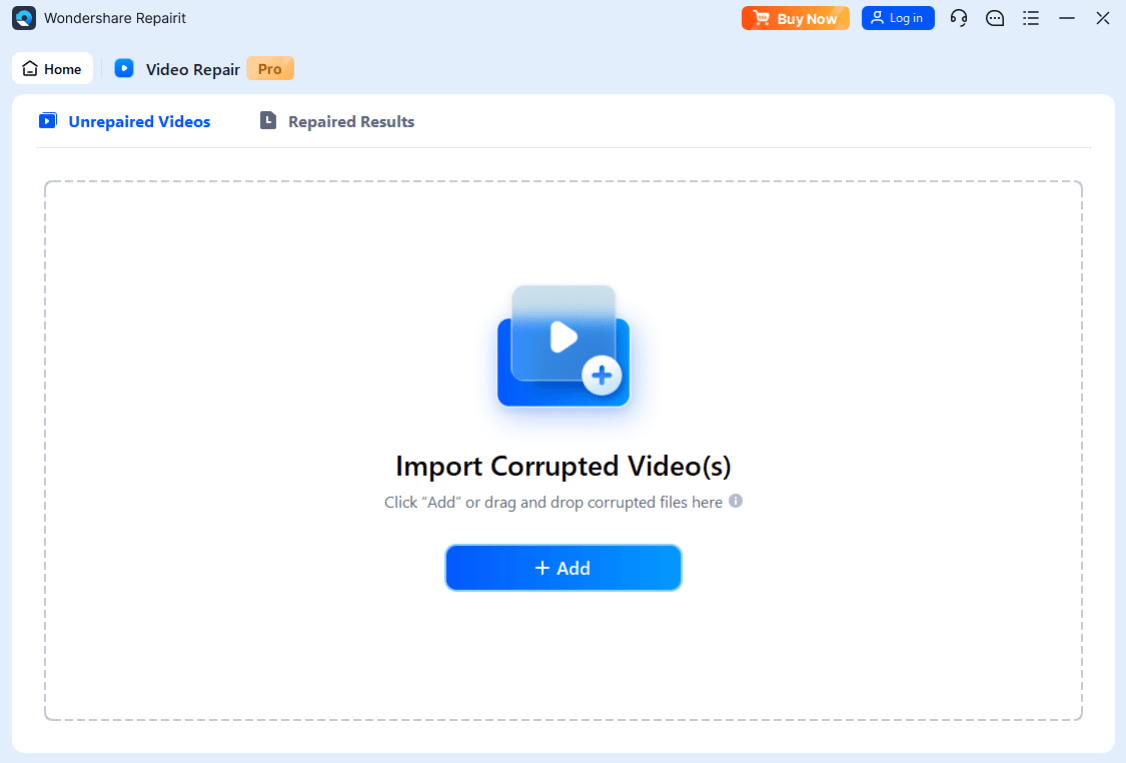
Step 1. Import the Corrupted Recording
Step 2. Run Standard or Advanced Repair
Step 3. Preview and Save the Repaired Video
Repair Corrupted ARC Raiders Game Recordings
 Security Verified. Over 7,302,189 people have downloaded it.
Conclusion
Getting ARC Raiders not launching resolved is almost always a matter of identifying which component in the game's startup chain is failing — and the 8 fixes in this guide cover every known cause. Start with updating your GPU drivers and verifying game files, then move to repairing Easy Anti-Cheat if those don't work. For persistent launch failures, the -dx11 launch parameter, reinstalling DirectX and Visual C++ runtimes, disabling overlays, and turning off XMP/EXPO each address a distinct failure mode that the earlier steps won't catch. Once you're in the game and recording your raids, keep Wondershare Repairit bookmarked — because the only thing more frustrating than a game that won't launch is losing a perfect gameplay clip to a corrupted recording file.
Frequently Asked Questions
-
1. Why does ARC Raiders close immediately after clicking Play with no error?
A silent instant exit — where ARC Raiders disappears from the screen less than a second after clicking Play — is almost always caused by Easy Anti-Cheat failing to initialize or a missing runtime component (DirectX or Visual C++ Redistributable). Start with Fix 3 (repair EAC) and Fix 6 (reinstall runtimes). Also make sure your antivirus is not blocking the EAC service silently. -
2. ARC Raiders was working fine before — why is it not launching after an update?
Game updates frequently require updated GPU drivers to function correctly, and they sometimes modify game files in ways that trigger Steam's file integrity check to flag older cached data. After an update, run Fix 1 (update GPU drivers) and Fix 2 (verify game files) first — these resolve the vast majority of post-update launch failures for ARC Raiders. -
3. Does ARC Raiders support DirectX 11 or only DirectX 12?
ARC Raiders defaults to DirectX 12 for optimal performance, but it does support forcing DX11 mode via the-dx11Steam launch parameter (Fix 5). If your GPU or driver configuration is incompatible with the game's DX12 implementation, using DX11 mode is a stable workaround — though you may see slightly reduced visual quality at equivalent settings.




