
Online file repair services provide a practical way to repair corrupted files online when important Office, PDF, or archive documents stop opening or show errors.
When a critical PDF, Word report, or Excel sheet will not open, online file repair services can save hours of rework. This guide compares Repairit Online File Repair and EaseUS Online File Repair for fixing corrupted Office, PDF, and archive files directly in your browser.
Both tools focus on repairing damaged documents that still exist, rather than restoring deleted files or lost partitions. Understanding these differences helps you pick a workflow that aligns with your files, skills, and repair frequency.
In this article
- Quick Verdict: Repairit Online File Repair vs EaseUS Online File Repair
- Key Differences and Comparison Table: Repairit Online File Repair vs EaseUS Online File Repair
- File Types and Corruption Scenarios: Repairit Online File Repair vs EaseUS Online File Repair
- Workflow, Ease of Use, and Upload: Repairit Online File Repair vs EaseUS Online File Repair
- Repair Quality, Preview, and Limitations: Repairit Online File Repair vs EaseUS Online File Repair
- Privacy, File Handling, and Browser Experience
- Supported Formats and Scenarios: Repairit Online File Repair vs EaseUS Online File Repair
- Pros and Cons of Repairit Online File Repair and EaseUS Online File Repair
- Who Should Choose Repairit Online File Repair or EaseUS Online File Repair
- What the Actual Repair Process Looks Like
- Final Verdict: Repairit Online File Repair vs EaseUS Online File Repair
Quick Verdict: Repairit Online File Repair vs EaseUS Online File Repair
Repairit Online File Repair is typically better suited to users who value a guided online file repair workflow, while EaseUS Online File Repair tends to favor those who prefer a minimal, linear process.
Repairit Online File Repair emphasizes explanations, contextual hints, and support for a variety of corrupted document situations. In contrast, EaseUS Online File Repair centers on a three step upload, auto repair, and save flow, especially for Office formats.
Neither tool replaces backups or general data recovery software, but both can help when files are present yet throw invalid file errors, broken file previews, or unreadable content messages.
Key Differences and Comparison Table: Repairit Online File Repair vs EaseUS Online File Repair
The main differences between these tools involve workflow guidance, Office centric strength, and how they support typical corruption scenarios in everyday use.
| Dimension | Repairit Online File Repair | EaseUS Online File Repair |
|---|---|---|
| Best for | Users needing guided online repair for corrupted Office, PDF, and other documents with a clearer step by step flow. | Users fixing corrupted Office and PDF files who prefer a direct, minimal workflow. |
| Supported formats | Online repair for common documents, including typical Office formats, PDFs, and other frequently used file types. | Word, Excel, PPT, PDF, ZIP, RAR based on its online document repair positioning. |
| Online workflow | Browser based process emphasizing explanations, guidance, and clearer prompts during each repair step. | Upload file → auto repair → save repaired file in a straightforward three step flow. |
| Repair capability | Designed to address a wide range of corruption issues in everyday documents, depending on damage level. | Strong Office repair capability, especially for corrupted Word, Excel, and PowerPoint documents. |
| Ease of use | More guided, with contextual instructions that can help less technical users understand each action. | Simple interface with minimal steps and an automatic repair process once files are uploaded. |
| Strengths | Guided workflow, browser based convenience, and support for varied document corruption cases. | Strong Office repair capability and direct focus on common document and PDF corruption issues. |
| Limitations | Results may vary with severe corruption, missing data, or unsupported file structures. | Limited free repairs; results may drop when corruption is severe or structures are heavily damaged. |
In practice, both tools attempt to fix unreadable files, but each targets slightly different user expectations around hand holding, interface simplicity, and breadth of scenarios.
Which Tool Repairs More File Types and Corruption Scenarios?
Both services aim to repair corrupted files online for common document formats, though their emphasis differs slightly by category.
According to their positioning, EaseUS Online File Repair highlights Word, Excel, PowerPoint, PDF, ZIP, and RAR. This covers many study and office needs: agreements, assignments, budgets, slide decks, and compressed archives that show ZIP extraction errors.
Repairit Online File Repair similarly targets everyday corrupted document and attachment cases encountered in email and shared folders. It is described as supporting Office formats, PDFs, and other frequently used file types, with a focus on real life error messages.
The fileRepairCapabilities overview notes that both tools concentrate on corrupted file repair, not deleted file recovery. They address:
- Damaged content or malformed internal structures
- Unreadable Office or PDF documents that still exist on disk
- Files that trigger invalid file errors or broken file previews in viewers
Repairit Online File Repair may appeal more when you face mixed file types and varying corruption levels, while EaseUS Online File Repair may feel more targeted for Office heavy workflows.
Repair Workflow, Ease of Use, and Upload Experience
Both tools use an upload and repair pattern, but they differ in how much guidance they provide at each stage.
EaseUS Online File Repair keeps the online file repair workflow intentionally linear: upload file, let the service attempt automatic repair, then download the result. This reduced choice can be comfortable for users who already understand their corruption issues.
Repairit Online File Repair retains similar simplicity yet adds clearer guidance. Its descriptions emphasize step by step instructions and explanations that help users interpret:
- Which corrupted or unreadable files to upload first
- What different error messages might indicate
- How to understand the outcome if repair is partial or fails
The upload experience for both depends on browser stability, connection quality, and file size. Large PDFs, extensive Excel workbooks, or multi file archives may take longer to transfer, no matter which service you choose.
Repair Quality, Preview Experience, and Limitations
Repair quality for either tool is strongly affected by corruption severity, file structure, and whether the format is supported.
EaseUS Online File Repair is presented as having strong Office repair capability, particularly for corrupted Word, Excel, and PowerPoint documents. However, it also notes limits on free repairs, which can matter for heavy or frequent use.
Repairit Online File Repair focuses more on clarity around what is happening. It aims to help users deal with scenarios like unreadable Word documents, damaged Excel sheets, or PowerPoint files that fail to load, while explaining each stage as much as possible.
Both tools may offer preview options in some cases, helping users quickly gauge whether content has been restored adequately before saving. Availability and depth of preview can differ by file type and corruption level.
According to the repairQualityAndLimitations description, neither tool can fully fix every file. Severe corruption, missing data, incomplete uploads, and unsupported or unusual file structures can reduce results or block successful repair entirely.
Privacy, File Handling, and Browser Experience
Any online file repair service will typically upload your damaged documents to remote servers for processing, and these two tools are no exception.
The cloudPrivacyAndFileHandling summary explains that both tools operate via online upload, so users should review each providers current documentation before submitting sensitive or regulated information. Policies, retention, and security practices may change over time.
Beyond privacy, reliability of the online session also matters. Browser crashes, unstable Wi Fi, VPN issues, or timeouts can interrupt the repair of large PDFs, complex Excel models, or archives containing many documents.
To reduce problems, users can:
- Work on a stable network connection when uploading large files
- Avoid closing browser tabs until repair and download are complete
- Retry uploads if they appear incomplete or if the file size looks smaller than expected
For highly sensitive files, organizations should weigh official privacy documentation and consider whether internal policies allow cloud based repair tools at all.
Supported File Formats and Common Repair Scenarios
Both services aim to support common office formats, but users should confirm current compatibility on official pages before relying on any specific scenario.
EaseUS Online File Repair is described as working with Word, Excel, PPT, PDF, ZIP, and RAR. Repairit Online File Repair is outlined as supporting typical Office formats, PDFs, and other widely used documents through the browser.
Below is a high level summary of representative formats and frequent repair situations, based on the provided descriptions:
| File type | Example repair scenarios | Tool notes |
|---|---|---|
| Broken PDF previews, contracts that will not open, invalid file errors when viewing or sharing. | Both tools focus on repairing corrupted PDF files for common office and study needs. | |
| Word documents | Unreadable Word documents, error prompts when opening reports, distorted or missing content. | EaseUS Online File Repair highlights strong Office repair; Repairit Online File Repair aims to handle varied everyday Word corruption. |
| Excel spreadsheets | Damaged Excel sheets, workbooks failing to load, formulas or tables not displaying properly. | Both tools may help repair corrupted Excel files depending on damage level and structure. |
| PowerPoint presentations | PowerPoint files that fail to load, invalid file messages when starting a slideshow. | EaseUS Online File Repair emphasizes PowerPoint support; Repairit Online File Repair targets similar presentation issues. |
| ZIP archives | Repair broken ZIP files that show extraction errors or incomplete contents. | EaseUS Online File Repair is noted for ZIP support; users should check Repairit Online File Repair official support. |
| RAR archives | RAR archives that refuse to open or stop mid extraction. | EaseUS Online File Repair mentions RAR; Repairit Online File Repair users should confirm archive compatibility. |
| Other documents | Attachments from email or shared folders that open as unreadable or invalid. | Repairit Online File Repair is positioned for varied document corruption; specific formats should be checked online. |
These examples focus on corrupted file repair. They do not cover scenarios like deleted file recovery, lost data recovery, or converting documents between formats.
Pros and Cons of Repairit Online File Repair and EaseUS Online File Repair
Both tools have advantages and trade offs, so the best fit depends on your workflows, volume of corrupted files, and need for guidance.
Repairit Online File Repair Pros and Cons
EaseUS Online File Repair Pros and Cons
Who Should Choose Repairit Online File Repair or EaseUS Online File Repair?
The right choice depends on how often you encounter corruption and how much guidance you want when you repair damaged documents.
Repairit Online File Repair is well suited for users seeking a more guided online repair flow. It is particularly aligned with people who frequently encounter mixed document types and feel uncertain when an application reports unreadable content or invalid file errors.
- Users wanting explanations at each step of online file repair
- Non technical users who benefit from clearer prompts and messages
- Teams handling recurring corrupted email attachments or shared drive documents
EaseUS Online File Repair may be a better match when your workload is centered on Office and PDF corruption and you simply want to upload and wait for automatic repair.
- Users focused mainly on Office and PDF file issues
- Individuals who like a short three step upload, repair, and save pattern
- Those comfortable operating with limited free repairs, depending on current terms
Neither option is universally better. The more your daily work spans multiple formats and varying corruption patterns, the more you may value the guided nature of Repairit Online File Repair.
What the Actual Repair Process Looks Like
Most online file repair tools follow a similar pattern: you upload corrupted files, the service analyzes internal structures, then you download whatever content it can reconstruct.
This workflow is typically faster than manually rebuilding a damaged spreadsheet or presentation, especially when you only have one copy of the file and no backup. However, success remains dependent on how much of the original structure and content is still present.
To illustrate this general approach, consider how Repairit Online File Repair guides you through the process in the browser.
Key Features
According to the provided description, Repairit Online File Repair offers several notable capabilities for users who need to repair corrupted files online:
- Guided online workflow suitable for non technical or occasional users.
- Support for repairing common business and study document formats in the browser.
- Design focused on corrupted, unreadable, or invalid file situations where the file still exists.
- Help for resolving error prompts, broken file previews, and partially readable documents.
These features concentrate on corrupted file repair only, and they do not extend to deleted file recovery, partition restoration, or general editing or conversion tasks.
Step-by-step guide
The high level steps below show how a typical session with Repairit Online File Repair may look when you repair damaged documents online.
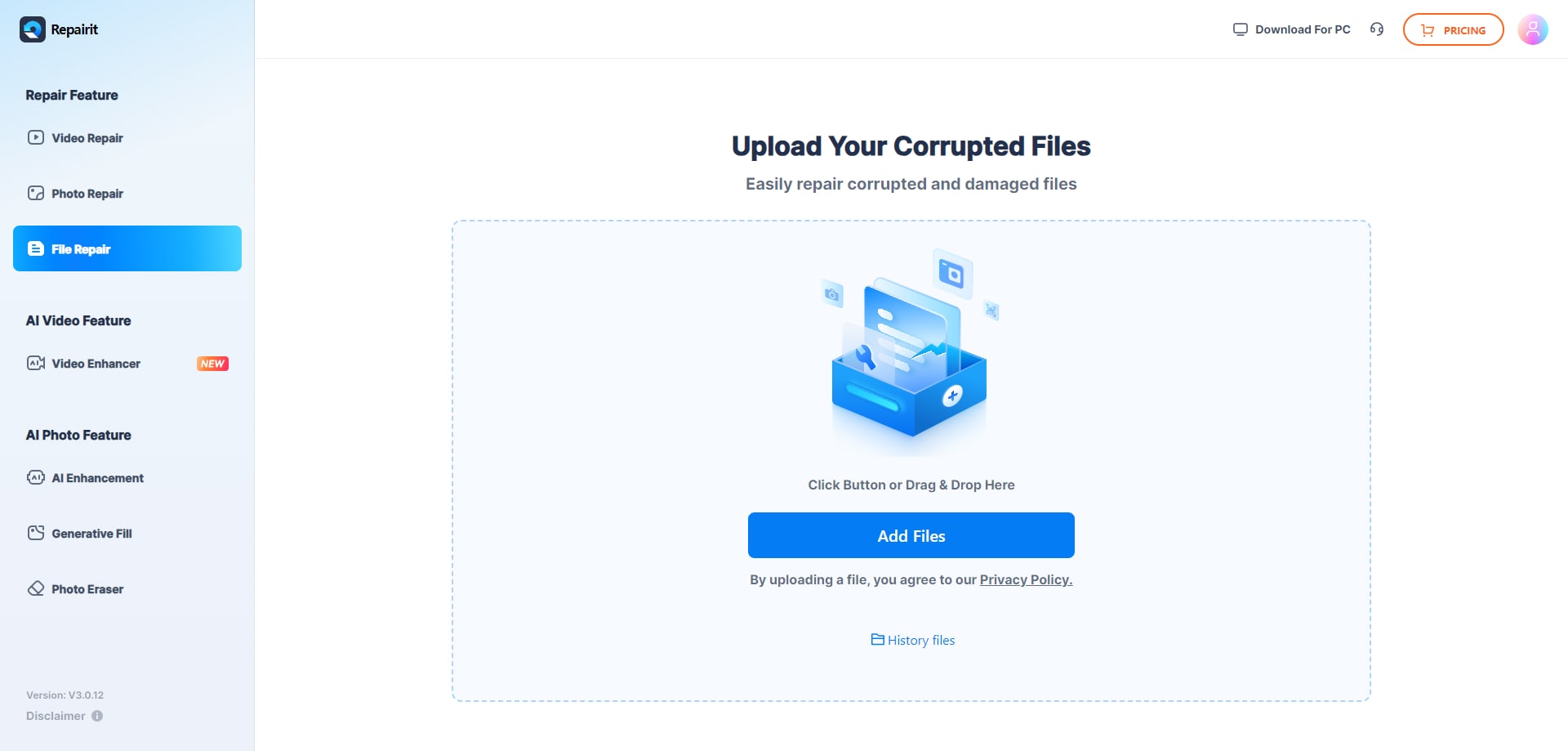
Step 1. Upload the corrupted, damaged, or unreadable files you want to repair through Repairit Online File Repair.
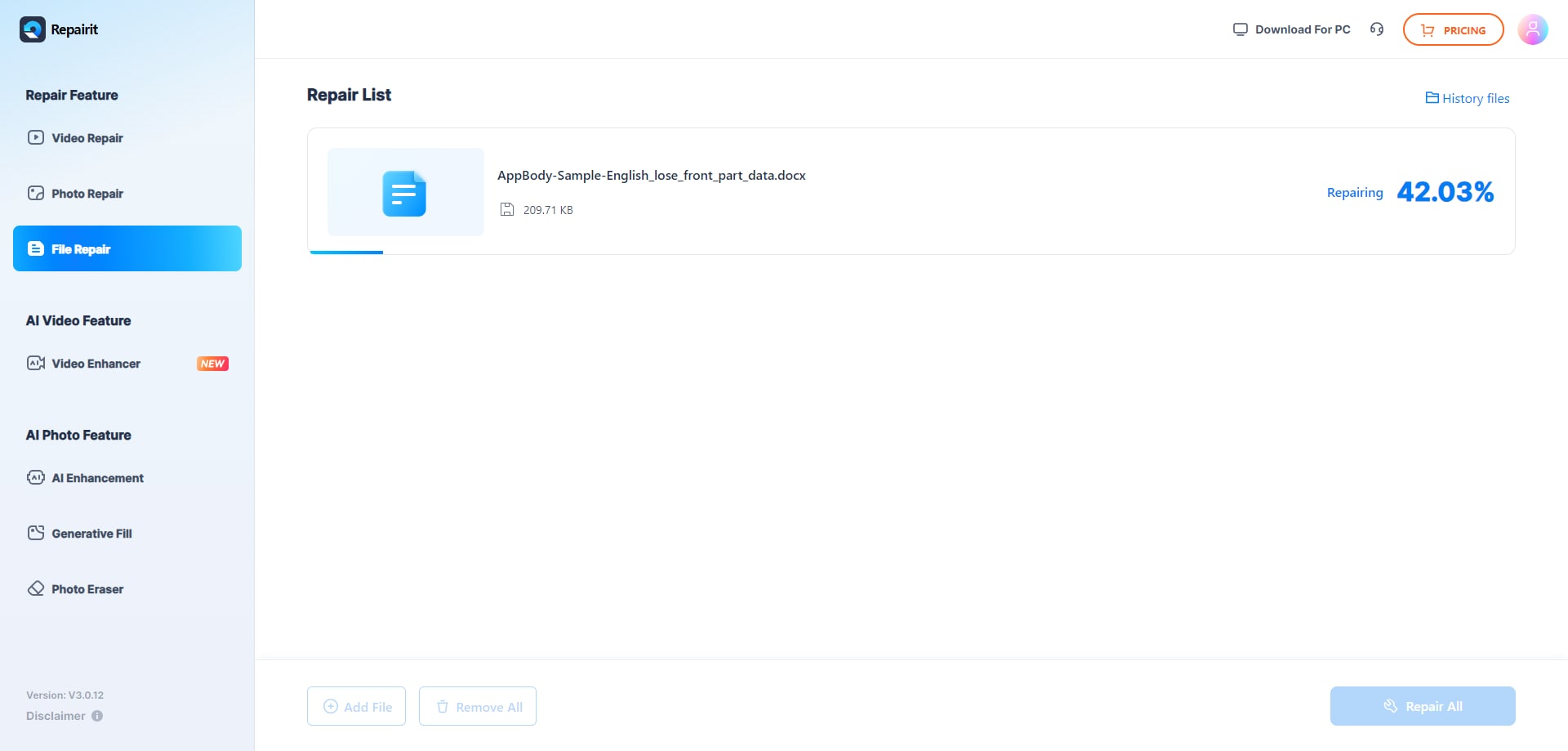
Step 2. Start the online repair process and let Repairit Online File Repair analyze the damaged files.
Step 3. Preview the repaired result when available, then save the repaired files to your device.
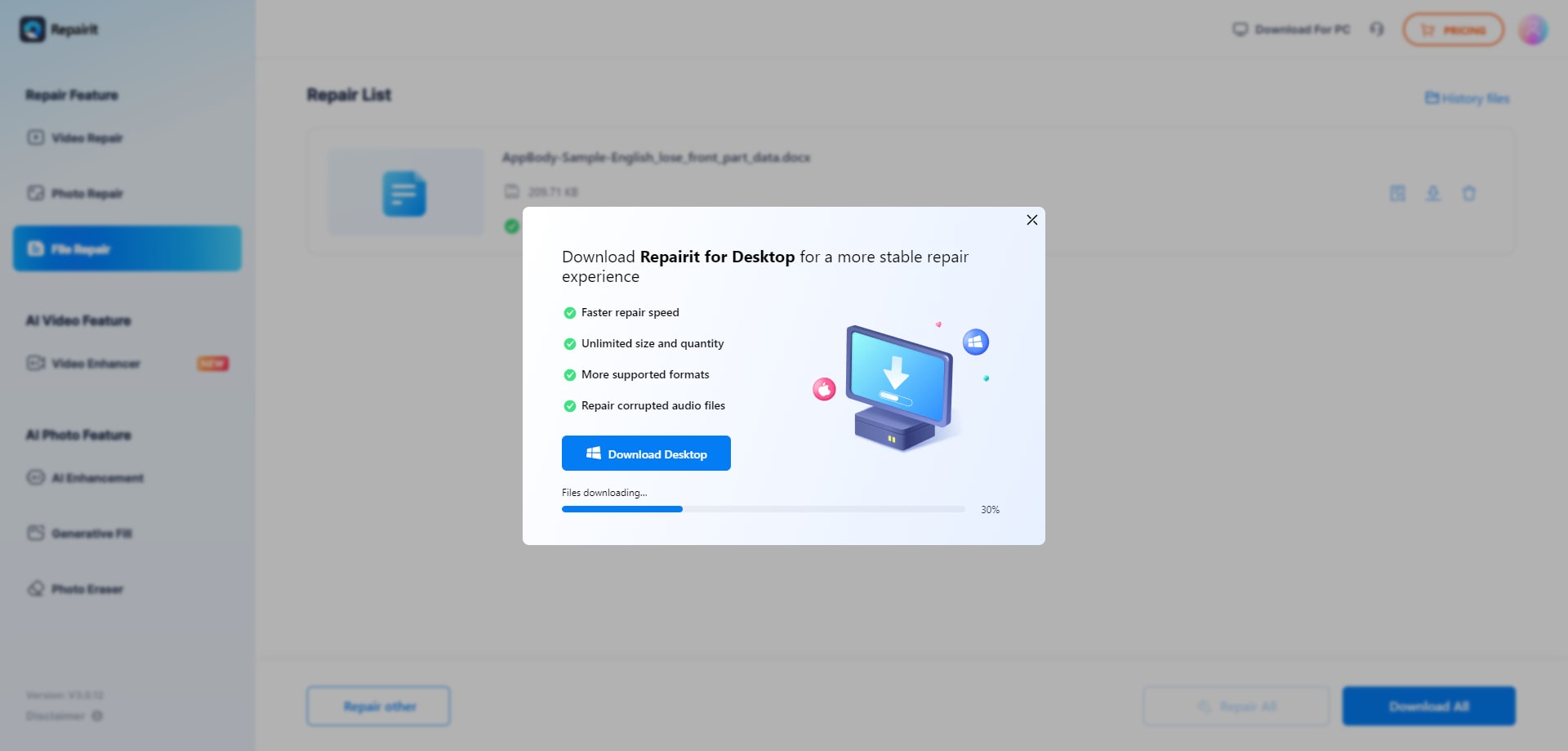
This process mirrors the general pattern used by many online file repair tools, but Repairit Online File Repair adds contextual prompts that can help users understand what is happening at each step.
Final Verdict: Repairit Online File Repair vs EaseUS Online File Repair
Both Repairit Online File Repair and EaseUS Online File Repair provide practical options when Office, PDF, ZIP, or RAR files become corrupted yet still reside on your device.
EaseUS Online File Repair stands out for a direct, professional document repair flow heavily oriented around Office formats. Users upload a corrupted file, wait for automatic processing, and then save the output with minimal additional choices or explanations.
Repairit Online File Repair differentiates itself with a guided experience. It is particularly helpful for users who face confusing error messages, lack technical background, or frequently work with a wider set of common document types in online environments.
Ultimately, the better fit depends on your format mix, repair frequency, comfort with a simple three step flow versus guided instructions, and any organizational requirements around online services. Many users may even consider trying both to see which aligns best with their typical corruption scenarios.
Next: Repairit Online File Repair vs 4ddig Online File Repair
FAQ
-
1. How do Repairit Online File Repair and EaseUS Online File Repair differ for everyday document repair?
EaseUS Online File Repair emphasizes strong Office repair with a simple three step flow. Repairit Online File Repair offers a more guided browser experience, helping users understand steps when fixing corrupted PDFs, Word files, Excel sheets, and presentations. -
2. When is Repairit Online File Repair a better option than EaseUS Online File Repair?
Repairit Online File Repair suits users who want clearer, step by step guidance and often repair mixed document types. EaseUS Online File Repair is attractive when you mainly handle Office and PDF files and prefer a minimal interaction flow. -
3. What is the difference between corrupted file repair and deleted file recovery?
Corrupted file repair focuses on fixing damaged files that still exist but will not open or show errors. Deleted file recovery tries to restore files removed from storage. These tools address corruption, not general deleted file recovery or full data recovery.




