
Choosing between Repairit Photo Repair Online vs SecureRecovery Photo Repair comes down to how you want to repair corrupted, damaged, broken, or unreadable photos directly in your browser. Both services focus on file-level issues rather than editing or visual enhancements.
This comparison looks at Repairit Photo Repair Online and SecureRecovery Photo Repair for users who need to repair problematic photos without installing software. Instead of focusing on editing or enhancement, we focus on practical online repair workflows: how you upload files, how repairs run, what image damage each tool may handle, and where both tools realistically reach their limits.
In this article
- Repairit Photo Repair Online vs SecureRecovery Photo Repair: Quick Verdict
- Repairit Photo Repair Online vs SecureRecovery Photo Repair: Key Differences
- Repairit Photo Repair Online vs SecureRecovery Photo Repair: Comparison Table
- What Repairit Photo Repair Online and SecureRecovery Photo Repair Are Best For
- Repairit Photo Repair Online vs SecureRecovery Photo Repair: Photo Repair Capabilities
- Repairit Photo Repair Online vs SecureRecovery Photo Repair: Formats and Scenarios
- Repairit Photo Repair Online vs SecureRecovery Photo Repair: Upload Workflow and Ease of Use
- Repairit Photo Repair Online vs SecureRecovery Photo Repair: Cloud Repair, Privacy, and File Handling
- Repairit Photo Repair Online vs SecureRecovery Photo Repair: Repair Quality and Limitations
- Who Should Choose Repairit Photo Repair Online
- Who Should Choose SecureRecovery Photo Repair
- Pros and Cons of Repairit Photo Repair Online and SecureRecovery Photo Repair
- How to Repair Corrupted Photos Online After Choosing the Right Tool
Repairit Photo Repair Online vs SecureRecovery Photo Repair: Quick Verdict
The quick verdict is that Repairit Photo Repair Online is more suitable when you want a modern, guided browser-based workflow, while SecureRecovery Photo Repair may be enough if you mainly handle standard inaccessible or corrupted photos and are comfortable with a more traditional interface.
In many real-world cases, users who value a step-by-step flow from upload to preview tend to gravitate toward Repairit Photo Repair Online. Users who only occasionally repair damaged image files and do not mind a slightly slower, more manual-feeling interface may be fine with SecureRecovery Photo Repair.
The main decision factors are how many corrupted or unreadable photos you repair, how much guidance you want during online photo repair, and how patient you are with a traditional web layout.
Repairit Photo Repair Online vs SecureRecovery Photo Repair: Key Differences
The key difference is that Repairit Photo Repair Online centers on a streamlined, guided online photo repair journey, whereas SecureRecovery Photo Repair focuses on standard online damaged photo repair through a simpler but less modern interface.
- Workflow focus: Repairit Photo Repair Online emphasizes a smooth sequence from upload to repair and download, which matters if you repair multiple broken JPG or PNG files in one session. SecureRecovery Photo Repair follows a straightforward upload and repair pattern but may require more clicks and patience.
- User type: Repairit Photo Repair Online generally fits less technical users or those who want clear, step-based instructions. SecureRecovery Photo Repair better suits methodical users who are comfortable navigating a traditional web form style.
- Scenario focus: Both tools aim at repairing corrupted, damaged, broken, or unreadable photos, but SecureRecovery Photo Repair is described as handling standard scenarios, while Repairit Photo Repair Online leans toward a wider range of everyday browser-based repair situations.
Repairit Photo Repair Online vs SecureRecovery Photo Repair: Comparison Table
This comparison table highlights how each tool handles online photo repair, from workflow and ease of use to perceived strengths and weaknesses.
| Dimension | Repairit Photo Repair Online | SecureRecovery Photo Repair |
|---|---|---|
| Best for | Users who want a guided browser-based workflow to repair corrupted, damaged, broken, or unreadable photos online. | Users repairing inaccessible or corrupted photos in standard scenarios who are comfortable with a more traditional interface. |
| Online workflow | Designed as a streamlined online photo repair flow from upload to download in the browser. | Relies on uploading damaged image files and repairing them online in a more classic, less modern workflow. |
| Repair capability | Focuses on repairing corrupted image structures and fixing unreadable photos in many everyday cases. | Supports standard image repair scenarios where photos are inaccessible or show common corruption issues. |
| Ease of use | Emphasizes a modern, guided interface that may suit less technical users. | Interface and workflow are less modern, which may feel less intuitive but still workable for methodical users. |
| Privacy and file handling | Uses a browser-based upload and repair approach; users should review general cloud file-handling practices. | Also runs in the browser with uploaded damaged files; users should consider typical online transfer and storage implications. |
| Strengths | Clear online repair flow, practical for fixing corrupted photos without installing software. | Supports standard online damaged photo repair for inaccessible or corrupted images. |
| Weaknesses | As an online repair tool, results may be limited on severely corrupted or partially overwritten images. | Less modern workflow and interface can slow down users and may feel dated during repeated repair tasks. |
What Repairit Photo Repair Online and SecureRecovery Photo Repair Are Best For
Repairit Photo Repair Online is best for users who want an online repair flow that guides them through fixing corrupted or unreadable photos, while SecureRecovery Photo Repair is best for users who only need straightforward, standard damaged photo repair scenarios.
SecureRecovery Photo Repair is positioned as an online damaged photo repair service best for users repairing inaccessible or corrupted photos. It supports standard image repair scenarios and uses a simple upload and repair online workflow, though its interface may feel slower for users who prefer a smoother browser-based experience.
- Choose Repairit Photo Repair Online if you regularly repair broken JPG or PNG files online and appreciate a step-by-step browser flow.
- Choose SecureRecovery Photo Repair if your cases are basic and you are comfortable with a more traditional, less guided web interface.
Repairit Photo Repair Online vs SecureRecovery Photo Repair: Photo Repair Capabilities
Both tools focus on repairing corrupted, damaged, broken, or unreadable photos online, but they package these capabilities differently for end users.
Overall, both aim to help when image files will not open or appear corrupted, yet the way you move from upload to result differs. In many real-world cases, the workflow shape matters as much as the underlying repair engine because you may repeat these steps across many problematic images.
Repairit Photo Repair Online capabilities
- Helps repair corrupted photos online when files will not open or display correctly.
- Can be used to fix unreadable or broken image files directly in a browser-based workflow.
- Provides a guided process that walks users from upload to preview and download without extra tools.
SecureRecovery Photo Repair capabilities
- Supports standard image repair scenarios for inaccessible or corrupted photos uploaded through the site.
- May help repair damaged image files that show basic corruption symptoms such as failure to open.
- Works as an online damaged photo repair option that fits straightforward repair needs.
The main difference is that Repairit Photo Repair Online leans into a more structured repair journey, while SecureRecovery Photo Repair keeps the focus on simple standard cases without as much emphasis on guided navigation.
Repairit Photo Repair Online vs SecureRecovery Photo Repair: Supported Image Formats and Repair Scenarios
Both tools are typically used to repair damaged image files like common JPG or PNG photos, and in many real-world cases they may also work with formats such as RAW, HEIC, or TIFF when support applies.
Exact format coverage can vary and is not fully detailed for either service, so users should test sample files rather than assume full compatibility. This becomes important when you deal with camera-specific RAW or newer formats such as HEIC.
Both services are oriented toward corrupted file repair scenarios rather than editing, enhancement, restoration, or upscaling work. If your problem is that a photo will not open, shows invalid image data, or displays as a broken preview, they are more relevant than tools focused on visual tweaks.
Repairit Photo Repair Online vs SecureRecovery Photo Repair: Upload Workflow and Ease of Use
Repairit Photo Repair Online provides a more modern, guided upload and repair flow, while SecureRecovery Photo Repair uses a clear but less modern sequence that may require more manual navigation.
Repairit Photo Repair Online focuses on a simple browser-based experience where you upload corrupted photos, trigger repair, and then review results. Users often notice that this approach feels natural when working through multiple damaged image files in one sitting.
SecureRecovery Photo Repair also follows a clear upload damaged image files and repair online workflow, but its interface is described as less modern. This can mean more clicks, less visual guidance, and slightly slower navigation, which matters if you repeat repairs regularly or prefer highly intuitive layouts.
Repairit Photo Repair Online vs SecureRecovery Photo Repair: Cloud Repair, Privacy, and File Handling
Both tools perform browser-based photo repair by uploading corrupted photos to remote servers, so users should treat them similarly from a privacy and file-handling perspective.
Both services rely on sending damaged photos over the internet for processing, so users should consider general cloud practices such as:
- Avoiding highly sensitive images when possible.
- Reviewing each providers stated policies regarding storage and handling.
- Weighing the convenience of online repair against any internal privacy requirements.
In many real-world cases, the key decision is whether you are comfortable transferring damaged photos online versus seeking a purely offline option. If your organization has strict rules, this may dictate tool choice more than interface style.
Repairit Photo Repair Online vs SecureRecovery Photo Repair: Repair Quality and Limitations
In many real-world cases, both services can repair corrupted photos online when damage is moderate and core image data is intact, but their effectiveness drops as corruption becomes more severe.
Users should expect better results when:
- The photo is corrupted but the file is complete in size.
- Only headers, metadata, or smaller regions are damaged.
- The image has not been partially overwritten or truncated.
Results become less predictable when corruption is severe, metadata is badly damaged, image headers are missing, or large parts of the file are overwritten. SecureRecovery Photo Repairs focus on standard scenarios and its less modern workflow underline that neither service can fix every broken photo, and users may need to try sample repairs before committing to a workflow.
Who Should Choose Repairit Photo Repair Online
Repairit Photo Repair Online is more suitable when you want a modern, guided browser-based workflow to repair corrupted, damaged, broken, or unreadable photos with minimal setup.
- Users who want a modern, guided browser-based workflow to repair corrupted or unreadable photos.
- People who need to repair broken JPG or PNG files online without installing desktop software.
- Less technical users who prefer clear, step-by-step online repair instructions.
- Users dealing with multiple damaged image files who value a streamlined upload and review process.
In practice, if you often help others fix unreadable photos or you are responsible for many images from different devices, the structured interface of Repairit Photo Repair Online can save decision time and reduce mistakes during repeated repair attempts.
Who Should Choose SecureRecovery Photo Repair
SecureRecovery Photo Repair may be enough if you mostly face standard inaccessible or corrupted photos and do not mind using a more traditional online interface.
- Users repairing inaccessible or corrupted photos who are comfortable with a more traditional interface.
- People who only need standard image repair scenarios handled and do not mind a less modern workflow.
- Occasional users who just want a basic upload and repair online option for a few damaged photos.
- Users comparing several tools who want an alternative approach to online damaged photo repair.
This option tends to fit scenarios where repair is infrequent and users are willing to trade a slick interface for a straightforward, functional web form.
Pros and Cons of Repairit Photo Repair Online and SecureRecovery Photo Repair
The pros and cons below summarize the trade-offs between a guided online experience and a more traditional damaged photo repair workflow.
Repairit Photo Repair Online Pros and Cons
SecureRecovery Photo Repair Pros and Cons
How to Repair Corrupted Photos Online After Choosing the Right Tool
After comparing Repairit Photo Repair Online vs SecureRecovery Photo Repair, the next step is actually running your corrupted, damaged, broken, or unreadable photos through an online repair workflow. The choice you make above shapes how simple that process feels in day-to-day use.
For users who want a practical, guided option, Repairit Photo Repair Online offers a clear browser-based flow from upload to preview and download. The steps below illustrate how that kind of workflow typically looks in practice.
Key Features
The following capabilities make Repairit Photo Repair Online practical for browser-based corrupted photo repair rather than local, manual fixes.
- Browser-based corrupted photo repair that can help fix unreadable or broken image files.
- Guided online workflow that walks users through upload, repair, preview, and download.
- Designed for everyday damaged photo scenarios rather than complex editing or enhancement tasks.
Step-by-step guide
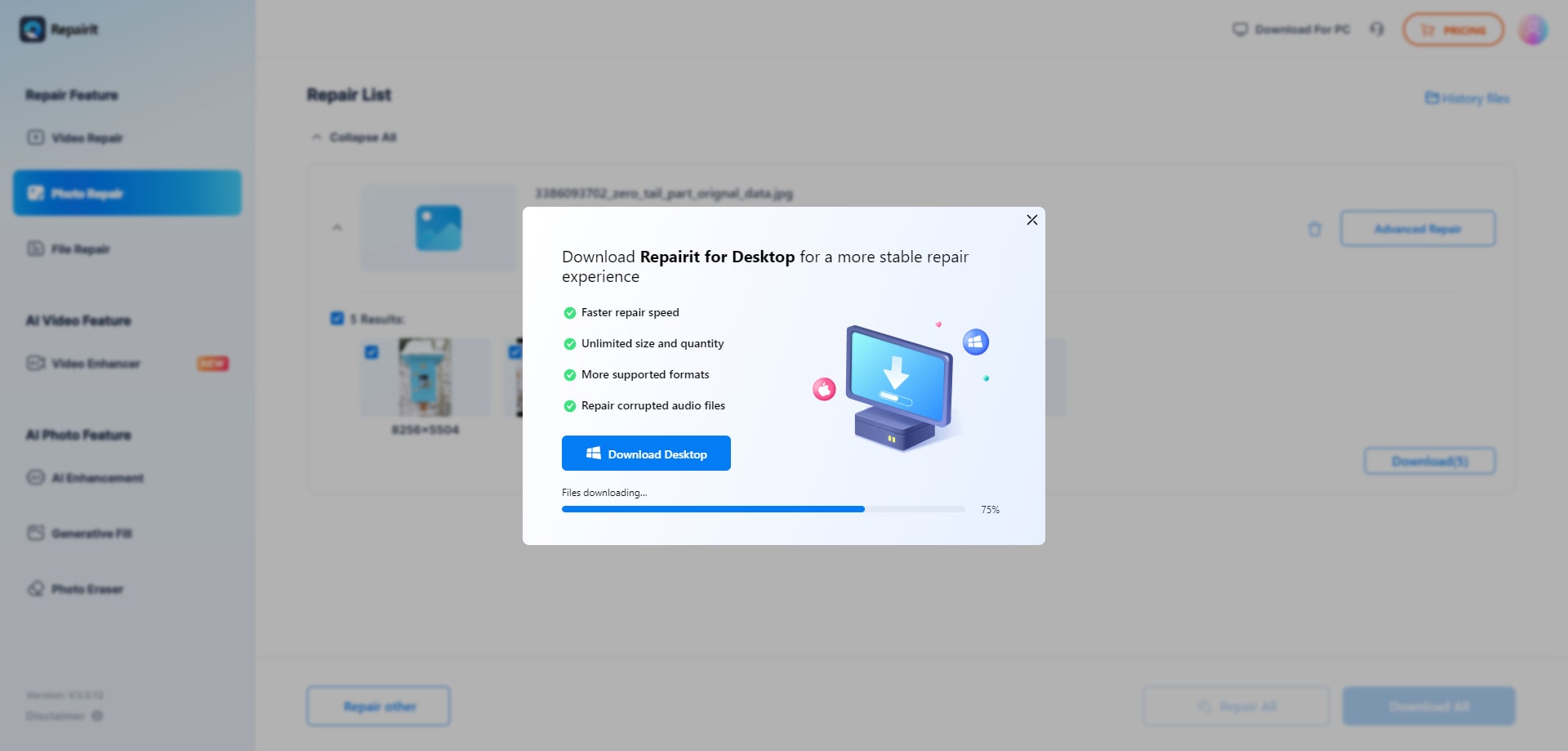
Step 1. Upload the corrupted, damaged, or unreadable photos you want to repair through Repairit Photo Repair Online.

Step 2. Start the online repair process and let Repairit Photo Repair Online analyze the damaged photo files.

Step 3. Preview the repaired photo result when available, then save the repaired photos to your device.
Final Verdict
The final verdict is that Repairit Photo Repair Online is more suitable when you want a modern, guided browser-based workflow, while SecureRecovery Photo Repair may be enough if you mainly handle standard inaccessible or corrupted photo cases and accept a more traditional interface.
Repairit Photo Repair Online stands out for its structured steps and online interface that help users move quickly from upload to preview and export. This matters if you regularly repair broken JPG or PNG files or support non-technical colleagues.
SecureRecovery Photo Repair fits users whose needs are limited to straightforward online damaged photo repair scenarios and who do not prioritize a polished or highly guided experience. For many users, the choice ultimately comes down to workflow preference and how often they expect to repair corrupted, damaged, broken, or unreadable photos online.
FAQ
-
1. Is Repairit Photo Repair Online better than SecureRecovery Photo Repair for all corrupted photos?
No, neither tool is universally better for every corrupted, damaged, broken, or unreadable photo. Repairit Photo Repair Online suits users who want a guided, modern browser-based workflow, while SecureRecovery Photo Repair may be enough for standard inaccessible or corrupted photos if you are comfortable with its more traditional interface. -
2. How do the online workflows differ between Repairit Photo Repair Online and SecureRecovery Photo Repair?
Repairit Photo Repair Online focuses on a streamlined, step-by-step browser flow from upload to preview, which can feel smoother for repeated use. SecureRecovery Photo Repair also uses an upload and repair online model but with a less modern workflow that may feel more manual or traditional. -
3. What is the difference between corrupted photo repair, photo restoration, and image enhancement?
Corrupted photo repair focuses on fixing damaged or unreadable image files so they open again. Photo restoration usually targets visual fixes like scratches or fading in already readable images, while image enhancement improves appearance such as contrast or sharpness without repairing file-level corruption. Repairit Photo Repair Online and SecureRecovery Photo Repair primarily address corrupted photo repair rather than restoration or enhancement tasks.




