

World Cup coverage is one of the most demanding environments for photographers, videographers, and media teams. Cameras shoot continuously, memory cards are swapped under pressure, and large photo and video files are transferred quickly between cameras, laptops, SSDs, and editing systems. FIFA's own event operations describe media operations as supporting journalists and photographers, which reflects how intensive and time-sensitive tournament coverage is.
In workflows like these, media files do not always go missing; sometimes they remain on the storage device but become damaged. That is when match footage may stop playing, photos may refuse to open, or editing software may return import errors. If your World Cup content is still there but unusable, this guide explains why it happens, which file types are most often affected, and how to repair them with Repairit.
Quick Answer: How to Repair Corrupted World Cup Photos and Videos?
If your match photos or videos are still present but cannot be opened or played normally, stop using the device, copy the damaged files to a safe location, and repair them with a dedicated file repair tool. Repairit is suitable for fixing corrupted World Cup media files, including damaged camera videos and broken photo files that became unreadable during recording, transfer, or editing.

In this article
Part 1. Why World Cup Photo and Video Files Get Corrupted So Easily
World Cup shooting workflows push cameras and storage media to their limits. Sports photographers often shoot long bursts of high-resolution images, while videographers capture high-bitrate clips for highlights, interviews, crowd reactions, and sideline coverage. Add frequent card swaps, rushed offloading, battery changes, cable disconnects, and tight publishing deadlines, and the risk of file corruption rises quickly.
Another reason corruption becomes more common during major tournaments is that media files move through many devices in a short period of time. A match video might be recorded on a professional camera, copied through a card reader, transferred to a laptop, backed up to an SSD, and then opened in editing software within the same hour. If anything interrupts writing, transfer, or metadata handling during that chain, the file may remain visible but become damaged.
- Interrupted recording: Sudden battery drain, unexpected shutdowns, or overheating can stop the camera before the file is properly finalized.
- Card write issues: Memory cards under heavy use may produce incomplete or unstable writes, especially during long 4K or high-frame-rate recording sessions.
- Unsafe removal: Pulling out a memory card, cable, or SSD before transfer finishes can leave files partially written.
- Transfer errors: File corruption may happen during copy operations between camera cards, laptops, and external storage.
- Editing compatibility problems: Some damaged headers or incomplete file structures cause editing tools to reject otherwise valuable footage.

Common Signs of Corrupted Match Footage and Photos
Corrupted World Cup files usually do not disappear immediately. Instead, they stay on the device but behave abnormally. Recognizing the symptoms early can help you avoid making the damage worse.
- Videos won't play: The file exists, but media players return an error or stay on a black screen.
- Playback stutters or freezes: The clip opens but jumps, lags, or stops in the middle of important match action.
- Missing or broken thumbnails: The file shows no preview, which often suggests incomplete header or index data.
- Import failures in editing software: Premiere Pro, DaVinci Resolve, or Final Cut Pro may reject the file or mark it unsupported.
- Photos won't open: JPG, JPEG, or RAW images may show errors, partial rendering, or blank frames.
- Only part of the file loads: A photo may display half an image, or a video may contain only audio or only video.
If your files show these issues, do not keep exporting, converting, or rewriting them repeatedly. First, duplicate the damaged files to a safe location, then run a repair workflow on the copied versions.
Part 2. Types of World Cup Media Files That Commonly Get Damaged
World Cup coverage involves more than a single file type. Different cameras, action setups, and post-production requirements create a mix of photo and video formats, all of which can become corrupted under stressful shooting conditions.
MP4 / MOV / MXF Match Videos
These are among the most common video formats used in sports production. They may contain broadcast clips, sideline interviews, warm-up footage, fan reactions, locker-room content, or long-lens action highlights. When damaged, they may refuse to play, show black frames, lose audio, or stop midway through key moments.
JPG / JPEG / PNG Photos
These formats are widely used for quick delivery, publishing, and social distribution. Damaged image files may fail to preview, open with errors, or show only part of the frame.
RAW Files: CR3 / NEF / ARW / DNG and More
Professional World Cup photographers often rely on RAW formats for maximum post-processing flexibility. But once these files are damaged, they can become especially frustrating because the image may contain valuable, unrepeatable action that cannot simply be reshot.
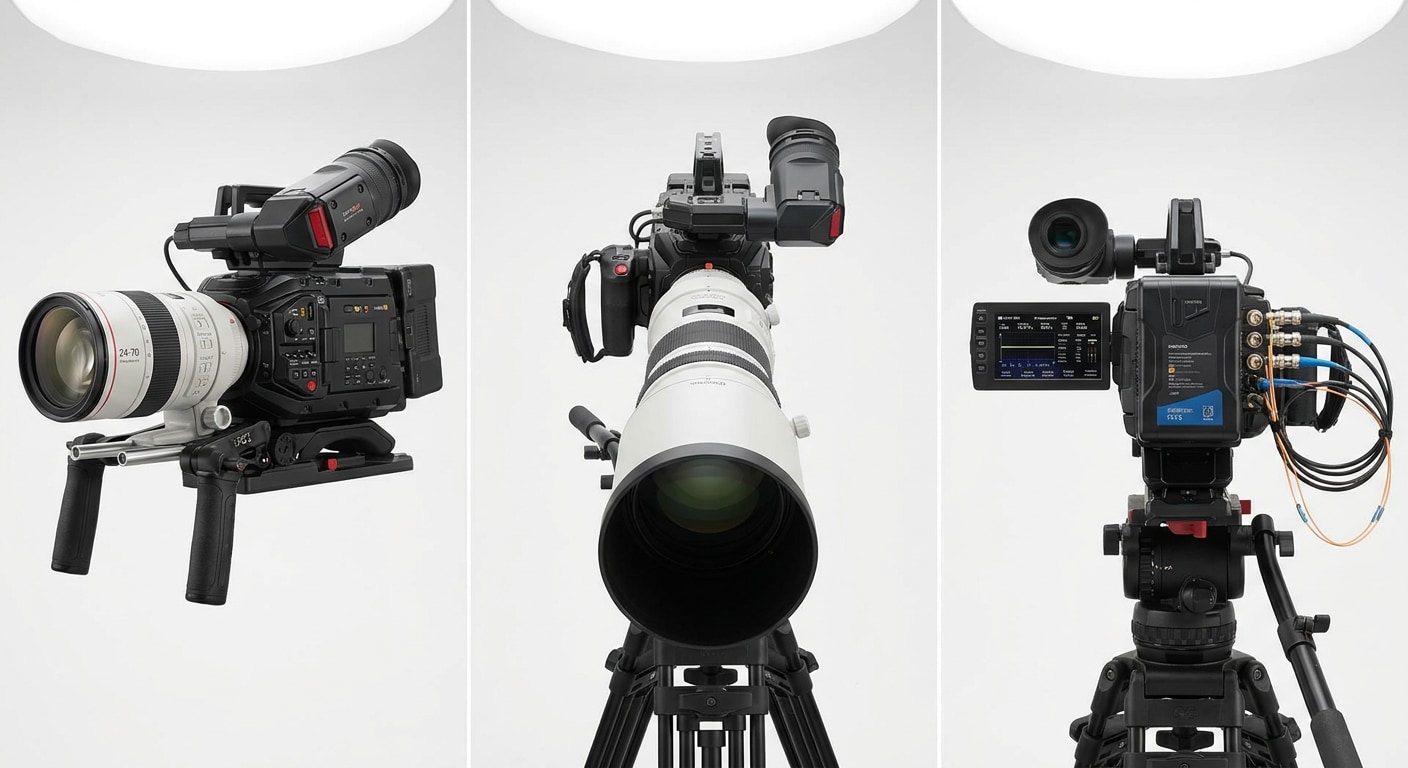
Drone and External Recorder Footage
Beyond standard camera output, some media teams also handle drone clips, gimbal footage, and files captured through external recorders. These assets can be affected by unstable power, interrupted transfer, or incomplete file finalization just like camera media.
- Match highlight videos
- Player tunnel and sideline footage
- Fan reaction clips
- Training session photos
- RAW action bursts from professional cameras
- Drone establishing shots and venue footage
Part 3. How to Repair Corrupted World Cup Videos and Photos With Repairit
Repairit is designed for cases where files are still there but no longer work correctly. Instead of recovering deleted data, it focuses on repairing damaged structure, playback errors, image corruption, and other file-level problems that prevent sports content from being opened, viewed, or edited properly.
- Repairs corrupted camera videos: Useful when match clips become unplayable, black-screened, choppy, or partially broken.
- Repairs damaged photos: Helps restore inaccessible or unreadable sports images from professional cameras and other shooting devices.
- Supports bulk workflows: Helpful for sports teams and media editors working through many damaged files after a match day.
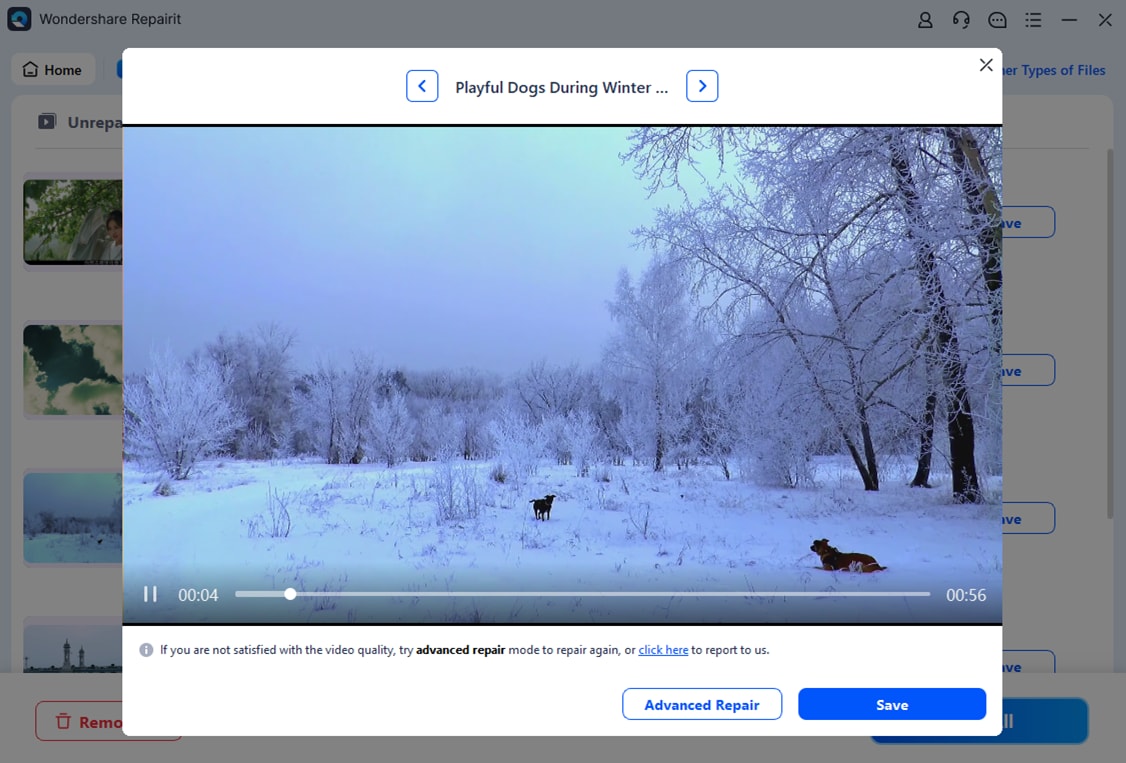
- Offers preview before export: Lets users check whether key footage or images are usable before saving the repaired versions.
- Works well for high-value content: Especially useful when the damaged file contains an important goal, celebration, save, crowd moment, or interview that cannot be recreated.
If the file still exists but fails during viewing or editing, Repairit is usually the right path. If the file is completely missing, deleted, or formatted away, that would be a data recovery case instead.
Steps: How to Repair Corrupted World Cup Videos and Photos With Repairit
Step 1. Add corrupted videos and photos

Step 2. Repair videos and photos

Step 3. Preview and save the repaired videos and photos
What to Do Before You Start the Repair Process
- Stop using the affected storage card so you don't create additional problems during continued shooting or transfer.
- Work on copies of the damaged files rather than the originals.
- Separate corruption from deletion; if the file is gone completely, repair tools are not the first step.
- Keep one healthy sample clip from the same camera and settings in case advanced repair is needed for video.
When Repairit Makes the Most Sense During World Cup Coverage
Repairit is most useful when you know the file exists but the content cannot be used. That includes scenarios where a match-winning goal clip won't open, a player portrait RAW file becomes unreadable, a drone shot fails to preview, or a mixed-zone interview video shows a black screen after transfer. In all these cases, the media asset still has value, but it first needs to be repaired before the newsroom, editor, or client can use it.
Conclusion
World Cup media production is fast, technical, and unforgiving. Professional cameras and storage devices handle huge numbers of photos and videos under pressure, which is exactly why corruption problems can appear at the worst possible moment. When your files are still present but suddenly become unreadable, unplayable, or broken, the goal is not data recovery first; it is file repair.
Repairit is a practical solution for restoring damaged World Cup photos and videos from professional shooting workflows. Whether you are dealing with corrupted MP4 clips, broken MOV or MXF match footage, unreadable JPG files, or damaged RAW sports images, a structured repair workflow can help turn critical tournament media back into usable assets.
Frequently Asked Questions
-
Q1. Can Repairit fix World Cup videos that will not play at all?
Yes. If the match video file still exists but fails to open or play, Repairit can be used to repair structural damage and restore playback in many corruption scenarios. -
Q2. Can it repair sports photos from professional cameras?
Yes. Repairit can be used when photos from professional cameras become unreadable, partially visible, or fail to open after shooting or transfer. -
Q3. What is the difference between corrupted and deleted World Cup files?
If a file is corrupted, it usually still exists but cannot be opened or used properly. If a file is deleted, missing, or formatted away, that becomes a recovery case rather than a repair case. -
Q4. Should I keep using the same memory card after corruption happens?
No. It is better to stop using the affected card immediately, copy what you can safely access, and begin repair on duplicated files to avoid making the situation worse. -
Q5. Can Repairit help with drone and external recorder footage too?
Yes, it is suitable for damaged media beyond standard camera clips, especially when those files are still present but behave abnormally during playback or editing.




