 TL;DR:
To replace ClipGrab due to its adware-bundled installers and frequent site breakages, switch to actively maintained desktop alternatives like 4K Video Downloader, Downie, or SnapDownloader for reliable high-resolution video saving.
● SnapDownloader (Windows/macOS) and 4K Video Downloader support batch downloading and up to 8K resolutions but require commercial licenses, whereas Downie is exclusively built for macOS users requiring Safari integration and iCloud synchronization.
● Web-based tools like YT Downloader bypass system installation but restrict downloads to 1080p and primarily YouTube, while legacy software like aTube Catcher carries similar bundled adware risks as ClipGrab.
● If the selected downloader yields compressed or blurry files, run the footage through an AI enhancer like Repairit to upscale the resolution up to 4x and reconstruct missing pixels in MOV, MKV, or WEBM formats.
Ask AI for a summary
 ChatGPT
 Perplexity
 Gemini
 Claude
 Grok
Grok
nightsky_cxiv
TL; DR
- ClipGrab & Limitations: ClipGrab is a free video downloader/converter, but today it's hurt by adware-style installers.
- What to Check in Alternatives: Focus on safety, clear development and updates, strong site/format support, and features.
- Best Alternatives: Use platforms like 4K Video Downloader, Downie, SnapDownloader, and YT Saver for safer, high-quality downloads.
- Pro Tip: After downloading videos, run low-quality or blurry videos through an AI enhancer like Repairit to unblur and upscale for sharpness.
Quick Answer: In consideration, ClipGrab is a free downloader/converter, but it's held back by frequent site breakage or poor transparency. Safer, actively maintained alternatives like 4K Video Downloader or VideoProc Converter offer more reliable HD/4K/8K downloads. For best results, pair a trusted downloader with an AI enhancer such as Repairit to fix quality issues.
For a more flexible way to download online videos, users now look for dependable ClipGrab alternatives. Even though ClipGrab is well-recognized for basic downloading tasks, every other person demands faster performance today. You might need to save tutorials, music videos, or entertainment content using a suitable alternative to make the entire process more convenient. This flexibility will offer greater compatibility, improved functionality, and a seamless out-of-the-box downloading workflow.
Thus, what's better than discovering substitutes that serve the right purpose, offer advanced features, and are user-friendly? In this context, keep on reading the article and learn about 7 different ClipGrab alternatives in brief.
In this article
Part 1. What is ClipGrab? Limitations Users Face Today
With ClipGrab, users may download and transcode videos from various websites for free, with the help of donations. Content from Dailymotion, Vimeo, and YouTube can be downloaded and converted to MP4 formats. Notably, it may be used on Linux, macOS, or Windows and immediately recognizes video links from the clipboard. Review the following list of limitations that force users to hunt for alternatives to ClipGrab:
- Installer and Security Concerns: ClipGrab's Windows installer bundles an advertising module, which many security tools classify as adware.
- Limited Transparency and Project Openness: It's licensed under GPL‑3.0‑or‑later, but its official project does not expose a modern public repository. On Reddit, a user explicitly flagged this lack of transparency as a trust problem, pointing out their reliance on third-party package maintainers.
- Website and Download Trust Issues: Security-focused discussions note that ClipGrab's official site or installer is linked to third-party offers with a risk of unwanted software.
- Functional Breakage When Sites Change: The platform depends on the internal structure of video sites like YouTube; changes to those sites break downloads.
- Reliability Issues with Large Downloads: Users have reported issues on the Manjaro forum where ClipGrab shows 100% downloads but displays fractioned videos.
Part 2. Important Things to Check Before Choosing a ClipGrab Alternative
Not every downloader offers the same level of performance; thus, review the things you'll need to check in ClipGrab alternatives for Mac:
| Checkpoint | What to Look For |
|---|---|
| Malware Risk | No bundled adware/PUPs, clean VirusTotal or AV scan |
| Source and Download Trust | Official site or reputable store, HTTPS, clear publisher info. |
| Transparency/Open Source | Public reputation, update history, and security notes |
| Legal and Policy Compliance | Clear disclaimer about copyright, terms of service |
| Site and Format Support | Support for the platforms you use (YouTube, Instagram, etc). |
| Privacy and Data Handling | No account requirement if unnecessary, clear privacy policy. |
Part 3. 7 Best Alternatives to ClipGrab for Easy Video Saving
From this section, choose the right alternative to ClipGrab and improve the overall downloading experience with advanced features:
1. 4K Video Downloader
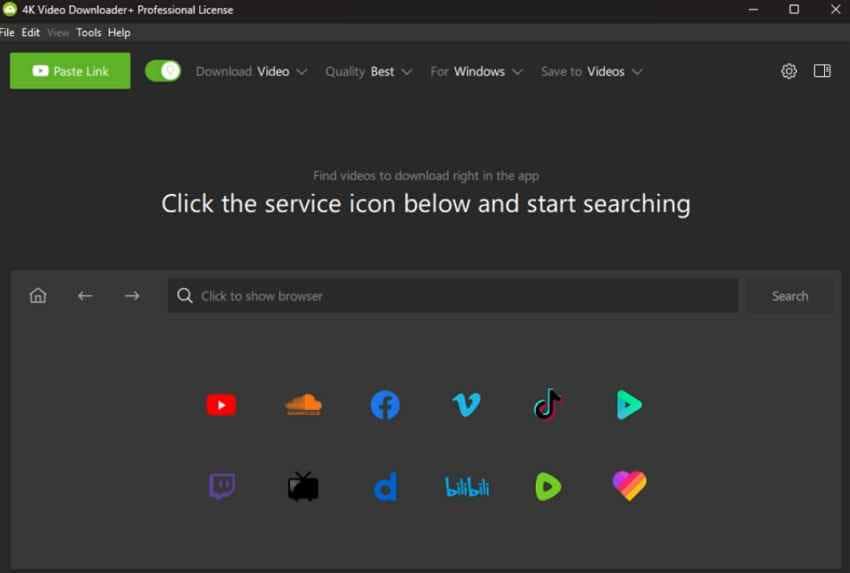
This downloader is marketed as 100% safe software and as a "free video downloader trusted by millions." It is the primary program for downloading videos in high-resolution formats like 4K from YouTube and other compatible websites. The same ecosystem is made possible by the 4K Download utility, which is compatible with Linux, Mac, and PC.
Pros
- Offers multiple companion apps, covering TikTok or Instagram audio extraction.
- Easily converts YouTube 4K videos into MP3.
Cons
- The ecosystem is split into many apps, such as Stogram and Tokkit.
- Being commercial, it may require dependence on the vendor's licensing.
2. Downie
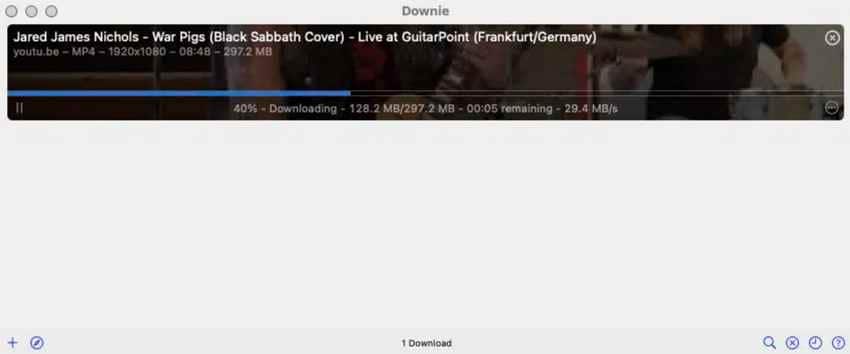
Downie is a ClipGrab alternative for Mac that supports over 1000 sites, including YouTube, Youku, Vimeo, and more. Unlike many downloaders, Downie facilitates HD and up to 4K videos on YouTube. It can automatically convert downloads to MP4 for iPhone or iPad, or simply extract the audio track.
Pros
- Offers a browser extension that sends links directly from the browser to the app.
- You can synchronize Downie's history over iCloud between macOS devices.
Cons
- macOS only; no support for Windows or Linux devices.
- The platform has license activation limits (e.g., 3 activations).
3.SnapDownloader
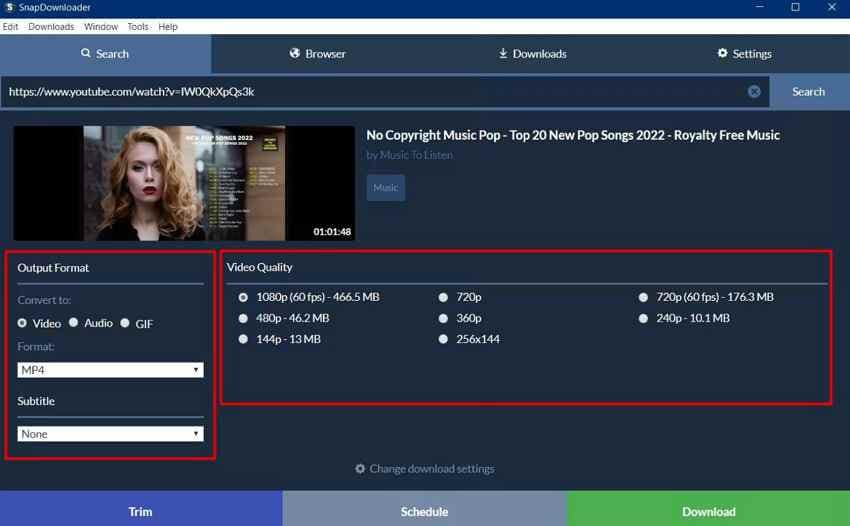
It's a cross-platform video downloader for Windows and macOS, supporting 900+ sites and up to 8K resolution. This broad coverage of sites means it can replace ClipGrab not just for YouTube but for most major platforms. With this ClipGrab alternative, you can cut online videos and download a specific segment you care about.
Pros
- It can download YouTube playlists and entire channels, besides single videos.
- Supports batch downloads, lets you queue multiple videos, and schedules downloads.
Cons
- Currently, the platform only supports Windows or macOS, not Linux.
- This commercial software has only a 48-hour free trial.
4. VideoProc Converter
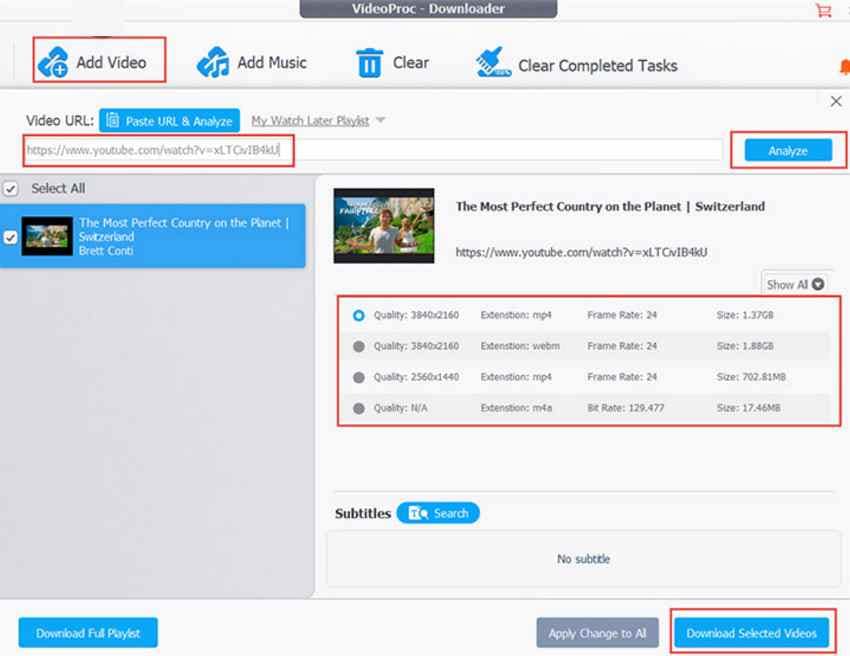
VideoProc Converter is an all‑in‑one video processing suite with a built‑in media downloader, especially for online videos. This alternative to ClipGrab downloads video and audio (including playlists) from over 1000 sites. It can work with large UHD files from YouTube and other platforms, then resize or recompress them, preserving their quality.
Pros
- Uses "Level‑3 hardware acceleration" with Intel and NVIDIA to speed up tasks.
- The downloader can handle bulk downloads of videos and audio.
Cons
- It lacks the open-source transparency of a closed-source product.
- Its free version imposes limits like time caps and other restrictions.
5. StreamFab YouTube Downloader
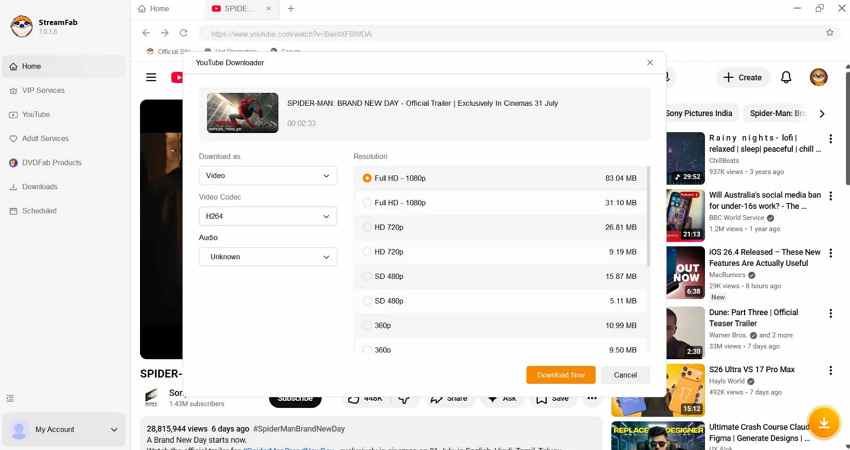
Another alternative to ClipGrab that lets you download videos in HDR and 360° VR content when available. Although branded as a YouTube downloader, it still supports over 1000 websites, including BBC, PBS, and Facebook. The platform includes a built-in browser that automatically detects playable videos and live streams, offering them for download.
Pros
- It can download new videos from your subscribed channels.
- Offers "10x Turbo‑Speed" downloads and handles up to five concurrent tasks.
Cons
- Product segmentation can feel more complex than ClipGrab's design.
- Advanced capabilities require careful focus on copyright rules.
6. aTube Catcher
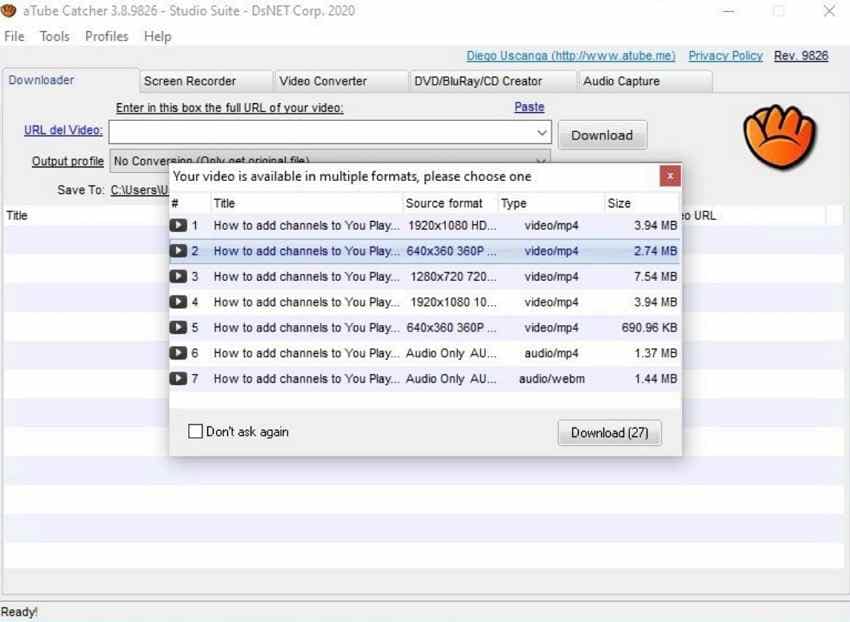
aTube Catcher can download videos from numerous social and video-sharing sites, including Globo or Dailymotion. Notably, it lets you export the download content to your computer or directly to various devices. This alternative to ClipGrab supports multiple formats, such as MP4, WMA, or FLAC, from devices like iPads or phones.
Pros
- Includes a built-in screen recorder that can capture video chats or DVDs.
- Integrated DVD/VCD burning lets you go from online video to physical disc.
Cons
- There are no official macOS or Linux builds mentioned.
- This ad-supported installer increases the risk of bundled offers.
7. YT Downloader
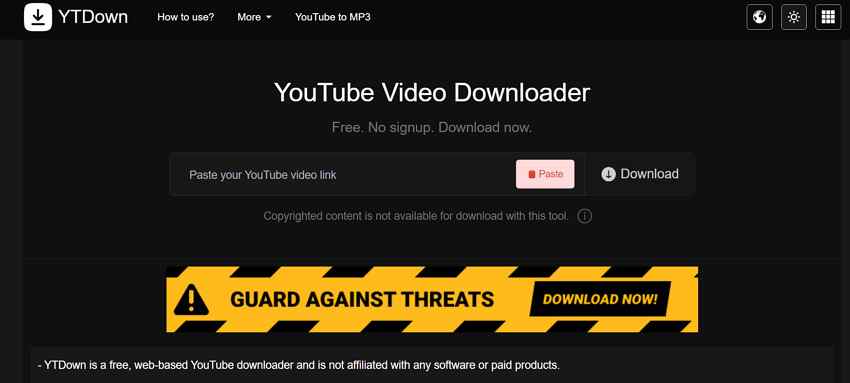
YT Saver/YTDown runs entirely in the browser as a web‑based downloader, without requiring software installation. After you paste a YouTube link, simply click download, and it presents a page where you can choose the format. This ClipGrab alternative can download YouTube videos in HD quality (up to 1080p), with special support for YouTube shorts.
Pros
- The site highlights that it works for Android and iOS users.
- This downloader doesn't require any system-level permission or access.
Cons
- Limited mainly to YouTube and closely related content
- Users who need 4K/8K or batch features may find it less capable.
Pro Tip. Restore Broken or Low-Quality Video Files Instantly
Sometimes, a video you download from a reputable alternative to ClipGrab can lose quality during the saving process. This issue is quite noticeable when an unstable downloadable platform is in use, requiring Repairit for a complete repair. Its AI Upscaler can make "blurry videos clearer," restoring their lost clarity and details. More specifically, it sharpens its edges and fine textures, making each frame appear more vivid and defined.
The AI Video Enhancer for Repairit includes strong denoising that removes grain and visual noise in low light. It can upscale any video by up to 4x, allowing you to convert lower-resolution footage into 4K for cinematic viewing. The AI models reconstruct missing pixels and structures rather than unnecessarily stretching the image. For convenience, the platform provides both a desktop and an online Video Enhancer service.
Key Features
- Massive Format Support: Its AI Video Enhancer supports many popular formats, including MOV, MKV, and WEBM, making downloads compatible.
- Data Security Focus: The platform promotes "Data Security Ensured" as a key reason to consider for users who upload sensitive videos.
- Bulk Processing with Preview Option: On Repairit, you can insert numerous low-quality videos and preview them before they're ready for download.
Comprehensive Guide to Repair Low-Quality Videos Using Repairit
Soon, if your ClipGrab alternative downloads a broken or low-quality clip, simply follow the guidelines below:
Step 1. Import Videos to Begin AI Video Enhancement
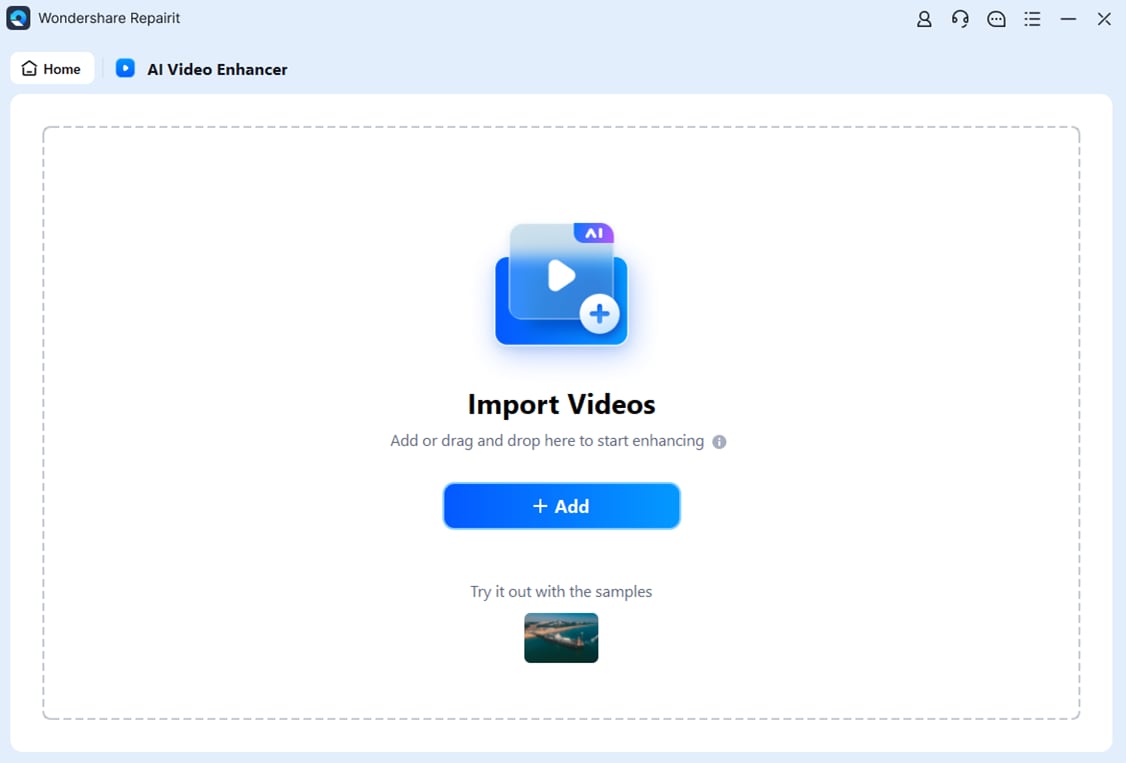
Choose the "AI Video Enhancer" from the interface, then press the "+Add" button to add videos for enhancement.
Step 2. Initiate the AI Video Enhancement Process
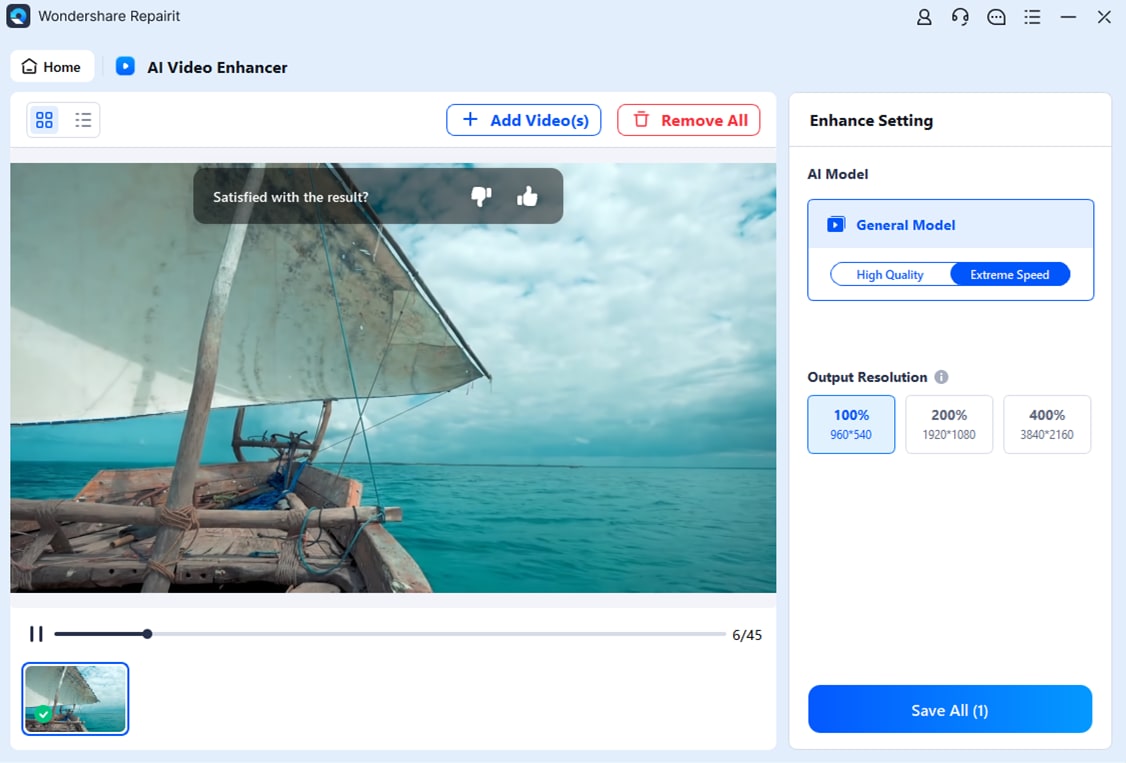
Next, click the "Start Enhancing" button and choose output resolution from the options. Following this, the program will initiate the AI Video Enhancement process, which can take a few seconds.
Step 3. Examine and Save the Enhanced Footage
Once the enhancement process ends, preview the files, then click "Save All" to secure them.
Conclusion
Finally, the use of the right ClipGrab alternative can immensely improve the way users download and manage online videos. Considering this, we've discussed many options that now deliver faster performance, better compatibility, and features that make the entire experience more convenient. Even yet, downloads may result in low-quality clips, requiring AI Video Enhancement through Repairit for better visual results.
Frequently Asked Questions
-
Q1. Which alternatives are best for 4K or 8K downloads?
Platforms such as SnapDownloader or 4K Video Downloader are often recommended for stable 4K/8K downloads and playlist support. In comparison, they generally handle higher resolutions better than legacy utilities like ClipGrab or aTube Catcher. -
Q2. Which ClipGrab alternative is best for macOS?
Among many, Downie is the top-rated ClipGrab alternative for Mac because it integrates well with Safari and is updated frequently. Users also use yt‑dlp with Mac GUIs or use cross‑platform tools like 4K Video Downloader. -
Q3. Is a web‑based downloader (like YT Saver) enough?
Web downloaders are convenient for quick HD downloads and to avoid installers, but they lack 4K/8K, batch, and multi‑site support. Notably, for heavy use, playlists or many different sites, a reputable desktop alternative is usually more reliable and recommended.