
TL;DR
- LiveLeak closed in May 2021 and redirected users to stricter ItemFix.
- YouTube and Dailymotion suit safer viral clips, news, music, and casual browsing.
- Vimeo fits polished video hosting, while Rumble, Odysee, and BitChute suit independent commentary.
- TheYNC and GoreGrish are adult-only choices because disturbing footage often appears.
- Free LiveLeak alternatives work for browsing, while paid plans help remove ads.
- Repairit AI Video Enhancer improves blurry saved clips through upscaling and denoising.
Quick Answer: LiveLeak alternatives help viewers choose safer platforms for viral clips, news, videos, and creator content. When saved clips look blurry, Repairit AI Video Enhancer improves playback through AI upscaling.
LiveLeak stopped working because the platform officially closed in May 2021. Once known for raw footage, it became difficult to sustain financially. Moreover, advertisers avoided graphic uploads, pushing the site toward final shutdown. Later, Itemfix replaced it with stricter rules and cleaner hosting standards.
Therefore, this guide explores LiveLeak alternatives for safer video discovery online. It compares platforms that handle news, viral clips, and public videos. These options help viewers move beyond broken links and unsafe copies.
In this article
Part 1. What Happened to LiveLeak? Why Did LiveLeak Shut Down?
LiveLeak officially closed on May 5, 2021, after 15 controversial years online. Its URL redirected users toward ItemFix, a stricter video-sharing site. This shift explains why readers now compare safer LiveLeak alternatives before choosing another platform for news videos. The following points explain the reasons why LiveLeak shut down:
- Outdated Shock Model: LiveLeak’s shock-based identity no longer matched newer expectations for safer online viewing. Hayden Hewitt suggested the internet had changed beyond the site’s old purpose.
- Graphic Content Pressure: Extreme footage created constant moderation pressure around violence, gore, and harmful uploads. Running that environment became tougher as platforms faced stronger safety expectations worldwide.
- Financial Sustainability: Graphic material made the platform less attractive for regular advertisers and partners. Reduced commercial support weakened the business case behind continuing LiveLeak’s long-term approach.
- Shift Toward ItemFix: Instead of disappearing completely, the team redirected users toward ItemFix’s cleaner model. That replacement bans excessive gore, sexual violence, hate content, and dangerous material.
- Narrow Audience Appeal: Larger video sites offered broader communities, stronger tools, and easier discovery paths. Meanwhile, LiveLeak’s narrower identity made growth harder beyond its controversial core audience base.
Part 2. 8 Best LiveLeak Alternatives for Viral Videos
After understanding why LiveLeak disappeared, readers need safer platforms for viral clips and real-world videos. The following alternatives offer cleaner access, steadier browsing, and wider content choices:
1. YouTube
Genre: Comedy, News, Sports, Education, etc
Best For: Viewers needing mainstream clips, creator channels, and reliable mobile playback.
Among LiveLeak alternatives, YouTube feels safer for mainstream viral discovery. It brings together creator clips, verified news, Shorts, and livestreams. Moreover, its moderation tools make graphic browsing less risky than older shock-video websites for everyday users seeking a wider video context.

Key Features
- Watch verified news, creator channels, livestreams, Shorts, and educational videos easily daily.
- Save playlists, subscribe to channels, and resume videos across devices smoothly anytime.
- Use captions, transcripts, filters, and parental controls for safer viewing on accounts.
Cons
- Some videos become unavailable due to copyright, region, or age restrictions.
- Recommendations can mix serious news clips with entertainment content.
Pricing: Free with ads; YouTube Premium Individual costs $15.99/month.
2. Vimeo
Genre: Short Film, Education, Business, Creative, etc
Best For: Creators who want polished portfolios, private sharing, and cleaner branded playback.
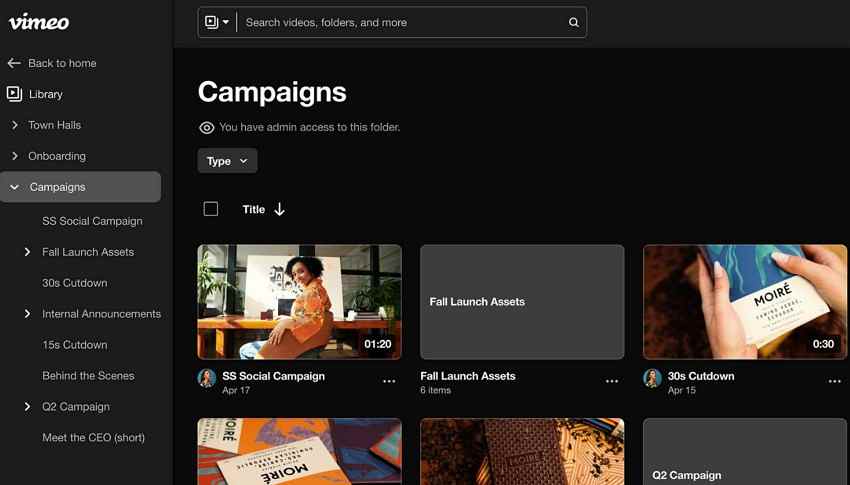
Clean hosting matters when creators share lessons, portfolios, or branded stories publicly. Vimeo supports that need through privacy controls, custom players, and review tools. Rather than chasing raw clips, it suits teams needing polished presentation, feedback, and controlled delivery.
Key Features
- Host polished videos with customizable players, privacy settings, and smooth embeds anywhere.
- Review comments, version history, and collaboration notes during video approvals with teams.
- Track audience engagement through analytics dashboards built clearly for creators and teams.
Cons
- Public video library feels smaller than YouTube or Dailymotion.
- Some videos require passwords, private links, or creator permission.
Pricing: Free plan available, Standard plan: $41/month, and Advanced Plan: $125/month.
3. Dailymotion
Genre: News, Sports, Music, etc
Best For: Users following quick news, sports clips, music, and entertainment updates
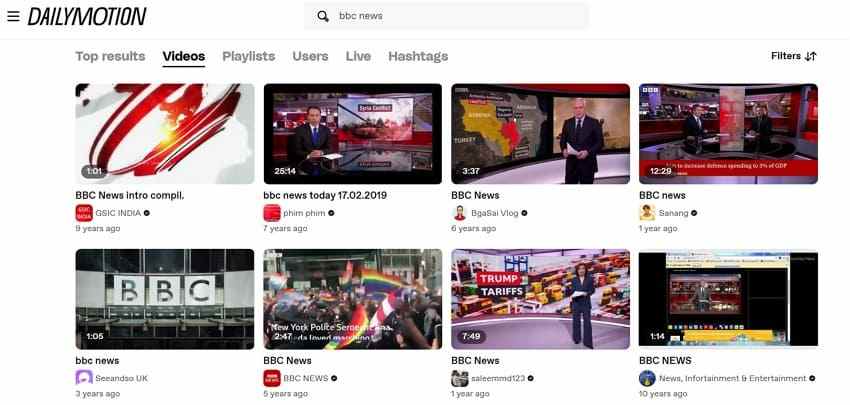
For viewers who prefer familiar browsing, Dailymotion keeps videos organized by broad categories. News, sports, music, TV, and fun clips appear through its Explore layout. Meanwhile, LiveLeak alternatives like this feel closer to traditional media than shock archives for audiences.
Key Features
- Browse news, sports, music, TV, fun, and short-film categories quickly from Explore.
- Follow channels and keep updates organized through a personalized feed every day.
- Restrict sensitive uploads so that vulnerable viewers can easily avoid unsuitable content marked as such.
Cons
- Regional availability can limit Pro plans in countries outside the supported countries.
- Ads and recommendations may distract viewers during quick browsing sessions.
Pricing: Free, Starter plan: $10/month, Advanced plan: $99/month.
4. BitChute
Genre: Commentary, Politics, News, etc
Best For: Audiences seeking independent commentary, political clips, and creator-led video uploads.
People seeking less mainstream commentary may recognize BitChute’s free-speech positioning immediately. Its library often centers on independent creators, politics, opinion, and alternative reporting. Still, users should expect sharper moderation debates and a less polished experience than on larger online video hubs.

Key Features
- Upload independent videos and build channels outside major platform ecosystems more easily.
- Support creators through paid memberships, donations, and, where available, advertised revenue shares.
- Share viewpoints with audiences that prefer lighter editorial gatekeeping online than in mainstream media.
Cons
- Sensitive content settings may limit what viewers see by default.
- Some content may be restricted or removed under platform rules.
Pricing: Free access is available; membership pricing shows $6.92/month billed annually, with a $199 lifetime option
5. Odysee
Genre: Tech, Gaming, Commentary, etc
Best For: Creators who need indie communities, tips, memberships, and less corporate discovery.
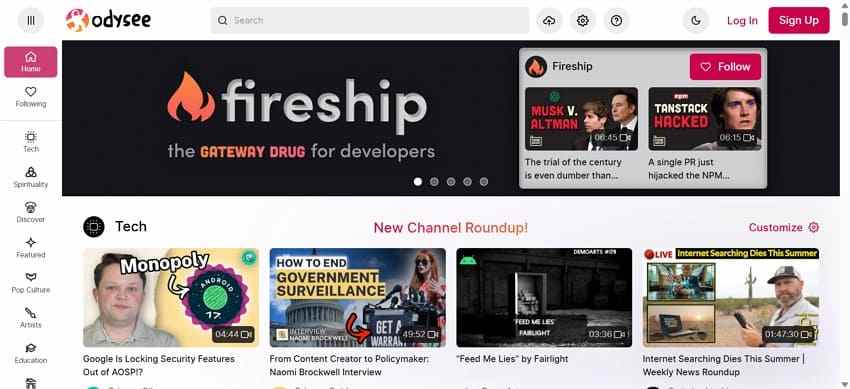
Odysee is beneficial to independent creators who wish to have control and support from their community. The website features pop culture, gaming, commentary, tech, education, and niche content. As such, it is a creator-driven LiveLeak alternative, in addition to the bigger mainstream feeds.
Key Features
- Discover indie videos across tech, gaming, science, commentary, and education topics daily.
- Tip creators, join memberships, and support channels through wallet features inside Odysee.
- Customize homepage recommendations using Premium tools and account preferences to control discovery.
Cons
- Wallet and monetization features may confuse simple video viewers.
- Premium benefits are limited if users only watch casually.
Pricing: Free access is available; Premium costs $0.99/month billed yearly, while Premium+ costs $2.99/month or $32.89/year.
6. Rumble
Genre: News, Politics, Commentary, Livestreams, etc
Best For: Viewers following livestreams, politics, commentary, and creator-driven viral video clips.
For fast-moving commentary, livestreams, and creator-led news clips, Rumble offers a busy video space. Many users visit it for political discussions and independent broadcasts. However, recommendations may feel opinion-focused when channels follow similar viewpoints.

Key Features
- Stream creator channels, live shows, political commentary, and viral uploads across devices.
- Monetize videos through creator tools, ads, and broader platform distribution options.
- Remove ads with Premium while keeping creator access simple across the platform.
Cons
- Users may encounter offensive or inappropriate user-generated content.
- Comments and live chats may include unmoderated real-time posts.
Pricing: Free with ads; Rumble Premium costs $9.99/month.
7. GoreGrish
Genre: Shock, Crime, Accidents, War, etc
Best For: Adults who research for graphic reality footage with strong caution and awareness.
Mature audiences may recognize GoreGrish as a graphic shock-content archive. Unlike safer viral hubs, it centers on disturbing real-world media. That said, LiveLeak alternatives in this category require caution, age awareness, and stronger expectations around emotional impact, privacy, and device safety.

Key Features
- View categorized shock videos only after considering personal comfort limits and context.
- Read community reactions before deciding whether specific clips deserve viewers' attention.
- Check warnings and avoid autoplay when browsing highly disturbing material on mobile.
Cons
- Graphic material can be emotionally disturbing for many viewers.
- Official pricing details are not clearly published publicly for users.
Pricing: Free to access, but no verified official monthly subscription price was found.
8. Theync
Genre: Shock, War, Crime, etc
Best For: Adults looking for uncensored news clips, war footage, and community reactions.
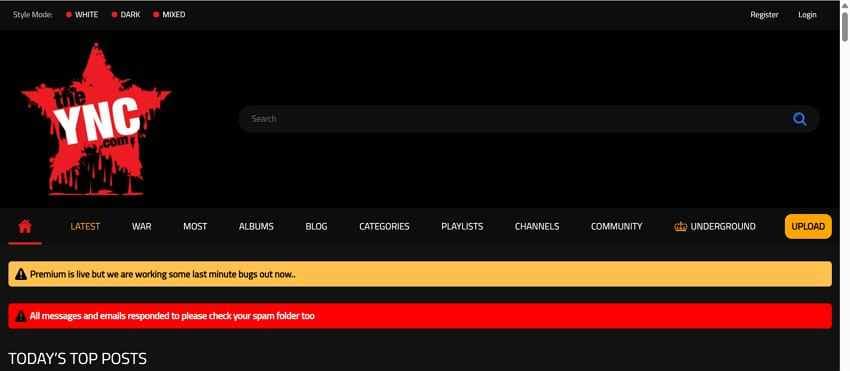
TheYNC presents uncensored incident clips, war footage, and crime videos for adults. Its layout organizes uploads through tags, playlists, channels, and community areas. However, graphic material often appears, so sensitive viewers should browse carefully. Moreover, it is not suitable for family-friendly viral entertainment.
Key Features
- Browse the latest, most-viewed, upvoted, discussed, album, and channel sections from homepage menus.
- Register an account to comment, upload, and join community areas on the site.
- Use tags to quickly narrow down shocking news, accidents, war, and crime clips.
Cons
- Premium access exists, but public prices remain unclear right now.
- Extreme footage makes it unsuitable for sensitive viewers or minors.
Pricing: Free browsing appears available; the site notes Premium access, but no public monthly price is clearly shown.
Part 3. Should You Choose Paid or Free LiveLeak Alternatives?
Not every platform deserves a subscription, especially when casual browsing is the goal. Free LiveLeak alternatives often cover news clips and viral videos well. Paid plans matter more for fewer ads, private hosting, or creator tools, as the table shows below:
| Goal | Best Pick | Free or Paid? | When to Avoid |
| Watch safer viral clips | YouTube, Dailymotion | Free is enough | If uncensored or graphic footage is required |
| Remove ads while watching | YouTube Premium, Rumble Premium | Paid makes sense | If viewing is occasional or infrequent |
| Share polished videos | Vimeo | Paid works better | If only casual browsing is needed |
| Follow independent commentary | Rumble, Odysee, BitChute | Start free, upgrade if needed | If strictly moderated content is preferred |
| Find graphic incident footage | TheYNC, GoreGrish | Free browsing works | If sensitive to disturbing or explicit visuals |
| Build a creator channel | YouTube, Vimeo, Rumble | Depends on goals | If only consuming content, not creating |
Pro Tip. Fix Blurry or Damaged Footage Using AI Enhancement Tools
Saved clips from LiveLeak alternatives can look blurry, pixelated, or partly damaged after repeated downloads, screen recording, or heavy compression. Important faces, objects, subtitles, and movement may become difficult to follow on larger screens. In that situation, AI enhancement offers users a better option than watching unclear footage or discarding useful videos before checking for possible visual recovery.
Therefore, Repairit AI Video Enhancer improves low-quality footage through AI upscaling rather than basic stretching. Its 4X video upscaling can improve video quality toward 4K resolution, helping blurred or damaged footage appear cleaner and more watchable. Additionally, it enhances fine details like faces, text, and motion clarity, making previously unclear footage easier to interpret on larger screens.
Key Features
- AI Denoise: Remove grain, compression noise, and rough texture from low-quality footage without manual editing skills needed.
- Batch Upscaling: Upscale up to 20 videos together, saving time when several blurry clips need enhancement.
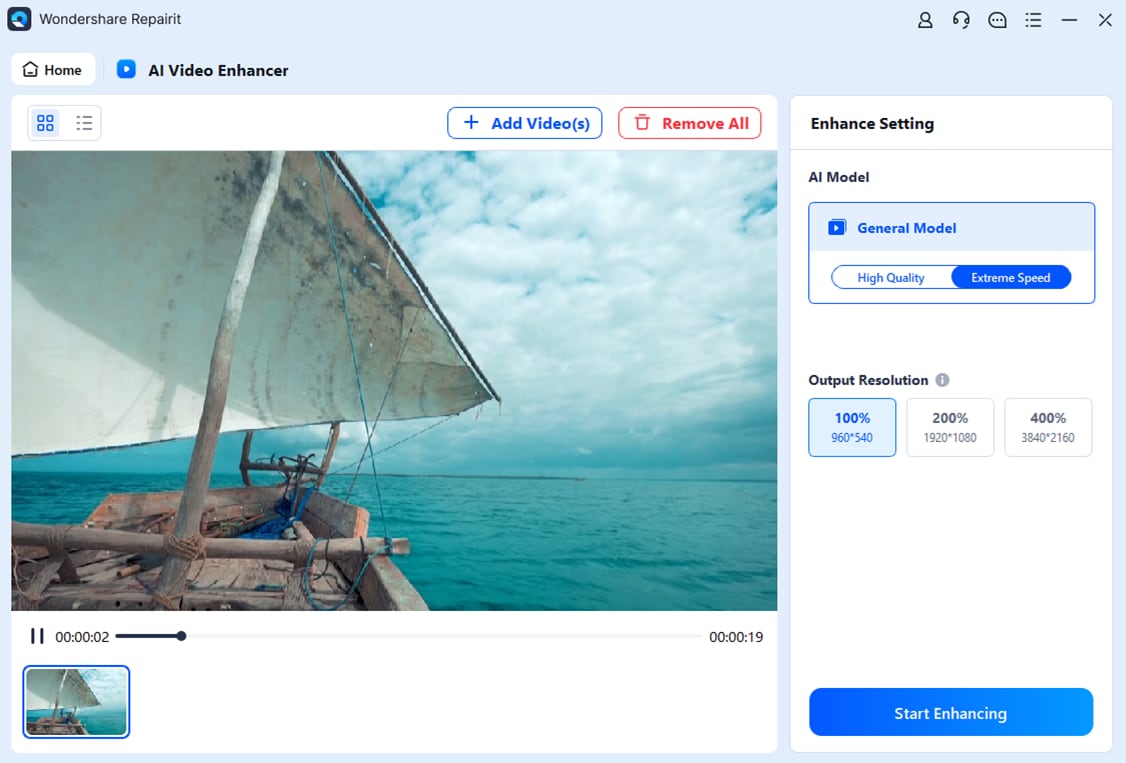
- Resolution Scale: Lets users choose 100%, 200%, or 400% output resolution for controlled video improvement results.
Guide to Fix Blurry or Damaged Footage Using Repairit AI Video Enhancer
Now, with the understanding of what Repairit AI Video Enhancer can do, adhere to the steps below to try it to fix blurry or damaged footage:
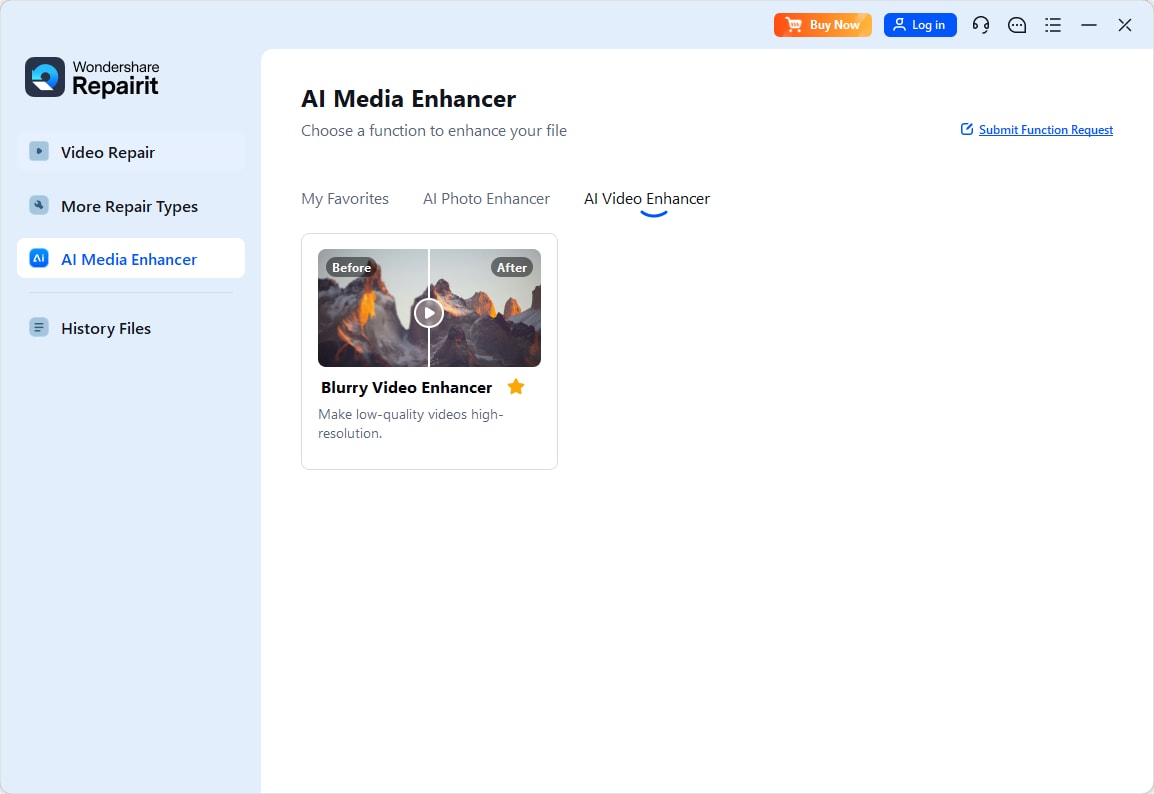
Step 1. Start by selecting the “AI Video Enhancer” from the “AI Media Enhancer” from the left panel to add the blurry or damaged footage for processing.
Step 2. After importing the video, choose a suitable “AI Model” and select the output scale. For stronger clarity, select 200% or 400%, then press “Start Enhancing” to improve the footage.
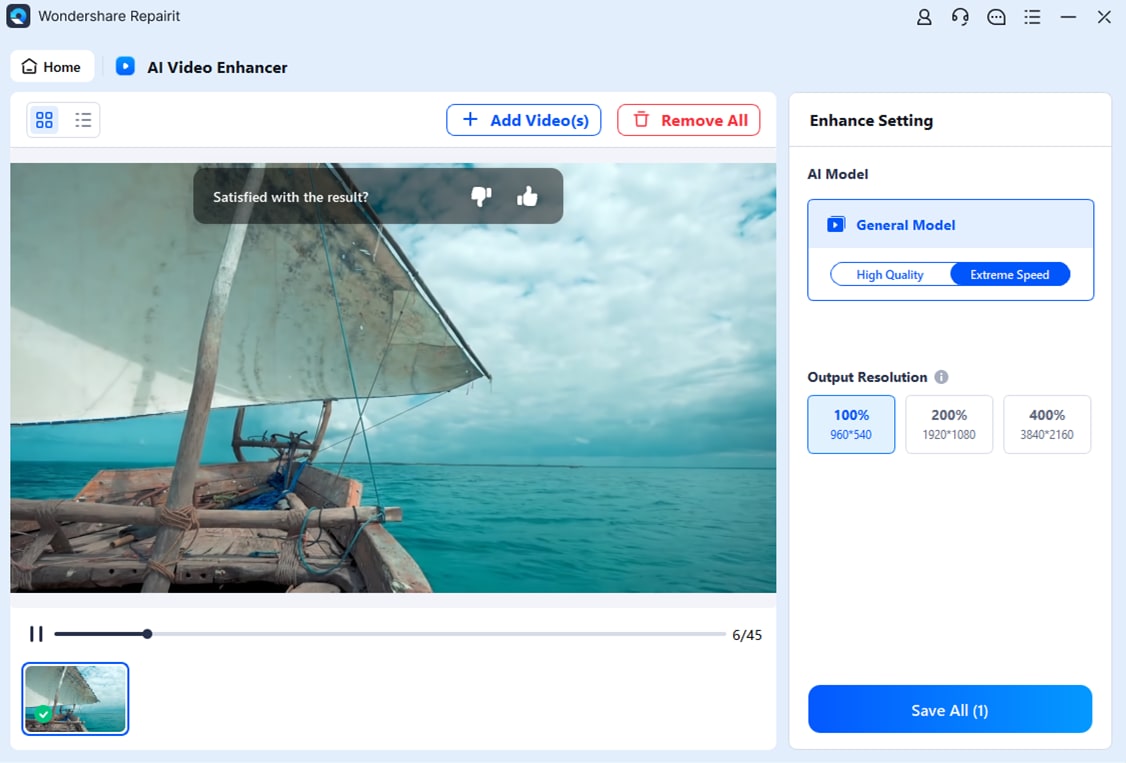
Step 3. Once the enhancement finishes, preview the improved results. Then click “Save All” to export the enhanced video.
Conclusion
To conclude, LiveLeak alternatives now give viewers safer ways to watch viral clips, news videos, creator content, and uncensored footage based on comfort level. Moreover, free platforms suit casual browsing, while paid plans help with smoother viewing or professional hosting. For downloaded clips that look blurry or damaged, Repairit AI Video Enhancer can improve clarity.
FAQs
-
What happened to LiveLeak?
LiveLeak officially closed in May 2021 after years of pressure online. Its team redirected visitors to ItemFix, a stricter platform with cleaner content rules. -
Are LiveLeak alternatives safe to use?
Mainstream LiveLeak alternatives like YouTube and Dailymotion are generally safer for casual viewing. Graphic sites require caution because disturbing footage may quickly affect sensitive viewers emotionally. -
Which free LiveLeak alternative is best for viral videos?
YouTube suits most viewers because it offers Shorts, news clips, livestreams, and creators. Dailymotion also works well for quick entertainment, sports, music, and TV clips. -
Can blurry downloaded videos be improved later?
Yes, AI enhancement tools can improve clarity in compressed, blurry, or damaged videos. Repairit AI Video Enhancer supports upscaling, denoising, and sharper playback results.