
Choosing between Repairit Video Enhancer vs CyberLink PowerDirector largely depends on whether you care more about deep, AI-guided video quality enhancement or having a full video editor with lighter enhancement tools. Repairit focuses on upscaling, denoising, and sharpening, while PowerDirector wraps basic enhancement filters inside a timeline editor with transitions, titles, and effects. Understanding how they differ in workflow, output quality, and learning curve helps you decide which one better fits your everyday projects.
The comparison below looks at output clarity, noise and blur handling, motion smoothness, and ease of use, so you can see where a dedicated video enhancement tool tends to outperform a general editor, and where a broader editor is still a practical choice.
Enhance Video Quality with Repairit Video Enhancer
 Security Verified. Over 7,302,189 people have downloaded it.
In this article
- Repairit Video Enhancer vs CyberLink PowerDirector: Quick Verdict
- Repairit Video Enhancer vs CyberLink PowerDirector: Key Differences
- Repairit Video Enhancer vs CyberLink PowerDirector: Comparison Table
- What Repairit Video Enhancer and CyberLink PowerDirector Are Best For
- Repairit Video Enhancer vs CyberLink PowerDirector: Technology and Enhancement Approach
- Repairit Video Enhancer vs CyberLink PowerDirector: Output Quality and Real-World Results
- Repairit Video Enhancer vs CyberLink PowerDirector: Workflow and Ease of Use
- Repairit Video Enhancer vs CyberLink PowerDirector: Pricing and Trial Options
- Who Should Choose Repairit Video Enhancer
- Who Should Choose CyberLink PowerDirector
- Pros and Cons of Repairit Video Enhancer and CyberLink PowerDirector
- How to Enhance Videos After Choosing the Right Tool
Repairit Video Enhancer vs CyberLink PowerDirector: Quick Verdict
If your top priority is noticeably improving clarity, sharpness, and resolution in soft or low-quality clips, Repairit Video Enhancer is usually the stronger choice because it focuses specifically on AI-driven video enhancement. For users who mainly want basic enhancement filters built into a simple editor for everyday YouTube or social videos, CyberLink PowerDirector can be enough.
In many real-world workflows, a balanced approach works well: enhance difficult footage with Repairit first, then use CyberLink PowerDirector or another editor for cutting, transitions, and final polish.
Repairit Video Enhancer vs CyberLink PowerDirector: Key Differences
The key difference in Repairit Video Enhancer vs CyberLink PowerDirector is focus. Repairit is a dedicated quality enhancer built around AI models that analyze each frame to upscale resolution, reduce noise, and sharpen details. CyberLink PowerDirector is a consumer-level editor with enhancement sliders and filters designed to quickly make footage look better while you edit on a timeline.
This difference affects how much control you have over visual quality, how fast you can work, and where each tool fits in your workflow. If you often work with low-resolution or noisy clips, a specialized enhancer may give you more noticeable improvements. If your clips are already decent and you only need moderate enhancement with editing in one place, PowerDirector may be sufficient.
Repairit Video Enhancer vs CyberLink PowerDirector: Comparison Table
| Dimension | Repairit Video Enhancer | CyberLink PowerDirector |
|---|---|---|
| Best for | Users focused on enhancing low-quality or soft footage with an AI-guided process. | Users wanting simple enhancement tools inside a consumer-level video editor. |
| Ease of use | Very straightforward, with guided enhancement models and minimal manual tweaking. | Beginner-friendly editor; enhancement filters are easy but require more manual adjustment. |
| Output quality | Generally stronger for upscaling, denoising, and sharpening older or low-resolution clips. | Good visual improvement for typical projects but less precise than specialized tools. |
| Workflow | Import, pick AI enhancement type, preview, then export enhanced video. | Import video, apply enhancement filters, adjust settings, preview, export as part of a full edit. |
| Strengths | AI-focused enhancement, clear presets, optimized for visual quality improvement. | Easy to use, fast processing, and convenient built-in effects for editing plus enhancement. |
| Weaknesses | Less suited for complex timeline editing and creative effects. | Less precise control than professional tools and not specialized for deep quality enhancement. |
What Repairit Video Enhancer and CyberLink PowerDirector Are Best For
Both tools can improve video quality, but they shine in different roles.
Repairit Video Enhancer is geared toward users who want to:
- Upscale low-resolution or old footage while keeping details as natural as possible.
- Reduce noise and smooth compression artifacts in smartphone, webcam, or screen recordings.
- Sharpen soft or slightly blurry clips without digging through complex editing controls.
CyberLink PowerDirector is best suited for users who want to:
- Edit, trim, and assemble videos on a timeline with transitions, titles, and overlays.
- Apply basic denoise, color, and sharpening adjustments during editing.
- Produce everyday social media, vlogs, and YouTube content quickly with built-in templates.
In short, choose Repairit when enhancement quality is your main problem, and CyberLink PowerDirector when you mostly need editing and only light enhancement.
Repairit Video Enhancer vs CyberLink PowerDirector: Technology and Enhancement Approach
Repairit Video Enhancer centers its design around AI models that are trained to detect and enhance patterns in low-quality footage. These models help with:
- AI-based upscaling to increase perceived resolution and detail.
- Automatic noise reduction tuned to keep faces and textures looking natural.
- Sharpening that focuses on edges and fine details rather than simply boosting contrast.
CyberLink PowerDirector, by contrast, typically relies on more traditional enhancement options built into an editor, such as:
- Noise reduction sliders for mild grain removal.
- Sharpen and detail controls to crisp up slightly soft images.
- Color and brightness adjustments to balance exposure and contrast.
This means Repairit is more about letting AI handle heavy lifting on challenging clips, while PowerDirector gives you manual control as part of a broader editing experience.
Repairit Video Enhancer vs CyberLink PowerDirector: Output Quality and Real-World Results
In real-world use, the difference between Repairit Video Enhancer vs CyberLink PowerDirector becomes clear when you push footage beyond simple corrections.
With Repairit Video Enhancer, low-resolution clips can often be upscaled and made sharper while suppressing noise and artifacts. This is particularly helpful for:
- Old recordings that look soft and compressed.
- Clips shot in low light with visible grain and color noise.
- Videos captured at low resolution that need to look better on larger screens.
CyberLink PowerDirector can certainly improve video clarity for day-to-day content. Its enhancement tools are effective when:
- Your footage starts out reasonably sharp but needs a little extra punch.
- You want to fix minor noise or color issues while editing.
- You prioritize speed and an all-in-one workflow over maximum enhancement depth.
For extremely noisy or soft material, a dedicated enhancer like Repairit tends to achieve more noticeable improvements, while PowerDirector is usually more about quick, good-enough adjustments.
Repairit Video Enhancer vs CyberLink PowerDirector: Workflow and Ease of Use
The two tools feel different to use, especially if you are not an experienced editor.
Repairit Video Enhancer offers a streamlined, guided process:
- Import a clip from your computer.
- Choose an AI enhancement option based on your goal, such as upscaling or denoising.
- Preview the result, then export the enhanced file.
This is well suited to users who want a focused path from low-quality source to cleaner output, without timeline controls or multi-track editing.
CyberLink PowerDirector follows a familiar non-linear editing workflow:
- Import media into a project.
- Place clips on a timeline and add transitions, titles, or effects.
- Apply enhancement filters, tweak sliders, and preview within the editor.
- Export once the whole edit is ready.
Beginners who want editing plus basic enhancement may find PowerDirector intuitive, but those who only care about quality improvement may appreciate the simpler, enhancement-first layout in Repairit.
Repairit Video Enhancer vs CyberLink PowerDirector: Pricing and Trial Options
Both tools typically offer trial or limited versions so you can judge video enhancement quality and performance on your own clips before paying.
In general:
- Repairit Video Enhancer is priced around its enhancement features, so you are mostly paying for AI upscaling, denoising, and sharpening.
- CyberLink PowerDirector is often available as a one-time license or subscription, bundling editing, effects, and basic enhancement tools together.
Because deals and bundles change over time, it is worth checking each vendor’s current offers and considering how often you will use advanced enhancement versus general editing when deciding overall value.
Who Should Choose Repairit Video Enhancer
Repairit Video Enhancer is a better fit when you want to solve quality issues first and worry about editing later. It suits:
- People who mainly need to enhance low-quality or old footage without doing full edits.
- Users who want AI-guided upscaling, denoising, and sharpening with minimal manual tuning.
- Creators who plan to improve video clarity first and then edit in another tool if needed.
- Anyone dealing with mixed-quality clips who values consistent, automated enhancement.
If your workflow often starts with problematic footage that looks too soft, noisy, or small for modern screens, leading with Repairit can save time and make later editing more effective.
Who Should Choose CyberLink PowerDirector
CyberLink PowerDirector is more appropriate when you want a general editing environment that includes simple enhancement features. It works well for:
- Beginners who need a consumer-level video editor with simple enhancement options built in.
- Users who want to add titles, transitions, and effects while slightly improving video quality.
- Creators who value fast processing and easy presets for everyday YouTube or social content.
- People who prefer a single tool for basic editing and light enhancement instead of multiple apps.
If your footage is mostly decent out of the camera and your main tasks are cutting, sequencing, and styling, PowerDirector can be more convenient than switching between many separate tools.
Pros and Cons of Repairit Video Enhancer and CyberLink PowerDirector
Repairit Video Enhancer Pros and Cons
CyberLink PowerDirector Pros and Cons
How to Enhance Videos After Choosing the Right Tool
After comparing Repairit Video Enhancer vs CyberLink PowerDirector, the next step is to actually enhance your videos using a workflow that matches your priorities. Many users start by improving quality with an AI enhancer, then move into an editor if they need titles, transitions, or more complex storytelling. This keeps heavy enhancement work separate from creative editing and helps you get the most from both tools.
For a focused, guided quality upgrade, Repairit Video Enhancer offers a practical way to clean up and upscale footage before you do any timeline work.
Key Features
In typical everyday use, Repairit Video Enhancer concentrates on:
- AI models optimized for upscaling and improving details in low-quality videos.
- Automatic denoising and sharpening to reduce grain and enhance clarity.
- Simple preview and export controls for quickly checking and saving enhanced results.
- Color and brightness adjustment tools to make footage look more balanced and clear.
- Noise reduction and sharpening options to improve soft or slightly grainy clips.
- Resolution and export controls to output cleaner videos for common platforms.
- Motion and blur improvement options that help smooth jittery footage and reduce distracting softness.
- Artifact and noise reduction tuned to keep footage natural while removing visual distractions in compressed clips.
Step-by-step guide
Step 1. Choose an AI enhancement model based on your video quality needs, such as upscaling, denoising, or overall clarity improvement.
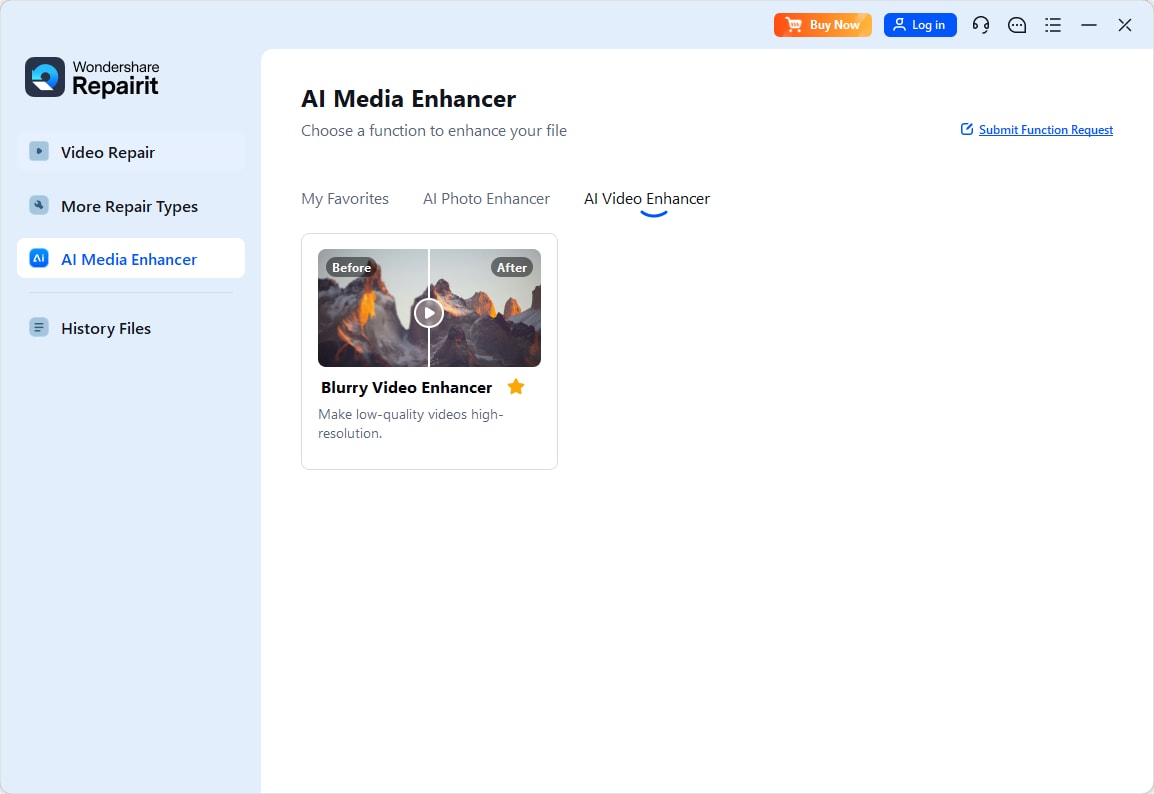
Step 2. Import your video into Repairit Video Enhancer to begin the enhancement process.

Step 3. Start enhancing and let the AI improve sharpness, reduce blur, and enhance the overall video quality.

Step 4. Preview the enhanced result and save the improved video to your device.

Final Verdict
In the matchup of Repairit Video Enhancer vs CyberLink PowerDirector, the right choice depends on whether you care more about deep enhancement or all-in-one editing.
Repairit Video Enhancer is usually the stronger option when your main priority is improving video quality itself, especially for soft, noisy, or low-resolution clips where AI-driven upscaling and denoising can make a clear difference. It keeps the workflow simple and focused on visual results rather than editing.
CyberLink PowerDirector, by contrast, is often enough for users who mostly need consumer-level editing with basic enhancement filters. If you want to cut, add effects, and lightly improve footage in one place, it remains a convenient choice. Many creators get the best of both worlds by enhancing difficult clips in Repairit first, then bringing them into PowerDirector or another editor for final storytelling and delivery.
Next: Repairit Video Enhancer vs Wondershare Filmora
FAQ
-
1. Is Repairit Video Enhancer better than CyberLink PowerDirector for improving low-quality videos?
For low-quality or very soft footage, Repairit Video Enhancer is typically stronger because it focuses on AI-powered upscaling and denoising, while CyberLink PowerDirector offers more general-purpose enhancement inside an editor. If you often work with old, noisy, or low-resolution clips, starting with a dedicated enhancer usually delivers more noticeable improvements. -
2. Which is easier for beginners, Repairit Video Enhancer or CyberLink PowerDirector?
Beginners who only want to enhance quality may find Repairit simpler, as it guides you through a focused workflow without timeline editing. Those who also want to edit, add titles, and use effects may prefer CyberLink PowerDirector’s familiar editor-style interface, even though it involves more manual adjustment. -
3. How does output quality compare between Repairit Video Enhancer and CyberLink PowerDirector?
Repairit tends to deliver more noticeable improvements in clarity, noise reduction, and upscaling, especially on older or compressed clips. CyberLink PowerDirector can still improve sharpness and color, but its enhancement tools are more basic and tuned for everyday projects rather than deep quality enhancement. -
4. Can I use both Repairit Video Enhancer and CyberLink PowerDirector in the same workflow?
Yes. Many users first enhance video quality with Repairit Video Enhancer, then import the improved files into CyberLink PowerDirector or another editor for cutting, transitions, and effects. This approach lets AI handle difficult quality issues before you focus on creative editing. -
5. What formats and devices do Repairit Video Enhancer and CyberLink PowerDirector support?
Both tools typically support popular consumer formats like MP4, MOV, and AVI on common Windows and macOS setups. PowerDirector leans toward multi-track editing and delivery to many devices, while Repairit focuses on taking standard source files and outputting a cleaner, higher-quality version for general viewing or further editing elsewhere.




