
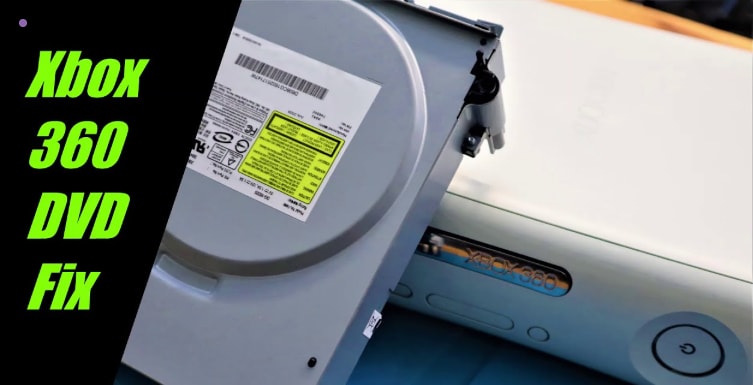
Disc drive problems often start with a small warning. A strange noise. A game that will not load. Then the disc comes out damaged, and frustration follows. Many Xbox 360 owners have faced moments like this, especially when using newly bought games.
This article will guide you on how to repair Xbox 360 disc drives and why the issues happen.
Table of Contents
Part 1: Why Xbox 360 Disc Drive Issues Happen
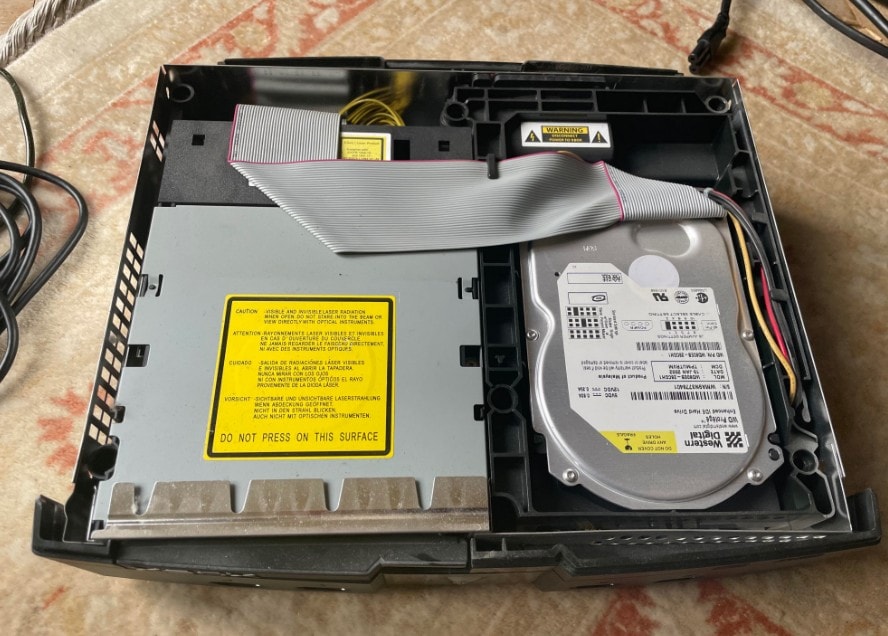
Disc drive problems rarely start all at once. In most cases, they develop slowly as parts wear down or react to their environment. Understanding why these issues happen helps you recognize early warning signs and avoid making the problem worse.
What Causes Xbox 360 Disc Reader Failure?
The disc reader is responsible for scanning and loading game data. When it begins to fail, reading problems appear first and often worsen over time.
- The disc reader is responsible for scanning and loading game data. When it begins to fail, reading problems appear first and often worsen over time.
- Weakening Optical Laser. The laser loses strength as it ages. When this happens, the drive may struggle to read discs consistently, even if they are in good condition.
- Dust on the Laser Lens. Dust blocks the laser’s path and reduces reading accuracy. As a result, the console may fail to detect discs or stop loading mid-game.
- Heat Stress Inside the Console. Long gaming sessions and poor airflow increase internal heat. Over time, heat affects laser performance and shortens its lifespan.
- Frequent Use of Scratched or Dirty Discs. Damaged discs force the laser to work harder to read data. This added strain accelerates disc reader wear.
- Natural Aging of Optical Components. Optical parts are not designed to last forever. Even well-maintained consoles experience gradual reader degradation.
Why the Xbox 360 Disc Tray Stops Opening or Closing
The disc tray depends on moving parts. When these parts wear out, tray problems become noticeable and often frustrating.
- Worn Rubber Drive Belt. The belt loses tension over time. When this happens, the tray may move slowly, stop halfway, or fail to open at all. This problem usually starts as occasional sticking and worsens if ignored, eventually preventing the tray from functioning entirely.
- Aging or Misaligned Plastic Gears. Gears guide the tray’s movement. As they wear down, the tray may jam or make grinding noises. Misalignment can also lead to uneven motion, causing stress on other components and making the tray harder to open manually.
- Dust and Residue in the Tray Mechanism. Dirt increases friction inside the tray system. This makes smooth movement difficult and unreliable. Even minor dust buildup can cause noticeable sticking or noisy operation, especially in consoles used in dusty environments.
- Repeated Forcing of a Stuck Tray. Forcing the tray adds stress to already weak parts. Over time, this causes further mechanical damage. What may seem like a quick fix can worsen the problem, sometimes breaking gears or bending internal guides.
- General Wear From Years of Use. Mechanical components degrade with age. Even without misuse, tray failure becomes more likely as the console gets older. Consoles that have seen years of regular gaming often show a combination of belt tension loss, gear wear, and friction buildup. This collectively leads to tray malfunctions.
Part 2: Common Xbox 360 Disc Drive Problems
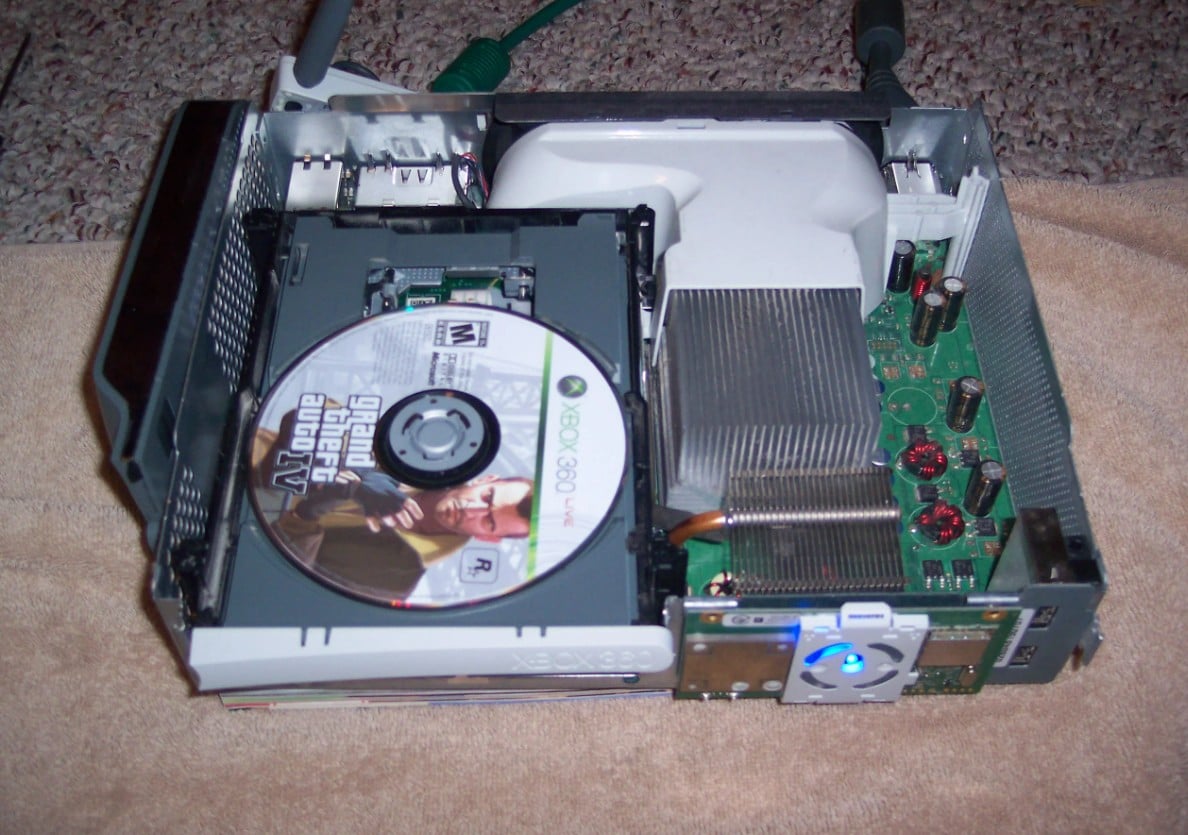
Once disc drive wear begins, symptoms often appear in predictable ways. These problems may seem unrelated at first, but they usually point back to the same internal issues discussed earlier. Recognizing these signs early can help prevent further damage.
Here are the most common Xbox 360 disc drive problems:
1. Discs Not Being Recognized
The console spins the disc but fails to load it. This usually indicates a weakening laser or blocked lens. Initially, this may happen only with certain discs, but over time it can affect every game. Players may notice that even perfectly clean or previously working discs fail to load consistently.
2. “Open Tray” Error Messages
This message often appears even when a disc is inserted correctly. It commonly points to laser calibration problems or optical wear rather than software errors. These repeated prompts can become frustrating, and they often occur more frequently as the drive continues to age.
3. Disc Tray Not Opening or Closing Smoothly
A tray that opens halfway or requires multiple attempts often signals worn belts or gears. This mechanical resistance tends to worsen over time, and repeated attempts to force the tray can put additional stress on internal parts, leading to more frequent malfunctions.
4. Unusual Clicking or Grinding Noises
These sounds usually come from mechanical misalignment. Gears may be slipping or struggling to move the tray and disc assembly correctly. As these noises continue, they often indicate that internal components are wearing down and could fail entirely if ignored.
5. Games Freezing or Stopping Mid-Play
When the drive cannot read data consistently, gameplay may freeze or crash. Although it may appear to be a software issue, the problem usually originates from optical errors or intermittent disc reading failures. Over time, these interruptions can become more frequent and affect multiple games.
6. Long or Inconsistent Loading Times
Games may take longer to load than usual or load unevenly. This suggests the laser is struggling to read certain sections of the disc. Players might notice that some parts of a game load quickly while others take several attempts, reflecting the uneven performance of the disc drive.
7. Repeated Disc Read Attempts
The drive may spin the disc multiple times before stopping. This behavior often appears shortly before the drive stops reading discs entirely. It indicates that the laser is having difficulty accessing data consistently, and the problem tends to worsen with continued use.
Part 3: DIY Fixes to Repair an Xbox 360 Disc Drive at Home
Before seeking professional repair, many owners consider basic DIY solutions. These approaches focus on maintaining existing components rather than replacing them. While they are limited in scope, they help determine how serious the issue is.
1. Fix Xbox 360 Disc Reader Issues With Simple Cleaning
Dust is one of the most common enemies of optical drives. When debris builds up, the laser struggles to read disc data clearly. As a result, games may fail to load or stop mid-play. Cleaning focuses on reducing interference rather than repairing broken parts. Therefore, it is often useful for early-stage issues but not for long-term laser damage.
Step 1. Take each disc you use and wipe it gently with a soft, lint-free cloth. Always wipe from the center outward, not in circles. This removes fingerprints, dust, and smudges that can confuse the laser.
Step 2. Make sure the area around your console is clean and dust-free. Dust inside the room can settle on the laser lens, making it harder for the drive to read discs.
Step 3. If you want, you can use a lens-cleaning disc. These are designed to safely remove minor debris from the laser without opening the console. Remember, do not touch the laser directly. It’s very delicate.
2. Repair Xbox 360 Disc Tray Sticking Problems
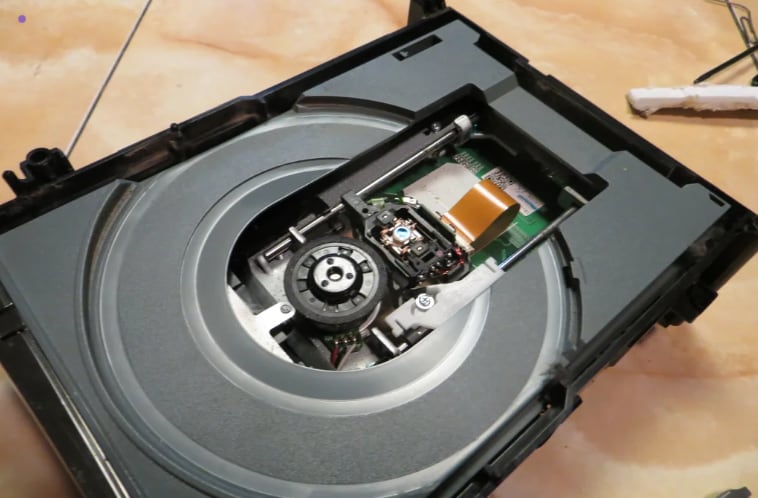
Tray issues usually come from worn mechanical parts rather than electronic failure. When the tray sticks, it signals resistance inside the drive. In some cases, the tray responds inconsistently. It may open after several tries or close unevenly. This behavior suggests aging components rather than complete failure. However, repeated strain can worsen the problem over time.
Step 1. Check the tray for visible dust or debris. A can of compressed air or a soft brush can gently remove particles that block smooth movement.
Step 2. Open and close the tray a few times gently to see if it moves more smoothly. Avoid forcing it, because that can damage the gears or belt inside.
3. Fix Xbox 360 DVD Drive Reading Errors
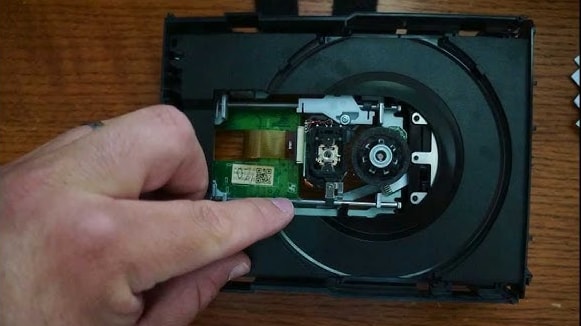
Reading errors often appear as random disc recognition problems. One moment the disc spins, and the next it stops. This inconsistency can confuse players because the console still powers on normally. These errors usually indicate a weakened laser or alignment issues inside the drive. While minor improvements may help temporarily, deeper optical wear often limits long-term success.
Step 1. Ensure your discs are clean and scratch-free. Even small scratches can cause random reading problems.
Step 2. Keep the console in a cool, well-ventilated area. Overheating can make the laser struggle, causing games to load slowly or fail.
Step 3. Pay attention to repeated errors. If cleaning and proper placement don’t help, it usually means the laser is wearing out and may need professional repair or replacement.
4. Xbox 360 Optical Drive Repair for Laser Issues
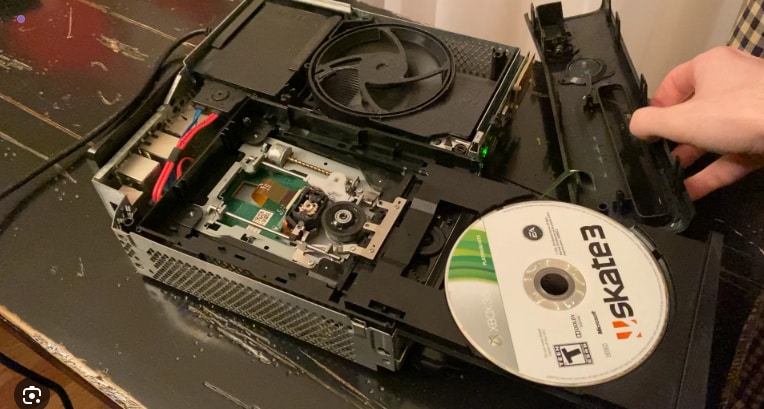
Laser-related problems are the most serious disc drive concerns. When the laser weakens beyond a certain point, reading data becomes unreliable. At this stage, performance drops quickly. Games may freeze, fail to load, or never start. Although minor adjustments can help briefly, laser degradation often points toward replacement rather than repair.
Step 1. Keep your console dust-free and avoid placing it in direct sunlight or near heat sources.
Step 2. Handle discs carefully and avoid forcing the tray. This reduces extra strain on the laser and gears.
Step 3. Accept the limits of DIY. Once the laser weakens too much, no home cleaning or adjustment can restore full performance. Professional replacement is the safest option.
Part 4: When You Need Professional Xbox 360 Disc Drive Repair or Replacement
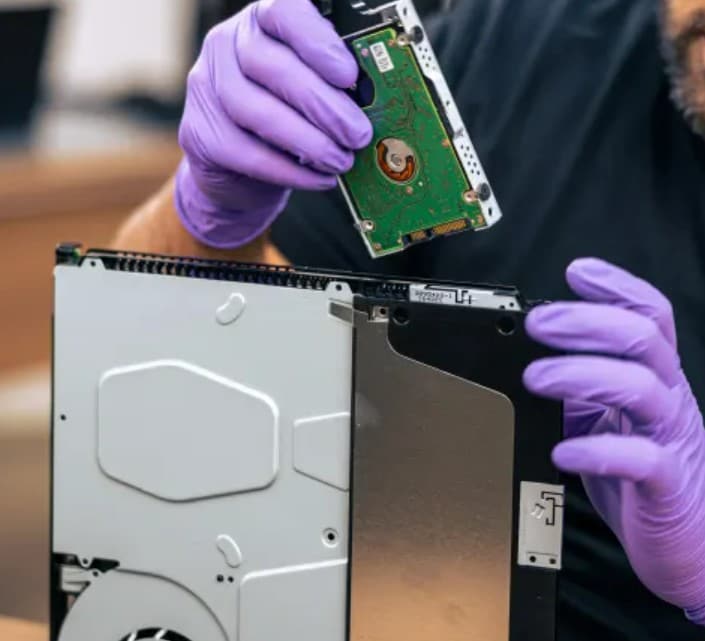
DIY solutions have limits. Knowing when to stop prevents further damage and wasted effort. In some cases, professional repair or replacement is the safer option.
Signs the Laser Assembly Is No Longer Repairable
When the laser reaches the end of its lifespan, the problems become consistent rather than occasional. At this stage, professional replacement is usually the safer option.
- Discs Are Never Recognized: The console fails to read any disc, even clean and previously working ones. This shows the laser can no longer detect data reliably.
- Repeated Loading Attempts Without Success: The drive spins the disc multiple times but never completes loading. This behavior indicates severe laser weakness.
- “Open Tray” Errors With All Discs: Error messages appear regardless of disc condition. This points to optical failure rather than disc damage.
- Games Fail Immediately After Launch: Some discs may appear to load briefly but stop almost instantly. This suggests the laser cannot maintain stable reading.
- Problems Persist After Basic Maintenance: When cleaning and minor adjustments make no difference, the laser assembly has likely degraded beyond repair.
Disc Tray Gears Damaged Beyond DIY Repair
Broken gears cause uneven movement or loud grinding sounds. Unlike dust or belt tension issues, cracked gears cannot function properly. Because these parts are small and precise, professional tools and replacements are usually required. Otherwise, the tray may fail entirely.
When Xbox 360 Optical Drive Replacement Is Cheaper Than Repair
In many cases, replacing the entire drive costs less than repeated repair attempts. Replacement offers predictable performance and reduces future breakdown risk. For older consoles, this option often provides better long-term value.
Xbox 360 Hard Drive Repair for Data Corruption or Storage Errors
Disc drive issues sometimes affect stored data indirectly. Sudden read failures can interrupt video saves or downloads. Consequently, gameplay clips or downloaded videos may become corrupted, even though the hard drive still works.
Part 5: How to Fix Corrupted or Unplayable Xbox Gameplay Videos
When disc drive failures interrupt recording or playback, video files can become damaged. This often affects gameplay clips, downloaded trailers, or transferred recordings. Even after fixing the disc drive, these files may remain unplayable.
That is why tools like Repairit Video Repair exist. Repairit is a powerful software that helps restore damaged video files caused by hardware errors, power interruptions, or incomplete transfers.
These are the key features of Repairit Video Repair, which might be exactly what you need:
✅Supports common Xbox recording formats, including MP4 and MOV..
✅Repairs videos affected by sudden interruptions or incomplete saves
✅Maintains original video quality after repair.
✅Handles multiple corrupted gameplay clips at once.
✅Works with videos stored on external drives or transferred to a PC.
Step 1. Move the corrupted gameplay clip from your Xbox storage or external drive to a PC. This ensures the file is accessible and safe to repair without further damage.
Step 2. Open Repairit and start the Video Repair feature. Then, +Add your corrupted Xbox gameplay clip.

Step 3. Start the repair process by choosing the Repair button. Repairit will scan the video structure and rebuild damaged data caused by incomplete saves, sudden shutdowns, or hardware read errors.

Step 4. After repair, preview the video to confirm it plays smoothly. Then, save the repaired Xbox gameplay clip on your computer or an external drive.

Fix Corrupted or Unplayable Xbox Gameplay Videos
 Security Verified. Over 7,302,189 people have downloaded it.
Part 6: Xbox 360 Disc Drive Repair Dos and Don’ts
Knowing what to do and what to avoid can save your Xbox 360 disc drive from further damage. Are there simple habits that protect the drive and extend its life? Absolutely. By following these dos and don’ts, you can reduce the risk of mechanical failure, laser issues, and data loss.
| Dos ✅ | Don’ts ❌ |
| Keep discs clean and free of scratches or fingerprints | Force the disc tray open or closed |
| Store the console in a well-ventilated, dust-free area | Ignore unusual noises or repeated errors |
| Power off the console before unplugging or moving it | Overload the console with multiple heavy apps while gaming |
| Pay attention to early warning signs like freezing or read errors | Continue using discs that fail consistently |
| Regularly inspect the tray and disc drive for dust or debris | Attempt major internal repairs without proper tools or knowledge |
| Use a surge protector to prevent electrical damage | Open the console unnecessarily if unsure about the problem |
| Back up important saved clips or gameplay videos | Ignore overheating; prolonged heat can damage the laser |
Conclusion
Xbox 360 disc drive problems are common, but they are not always complicated. Many issues start small and grow over time. Therefore, understanding the cause makes every decision clearer and safer.
DIY solutions help identify early problems, while professional repair becomes necessary for deeper damage. At the same time, disc drive failures can affect more than just gameplay. They can also damage recorded videos. Tools like Repairit Video Repair ensure that corrupted gameplay clips remain recoverable. In the end, a careful approach protects both your console and your memories.
FAQs
-
Is it normal for an Xbox 360 disc drive to get louder over time?
Yes. As the console ages, moving parts inside the drive lose smooth movement. Motors may spin unevenly, and gears may no longer align perfectly. Because of this, the drive works harder to read discs. Over time, the extra effort creates more noise, especially during loading. -
Does console position affect disc drive health?
Yes. A stable position helps the disc spin evenly inside the drive. When the console tilts or moves, the drive experiences extra vibration. This vibration adds strain to the tray and reading parts. Over long use, that strain can shorten the drive’s lifespan. -
Are all Xbox 360 disc drives the same across models?
No. Different models were built during different production periods. As a result, drive brands and internal layouts vary. Some drives handle wear better than others. This is why repair difficulty and replacement options depend on the exact Xbox 360 version.




