
The AV1 Video Extension is a Windows codec package that enables your system to play videos encoded with the AV1 format. As AV1 becomes increasingly common on streaming platforms like YouTube and Netflix, many users encounter playback errors such as “Unsupported codec” or videos that fail to open properly.
These issues usually occur when the system lacks the necessary decoding support. This guide explains what the AV1 Video Extension is, whether you need it on Windows 10 or 11, how to install it, and how to fix common AV1 playback problems.
In this article
Part 1. What Is AV1 Video Extension?
AV1 Video Extension is a codec package developed by Microsoft that enables Windows devices to decode and play videos encoded with the AV1 format. In simple terms, it acts as a decoder that allows the operating system and compatible applications to understand and display AV1 video streams.
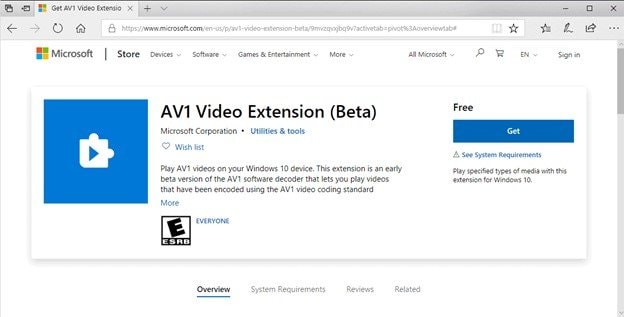
Without this extension, Windows may not recognize AV1-encoded media files. When that happens, built-in applications like Movies & TV, Windows Media Player, and some editing programs may fail to open the video entirely or show playback errors.
The extension integrates at the system codec level, meaning that once installed, it allows multiple applications on the computer to access AV1 decoding capabilities. This approach ensures consistent playback compatibility across supported media players and Windows applications.
1.1. What Is AV1?
AV1 is a modern open-source video compression codec developed by the Alliance for Open Media, a consortium of technology companies focused on improving internet video delivery.
The codec was designed to achieve higher compression efficiency than previous standards, meaning it can maintain high visual quality while reducing the amount of data required to store or stream video. Lower data requirements translate into faster streaming, reduced bandwidth usage, and improved performance on slower internet connections.
Several key characteristics distinguish AV1 from older codecs:
- Royalty-free licensing – Unlike some older codecs that require licensing fees, AV1 is designed to be open and free to implement.
- Higher compression efficiency – AV1 can often deliver the same visual quality as H.264 or HEVC while using less data.
- Improved streaming optimization – It performs particularly well in web streaming environments.
Because of these advantages, AV1 has gradually been adopted by major platforms and hardware manufacturers. It is important to understand the distinction between AV1 as a codec and the AV1 Video Extension.
- AV1 = refers to the video compression format itself.
- AV1 Video Extension = refers to the Windows software component that enables the system to decode that format.
1.2. What Does the AV1 Video Extension Actually Do?
The AV1 Video Extension performs several technical functions that allow Windows to handle AV1-encoded video streams correctly.
- First, it installs AV1 decoding libraries into the Windows Media Framework. These libraries allow the operating system to interpret compressed AV1 data and convert it into visual frames that can be displayed on the screen.
- Second, it enables AV1 playback compatibility in Windows applications that rely on the system media framework. This includes built-in media players, some browsers, and certain video editing tools.
However, it is important to clarify what the extension does not do. The AV1 Video Extension does not:
- Convert video files from one format to another
- Improve video resolution or visual quality
- Compress or re-encode videos
Instead, its role is strictly to enable compatibility and decoding support so that the system can properly read and play AV1 content.
1.3. Is AV1 Video Extension Built Into Windows?
Support for AV1 varies depending on the Windows version and hardware configuration.
Some modern Windows 11 systems include partial AV1 support, particularly when the computer has hardware that can decode AV1 video directly. Certain GPUs and CPUs include dedicated decoding units that allow efficient AV1 playback.
However, many systems, especially those running Windows 10 or older hardware, may not include built-in AV1 decoding support. In those cases, installing the AV1 Video Extension from the Microsoft Store is necessary to enable playback.
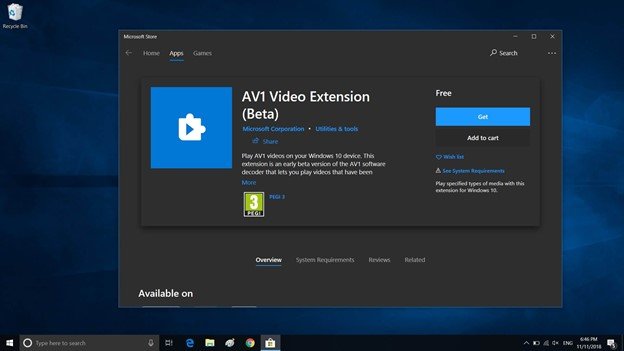
Even on systems that already support AV1 through hardware decoding, installing the extension can sometimes improve compatibility with specific applications.
The official AV1 Video Extension distributed through the Microsoft Store is maintained by Microsoft and designed to integrate safely with the Windows Media Framework.
Part 2. Do You Need the AV1 Video Extension?
In general:
- You need the extension if your computer cannot decode AV1 video natively.
- You may not need it if your hardware or media player already includes AV1 decoding support.
Most users only discover the need for the extension after encountering playback problems when opening AV1 files.
2.1. When You Should Install It
There are several common situations in which installing the AV1 Video Extension is recommended.
- AV1 videos fail to open - If a video encoded in AV1 refuses to open or produces an error message indicating that the format is unsupported, the system likely lacks the necessary decoder.
- “Unsupported codec” error appears - Some Windows media players explicitly display an unsupported codec warning when attempting to play AV1 files.
- High CPU usage during playback - When a system lacks efficient decoding support, the CPU may attempt to process the video through inefficient fallback methods. Installing the proper decoder can improve playback efficiency.
- You edit or process AV1 video files - Video editors and content creators who work with AV1 footage may need the codec to ensure compatibility with editing software.
2.2 When You Don’t Need It
You may not need it if:
- Your system already supports AV1 hardware decoding
- Your preferred media player includes its own AV1 decoder
- You rarely encounter AV1 video files
Some advanced media players include built-in codec libraries, which allow them to decode AV1 independently of the Windows system codecs.
2.3 Hardware Decoding Support
Modern hardware increasingly includes native AV1 decoding capabilities, which significantly improve playback efficiency. Examples of hardware platforms that support AV1 decoding include:
- NVIDIA RTX 30-series and newer GPUs
- Intel 11th-generation processors and later
- AMD RDNA2-based GPUs and newer
Hardware decoding allows the graphics processor to handle video decoding tasks directly, which reduces CPU load and improves playback performance.
Part 3. How to Install AV1 Video Extension on Windows
Installing the AV1 Video Extension typically takes only a few minutes. Here’s how:
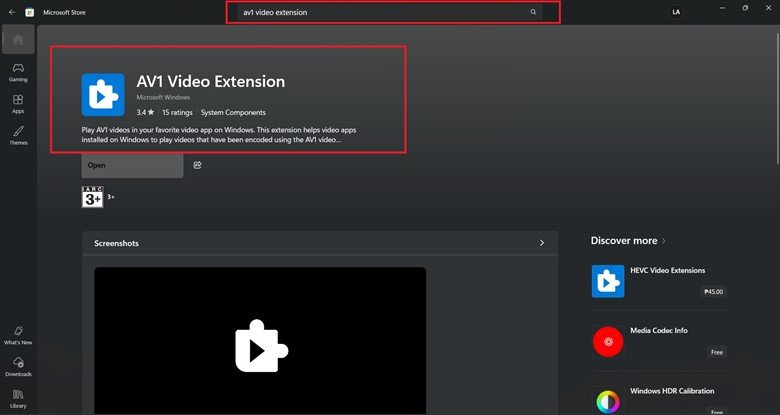
Step 1. Launch the Microsoft Store from the Windows Start menu. Search for AV1 Video Extension.
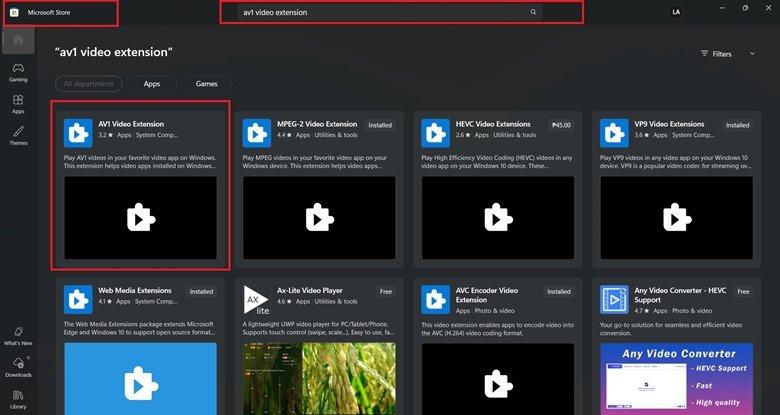
Step 2. Select the official extension published by Microsoft and click Install. After installation completes, close and reopen any media players that were previously running.
Troubleshooting Installation Issues
If the extension appears installed but AV1 videos still do not play, try the following:
- Restart your computer - This refreshes system codec registration.
- Reset the Microsoft Store cache - In rare cases, Store installations may require a cache reset.
- Reinstall the extension - Uninstall the extension and install it again from the Microsoft Store.
Part 4. AV1 vs H.264 vs HEVC (Practical Comparison)
Video compression standards have evolved significantly over time. AV1 is part of the newest generation of codecs designed to deliver better compression efficiency than earlier formats.
- Compression Efficiency - AV1 typically achieves better compression efficiency, meaning it can maintain similar image quality while reducing file size.
- Licensing Differences - One major advantage of AV1 is that it is royalty-free, which allows companies to implement it without licensing costs.
- Processing Requirements - Because AV1 uses more advanced compression techniques, it may require more processing power to decode on systems without hardware acceleration.
| Codec | Compression Efficiency | Licensing | Hardware Support |
| H.264 | Moderate | Licensed | Widespread |
| HEVC | Higher than H.264 | Licensed | Moderate |
| AV1 | Highest | Royalty-free | Growing |
Part 5. Common AV1 Playback Issues and Fixes
AV1 playback problems tend to cluster into a few well‑defined categories rather than appearing at random. Recognizing these patterns makes troubleshooting faster and helps you apply the right fix with confidence.
Problem 1: AV1 video will not open
- Likely cause: Missing codec support.
- Fix: Install the AV1 Video Extension through the Microsoft Store.
Problem 2: Black screen with audio
- Likely cause: Partial codec compatibility or player limitations.
- Fix: Update the media player or install the AV1 extension.
Problem 3: Stuttering or lag during playback
- Likely cause: Lack of hardware decoding support.
- Fix: Update graphics drivers or use a player with optimized decoding.
Problem 4: Unsupported codec error
- Likely cause: Windows Media Framework cannot decode AV1.
- Fix: Install or reinstall the AV1 Video Extension.
Problem 5: AV1 videos still do not work after installation
- Likely cause: The video file itself may be damaged or corrupted.
- Fix: Use repair software.
Note: If these fixes don’t resolve the issue, the problem may lie with the video file itself. In such cases, using a reliable repair tool or converting the file to a supported format can help.
Part 6. When AV1 Videos Still Won’t Play After Codec Installation (File Corruption Fix)
When a video file becomes structurally damaged, specialized repair software may be required to rebuild the internal video structure.
One commonly used option is Repairit Video Repair, which is designed to repair corrupted video files across a wide range of formats and devices. The software analyzes the internal structure of damaged video files and attempts to reconstruct critical elements such as video headers, container metadata, frame indexes, and audio synchronization information. This process can restore playback functionality when corruption prevents the file from opening normally.
What File Repair CAN and CANNOT Do
CAN:
- Repair damaged MP4 or MKV containers
- Restore playback issues caused by header or metadata corruption
- Resolve black screen or audio-video sync problems caused by file damage
CANNOT:
- Replace a missing codec
- Recover completely overwritten video data
- Repair files reduced to 0 KB
⚠️ If the issue is compatibility, installing the correct codec is the solution. If the issue is structural file damage, repair software may be required.
Basic Repair Process (If Applicable)
Step 1: Add the damaged AV1 video file.

Step 2: Run the repair scan to analyze and rebuild the video structure.

Step 3: Preview the repaired video and export the restored file.

Conclusion
The AV1 Video Extension is a system codec package that enables Windows devices to decode and play AV1 video files. As AV1 continues to gain popularity across streaming platforms and online media services, installing the extension can help ensure compatibility with modern video formats.
In most cases, AV1 playback problems occur because of one of three reasons: a missing codec, hardware decoding limitations, or video file corruption.
FAQs
-
What is AV1 Video Extension used for?
The AV1 Video Extension enables Windows devices to decode videos encoded with the AV1 codec. With it installed, you can play AV1 content smoothly across supported apps and players. -
Is AV1 better than H.264?
AV1 generally provides better compression efficiency than H.264, which allows similar visual quality at smaller file sizes. -
Does Windows 11 support AV1 natively?
AV1 generally provides better compression efficiency than H.264, which allows similar visual quality at smaller file sizes. -
Is AV1 Video Extension safe?
Some Windows 11 systems support AV1 decoding through compatible hardware, but installing the AV1 Video Extension may still be necessary for full compatibility. -
Can I uninstall AV1 Video Extension?
Yes, the extension can be removed if it’s no longer needed. You can do this through the Windows Apps settings.




