
A What is CRW File query usually appears when you encounter an unfamiliar Canon photo file saved with the .CRW extension. This legacy Canon RAW format stores unprocessed sensor data, which is ideal for detailed editing but not always easy to open, share, or fix when something goes wrong. Below, you will learn what a CRW file is, how it compares with standard images, and the safest ways to open, convert, and repair these files.
Repair Corrupted Files To Save Your Data
 Security Verified. Over 7,302,189 people have downloaded it.
In this article
What is CRW File
A CRW file is an early-generation CRW file format used by Canon digital cameras to store RAW image data. Unlike compressed formats such as JPG, a canon raw file like CRW saves minimally processed sensor information plus extensive metadata about exposure, white balance, and camera settings.
Because CRW is a proprietary camera raw format, it is not universally supported by modern software. Many newer Canon cameras use CR2 or CR3 instead, but CRW files still appear in older photo archives, on legacy cameras, or in recovered data from memory cards.
| Format | Main characteristics |
|---|---|
| CRW | Legacy Canon RAW, uncompressed sensor data, large file size, best for deep editing |
| JPG/JPEG | Compressed image, small size, widely supported, some quality loss |
| PNG | Lossless compression, good for graphics and transparency, larger than JPG |
Photographers often keep CRW files as digital negatives, then export edited versions as JPG or TIFF. If a crw file gets damaged or your software no longer supports it, you may need specialized tools to fix the corrupted CRW or convert it into a more common format.
How to Open CRW File
To open crw images reliably, you need software that still understands this legacy Canon format. In many cases, you will work through a RAW editor that converts the CRW data into a viewable image on the fly.
Open CRW files on Windows
On Windows, several applications can display or edit CRW photos, though some may require older versions or plugins. Here are common options:
- Adobe Camera Raw and Adobe Photoshop (check that the Camera Raw plugin still lists CRW support).
- Adobe Lightroom Classic for managing, viewing, and editing Canon RAW archives.
- Legacy Canon Digital Photo Professional (DPP) versions designed for early Canon DSLRs.
- Third-party RAW viewers such as FastStone Image Viewer or IrfanView with RAW plugins.
If a CRW thumbnail does not appear in File Explorer or your editor shows an error, install the latest updates for your chosen program or try opening the file with another RAW-capable tool.
Open CRW files on Mac
On macOS, support for CRW also depends on the application and system components you use.
- Adobe Lightroom Classic and Photoshop remain the most flexible options for editing older Canon RAW files.
- Some versions of Apple Photos and Preview can display CRW if the related camera model is supported by macOS RAW compatibility updates.
- Specialized RAW tools like darktable or RawTherapee may also read CRW files.
If your Mac refuses to open a CRW image at all, the file may be corrupted or only partially copied. In that case, you might need to recover the image from the original card or use a repair solution before you can view it.
How to Convert CRW File to JPG
Because JPG is far easier to share and upload, many users prefer to convert crw to jpg after basic editing. Conversion compresses the RAW data into a finished image that almost any device can display.
Convert CRW to JPG with desktop software
Desktop tools provide the most control over quality when you convert a canon raw file to JPG:
- Open the CRW file in Adobe Lightroom, Photoshop (via Camera Raw), or Canon DPP.
- Adjust exposure, white balance, noise reduction, and color to your liking.
- Use the Export or Save As function and choose JPG/JPEG as the target format.
- Set the quality slider high (90–100) to minimize visible compression artifacts.
This workflow preserves the CRW as your source file, while the exported JPG becomes your shareable version. You can always return to the original CRW to re-edit later.
Convert CRW to JPG with online tools
If you do not have a desktop RAW editor installed, online converters can handle simple CRW to JPG tasks:
- Upload your CRW file to a trusted online converter service.
- Select JPG as the output format and confirm conversion.
- Download the resulting JPG image and verify it opens correctly.
Online tools are convenient but may offer fewer controls over color and noise, and they require uploading your photos to a third-party server. For sensitive or very large photo libraries, desktop software is generally safer and more efficient.
How to Use Repairit to Fix a Corrupted CRW File
When a repair crw file attempt fails or you see error messages like "file format not supported" or "cannot open this image," the CRW data itself may be damaged. In those scenarios, a dedicated repair utility such as Wondershare Repairit can help restore fix corrupted crw images so you do not lose irreplaceable shots.
Wondershare Repairit is a dedicated data and file repair solution created to rescue photos, videos, and other files that will not open or display properly. It supports various camera raw format types, including older Canon RAW files, and walks you through the restoration with a simple interface. To explore all features or download the latest version, visit the Repairit official website.
Key features of Repairit for CRW repair
- Repairs corrupted photo, video, and document files from cameras, memory cards, USB drives, and computers without altering the originals.
- Supports a wide range of media formats, including multiple image recovery scenarios for Canon and other camera RAW files.
- Provides a guided workflow with built-in preview so you can confirm each repaired CRW image before saving it to a safe location.
Step-by-step: repair CRW files with Repairit
-
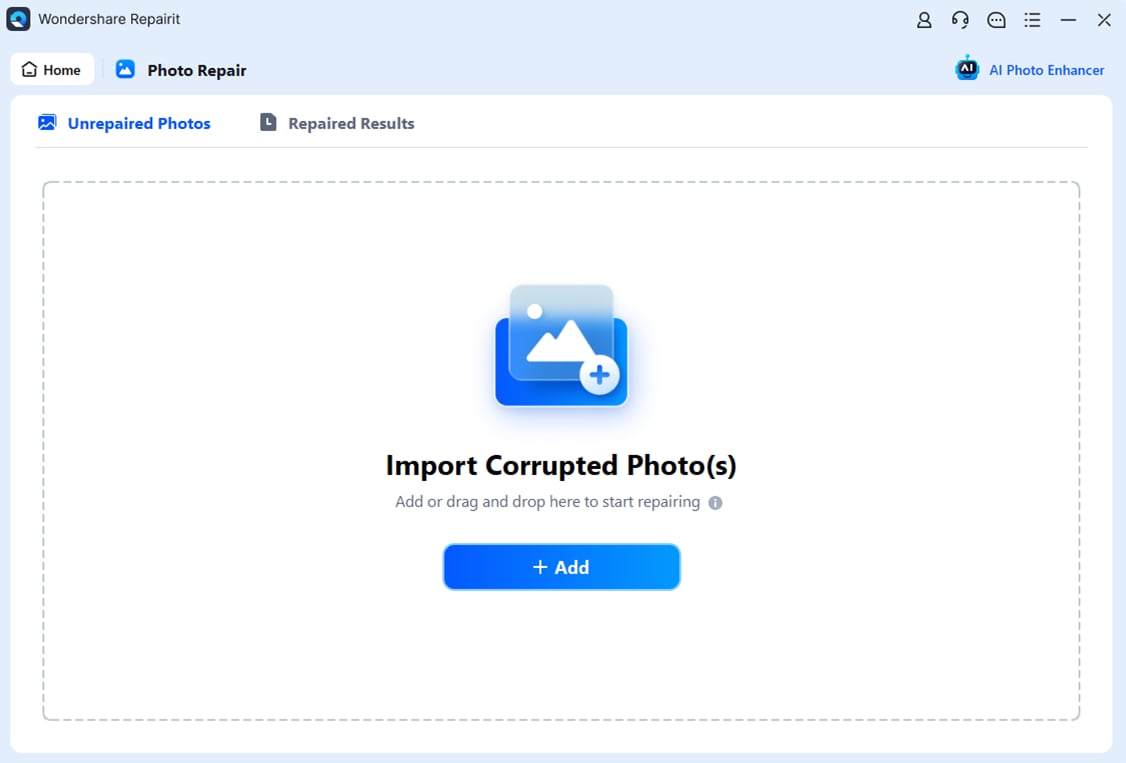
Choose a Location to Repair Data
Install and open Wondershare Repairit on your computer. On the main interface, select the module dedicated to photo or file repair, then browse to the drive, memory card, or folder where your problematic CRW images are stored. Add all damaged or unreadable CRW files to the repair list so Repairit knows exactly which items to process.
-
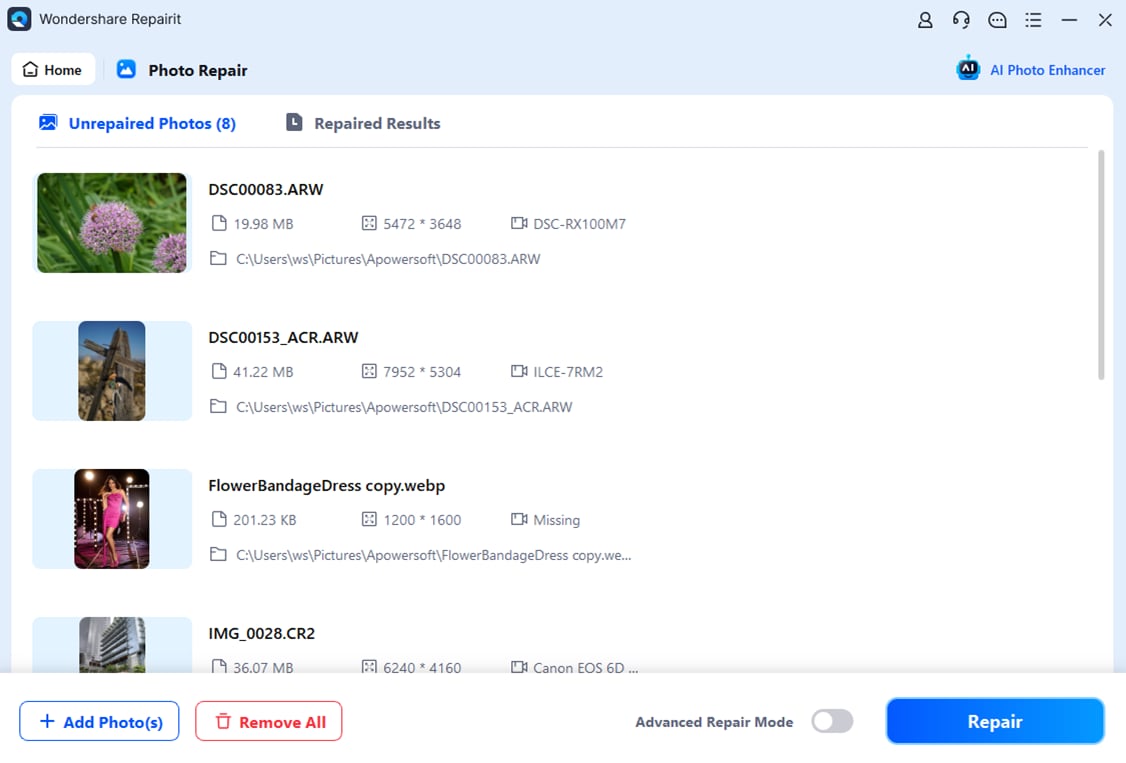
Deep Scan the Location
Start the scan to let Repairit thoroughly inspect the selected location and CRW files. The software analyzes file structure, metadata, and image data to detect errors that prevent normal opening. While the deep scan runs, you do not need to modify anything; Repairit works in the background without overwriting your original camera files.
-
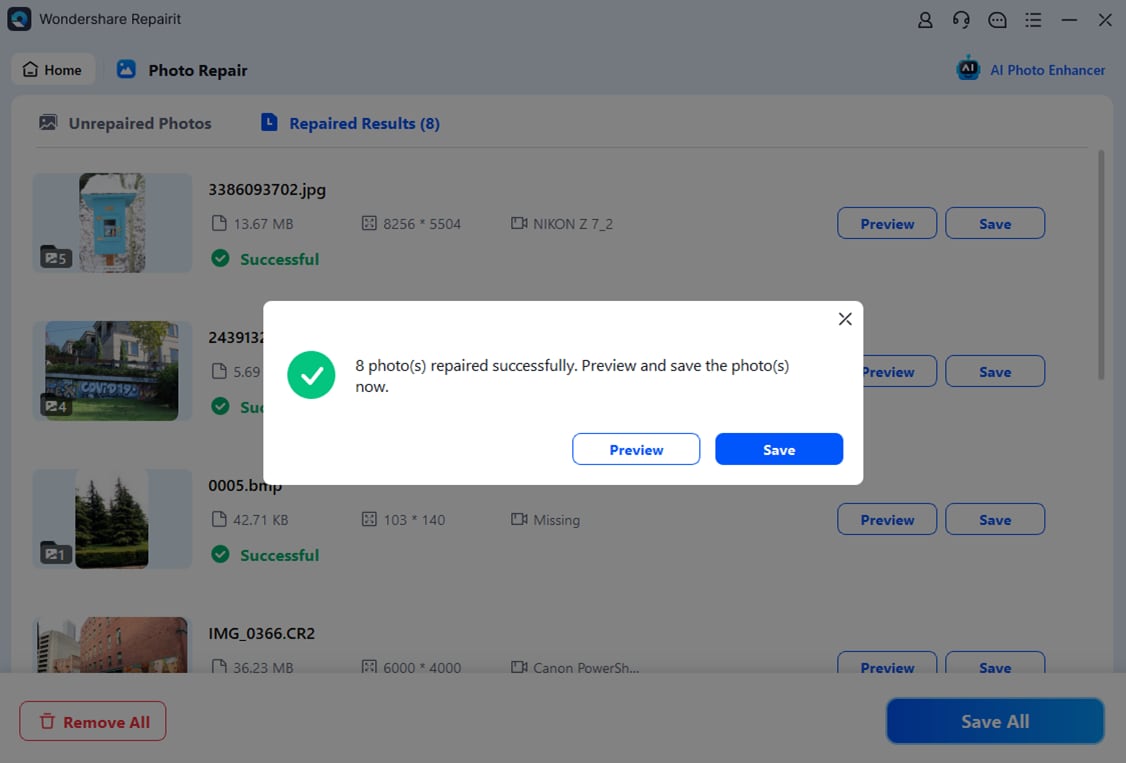
Preview and Repair Your Desired Data
After the scan finishes, Repairit lists the CRW files it can repair. Select a file to preview the restored image and check that key areas such as faces, edges, and colors look correct. When you are satisfied, choose the CRW photos you want to keep and click to save them, preferably to a different drive or folder to maximize safety.
Conclusion
CRW files are early Canon RAW images that store uncompressed sensor data, giving you far more flexibility for exposure and color correction than compressed formats. However, their age and proprietary structure can make them harder to open, convert, or share on modern systems.
By using compatible editors to view your canon raw file images, converting CRW to JPG when you need convenient sharing, and relying on a specialized repair tool like Wondershare Repairit to handle damaged files, you can keep your photo archive readable and secure for years to come.
Next: What Is Nef File
FAQ
-
1. What program opens CRW files?
You can open CRW files with Adobe Camera Raw, Adobe Lightroom Classic, older versions of Canon Digital Photo Professional, and third-party RAW viewers that still list CRW in their supported camera profiles. -
2. Can I convert a CRW file to JPG without losing quality?
Any conversion from CRW to JPG introduces some compression and, therefore some quality loss. However, if you export from a RAW editor at the highest JPG quality and correct color and exposure first, the difference is usually minimal for everyday viewing and printing. -
3. Why will my CRW file not open?
A CRW file may fail to open if your software no longer supports this legacy Canon format, if the file was only partially copied or downloaded, or if it is corrupted due to issues with the camera, memory card, or storage device. -
4. How can I tell if a CRW file is corrupted?
Signs of corruption include error messages when opening the file, missing or blank thumbnails, images that appear distorted or only partially rendered, and cameras or computers that suddenly cannot read CRW files stored on a previously working card. -
5. Is it safe to delete CRW files after creating JPG copies?
Deleting CRW files can save storage space, but you lose the ability to perform full RAW editing later. For important or irreplaceable photos, keep the original CRW files as digital negatives and use JPG copies only for sharing and quick access.




