Free AI tools have a habit of running out at the worst possible moment. WatermarkRemover.io offers new users a few free monthly credits before paid plans kick in. Anyone cleaning up more than a handful of photos starts hunting for a WatermarkRemover.io alternative shortly afterward. This guide uncovers 7 substitutes and their key details to choose the right option.
In this article
Part 1. What Is WatermarkRemover.io?
Knowing what the original tool does helps you evaluate whether alternatives genuinely improve upon it. 3 core questions cover all essential details before any useful comparison can take place.
What WatermarkRemover.io Does
WatermarkRemover.io is a browser-based tool covering image, video, and PDF watermark removal plus AI editing tools. You upload a photo, and its AI locates the overlay and reconstructs the area beneath it without asking you to select anything by hand.
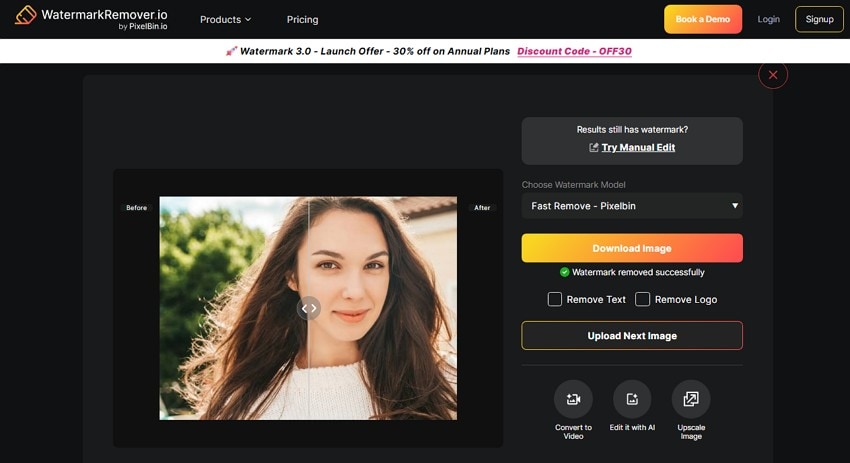
That automatic detection is the product's defining choice, and it cuts both ways. It eliminates the most complex step of the process for most users. Nonetheless, it prevents you from selecting a specific watermark on images with multiple marks.
Supported Image Formats
Before you seek any WatermarkRemover.io alternative, know what types of image formats it supports:
- JPG and JPEG: Stock library downloads, camera exports, and anything saved from a website.
- PNG: Screenshots, logos, and graphics that need a transparent background.
- WebP: Images saved directly from modern web pages, where the format is now common.
- HEIC: Photos taken on an iPhone, which are saved in this format by default.
Is WatermarkRemover.io Free?
There is a free tier, but calling the service free without qualification would be misleading. Access runs on a credit system, so free usage is limited before a paid plan becomes necessary.
| Plan | Price | Credits / Access | Best For | Main Limitation |
| Free | $0 | 3 free credits | Testing the AI remover | Few images, one-at-a-time processing |
| Paid Subscription | Subscription: from $0.03/credit; one-time: from $0.24/credit | Annual plans: 1,200-2,000 credits/year; one-time: 30-500 credits | Regular image editing | Unused subscription credits may expire |
| Commercial / API | Custom pricing (Contact Sales) | Bulk processing and API access | Businesses and developers | Cost scales with image volume |

Part 2. WatermarkRemover.io Pros and Cons: Essential Points to Consider
Before you commit to WatermarkRemover.io, go through this section to know its benefits and drawbacks.
Pros
- AI detects overlays automatically without any need for manual selection.
- The tool processes most individual images in under one minute.
- Broad format support lets iPhone users upload HEIC files directly.
- A split comparison view lets you preview results before downloading.
- The browser tool runs on any machine with zero installation.
Cons
- Regular use typically requires a paid plan once free credits are exhausted.
- Less control when multiple marks or complex areas appear.
- No manual brush or selection tools for precise watermark targeting.
- High-volume batch processing may require Enterprise or API plans.
- Detailed textures may need additional editing after AI removal.
Part 3. Why Look for a WatermarkRemover.io Alternative?
The given points further explain why you need a WatermarkRemover.io alternative in 2026:
| Limitation | What It Means for Users |
| Limited Free Credits | Free usage suits occasional edits, but frequent work typically requires a paid plan. |
| Complex Background Errors | AI may leave artifacts on textures like crowds, fabric, foliage, or repeating patterns. |
| Large Watermark Challenges | Full-frame or repeating watermarks are harder to remove cleanly than smaller overlays. |
| Limited Manual Editing | No manual brush or selection tools for precise watermark targeting. |
| Limited Batch Processing | Large-scale batch workflows may require Enterprise or API plans. |
| Cloud Upload Requirement | Images are uploaded for online processing, which may not suit private or sensitive files. |
Part 4. Top WatermarkRemover.io Alternatives to Consider in 2026
Given the limitations of WatermarkRemover.io, here are 7 best options you can consider:
Tool 1. Repairit Photo Eraser (Recommended)
-
Precise brush selection. Adjustable brush sizes and zoom controls help target small or complex watermark areas.
-
AI reconstruction. Removes watermarks, text overlays, unwanted objects, glare, reflections, and distractions.
-
Multi-platform access. Available across web, Windows, macOS, iOS, and Android.
Platforms: Windows, macOS, iOS, Android, and Web
Best For: Removing complex watermarks, text overlays, and logos.
Repairit uses AI to remove unwanted people, background clutter, wires, and distractions using a brush tool. In addition, it can also remove glare, camera flash, and light reflections from glass or glossy surfaces. Unlike WatermarkRemover.io, Repairit offers precise selection of small details using adjustable brush sizes and zoom controls. Most of all, you can try all the features for free, and the details are removed in 3 steps.
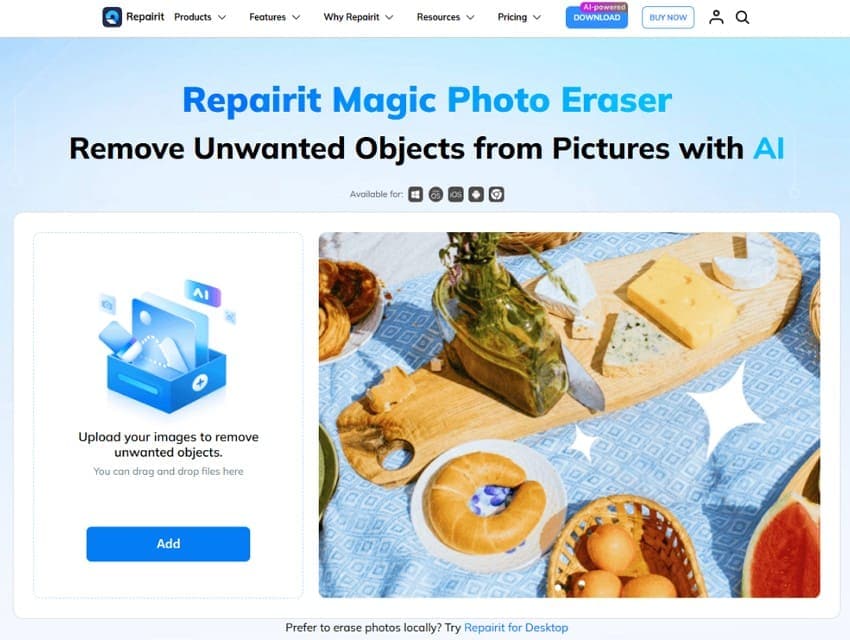
Unlike other watermark removers, you can also review the before-and-after results before saving the final image. This AI-powered tool works with standard image formats, including JPG, JPEG, PNG, BMP, and WebP up to 300MB. With all these aspects, zoom up to 500% and remove the watermark precisely.
Pros
- Adjustable brush sizes improve precision on detailed edits.
- Zoom controls help remove small or intricate watermarks accurately.
- Preview the cleaned image before exporting the final result.
- Removes unwanted objects, glare, reflections, and text from photos.
- Available across web, Windows, macOS, iOS, and Android platforms.
Cons
- Advanced features require a paid subscription.
Tool 2. Unwatermark.ai
Platforms: Web, iOS, and Android
Best For: Automatic watermark removal with optional manual refinement.
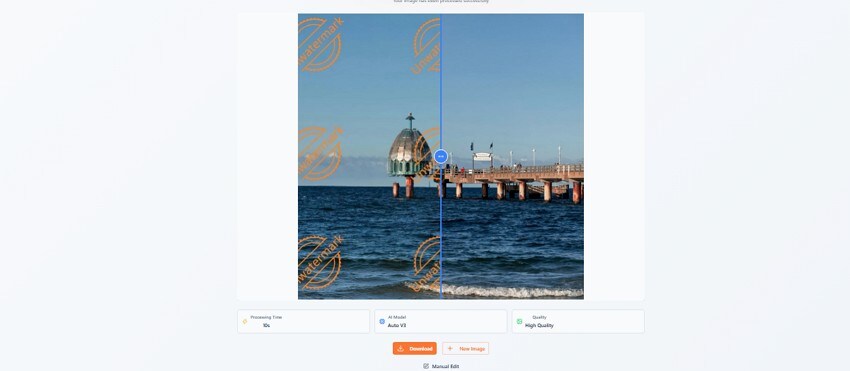
It's another WatermarkRemover.io alternative that finds and erases watermarks instantly without manual selection. The tool supports multiple AI models such as Auto V2.3, Auto V3, and Manual Mode. Users can upload PNG, JPEG, JPG, or WEBP within an 18MB limit or paste the URL.
Pros
- Cleans watermarks from multiple files simultaneously in bulk.
- Works directly in browsers without requiring an account login.
Cons
- Large or repeated watermarks can reduce removal quality.
- Free tier quickly restricts the number of daily exports.
Tool 3. HitPaw Watermark Remover
Platforms: Windows, macOS, and Web
Best For: Removing simple watermarks online using basic manual brush selections.
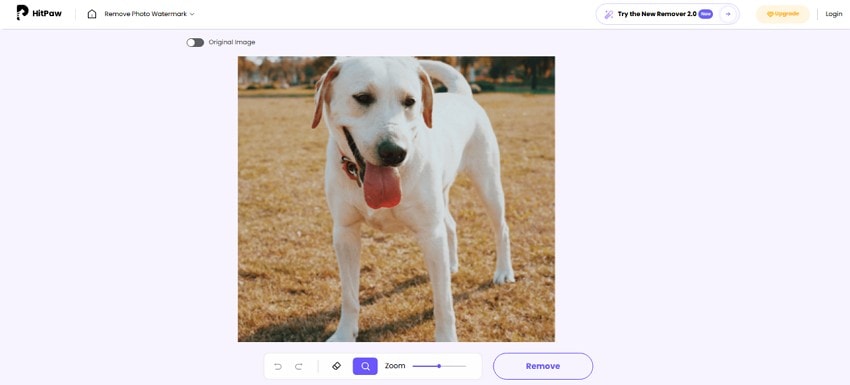
This WatermarkRemover.io alternative can handle common image files including JPG, PNG, JPEG, and WEBP. Using the brush, it lets you paint over specific watermark locations for targeted removal. The Original Image toggle makes it easy to compare results, and you can also revert changes.
Pros
- Intuitive interface with no skills or navigation required.
- Move options let you move the image within the frame.
Cons
- Remove watermarks from 1200 images in the paid plan only.
- Complex textures or faces leave noticeable blurs and artifacts behind.
Tool 4. Aiseesoft Free Watermark Remover Online
Platforms: Web
Best For: One-off cleanups where cost matters more than final image quality.
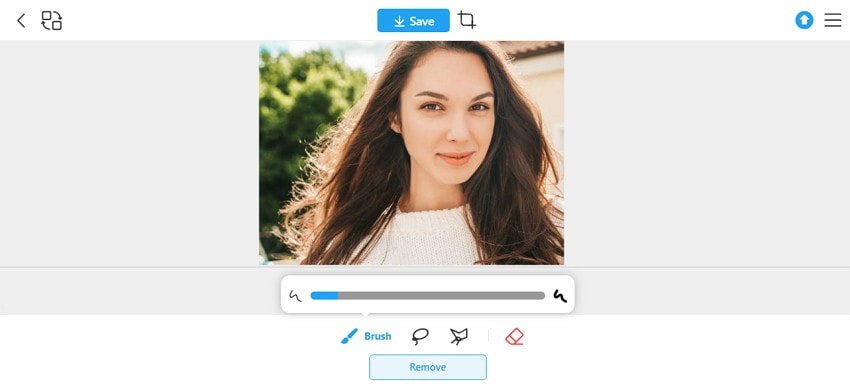
Unlike WatermarkRemover.io, this tool offers brush, lasso, polygonal, and eraser tools for precise area highlighting. With these aspects, it can clean multi-layered logos, text overlays, and date stamps in a few seconds. Users can upload JPG, PNG, and WEBP format images within a 10MB limit.
Pros
- Reconstructs background textures to maintain native image resolution.
- Runs entirely online without requiring local software installation or sign-ups.
Cons
- Limited options for advanced retouching after watermark removal.
- Works strictly on photos, requiring software for videos.
Tool 5. Fotor AI Object Remover
Platforms: Web, iOS, Windows, Mac, and Android
Best For: Light social work where the eraser is only part of the job.
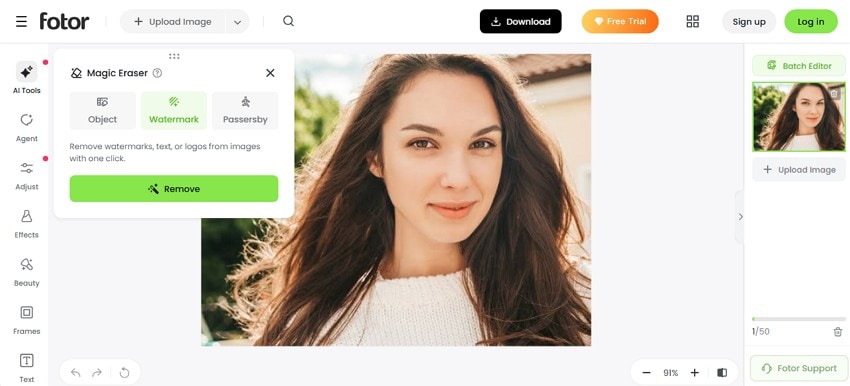
Its Magic Eraser comes with 3 modes: Object, Watermark, and Passerby. Users can choose from Standard and Advanced models in the Object tool. In the Watermark tool, it automatically fills in background details to match the surrounding imagery seamlessly.
Pros
- Retouching and color tools sit beside the eraser for follow-up work.
- Preset filters finish social images without opening a second editor.
Cons
- Free output carries a Fotor watermark, which rather defeats the purpose.
- The eraser itself is less refined than single-purpose competitors.
Tool 6. DeWatermark
Platforms: Web
Best For: Removing complex, low-opacity, or full-screen watermarks automatically in bulk.
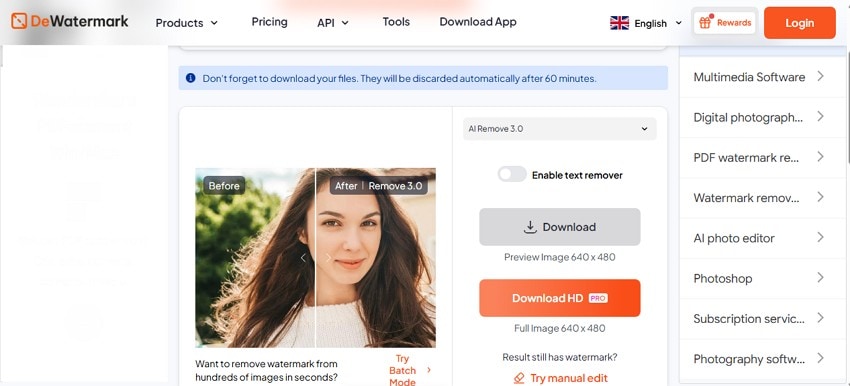
With this WatermarkRemover.io alternative, you can choose from Auto Remove 2.0, Auto Remove 3.0, Auto Remove 4.0, or PRO Remove models. It lets you upload multiple images up to 6000x6000px, with a 10MB limit. Most of all, it uses generative networks (GANs) to reconstruct original textures beneath watermark layers.
Pros
- Processes JPG, PNG, WEBP, and AVIF formats.
- Enables bulk removal across up to 50 photos.
Cons
- Free tier caps processing at just 3 images daily.
- Cluttered interface with too many ads.
Tool 7. SnapEdit
Platforms: Web, iOS, and Android
Best For: Everyday photos and portraits rather than high-resolution commercial assets.
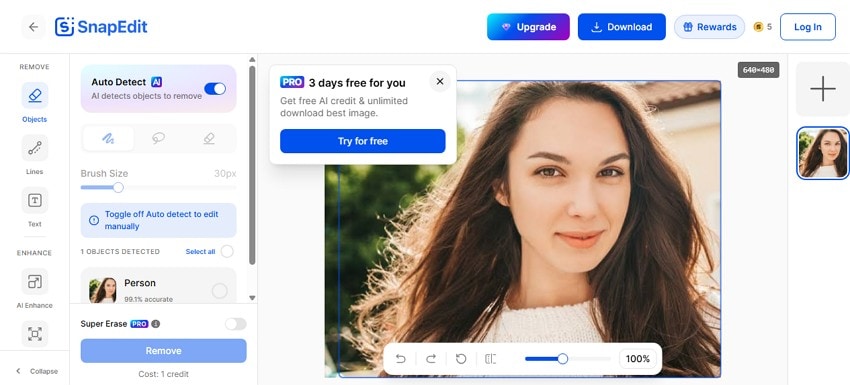
SnapEdit provides free AI credits with its plans. It automatically identifies and highlights photobombers, text, lines, and background clutter. On the same interface, you can access other AI tools as well and process multiple images under supported plans.
Pros
- Seamless experience across web browsers, iOS, and Android devices.
- Efficiently processes multiple image edits simultaneously on paid plans.
Cons
- The free account tier only grants 10 monthly credits.
- AI Super Remove requires top-tier subscriptions.
Part 5. WatermarkRemover.io vs. Top Alternatives Compared
To choose the right option among all the reliable WatermarkRemover.io alternatives, go through the mentioned table in detail:
| Tool | Price / Free Access | Manual Control | Batch Support | Processing Type | When To Choose |
| Repairit Photo Eraser | Free trial; paid plans | Adjustable brush and zoom | Desktop workflow support | Online + desktop | Precise watermark and object removal |
| WatermarkRemover.io | Free credits; paid plans | Automatic only | Plan dependent | Cloud-based | Fast automatic watermark removal |
| HitPaw Watermark Remover | Free trial; paid plans | Multiple selection tools | Paid plans | Local + web | Simple watermark removal |
| Aiseesoft Watermark Remover | Free online use | Lasso, polygon, brush | No | Cloud-based | Occasional quick edits |
| Fotor AI Object Remover | Free tier; premium plans | Basic tools | Limited | Cloud-based | Social media edits and quick retouching |
| DeWatermark | Free credits; paid plans | Limited | Bulk support (plan dependent) | Cloud-based | Bulk automatic watermark removal |
| SnapEdit | Free credits; premium plans | Basic brush tools | Batch editing on paid plans | Cloud-based | Mobile photo cleanup |
Verdict: Repairit Photo Eraser stands out with precise manual brush controls, AI-powered reconstruction, and support across both its online and desktop versions. It is the strongest choice for removing complex watermarks while giving users greater control over the final results.
Part 6. [Guide] How to Remove Watermarks with Repairit Photo Eraser
Since this tool excels as the best WatermarkRemover.io alternative, learn how to use it via the mentioned guide:
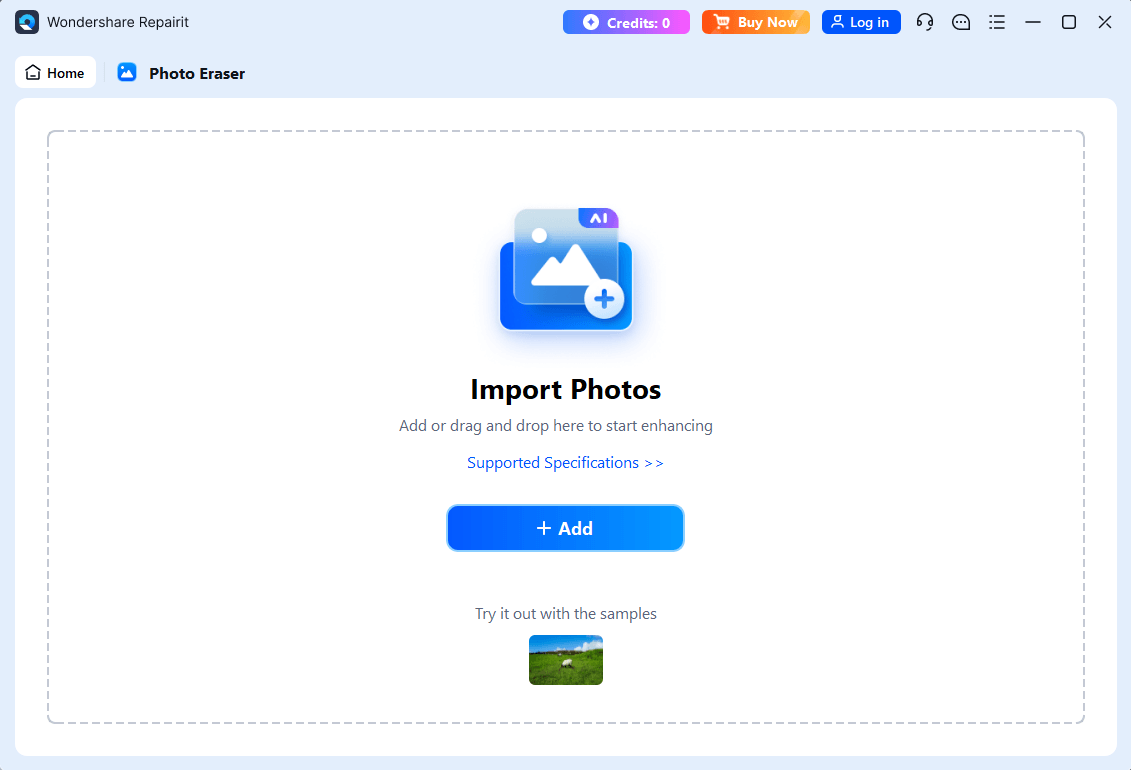
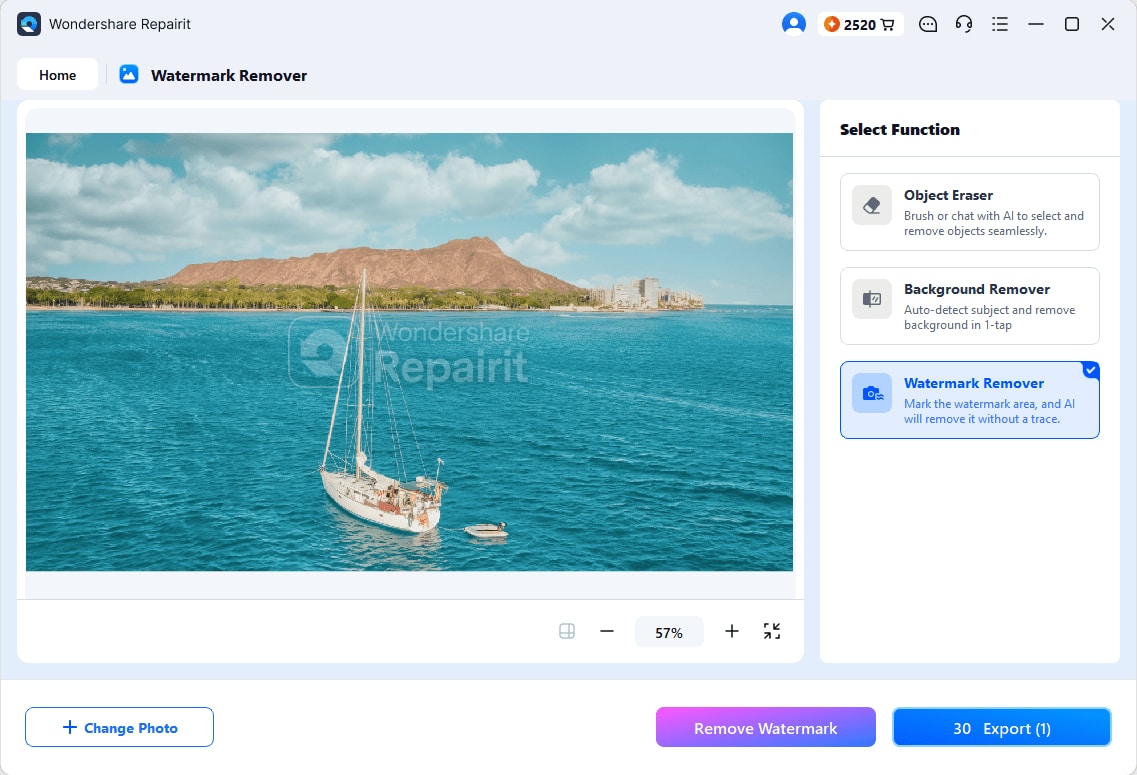
Step 1. Add the Image You Want Cleaned. Open the Photo Eraser tool, go to the Watermark Remover feature, and press Add Photo to bring in the picture carrying the watermark.
Step 2. Brush Over the Watermark. Mark the overlay with the brush, using the zoom control for thin lettering or soft edges that are easy to miss at normal magnification.
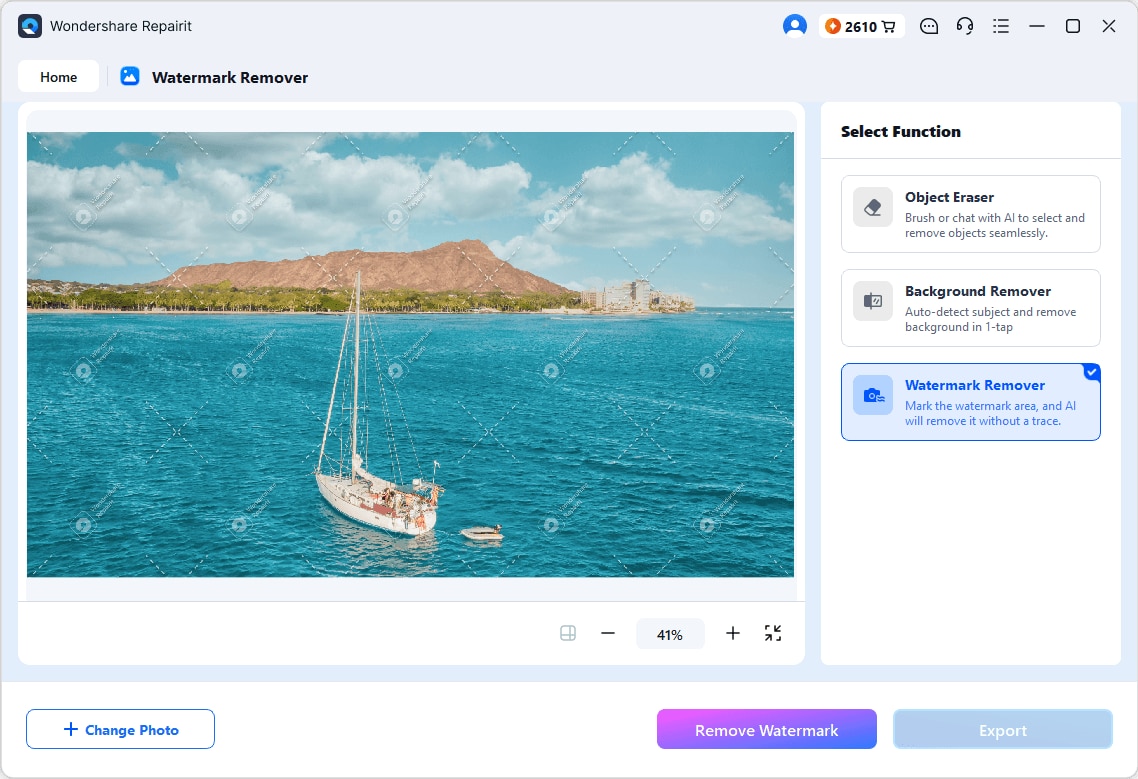
Step 3. Check the Result and Save. Review the reconstructed area at full size, then save the finished image via the Export button once the fill blends convincingly with everything around it.
Part 7. Tips for Better AI Watermark Removal
After you choose the right WatermarkRemover.io substitute, follow these practical tips for best results:
- Use High-Resolution Images: Larger, high-quality images provide more surrounding detail, helping AI reconstruct removed areas more accurately.
- Select the Entire Watermark: Cover the complete watermark in one pass to avoid leftover marks and reduce repeated editing.
- Avoid Heavy Image Compression: Highly compressed images contain artifacts that make clean AI reconstruction more difficult.
- Review AI Results Before Saving: Zoom in and inspect edited areas carefully before exporting the final image.
- Retouch Remaining Imperfections: Use a clone or healing brush to fix small artifacts that AI may leave behind.
- Save a Copy of the Original Image: Keep the original file so you can retry the removal or compare results if needed.
Conclusion
WatermarkRemover.io works well for quick edits, but limited credits, complex backgrounds, and the lack of manual controls can become obstacles. Repairit Photo Eraser addresses these limitations with precise brush selection, AI-powered reconstruction, and support across both its online and desktop versions. Choose the tool that best fits your workflow, and only remove watermarks from images you own or are authorized to edit.
Frequently Asked Questions
-
1. Is removing a watermark from an image legal?
It depends entirely on ownership. Removing your own watermark or a camera date stamp from your own photo is perfectly legitimate. Stripping a copyright mark from someone else's work is a different matter, and can breach both copyright and the DMCA provisions covering copyright management information. -
2. Is Repairit Photo Eraser worth using for watermark removal?
Repairit Photo Eraser offers a free trial with AI watermark removal and manual brush controls. Paid plans unlock higher usage limits and additional features. -
3. Can AI remove a watermark without leaving any trace?
On plain or evenly textured backgrounds, usually yes. Marks sitting over detailed foliage, crowds, or repeating patterns almost always leave something behind, and a manual retouch afterward is the realistic expectation. -
4. Do these tools work on large or diagonal watermarks?
Large repeating patterns are the hardest case for every tool tested, because the AI has less clean surrounding texture to sample. Brush-based tools handle them better than fully automatic ones, since you can treat the image in sections.