
ARW is Sony’s RAW image format. It keeps all the details captured by your camera. This gives you high image quality and more editing control. But the files are bigger and not always easy to open.
Not all apps, websites, and social media platforms support ARW formats. That’s why you might need to convert ARW files to JPG. JPG files are smaller, widely supported, and much easier to share, upload, or store.
So, this article made it easy for you. We tested and compared the best online ARW to JPG free converters based on their speed, image quality, usability, and limits.
Table of Contents
How We Tested These ARW to JPG Converters
To give you honest results, we tested each ARW to JPG converter using real Sony ARW files. We checked who it’s best for, looked at the key features, and compared the pros and cons. We also reviewed the free limits, like file size and daily usage caps.
Then, we followed the actual steps to convert ARW to JPG to see how easy and fast the process was. Finally, we shared our testing verdict based on speed, image quality, usability, and overall performance.
Quick Comparison Table
| Tool | Best For | Key Strength | Free Limits |
| Convertio | Great for quick, single-file conversions | Simple interface, 300+ formats, fast conversion | 100 MB per file |
| ILoveIMG | Best for easy bulk ARW to JPG tasks | Batch conversion and basic editing tools | Unlimited conversions, but advanced quality needs premium |
| FreeConvert | Ideal for high-resolution or large files | Up to 1 GB file size, advanced settings | Up to 1 GB per file (batch limited) |
| Zamzar | Good for small, one-time conversions | Trusted service, very easy to use | 2 conversions per day, 50 MB limit |
| CloudConvert | Best overall for quality and customization | Quality settings and strong security | 10 free conversions per day |
Part 1. What Is an ARW File and Why Do You Need to Convert It to JPG?
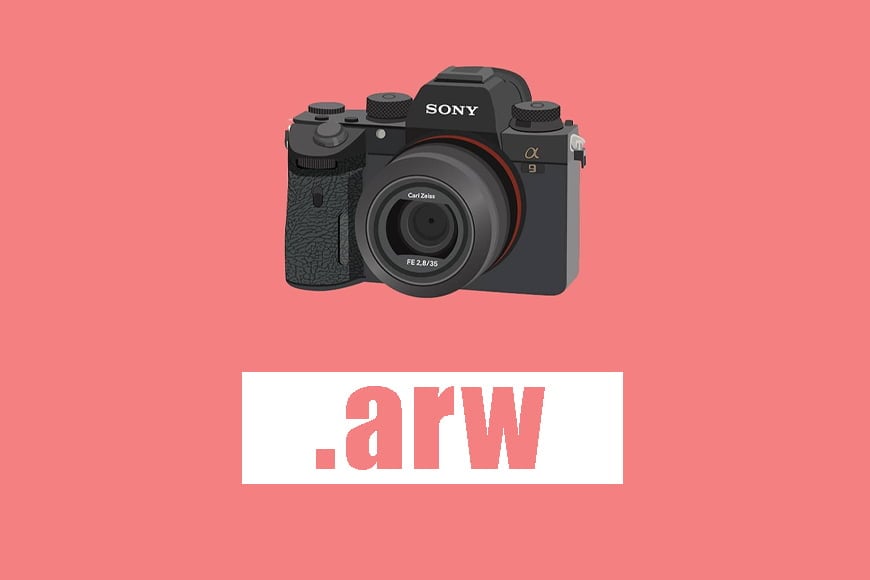
An ARW file is a RAW photo from Sony cameras. RAW keeps all the details your camera captures, like colors, light, and shadows, which is perfect for editing. But ARW files store so much data. A single ARW photo can take up a lot of storage space. They also need special software to open and edit. Not all devices, apps, or websites support RAW files.
JPG files are different. They are smaller, easy to open, and simple to share on any device. That’s why many people convert ARW to JPG. It saves space, makes sharing easy, and works everywhere.
You may also interest: Which Image Format is Better - RAW vs. JPEG vs. DNG
Part 2. 5 Best ARW to JPG Free Converters
We’ve tested and compared the 5 best free online ARW to JPG converters to help you pick the right tool for your needs.
1. Convertio - Simple Online ARW to JPG Converter
Best for: Everyday users who want a reliable converter with big format support.
Key Features:
- Supports 300+ formats, including ARW, JPG, and hundreds of other file types.
- The Convertio’s ARW to JPG conversion finishes in 1-2 minutes.
- You can adjust quality, size, rotation, and more for better results.
- The uploaded files are deleted immediately, and converted files are removed after 24 hours.
- Convertio works on any browser and device.
Free Limits:
100 MB per file; no large batch transfers without signing up.
How to Convert ARW to JPG:
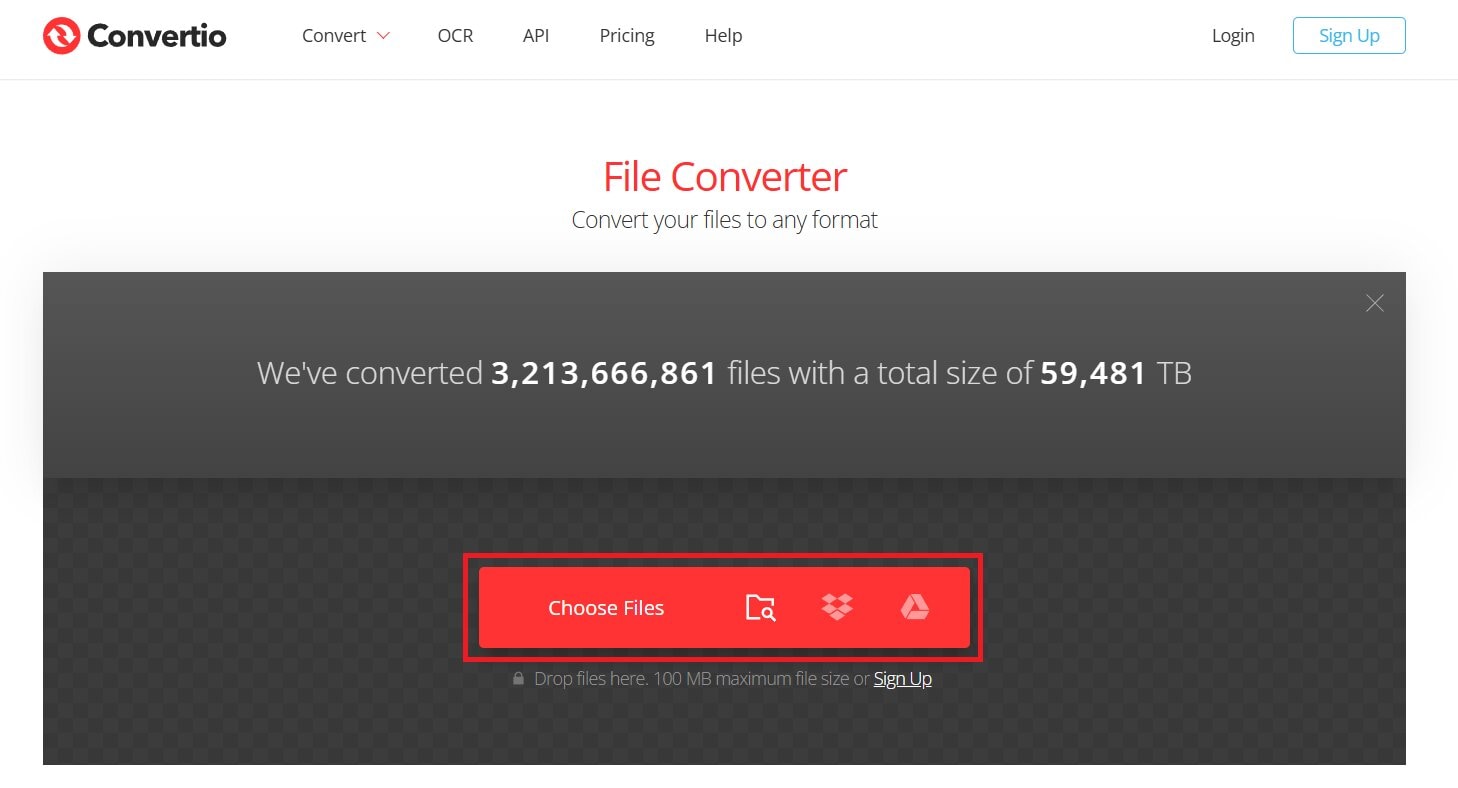
Step 1: Click Choose Files from your computer, Google Drive, Dropbox, URL, or just drag them onto the page.
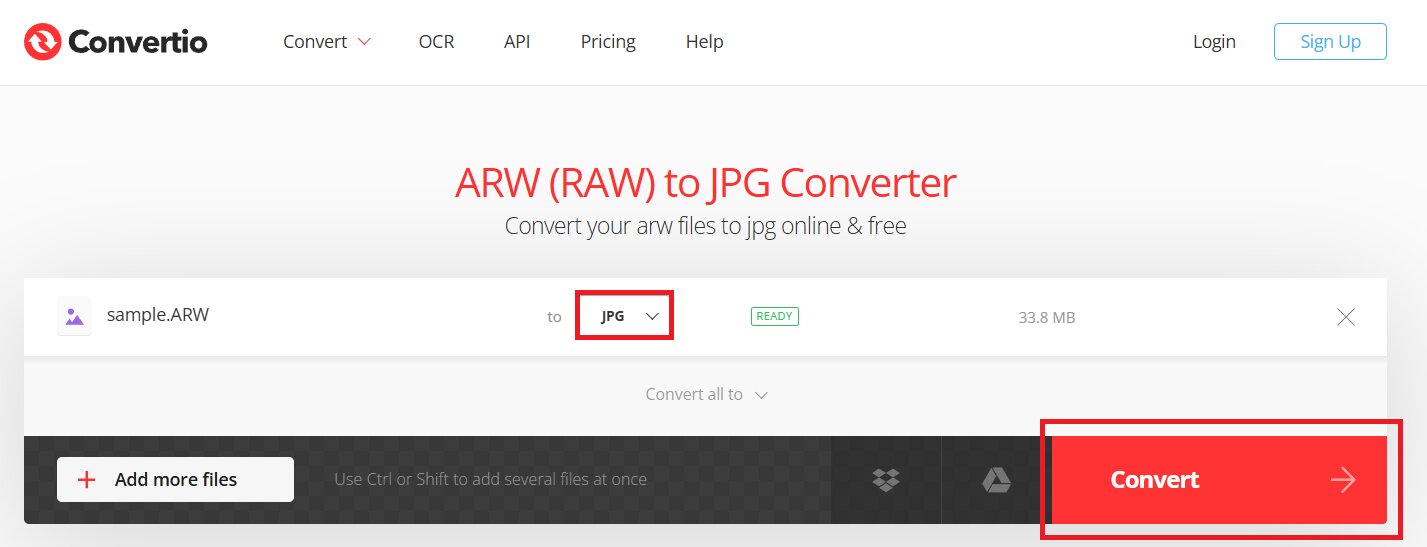
Step 2: Pick JPG as the output format and hit Convert.
Step 3: Wait for the ARW conversion to finish, then download your JPG file.
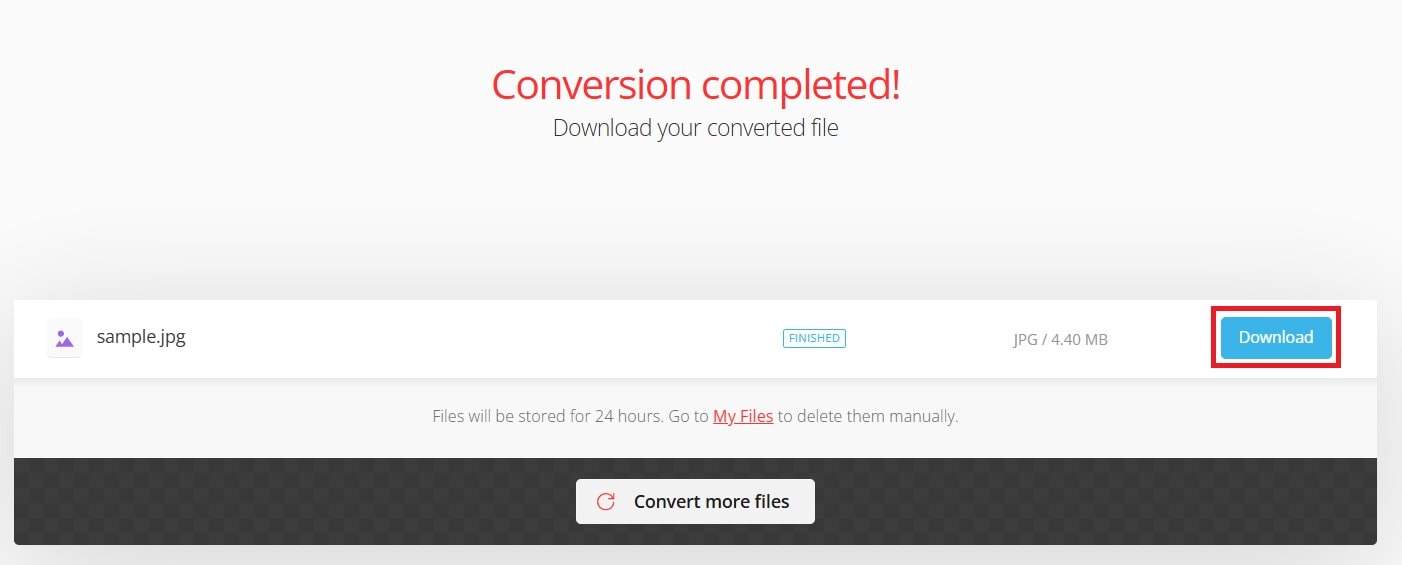
Our Testing Verdict: Great for casual users and quick single-file conversions. Easy to use and reliable for common ARW to JPG tasks.
2. ILoveIMG - Easy ARW to JPG Free Converter
Best for: Users who want a simple drag-and-drop tool for quick conversions, including bulk jobs.
Key Features:
- You can convert multiple ARW files at once to save time.
- Change PNG, GIF, TIF, PSD, SVG, WEBP, HEIC or RAW to JPG format.
- You can choose JPG compression to balance size and image clarity.
- You can import ARW files from your computer, Google Drive, or Dropbox.
- ILoveIMG lets you resize, crop, rotate, or add watermarks while converting.
Free Limits:
Unlimited conversions, but advanced quality settings needs premium subscription.
How to Convert ARW to JPG:
Step 1: Click Select Images from your drive or folder. You can also drop the ARW file directly.

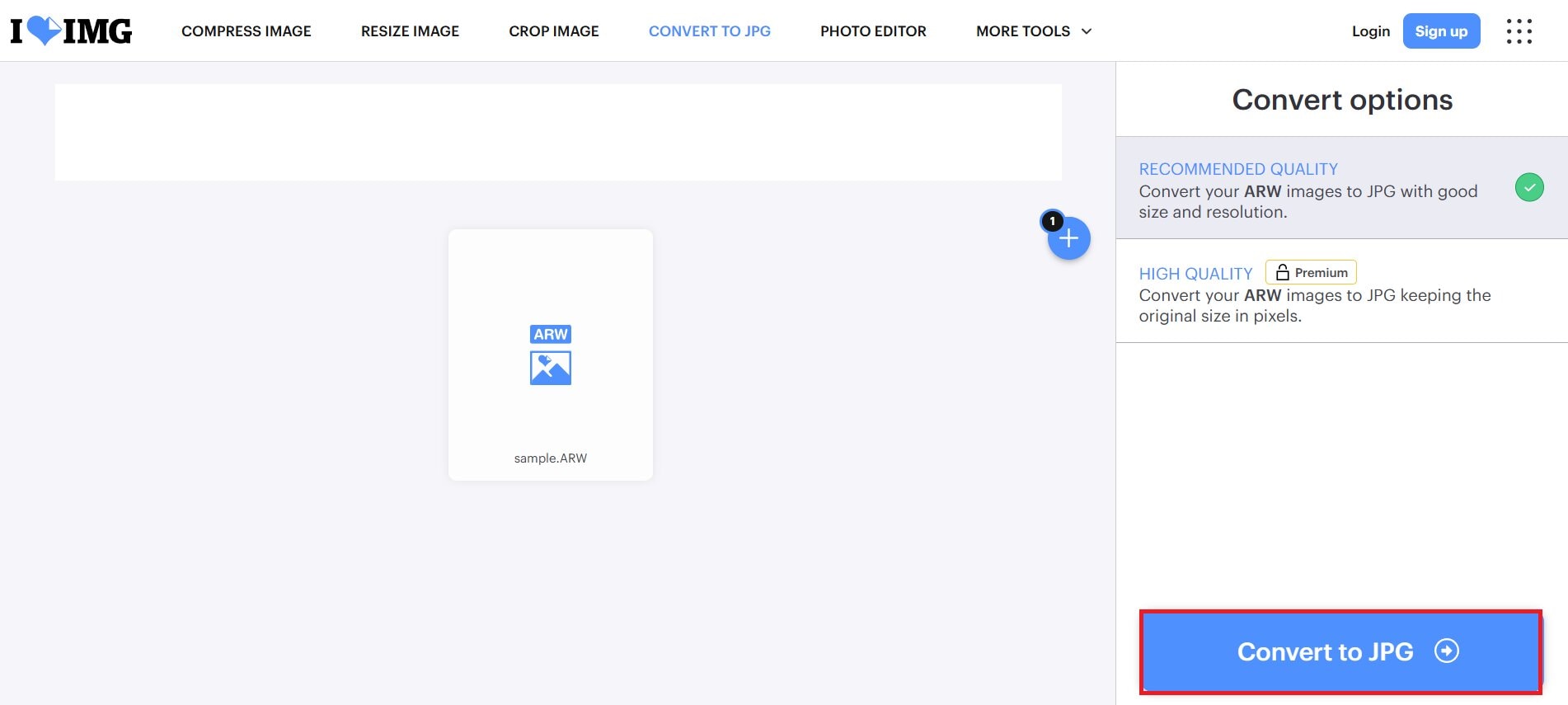
Step 2: Hit Convert to JPG.
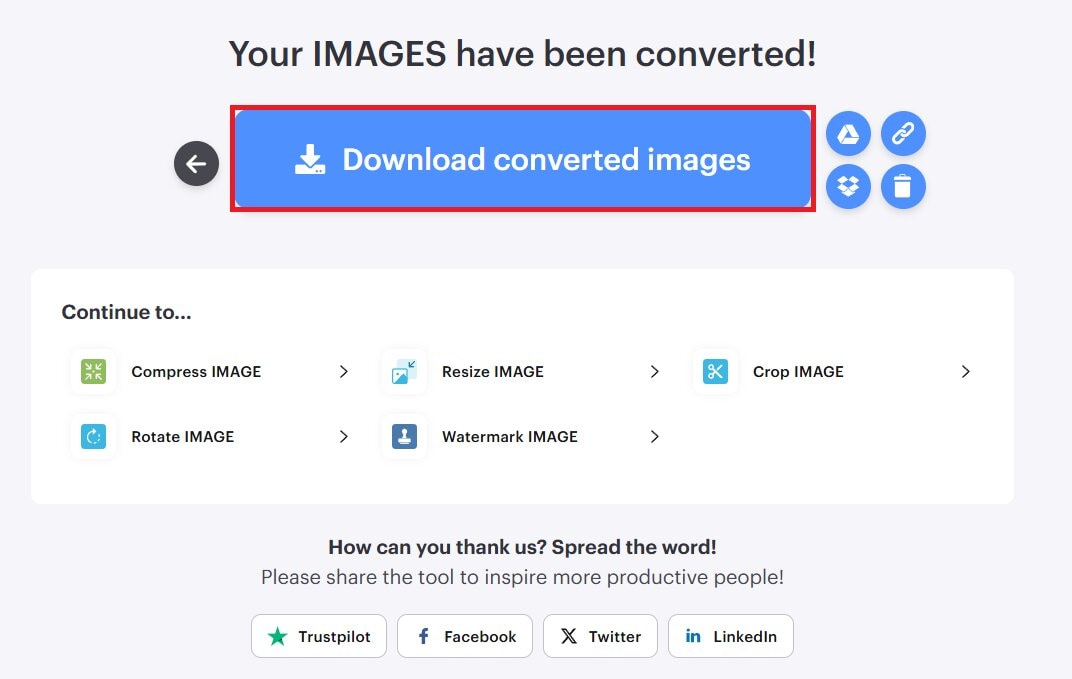
Step 3: Your ARW images have been converted. Press Download converted images to save.
Our Testing Verdict: A solid choice if you want a simple tool that handles multiple RAW files at once.
3. FreeConvert - Flexible ARW File Convert to JPG Tool
Best for: Users who need flexible adjustments to conversion settings and larger file limits.
Key Features:
- You can convert high-quality ARW files using its advanced settings.
- FreeConvert functions in any browser on Windows, Mac, Linux, or mobile devices.
- The tool lets you convert images, videos, audio, or e-books online for free.
- Your JPG files are protected with 256-bit SSL and removed automatically.
- You can convert numerous ARW files to JPG quickly.
Free Limits:
Up to 1 GB per file on the free tier, and the batch isn’t unlimited.
How to Convert ARW to JPG:
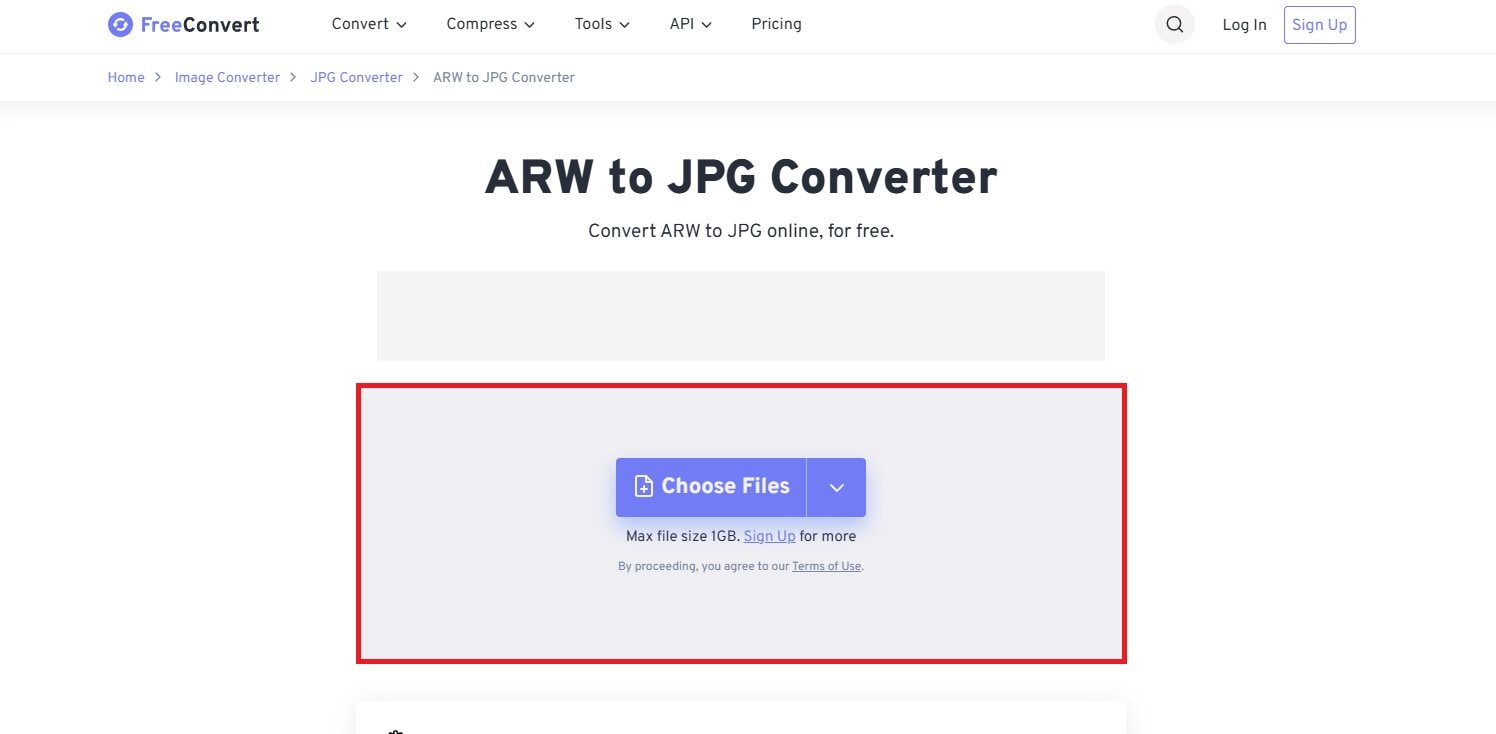
Step 1: Press Choose Files to pick ARW photos from your device, Dropbox, Google Drive, Onedrive and URL.
Step 2: Click Convert to transform ARW to JPG.
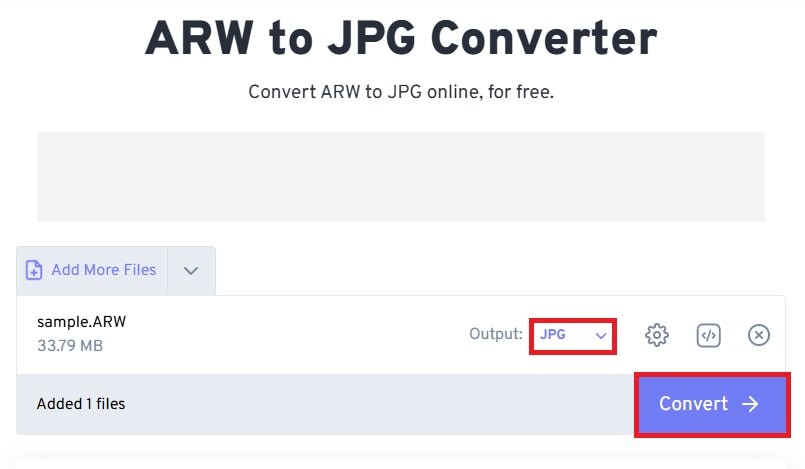
Step 3: When it says Done, hit Download to save your JPG files.
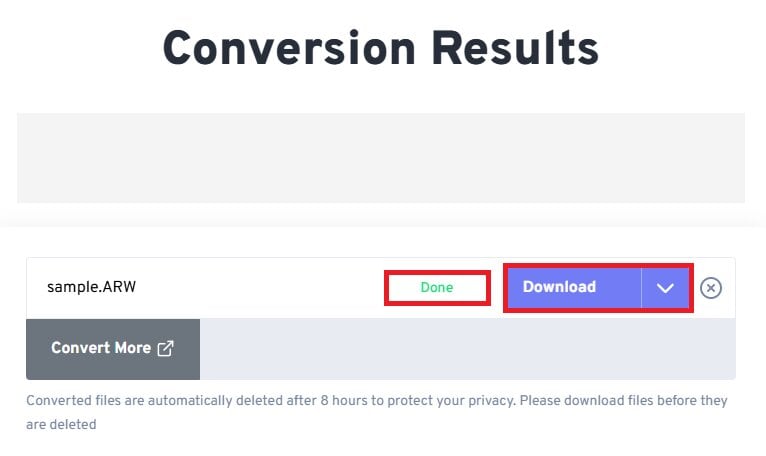
Our Testing Verdict: Best for users with larger or multiple ARW files who want some extra adjusting options.
4. Zamzar - Reliable ARW to JPG Converter Free
Best for: Users who want a trusted service without needing software installed.
Key Features:
- Zamzar has been converting files since 2006, with millions of users.
- You can email their team if you have trouble converting a file.
- The converted JPG files are ready to download in under 10 minutes.
- The tool works with 1,200+ file types, including ARW and JPG.
Free Limits:
2 free conversions per day with a 50 MB size limit.
How to Convert ARW to JPG:
Step 1: Click Choose Files under 50MB to upload your ARW photos.
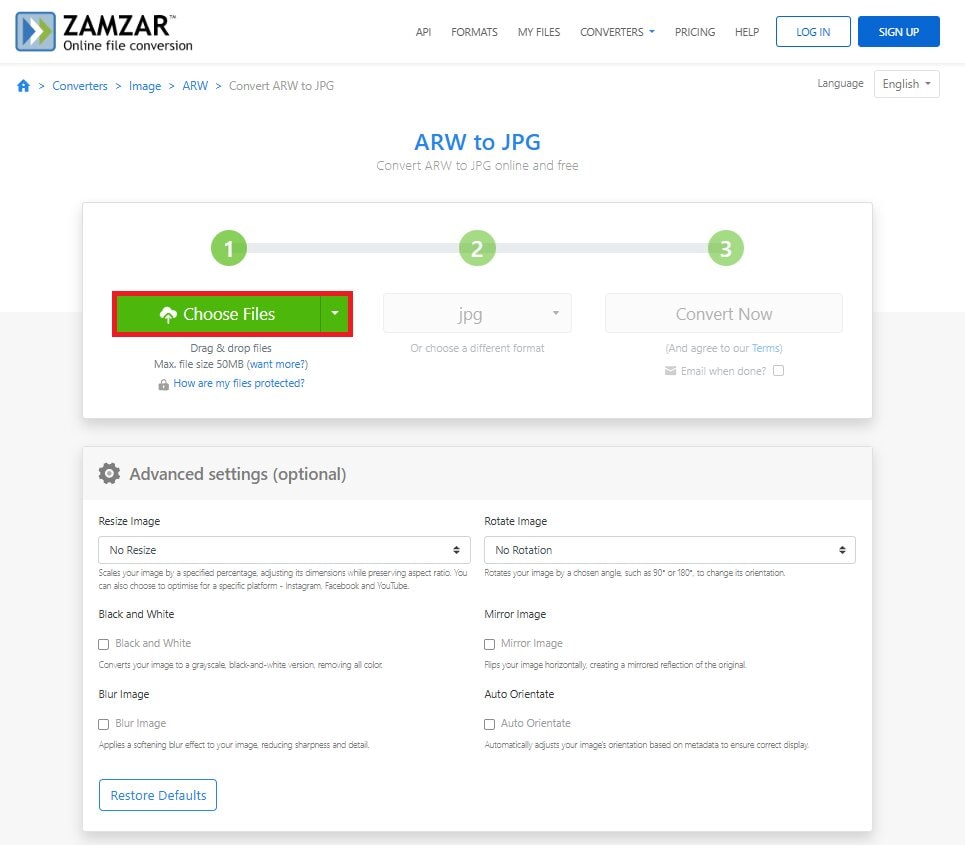
Step 2: You can adjust the settings and click Convert.
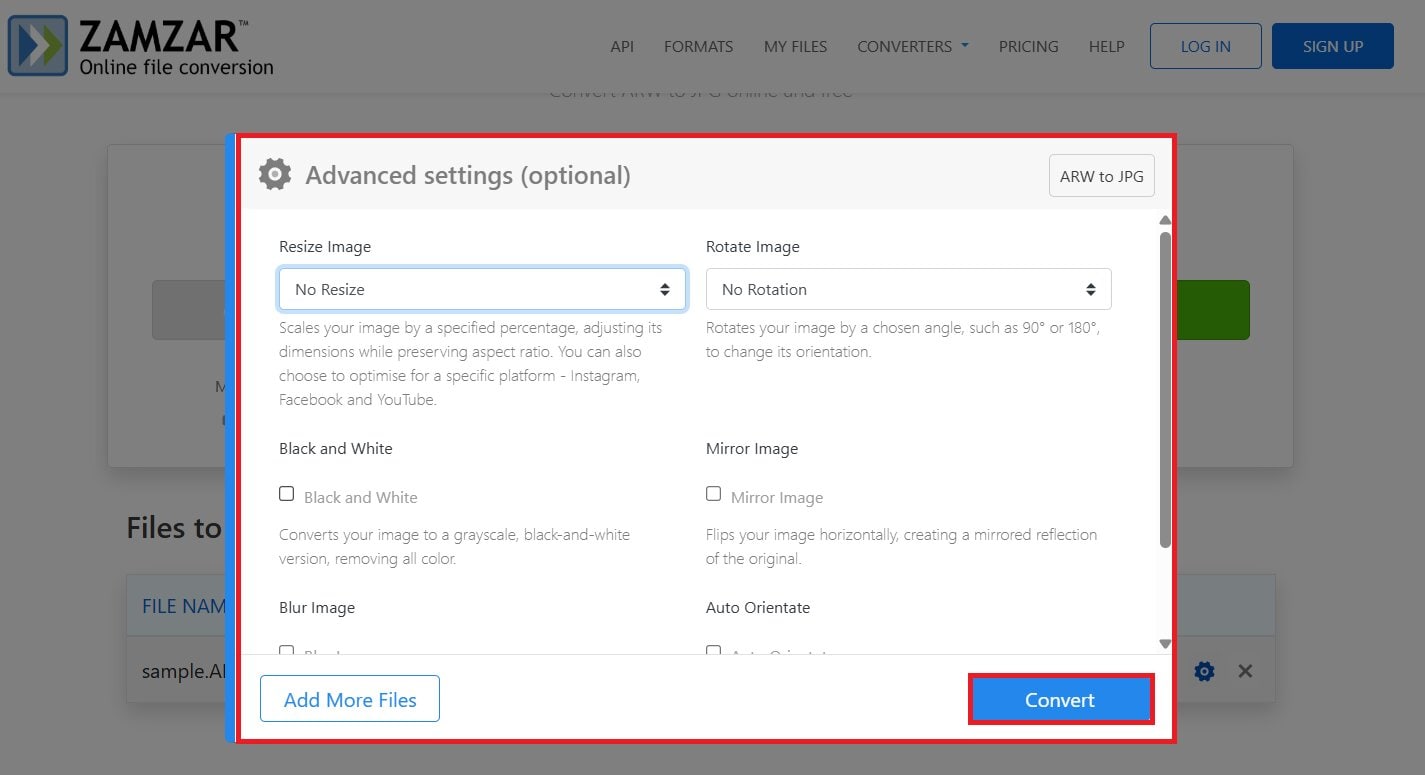
Step 3: When all is done, hit Download to keep your JPG file. You can see your file within 24 hours.
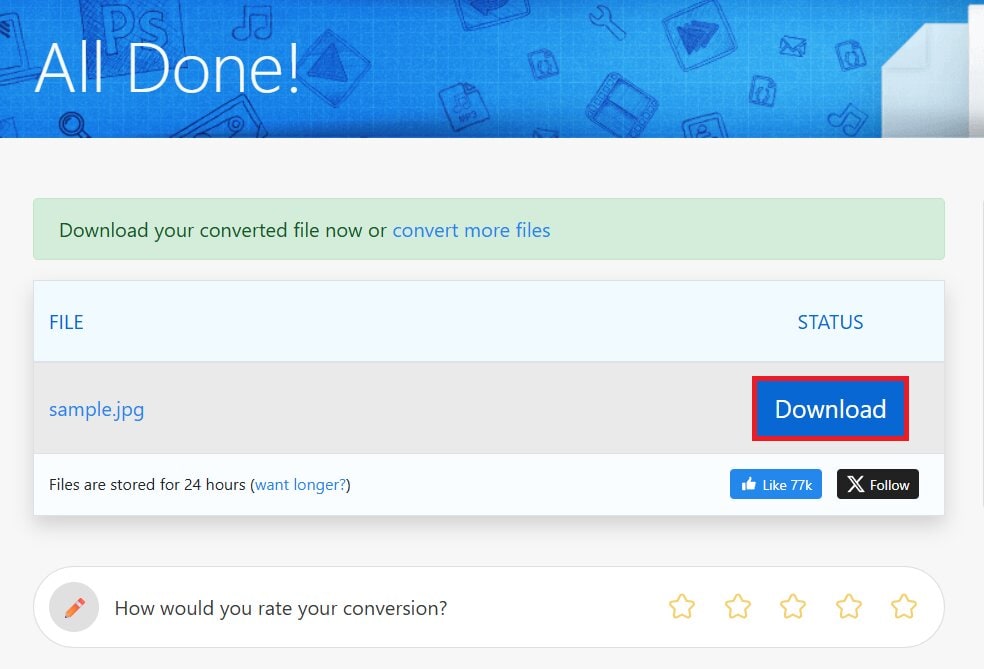
Our Testing Verdict: Good for single ARW to JPG conversions, but not great for bulk tasks or large ARW images.
5. CloudConvert - Advanced Online ARW to JPG Converter
Best for: Users who need high-quality control and advanced conversion options.
Key Features:
- CloudConvert supports 200+ formats, including images, videos, audio, documents, and more.
- It’s ISO 27001 certified. So, you can guarantee that your uploaded ARW files are private and not sold or shared.
- The tool offers top-rated conversions with options to adjust quality and other settings.
Free Limits:
Limited free conversions per day.
How to Convert ARW to JPG:
Step 1: Click Select File to pick your ARW photos.
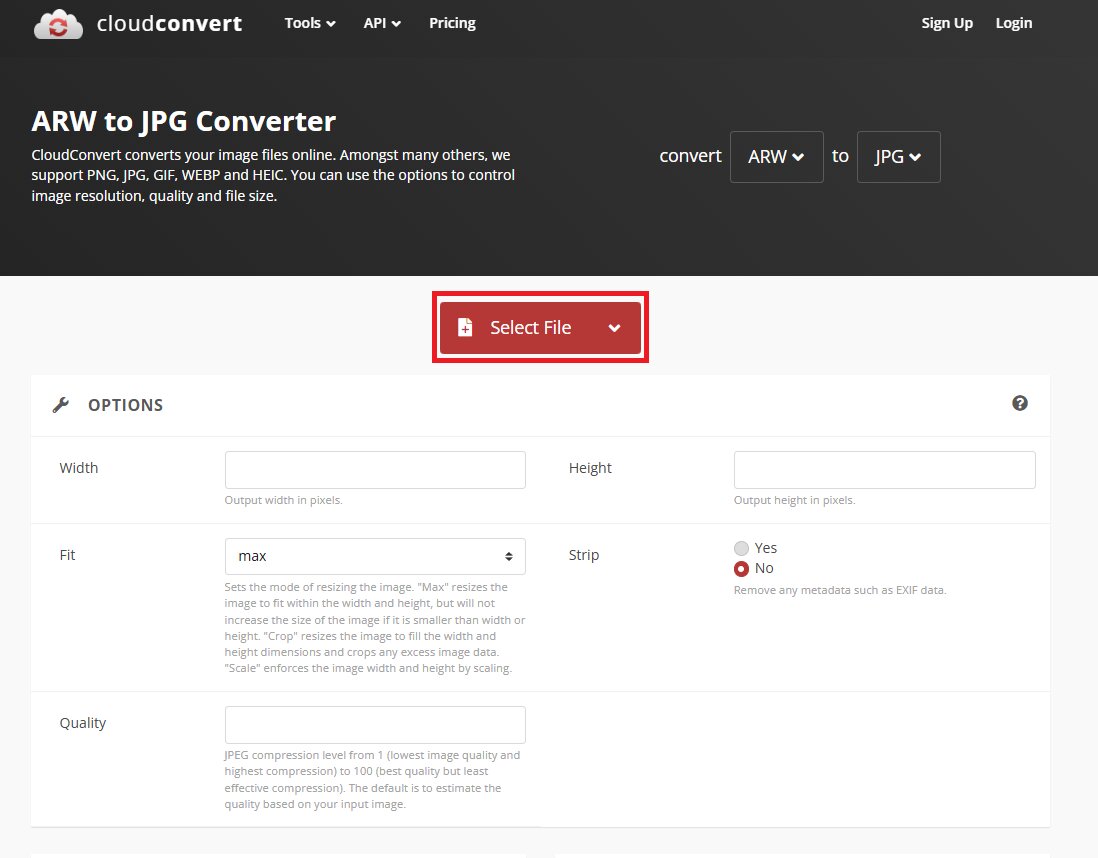
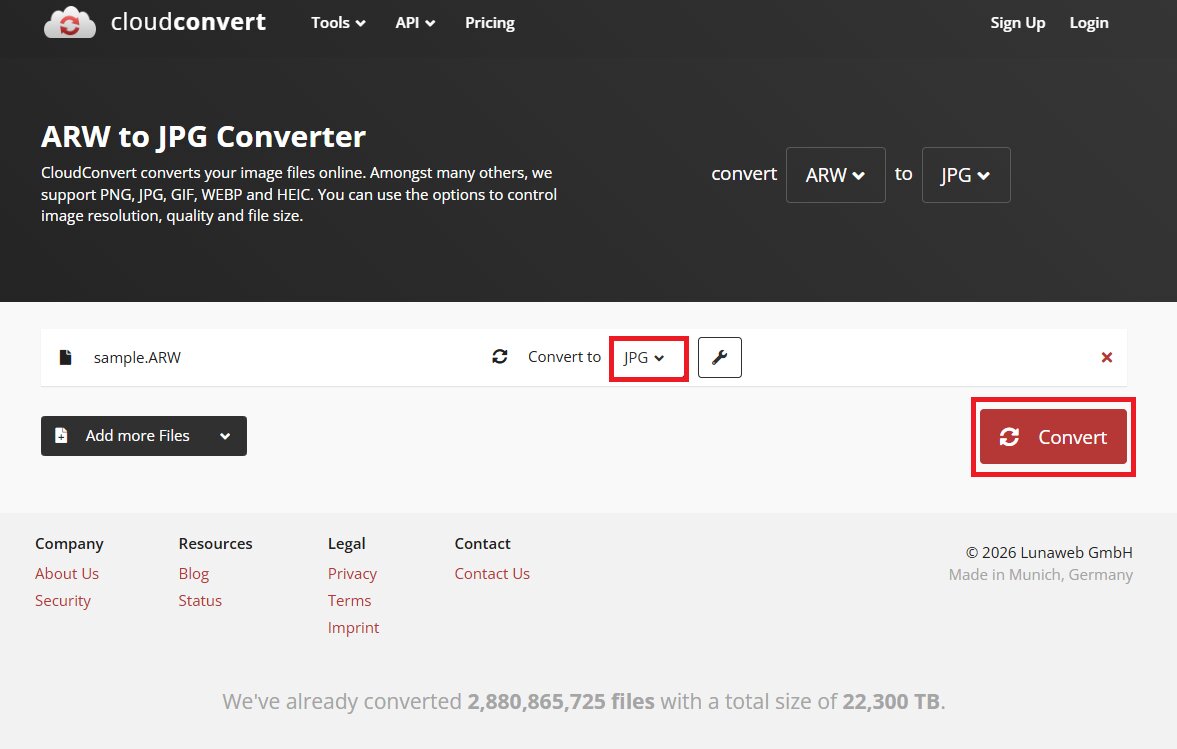
Step 2: Hit Convert to start the process.
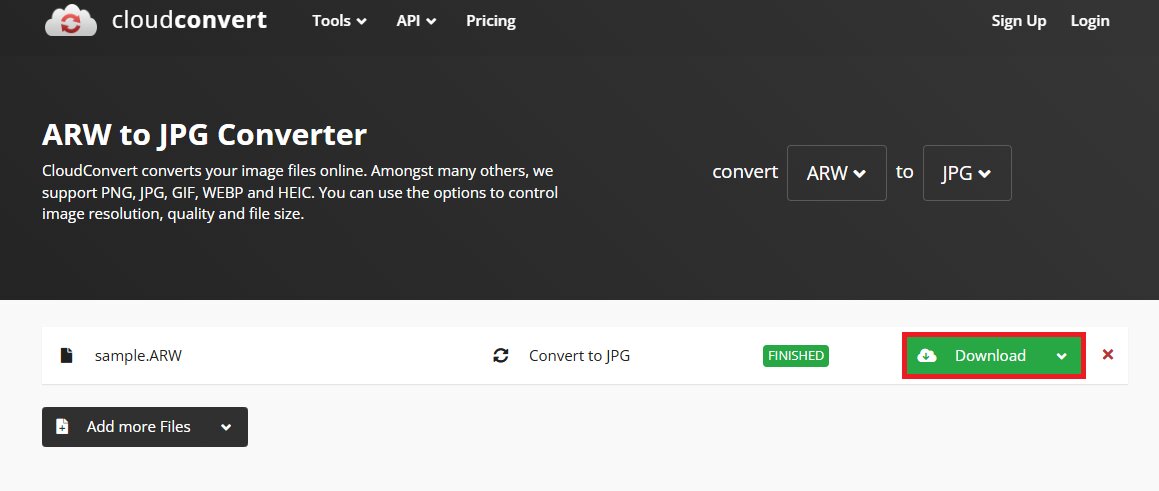
Step 3: Once finished, press Download to keep your JPG file.
Our Testing Verdict: Best choice for those who want more control over the conversion process.
Part 3. How to Choose the Best ARW to JPG Converter
There are many ARW to JPG converters online and offline. But not all of them are the same. Here are the things you should check before choosing one.
- File Size Limits: Some online tools only allow small file uploads. Since ARW files are large, check the maximum file size first. Choose a tool that can handle high-resolution images without strict limits.
- Batch Conversion Support: If you have many photos, converting them one by one takes too much time. A good converter should let you upload and convert multiple files at once. This makes your work faster and easier.
- Image Quality Control: Converting to JPG should not ruin your photo quality. Pick a tool that lets you adjust the JPG quality or compression level.
- Security & Privacy: Your photos should stay private and secure. Make sure the tool uses secure uploads and deletes files after conversion.
- Desktop vs Online Tools: Online tools are convenient to use without installing anything. Desktop tools are better for large files and frequent use. Choose the one that fits your workflow best.
Part 4. Bonus: How to Fix Damaged ARW or JPG Files
Sometimes, photos get damaged. This can happen if the camera shuts down suddenly, the memory card has errors, or the file gets corrupted during transfer or conversion. When this happens, you may see errors, broken previews, strange colors, or files that won’t open at all.
The good news is that damaged ARW or JPG files can be repaired instantly. If your photos won’t open or are heavily damaged, you can use a professional repair tool like Repairit Photo Repair. It fixes corrupted image files, including RAW formats like ARW and common formats like JPG.
Here’s what it can help with:
- Repairit uses AI to properly fix damaged ARW and JPG files. It can repair broken, blurry, or unreadable photos automatically.
- You can repair many photos at the same time. This saves time when fixing large photo collections.
- Repairit can fix most types of photo damage. It handles broken files, color loss, and file errors. It’s a reliable tool for photo repair.
- Repairit can clean scratches, stains, or marks on photos. It keeps the important details while removing damage. This is helpful for old or scanned pictures.
- If your photo is too dark or too bright, Repairit balances the light. It adjusts brightness and contrast automatically.
The process is simple:
Step 1: Open Repairit and look for More Types Repair and choose Photo Repair.
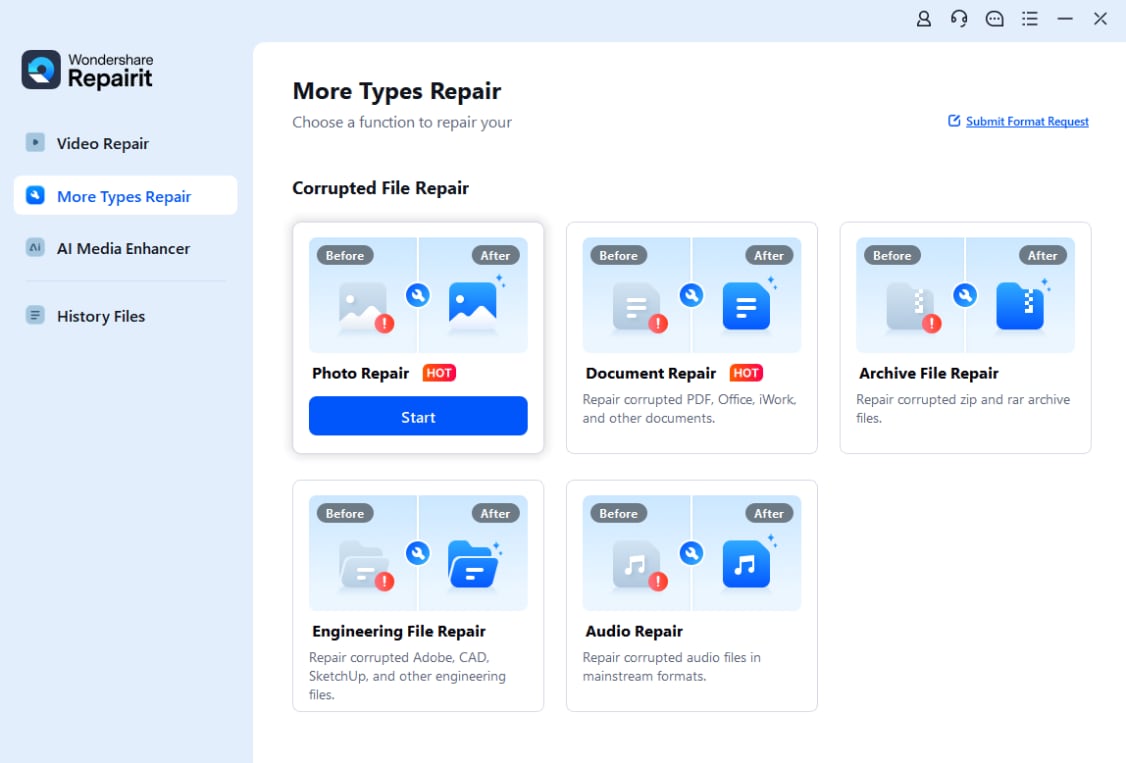
Click Add and select the corrupted ARW or JPG photos from your computer.

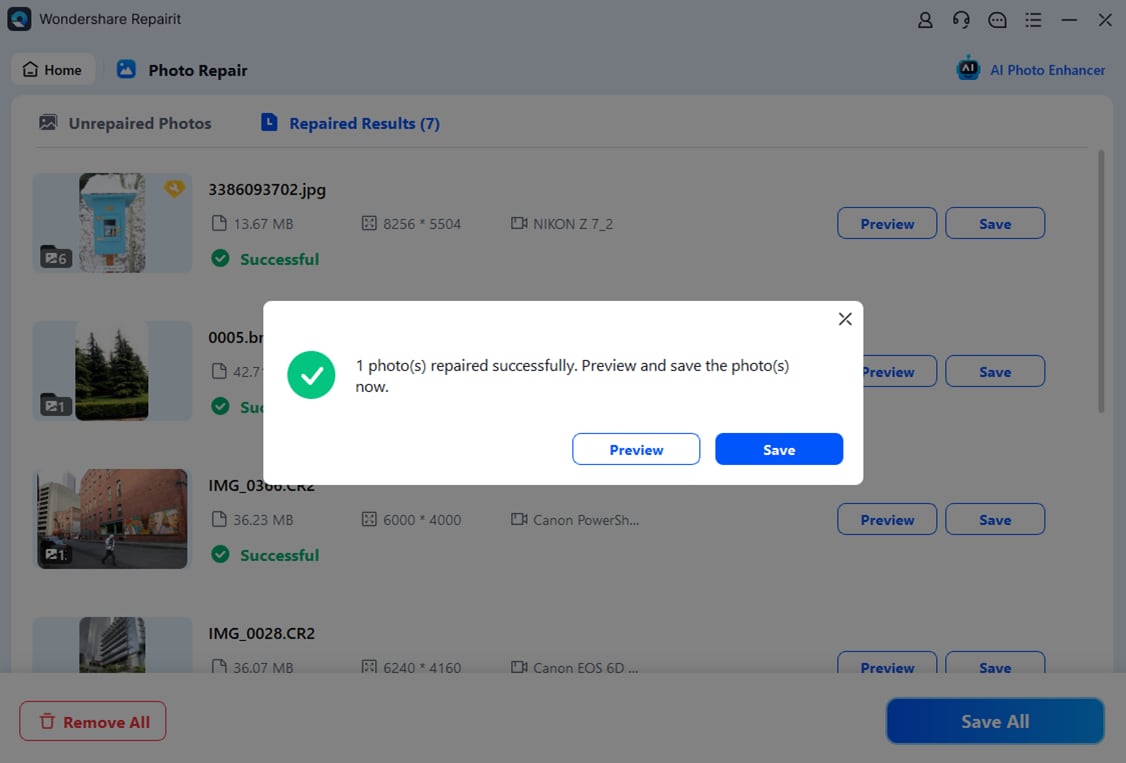
Step 2: After uploading, you’ll see the ARW or JPG photo thumbnails and details like size and resolution. Tick Repair to start fixing the images.

Step 3: If you’re happy with the outcome, click Save or Save All to export the ARW or JPG photo. Select where you want to store the repaired photos on your computer.
Editor’s Final Recommendation
After testing all five tools based on speed, quality, file limits, ease of use, and extra features, here’s our final verdict:
Best Overall: CloudConvert
If you want the best balance of quality, features, and reliability, CloudConvert stands out. It supports large files, batch conversion, and lets you control image quality and settings. It’s great for both beginners and professionals who want better results.
Best for Large Files: FreeConvert
FreeConvert is ideal if you work with high-resolution Sony ARW files. It offers generous file size limits and handles bigger uploads better than most free tools. Good choice for photographers dealing with detailed RAW images.
Best for Beginners: ILoveIMG
ILoveIMG is simple and clean. No confusing settings. Just upload your ARW file and convert it to JPG in a few clicks. Perfect if you want something quick and easy without extra options.
Most Feature-Rich: CloudConvert
CloudConvert wins again here. It gives you advanced settings like quality control, resolution adjustment, and file optimization. If you want more control over how your JPG looks, this is the tool to choose.
Conclusion
Converting ARW to JPG doesn’t have to be difficult or expensive. With the right ARW to JPG converter free tool, you can quickly turn large RAW files into smaller and shareable JPG images without losing quality.
The five tested options above give you reliable choices, and each of them works differently. Pick the one that fits your file size, quality needs, and workflow.
FAQs
-
Can I edit ARW before converting?
Yes. ARW is a RAW file, so it keeps all the original image data. You can adjust brightness, colors, or crop the photo before converting it to JPG. -
Do I need Sony software?
No, you don’t have to use Sony software. Many photo editors and online tools support ARW files. Sony software is optional, not required. -
Why is JPG smaller or larger?
JPG files are smaller because they use compression. ARW files keep all image data, so they are bigger. Sometimes, a high-quality JPG with low compression can be larger than a heavily compressed file. -
Does conversion reduce quality?
It can reduce quality because JPG uses compression. The quality depends on the settings you choose. For normal sharing or posting online, the difference is usually very small.




