
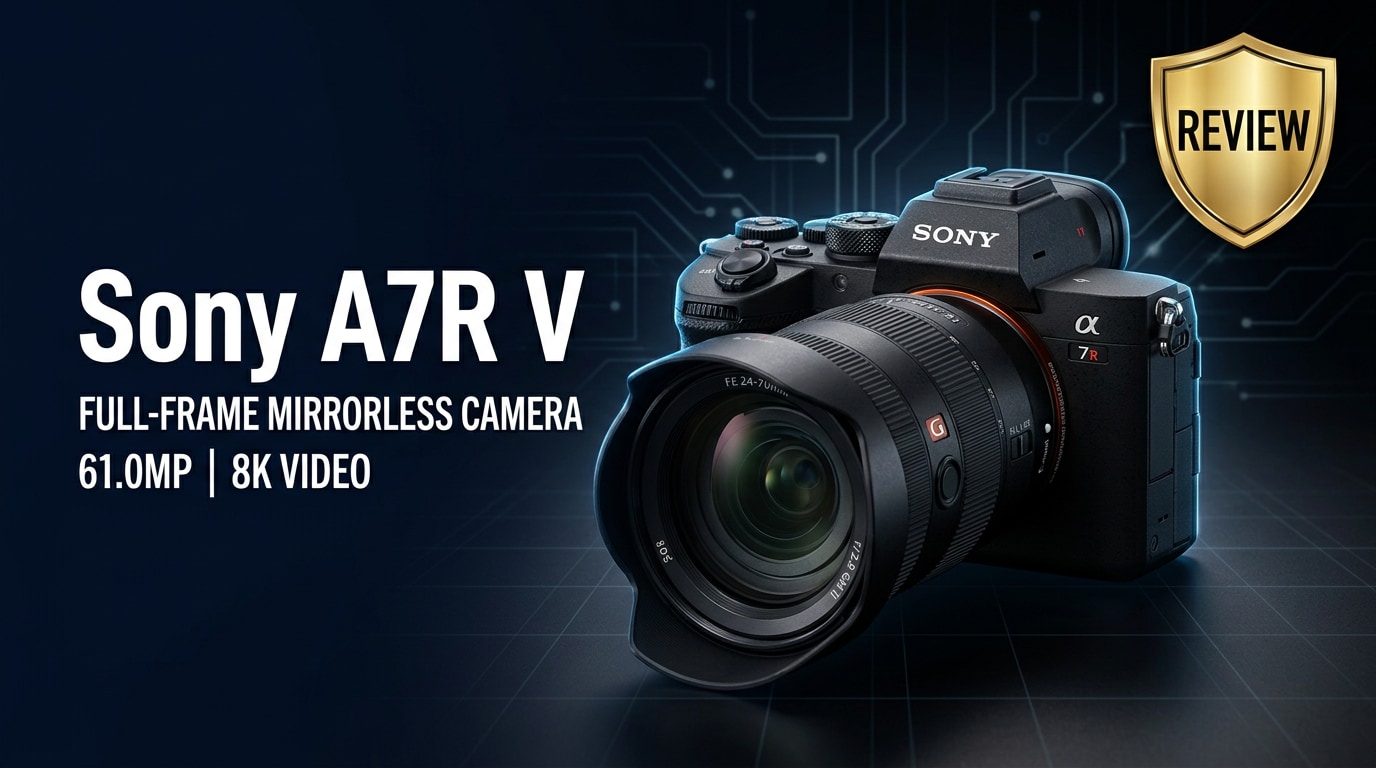
The Sony A7R V is a high-resolution full-frame mirrorless camera aimed at photographers and hybrid creators who demand extreme detail, reliable autofocus, and robust video tools. With a 61MP sensor, advanced in-body stabilization, and AI-driven subject recognition, it is built for landscapes, studio work, commercial photography, and detailed content creation while still fitting into a compact, travel-ready body.
Repair Corrupted Files To Save Your Data
 Security Verified. Over 7,302,189 people have downloaded it.
In this article
What's New About Sony A7R V
The Sony A7R V is more than a sensor refresh. It keeps the 61MP resolution of its predecessor but adds a new AI-based processing unit that dramatically boosts autofocus intelligence and subject recognition. Human pose estimation, improved eye detection, and better tracking of animals, birds, cars, trains, and airplanes make this body much smarter than the A7R IV.
Another major upgrade is the new 4-axis multi-angle rear LCD, which combines the advantages of a tilting and fully articulating screen. It is more flexible for both stills and video, especially when shooting vertically or from awkward angles. The viewfinder has also been upgraded to a higher-resolution OLED for a clearer, more lifelike preview.
On the video side, the Sony A7R V video spec sheet gets a big boost with 8K recording, oversampled 4K from 6.2K capture in Super 35 mode, improved heat management, and better color science. Workflow enhancements such as focus breathing compensation, more customizable buttons, and deeper menu refinements round out the new-generation feel.
Full Specs at a Glance
Sensor and Image Quality
The heart of the Sony A7R V specs is its 61-megapixel full-frame BSI CMOS sensor paired with the latest BIONZ XR processor and a dedicated AI unit. Together they deliver extremely fine detail, wide dynamic range, and strong color depth suitable for high-end print and commercial use.
| Core Imaging Specs | Details |
|---|---|
| Sensor | 61MP full-frame back-illuminated CMOS |
| ISO Range | ISO 100-32,000 (expandable to 50-102,400) |
| Dynamic Range | Approx. 15 stops (claimed), excellent highlight and shadow recovery |
| Image Stabilization | 8-stop rated 5-axis in-body image stabilization (IBIS) |
| File Formats | RAW (compressed/lossless/uncompressed), JPEG, HEIF |
| Pixel Shift | High-resolution multi-shot modes up to 240MP (with tripod) |
For creators who rely on cropping or large prints, the combination of resolution and stabilization is particularly valuable. You can comfortably crop for wildlife, portrait retouching, or social media formats while retaining plenty of detail.
Body, Handling, and Connectivity
The A7R V continues Sony's familiar Alpha ergonomics but refines several important aspects. Controls are highly customizable, the grip is comfortable for long sessions, and the new LCD articulation mechanism makes on-the-go shooting more intuitive.
| Body & Handling Specs | Details |
|---|---|
| Viewfinder | 0.64-inch 9.44M-dot OLED EVF, 0.9x magnification |
| Rear LCD | 4-axis multi-angle 3.2-inch 2.1M-dot touchscreen |
| Autofocus System | Phase-detect AF with AI-based subject recognition, Real-time Tracking |
| Continuous Shooting | Up to 10 fps with AF/AE (compressed RAW) |
| Storage | Dual CFexpress Type A / UHS-II SD combo slots |
| Ports & Connectivity | Full-size HDMI, USB-C, mic in, headphone out, Wi-Fi, Bluetooth |
For video shooters, the addition of 8K and robust 4K modes, paired with the improved heat management, makes this body a true hybrid machine that can live on gimbals, tripods, or rigs without feeling compromised.
Real-World Performance
In use, the Sony A7R V autofocus is one of the biggest reasons to pick this camera. The AI engine does a much better job of sticking to eyes, faces, and subjects even when they turn away, move erratically, or are partially blocked. Wildlife and bird photographers, in particular, benefit from more reliable subject detection across the frame.
Image quality is excellent, with crisp detail and flexible files. The Sony A7R V dynamic range allows you to lift shadows or pull down highlights in RAW without the image falling apart. Colors are neutral and easy to grade, and skin tones look natural with minimal effort in post.
For motion, the Sony A7R V video modes are strong for a high-resolution stills camera. 8K is best reserved for controlled environments and shorter clips, but 4K, especially oversampled 4K from Super 35, offers sharp detail with manageable file sizes. Rolling shutter is present at 8K but improved over previous generations. In-body stabilization is very effective for hand-held stills and offers usable results for slower video moves when paired with careful technique.
Battery life with NP-FZ100 packs is solid, and the dual card slots (supporting both SD and CFexpress Type A) provide flexible, redundant recording options. However, extremely large 61MP RAW files and 8K footage demand fast cards and a powerful computer to keep editing smooth.
Pros & Cons
| Pros | Cons |
|---|---|
| Extremely detailed 61MP sensor ideal for large prints and heavy cropping | Large file sizes require fast, high-capacity storage and powerful computers |
| AI-driven autofocus with excellent subject detection and tracking | 8K video can introduce rolling shutter and generates very heavy files |
| Strong dynamic range for flexible RAW editing | Noise appears sooner than on lower-megapixel cameras at very high ISO |
| Versatile 4-axis LCD and high-res EVF improve usability for stills and video | Premium price places it firmly in the professional / serious enthusiast category |
| Robust in-body stabilization and dual CFexpress/SD slots for professional workflows | Menus and options can be overwhelming for beginners |
Who Is This Camera For?
The Sony A7R V review clearly shows this camera is targeted at creators who value resolution and precision above all else. Landscape photographers will appreciate the ability to capture intricate textures and subtle tonal transitions, while studio and commercial shooters gain room for detailed retouching and large-scale print work.
Hybrid creators who need both high-end stills and capable video tools will find the A7R V to be a highly capable one-body solution. Wedding, portrait, and fashion photographers benefit from accurate eye AF and rich color, while product and architecture shooters can leverage Pixel Shift modes in controlled setups.
On the other hand, if you mainly shoot low-light events, fast-paced documentary video, or need smaller, lighter files, a lower-megapixel body or a video-focused camera may be a better fit. The A7R V shines brightest when you can fully exploit its 61MP sensor and advanced AF system.
What to Do If Your Sony A7R V Files Get Corrupted
Why Use Repairit for Sony A7R V Files
Even with a professional camera like the Sony A7R V, media files can become corrupted due to bad SD cards, sudden power loss, or interrupted transfers. Instead of accepting those images or clips as lost, you can use Wondershare Repairit to scan, repair, and restore damaged Sony RAW photos and videos. Visit the Repairit official website to download the tool and protect your work before the next important shoot.
Key Features of Repairit
- Repairs corrupted or unplayable photo and video files from cameras, memory cards, and external drives.
- Supports a wide range of formats, including Sony RAW images and high-resolution video clips from the A7R V.
- Guided workflow that lets beginners fix damaged files in a few clicks without technical expertise.
Step-by-Step: Repair Sony A7R V Photos and Videos
-
Choose a Location to Repair Data
Open Wondershare Repairit and select whether you want to repair photos or videos from your Sony A7R V. Click the add button and point the software to the folder, SD card, or external drive that contains your problematic files. You can add multiple corrupted Sony RAW or video clips at once so Repairit knows exactly which items to analyze.

-
Deep Scan the Location
Start the repair process and let Repairit perform a thorough scan of the selected files. The tool inspects each file's structure, looking for issues such as broken headers, missing data segments, or damaged frames that prevent normal opening or playback. It then applies targeted repairs to reconstruct these components, aiming to recover both image content and smooth video playback from your Sony camera.

-
Preview and Repair Your Desired Data
When the scan finishes, Repairit displays a list of repaired items with a built-in preview. Play back your videos or view your photos to confirm that quality and content look as expected. Tick the checkboxes beside the files you want to keep, then click Save and choose a safe destination such as another folder, drive, or card. Avoid saving back to the original damaged card to reduce the risk of further corruption.

Conclusion — Should You Buy?
The Sony A7R V review makes it clear that this camera is a flagship tool for detail-obsessed creators. Its 61MP sensor, AI-driven autofocus, strong dynamic range, and 8K/4K video options form a versatile package that excels in landscapes, studio, commercial work, and demanding hybrid workflows.
If you can manage the larger file sizes and higher cost, the A7R V is an excellent long-term investment. Paired with fast cards, reliable backups, and a repair solution like Wondershare Repairit for handling any corrupted media, it offers the confidence and performance serious photographers and content creators need.
FAQ
-
1. Does the Sony A7R V handle low light well despite the 61MP sensor?
Yes. For such a high-resolution body, the Sony A7R V performs impressively in low light. Noise appears earlier than on lower-megapixel cameras, but careful exposure, modern noise reduction, and shooting in RAW allow for clean, detailed results at moderate to high ISO settings. -
2. Is the Sony A7R V good for video creators?
The Sony A7R V is a strong hybrid option, offering 8K recording, oversampled 4K, advanced AF, and effective in-body stabilization. Dedicated video shooters who prioritize low-light performance and minimal rolling shutter may still prefer Sony's FX or A7S line, but the A7R V is more than capable for most professional content. -
3. Can I use my Sony A7R IV lenses and batteries with the A7R V?
Yes. The A7R V uses the NP-FZ100 battery, so it is compatible with recent Sony Alpha bodies, and it works with all E-mount lenses. Autofocus performance will vary depending on the lens's design and age, but existing FE lenses and batteries should operate without issues. -
4. What should I do first if my Sony A7R V images get corrupted?
Stop using the card immediately to avoid overwriting data. Safely remove it from the camera, back up everything that is still readable to a computer, and then use a repair tool like Wondershare Repairit to scan and attempt to repair the corrupted photos or videos. -
5. Does repairing Sony A7R V files reduce image or video quality?
In most situations, a dedicated repair tool focuses on restoring file structure instead of recompressing the content, so image or video quality is largely preserved. If the damage is severe, you may notice minor artifacts, but this is typically far better than losing the file entirely.




