
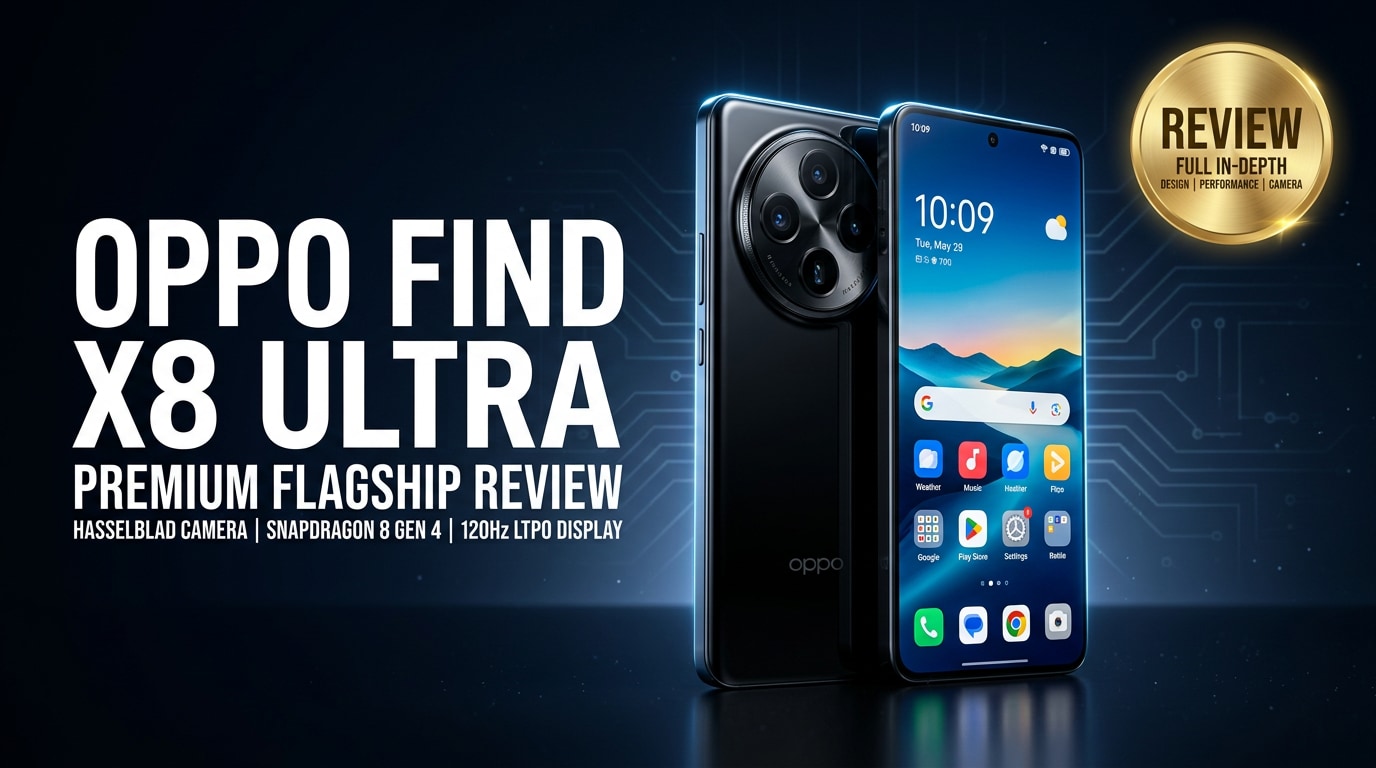
The OPPO Find X8 Ultra is a flagship Android smartphone built for users who want premium design, top-tier performance, and a camera system that can replace a compact camera. It delivers powerful hardware, a bright display, and versatile lenses for photography and video. As you store more irreplaceable memories on the device, understanding how to keep your data safe and repair corrupted files becomes just as important as knowing its specs and features.
Repair Corrupted Files To Save Your Data
 Security Verified. Over 7,302,189 people have downloaded it.
In this article
What's New About OPPO Find X8 Ultra
The OPPO Find X8 Ultra pushes OPPO's flagship line forward with a stronger focus on camera versatility, durability, and long-term performance. It features upgraded sensors across the rear camera array, improved image processing, and better low-light capabilities. On the hardware side, it jumps to a newer high-end chipset, faster storage, and more efficient power management. You also get refined haptics, better speakers, and software tweaks that make multitasking smoother and gaming more responsive.
Compared with its predecessor, the device emphasizes computational photography, advanced zoom performance, and video stability. AI-assisted features are more intelligent, helping you capture usable shots even in tricky lighting. For power users, enhanced cooling and storage optimization keep the phone running consistently fast under load, whether you are editing 4K clips or playing intensive games.
Price, Storage, and Design
Price and storage options
OPPO positions the OPPO Find X8 Ultra at the premium end of the Android market, competing directly with top-tier flagships. Prices vary by region and carrier promotions, but you can expect it to sit firmly in the high-end bracket, especially for higher RAM and storage variants.
| Variant | Target user |
|---|---|
| Base model (e.g., 12 GB RAM / 256 GB storage) | Users who want a flagship experience at the lowest entry price, with enough space for everyday apps, photos, and some 4K video. |
| Mid-tier (e.g., 16 GB RAM / 512 GB storage) | Heavy multitaskers and content creators storing large game libraries and video projects locally. |
| Top-tier (e.g., 16 GB+ RAM / 1 TB storage) | Power users who rarely offload data and need breathing room for RAW photos, long 4K/8K clips, and offline media. |
While exact pricing may shift over time, higher storage variants often deliver better value if you shoot a lot of video or install many large games, because expanding storage later is limited or slower than the built-in options.
Design and build quality
The OPPO Find X8 Ultra follows the current flagship design language with a large, curved glass front, premium back finish, and a bold circular camera module. The frame feels sturdy in the hand, and the overall construction suggests durability while keeping the phone relatively slim for its screen size.
Material choices lean towards metal and glass, giving a luxurious feel and solid structural integrity. The rear camera bump is pronounced but well-integrated visually, reinforcing the phone's identity as a camera-first device. Water and dust resistance (typically an IP rating) help protect the phone from everyday accidents, though you should still avoid exposing it to harsh conditions.
Despite its large footprint, weight distribution is balanced, so long sessions of browsing or gaming are comfortable enough. Color options range from classic black and silver to more expressive finishes, depending on your market.
Display, Performance, and Daily Use
The display is one of the highlights of the OPPO Find X8 Ultra. Expect a large, high-resolution AMOLED or LTPO panel with a fast refresh rate that can dynamically adjust based on the content you are viewing. This means smooth scrolling in apps and web pages, fluid gaming, and crisp text and images. High peak brightness aids outdoor visibility, while HDR support makes compatible movies and shows look vibrant with deep contrast.
Under the hood, the phone uses a current flagship chipset paired with generous RAM, delivering excellent performance in both daily tasks and heavy workloads. Apps open quickly, multitasking feels snappy, and demanding games run at high settings with consistent frame rates. Thermal management is improved, so extended gaming or video recording sessions generate less uncomfortable heat than older models.
In everyday use, OPPO's customized Android skin adds features like smart sidebar tools, gesture navigation, and advanced privacy controls. Animations are smooth, one-handed operation is reasonably manageable for a large device, and features like always-on display and customizable themes help personalize the experience.
Camera Review
The camera system is where the OPPO Find X8 Ultra earns its name. It typically combines a high-resolution main sensor, an ultra-wide lens, and a periscope or telephoto camera for optical zoom. OPPO pairs this hardware with sophisticated image processing and AI scene detection to produce natural-looking photos with good dynamic range.
In daylight, images show excellent detail, accurate colors, and minimal noise. The ultra-wide lens maintains consistent color rendering with the main camera, which is crucial for a coherent photo set. Telephoto shots benefit from optical zoom, allowing you to get closer to your subject without sacrificing clarity as quickly as digital zoom would.
Low-light and night photography are noticeably improved compared with older generations. The larger sensors, wider apertures, and night mode optimizations help retain detail in dim environments, avoiding over-smoothing that can make images look artificial. Portrait mode produces pleasing background blur and fairly accurate subject separation.
Video performance is equally strong, with high-resolution recording (up to 4K and beyond, depending on configuration), robust stabilization, and reliable autofocus. You can expect steady footage while walking, with decent handling of exposure changes when moving between bright and dark scenes. Audio capture from the built-in microphones is generally clear for vlogging or casual clips, though an external microphone will still be better for professional work.
Battery, Charging, and Software Experience
The battery inside the OPPO Find X8 Ultra is designed to comfortably last through a full day of mixed use. Social media, web browsing, photo capture, streaming video, and gaming should all be covered without constant charging anxiety. Power efficiency from the chipset and adaptive refresh rate helps stretch endurance further for light and moderate users.
Fast charging is a key selling point. With OPPO's proprietary fast-charge technology and included charger, you can add a substantial percentage of battery in a short session, minimizing downtime before heading out again. Depending on region and configuration, you may also get wireless charging and reverse wireless charging to top up accessories like earbuds.
On the software side, OPPO's Android skin brings a blend of customization and practical tools. Features like app cloners, screen recording, floating windows, and granular permission controls enhance productivity and privacy. Regular security updates and major Android upgrades are an important consideration; OPPO has been improving update policies, but support timelines can vary by market, so it is worth checking local commitments.
Pros and Cons of OPPO Find X8 Ultra
| Pros | Cons |
|---|---|
|
|
What to Do If Your OPPO Find X8 Ultra Files Get Corrupted
Use Repairit to fix corrupted media
Even with top-tier hardware like the OPPO Find X8 Ultra, your photos and videos can still become corrupted due to unexpected shutdowns, transfer errors, SD card issues, or app crashes. When those files refuse to open or show playback errors, a dedicated repair tool is often the most efficient solution. Wondershare Repairit is built specifically to repair damaged photos, videos, and other files from phones, cameras, and memory cards.
You can download the desktop application from the Repairit official website and use it to scan, analyze, and restore corrupted media taken on your OPPO device. The interface is intuitive, guiding you step by step, and it lets you preview results before saving, so you only keep files that look correct.
Key features of Repairit
- Fix corrupted photos and videos captured on devices like the OPPO Find X8 Ultra, as well as cameras and memory cards.
- Handle common corruption scenarios such as interrupted transfers, SD card errors, system crashes, or power loss during recording.
- Offer a simple workflow where you add files, run repair, then preview and save successfully restored media.
Step-by-step guide to repair files
- Launch Repairit and add your corrupted files
Install Repairit on your Windows or Mac computer and open it. From the main screen, choose the appropriate module, such as Video Repair or Photo Repair. Connect your OPPO Find X8 Ultra or its SD card to the computer and copy the problematic files locally. In Repairit, click the add or plus button, then browse to the folder where you saved the damaged media and import them into the program.

- Start the repair process and wait for analysis
After all corrupted photos or videos are listed in the interface, click the Repair button to begin. Repairit will scan the selected files, analyze their structure, and attempt to rebuild the missing or broken data segments. This process can take a few minutes depending on file size and number, so keep the program running and avoid disconnecting any external storage or your phone during the repair.

- Preview and save the repaired files
When Repairit completes the analysis, you will see a list of results. Use the Preview option next to each item to check that the video plays smoothly or the photo displays correctly without major glitches. If you are satisfied with the output, click Save or Export and choose a secure folder on your computer to store the repaired versions. After confirming they work properly, you can safely copy them back to your OPPO Find X8 Ultra or to cloud storage for backup.

Conclusion — When Should You Buy?
The OPPO Find X8 Ultra is best suited for users who prioritize camera quality, premium design, and consistent flagship performance. Its advanced imaging hardware, vivid display, fast charging, and powerful processor make it a strong all-rounder for photography enthusiasts, gamers, and professionals who rely on their phone for work and content creation.
If you are willing to invest in a high-end device and pair it with a solid backup and repair strategy, including tools like Wondershare Repairit for handling corrupted media, the OPPO Find X8 Ultra becomes an even more reliable daily companion. Choose it when you want cutting-edge mobile photography and performance without compromising on battery life or user experience.
FAQ
-
1. Is the OPPO Find X8 Ultra good for mobile photography?
Yes. The OPPO Find X8 Ultra is a camera-focused flagship with advanced sensors, strong low-light performance, and versatile zoom options, making it excellent for both everyday photography and more serious mobile shooting. -
2. How long does the OPPO Find X8 Ultra battery last in daily use?
Battery life varies by user, but the OPPO Find X8 Ultra is designed to comfortably last a full day of mixed use, including social apps, web browsing, photography, and streaming, with fast charging available for quick top-ups. -
3. What should I do if OPPO Find X8 Ultra videos will not play or show errors?
First, restart the phone and try another video player. If the video still fails, copy the file to a computer and use a repair tool such as Wondershare Repairit to analyze and repair the corrupted video data. -
4. Can I recover deleted photos from the OPPO Find X8 Ultra?
Check cloud services like Google Photos or your OPPO account first. If the images were stored locally, stop adding new files to that storage and use recovery or repair software as soon as possible to improve your chances of getting them back. -
5. Do I need a computer to repair OPPO Find X8 Ultra files with Repairit?
Yes. Repairit runs on Windows and Mac. You need to transfer corrupted photos or videos from your OPPO Find X8 Ultra to the computer, then open Repairit to scan and repair those files.




