
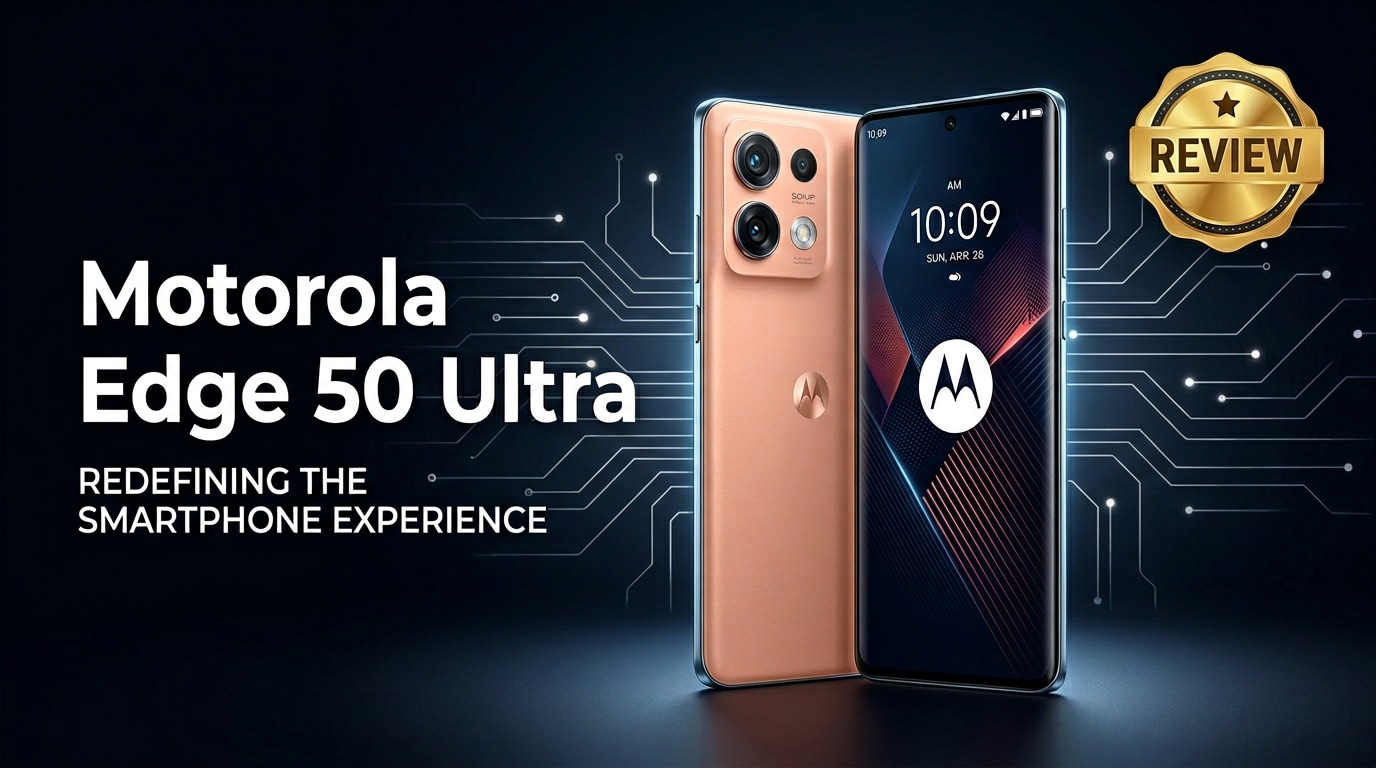
The Motorola Edge 50 Ultra is Motorola's latest flagship Android phone, designed for users who want premium design, powerful performance, and smarter AI photography in one device. With a high-refresh-rate display, upgraded camera hardware, rapid charging, and thoughtful software tweaks, it aims to compete directly with other top-tier Android flagships while staying true to Motorola's clean, near-stock experience.
Repair Corrupted Files To Save Your Data
 Security Verified. Over 7,302,189 people have downloaded it.
In this article
The Motorola Edge 50 Ultra sits at the top of Motorola's Edge lineup, mixing a premium glass or vegan leather finish with a sharp display, beefy processor, and AI-enhanced camera tricks. It is aimed at users who want a polished Android flagship that feels fast, looks modern, and keeps Google's clean interface largely intact, while layering on Motorola's own gestures and smart features.
What's New About Motorola Edge 50 Ultra
This generation of the Motorola Edge 50 Ultra focuses on smarter cameras, better AI processing, and more refined hardware. Compared with previous Edge models, you get upgraded sensors, stronger image stabilization, and improved low-light performance, all assisted by on-device AI that helps with scene recognition and portrait separation.
On the hardware side, Motorola leans into a faster flagship chipset, generous RAM, and high-speed storage to keep the interface responsive even under load. The display has been tuned for higher brightness and color accuracy, which makes it easier to see outdoors and better suited for HDR content streaming and gaming.
Motorola also pushes AI-backed personalization, from wallpaper generation to camera suggestions, aiming to make the phone feel more adaptive without straying too far from its familiar, clean Android look and feel.
Price, Storage, and Design
Motorola Edge 50 Ultra price and storage options
As a true flagship, the Motorola Edge 50 Ultra is positioned in the premium price bracket, typically landing close to other high-end Android phones from Samsung and Google. Expect regional variations, but launch pricing usually reflects its top-tier chipset, camera setup, and fast charging technology.
Storage configurations commonly start at 256 GB and can go higher, giving plenty of room for 4K or 8K video recording, large app libraries, and offline media. RAM is similarly generous, with high-capacity variants aimed at heavy multitaskers, mobile gamers, and users who do a lot of video editing or content creation on the go.
There is generally no microSD card slot, which makes choosing the right storage configuration up front especially important if you tend to archive lots of videos, RAW photos, or app data locally.
Design, materials, and durability
The design of the Motorola Edge 50 Ultra combines slim bezels, a curved-edge display, and a carefully sculpted back that makes the phone feel thinner than it is. Motorola often offers finishes such as matte glass or textured vegan leather, giving buyers a choice between a classic mirrored look and a more grippy, fingerprint-resistant back.
The camera island is neatly integrated, with lenses laid out to minimize wobble on flat surfaces. Metal rails around the edges give the device a solid in-hand feel while improving drop resistance compared with all-glass designs.
Water and dust resistance ratings are in line with other flagships, so the Edge 50 Ultra should survive accidental splashes or light rain. Still, it is worth using a case to protect the curves and keep the back panel pristine over time.
Display, Performance, and Daily Use
The display is a core highlight of the Motorola Edge 50 Ultra. You get a tall, high-resolution OLED panel with a fast refresh rate, which keeps scrolling, UI animations, and gaming motion extremely smooth. High peak brightness helps visibility under direct sunlight and improves HDR movies and shows in supported apps.
Under the hood, a flagship-grade chipset powers the phone, backed by ample RAM and speedy UFS storage. In daily use, that translates into near-instant app launches, quick switching between heavy apps, and sustained performance during extended gaming sessions or video editing. Thermal management is designed to keep performance stable while avoiding excessive heat on the outer shell.
5G connectivity, Wi-Fi 6 or higher, and NFC round out the modern connectivity suite, making the phone ready for fast downloads, wireless payments, and stable streaming. Motorola's light-touch software layer helps keep things fluid; there is minimal bloat, and most preinstalled apps can be disabled or uninstalled.
In everyday life, moto gestures like double-chop for flashlight or twist-to-open camera remain, offering a small but meaningful convenience boost that long-time Motorola fans will appreciate.
Camera Review
The camera system on the Motorola Edge 50 Ultra is built around a high-resolution main sensor, accompanied by ultra-wide and telephoto lenses to cover more shooting scenarios. In daylight, you can expect crisp, detailed photos with punchy colors and good dynamic range, especially when HDR processing kicks in.
Low-light and night photography see the biggest gains compared with earlier models. Motorola's AI-based processing stacks multiple frames to reduce noise while maintaining detail, generating brighter images from dim scenes with more accurate skin tones than older Edge phones.
The ultra-wide camera is handy for landscapes and cramped indoor spaces, while the telephoto lens lets you zoom closer to distant subjects without relying solely on digital zoom. Portrait mode makes good use of depth information and AI edge detection to separate subjects from backgrounds with pleasing blur.
On the video side, the Motorola Edge 50 Ultra supports high-resolution recording, including 4K at multiple frame rates. Electronic and optical image stabilization help smooth out hand shake while walking or panning. Advanced modes such as slow motion, dual-view video, and AI scene optimization further expand creative options for vloggers and social media creators.
Battery, Charging, and Software Experience
The Motorola Edge 50 Ultra packs a large battery designed to comfortably last through a full day of typical use, even with the high-refresh-rate display active. Casual users may stretch it into a second day by enabling auto-refresh or power-saving features.
Where this phone truly stands out is charging speed. Wired fast charging can refill the battery from low to a significant level in a short time, which is ideal when you only have a few minutes near a wall outlet. Depending on the region, you also get fast wireless charging and sometimes reverse wireless charging to top up earbuds or other smaller devices.
On the software front, Motorola leverages a clean Android build with a few thoughtful additions under the Moto app. Features like attentive display, peek display notifications, ready-for desktop mode (where available), and smart widgets add useful capabilities without cluttering the UI. Security and OS update promises vary by market, but Motorola typically commits to a multi-year support window for its flagship line.
Pros and Cons of Motorola Edge 50 Ultra
| Pros | Cons |
|---|---|
|
|
|
|
What to Do If Your Motorola Edge 50 Ultra Files Get Corrupted
Repairit introduction for Motorola Edge 50 Ultra users
Even a powerful flagship like the Motorola Edge 50 Ultra cannot fully protect you from file corruption. Sudden shutdowns, interrupted transfers, buggy apps, or faulty memory cards can all leave your favorite photos and videos unplayable. When this happens, a dedicated repair toolkit such as Repairit by Wondershare can help.
Repairit specializes in fixing broken videos, photos, and other documents from phones, computers, and cameras. Instead of trying random apps that might worsen the damage, you can use its guided workflow to analyze problem files and rebuild them into playable media again. Explore all features and downloads from the Repairit official website.
Key Repairit features for fixing Motorola files
- Repairs corrupted videos, photos, and documents from Android phones like the Motorola Edge 50 Ultra, as well as from cameras, SD cards, and computers.
- Supports many damage scenarios, including playback errors, missing audio, file header issues, and images that refuse to open after transfer or system crashes.
- Uses a step-by-step, click-through interface so both beginners and advanced users can diagnose and repair media without complex manual settings.
Step-by-step: repair corrupted Motorola Edge 50 Ultra photos and videos
-
Connect your phone and add the damaged files
Install and launch Repairit on your Windows or Mac computer, then select the module that matches your issue, such as Video Repair or Photo Repair. Connect your Motorola Edge 50 Ultra via USB, or first copy the problematic files from the phone to a folder on your computer. In Repairit, click the "Add" button and choose all corrupted videos or photos that show playback errors, gray thumbnails, or "cannot open" messages.

-
Start repair and preview the recovered results
Once your files are listed in the Repairit window, check that the names and formats look correct, then click "Repair" to begin. Repairit will quickly analyze each item, fix structural issues, and rebuild damaged segments where possible. When the progress bar finishes, select a file and hit "Preview" to see whether the video now plays smoothly or the image loads without artifacts or error prompts.

-
Save the fixed media to a safe storage location
If you are satisfied with the previews, tick the files you want to keep and click "Save". Choose a different folder on your computer or an external drive instead of overwriting the original location on your Motorola Edge 50 Ultra. After saving, you can copy the repaired files back to your phone and open them in your usual gallery or video apps to confirm that everything works as expected.

Conclusion — When Should You Buy?
The Motorola Edge 50 Ultra delivers a refined mix of style, performance, and camera versatility that will appeal to users who appreciate a clean Android experience with high-end hardware. If you value a bright, smooth display, very fast charging, and a capable camera that benefits from AI enhancements, it is a compelling flagship option.
However, its premium price, lack of expandable storage, and curved-screen ergonomics may not suit everyone. If you are comfortable living in Motorola's ecosystem and back up your media regularly using cloud services or tools like Repairit for emergencies, the Edge 50 Ultra is an excellent choice for a daily driver that feels fast and looks modern for years to come.
FAQ
-
1. Is the Motorola Edge 50 Ultra good for gaming?
Yes. The Motorola Edge 50 Ultra offers a high-refresh-rate OLED display, a flagship-class processor, and plenty of RAM, making it well suited for modern mobile games. Enabling performance modes and keeping the phone cool will help maintain stable frame rates during longer sessions. -
2. How much storage does the Motorola Edge 50 Ultra provide?
Typical configurations start at 256 GB of fast internal storage, with higher-capacity versions available in some regions. Because there is usually no microSD card slot, it is wise to pick a storage option that leaves enough room for apps, 4K videos, and large photo libraries. -
3. What should I do if videos from my Motorola Edge 50 Ultra will not play?
Restart your phone and try another video player first. If the clips still fail to play or show error messages, copy them to a computer and run a repair using tools such as Repairit. This can fix structural corruption before you accidentally delete or overwrite those important recordings. -
4. Can I repair corrupted photos after a system crash on the Motorola Edge 50 Ultra?
If the photos are still visible in storage but fail to open, export them to a computer and use photo repair software like Repairit to rebuild the damaged image data. If they were deleted, combine Android data recovery with file repair to maximize your chances of getting usable photos back. -
5. Does repairing Motorola Edge 50 Ultra files risk damaging my original data?
Most repair tools work on copies of your files rather than the originals. To stay safe, back up the original media from your Motorola Edge 50 Ultra to a separate folder or drive, repair only the copies, and then store the fixed versions in another secure location.




