
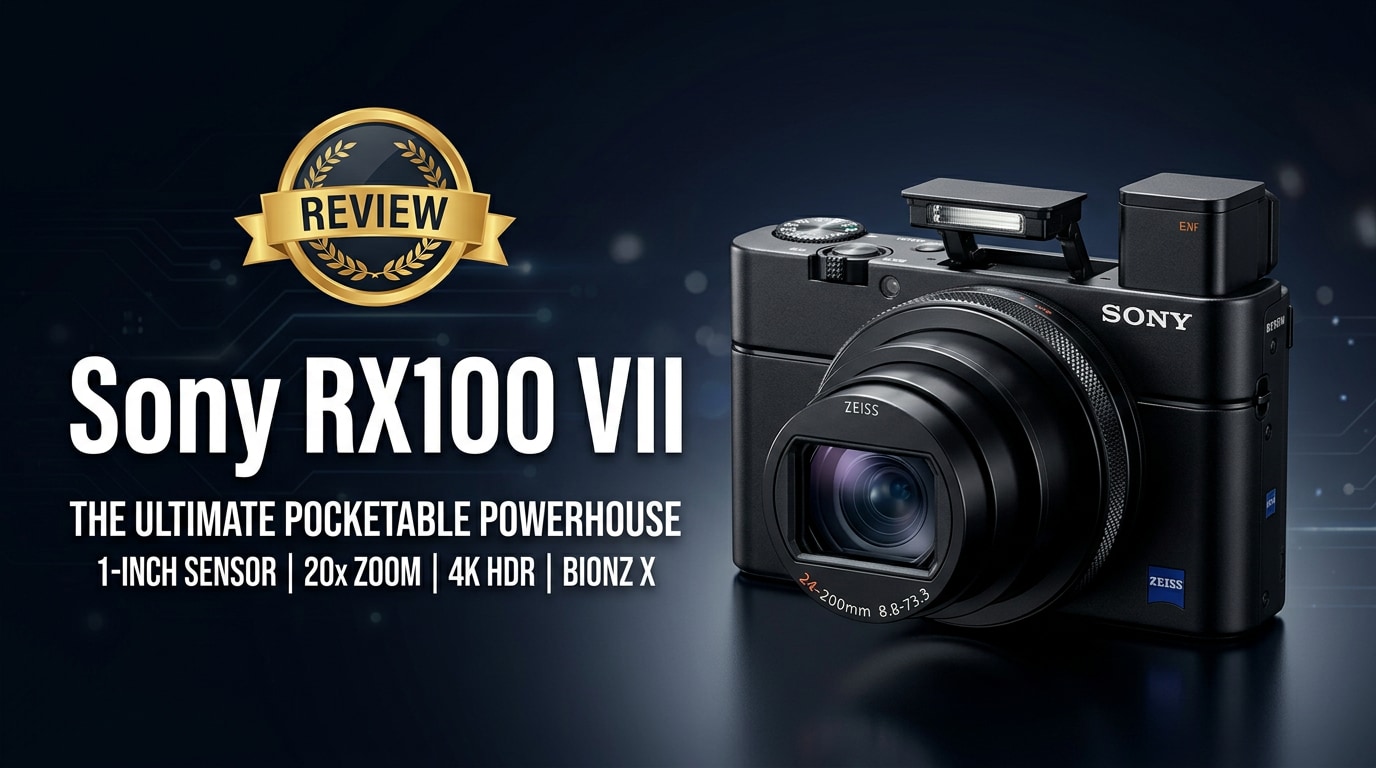
The Sony RX100 VII is a premium compact camera that squeezes a 24-200mm zoom lens, fast autofocus, and solid 4K video into a pocket-sized body. Aimed at travelers, vloggers, and hybrid creators, it offers DSLR-like performance without the weight. This review explains what is new, how it performs in real life, and who should buy it, plus what to do if your RX100 VII photos or videos become corrupted and how to repair them safely.
Repair Corrupted Files To Save Your Data
 Security Verified. Over 7,302,189 people have downloaded it.
In this article
Introduction
The Sony RX100 VII is a high-end compact camera that combines a 20.1MP 1-inch sensor, 24-200mm equivalent zoom lens, and powerful autofocus borrowed from Sony's Alpha series. It targets creators who want serious stills and 4K video in a pocketable body. From family trips to client work on the go, this camera promises speed, flexibility, and image quality, all while remaining easy to carry and simple to use.
What's New About Sony RX100 VII
The RX100 line has evolved steadily, but the RX100 VII is one of the biggest leaps in the series. It inherits many technologies from Sony's flagship mirrorless cameras, especially in autofocus and video performance.
- New generation BIONZ X processor and updated sensor readout for faster performance and reduced rolling shutter.
- Real-time Tracking and Real-time Eye AF (for both humans and animals) that make it easier to nail focus on moving subjects.
- Improved continuous shooting up to 20 fps with blackout-free viewing, plus a 90 fps single burst mode for critical moments.
- Enhanced video features, including 4K with full pixel readout, better stabilization options, and a mic input for cleaner audio.
- Refined menu options for vloggers and run-and-gun shooters, including a tilting screen and customizable buttons.
Together, these updates make the Sony RX100 VII feel more like a mini professional camera than a typical point-and-shoot.
Full Specs at a Glance
Key imaging specs
| Feature | Specification |
|---|---|
| Sensor | 20.1MP 1-inch stacked Exmor RS CMOS |
| Lens | 24-200mm equivalent f/2.8-4.5 Zeiss Vario-Sonnar T* |
| Autofocus system | 357 phase-detect + 425 contrast-detect points with Real-time Tracking and Eye AF |
| Burst shooting | Up to 20 fps with AF/AE tracking; 90 fps single burst mode |
| ISO range | ISO 100-12800 (expandable), with advanced noise reduction |
Video and connectivity features
| Feature | Specification |
|---|---|
| Video recording | 4K UHD up to 30p with full pixel readout; Full HD up to 120p |
| Stabilization | Optical SteadyShot with Active mode for video |
| Audio | 3.5 mm microphone input; built-in stereo mic |
| Display | 3.0-inch tilting LCD, 921k dots, selfie-friendly flip-up design |
| Connectivity | Wi-Fi, Bluetooth, and mobile app support for remote control and transfer |
Real-World Performance
In day-to-day use, the Sony RX100 VII feels fast and assured. Startup is quick, autofocus locks almost instantly, and subject tracking performs impressively well for a compact. Real-time Eye AF is a big advantage for portraits, street photography, and casual family shots, where you do not want to worry about focus settings.
Image quality from the 1-inch sensor is strong, with good detail and dynamic range for such a small camera. JPEGs look punchy out of camera, while RAW files offer enough latitude for editing. Low-light performance is good up to moderate ISOs, though it will not match larger APS-C or full-frame sensors in very dark scenes.
For video, 4K footage is detailed and sharp, with reliable continuous autofocus. The addition of a mic input is a genuine upgrade for vloggers who want cleaner audio, and the flip-up screen makes self-shooting straightforward. Rolling shutter is present when panning quickly, but manageable if you move the camera carefully.
The biggest limitation is ergonomics: the body is tiny, and some users may find it cramped during long sessions. Battery life is also typical for a compact camera, so carrying spares is wise for a full day of shooting or recording.
Pros & Cons
Pros
- Pocketable body with a versatile 24-200mm equivalent zoom lens.
- Excellent autofocus with Real-time Tracking and Eye AF for reliable focus.
- High-quality 4K video with full pixel readout and minimal moire.
- 3.5 mm microphone input and tilting screen for vlogging and content creation.
- Fast burst shooting for sports, action, and candid photography.
Cons
- High price compared to many other compact cameras.
- Small body can feel cramped, especially for users with larger hands.
- Battery life is limited, especially when shooting a lot of 4K video.
- No headphone jack for monitoring audio while recording.
- 1-inch sensor cannot match full-frame cameras in extreme low light.
Who Is This Camera For?
The Sony RX100 VII is built for creators who want premium results without carrying an interchangeable-lens system. It particularly suits:
- Travelers and everyday shooters who want a do-it-all camera that fits in a jacket pocket yet handles landscapes, portraits, and low-light city scenes.
- Vloggers and YouTube creators who need 4K video, quick autofocus, a mic input, and a flip screen in a compact body.
- Hybrid shooters who switch constantly between stills and video and need a fast, responsive tool.
- Professionals and enthusiasts looking for a backup or behind-the-scenes camera that is discreet but still delivers high-quality files.
If you value portability as much as performance and can live with the price and smaller sensor, the RX100 VII is a strong fit.
What to Do If Your Sony RX100 VII Files Get Corrupted
Why use Repairit for RX100 VII files
Even with a reliable camera like the Sony RX100 VII, file corruption can happen due to sudden power loss, memory card issues, or interrupted transfers. When your photos or 4K clips refuse to open or play properly, a dedicated repair tool can save hours of work. Wondershare Repairit offers a focused way to fix damaged video and photo files from cameras, cards, and drives, without needing advanced technical skills. You can learn more and download the latest version from the Repairit official website.
Key features of Repairit
- Repairs corrupted videos and photos from cameras, memory cards, and external or internal drives.
- Handles multiple file formats at once with batch repair to save you time on large shoots.
- User-friendly, guided interface that works well for both beginners and experienced creators.
Step-by-step guide to repair RX100 VII files
-
Choose a Location to Repair Data
Install and launch Wondershare Repairit, then choose whether you want to repair videos or photos. Click to add your problematic Sony RX100 VII files directly from your computer, memory card, or external drive. You can drag and drop multiple clips or images at once so that the software processes the entire batch together.

-
Deep Scan the Location
After importing the damaged files, start the repair process. Repairit will perform an in-depth scan of each RX100 VII file, checking for structural errors, missing data segments, and playback issues that prevent normal viewing. The tool automatically applies suitable repair strategies in the background, so you do not need to tweak advanced settings or codecs manually.

-
Preview and Repair Your Desired Data
When the repair completes, use the built-in preview window to review your recovered clips and photos. Confirm that the fixed Sony RX100 VII files open correctly, play smoothly, and show audio and visuals as expected. Finally, select the items you want to keep and save them to a secure location such as your computer's internal drive or a well-tested backup disk, avoiding the original faulty card.

Conclusion — Should You Buy?
The Sony RX100 VII remains one of the most capable compact cameras for creators. With its fast autofocus, versatile 24-200mm lens, and strong 4K video options, it delivers serious performance in a truly pocketable form factor. For travel, everyday shooting, and lightweight content creation, it is hard to beat.
If you prioritize portability and speed but still expect high image quality, the RX100 VII is an excellent choice, especially when paired with good backup habits and a dedicated repair tool like Wondershare Repairit to safeguard your footage against unexpected corruption.
FAQ
-
1. Is the Sony RX100 VII still worth buying today?
Yes. The Sony RX100 VII is still one of the strongest compact cameras available, thanks to its fast autofocus, 4K video, and 24-200mm equivalent zoom lens. It is especially appealing for travel, vlogging, and everyday photography where portability matters but you do not want to compromise much on image quality. -
2. Can the Sony RX100 VII shoot 4K video continuously?
The Sony RX100 VII records detailed 4K video, but recording time can be limited by heat and memory card capacity. For longer clips, use high-speed UHS-I U3 cards, monitor temperature warnings, and consider shooting shorter takes to avoid overheating. -
3. What memory card should I use with the Sony RX100 VII?
For best performance, use a fast SD card rated UHS-I U3 or better. Slower cards may cause buffer delays, reduced burst performance, early video stop, or, in worst cases, file corruption during intensive recording. -
4. What should I do if my Sony RX100 VII videos will not play?
Stop using the memory card immediately to avoid further damage. Copy the affected files to your computer, then open them in a repair tool such as Wondershare Repairit. It can often correct structural issues and restore normal playback for corrupted RX100 VII clips. -
5. Can I recover deleted photos from my Sony RX100 VII?
If deleted files have not been overwritten, data recovery software may restore them. Do not shoot more on that card; instead, connect it to a computer and run a trusted recovery program first, then use Repairit if any of the recovered images or videos appear corrupted.




