
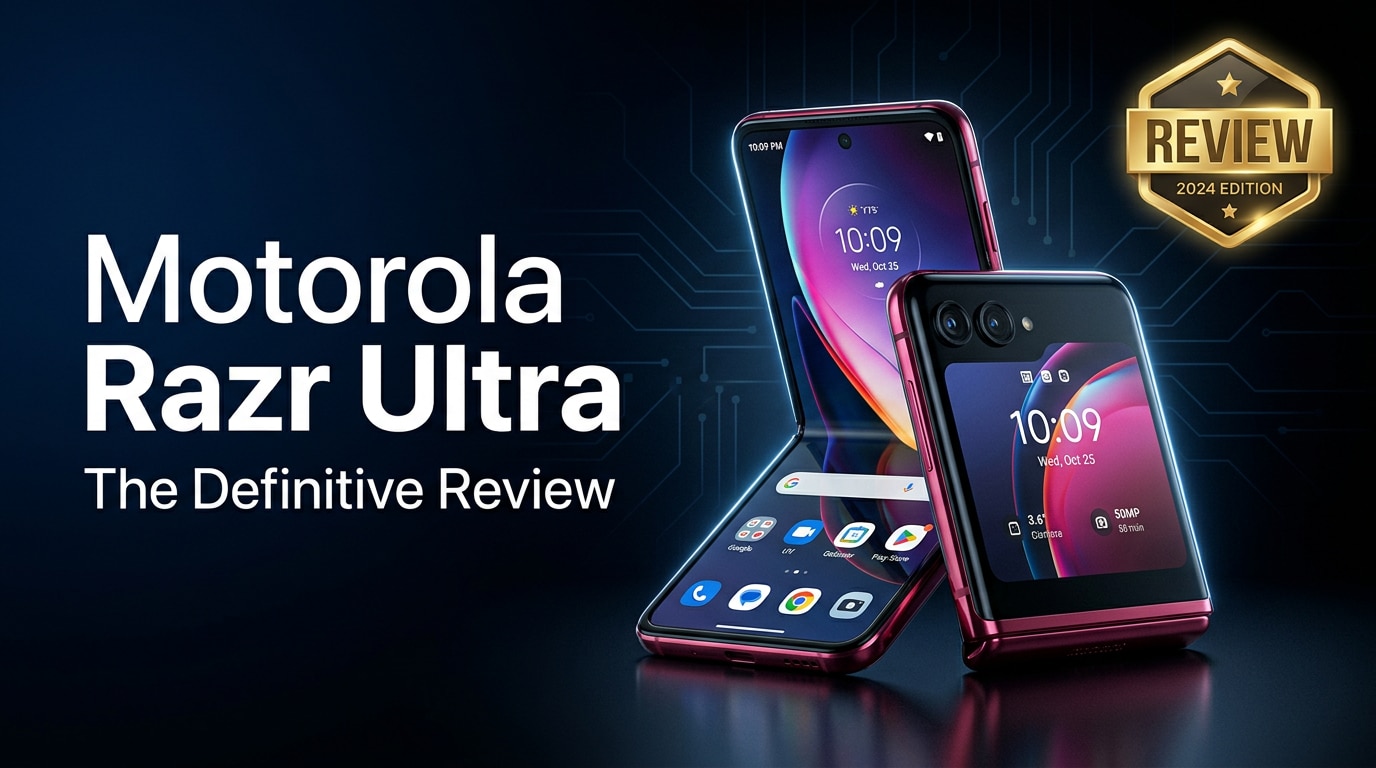
The Motorola Razr Ultra is a modern Android flip phone that folds in half yet unfolds into a full-size smartphone. With a large outer display, sleek hinge, capable cameras, and strong day-to-day performance, it targets users who want a stylish, compact device without sacrificing functionality. This review walks through its key specs, design choices, real-world usability, and how to keep your data safe if your Razr Ultra photos or videos become corrupted.
Repair Corrupted Files To Save Your Data
 Security Verified. Over 7,302,189 people have downloaded it.
In this article
What's New About Motorola Razr Ultra
The latest Motorola Razr Ultra refines Motorola's flip phone formula with a much larger and more capable cover display that can run full apps, so you do not need to open the phone for quick tasks. The hinge feels sturdier and smoother, aiming for better durability and less creasing on the inner screen. Motorola also upgraded performance with a flagship-level chipset, improved camera processing, and more polished software gestures for multitasking in both folded and unfolded modes.
Price, Storage, and Design
Motorola Razr Ultra pricing and storage options
The motorola razr ultra specs package typically places this device in the premium foldable price tier, competing with other flagship clamshells. Single or dual storage variants are usually offered, starting around 256 GB and pairing generous RAM for smooth multitasking. There is no microSD slot, so choose the storage tier that matches your habits; if you shoot 4K video or download offline movies often, the higher-capacity option offers more breathing room.
Design, hinge, and build quality
The motorola flip phone aesthetic returns with a slim, pocketable body that folds into a compact square. The Razr Ultra uses glass and metal with a premium finish and slimmer bezels around both displays. The updated hinge allows the phone to close almost gapless and stay open at various angles, handy for hands-free video calls or time-lapse shots. Water-repellent coating offers some splash resistance, but you should still treat it more carefully than a traditional slab phone, especially around dust and grit.
| Aspect | Details |
|---|---|
| Form factor | Clamshell foldable phone with inner and outer displays |
| Materials | Glass and aluminum frame with reinforced hinge |
| Storage options | Flagship-level UFS storage, typically 256 GB or higher |
Display, Performance, and Daily Use
Outer and inner displays
The standout feature of the Motorola Razr Ultra is its expansive cover screen, which is big enough to run regular Android apps, reply to messages, navigate, or control music. Inside, the main OLED display offers a high refresh rate for smooth scrolling and vibrant colors for streaming and gaming. Motorola's hinge tuning and protective layers reduce the visible crease when viewed head-on, though you will still feel it under your finger. Both panels get bright enough outdoors, and color calibration suits media consumption out of the box.
Chipset, RAM, and real-world speed
Powered by a flagship-grade processor, the android foldable Razr Ultra keeps up with heavy apps, photo editing, and multi-window productivity. Ample RAM means switching between social media, email, and navigation rarely triggers app reloads. Animations remain crisp even when driving the large outer screen and inner panel in the same day. Thermal performance is controlled; the phone can warm up during extended gaming or 5G hotspot use, but it usually stays comfortable during normal daily tasks like messaging, browsing, and video calling.
Camera Review
Main and ultrawide cameras
The motorola razr ultra camera setup focuses on versatility more than extreme zoom. The primary sensor captures sharp, colorful shots in daylight with reliable autofocus and pleasing dynamic range. An ultrawide lens helps fit more into the frame for landscapes or group photos, with consistent color tuning between lenses. In low light, the main camera uses night processing to brighten scenes, though noise and detail lag behind the very top flagship camera phones. Overall, it is more than capable for social media and everyday photography.
Selfies, video, and camera software
Because of the large cover display, the Motorola Razr Ultra lets you use the main cameras for selfies by framing yourself on the outer screen, leading to higher-quality self-portraits than many standard phones. Video recording supports high resolutions and stabilization for smoother clips when walking. The camera app includes familiar modes like portrait, night, and pro, plus some foldable tricks such as using the half-open phone as its own tripod. For most users, this is a flexible camera package that favors convenience and creativity.
Battery, Charging, and Software Experience
Battery endurance and charging speeds
Despite its slim body, the razr ultra battery capacity delivers a solid full day of mixed use for many users, especially if you lean on the cover display instead of constantly opening the main screen. Continuous gaming, long navigation sessions, or heavy 5G data can drain it faster, so power users may still want a midday top-up. Fast wired charging helps you recover a meaningful percentage in a short coffee break, and optional wireless charging adds convenience on desks or nightstands.
Software, updates, and foldable features
Motorola ships the Razr Ultra with a clean Android interface, light customizations, and gestures tailored for foldable use. Apps hand off smoothly between the outer and inner displays when you flip the phone open or closed, and you can pin favorite widgets or apps to the cover screen for quick access. Motorola's update policy keeps the phone current with security patches and OS upgrades for a competitive window, which is crucial for a premium device expected to last several years.
Pros and Cons of Motorola Razr Ultra
| Pros | Cons |
|---|---|
|
|
|
|
What to Do If Your Motorola Razr Ultra Files Get Corrupted
Why files get corrupted on foldable phones
Like any smartphone, the Motorola Razr Ultra can suffer from corrupted or unreadable files due to sudden shutdowns, failing storage, incomplete downloads, or interruptions while recording videos or taking photos. You might notice that videos will not play, images refuse to open, or important documents display error messages. When this happens, avoid repeatedly opening or editing the same damaged files, as that can make recovery harder. Instead, copy them to a computer and use specialized repair software to attempt a safe fix.
Use Repairit to fix damaged photos, videos, and files
Wondershare Repairit is designed to repair corrupted photos, videos, and documents from devices like the Motorola Razr Ultra. It offers guided workflows that walk you through selecting damaged files, running automated analysis, and saving repaired versions without needing technical expertise. You can explore both desktop and online tools on the Repairit official website to see which workflow fits your situation and file types best.
Key features of Repairit
- Repairs corrupted or unplayable videos, photos, and documents from phones, cameras, memory cards, and computers.
- Supports multiple formats and batch processing so you can fix many damaged files in one repair session.
- Provides an intuitive, step-by-step interface that lets beginners complete file repairs with just a few clicks.
Step-by-step: Repair corrupted Motorola Razr Ultra files with Repairit
- Install and open Repairit, then add your damaged files

Download and launch Repairit on your computer. From the home screen, choose the module that matches your issue, such as Video Repair, Photo Repair, or File Repair. Connect your Motorola Razr Ultra via USB or insert the storage card, then click the Add button to browse and select the corrupted clips, pictures, or documents you want to fix.
- Run the repair and check the previews

After you have added all problematic files, click Repair to start the automatic analysis. Repairit scans each item, attempts to rebuild damaged headers and structures, and displays the progress as it goes. When the process finishes, use the Preview option to open the repaired versions and confirm whether your videos play smoothly or your photos and documents load correctly.
- Save repaired files to a safe location and restore them to your phone

If the previews look good, click Save or Save All and choose a secure folder on your computer or external drive. Keep the original corrupted files in a separate location as backup. Once saving is complete, you can copy the fixed media back to your Motorola Razr Ultra or upload them to cloud storage for extra protection.
Conclusion — When Should You Buy?
The Motorola Razr Ultra delivers one of the most refined flip phone experiences today, blending a large, useful outer display with capable performance, good cameras, and premium design. It suits anyone who wants a compact phone that feels special, yet still handles everyday apps, gaming, and content creation comfortably.
You should consider this razr ultra review verdict if you value style, one-handed use, and the flexibility of a full-size screen when you need it. As long as you are comfortable with premium pricing, foldable care, and solid-but-not-record-breaking battery life, the Razr Ultra is an appealing choice. Back up your data regularly and keep tools like Repairit in mind to protect your photos, videos, and documents from unexpected corruption.
FAQ
-
1. Is the Motorola Razr Ultra durable enough for everyday folding and unfolding?
The Razr Ultra uses a reinforced hinge and stronger materials than earlier generations, making it suitable for daily folding and unfolding. Still, avoid twisting the hinge, pressing hard on the inner screen, or exposing it to dust and sand, as foldables remain more delicate than traditional slab phones. -
2. How long will the Motorola Razr Ultra battery last in real-world use?
Most users can expect a full day of mixed usage, including social apps, web browsing, and some camera use. Heavy gaming, long 5G sessions, or extensive time on the main display may require a late-afternoon charge, but fast charging helps you recover quickly. -
3. Does the Motorola Razr Ultra take photos comparable to flagship bar phones?
The Razr Ultra produces sharp, colorful photos in good light and very shareable results overall. In low light or challenging dynamic range, top camera-focused flagships can still pull ahead, but for daily shots, social media, and travel, the Razr Ultra is more than adequate. -
4. What should I do if videos from my Motorola Razr Ultra will not play?
First, copy the videos to a computer and try different media players. If they still fail to open or show errors, the files are likely corrupted. Use a repair tool like Wondershare Repairit to scan and repair the damaged videos, then save the fixed versions to a safe location before returning them to your phone. -
5. Is the Motorola Razr Ultra water-resistant?
The Razr Ultra usually features water-repellent design for light splashes and accidental spills, but it is not meant for full submersion or underwater photography. Keep it away from pools, oceans, and heavy rain, and dry it immediately if it gets wet.




