
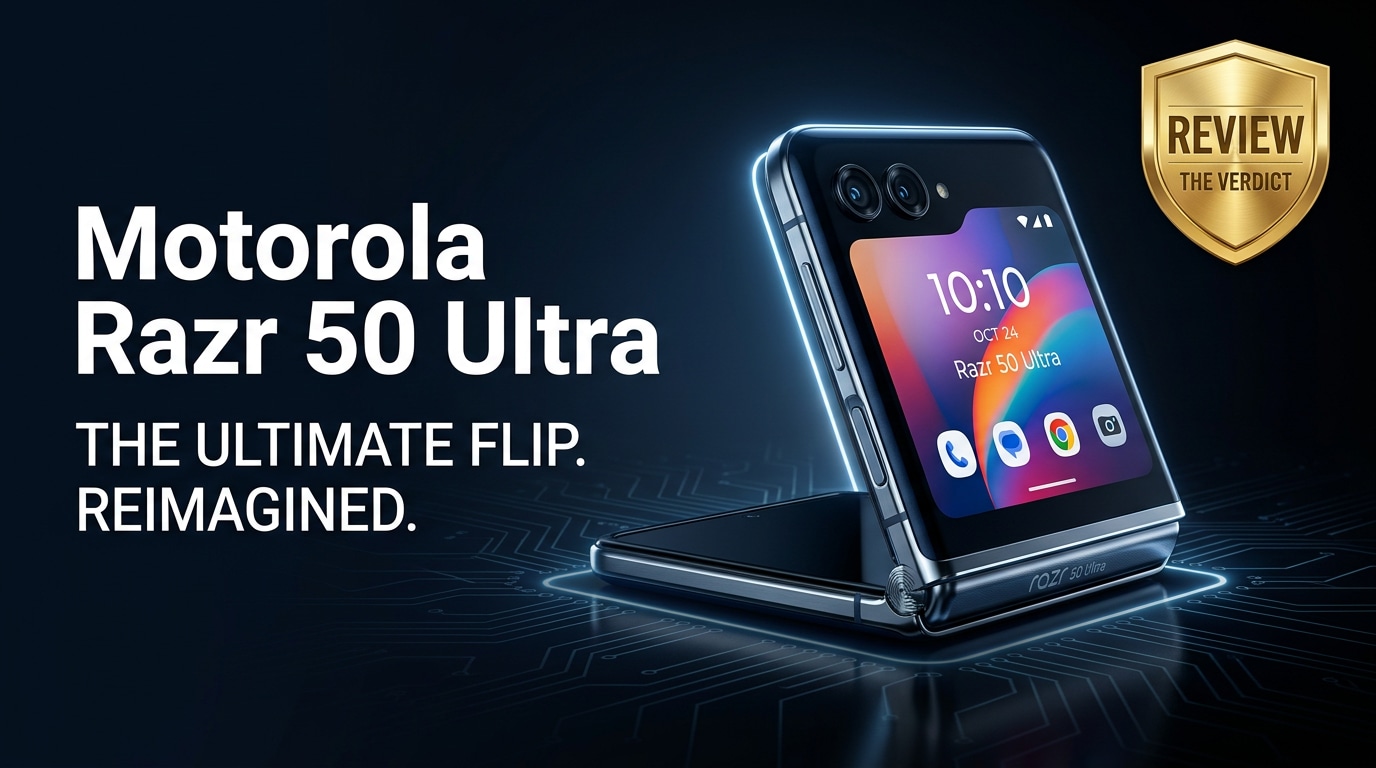
The Motorola Razr 50 Ultra is Motorola's latest flagship flip phone, pairing a large, functional cover screen with a premium folding OLED main display. It brings upgraded cameras, smoother performance, and a stronger hinge aimed at everyday use. This review walks through its key specs, design, strengths, and trade-offs, and also covers practical tips to deal with corrupted photos, videos, or system files so you can keep your data safe while enjoying a modern foldable.
Repair Corrupted Files To Save Your Data
 Security Verified. Over 7,302,189 people have downloaded it.
In this article
What is New About Motorola Razr 50 Ultra
The Razr 50 Ultra focuses on refinement rather than reinvention. The hinge feels sturdier and smoother, cutting down on creaks and wobble when you open and close the phone. Motorola also doubles down on the cover display, offering a larger, brighter panel with full Android app support so you can reply to messages, navigate with maps, or control music without unfolding. Under the hood, a faster chipset, more RAM in higher trims, and tuned thermals aim to keep performance snappy, while camera algorithms receive a significant update for better low-light shots and more natural skin tones.
Price, Storage, and Design
Motorola Razr 50 Ultra price and configurations
Motorola positions the Motorola Razr 50 Ultra as a premium foldable, typically priced in the same bracket as other flagship flips. Expect configurations that pair a generous amount of RAM with ample storage, often starting at 256 GB and going higher for users with large photo or video libraries. There is no removable storage, so choosing the right capacity at purchase is important if you shoot a lot of 4K video or install heavy games.
| Variant | What it suits best |
|---|---|
| Base RAM + 256 GB storage | Everyday users who stream more than they download and keep cloud backups |
| Higher RAM + 512 GB storage | Content creators, frequent travelers, and users shooting many 4K videos |
| Special color editions | Buyers who treat the phone as a style accessory as well as a gadget |
Foldable design, build, and ergonomics
The Razr 50 Ultra keeps the iconic clamshell silhouette while trimming bezels and tightening tolerances. When folded, it slips easily into small pockets or bags, and the outer glass and metal frame feel appropriately high-end. The hinge now holds its position at more angles, making it easier to prop the phone on a table for hands-free video calls or time-lapse shots.
Motorola uses a familiar mix of metal rails and glass or vegan leather finishes depending on colorway. The phone is rated for improved resistance against splashes and dust ingress compared to older generations, but like all foldables, the inner display is still more delicate than a traditional slab screen. A case and a bit of care go a long way toward keeping that flexible panel free from scuffs and pressure marks.
Display, Performance, and Daily Use
The outer cover display is one of the Razr 50 Ultra's biggest selling points. It is bright enough for sunny outdoor use and spacious enough to run full apps, not just tiny widgets. You can quickly respond to chats, check navigation, or glance at your calendar without unfolding, which meaningfully reduces screen-on time for the main panel and makes the phone feel more convenient.
Unfold the device and you get a tall, vibrant OLED main display with a fast refresh rate for fluid scrolling and gaming. Colors are punchy yet can be tuned in settings for a more natural look. The crease along the fold line is visible at certain angles and under direct light, but Motorola has kept it subtle enough that it fades into the background when you are actually using the phone.
Inside, a modern flagship-grade chipset keeps multitasking smooth, and high refresh rate animations remain consistent even with several apps running. Motorola's clean Android skin, with a light touch of helpful gestures and customization tools, helps the phone stay responsive. In daily use, you can comfortably juggle social media, messaging, streaming, browsing, and occasional gaming without obvious slowdowns, although marathon gaming sessions will still warm up the thin chassis.
Camera Review
The camera system on the Razr 50 Ultra aims to balance versatility with the constraints of a compact foldable body. Motorola focuses on reliable main and ultra-wide cameras while leveraging the foldable hardware for creative angles and hands-free shooting.
In good light, the main camera produces crisp photos with pleasing colors and decent dynamic range. Skin tones look more natural than on previous generations, and Motorola's processing has improved edge detection for portrait shots. The ultra-wide lens retains similar color tuning, which keeps your photo gallery consistent when switching between perspectives.
Low-light and indoor shots show the benefits of updated algorithms, with cleaner details and less aggressive noise reduction that used to smear fine textures. Night mode automatically kicks in for darker scenes, stacking frames to lift shadows and control bright lights. It still cannot quite match the very best camera-centric flagships in extreme conditions, but the gap has narrowed.
The flip design unlocks clever use cases: fold the phone halfway and place it on a surface to capture group photos without a tripod, or angle the cover screen toward yourself for high-quality selfies using the main camera. Video capture is stable for everyday clips, with decent electronic stabilization and reliable autofocus. For creators posting to social media, this combination of flexibility and quality will be more than enough.
Battery, Charging, and Software Experience
Battery life is always a concern on slim foldables, and the Motorola Razr 50 Ultra is no exception. The capacity is competitive for a flip phone but smaller than what you find in standard slabs. With mixed use that blends social apps, browsing, messaging, and some camera time, most users can reach the end of the day, especially if they lean on the cover screen to avoid lighting up the larger inner panel unnecessarily.
Heavy camera usage, extended 5G streaming, or gaming for long stretches can drain the battery faster, so power users may want a charger handy or a quick top-up in the evening. Fast wired charging helps recover a significant percentage in a short session, and wireless charging support lets you casually keep the phone topped off on desks or nightstands.
On the software side, Motorola sticks with a near-stock Android experience enhanced by its own gestures and personalization features. Quick lift-to-wake, twist-to-launch camera, and tailored cover screen panels help the phone feel intuitive and efficient. Fold-aware optimizations adjust layouts as you bend the hinge, making split-view apps and hands-free modes feel natural. Regular security updates and Android version upgrades are promised, but as always, the exact schedule can vary by region and carrier.
Pros and Cons of Motorola Razr 50 Ultra
| Pros | Cons |
|---|---|
| Compact, stylish flip design that fits easily in pockets and small bags | Inner display is more fragile than on non-foldable phones and needs extra care |
| Large, functional cover display that runs full apps and reduces the need to unfold | Battery life is adequate but not outstanding for heavy users |
| Improved hinge with firmer feel and better angle flexibility for hands-free use | Premium pricing similar to other high-end foldables |
| Capable cameras with better low-light performance and creative shooting positions | Still trails top camera-first slab flagships in the most demanding photo scenarios |
| Clean, mostly stock Android with useful Motorola gestures and foldable optimizations | No expandable storage, so you must choose storage tier carefully |
What to Do If Your Motorola Razr 50 Ultra Files Get Corrupted
Use Repairit to rescue damaged files
Even with a premium device like the Motorola Razr 50 Ultra, your photos, videos, or documents can become corrupted after interrupted transfers, failing storage, or system glitches. When that happens, do not keep opening the same broken files or repeatedly copying them back and forth, as this can make recovery harder. Instead, use a dedicated repair tool.
Wondershare Repairit is designed to fix damaged or unplayable media and documents from phones, SD cards, and computers. You can download it from the Repairit official website and use it as a safety net whenever important Razr 50 Ultra content stops opening correctly or shows errors in your gallery or video player.
Key features of Repairit for Razr 50 Ultra users
- Fixes corrupted or unplayable videos, photos, and documents from multiple devices, including files shot on your Razr 50 Ultra camera.
- Supports batch repair with clear previews so you can confirm each fixed file before saving it back to your phone or backup drive.
- Guided, click-through workflow that is approachable for beginners while still helping advanced users handle more complex corruption cases.
How to repair Razr 50 Ultra files step by step
- Move the problematic files off your Motorola Razr 50 Ultra before you attempt repairs. Connect the phone to your computer via USB or use a reliable transfer method to copy the corrupted photos, videos, or documents to a local folder. Then, launch Repairit on your computer and click the appropriate repair module (such as Video Repair, Photo Repair, or File Repair). Use the "Add" button to browse to the folder and import all the damaged files you want to fix in one go.
- After adding your files, click the "Repair" button to start the analysis and fixing process. Repairit scans each item for structural issues, missing headers, or broken metadata and attempts to reconstruct a valid version. When the repair completes, use the built-in Preview option to play the restored videos or view the photos and documents. Check that key moments, audio, and visual details look correct before you proceed.
- Once you are satisfied with the previews, choose a safe destination folder on your computer that is different from the original source location. Click "Save" to export the repaired files there. Afterward, you can copy the fixed content back to your Motorola Razr 50 Ultra, upload it to cloud storage, or keep it on an external drive as a long-term backup so you are protected if the phone is ever lost or damaged.



Conclusion — When Should You Buy?
The Motorola Razr 50 Ultra delivers one of the most refined flip phone experiences to date, combining a versatile cover screen, improved hinge, capable cameras, and smooth everyday performance in a compact, stylish package. It is made for people who value pocketability and design flair but still want modern flagship comforts.
You should consider buying the Razr 50 Ultra if you are ready to live with slightly shorter battery life than big slab phones and you are willing to treat the inner display with care. If you like using the cover display for quick interactions, capturing creative photos hands-free, and standing out from a crowd of rectangular phones, this foldable is easy to recommend, especially if you can grab it during promotions or carrier deals. Just remember to maintain regular backups and keep a tool like Repairit handy so corrupted media does not mean losing memories for good.
FAQ
-
1. Is the Motorola Razr 50 Ultra good for everyday use?
Yes. The Motorola Razr 50 Ultra is powerful enough for social apps, browsing, streaming, and light gaming, while its flip design keeps the phone compact in your pocket. The large cover display also makes quick tasks faster without unfolding the device. -
2. How durable are the hinge and foldable display?
The hinge on the Razr 50 Ultra is rated for frequent folding and feels sturdier than older models, and the main display uses multiple protective layers. However, like all foldables, it is still more delicate than a traditional flat screen, so a case and careful handling are strongly recommended. -
3. Does the Motorola Razr 50 Ultra have good battery life?
Battery life is generally sufficient for a full day of moderate use that mixes messaging, browsing, and some camera time. Heavy use of 5G, gaming, or prolonged video recording may require an additional charge later in the day. -
4. What should I do if photos or videos on my Razr 50 Ultra will not open?
Start by restarting the phone and checking the files in a different gallery or video app. If they are still broken, transfer the files to a computer and use a dedicated repair tool such as Wondershare Repairit to attempt recovery without further damaging the originals. -
5. Can I repair corrupted Motorola Razr 50 Ultra files without losing quality?
In many cases, yes. Repairit focuses on fixing structural issues in the file while preserving the original resolution and quality whenever possible. You can always preview repaired items before saving them to ensure they meet your expectations.




