
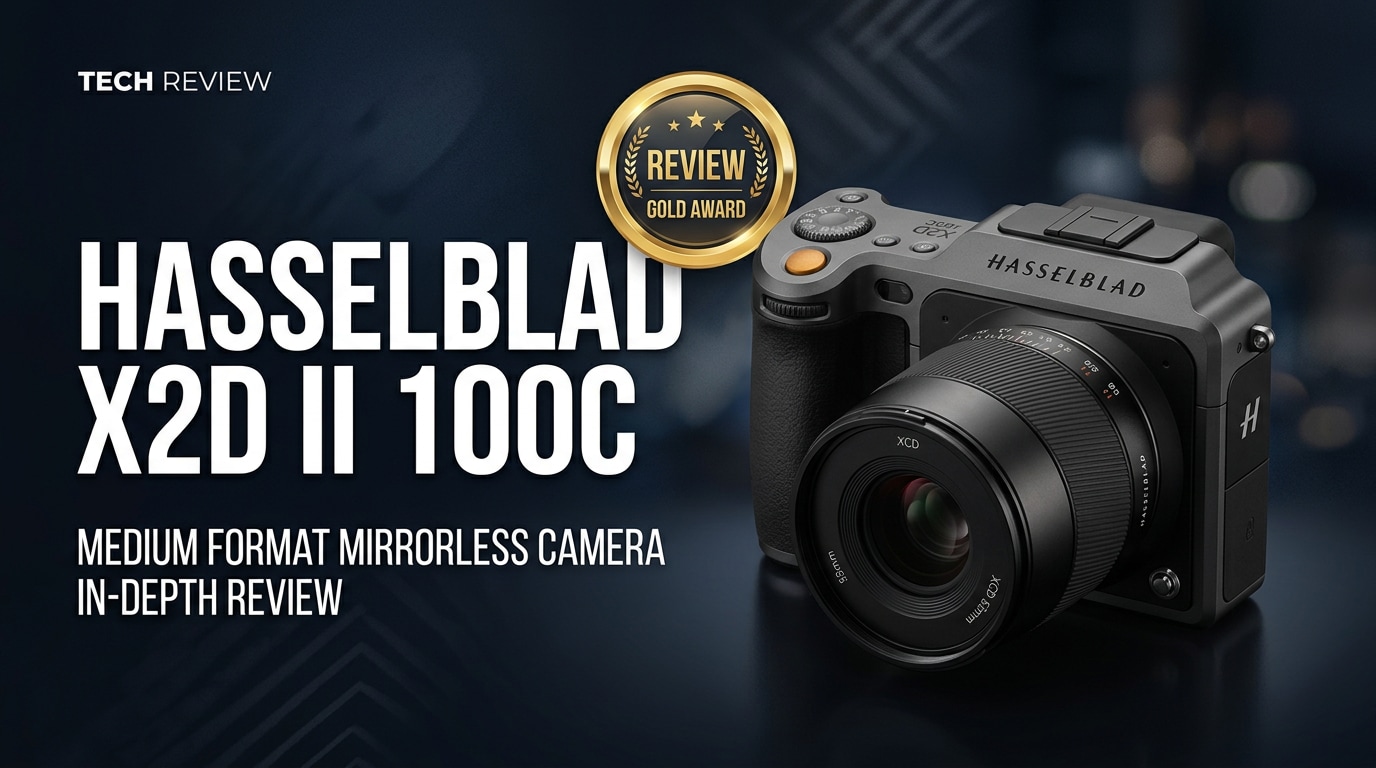
The Hasselblad X2D II 100C is a modern medium format mirrorless camera that refines Hasselblad's 100MP formula with faster handling, deeper integration with the X System, and a more fluid shooting workflow. It targets photographers who want Hasselblad color science, expansive dynamic range, and a tactile shooting experience without sacrificing everyday usability on location or in the studio.
Repair Corrupted Files To Save Your Data
 Security Verified. Over 7,302,189 people have downloaded it.
In this article
What Is New About Hasselblad X2D II 100C
The Hasselblad X2D II 100C evolves the original X2D with a focus on responsiveness and workflow. Hasselblad keeps the 100MP medium format sensor but refines processing, user interface, and overall shooting fluidity.
- More responsive menus and touch controls that feel closer to modern full-frame mirrorless cameras.
- Improved autofocus behavior, with snappier subject acquisition and better consistency across XCD lenses.
- Refined in-body image stabilization algorithms for more reliable handheld shooting at 100MP.
- Firmware-level enhancements for storage management and image review, making large RAW handling smoother.
- Better integration with tethered shooting and pro workflows, minimizing lag between capture, review, and export.
These updates do not radically change the sensor itself but significantly reduce friction in everyday use, especially for photographers working on location or in mixed light.
Full Specs at a Glance
The Hasselblad X2D II 100C builds on a proven medium format platform, pairing a high-resolution sensor with in-body stabilization, robust storage options, and the X System lens mount.
Sensor and Image Pipeline
| Component | Specification |
|---|---|
| Sensor Type | Medium format CMOS (approx. 43.8 x 32.9 mm) |
| Resolution | 100 megapixels, delivering ultra-detailed stills |
| Native ISO Range | Typically low base ISO for maximum dynamic range, extendable for low light |
| Dynamic Range | Extremely wide, aimed at preserving highlight and shadow detail |
This sensor size and resolution combine to produce files with deep tonality and flexibility in post-production, ideal for fine-art printing, commercial campaigns, and editorial work.
Body, Storage, and Connectivity
| Area | Details |
|---|---|
| Mount and Lenses | Hasselblad X System mount; compatible with existing XCD lenses |
| Stabilization | In-body image stabilization engineered for handheld medium format shooting |
| Storage | Fast internal storage plus external card options, optimized for 100MP RAW capture |
| Connectivity | USB-C and wireless options tailored for tethering, backups, and remote control |
The body is designed to feel robust yet portable, with simple, tactile controls that reflect Hasselblad's heritage while meeting current digital workflow demands.
Real-World Performance
In practical use, the Hasselblad X2D II 100C delivers images with exceptional microcontrast, color depth, and highlight roll-off. Skin tones and subtle gradients, such as skies or studio-lit backdrops, show the signature Hasselblad look: clean yet organic, with plenty of latitude for grading.
Autofocus performance is notably more confident than earlier generations, especially with updated XCD lenses. While it does not chase sports-camera speeds, the camera now feels comfortable for portraits, documentary work, and slower-paced street photography. In-body stabilization makes handheld shooting at slower shutter speeds far more viable, helping you preserve ISO and image quality.
Workflow is another area of improvement. Large 100MP RAW files transfer and load more fluidly, and reviewing images on the rear display is snappier. Tethered sessions benefit from more stable connections and predictable performance, valuable for commercial teams collaborating on set.
Pros & Cons
Pros
- Stunning 100MP medium format files with exceptional dynamic range and tonality.
- Refined handling and interface compared to earlier X System bodies.
- In-body image stabilization makes handheld medium format more realistic.
- Compatible with the expanding range of XCD lenses.
- Strong color science out of camera, reducing time in post for many genres.
Cons
- High purchase cost and system investment compared with full-frame cameras.
- Large files demand fast cards, fast storage, and powerful computers.
- Autofocus and burst performance still lag behind action-oriented full-frame systems.
- Medium format depth of field and resolution demand disciplined shooting technique.
Who Is This Camera For?
The Hasselblad X2D II 100C is best suited to photographers who treat image quality and color as non-negotiable. Commercial, fashion, portrait, and fine-art shooters will benefit most, particularly those who print large or deliver premium campaigns where every pixel matters.
It also appeals to location photographers who previously avoided medium format due to bulk or sluggish operation. The improved stabilization and faster interface make it feasible for travel, landscape, and environmental portrait projects where you move quickly but still demand a medium format look.
For hybrid shooters or those heavily focused on fast-paced action and video-first projects, a high-end full-frame cinema or mirrorless body may be more practical as a primary camera, with the X2D II 100C functioning as a specialty tool for hero stills.
What to Do If Your Hasselblad X2D II 100C Files Get Corrupted
Why Use Repairit for Hasselblad Files
Shooting 100MP files on the Hasselblad X2D II 100C means every frame represents a significant investment of time, effort, and storage. Card errors, interrupted transfers, or failing drives can corrupt these images or any supporting video clips in your workflow. Wondershare Repairit is purpose-built to repair damaged media, giving you a reliable safety net when crucial RAW files or exports refuse to open.
You can explore all features and download the latest version directly from the Repairit official website, adding an extra layer of protection to your medium format projects.
Key Features of Repairit
- Repairs corrupted photo and video files from cameras, memory cards, and external or internal drives.
- Supports a wide range of professional formats and resolutions commonly used in high-end workflows.
- Offers fast scanning with an intuitive, guided repair process that suits both beginners and experienced creators.
Step-by-Step: Repairing Hasselblad X2D II 100C Files
-
Choose a Location to Repair Data
Open Wondershare Repairit on your computer and decide where the problematic Hasselblad files are stored. This could be a CFexpress or SD card in a reader, a portable SSD from your shoot, or a project folder on your workstation. In the interface, add the corrupted RAW photos or video files so Repairit knows exactly which assets to analyze.

-
Deep Scan the Location
Start the deep scan and let Repairit inspect each selected file for structural damage, missing headers, and other common corruption patterns. You can watch the progress bar update as the tool parses your media. For large 100MP files, allow the scan to complete without interruption so Repairit can map out all repairable elements.

-
Preview and Repair Your Desired Data
When the scan completes, Repairit presents a list of files it can repair. Use the preview feature to confirm that images and videos look correct, paying attention to details, colors, and any previously missing portions of the frame. Select the Hasselblad files you want to keep, then save the repaired versions to a new, healthy drive or folder to avoid overwriting the originals.

Conclusion — Should You Buy?
The Hasselblad X2D II 100C refines an already admired medium format platform, offering 100MP resolution, excellent color science, and a more responsive shooting experience. It feels less like a purely studio-bound tool and more like a versatile, high-end companion for demanding professionals and serious enthusiasts.
If you prioritize dynamic range, tonal subtlety, and a distinctive rendering over speed and budget, the X2D II 100C is a compelling choice. Pairing it with a reliable repair and recovery solution such as Wondershare Repairit rounds out a robust workflow, ensuring that your most important images stay both beautiful and safe.
FAQ
-
1. Is the Hasselblad X2D II 100C worth upgrading from the original X2D?
It is worth considering if you want faster operation, smoother interface behavior, and refinements to autofocus and workflow. Image quality remains very similar because both cameras share a 100MP medium format sensor, so the upgrade is mainly about usability and polish rather than a dramatic jump in resolution. -
2. Can I use my existing XCD lenses on the Hasselblad X2D II 100C?
Yes. The Hasselblad X2D II 100C uses the same X System mount, so your existing XCD lenses will work. In many cases, firmware updates further optimize autofocus and communication between lens and body. -
3. Is the Hasselblad X2D II 100C good for handheld shooting?
With in-body image stabilization and ergonomic improvements, the X2D II 100C is well-suited to handheld work, particularly in available light. However, the high resolution and medium format sensor still reward careful technique, so using good handholding practices or support will help maximize sharpness. -
4. What should I do if my Hasselblad X2D II 100C RAW files will not open?
Stop using the affected card or drive immediately, copy any accessible data to a safe location, and confirm that your software is updated to support the camera. If files remain unreadable or appear corrupted, use a repair utility such as Wondershare Repairit to scan and attempt to restore the damaged media. -
5. How can I reduce the risk of file corruption with the Hasselblad X2D II 100C?
Use high-quality, properly rated memory cards, format them in camera, avoid removing cards or batteries while the camera is writing, and maintain multiple backups. Safely eject external drives and keep your camera and editing software up to date to further minimize corruption risks.




