
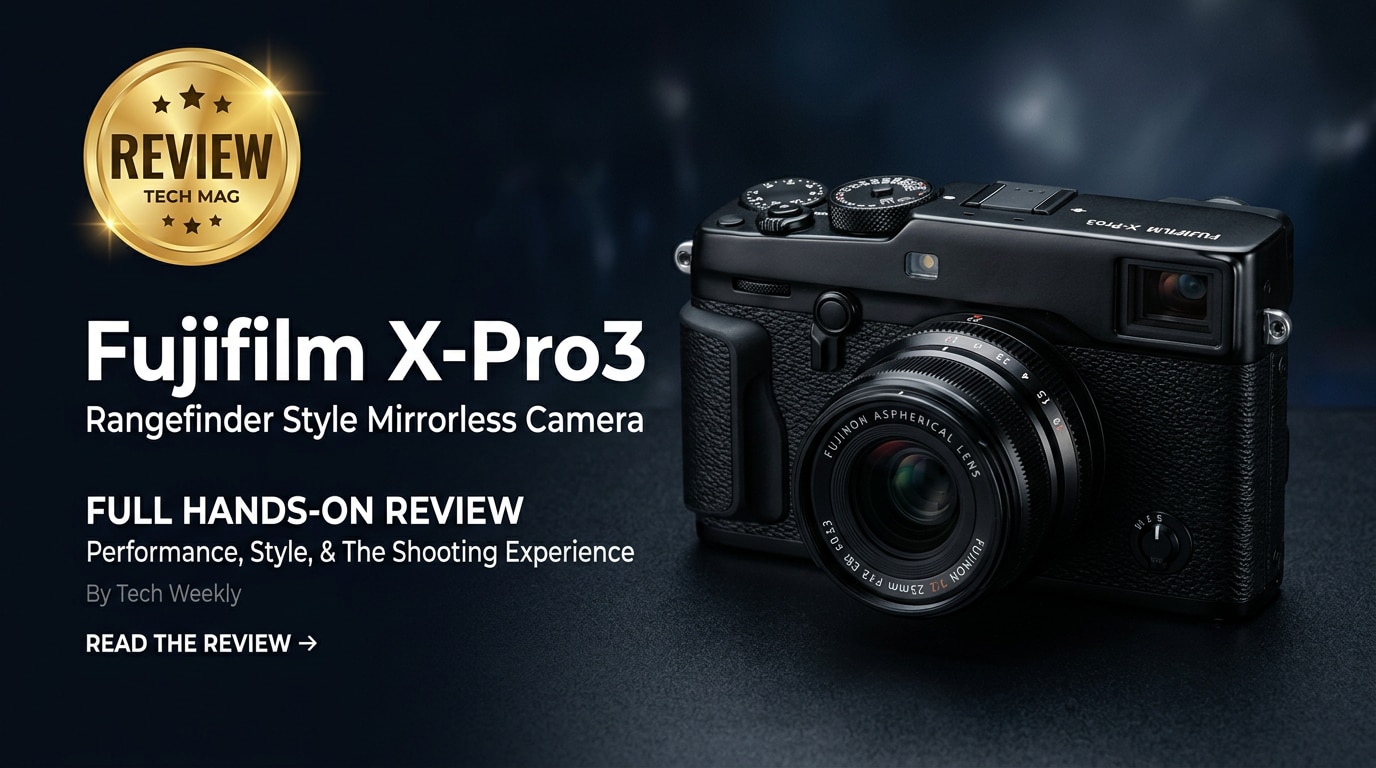
The Fujifilm X-Pro3 is a distinctive APS-C mirrorless camera that blends classic rangefinder-style handling with modern mirrorless performance. Its hidden LCD, hybrid optical/electronic viewfinder, and tactile dials are built to keep your eye at the finder and your attention on the scene, making it especially appealing to street, documentary, and travel photographers who value immersion over menu diving.
Repair Corrupted Files To Save Your Data
 Security Verified. Over 7,302,189 people have downloaded it.
In this article
Introduction
The Fujifilm X-Pro3 is a hybrid rangefinder-style mirrorless camera with an APS-C X-Trans sensor, a unique hidden flip-down LCD, and Fujifilm's much-loved film simulations. It is built around manual dials and a rugged titanium-clad body, prioritizing shooting experience and viewfinder use over constant screen checking, which makes it a favorite among dedicated street and documentary shooters.
What's New About Fujifilm X-Pro3
Compared with earlier X-Pro models, the Fujifilm X-Pro3 pushes the rangefinder concept further and modernizes the internals.
- Hidden main LCD: A 3.0-inch flip-down screen is concealed against the body, encouraging viewfinder shooting and reducing chimping.
- Classic sub-monitor: A small rear display shows settings, film simulation, or a retro film box-style label.
- 26.1 MP X-Trans CMOS 4 sensor: Shared with Fujifilm's higher-end bodies, delivering excellent detail and dynamic range.
- X-Processor 4: Faster processing, better autofocus tracking, and improved overall responsiveness.
- Improved hybrid viewfinder: Switch instantly between an optical view with frame lines and an electronic view for precise framing.
- Titanium top and bottom plates: Available in different finishes, adding durability and a premium feel.
- Better low-light AF and face/eye detection: More reliable focusing for candid and nighttime street work.
- USB-C port: Simplified connectivity for charging and data transfer.
Full Specs at a Glance
Sensor and Image Quality
| Specification | Details |
|---|---|
| Sensor Type | 26.1 MP APS-C X-Trans CMOS 4 |
| Image Processor | X-Processor 4 |
| Native ISO Range | ISO 160-12800 (expandable to 80-51200) |
| Image Formats | JPEG, RAF (Fujifilm RAW) |
| Film Simulations | Classic Chrome, Provia, Velvia, Acros, Classic Neg, Eterna, and more |
| Dynamic Range Modes | DR100, DR200, DR400, HDR options |
Body, Controls, and Connectivity
| Specification | Details |
|---|---|
| Body Material | Magnesium alloy chassis with titanium top and bottom plates |
| Viewfinder | Hybrid OVF/EVF (optical plus 3.69M-dot electronic) |
| Rear Display | 3.0-inch flip-down LCD (1.62M dots) + 1.28-inch sub-monitor |
| Video Recording | 4K up to 30p, Full HD up to 120p |
| Storage | Dual UHS-II SD card slots |
| Ports | USB-C, 2.5 mm mic/remote, HDMI micro |
| Wireless | Wi-Fi and Bluetooth for remote control and transfer |
| Weather Sealing | Weather-resistant body when paired with WR lenses |
Real-World Performance
In daily use, the Fujifilm X-Pro3 feels fast and responsive, particularly for stills. Autofocus locks quickly in good light and remains dependable under street lamps or indoors, especially with newer Fujinon lenses. Continuous AF and eye detection work well for people-focused work, though this body is tuned more for decisive single shots than heavy action bursts.
The hybrid viewfinder is the star: the optical mode with frame lines lets you see outside the edges of the frame, anticipating subjects entering the scene, while a flick of the lever converts it to an EVF for accurate composition and exposure preview. This flexibility is invaluable for candid shooting.
Image quality is classic Fujifilm: rich color, strong detail, and attractive tonal transitions. Film simulations like Classic Chrome, Classic Neg, and Acros give you distinct looks straight out of camera. High-ISO performance is very usable for street and reportage, with RAF files offering enough latitude for serious editing.
For video, 4K/30p footage looks clean and detailed, but the ergonomics, lack of advanced video tools, and hidden screen make it more of a stills-first camera that can shoot video when required, rather than a dedicated hybrid workhorse.
Pros & Cons
| Pros | Cons |
|---|---|
| Unique hybrid viewfinder that supports both optical and electronic shooting styles. | Hidden LCD and limited articulation can be inconvenient for some workflows. |
| Excellent JPEG color and film simulations, reducing time in post-production. | Video features lag behind Fujifilm's more video-centric bodies. |
| Rugged titanium build with weather sealing for demanding environments. | Premium pricing for a niche design that may not suit all photographers. |
| Tactile external controls for shutter speed, ISO, and exposure compensation. | No in-body image stabilization, relying on lens-based OIS or higher shutter speeds. |
| Dual UHS-II SD card slots for backup and overflow recording. | Some users may find the rangefinder-style layout slower to learn. |
Who Is This Camera For?
The Fujifilm X-Pro3 is designed for photographers who care more about experience, restraint, and immersion than about spec-sheet bragging rights. It suits:
- Street photographers who want a quiet, discreet camera with an OVF to keep an eye on the whole scene.
- Documentary and reportage shooters who appreciate robust build, dual card slots, and reliable autofocus.
- Travel photographers seeking a compact, durable system with superb JPEG output.
- Film-era enthusiasts who enjoy dials, deliberate operation, and film simulation aesthetics.
If you rely heavily on rear-screen composition, need advanced video functions, or prefer deep grip-style bodies, you may be better served by cameras like the Fujifilm X-T or X-H series.
What to Do If Your Fujifilm X-Pro3 Files Get Corrupted
Repairit Introduction
Even with a dependable camera like the Fujifilm X-Pro3, memory card errors, interrupted transfers, or failing drives can leave you with corrupted RAF photos or video clips that refuse to open. Instead of giving up on those captures, you can use Wondershare Repairit, a dedicated repair toolkit that focuses on broken photos, videos, and documents. It guides you through loading damaged files, analyzing them, and then rebuilding them so they become viewable again. To explore all options, visit the Repairit official website.
Key Features of Repairit
- Repairs corrupted or unplayable photo and video files from cameras like the Fujifilm X-Pro3, across common formats.
- Handles issues caused by transfer interruptions, sudden power loss, faulty cards, or incomplete downloads.
- Offers a straightforward interface that lets you preview repaired files before deciding what to save.
Step-by-Step: Repair Fujifilm X-Pro3 Files
-
Choose a Location to Repair Data
Start Wondershare Repairit and select whether you need to repair photos or videos from your Fujifilm X-Pro3. Click to add specific corrupted RAF images or movie files, or point the program to the folder, SD card, or backup drive that contains the damaged content. This lets Repairit gather everything that needs attention in one place before analysis begins.

-
Deep Scan the Location
After your files or folders are selected, launch the deep scan. Repairit will go through each item, checking headers, metadata, and structure to pinpoint where corruption is causing playback or opening errors. Allow the scan to complete without disconnecting your card or drive; during this stage the software builds a repair strategy tailored to each file instead of applying a one-size-fits-all fix.

-
Preview and Repair Your Desired Data
When the repair phase finishes, Repairit will list the recoverable items. Use the built-in preview to check that your Fujifilm photos display correctly and that your videos play from start to finish without glitches. Tick the files that look good, then save them to a safe destination on your computer or an external drive. Avoid writing them back to the original card to reduce the risk of further damage.

Conclusion — Should You Buy?
The Fujifilm X-Pro3 is a bold, niche camera that deliberately prioritizes shooting discipline and feel over maximum flexibility. Its hybrid viewfinder, discreet design, and outstanding JPEG color make it a compelling choice for street, travel, and documentary photographers who appreciate a rangefinder-style approach and do not mind the hidden screen.
If you are comfortable composing through a viewfinder, value tactile controls, and want a camera that encourages you to stay engaged with the scene, the X-Pro3 remains one of the most characterful options in Fujifilm's lineup. And should your files ever become corrupted, using a specialist solution like Wondershare Repairit can often rescue the images and footage created with this unique camera.
FAQ
-
1. Is the Fujifilm X-Pro3 good for beginners?
The Fujifilm X-Pro3 is usable for beginners, but its rangefinder-style layout, hidden LCD, and emphasis on manual controls make it more comfortable for experienced photographers. New users may find Fujifilm X-T or X-S bodies easier to learn. -
2. Can the Fujifilm X-Pro3 shoot 4K video?
Yes. The X-Pro3 records 4K video up to 30p and Full HD at higher frame rates. However, it is stills-focused and lacks some advanced video options and monitoring tools found in Fujifilm's video-centric models. -
3. Why does the Fujifilm X-Pro3 have a hidden LCD screen?
The hidden, flip-down LCD is intended to promote viewfinder-based shooting and more deliberate composition. A small sub-monitor on the back shows key settings or film simulation information while the main screen stays concealed. -
4. What should I do if my Fujifilm X-Pro3 RAW files will not open?
First ensure your software supports the latest Fujifilm RAF format and is fully updated. If files still show errors, copy them to a computer, stop using the memory card, and run a repair tool such as Wondershare Repairit to attempt to fix the corrupted data. -
5. How can I prevent file corruption on my Fujifilm X-Pro3?
Use high-quality, fast SD cards, format them in-camera, avoid removing the card or battery while the camera is writing, and back up to a computer or external drive as soon as possible. Regular formatting after backup helps keep the card stable and reduces corruption risks.




