
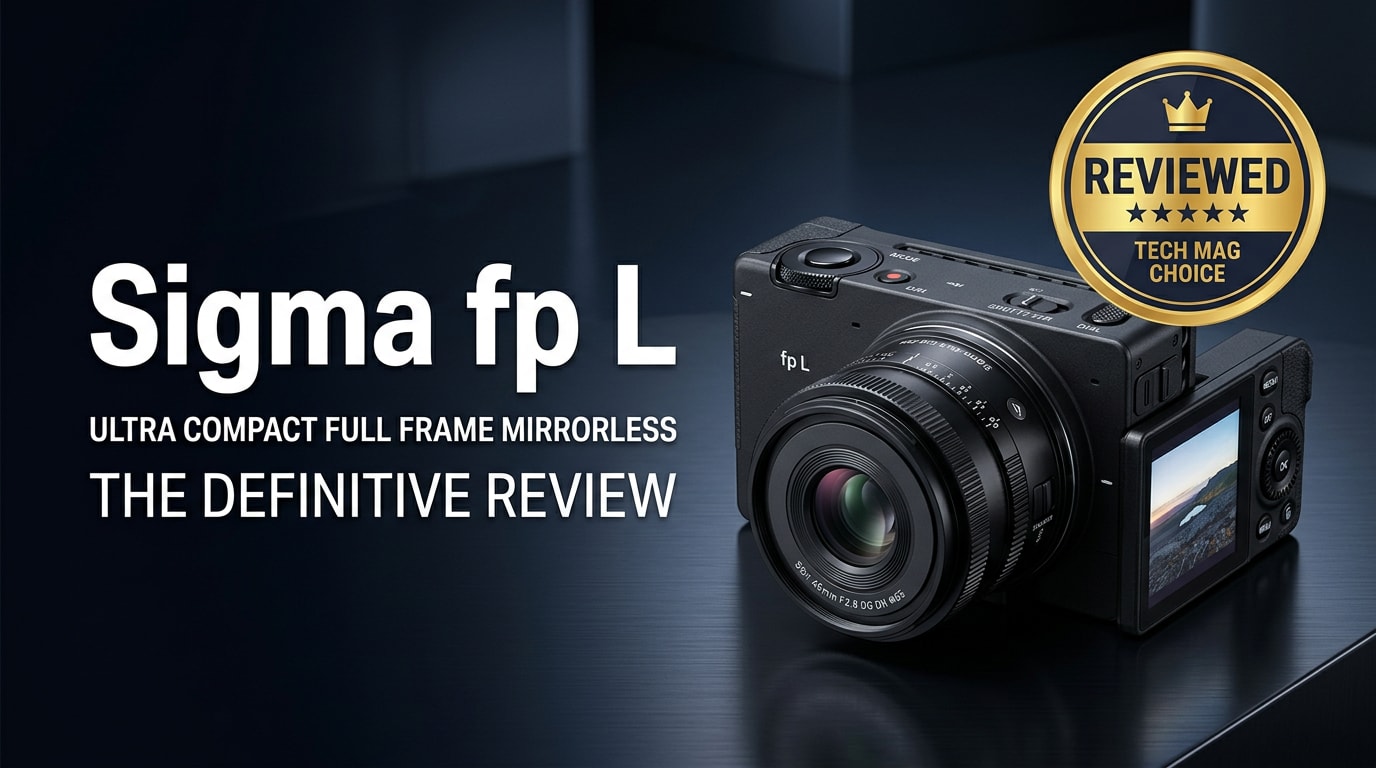
The Sigma fp L is a tiny full-frame mirrorless camera that hides a 61MP sensor inside a modular, box-style body. Built for hybrid creators, it can be rigged for serious cinema work or pared down as an ultra-light stills camera. This review covers what is new, key specs, real-world performance, who it suits best, and how to safely repair or recover fp L photos and videos if your files ever become corrupted.
Repair Corrupted Files To Save Your Data
 Security Verified. Over 7,302,189 people have downloaded it.
In this article
Introduction
The Sigma fp L is one of the smallest full-frame mirrorless cameras available, yet delivers a massive 61MP resolution and a modular design that can be tailored from pocketable walk-around body to fully rigged cinema camera. Its L-Mount compatibility opens the door to a huge lens ecosystem, while its minimalist, boxy form factor targets shooters who like to customize their tools rather than accept a fixed layout.
What is New About the Sigma fp L
Compared with the original Sigma fp, the Sigma fp L shifts focus toward ultra-high-resolution stills while still preserving the series' video DNA. The headline change is the 61MP full-frame sensor, which dramatically increases detail and crop flexibility for both photography and 4K production.
Autofocus also receives a meaningful upgrade. The fp L introduces hybrid phase-detection AF, improving subject acquisition and tracking compared with the contrast-only system in the original fp. This matters for portraits, events, and any handheld work where focus reliability is critical.
The camera retains the same minimalist cube-like body, keeping it highly modular, but adds usability enhancements such as improved USB power options and refined firmware features for both stills and video. For filmmakers, the fp L still supports external RAW recording and flexible codecs, but can now double as a high-resolution stills body for key art, product shots, and location stills without changing systems.
Full Specs at a Glance
On paper, the Sigma fp L looks like a compact spec monster. Here is a concise overview of its core hardware and capabilities.
Sensor and Image Pipeline
| Feature | Details |
|---|---|
| Sensor type & size | 61MP full-frame back-illuminated CMOS (approx. 36 x 24 mm) |
| Resolution | Approx. 9,520 x 6,328 pixels for still images |
| ISO range | Native ISO 100–25,600 (expandable, depending on mode) |
| Image formats | RAW (DNG), JPEG, simultaneous RAW+JPEG |
| Video formats | Up to 4K UHD with external RAW output; MOV/MP4 internal options |
Body, Storage, and Connectivity
| Feature | Details |
|---|---|
| Body design | Modular, compact box-style body with L-Mount |
| Lens mount | L-Mount (Sigma, Leica, Panasonic ecosystem) |
| Storage media | Single SD card slot (UHS-II recommended); external recording supported |
| Power | Rechargeable battery with USB-C power options for extended shooting |
| Connectivity | USB-C, HDMI, microphone input, and other ports for accessories and rigs |
Real-World Performance
In practice, the Sigma fp L excels when you can slow down and take advantage of its 61MP sensor. Landscape, architecture, and studio shooters will appreciate the resolving power and flexibility for large prints or tight crops. Colors are rich yet natural, and the ability to output DNG RAW gives you broad control in post-production across different software platforms.
Autofocus performance is improved over the original fp, though still not on the level of the fastest mainstream mirrorless systems. With static or moderately moving subjects, phase-detect AF feels confident; with unpredictable action, you may notice more misses and will need to work around that with technique.
For video, the fp L continues Sigma's cinema-friendly approach. When rigged with external recorders and accessories, it becomes a flexible B-cam or specialty A-cam, especially useful for gimbals or tight spaces where a small footprint matters. Rolling shutter and thermal management are areas to watch, especially during prolonged high-resolution shooting, but thoughtful rigging and power management mitigate many of these concerns in professional workflows.
Pros & Cons
Advantages of the Sigma fp L
- Exceptionally high 61MP resolution in a tiny full-frame body.
- Modular design that adapts easily to cages, grips, and cinema rigs.
- L-Mount compatibility with a broad selection of lenses from multiple brands.
- DNG RAW stills and robust support for external RAW Sigma fp L video recording.
- Highly customizable controls and deep menu options for tailored workflows.
Limitations to Consider
- Minimalist, grip-less body can be uncomfortable for some users without accessories.
- Autofocus still trails the best competitors for fast action and face/eye tracking.
- Single SD card slot and reliance on external devices for the most advanced codecs.
- Menu depth and modular approach introduce a learning curve for new users.
- File sizes from 61MP Sigma fp L RAW files demand fast cards and large storage.
Who Is This Camera For?
The Sigma fp L 61MP camera is best suited to photographers and filmmakers who prioritize portability and customization over conventional ergonomics. If you are used to rigging cameras, working with external monitors, and building systems around a compact core, the fp L fits naturally into that mindset.
Still photographers in genres like landscape, architecture, product, and studio work will benefit most from the resolution and dynamic range, especially if they are comfortable shooting more deliberately. Filmmakers and content creators looking for a small, high-resolution full-frame body that can function as a modular cinema unit, webcam, or travel camera will also find it compelling.
However, if you want an all-in-one body with integrated EVF, large grip, dual card slots, and top-tier continuous AF for sports or wildlife, the fp L's unconventional strengths may not align with your needs.
What to Do If Your Sigma fp L Files Get Corrupted
Why Use Repairit for Sigma fp L File Repair
High-resolution Sigma fp L RAW files and video clips are valuable and often irreplaceable, especially after client shoots or once-in-a-lifetime trips. If your photos or recover Sigma fp L videos attempts fail due to corruption, simple re-opening or re-copying usually will not fix the issue. A specialized repair tool is far safer than trial-and-error methods that can worsen the damage.
Wondershare Repairit is built specifically to repair corrupted, unplayable, or partially damaged media files from cameras like the Sigma fp L. It analyzes structural errors within the file, repairs headers, and reconstructs playable streams where possible, all through a guided interface. You can learn more and download it from the Repairit official website.
Key Features of Repairit
- Repairs corrupted or unplayable photo and video files from a wide range of cameras, including repair corrupted Sigma files from the fp L.
- Handles multiple formats and file batches in a single repair session, which is ideal after card or drive issues.
- Offers built-in preview so you can verify repaired Sigma fp L photos and videos before saving them back to secure storage.
Step-by-Step: Repair Corrupted Sigma fp L Files
-
Choose a Location to Repair Data
Start Wondershare Repairit and select the module that matches the issue you are facing, such as Video Repair or Photo Repair. Click the button to add files, then browse to your affected Sigma fp L clips or images on the SD card backup, external drive, or local folder. Import all the problematic items so Repairit can examine them together.

-
Deep Scan the Location
After you have loaded the damaged files, start the repair process. Repairit runs a deep analysis on each Sigma fp L video or photo, checking container structure, metadata, and frame data for inconsistencies. The tool automatically applies the most suitable repair strategy for each format and damage level, so you do not need to adjust technical parameters.

-
Preview and Repair Your Desired Data
When the scan completes, Repairit presents a list of results. Use the built-in preview window to play repaired clips or view recovered stills, paying attention to playback smoothness, audio sync, and detail. Select the repair corrupted Sigma files you are satisfied with, choose a secure output folder on a different drive from the original card, and save them. This workflow helps protect your remaining data while restoring as much usable content as possible.

Conclusion — Should You Buy?
The Sigma fp L stands out as a compact 61MP powerhouse, offering class-leading resolution in a uniquely modular body. It shines for deliberate stills work, adaptable video rigs, and creators who value flexibility and a highly customizable shooting platform more than traditional ergonomics.
Its trade-offs are real: a minimalist grip, single card slot, and autofocus that lags behind the most action-oriented systems. If you are comfortable building out rigs and working with a more deliberate camera, the fp L can be a powerful core for both high-end stills and video. And if your Sigma fp L RAW files or clips ever become corrupted, Wondershare Repairit provides a structured way to diagnose and repair the damage so you can keep your creative workflow on track.
FAQ
-
1. Is the Sigma fp L good for professional photography?
Yes. With its 61MP full-frame sensor, the Sigma fp L delivers files that are more than capable for professional commercial, landscape, fine art, and studio work. You will get the most from it if you are comfortable with its modular, grip-less design and are willing to adapt your handling with accessories. -
2. How does the Sigma fp L differ from the original Sigma fp?
The fp L upgrades the original fp with a 61MP sensor, hybrid phase-detect autofocus, and higher-resolution stills. The first fp, at 24.6MP, leans more heavily toward video use, while the fp L is oriented toward high-resolution photography while still supporting strong video and external RAW workflows. -
3. Is the Sigma fp L good for video recording?
The Sigma fp L can be a very capable video camera when properly rigged. It supports external RAW, flexible codecs, and a compact body ideal for gimbals and cages. However, you will likely want accessories such as an external monitor, cage, and possibly extra power solutions for serious production work. -
4. What memory cards should I use with the Sigma fp L?
Use fast, high-quality UHS-II SD cards from reputable brands, especially if you shoot bursts of 61MP stills or higher-bitrate video. Slower or unreliable cards increase the risk of dropped frames, buffer slowdowns, and potential file corruption. -
5. What should I do if my Sigma fp L files become corrupted?
Stop shooting on the affected card immediately to avoid overwriting data, then copy any readable files to a safe drive. Next, run Wondershare Repairit to scan and repair corrupted Sigma fp L RAW files or videos before reformatting the card. This approach maximizes the chances of recovering usable content.




