
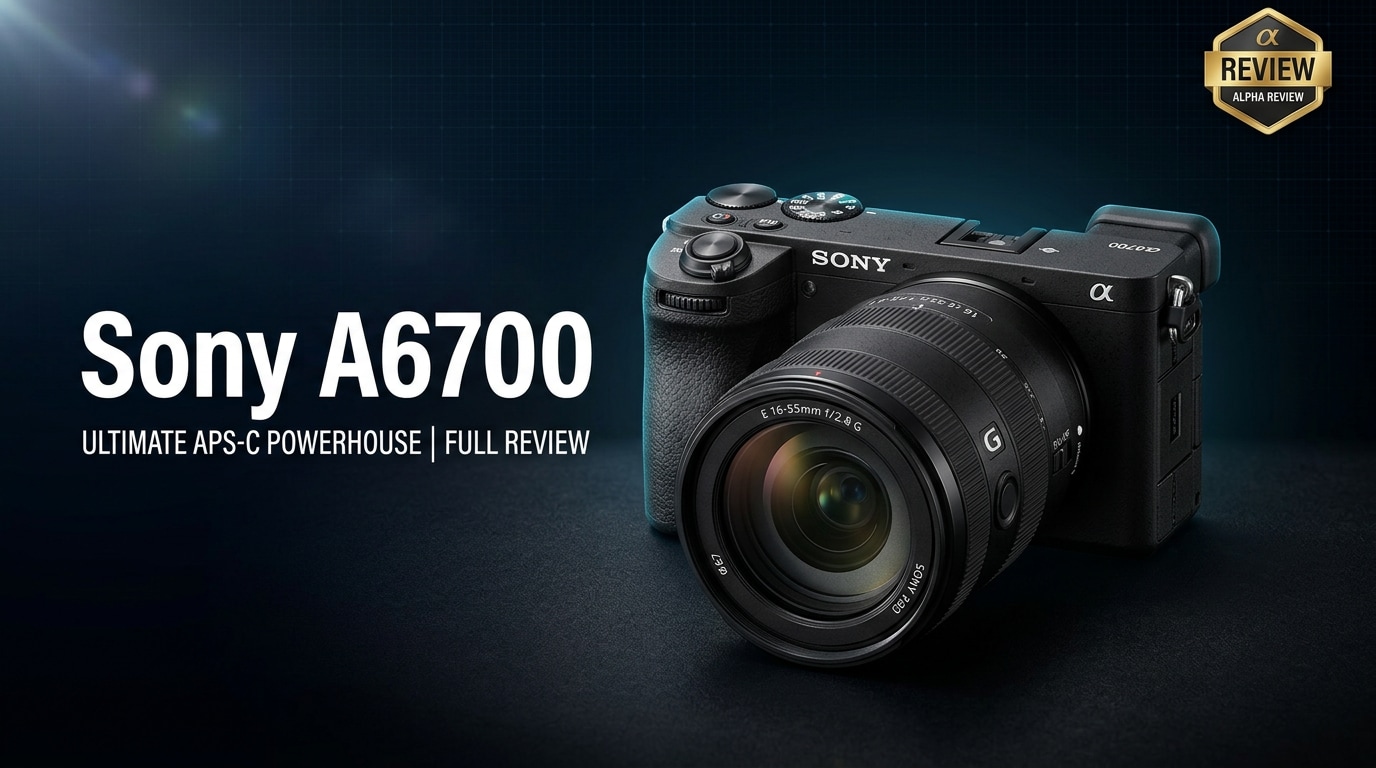
The Sony A6700 is Sony's flagship APS-C mirrorless camera, created for hybrid shooters who balance serious photography with high-quality video. It packs advanced autofocus, 4K recording, and improved ergonomics into a compact body that suits travel, vlogging, and everyday content creation. This review breaks down what is new, core specs, real-world performance, and how to safeguard your footage if any files from the Sony A6700 become corrupted.
Repair Corrupted Files To Save Your Data
 Security Verified. Over 7,302,189 people have downloaded it.
In this article
What’s New About Sony A6700
The Sony A6700 brings several meaningful upgrades over previous APS-C models like the A6600, focusing on smarter autofocus, richer video tools, and a more refined shooting experience.
- New 26MP backside-illuminated APS-C sensor for better detail and low-light performance.
- Latest BIONZ XR processor plus AI-based processing unit for improved subject recognition.
- Advanced Sony A6700 autofocus with real-time tracking for humans, animals, birds, cars, and more.
- Oversampled 4K from 6K capture up to 30p, and 4K 60p/120p with flexible codecs.
- Up to 11 fps continuous shooting with mechanical shutter and deep buffer.
- Fully articulating touchscreen, improved grip, and updated menus for easier control.
- Better heat management for longer Sony A6700 video recording sessions.
- Modern connectivity, including USB-C, microphone and headphone jacks, and improved wireless features.
Full Specs at a Glance
Photo and Video Core Specs
This section summarizes the main Sony A6700 specs that matter most to creators.
| Feature | Specification |
|---|---|
| Sensor | 26MP APS-C Exmor R CMOS (BSI) |
| Image Processor | BIONZ XR + dedicated AI processing unit |
| ISO Range | ISO 100-32,000 (expandable) |
| Autofocus System | Phase-detection AF with real-time tracking and eye AF (human, animal, bird) |
| Continuous Shooting | Up to 11 fps with AF/AE tracking |
| Video Resolution | 4K oversampled from 6K up to 30p; 4K up to 60/120p; Full HD up to high frame rates |
| Picture Profiles | S-Log3, S-Cinetone, HLG and more for flexible grading |
| Stabilization | In-body 5-axis IBIS plus digital stabilization options |
Body, Battery, and Connectivity
Beyond imaging, the Sony APS-C camera design of the A6700 focuses on portability and creator-friendly handling.
| Feature | Specification |
|---|---|
| Body Type | Compact mirrorless hybrid camera with deep grip |
| Viewfinder / LCD | High-resolution EVF; fully articulating touchscreen LCD |
| Storage | Single SD card slot (UHS-I, U3 / V30 or higher recommended) |
| Battery | NP-FZ100 with solid endurance for photo and video |
| Ports | USB-C, micro HDMI, 3.5mm mic and headphone jacks, multi-interface shoe |
| Wireless | Wi-Fi and Bluetooth for remote control and quick sharing |
| Mount | Sony E-mount; supports both APS-C and full-frame E-mount lenses |
Real-World Performance
In daily use, the Sony A6700 review story centers on speed, reliability, and flexibility. Autofocus locks onto eyes and faces quickly, even when subjects move erratically, which is ideal for street photography, sports, and vlogging. The new AI-driven subject recognition helps the camera stay locked on birds, pets, and vehicles in challenging situations.
For video, oversampled 4K footage is detailed and clean, with good dynamic range, especially when using S-Log3 or S-Cinetone. Rolling shutter is well-controlled for an APS-C mirrorless camera, and in-body stabilization makes handheld shots smoother, particularly for talking-head content and B-roll. Low-light performance is strong for the sensor size, keeping noise manageable up to mid-high ISO values.
Battery life is solid for hybrid creators, and the smaller body is convenient for travel and gimbal work. Menus and touch controls are more intuitive than older models, reducing friction when switching between custom stills and video setups.
Pros & Cons
Pros
- High-quality 26MP BSI sensor with excellent detail and low-light performance for APS-C.
- Advanced Sony A6700 autofocus with AI subject recognition for reliable tracking.
- Impressive 4K video quality with professional profiles like S-Log3 and S-Cinetone.
- Compact, lightweight body with improved grip and fully articulating screen.
- Good in-body stabilization for handheld shooting and vlogging.
- Strong battery life using the NP-FZ100 battery.
- Works seamlessly with a wide range of Sony E-mount lenses, including full-frame options.
Cons
- Single SD card slot may worry professionals who prefer redundant backups.
- Long 4K recording in hot environments can still trigger heat warnings.
- Crop factor limits wide-angle field of view when using some lenses.
- Some advanced video features and codecs can be complex for total beginners.
Who Is This Camera For?
The Sony A6700 is tailored for hybrid creators who need both strong stills and video performance without stepping into the price and size of full-frame systems. Enthusiast photographers, YouTubers, travel vloggers, and solo content creators will appreciate the blend of portability, autofocus reliability, and robust 4K options.
Motivated beginners can grow into the camera thanks to automatic shooting modes, while intermediate and advanced users gain deep customization, log profiles, and plenty of lens options. For documentary shooters or small production teams, it also works well as a compact A- or B-cam when color-matched with other Sony bodies.
What to Do If Your Sony A6700 Files Get Corrupted
Why Use Repairit for Sony A6700 Footage
Even with careful handling, corrupted video repair may become necessary when SD cards fail, power is lost during recording, or files get damaged in transfer. Wondershare Repairit is a dedicated data repair solution that helps creators fix corrupted or unplayable photos, videos, and other files from cameras like the Sony A6700. With an intuitive interface and automated repair engine, it streamlines restoring damaged clips from SD cards, external drives, or computers. You can explore all its capabilities on the Repairit official website.
Key features
- Repairs corrupted or unplayable video, photo, and file formats from popular cameras, including the Sony A6700 video formats you rely on most.
- Simple guided workflow that requires no technical expertise, making it suitable for beginners and busy creators alike.
- Supports batch repair and preview before saving recovered files so you only keep the versions that meet your quality standards.
Step-by-Step: Repair Corrupted Sony A6700 Files
-
Choose a Location to Repair Data
Start by stopping any further recording on the affected SD card to prevent overwriting damaged data. Launch Wondershare Repairit and select the storage location that holds your problematic Sony A6700 files, such as the SD card, camera folder, or a backup drive. Add the corrupted videos or photos to the repair list using the on-screen file picker so Repairit knows exactly which clips you want to fix.

-
Deep Scan the Location
After your files are loaded, start the repair process. Repairit will scan each selected file frame by frame, examine the structure, and detect issues such as header damage, audio-video desynchronization, or missing metadata. During this deep analysis, the software automatically applies the right repair algorithms, reconstructing playable versions of your corrupted video repair targets without requiring manual tweaking.

-
Preview and Repair Your Desired Data
Once the repair finishes, Repairit displays a list of fixed files. Use the built-in preview window to check video playback, audio sync, and overall quality for each Sony A6700 clip. When you are satisfied, choose a safe output folder that is different from your original card or source drive, then save the repaired files. This gives you clean, usable footage while keeping your damaged originals separate for backup if needed.

Conclusion — Should You Buy?
The Sony A6700 advances Sony's APS-C line with a modern sensor, powerful AI-driven autofocus, and robust 4K video options in a compact, travel-friendly body. It delivers a convincing blend of stills quality, video performance, and handling that will satisfy most hybrid creators.
If you want a flexible hybrid camera with reliable AF, strong video tools, and excellent lens support without moving to full-frame, the A6700 is an excellent choice. Combine it with a solid backup routine and tools like Wondershare Repairit so any unexpected card errors or damaged clips do not cost you important shots.
FAQ
-
1. Is the Sony A6700 good for beginners?
Yes, the Sony A6700 can work for motivated beginners thanks to its Auto and Scene modes, but its advanced features and price are better suited to enthusiasts and creators ready to grow. -
2. Does the Sony A6700 overheat when recording 4K video?
The Sony A6700 video performance manages heat better than older models, but long 4K sessions in hot environments can still cause temperature warnings. Using a fast SD card, shooting shorter clips, and ensuring good airflow around the camera helps reduce overheating risk. -
3. What memory card do I need for the Sony A6700?
Use a high-quality SD card rated UHS-I U3 or V30 or higher to handle high-bitrate 4K recording on the Sony A6700 and to reduce the chance of dropped frames or recording errors. -
4. Can I use full-frame lenses on the Sony A6700?
Yes, you can mount full-frame Sony E-mount lenses on this Sony APS-C camera. The 1.5x crop factor narrows the field of view compared with full-frame bodies, which can be helpful for telephoto reach but less ideal for ultra-wide framing. -
5. How can I fix corrupted Sony A6700 video files?
If your A6700 clips become unreadable, stop using the card immediately, back up any files you can still access, then run Wondershare Repairit to scan and repair the corrupted footage. Save the repaired files to a different drive or card to keep them safe.




