
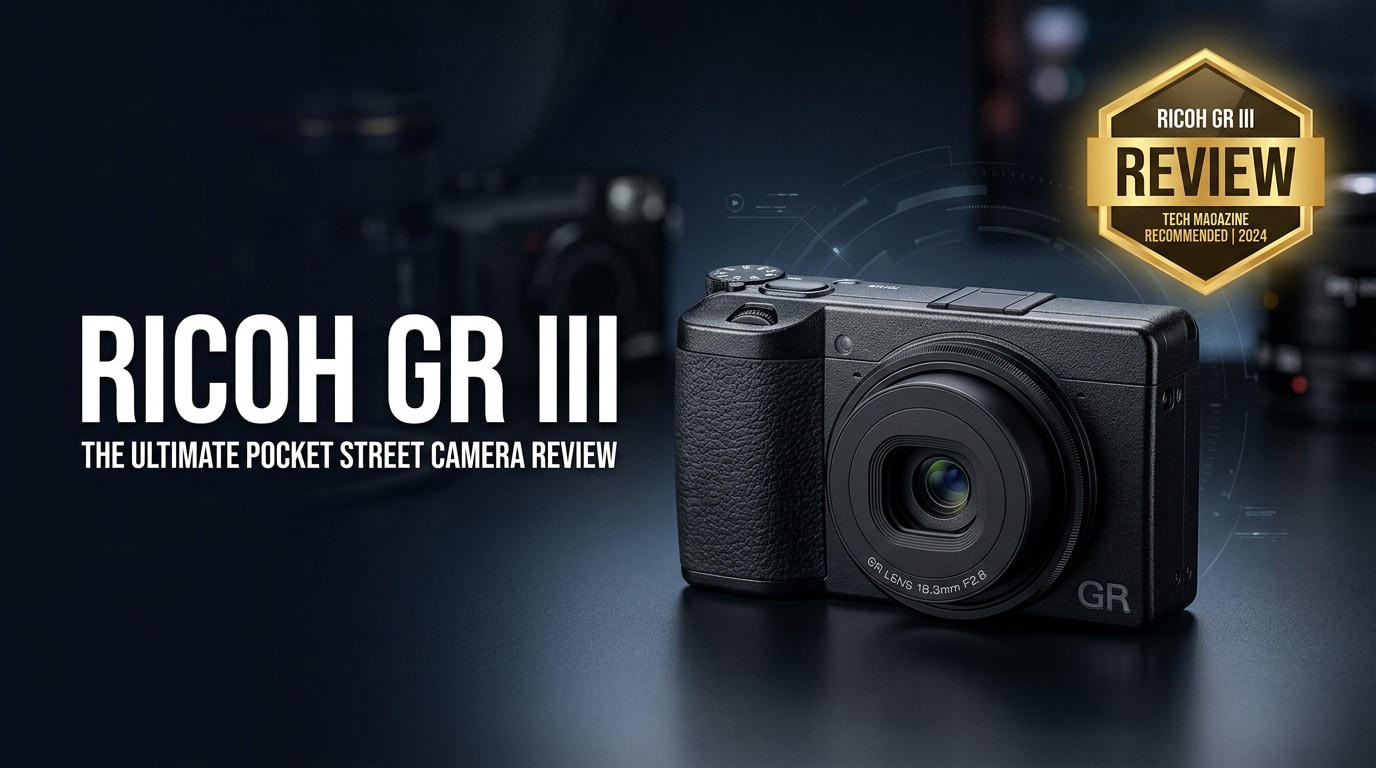
The Ricoh GR III is a premium compact camera that hides a large APS-C sensor and razor-sharp 28 mm equivalent lens inside a body that truly fits in your pocket. Built for fast, discreet shooting, it is a favorite of street photographers and travel shooters who want DSLR-level image quality in a minimalist, always-with-you package.
Repair Corrupted Files To Save Your Data
 Security Verified. Over 7,302,189 people have downloaded it.
In this article
What Is New About Ricoh GR III
The Ricoh GR III is a major step up from earlier GR models, modernizing almost every core component while keeping the same stealthy form factor and 28 mm equivalent field of view that fans love.
- New 24.2 MP APS-C sensor with no optical low-pass filter for sharper detail and better dynamic range.
- Updated fixed 18.3 mm f/2.8 lens redesigned to match the new sensor, delivering edge-to-edge sharpness.
- Built-in 3-axis sensor-shift shake reduction for sharper handheld shots at slower shutter speeds.
- Hybrid AF system combining phase detection and contrast AF for snappier focus acquisition.
- Touchscreen rear monitor with intuitive tap-to-focus and menu navigation.
- USB-C connectivity and in-body charging, making travel charging simpler.
- Improved image processing engine for faster startup, shot-to-shot times, and better high-ISO performance.
Together, these changes turn the GR III into a highly capable modern compact that can stand alongside larger mirrorless systems for everyday and street work.
Full Specs at a Glance
Ricoh GR III core specifications
| Main feature | Details |
|---|---|
| Sensor | 24.2 MP APS-C CMOS, no optical low-pass filter |
| Image processor | GR Engine 6 |
| ISO range | ISO 100–102400 (expandable), with Auto ISO options |
| Image formats | JPEG, Ricoh GR III DNG RAW files |
| Video | Full HD (1920x1080) up to 60p |
Lens, storage, and power
| Category | Specification |
|---|---|
| Lens | 18.3 mm f/2.8 (28 mm equivalent), 6 elements in 4 groups, 2 aspherical elements |
| Focus | Hybrid AF (phase + contrast), macro mode, face detection |
| Stabilization | 3-axis sensor-shift shake reduction (SR) |
| Storage | SD / SDHC / SDXC (UHS-I recommended) |
| Battery life | Approx. 200–250 shots per charge (CIPA), USB-C charging supported |
| Dimensions & weight | Approx. 109.4 x 61.9 x 33.2 mm; around 257 g with battery and card |
Real-World Performance
In real use, the Ricoh GR III feels built for fast, intuitive shooting. The camera powers on quickly and is ready to capture street moments with minimal delay. Hybrid AF locks onto subjects briskly at typical street distances, and the snap focus feature lets you preset a focus distance and shoot instantly with virtually no lag.
Image quality is excellent for such a small camera. The APS-C sensor produces clean files up to ISO 6400 and usable results even beyond, particularly when working with DNG RAW in post-processing. The 28 mm equivalent lens is sharp from wide open, with pleasing micro-contrast that suits black-and-white street photography especially well.
The touch interface and customizable buttons make it easy to adjust exposure, focus modes, and crop settings without digging through deep menus. The main compromise is battery life: you will likely want at least one spare battery for a full day of shooting. Video is competent but clearly secondary to stills, suitable for casual clips rather than serious production.
Pros & Cons
Advantages of the Ricoh GR III
- Truly pocketable body with high-quality APS-C sensor.
- Sharp, fast 28 mm equivalent lens ideal for street and documentary work.
- Excellent JPEG color and tonality straight out of camera.
- Responsive controls, snap focus, and custom settings for quick operation.
- Built-in stabilization that helps in low light and slower shutter speeds.
- DNG RAW support for flexible post-processing.
Limitations to consider
- Fixed focal length may not suit those who prefer zoom flexibility.
- Battery life is modest; extra batteries are recommended.
- No viewfinder, which can be a downside in bright sunlight.
- Not fully weather sealed, so care is needed in harsh environments.
- Video features are basic compared with many modern mirrorless cameras.
Who Is This Camera For?
The Ricoh GR III is best suited to photographers who prioritize portability, discretion, and fast handling over lens flexibility. Street photographers benefit from the 28 mm field of view, unobtrusive design, and quick snap focus. Travel shooters will appreciate its light weight and image quality that rivals larger systems while taking up minimal space.
It is also an appealing choice for beginners who want to learn photography on a simple, high-quality camera. Auto modes provide a gentle start, while full manual controls, RAW capture, and customizable buttons are available as skills progress. If you want a camera that disappears in your pocket but encourages serious shooting, the GR III is a strong candidate.
What to Do If Your Ricoh GR III Files Get Corrupted
Why use Repairit for GR III files
If your Ricoh GR III photos or videos suddenly refuse to open, crash your viewer, or show error messages, it does not mean your memories are lost. Wondershare Repairit offers a straightforward way to fix corrupted images and videos captured on the GR III, whether they are stored on the camera, SD card, or your computer. You can learn more and download the tool from the Repairit official website.
- Repairs corrupted photos and videos from cameras, SD cards, and local drives.
- Supports batch repair so you can fix many damaged Ricoh GR III files at once.
- Simple step-by-step interface suitable for beginners and professionals.
How to repair damaged GR III photos and videos
- Choose a Location to Repair Data
Open Wondershare Repairit on your computer and go to the repair module that matches your damaged Ricoh GR III files (photo or video). Select the SD card, camera folder, or local directory where your GR III media is saved, then add the corrupted files to the list so they are ready for analysis.

- Deep Scan the Location
Start the repair process to let Repairit scan each selected file in depth. The software examines file structure, headers, and internal data to locate the issues that prevent your GR III photos or clips from opening properly, then automatically attempts to rebuild them for smooth playback and viewing.

- Preview and Repair Your Desired Data
When the scan and repair complete, browse through the preview thumbnails or play back the repaired Ricoh GR III videos inside Repairit. Confirm that the details look correct, then choose a safe output folder that is different from the original SD card and save your recovered photos and clips there to keep them protected.

Conclusion — Should You Buy?
The Ricoh GR III delivers outstanding image quality, rapid handling, and a genuinely pocketable design that encourages you to carry it every day. Its fixed 28 mm equivalent lens, intuitive controls, and APS-C sensor make it one of the strongest compact options for street, travel, and everyday photography.
While its single focal length, modest battery life, and basic video features may not fit everyone, photographers who value portability and discreet shooting will find it a powerful creative tool. And if you ever face corrupted GR III photos or videos, using a dedicated repair solution like Wondershare Repairit can help you rescue valuable files and keep your workflow on track.
FAQ
-
1. Is the Ricoh GR III good for beginners?
Yes. The Ricoh GR III is beginner-friendly thanks to its straightforward controls, helpful auto modes, and compact design. New users can start in fully automatic mode, then move to aperture priority or manual settings as they gain confidence. -
2. Can the Ricoh GR III shoot RAW images?
The Ricoh GR III captures DNG RAW files as well as JPEG. Using RAW gives you far more flexibility when adjusting exposure, white balance, and color in post-processing without degrading image quality. -
3. Is the Ricoh GR III weather sealed?
No, the Ricoh GR III is not fully weather sealed. It tolerates everyday use, but you should avoid heavy rain, dust, and sand. A small case and careful handling will help protect the camera on the streets and while traveling. -
4. What memory cards work best with the Ricoh GR III?
Fast SD cards such as UHS-I U3 or better are recommended for the Ricoh GR III, especially for continuous shooting or video recording. Using reputable brands and higher speed ratings helps reduce write errors and the chance of file corruption. -
5. How can I fix corrupted Ricoh GR III photos or videos?
Stop using the affected SD card immediately to avoid overwriting data. Then connect the card to your computer and run a repair tool such as Wondershare Repairit to scan and repair the damaged Ricoh GR III files before attempting to open or edit them again.




