
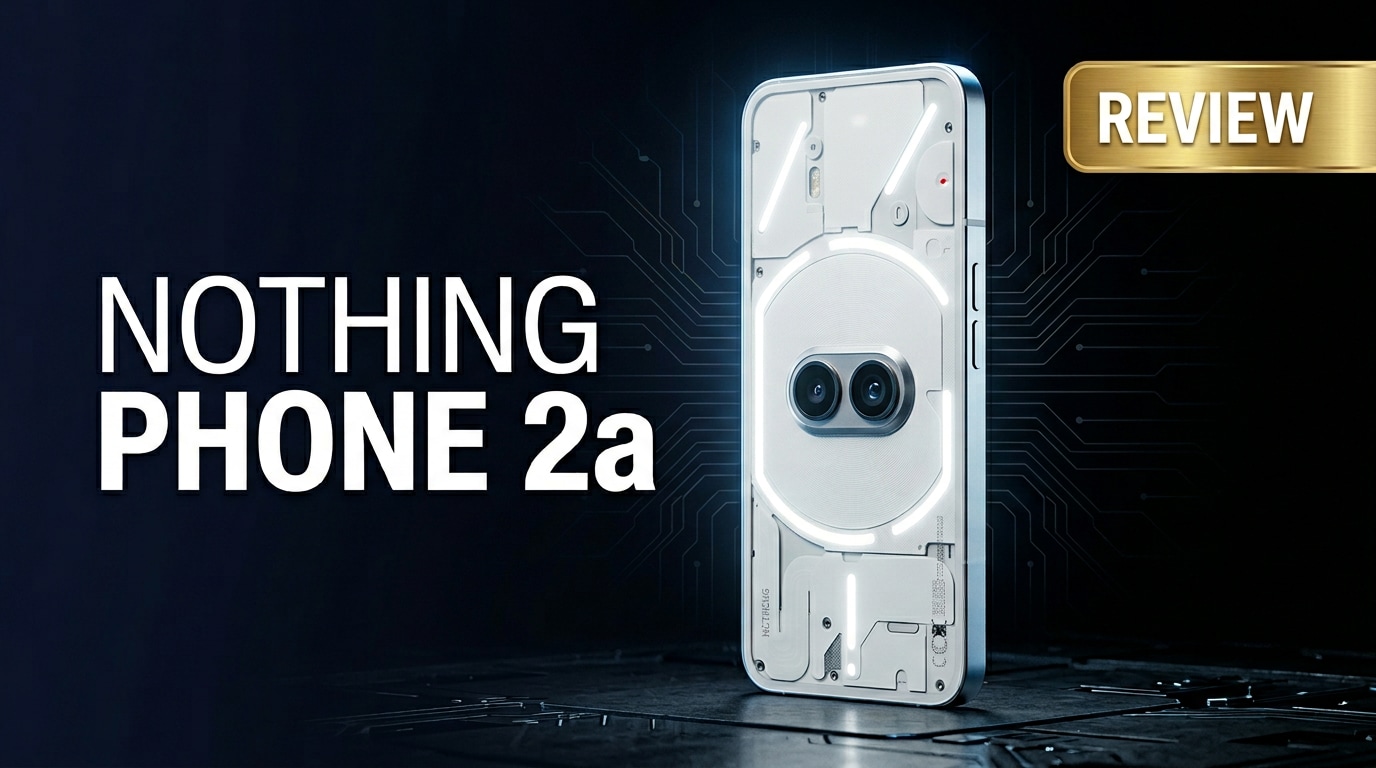
The Nothing Phone 2a is a mid-range Android smartphone that brings Nothing's transparent design, smooth software, and eye-catching Glyph lighting to a more affordable price. It aims to balance style and practicality with capable cameras, a large display, and long battery life while keeping the experience clean and minimal. This review explains its key specs, real-world performance, and how to protect your data if important files become corrupted.
Repair Corrupted Files To Save Your Data
 Security Verified. Over 7,302,189 people have downloaded it.
In this article
What is New About Nothing Phone 2a
The Nothing Phone 2a review starts with what sets it apart from earlier models and rival mid-rangers. Nothing keeps the recognizable transparent back but simplifies the Glyph interface into fewer, bolder light strips. This makes the device cheaper to build while still distinctive on a desk or in a dark room.
Under the hood, the Nothing Phone 2a uses a custom-tuned chipset focused on efficiency and sustained performance rather than raw benchmark scores. Software has also been refined: Nothing OS now adds more smooth animations, thoughtful widgets, and a stripped-back feel that avoids heavy bloat and duplicate apps.
Compared to the original Phone (1), the 2a improves display smoothness, thermal behavior, and camera tuning, particularly in low light. Compared to the higher-end Phone (2), it dials back some materials and peak processing power but preserves the core design language and clean Android approach that fans like.
Price, Storage, and Design
Nothing Phone 2a price and storage options
Nothing positions the Nothing Phone 2a features carefully to keep pricing competitive in the mid-range space. Exact prices vary by region, but the phone typically undercuts many premium devices while offering a combination of 5G, a high-refresh display, and modern design.
| Variant | What it suits best |
|---|---|
| Base RAM + storage configuration | Everyday users focused on messaging, streaming, and social media with cloud backups. |
| Higher RAM + storage configuration | Power users who multitask, store many offline videos, and install large games. |
| Top configuration (where available) | People who want to keep the Nothing Phone 2a for several years without worrying about local storage limits. |
Most models offer enough RAM for smooth multitasking and at least 128 GB of storage, with some regions receiving 256 GB options. Cloud services like Google Photos and Google Drive help extend storage further, making even the base variant practical for light to moderate users.
Design language and build quality
The Nothing Phone 2a specs in the design department are more about feel and character than raw numbers. You get a flat display with slim bezels, a centered punch-hole camera, and that signature transparent rear panel with exposed design elements and Glyph lighting strips.
The frame is solid and comfortable in the hand, with a balanced weight that avoids feeling either too light or overly hefty. Buttons are well-positioned, and haptics are crisp enough to make typing and navigation feel satisfying. While the materials lean more toward polycarbonate than full metal and glass, the phone looks far more premium than most mid-range competitors.
Nothing's minimalist branding and monochrome icons extend from the hardware to the software, making the whole device feel cohesive. If design is a priority, the Nothing Phone 2a features one of the most recognizable looks in its class.
Display, Performance, and Daily Use
The display is one of the standout Nothing Phone 2a specs. You get a large AMOLED panel with a high refresh rate, delivering smooth scrolling and vibrant colors. It is bright enough for typical outdoor use, with good viewing angles and deep blacks for night-time viewing and dark themes.
Performance is driven by a 5G-ready chipset tuned for a balance between speed and efficiency. In everyday tasks such as messaging, browsing, social apps, and streaming, the device feels fluid and snappy. App switching is quick, and the phone maintains responsiveness even with multiple apps in the background.
For gaming, the Nothing Phone 2a holds its own for popular titles like Call of Duty: Mobile, PUBG, or Genshin Impact at moderate graphics settings. Extended sessions may lead to some warmth, but thermal management is controlled, and frame drops are kept in check for most mainstream games.
Nothing OS, which sits on top of Android, is free of heavy skins and duplicates. You see a mostly stock layout enhanced with custom widgets, monochrome icon packs, and minimal preinstalled apps. Gestures feel refined, animations are consistent, and you can easily customize the home screen without being overwhelmed by options.
Camera Review
The Nothing Phone 2a camera system aims to deliver reliable performance in most lighting conditions rather than chase extreme zoom or sensor counts. You typically get a main wide camera paired with an ultra-wide camera, along with a front-facing selfie camera in the punch-hole.
In daylight, shots are sharp with natural colors and good dynamic range. The default processing avoids oversaturation, allowing sky, foliage, and skin tones to remain believable. The ultra-wide lens is handy for landscapes, group shots, and city scenes, though edges can show some softness if you zoom in closely.
Low-light performance has improved compared to older models, with Night mode stepping in to brighten scenes and control noise. You might notice a slight drop in detail compared to flagship phones, but results are more than acceptable for social media and casual photography.
Video capture is stable enough for typical clips, vlogs, and social content. Electronic image stabilization helps smooth handheld footage, and audio capture is clear in most quiet and moderately noisy environments. If a recording is interrupted by a crash or power issue, however, you might later encounter issues and need to fix corrupted video files using a dedicated repair tool.
The front camera produces flattering selfies with decent detail and portrait blur. Beauty modes can be tuned down for a more natural look, and the camera app's interface keeps switching modes fast and intuitive.
Battery, Charging, and Software Experience
The Nothing Phone 2a battery capacity is sized to comfortably last through a full day of mixed use. Browsing, social apps, messaging, music streaming, and a bit of navigation or gaming should still leave some charge by bedtime for most users.
Fast charging support helps you top up quickly when you are running low. With a compatible charger, you can often get enough charge during a short break to carry you through the rest of the day. Wireless charging is typically reserved for more premium models, so you may not find it here, but wired speeds help compensate.
On the software side, Nothing commits to multi-year Android version updates and regular security patches. This keeps your Nothing Phone 2a problems related to software vulnerabilities and app compatibility to a minimum over time. The clean interface also means fewer background processes, which improves both performance and battery efficiency.
Overall, the software and battery experience make the phone feel stable, predictable, and easy to live with, even for users who do not enjoy constant tweaking of settings.
Pros and Cons of Nothing Phone 2a
Every device has trade-offs, and a balanced Nothing Phone 2a review needs to consider both strengths and weaknesses.
| Pros | Cons |
|---|---|
|
|
| Great for style-focused users who want smooth software without overpaying. | Power users who need the absolute best camera and performance may prefer a high-end flagship. |
What to Do If Your Nothing Phone 2a Files Get Corrupted
Even a well-built phone can encounter glitches, crashes, or storage issues that leave photos, videos, or documents unreadable. Understanding how this happens and how to fix it can save your most important memories and work.
Why files get corrupted on phones
File corruption on the Nothing Phone 2a generally occurs when something interrupts reading or writing data. Common causes include:
- Sudden shutdowns during recording or saving, due to low battery or system crashes.
- Removing a cable or storage device while a file is being transferred.
- Faulty or low-quality memory cards and adapters.
- Malware, buggy apps, or unsafe third-party file managers.
- Insufficient storage space causing incomplete saves or failed downloads.
When corruption happens, you might see photos that refuse to open, videos that will not play, or documents flagged as unreadable. Trying to open or edit those files repeatedly may make things worse, so the safest path is to copy them to a computer and use a specialized repair utility.
How to repair corrupted files with Repairit
Repairit introduction
To repair corrupted files or recover content from damaged photos and videos taken on the Nothing Phone 2a, a dedicated repair solution is often more effective than general recovery apps. Repairit by Wondershare is designed specifically to fix broken media and documents, guiding you through a simple process on your computer. You can learn more and access the latest version from the Repairit official website.
Key features of Repairit
- Repairs corrupted videos, photos, and documents from phones, cameras, and computers.
- Simple guided interface with quick repair and advanced repair modes.
- Supports previewing repaired files before saving them to a safe location.
Step-by-step guide to fix corrupted Nothing Phone 2a files
-
Step 1: Add the corrupted files from your Nothing Phone 2a
First, connect your Nothing Phone 2a to a computer with a USB cable or use a card reader if the media is on a microSD card. Copy the corrupted photos, videos, or documents to a dedicated folder on your computer. Open Repairit and choose the module that matches your file type, such as Video Repair or Photo Repair. Click the "Add" button and select the damaged files so they appear listed in the Repairit window, along with their size and format details.

-
Step 2: Start the repair process and wait for analysis
After confirming the correct files have been added, click "Repair" to begin. Repairit will automatically scan each item, checking for structural errors, missing headers, and encoding problems that typically cause Nothing Phone 2a problems such as videos not playing or images refusing to open. During this phase, avoid closing the program or disconnecting the storage device. A progress bar shows how much of the analysis and repair is complete, and the status will update once each file has been processed.

-
Step 3: Preview and save the repaired files safely
When Repairit finishes, you will see a result summary for every file. Click the "Preview" icon to play repaired videos or view restored photos directly inside the program. Check them carefully for visual glitches, audio issues, or missing sections. If the preview looks good, click "Save" and choose a secure destination folder on your computer or an external drive. After confirming everything is intact, you can copy the repaired content back to your Nothing Phone 2a or upload it to cloud storage as part of your long-term backup strategy.

Conclusion — When Should You Buy?
The Nothing Phone 2a review shows that this device is about delivering a distinctive look, smooth day-to-day performance, and reliable battery life without chasing flagship prices. For most users, the combination of a bright AMOLED screen, clean software, and competent cameras makes it an easy phone to recommend.
If you want a stylish mid-range device, appreciate a minimal Android experience, and do not need the most advanced zoom or gaming performance, the Nothing Phone 2a is a strong choice. Just remember to enable backups and keep tools like Repairit in mind, so even if files become corrupted, your memories and important documents remain recoverable.
FAQ
-
1. Is the Nothing Phone 2a good for gaming?
The Nothing Phone 2a handles casual and moderately heavy games very well thanks to its capable chipset and high-refresh AMOLED display. For graphically intensive titles at maximum settings, performance may not match top-tier flagships, but most players will find it smooth at recommended settings. -
2. How long does the Nothing Phone 2a battery last in daily use?
With mixed use such as social media, web browsing, music streaming, and some camera time, the Nothing Phone 2a battery typically lasts a full day on a single charge. Heavy gaming or prolonged high-brightness use can shorten runtime, while lighter users may stretch it into the next morning. -
3. What should I do if photos on my Nothing Phone 2a are corrupted?
Stop shooting new photos or videos to avoid overwriting data, then copy the corrupted files to a computer. Use Repairit or another specialized repair tool to scan and repair the damaged photos or videos before attempting to open them again on your phone or share them online. -
4. Does the Nothing Phone 2a get regular software updates?
Nothing has promised multi-year Android version upgrades and security patches for the Nothing Phone 2a. The exact timing may vary depending on your region and carrier, but updates are generally consistent compared with other mid-range Android phones. -
5. Can I recover deleted videos from my Nothing Phone 2a?
Start by checking the Trash or Recently Deleted section in the gallery app and cloud services like Google Photos. If the videos are not there, avoid saving large new files and try recovery or repair tools on a computer for the best chance to restore your lost clips.




