
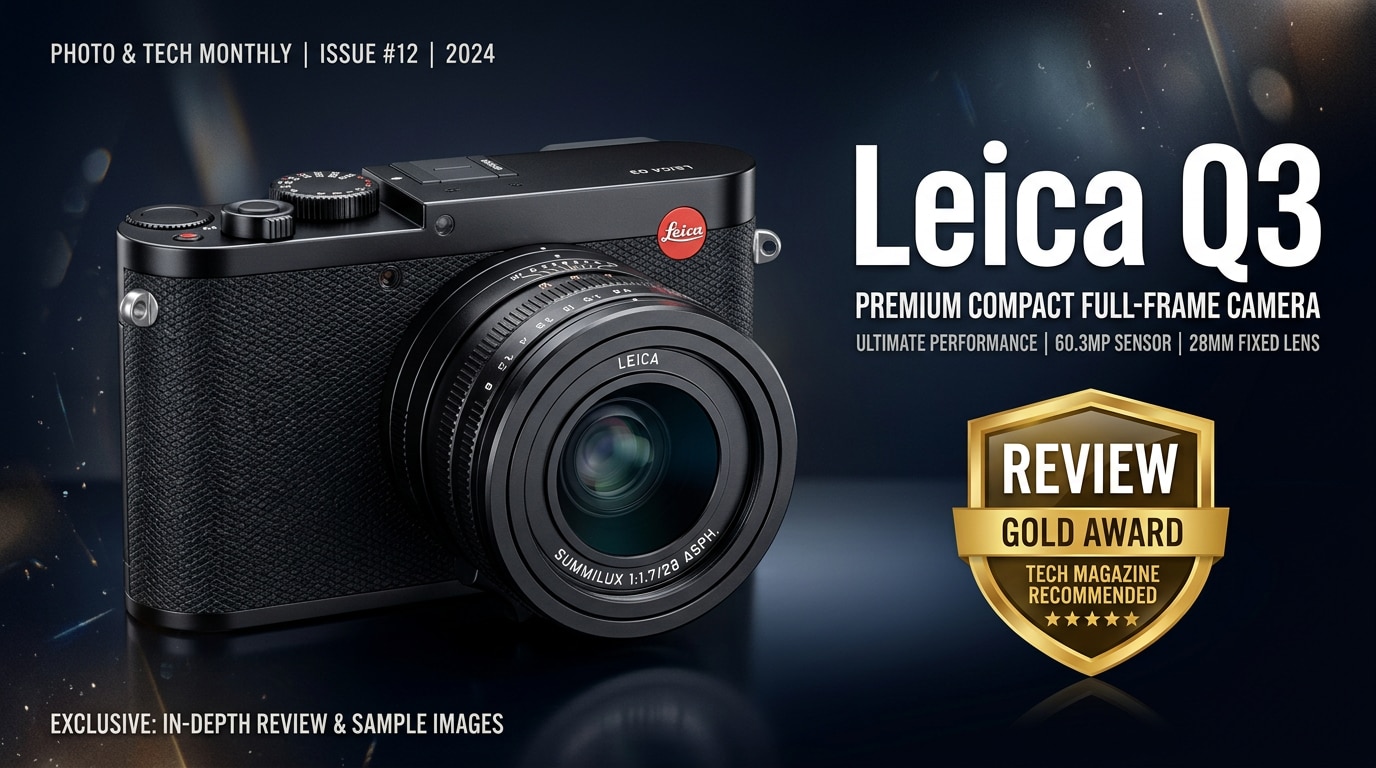
The Leica Q3 is a premium full-frame compact camera with a fixed 28mm Summilux lens, designed for photographers who want exceptional image quality in a discreet, travel-friendly body. It blends Leica's classic styling and intuitive controls with modern autofocus, high-resolution stills, and advanced video features, making it a powerful tool for street, documentary, and everyday shooting.
Repair Corrupted Files To Save Your Data
 Security Verified. Over 7,302,189 people have downloaded it.
In this article
What's New About Leica Q3
The Leica Q3 refines the Q series with a higher-resolution full-frame sensor, upgraded autofocus, and far more capable video. Compared with the Q2, you get a new tilting touchscreen for flexible angles, better connectivity with improved wireless options, and expanded crop modes that make the 28mm lens feel more versatile in the field.
Autofocus is faster and more confident, especially with subject detection for people and faces, making street and candid photography easier. Video shooters benefit from higher resolution capture and better codec support, turning the Q3 into a realistic hybrid camera for both stills and motion.
Full Specs at a Glance
Sensor and Imaging
The core appeal of the Leica Q3 is its full-frame sensor paired with the fixed 28mm f/1.7 Summilux lens. This combination delivers crisp detail, shallow depth of field, and excellent low-light performance, while digital crop modes simulate multiple focal lengths without changing lenses.
| Feature | Leica Q3 Specs |
|---|---|
| Sensor | Full-frame CMOS, high-resolution (multi-megapixel) sensor with wide dynamic range |
| Lens | 28mm f/1.7 Summilux ASPH fixed lens with macro capability |
| ISO Range | Wide native ISO range suitable for low-light and bright daylight shooting |
| Image Stabilization | Built-in stabilization to help keep handheld shots sharp |
| Crop Modes | Multiple digital focal length options for flexible framing |
| File Formats | RAW (DNG) and JPG stills, plus modern video codecs |
Body, Controls, and Connectivity
The body of the Leica Q3 keeps the iconic minimalist Leica design while adding a tilting rear LCD and improved EVF. Build quality remains robust, with weather resistance and metal construction that can handle demanding travel and daily use.
| Feature | Leica Q3 Specs |
|---|---|
| Viewfinder | High-resolution electronic viewfinder with improved clarity |
| Rear Screen | Tilt-able touchscreen for flexible shooting angles |
| Autofocus System | Fast AF with subject and face detection |
| Video | High-resolution recording with advanced frame rates and codecs |
| Connectivity | Wi-Fi, Bluetooth, and app integration for remote control and transfer |
| Storage | SD card slot supporting fast, high-capacity cards |
Real-World Performance
In practical shooting, the Leica Q3 feels responsive and confident. Autofocus locks on quickly even in mixed light, and the subject detection makes tracking people in the frame straightforward. The 28mm lens is sharp across the frame, with pleasing rendering and smooth bokeh at f/1.7.
Dynamic range is generous, allowing you to recover detail in both highlights and shadows when editing RAW files. The camera handles high ISO shooting well, producing clean images in dim environments. For video, footage appears detailed and rich, with reliable autofocus and stabilization that make handheld clips look polished.
Pros & Cons
Before investing in the Leica Q3, it helps to balance its strengths and limitations for your style of shooting.
| Pros | Cons |
|---|---|
| Outstanding image quality from full-frame sensor and 28mm Summilux lens | Fixed focal length may feel limiting if you prefer zoom lenses |
| Improved autofocus with subject detection for stills and video | Premium price compared with many other full-frame options |
| High-quality build with classic Leica ergonomics and weather resistance | Single card slot increases the importance of careful backup and protection |
| Stronger video features for hybrid shooters | File sizes can be large, demanding fast cards and ample storage |
| Tilting screen and better connectivity improve day-to-day usability | Menu system and minimal controls may require adjustment for new Leica users |
Who Is This Camera For?
The Leica Q3 is ideal for photographers who value a single, do-it-all camera with minimal fuss. Street and documentary shooters will appreciate its discreet design, fast autofocus, and 28mm field of view. Travel photographers gain a compact body that delivers full-frame quality without needing multiple lenses.
Hybrid creators who shoot both stills and video benefit from the improved video specs and stabilization, while Leica enthusiasts get a modern tool that retains the brand's signature feel. If you prefer working with one focal length, care about build quality and color rendering, and want a camera that invites daily use, the Q3 fits that role well.
What to Do If Your Leica Q3 Files Get Corrupted
Repairit Introduction
Despite its reliability, even the Leica Q3 cannot prevent issues like sudden power loss, card errors, or transfer problems that can corrupt photos and videos. When important files refuse to open or play, a dedicated repair tool is essential. Wondershare Repairit is designed specifically to fix damaged media files from cameras, computers, and memory cards. You can learn more and download it from the Repairit official website.
Key Features of Repairit
- Repairs corrupted or unplayable Leica Q3 photos and videos stored on SD cards, external drives, and computers.
- Supports common formats such as JPG, DNG/RAW, MP4, MOV, and more, making it suitable for typical Leica workflows.
- Guided, click-through interface that lets both beginners and professionals repair files without complex settings.
Step-by-Step: Repair Leica Q3 Files
- Choose a Location to Repair Data
Install and launch Wondershare Repairit, then select the module that matches your problem, such as Photo Repair or Video Repair. Click to add your damaged Leica Q3 files directly, or browse to the SD card, folder, or external drive where they are stored. Confirm the selection so Repairit knows exactly which items you want to fix.

- Deep Scan the Location
Start the repair process and let Repairit perform a deep analysis of the selected files. The software checks the internal structure, headers, and data blocks to detect errors that prevent normal viewing or playback. During this stage, it automatically applies targeted repair techniques for each format, rebuilding as much usable image or video information as possible without altering your original source files.

- Preview and Repair Your Desired Data
When the scan finishes, Repairit shows a list of repairable Leica Q3 photos and clips. Use the preview window to confirm image sharpness, colors, and video playback. Tick the files that look correct, choose a safe output folder on a different drive or card, and click to save. Repairit then exports the repaired versions so you can open, edit, and back them up with confidence.

Conclusion — Should You Buy?
The Leica Q3 refines an already excellent concept: a full-frame compact with a stellar 28mm Summilux lens, robust build, and intuitive handling. With better autofocus, higher resolution, and stronger video performance, it is a compelling choice for street, travel, and everyday photography.
If you are comfortable working with a fixed focal length and prioritize image quality, design, and a focused shooting experience over system flexibility, the Q3 is easy to recommend. Pairing it with a reliable repair solution like Wondershare Repairit adds peace of mind that your valuable files can be restored if corruption ever occurs.
FAQ
-
1. Is the Leica Q3 worth upgrading from the Q2?
For many photographers, yes. The Leica Q3 offers better autofocus, higher resolution, a tilting screen, improved EVF, and stronger video features. If you mainly shoot stills in good light and are satisfied with your Q2, the upgrade is beneficial but not strictly necessary. -
2. What type of photography suits the Leica Q3 best?
The Leica Q3 excels at street, travel, documentary, and everyday photography thanks to its 28mm lens, compact size, and quick operation. It also works well for environmental portraits and landscapes if you are comfortable composing with a wide-angle focal length. -
3. Can I use the Leica Q3 for professional video work?
Yes. While it is not a dedicated cinema camera, the Leica Q3 provides solid video specs, high-resolution recording, and improved autofocus, making it suitable for professional-looking travel films, branded content, and hybrid photo/video projects. -
4. How can I reduce the risk of Leica Q3 file corruption?
Use fast, high-quality SD cards, format them in-camera, avoid removing the card or battery while files are being written, and back up your images and videos regularly to at least two separate locations. -
5. What should I do first if my Leica Q3 photos or videos will not open?
Stop using the card or drive immediately to avoid overwriting data, copy any accessible files to another device, then use a repair tool like Wondershare Repairit to scan and repair the corrupted Leica Q3 files before attempting additional edits or transfers.




