
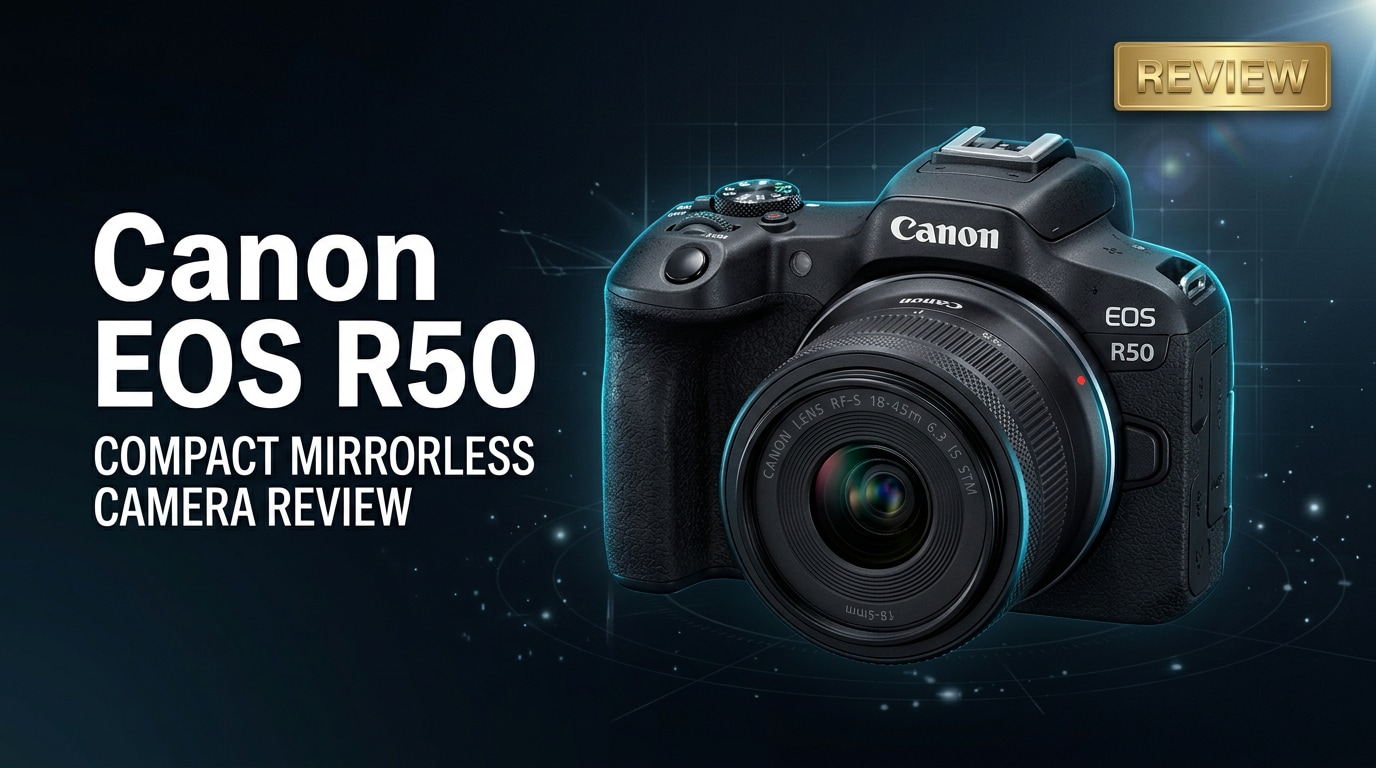
The Canon EOS R50 is a compact APS-C mirrorless camera built for beginners, vloggers, and everyday creators who want better photos and 4K videos than a phone can offer. It combines Canon's latest autofocus, oversampled 4K, and a lightweight body with access to the RF lens lineup, making it an attractive first step into mirrorless shooting without overwhelming menus or complex controls.
Repair Corrupted Files To Save Your Data
 Security Verified. Over 7,302,189 people have downloaded it.
In this article
Introduction
The Canon EOS R50 is Canon's entry-level APS-C mirrorless camera in the RF mount, designed to bridge the gap between smartphones and more advanced mirrorless bodies. Compact, lightweight, and packed with modern autofocus and video features, it is aimed at beginners, travelers, and content creators who want better quality and creative control without dealing with bulky gear or complex setups.
What's New About Canon EOS R50
The Canon EOS R50 brings several upgrades over older Canon entry-level DSLRs and EOS M cameras, while slotting under models like the R7 and R10 in the RF ecosystem.
- New 24.2MP APS-C sensor paired with Canon's latest DIGIC processor for better detail and high-ISO performance.
- Oversampled 4K 30p video from 6K capture with no severe crop, ideal for YouTube and vlogging.
- Dual Pixel CMOS AF II with subject detection for people, animals, and vehicles for reliable tracking.
- Compact RF-mount body that works with the growing lineup of RF and RF-S lenses.
- Fully articulating touchscreen for selfies, overhead shots, and vertical video.
- Improved guided interface and creative modes to help beginners learn as they shoot.
Compared to older Canon Rebel DSLRs or EOS M bodies, the R50 offers faster autofocus, better video quality, and a more modern shooting experience in a smaller package.
Full Specs at a Glance
Canon EOS R50 key specifications
| Feature | Canon EOS R50 Specs |
|---|---|
| Sensor | 24.2MP APS-C CMOS (RF mount) |
| Image Processor | DIGIC (latest generation for the R50 line) |
| ISO Range | ISO 100–32000 (expandable) |
| Autofocus System | Dual Pixel CMOS AF II with subject detection |
| Continuous Shooting | Up to 15 fps (electronic shutter, conditions dependent) |
| Video Recording | 4K up to 30p oversampled from 6K, Full HD up to high frame rates |
| Viewfinder | Electronic viewfinder with high resolution |
| Screen | Fully articulating touchscreen LCD |
| Stabilization | Lens-based IS and digital IS (no in-body mechanical IBIS) |
| Storage | Single SD card slot (SDHC/SDXC, UHS-I) |
| Connectivity | Wi-Fi, Bluetooth, USB, HDMI |
| Weight | Lightweight body optimized for travel and vlogging |
Canon EOS R50 vs Canon EOS R7
Many buyers compare the Canon EOS R50 to the Canon EOS R7. The R7 is more advanced, but the R50 can be a better fit for beginners.
| Aspect | Canon EOS R50 vs Canon EOS R7 |
|---|---|
| Target user | R50: Beginners and casual creators; R7: Enthusiasts and hybrid shooters |
| Size and weight | R50: Smaller, lighter, more portable; R7: Larger with more controls and grip |
| Image stabilization | R50: No mechanical IBIS; R7: In-body image stabilization for better low-light and handheld video |
| Price | R50: More affordable entry point; R7: Higher cost but more advanced features |
| Complexity | R50: Simplified controls and guided modes; R7: More buttons, dials, and customization |
If you are just starting out or want a lightweight camera for travel and content creation, the R50 is generally the easier and more budget-friendly choice, while the R7 makes sense if you already know you want more advanced controls and stabilization.
Real-World Performance
In day-to-day shooting, the Canon EOS R50 performs like a capable all-rounder for photos and video.
- Image quality: The 24.2MP APS-C sensor delivers crisp images with pleasing colors and enough resolution for prints and cropping. JPEGs out of camera look good, while RAW files give more editing flexibility.
- Low light: ISO performance is respectable for an APS-C camera. You can comfortably shoot indoors or at dusk with fast lenses or some noise reduction in post.
- Autofocus: Dual Pixel CMOS AF II tracks faces and eyes reliably, which is especially helpful for portraits, kids, and pets. Subject detection makes it easy to keep moving subjects in focus.
- Video: 4K 30p oversampled from 6K gives detailed footage, ideal for YouTube, TikTok, or vlogging. The fully articulating screen and microphone input make self-recording simpler.
- Handling: The body is small but comfortable for most hands. The touchscreen interface and guided modes help beginners change settings without confusion.
- Battery life: Battery life is adequate for casual shooting, but vloggers or travelers may want a spare battery for full days of recording.
Overall, the R50 is fast and friendly in real use, especially for creators upgrading from a phone who want a camera that rarely gets in their way.
Pros & Cons
| Pros | Cons |
|---|---|
| Compact, lightweight body ideal for travel and vlogging | No in-body image stabilization (relies on lens and digital IS) |
| Excellent Dual Pixel autofocus with subject detection | Single SD card slot with UHS-I speeds only |
| Oversampled 4K video for sharp footage | Limited physical controls compared to higher-end models |
| Beginner-friendly interface with guided modes | Battery life may feel modest for heavy video users |
| Affordable entry into the Canon RF ecosystem | APS-C crop factor limits ultra-wide angle field of view unless using dedicated RF-S lenses |
Who Is This Camera For?
The Canon EOS R50 is best suited to people who want high-quality photos and video without needing an advanced, heavy, or expensive camera body.
- Beginners upgrading from smartphones: If you want better image quality, more lens options, and shallow depth of field, the R50 is an easy step up.
- Vloggers and content creators: The flip screen, 4K video, and fast autofocus make it a strong choice for YouTube, Reels, and TikTok.
- Travelers and casual shooters: Its compact size and light weight are ideal for vacations, family events, and everyday carry.
- Students and hobbyists: Offers plenty of room to grow with the RF lens lineup, without overwhelming new shooters.
Enthusiasts who prioritize in-body stabilization, dual card slots, or more robust build quality may prefer Canon's higher-end models like the R7, but the R50 hits the sweet spot for ease of use and portability.
What to Do If Your Canon EOS R50 Files Get Corrupted
Why Canon files get corrupted
Even with a reliable camera like the Canon EOS R50, photo or video files can become corrupted. Common causes include removing the SD card while the camera is writing, sudden battery loss, defective or fake memory cards, formatting errors, or interrupted transfers to your computer. Symptoms range from files that will not open, broken thumbnails, and playback freezing, to video files that show error messages in your editor.
When this happens, avoid shooting further on the same card and do not repeatedly try to rewrite the damaged files. Instead, work from a copy and use specialized repair software to recover as much data as possible.
Step-by-step: Repair Canon EOS R50 files with Repairit
Introducing Wondershare Repairit
Wondershare Repairit is a dedicated data repair solution designed to fix corrupted or unplayable media files from cameras like the Canon EOS R50. It handles photos and videos that refuse to open, show artifacts, or stop mid-playback, using an automated process that does not require technical expertise. You can learn more and download it directly from the Repairit official website.
Key features of Repairit
- Repairs corrupted or unplayable photo and video files from cameras, SD cards, USB drives, and computers.
- Supports a wide range of formats, including popular Canon image and video types commonly created by the EOS R50.
- Provides an intuitive, guided interface that walks beginners and advanced users step by step through the repair process.
How to repair Canon EOS R50 files step by step
- Choose a Location to Repair Data
Launch Wondershare Repairit and open the repair module that matches the type of files you want to fix (photo or video). Connect your Canon EOS R50 SD card or locate the folder on your computer where you copied the footage. Add the specific corrupted photos or videos to the program so Repairit knows exactly which items to analyze.

- Deep Scan the Location
Start the repair process. Repairit will perform an in-depth scan of the selected Canon files, checking headers, metadata, and internal structure for errors. Let the scan run without disconnecting your card or closing the program. During this stage, Repairit attempts to reconstruct damaged segments so the media can be opened and played normally again.

- Preview and Repair Your Desired Data
When the scan and repair finish, Repairit will show a preview of the recovered Canon EOS R50 photos or videos where supported. Play the clips or inspect images to confirm that the quality and playback meet your needs. Finally, choose a safe output folder on a different drive or card and save the repaired files there to keep them separate from the original corrupted versions.

Conclusion — Should You Buy?
The Canon EOS R50 offers a compelling blend of image quality, autofocus performance, and portability in an accessible package. It is an excellent first mirrorless camera for beginners, vloggers, and casual shooters who want better results than a smartphone without investing in heavier, more complex bodies.
As long as you can live without in-body stabilization and pro-level controls, the R50 delivers strong value and a smooth entry into Canon's RF system. Pairing it with a solid backup routine and a repair tool like Wondershare Repairit helps ensure that your photos and 4K clips stay safe, even if your SD card or files encounter problems.
FAQ
-
1. Is the Canon EOS R50 good for beginners?
Yes. The Canon EOS R50 is built with beginners in mind, offering simple controls, helpful guided menus, strong autofocus, and automatic shooting modes so you can get good results with minimal setup. -
2. Does the Canon EOS R50 shoot 4K video?
Yes. The Canon EOS R50 records 4K video up to 30p oversampled from 6K, giving detailed, sharp footage that works well for YouTube, vlogging, and everyday content creation. -
3. What memory card does the Canon EOS R50 use?
The Canon EOS R50 uses SD cards and supports SDHC and SDXC formats. For smoother performance, especially with 4K video, use a high-quality UHS-I SD card from a reputable brand. -
4. How can I fix corrupted videos from my Canon EOS R50?
If your R50 videos become corrupted, stop using the SD card immediately and copy any readable files to your computer. Then run a repair tool such as Wondershare Repairit to scan and repair the damaged MP4 or MOV files before shooting new footage on the same card. -
5. Is the Canon EOS R50 better than the Canon EOS R7 for beginners?
For most beginners, the Canon EOS R50 is the better choice. It is smaller, lighter, and more affordable than the R7, with a simpler interface that makes it easier to learn basic photography and video skills.




