
Repair Corrupted Files To Save Your Data
 Security Verified. Over 7,302,189 people have downloaded it.
In this article
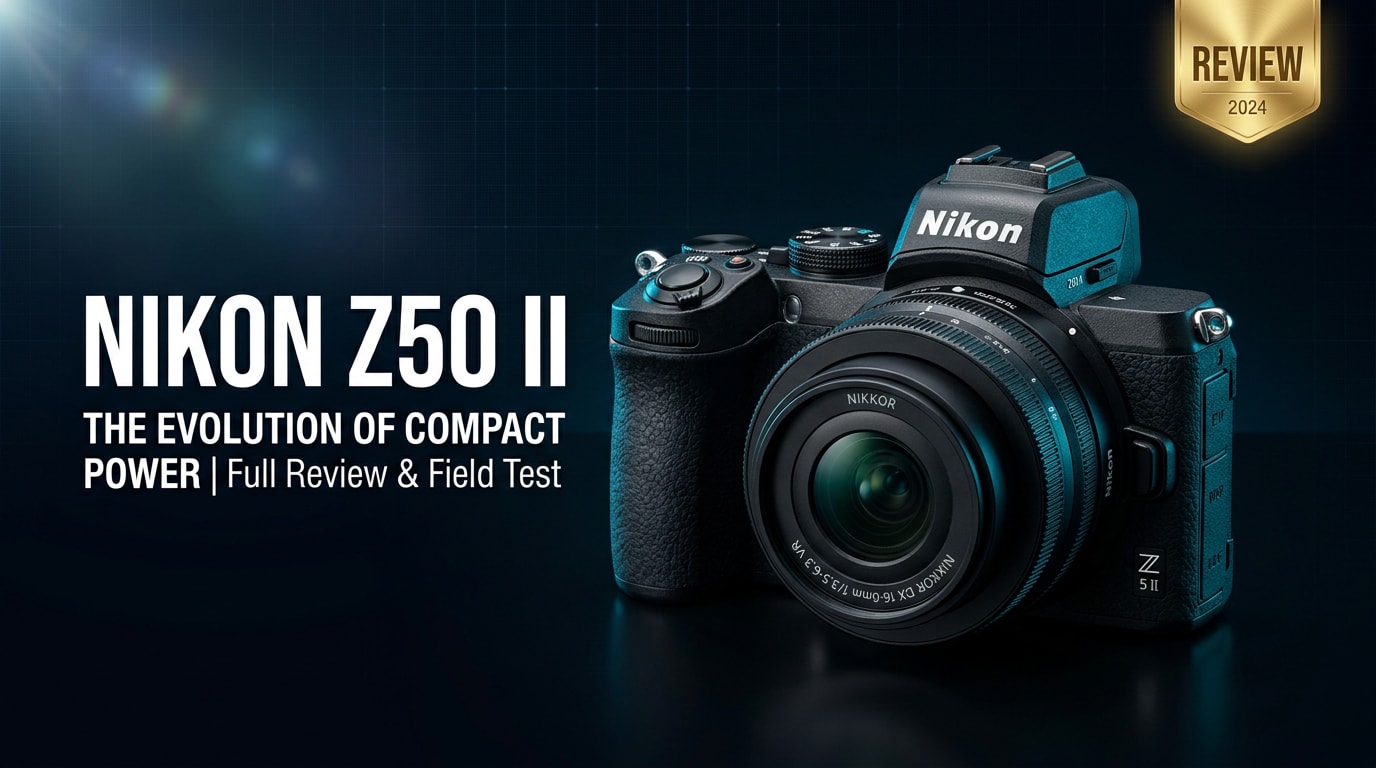
What is New About Nikon Z50 II
Updated autofocus and performance
The Nikon Z50 II introduces a faster processor and refined autofocus algorithms, giving more confident subject detection and tracking compared with the original Z50. Eye- and face-detection lock onto people more reliably, even in busier scenes or low light. Continuous shooting is snappier, and buffer handling is improved, so you can capture short bursts of action with fewer slowdowns.
Video and creator-focused upgrades
For hybrid shooters, the Nikon Z50 II 4K video capabilities are more creator-friendly. You get smoother continuous AF in video, better tracking of faces during vlogs, and more refined exposure control while recording. Menus and custom buttons are tuned for faster access to frequently used video settings, helping you move seamlessly between stills and clips when shooting on the go.
Full Specs at a Glance
Core imaging specs
| Feature | Specification |
|---|---|
| Sensor type / size | APS-C (DX-format) CMOS sensor |
| Resolution | Approx. 20.9 MP effective |
| Image processor | Next-generation EXPEED processor |
| ISO range | Native ISO 100–51200 (expandable range depending on mode) |
| Autofocus system | Hybrid phase/contrast AF with enhanced eye and face detection |
| AF points coverage | Wide coverage across the frame with selectable focus modes |
| Continuous shooting | High-speed burst shooting suitable for action and street |
| Shutter speed range | Broad range for long exposures and fast action (mechanical and electronic) |
| Stabilization | Lens-based VR with compatible NIKKOR Z lenses |
| File formats (stills) | RAW (NEF) and JPEG |
| File formats (video) | 4K UHD and Full HD in common codecs suitable for editing |
Body, connectivity, and power
| Feature | Specification |
|---|---|
| Lens mount | Nikon Z mount (compatible with DX and FX Z lenses) |
| Viewfinder | High-resolution electronic viewfinder |
| Rear screen | Tilting touchscreen LCD suited for low angles and vlogging |
| Storage media | SD card slot (UHS-I compatible) |
| Connectivity | Wi-Fi, Bluetooth, and USB for transfer and remote control |
| Microphones and audio | Built-in stereo mic plus external mic input |
| Battery | Rechargeable lithium-ion pack with USB charging support |
| Dimensions and weight | Compact, lightweight body optimized for travel and daily carry |
| Weather sealing | Basic sealing against dust and moisture (not fully rugged) |
Real-World Performance
Autofocus and tracking
The improved autofocus on the Nikon Z50 II feels more confident in real shooting than spec sheets suggest. Eye AF picks up subjects quickly during portraits and casual street scenes, while tracking AF is sticky enough for kids, pets, and everyday motion. In dim interiors, the camera still manages usable focus, though pairing it with brighter Z lenses will give the best results.
Image and video quality
For stills, the APS-C sensor delivers clean, detailed files with pleasant color and good dynamic range, making it easy to edit RAWs or rely on JPEGs straight from camera. For video, the Nikon Z50 II 4K video output is sharp and well-saturated, with dependable continuous AF that suits vlogging and talking-head content. Rolling shutter is present if you pan quickly, but for typical creator work it remains controlled.
Pros & Cons
| Pros | Cons |
|---|---|
| Compact, lightweight APS-C body that is easy to carry all day | No in-body image stabilization; relies on lens VR |
| Refined autofocus with better eye and face detection for stills and video | Single SD card slot may feel limiting for critical paid work |
| Strong 4K video performance and creator-friendly controls | Limited native DX Z lenses compared with some rival systems |
| Comfortable grip and intuitive controls suitable for beginners | Battery life is good but not class-leading for heavy video use |
| Works with both DX and FX Z-mount lenses, giving room to grow | Tilting screen is helpful but not as flexible as a full vari-angle design |
Who Is This Camera For?
The Nikon Z50 II is ideal for creators who want a compact APS-C mirrorless camera that can handle both photos and video with minimal fuss. Beginners moving up from phones will appreciate the guided modes and approachable handling, while more experienced shooters can dig into manual controls and advanced AF features.
It also works well as a B-camera for Nikon full-frame Z shooters who want a smaller body for travel or behind-the-scenes clips. If you create YouTube content, social videos, or travel stories and prefer Nikon colors and ergonomics, this Z-mount camera slots naturally into that workflow.
What to Do If Your Nikon Z50 II Files Get Corrupted
Repairit introduction
Even with a reliable camera like the Nikon Z50 II, memory card errors, power loss, or file transfer issues can leave photos or clips unplayable. Wondershare Repairit is designed specifically to fix corrupted media and other files so you do not lose important shoots. You can learn more and download the tool from the Repairit official website.
Key features of Repairit
- Repairs corrupted or unplayable photo and video files from cameras, SD cards, external drives, and local storage.
- Supports a wide range of formats and resolutions, making it suitable for high-bitrate and 4K clips from the Nikon Z50 II.
- Guided workflow with quick scanning, advanced repair, and detailed preview so you only save what actually looks correct.
Step-by-step repair guide
-
Choose a Location to Repair Data
Open Wondershare Repairit and point it to where your Nikon Z50 II files are stored. This could be the SD card in a card reader, an external SSD, or a folder on your computer. Add the specific photos or videos that are not opening, refusing to play, or throwing errors so Repairit knows exactly which items to process.

-
Deep Scan the Location
Start the repair process to let Repairit perform a thorough analysis of each selected file. The software checks for header damage, structural corruption, and data inconsistencies, then applies tailored algorithms to rebuild the content as cleanly as possible. You can monitor progress in the interface while the tool works through all added clips and images.

-
Preview and Repair Your Desired Data
When scanning and repair are complete, use the built-in preview to check each recovered photo or video. Confirm that important details, color, and playback all look right. Select the files you want to keep, choose a safe save location different from the original card or drive, and export the repaired versions so you can resume editing or sharing without data-loss worries.

Conclusion — Should You Buy?
The Nikon Z50 II refines a popular APS-C mirrorless formula with better autofocus, smoother operation, and more creator-focused video tools, all while staying compact and travel-friendly. It strikes a strong balance between ease of use and room to grow, making it a smart choice for beginners and enthusiast hybrid shooters alike.
If you want a lightweight Z-mount body for everyday photography, vlogging, or as a backup to a full-frame camera, the Nikon Z50 II deserves serious consideration. Pair it with reliable memory cards and a repair solution like Wondershare Repairit so that, even if files get corrupted, your creative work stays protected.
FAQ
-
1. Is the Nikon Z50 II good for beginners?
Yes. The Nikon Z50 II offers intuitive controls, clear menus, and helpful auto modes, so newcomers can start shooting quickly while still having access to full manual control as their skills grow. -
2. Can the Nikon Z50 II shoot 4K video for vlogging?
Yes, the Nikon Z50 II 4K video mode records sharp UHD footage with reliable continuous autofocus, making it well-suited for vlogging, talking-head content, and short-form social clips. -
3. Does the Nikon Z50 II work with full-frame Z lenses?
Yes. You can mount full-frame (FX) Nikon Z lenses on the Nikon Z50 II. The camera applies a 1.5x crop factor, changing the field of view but maintaining autofocus and electronic communication. -
4. What should I do if my Nikon Z50 II footage will not play?
Stop using that memory card immediately, copy any readable files to a safe location, and try another media player. If clips still refuse to open, use Wondershare Repairit to attempt to repair the corrupted video files. -
5. Can I recover deleted photos from my Nikon Z50 II SD card?
If the card has not been heavily overwritten, you may be able to recover deleted images. Avoid saving new data to the card, then combine dedicated recovery software with Repairit to restore and repair damaged or partially recovered files.




