
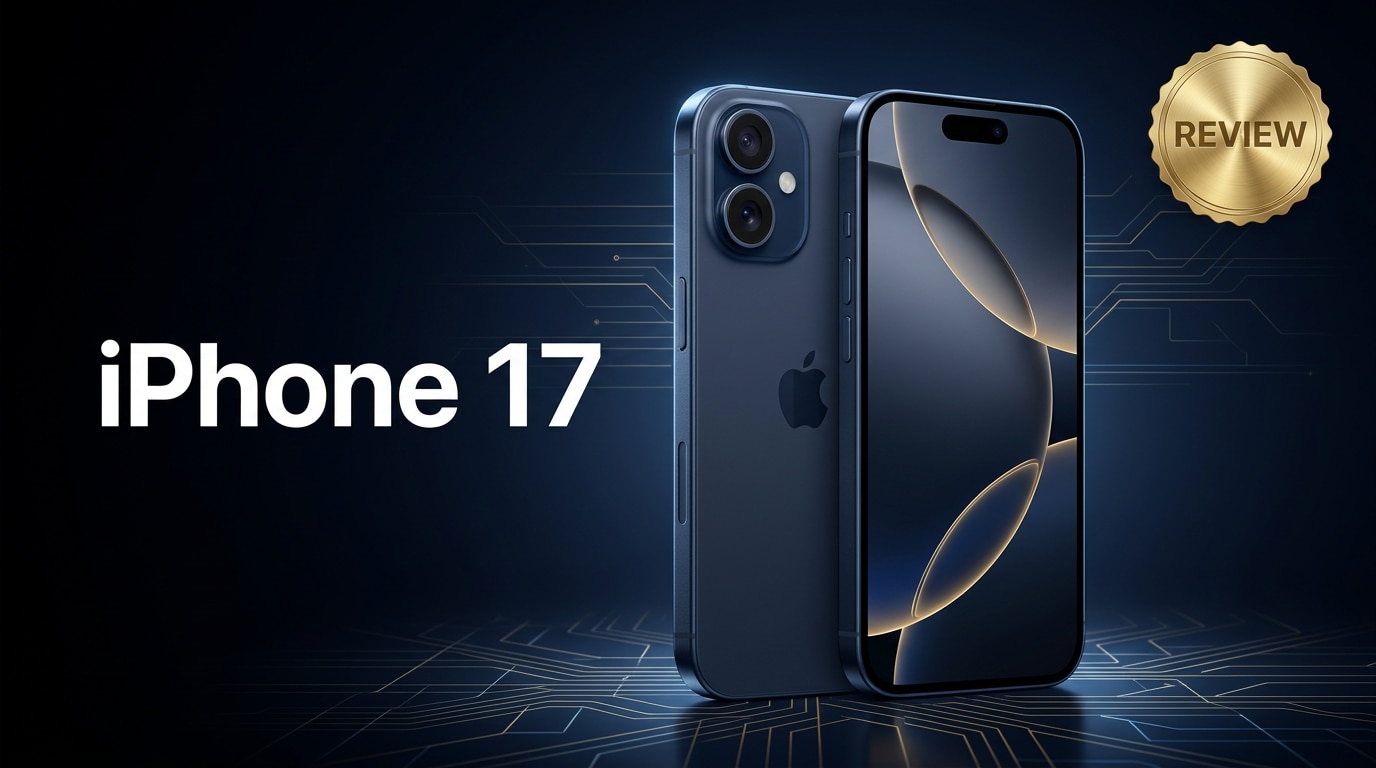
The iPhone 17 is Apple's latest flagship, refining performance, battery life, and camera quality rather than reinventing the formula. It aims to feel faster, last longer, and capture better photos and videos in real everyday use. This review walks through what is genuinely new, how it compares with earlier models, who should upgrade, and what to do if your iPhone 17 photos or videos become corrupted so you can keep your data safe.
Repair Corrupted Files To Save Your Data
 Security Verified. Over 7,302,189 people have downloaded it.
In this article
What Is New About iPhone 17
The iPhone 17 focuses on refinements rather than radical changes. Apple introduces a faster chipset, more efficient display technology, and smarter camera processing that leans heavily on on-device AI.
- New-generation chip with better CPU and GPU performance for smoother multitasking and gaming.
- Improved image signal processor for better low-light and high-dynamic-range photos and videos.
- More efficient display panel for higher brightness at the same or lower power draw.
- Subtle design tweaks for better grip and reduced weight without sacrificing durability.
- Longer promised software support window, keeping your iPhone 17 secure for years.
These upgrades are tuned for day-to-day reliability: faster app launches, more responsive cameras, and improved power management rather than headline-grabbing gimmicks.
Price, Storage, and Design
Apple positions the iPhone 17 as its mainstream flagship, sitting below the Pro line but above older models that may stay on sale at a discount. Prices vary by region, but the structure is familiar: higher storage tiers cost progressively more.
| Model | Typical Storage Options |
|---|---|
| iPhone 17 | 128 GB, 256 GB, 512 GB |
| iPhone 17 (Carrier / Promo) | Often starts at 128 GB with bundled offers |
The base 128 GB option is enough for light users, but if you shoot a lot of 4K video or download many offline movies, 256 GB or higher is safer. Remember that system files and apps eat into the advertised capacity.
Design-wise, the iPhone 17 keeps the clean, squared-edge aesthetic of recent generations. Apple slightly refines the curvature of the frame and back glass to make it more comfortable to hold for long sessions. The camera bump remains prominent but is better integrated, with color-matched rings around each lens.
You can expect familiar durability elements: water and dust resistance, Ceramic Shield front glass, and a sturdy metal frame. Color choices skew toward muted, sophisticated finishes rather than bold neon shades, aligning with the phone's premium positioning.
Display, Performance, and Daily Use
The display and internal hardware define how the iPhone 17 feels in everyday life. Apple pushes brightness, efficiency, and responsiveness without compromising battery life.
The OLED panel delivers high peak brightness for outdoor visibility, deep blacks, and accurate color calibration out of the box. Scrolling and animations look fluid, especially with the high refresh rate enabled in supported apps and UI elements.
Everyday performance and multitasking
Powered by the latest Apple chip, the iPhone 17 easily handles common tasks like messaging, social media, photography, and productivity apps. App switching is instant, and background processes remain stable, meaning fewer reloads when you jump between apps.
- Apps open quickly even after extended uptime without reboots.
- Camera launches with minimal delay, which helps capture spontaneous shots.
- Face ID authentication remains fast, tying smoothly into Apple Pay and password autofill.
For remote work or study, video calls remain stable, and multitasking with messaging, note-taking, and cloud apps feels fluid. The phone stays responsive even with many background tasks syncing or downloading.
Gaming, streaming, and thermal behavior
Heavy 3D games benefit from the upgraded GPU and improved thermal management in the iPhone 17. Frame rates remain high and consistent in most modern titles, and heat is distributed across the body so it feels warm but not uncomfortable during longer sessions.
- Popular games run at high graphics settings with smooth frame rates.
- Streaming 4K HDR content is responsive, with quick seeking and sharp image quality.
- Network performance and Wi-Fi stability support lag-free online play and cloud gaming.
Apple tunes the chip to avoid aggressive throttling, so performance dips are less noticeable even once the device warms up. For most users, gaming and binge streaming are both comfortable without needing to worry about performance drops.
Camera Review
The camera system is one of the biggest reasons to consider upgrading to the iPhone 17. While the raw megapixel count may not dramatically change, Apple's image processing delivers more detail, better dynamic range, and faster autofocus.
In daylight, photos show crisp detail and natural color tones. Skin tones lean realistic rather than overly saturated, and white balance remains consistent across the main and ultra-wide cameras. Smart HDR helps retain detail in both bright skies and shaded faces.
- Main camera: Delivers sharp, clean images with strong low-light performance and fast focus.
- Ultra-wide camera: Offers a wider field of view with improved edge sharpness and lower distortion.
- Telephoto or digital zoom: Provides usable zoomed images thanks to better computational photography.
Low-light photos benefit from improved noise reduction and better color retention. Night mode engages more intelligently, avoiding the overly bright, artificial look that some older phones produce.
Video performance also improves. The iPhone 17 records smooth 4K footage with strong stabilization, clear audio capture, and reliable focus tracking on people and pets. Cinematic and action-oriented modes get refined, with more stable subject detection and smoother bokeh transitions.
For content creators, these enhancements mean fewer retakes and less reliance on manual editing to fix exposure or white balance issues, making the iPhone 17 a reliable pocket camera for both casual and semi-professional use.
Battery, Charging, and Software Experience
Battery life is a key strength of the iPhone 17. Apple balances chip efficiency, display tuning, and iOS optimizations to deliver a full day of mixed use for most people.
- All-day battery under typical use (messaging, browsing, social apps, some video, and photos).
- More efficient standby drain, so the phone loses less charge overnight.
- Adaptive charging features that learn your routine to reduce battery wear.
Charging remains familiar: wired fast charging through the standard port and support for wireless charging pads and Apple accessories. While it may not top the charts in raw charging speed, the experience is consistent and predictable.
On the software side, iOS on the iPhone 17 introduces new personalization options, smarter widgets, and tighter integration with Apple services like iCloud, Fitness, and Home. On-device intelligence powers features such as improved dictation, smarter photo search, and more context-aware suggestions.
Apple also continues its strong stance on privacy, with transparent permission dialogs, mail and tracking protections, and on-device processing for many AI features so that less personal data leaves your phone.
Pros and Cons of iPhone 17
Like any flagship, the iPhone 17 has clear strengths and trade-offs. Weighing these can help you decide whether it is the right upgrade.
Pros
- Noticeably faster performance and smoother multitasking compared with older iPhones.
- Improved camera system with better low-light photos and more stable 4K video.
- Solid all-day battery life with smarter power management.
- Polished iOS experience with long-term software support.
- Premium build quality, water resistance, and refined design.
Cons
- Incremental design changes may feel minor if you already own a recent model.
- Higher storage tiers can be expensive for heavy media users.
- No radical charging upgrade, which some Android competitors now offer.
- Camera bump is still pronounced and may require a case for stability on flat surfaces.
What to Do If Your iPhone 17 Files Get Corrupted
Even with modern storage and iOS safeguards, your iPhone 17 photos or videos can sometimes become corrupted due to interrupted transfers, system crashes, or faulty storage. When that happens, the files may stop opening, show error messages, or appear distorted. The good news is that specialized repair software can often recover them.
Repairit overview for fixing corrupted iPhone 17 files
Wondershare Repairit is a dedicated repair tool that focuses on fixing corrupted videos, photos, audio, and documents from devices like the iPhone 17, cameras, and computers. Instead of trying risky manual tricks, you can use its guided interface to scan your damaged files and reconstruct them into playable, viewable versions.
Whether a 4K recording from your last trip refuses to play or family photos suddenly display artifacts, Repairit can analyze the file structure and patch inconsistencies. You can download the latest version from the Repairit official website and run it on your computer for a more controlled recovery process.
Key features of Repairit
- Repairs corrupted or unplayable iPhone 17 videos, photos, and other media files with a guided workflow.
- Supports multiple file formats from smartphones, cameras, memory cards, and computers in one tool.
- Offers preview and selective export so you only save the repaired files you actually need.
How to repair corrupted iPhone 17 photos and videos step by step
Before you start, it is best to copy the problematic photos or videos from your iPhone 17 to a computer. Avoid repeatedly opening or editing the damaged files on your phone, as that can make recovery harder.
-
Step 1: Launch Repairit and add your corrupted iPhone 17 files
Install and open Wondershare Repairit on your computer. On the main screen, choose the appropriate module based on what you want to fix, such as Video Repair or Photo Repair. Click the add button and browse to the folder where you saved the problematic iPhone 17 clips or images. Select the files that will not open, freeze during playback, or display error messages so they are queued for repair.
-
Step 2: Start the analysis and let Repairit fix the corruption
After your files are loaded, click the Repair button to begin. Repairit quickly scans each file, checks for missing or damaged data structures, and attempts to reconstruct them so they can play or display correctly again. You can monitor progress on the screen; for large 4K videos from your iPhone 17, allow extra time for the analysis and repair steps to complete.

-
Step 3: Preview the repaired results and save them safely
When the repair process finishes, use the built-in preview window to check your recovered iPhone 17 photos or videos. Make sure there are no major glitches, missing sections, or visual artifacts. If you are satisfied with the result, click Save or Export, choose a secure folder on your computer or an external drive, and store the fixed files there. Keeping them separate from the original corrupted copies gives you a clean, safe backup.


Conclusion — When Should You Buy?
The iPhone 17 refines Apple's flagship formula with better performance, smarter cameras, and more efficient battery management. It feels like a polished, reliable everyday device rather than a radical redesign, which is ideal if you value stability and long-term support.
If you are using an iPhone that is three or more generations old, the gains in speed, camera quality, battery life, and software longevity make the iPhone 17 a strong upgrade. Owners of very recent models may prefer to wait unless improved photography, battery life, or extra storage are urgent needs. Whatever you choose, having a repair solution like Wondershare Repairit on hand ensures that your important iPhone 17 photos and videos remain recoverable if they ever become corrupted.
FAQ
-
1. Is the iPhone 17 worth upgrading to from an older iPhone?
If you are using an iPhone that is three or more generations old, the iPhone 17 delivers noticeable gains in performance, camera quality, battery life, and software support. For most users in that situation, it is a worthwhile and future-proof upgrade. -
2. How is the iPhone 17 battery life in real-world use?
The iPhone 17 is designed to comfortably last a full day of mixed use, including browsing, social media, streaming, and casual photography. Heavy gamers and power users might still want an evening top-up, but efficiency is improved compared with many older models. -
3. What should I do if my iPhone 17 videos will not play or show errors?
Start by restarting your phone and installing any pending iOS updates. If the issue remains, transfer the affected clips to a computer and run them through a repair tool such as Wondershare Repairit, which can scan and fix corrupted video files so they become playable again. -
4. Can I recover corrupted photos from my iPhone 17 after a crash?
If the photos still exist but will not open or look distorted, you can try repairing them with Repairit on a computer. If they were deleted, also check the Recently Deleted album, iCloud Photos, and any iTunes or Finder backups you may have made. -
5. Will using Repairit change my original iPhone 17 files?
No. Repairit works by creating repaired copies and saving them to a location you choose. Your original corrupted photos or videos stay unchanged unless you manually delete or overwrite them afterward.




