
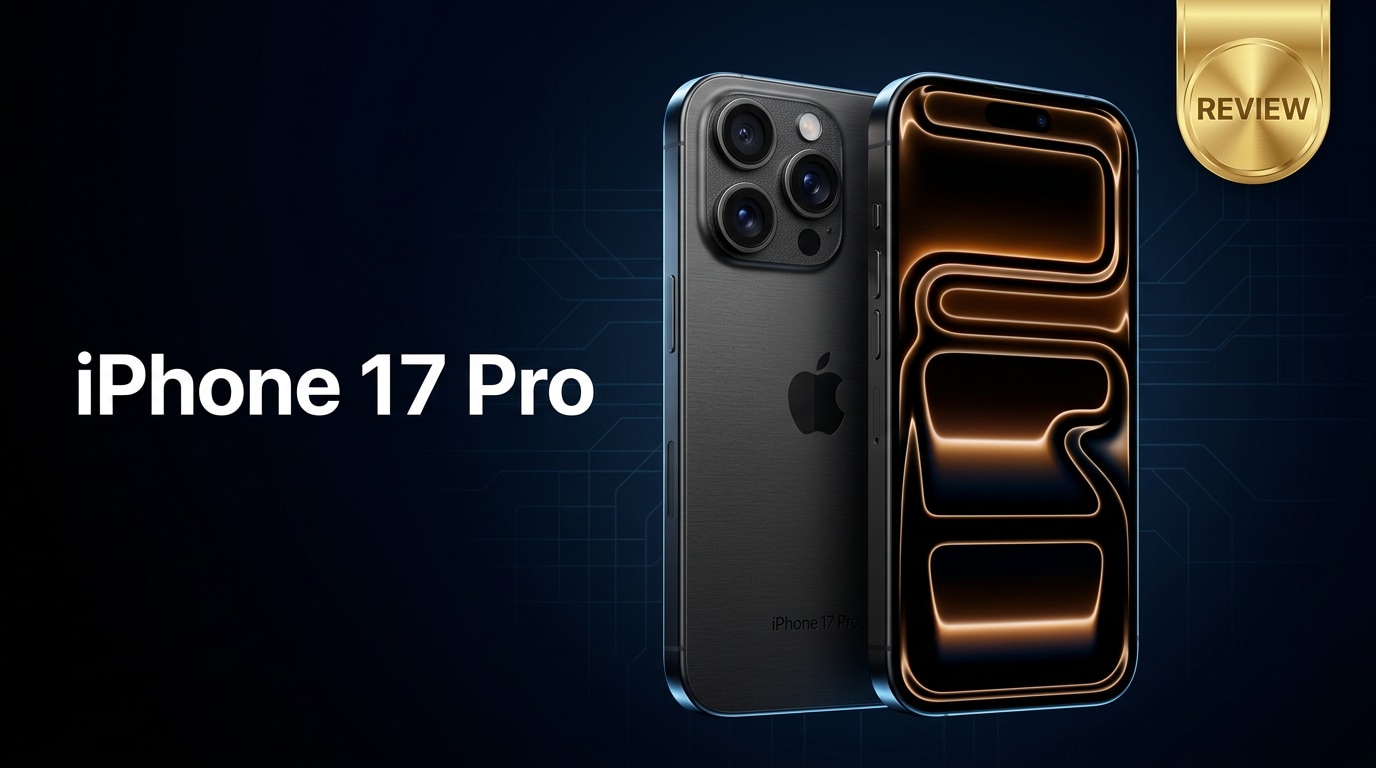
The iPhone 17 Pro is Apple's latest flagship built for users who want premium design, powerful performance, and pro-grade cameras in one device. It refines the Pro formula with better efficiency, smarter imaging, and smoother everyday use, making it a compelling option for creators, gamers, and anyone upgrading from an older iPhone.
Repair Corrupted Files To Save Your Data
 Security Verified. Over 7,302,189 people have downloaded it.
In this article
What Is New About iPhone 17 Pro
The iPhone 17 Pro focuses on meaningful upgrades instead of a complete redesign. Apple improves efficiency and graphics power with its latest Pro-series chip, enabling smoother gaming and faster AI-driven tasks like photo processing. The camera system gets better low-light performance, smarter portrait handling, and more flexible zoom. You also get a brighter, more responsive display, refined titanium or premium metal build, and under-the-hood changes that support longer battery life and improved 5G and Wi-Fi stability for real-world use.
Price, Storage, and Design
iPhone 17 Pro pricing and storage options
Apple positions the iPhone 17 Pro squarely in the premium flagship tier. Expect pricing to start at the lower storage capacity and scale up noticeably for higher tiers. Storage options typically begin at 128 GB, followed by 256 GB and 512 GB, with a top-tier 1 TB model for creators and professionals. If you regularly shoot 4K video, capture ProRAW photos, or keep large games installed, starting at 256 GB or 512 GB will give you more long-term peace of mind.
For lighter users who mostly stream content and rely on cloud storage, 128 GB may be enough, but remember that future iOS updates, apps, and media tend to grow in size over the years. Choosing the right storage upfront can delay the need to upgrade or constantly delete files.
Design, materials, and durability
The iPhone 17 Pro continues Apple's modern aesthetic with flat edges, a sleek camera island, and premium materials such as titanium or high-grade aluminum around the frame. The glass back supports MagSafe accessories and wireless charging while maintaining a polished, minimalist appearance.
Apple's focus on durability includes strong glass on the front, enhanced drop resistance, and high water- and dust-resistance ratings, which make the device more resilient to everyday accidents. However, the large camera bump and all-glass surfaces still benefit from a protective case and screen protector. The overall ergonomics remain comfortable for one-handed browsing, though extended gaming or filming sessions may feel hefty without a grip or case.
Display, Performance, and Daily Use
Display quality and brightness
The display on the iPhone 17 Pro is built for media consumption and outdoor visibility. A high-refresh-rate OLED panel offers smooth scrolling and lifelike colors, with deeper blacks and improved HDR rendering for movies, games, and photos. Higher peak brightness levels make it easier to read the screen in direct sunlight, while adaptive refresh rate technology helps preserve battery life when static content is on screen.
Color accuracy is excellent for users who edit photos and videos directly on the phone, and the minimal bezels maximize screen real estate without making the device unwieldy. Whether you are gaming, streaming, or reading, the display feels both sharp and responsive.
Chipset performance and real-world usage
Powered by Apple's latest Pro-series chip, the iPhone 17 Pro handles intensive tasks with ease. Heavy games, video editing apps, and AI-powered workflows run smoothly, and app switching feels instant. The upgraded GPU and neural engine allow for more advanced computational photography, improved voice processing, and on-device AI tasks.
In day-to-day use, this translates to faster app launches, responsive multitasking, and minimal lag, even under load. Heat management is improved compared to older models, so extended gaming or 4K recording sessions are more comfortable. The combination of performance and efficiency also helps extend battery life, especially when using power-hungry apps or high refresh rates.
Camera Review
Photo quality and new camera features
The camera system is a major reason to pick the iPhone 17 Pro. A refined multi-lens setup (wide, ultra-wide, and telephoto) delivers sharp, detailed images with natural color reproduction. Low-light performance is noticeably better, reducing noise and preserving detail in night scenes without excessive smoothing.
New computational photography features enhance portraits, allowing you to adjust focus and depth after the shot, while smarter HDR improves dynamic range in high-contrast scenes such as sunsets or backlit portraits. Macro capabilities deliver crisp close-ups of textures, plants, and small objects, turning the camera into a versatile tool for both casual snapshots and serious photography.
Video performance for creators
For video creators, the iPhone 17 Pro remains one of the strongest phones you can buy. It supports high-resolution recording with smooth stabilization, making handheld footage look more professional. Advanced modes like cinematic video, ProRes (in supported storage tiers), and slow motion provide multiple creative options.
Improved low-light video performance means less grain and better color in dim environments, while better microphones capture clearer audio. For vloggers, mobile filmmakers, and social media creators, the ability to shoot, edit, and publish high-quality content directly from the device is a major advantage. However, high-bitrate video can consume storage quickly, so choosing a higher-capacity model is wise if video is your focus.
Battery, Charging, and Software Experience
Battery life and charging speeds
Thanks to efficiency gains from the new chip and display technology, the iPhone 17 Pro offers all-day battery life for most users. Typical mixed use (social media, messaging, browsing, videos, and some navigation) comfortably lasts from morning to night on a single charge. Power users who game heavily or record 4K video may still need an afternoon top-up, but endurance is improved over older generations.
Fast charging via cable and support for wireless and MagSafe charging give you flexibility. While Apple may not lead the industry in raw wattage numbers, real-world charging remains convenient: a short plug-in session can add several hours of use. Using certified chargers and avoiding extreme temperatures helps preserve long-term battery health.
iOS experience and long-term support
Running the latest iOS version, the iPhone 17 Pro delivers a polished software experience with deep ecosystem integration. Features like Face ID, Focus modes, advanced widgets, and continuity with Macs and iPads make daily tasks smoother and more connected. New AI-driven features, improved privacy controls, and refined system apps keep the phone feeling modern and secure.
Apple's strong track record of long-term software support means the iPhone 17 Pro should receive major iOS updates for many years. This extends the usable life of the device, improving overall value, and ensures you continue to get security patches, new features, and performance optimizations well into the future.
Pros and Cons of iPhone 17 Pro
| Pros | Cons |
|---|---|
| Excellent performance from the latest Pro-series chip for gaming, multitasking, and creative work. | Premium pricing, especially for higher storage options. |
| Versatile camera system with strong low-light performance and advanced computational features. | Large camera bump and glass back make it prone to wobble and fingerprints without a case. |
| Bright, smooth OLED display with adaptive refresh rate and great color accuracy. | High-resolution video recording can consume storage quickly, requiring larger and more expensive models. |
| Improved battery life and efficient software optimizations for all-day use. | Charging speeds may feel conservative compared to some Android flagships. |
| Long-term iOS support and deep integration with the Apple ecosystem. | Limited customization compared to some competing platforms. |
What to Do If Your iPhone 17 Pro Files Get Corrupted
Why choose Repairit for iPhone 17 Pro file repair
Even with a powerful device like the iPhone 17 Pro, files can still become corrupted due to interrupted transfers, sudden shutdowns, or storage issues. When irreplaceable photos or 4K videos refuse to open, a specialized repair tool is your safest option. Wondershare Repairit is designed specifically to fix damaged photos, videos, and other files, using advanced repair engines behind an easy interface. You can learn more and download it from the Repairit official website.
Repairit key features
- Repairs corrupted or unplayable iPhone 17 Pro photos and videos in just a few clicks, without complex settings.
- Supports many file formats from iOS devices, cameras, memory cards, and computers, so you can fix media from multiple sources.
- Lets you preview repaired photos and videos before saving, so you only keep the results that look right.
How to repair corrupted photos and videos step by step
-
Step 1: Add the corrupted iPhone 17 Pro files into Repairit
Install and open Repairit on your computer, then copy the problematic photos or videos from your iPhone 17 Pro to a local folder. In the appropriate repair module (Photo Repair or Video Repair), click the button to add files and browse to the items that show errors or will not play. Confirm to load them into the list so Repairit can analyze them.

-
Step 2: Let Repairit scan and repair the damaged files automatically
Check that all the files you want to fix are selected, then click the Repair button. Repairit will scan each item, detect header issues, data inconsistencies, and playback errors, and automatically apply the best repair strategy. Leave the process to run without disconnecting storage or closing the program until the progress bar finishes.

-
Step 3: Preview the repaired results and save them safely
When the repair completes, use the built-in preview to check each photo or video and confirm that they now open and play correctly. If you are satisfied, click Save and choose a secure folder on your computer or an external drive to store the fixed files. After saving, you can sync the repaired photos and videos back to your iPhone 17 Pro via Finder, iTunes, or your preferred management tool.

Conclusion — When Should You Buy?
The iPhone 17 Pro refines the Pro experience with faster performance, better cameras, and more efficient battery life, all wrapped in a premium design. For most users, it easily covers demanding apps, gaming, and content creation while staying smooth and responsive.
If you are upgrading from a several-generations-old iPhone, the jump in camera quality, battery endurance, and overall speed will feel significant. Users on last year's Pro will see more incremental gains, so the decision comes down to how much you value camera improvements, display upgrades, and long-term software support. And if your important photos or videos ever become corrupted, tools like Wondershare Repairit give you a practical way to recover them instead of losing those memories for good.
FAQ
-
1. Is the iPhone 17 Pro worth upgrading from an older iPhone Pro model?
If you are coming from a Pro model that is two or more generations old, the iPhone 17 Pro brings clear gains in camera quality, battery life, and performance. From last year's Pro, the upgrade is more incremental and mostly worthwhile if you care about camera refinements, display brightness, and efficiency. -
2. How much storage should I choose for the iPhone 17 Pro?
Casual users who stream most content can often manage with 128 GB or 256 GB. If you shoot a lot of 4K video, download big games, or keep media offline, aim for 512 GB or higher to avoid constant storage management and to keep the phone comfortable for years. -
3. What should I do if my iPhone 17 Pro videos will not play or show an error?
First, restart your iPhone and try playing the video in the Photos app and another compatible player. If the file still fails, copy it to a computer and use a dedicated repair tool such as Wondershare Repairit to scan and fix corruption before you delete or overwrite the original. -
4. Can corrupted iPhone 17 Pro photos be repaired without losing quality?
In many cases, yes. When the damage affects mainly file headers or small data segments, repair tools can restore the photo at its original resolution. Severely damaged files may only be partially recovered, so repairing them as soon as you notice an issue gives you the best chance of full-quality recovery. -
5. How can I reduce the chance of file corruption on my iPhone 17 Pro?
Avoid force-closing the camera while recording, keep enough free storage, do not interrupt data transfers, and back up regularly to iCloud or a computer. These habits lower the risk of incomplete writes and sudden errors that can corrupt photos and videos.




