
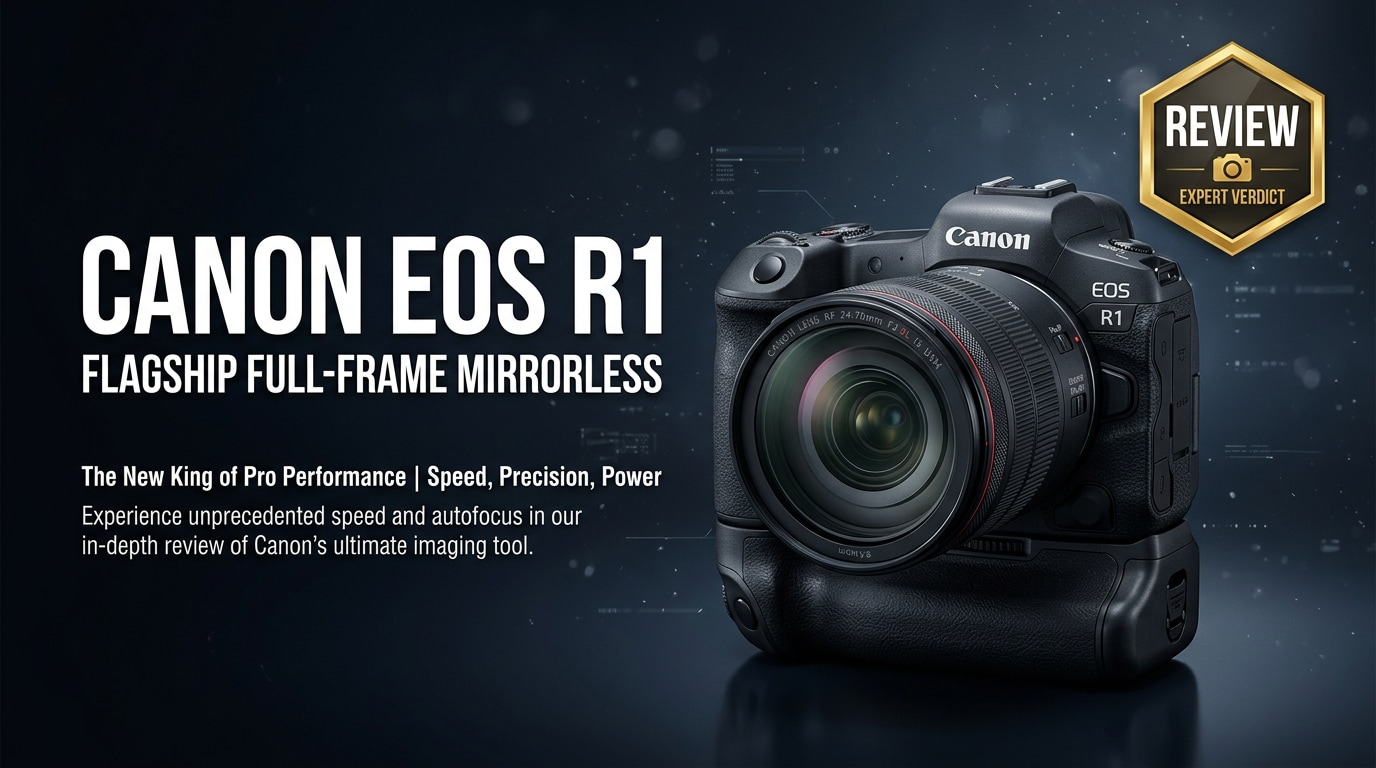
The Canon EOS R1 is Canon's no-compromise flagship mirrorless camera, built for professionals who need blistering speed, reliable autofocus, and rugged durability in the toughest environments. Aimed squarely at sports, wildlife, news, and high-end commercial shooters, it combines a high-resolution full-frame sensor with deep-learning AF, powerful processing, and robust video tools in a single pro-grade body.
Repair Corrupted Files To Save Your Data
 Security Verified. Over 7,302,189 people have downloaded it.
In this article
What is New About Canon EOS R1
The Canon EOS R1 represents a significant leap over earlier EOS R bodies, especially in autofocus intelligence, processing power, and overall robustness. Canon has built it as a clean-sheet flagship designed to compete directly with the top mirrorless cameras on the market.
- New high-resolution, stacked full-frame sensor for faster readout and reduced rolling shutter.
- Next-generation DIGIC processing enabling advanced subject detection, tracking, and low-light performance.
- Deep-learning AF that recognizes people, animals, and vehicles more reliably at high speeds.
- Refined ergonomics and a tougher, weather-sealed body that mirrors Canon's top DSLR handling.
- High-end video features designed for serious hybrid shooters needing both stills and cinema-grade footage.
Full Specs at a Glance
This section summarizes the key specifications that define the Canon EOS R1, from resolution and autofocus to connectivity and power options.
Core imaging specs
| Feature | Canon EOS R1 Spec (expected/flagship class) |
|---|---|
| Sensor type | Full-frame stacked CMOS, designed for high speed and dynamic range |
| Resolution | High megapixel count suitable for large prints and heavy cropping |
| Image processor | Next-generation DIGIC engine with deep-learning acceleration |
| Native ISO range | Wide native range optimized for clean low-light performance |
| Burst shooting | Very high fps with electronic shutter, with deep buffer for RAW sequences |
| Autofocus system | Dual Pixel CMOS AF with expanded coverage and subject recognition |
| In-body stabilization | Sensor-shift IBIS working with RF lens IS for stronger combined stabilization |
Body, storage, and connectivity
| Category | Details |
|---|---|
| Build and sealing | Magnesium-alloy chassis with extensive weather sealing for professional use |
| Card slots | Dual high-speed slots (typically CFexpress plus SD UHS-II or dual CFexpress) |
| Viewfinder and LCD | High-resolution EVF with fast refresh and fully articulating or tilt LCD |
| Video capabilities | High-resolution recording (up to 8K-class) with advanced codecs and high bitrates |
| Ports | USB-C, HDMI, mic, headphone, remote, and PC sync/flash terminal |
| Battery system | Pro-grade high-capacity battery compatible with Canon's flagship ecosystem |
| Connectivity | Wi-Fi, Bluetooth, and wired LAN options for studio and field workflows |
Real-World Performance
On assignment, the Canon EOS R1 is built to keep up with demanding, unpredictable subjects. Its autofocus reliably sticks to athletes, birds in flight, and fast-moving vehicles even in poor light, while the stacked sensor minimizes rolling shutter when panning or shooting under flickering light.
Continuous shooting speeds, paired with deep buffer performance and fast CFexpress cards, mean you can capture long bursts without the camera choking. Dynamic range and high-ISO output are tuned for editorial and commercial workflows, delivering flexible files for grading and retouching.
For hybrid creators, the camera's video modes bring clean oversampled footage, robust codecs, and strong AF tracking during recording. Combined with IBIS, handheld clips remain steady enough for documentary and run-and-gun work, reducing the need for a gimbal in many situations.
Pros & Cons
Pros
- Flagship-grade build quality and weather sealing for professional reliability.
- Extremely fast, intelligent autofocus with advanced subject recognition.
- High-resolution stacked sensor delivering detailed, flexible files.
- Excellent burst performance for sports and wildlife photography.
- Robust video toolkit suitable for professional hybrid shooters.
- Deep integration with the expanding Canon RF lens ecosystem.
Cons
- Premium price point that may be overkill for casual or enthusiast users.
- Large body and pro battery system add weight compared with smaller mirrorless options.
- High data rates and 8K-class video demand expensive, fast memory cards and ample storage.
- Advanced features can involve a steeper learning curve for newcomers.
Who Is This Camera For?
The Canon EOS R1 is tailored for photographers and filmmakers who routinely work in time-critical, high-pressure environments. Sports photographers, wildlife shooters, photojournalists, and agencies will benefit from its autofocus reliability, tough build, and rapid burst capabilities.
High-end commercial and editorial photographers who need both resolution and speed will also find it compelling, especially if they already own RF lenses. For hybrid creators, the camera serves as a single, do-it-all body that can move from stills to high-end video production without compromise.
Enthusiasts who simply want Canon's best technology may be attracted, but many will be better served by more affordable bodies unless they truly need the R1's flagship-level performance and durability.
What to Do If Your Canon EOS R1 Files Get Corrupted
Use Repairit to fix damaged EOS R1 files
Even with a camera as advanced as the Canon EOS R1, file corruption can still happen due to faulty cards, sudden power loss, or transfer issues. When important photos or videos from a critical assignment will not open or play correctly, a dedicated repair tool is essential. Wondershare Repairit is built precisely for this scenario: it can repair corrupted videos, photos, and other files from cameras like the EOS R1 with a simple, guided workflow. You can learn more and access downloads on the Repairit official website.
Step-by-step: repair corrupted Canon EOS R1 data
Key features of Wondershare Repairit
- Repairs corrupted or unplayable video and photo files from major camera brands, including Canon EOS series.
- Supports multiple formats and offers both quick repair for minor issues and advanced repair for severe damage.
- Intuitive, step-by-step workflow suitable for both beginners and working professionals on tight deadlines.
How to repair Canon EOS R1 files with Repairit
-
Choose a Location to Repair Data
Open Wondershare Repairit and pick the type of content you need to fix, such as videos or photos captured on your Canon EOS R1. Click to add the problematic files directly from your memory card, backup folder, or external drive. If you know where the damaged clips or RAW files are saved, point Repairit to that specific directory so it can gather everything that needs attention in one pass.

-
Deep Scan the Location
Start the repair process so Repairit can run a deep scan on the selected items. The software inspects each file's structure, looking for header errors, missing data segments, and playback faults that prevent smooth viewing. During this stage, Repairit reconstructs as much information as possible in the background, preparing clean versions of your Canon EOS R1 photos or videos without altering the originals.

-
Preview and Repair Your Desired Data
Once the scan and repair are complete, use Repairit's built-in preview window to check your fixed EOS R1 files. Confirm that videos play from start to finish with proper audio, and that photos render clearly without artifacts. Select the items you want to keep and click to save them, choosing a secure folder on your computer or an external drive. This ensures your newly repaired Canon EOS R1 media is safely stored and ready for editing, delivery, or archiving.

Conclusion — Should You Buy?
The Canon EOS R1 stands as a true flagship mirrorless camera, combining advanced autofocus, rapid continuous shooting, and a rugged body built for real-world abuse. For professionals who shoot fast action, challenging news events, or high-end commercial campaigns, it delivers the speed and reliability needed to consistently capture decisive moments.
If your work demands top-tier performance and you are already invested in the RF ecosystem, the EOS R1 is likely worth the investment. Pair it with disciplined backup routines and a reliable repair solution like Wondershare Repairit, and you will significantly reduce the risk that rare file corruption ever derails an important assignment.
FAQ
-
1. Is the Canon EOS R1 worth upgrading from the EOS R3?
If you need more resolution, faster and smarter autofocus, and the highest level of performance Canon offers, the Canon EOS R1 is a logical upgrade from the EOS R3. However, many working photographers may find the R3 still fully capable if they do not require the R1's flagship speed and feature set. -
2. What memory cards work best with the Canon EOS R1?
The EOS R1 is designed around fast, high-capacity cards, typically CFexpress and high-speed SD UHS-II depending on the final slot layout. To sustain long bursts and high-bitrate or 8K-class video, choose reputable CFexpress Type B and UHS-II cards with strong write speeds. -
3. How can I reduce the risk of file corruption on my EOS R1?
Use high-quality memory cards, format them in-camera, and avoid removing cards or batteries while the access light is active. Back up your footage as soon as possible, keep the camera firmware updated, and replace cards that show repeated errors or suspicious behavior. -
4. Can Wondershare Repairit fix corrupted Canon EOS R1 video files?
Yes. Wondershare Repairit is designed to repair many video formats commonly used by Canon cameras. You simply import the damaged clips, let Repairit analyze and repair them, then preview the results and export the recovered files to a safe storage location. -
5. Is the Canon EOS R1 a good choice for hybrid photo and video creators?
The Canon EOS R1 is built for professionals who frequently switch between stills and video. With powerful autofocus, high-resolution imaging, robust video modes, and strong stabilization, it is well suited to hybrid creators needing one body that can handle demanding work in both disciplines.




