
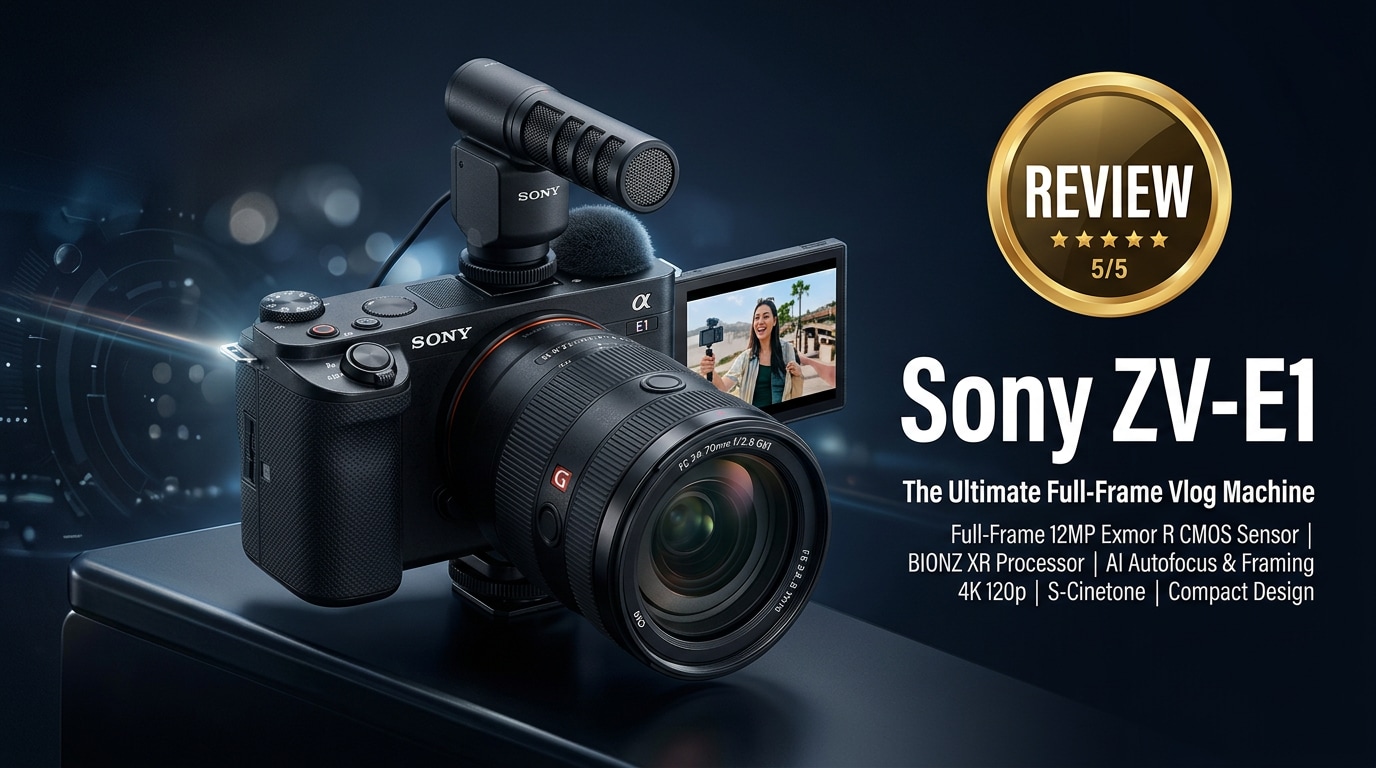
The Sony ZV-E1 is a compact full-frame mirrorless camera built around creators, vloggers, and solo filmmakers who want cinematic-looking footage without wrestling with complex menus. With powerful subject detection AF, strong low-light performance, and creator-focused automation, the Sony ZV-E1 aims to make professional-looking 4K content feel simple, even when you are shooting alone.
Repair Corrupted Files To Save Your Data
 Security Verified. Over 7,302,189 people have downloaded it.
In this article
What's New About Sony ZV-E1
The sony zv-e1 takes the familiar Sony vlogging formula and upgrades it with a full-frame sensor and creator-first software. Compared with APS-C or compact ZV models, it offers shallower depth of field, better low-light performance, and AI-driven framing tools that keep solo shooters in the spotlight.
Auto Framing uses subject recognition to crop and reframe a 4K canvas, giving the look of a camera operator following you even when you are filming alone. The camera also borrows advanced subject detection from higher-end Alpha bodies to track people, animals, and more with sticky precision.
Sony has further simplified the interface with prominent background defocus, product showcase, and cinematic vlog look modes, so you can switch styles quickly without diving into menus. Combined with in-body stabilization and a compact body, it is clearly tuned for run-and-gun creators.
Full Specs at a Glance
Sensor and core imaging
| Feature | Details |
|---|---|
| Sensor type | Full-frame back-illuminated CMOS |
| Resolution | Approx. 12 MP optimized for video and low light |
| ISO range | Native ISO with wide expandable range for dim scenes |
This configuration gives the sony zv-e1 specs a strong bias toward clean, cinematic video rather than very high-resolution stills.
Video formats and recording options
| Capability | Details |
|---|---|
| Resolution & frame rates | sony zv-e1 4k video up to high frame rates, plus Full HD slow motion modes |
| Codecs | Modern codecs with high-bitrate options for grading flexibility |
| Log and profiles | S-Log options and creative looks for post-production and straight-out-of-camera color |
In practical terms, you can match ZV-E1 footage with higher-end Sony bodies on multi-camera shoots while keeping file sizes manageable on SD media.
Real-World Performance
In everyday filming, the sony zv-e1 features shine most in three areas: autofocus, low light, and stabilization. Face and eye detection are fast and reliable, which is essential for talking-head clips where you are often moving slightly toward or away from the camera.
Thanks to its full-frame sensor and video-optimized resolution, the camera delivers clean footage at higher ISOs, retaining usable detail and color in dim rooms or evening city scenes. This helps avoid noisy clips when you cannot add extra lighting.
Stabilization combines in-body systems with digital tools to smooth handheld walking shots. While it is not gimbal-level, it reduces micro-jitters enough that vlog sequences look more polished straight from camera.
One area to watch is sony zv-e1 overheating during extended high-bitrate 4K sessions, especially in hot environments. Adjusting temperature settings, avoiding direct sun, and using shorter takes can help keep the camera running longer without shutdowns.
Pros & Cons
Advantages
- Full-frame sensor with cinematic depth of field and strong low-light performance.
- Creator-focused interface with quick access to background defocus, product showcase, and vlog presets.
- Reliable subject detection autofocus suitable for solo shooting and dynamic scenes.
- Compact, lightweight body that fits small rigs and gimbals easily.
- 4K recording options that balance quality with manageable file sizes.
Limitations
- Resolution is optimized for video, so still photographers may find it limiting.
- Potential thermal build-up in extended 4K recording sessions in hot conditions.
- Single SD card slot, which may concern professionals who want instant backup.
- Menu depth can still feel complex for absolute beginners despite creator presets.
Who Is This Camera For?
The ZV-E1 is best suited to vloggers, YouTubers, streamers, and solo filmmakers who value speed and ease over deep manual tweaking. If you want full-frame look and advanced AF but do not need the bulk or complexity of flagship cinema cameras, it fits neatly in that gap.
Event shooters and hybrid creators can also benefit from its discreet size and low-light ability, though dedicated photographers might prefer higher-megapixel bodies. For content-first workflows, however, it covers most needs from talking-head videos and tutorials to travel vlogs and short social clips.
What to Do If Your Sony ZV-E1 Files Get Corrupted
Wondershare Repairit introduction
Even careful creators can face card errors, interrupted transfers, or crashes that leave valuable ZV-E1 clips unplayable. Wondershare Repairit is designed to fix corrupted or damaged media so you do not lose content you worked hard to capture. You can learn more and download it from the Repairit official website, where both desktop and AI-powered repair options are available.
Key features and step-by-step repair guide
Key features of Repairit for Sony ZV-E1 users
- Repairs corrupted or unplayable video files from cameras, memory cards, and external or internal drives.
- Supports a wide range of formats, resolutions, and recording devices, including clips from the sony zv-e1.
- Provides a simple, guided workflow with built-in preview so you can confirm results before saving fixed files.
Step-by-step: How to repair Sony ZV-E1 video files
-
Choose a Location to Repair Data
Open Repairit on your computer and pick the Video Repair module. Click to add files, then browse to your Sony ZV-E1 SD card, card backup folder, or external drive. Select the corrupted clips you want to restore and confirm the list before starting the repair.

-
Deep Scan the Location
Start the repair so Repairit can analyze each selected video structurally. The tool checks headers, metadata, and audio/video streams, then automatically rebuilds damaged sections as needed. Let the scan reach 100% without removing the card or closing the app to avoid further issues.

-
Preview and Repair Your Desired Data
When the process finishes, use the preview feature to play each repaired clip. Confirm that motion, color, and audio look correct, then choose the videos you want to keep. Save them to a safe folder on your computer or another drive, not back to the original card, to prevent overwriting and future corruption.

Conclusion — Should You Buy?
The sony zv-e1 review comes down to priorities. If you care most about creator-friendly tools, full-frame image quality, and dependable autofocus in a compact package, this camera is a strong fit. It streamlines common vlogging tasks so you can focus on performance and storytelling rather than camera settings.
Those who need ultra-high-resolution stills or all-day 4K recording without thermal concerns may prefer different bodies. For most online creators, though, pairing the ZV-E1 with a reliable repair solution like Wondershare Repairit offers both high-quality capture and a safety net when files go wrong.
FAQ
-
1. Is the Sony ZV-E1 good for vlogging?
Yes. The Sony ZV-E1 is designed for creators and vloggers with a side-flip screen, strong face and eye autofocus, background defocus button, and stabilization features that make handheld talking-head videos easier and more reliable. -
2. Does the Sony ZV-E1 overheat in 4K recording?
The Sony ZV-E1 can get warm during long 4K takes, especially in hot or poorly ventilated environments. Using lower recording temperatures in the menu, avoiding direct sunlight, recording shorter clips, and updating firmware can help manage sony zv-e1 overheating. -
3. Which memory card should I use with the Sony ZV-E1?
For stable high-bitrate 4K capture, choose SD cards rated at least UHS-I U3 or V30. For more demanding settings or professional work, V60 or V90 cards from reputable brands offer better headroom and reliability. -
4. How can I fix corrupted Sony ZV-E1 video files?
Stop recording immediately, remove the card safely, and back up any readable files. Then run Wondershare Repairit to scan and repair problem clips. The tool reconstructs damaged video structure so you can often recover footage that no longer plays correctly. -
5. Is the Sony ZV-E1 suitable for photography as well as video?
The ZV-E1 can capture high-quality stills with full-frame depth of field and good low-light performance, but its specs and controls are optimized for video. If stills are your main focus, a higher-resolution hybrid body may be more flexible.




