
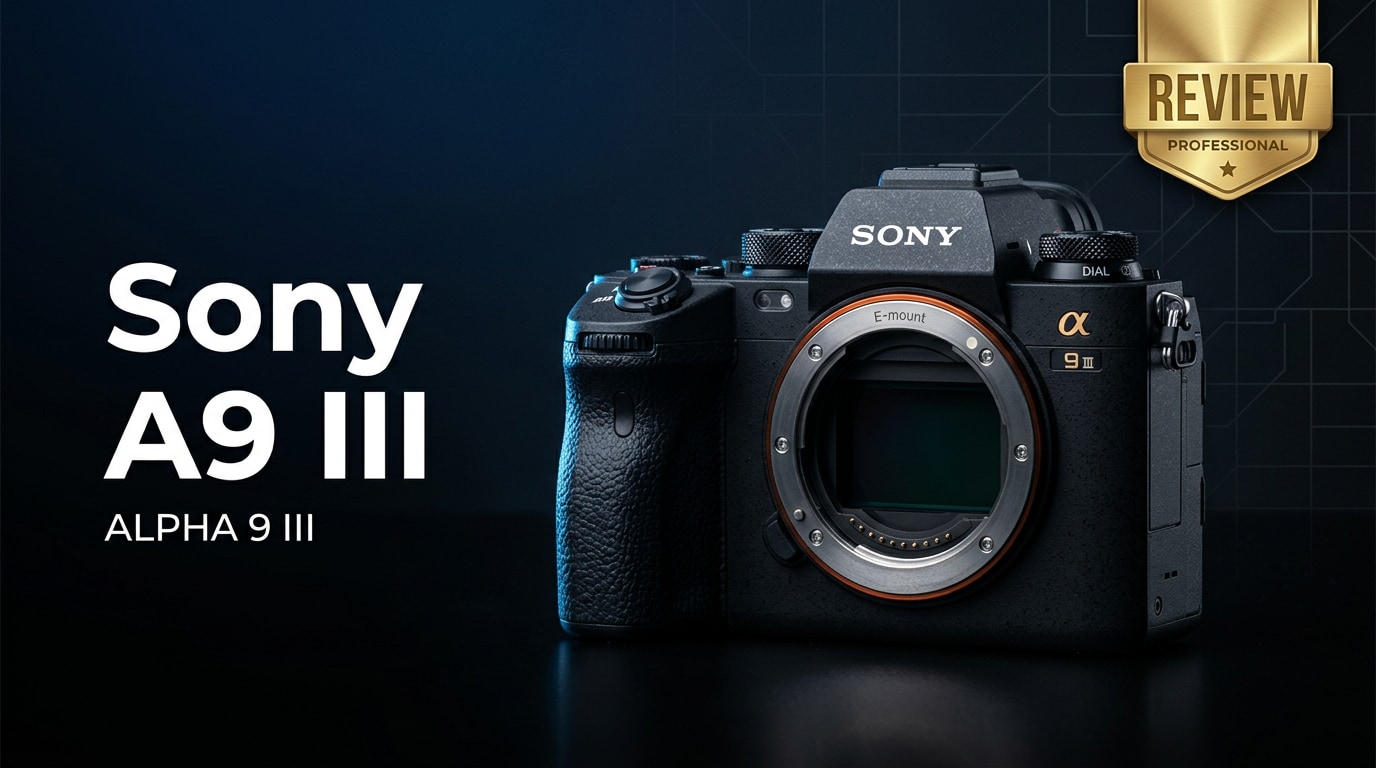
The Sony A9 III is a flagship full-frame mirrorless camera built for speed, reliability, and demanding professional use. It debuts a true global shutter in a mainstream body, virtually eliminating rolling-shutter distortion and banding under harsh artificial light. Aimed squarely at sports, wildlife, news, and event shooters, the A9 III delivers blackout-free bursts, deep buffers, and advanced autofocus while keeping Sony handling and ergonomics familiar for existing E-mount users.
Repair Corrupted Files To Save Your Data
 Security Verified. Over 7,302,189 people have downloaded it.
In this article
Introduction
The Sony A9 III is Sony's high-speed full-frame mirrorless camera designed primarily for working professionals who cannot afford to miss a moment. Featuring a stacked CMOS sensor with global shutter technology, it enables distortion-free electronic shutter shooting at extreme burst rates while keeping autofocus, color, and ergonomics in line with Sony's pro lineup.
What's New About Sony A9 III
The Sony A9 III introduces several headline upgrades that meaningfully change how you shoot action and events.
- True global shutter sensor: The star of the show is the global shutter, which exposes every pixel simultaneously. This virtually eliminates rolling-shutter skew, banding from LED lights, and other artifacts that plague fast electronic shutters.
- Insanely fast burst rates: With the electronic shutter and global readout, the A9 III can fire at extremely high frame rates (with AF/AE tracking), making it ideal for football, motorsport, and wildlife sequences where split seconds matter.
- Blackout-free viewfinder: Continuous live-view with no blackout helps you track erratic subjects more naturally, especially at long focal lengths.
- Improved autofocus intelligence: Refined subject detection, including people, animals, birds, cars, trains, and aircraft, combined with the fast readout, translates into stickier tracking and fewer missed focus frames.
- More robust body and controls: Handling tweaks, better custom buttons, and weather sealing improvements make the A9 III feel more like a dependable tool for long days in the field or on the sidelines.
- Better flicker and banding resistance: The global shutter allows the camera to cope far better with LED scoreboards, arena lighting, or mixed light where conventional sensors often struggle.
Full Specs at a Glance
Here is a concise look at the key specifications that define the Sony A9 III as a professional sports and event camera.
Sensor and Imaging Pipeline
| Component | Details |
|---|---|
| Sensor Type | Full-frame stacked CMOS with global shutter |
| Resolution | Approx. 24 MP, optimized for speed and low light |
| ISO Range | Native range suitable for professional low-light action (expandable) |
| Burst Shooting | Ultra-high continuous shooting with AF/AE tracking via electronic shutter |
| Autofocus System | On-sensor phase-detect AF with advanced subject recognition (humans, animals, vehicles, and more) |
| Video Recording | 4K recording with high frame-rate options and minimal rolling-shutter artifacts thanks to global readout |
Body, Storage, and Connectivity
| Component | Details |
|---|---|
| Lens Mount | Sony E-mount (full-frame), compatible with extensive FE lens lineup |
| Viewfinder & LCD | High-resolution EVF with blackout-free shooting and responsive rear touchscreen |
| Memory Cards | Dual slots (CFexpress Type A / SD), supporting high-speed media for long bursts and 4K video |
| Battery | High-capacity Z-series battery with endurance tailored for pro use |
| Connectivity | USB-C, HDMI, headphone/mic ports, Wi-Fi, and wired LAN options (varies by configuration) for fast file transfer |
| Build | Weather-sealed magnesium alloy chassis suitable for professional fieldwork |
Real-World Performance
In practical shooting, the Sony A9 III feels built for moments you usually miss with slower cameras. The global shutter means you can confidently pan with race cars, photograph tennis serves, or freeze goal-line scrambles without worrying about leaning subjects or warped backgrounds. Under stadium LEDs or mixed arena lighting, banding is dramatically reduced compared to conventional sensors.
The autofocus system locks onto athletes, performers, or wildlife quickly and holds them through erratic movement. Eye- and face-detection remain sticky even when subjects briefly turn away or are partially blocked. Buffer performance, combined with high-speed cards, lets you hold long bursts before the camera slows, which is crucial when the decisive moment is unpredictable.
For video shooters, the A9 III offers crisp 4K capture with the major advantage of a global shutter: fast pans and rapid movement look natural rather than jello-like. While it may not replace full cinema bodies for advanced workflows, it shines in run-and-gun scenarios where reliability and lack of distortion are more important than extreme bitrates or codecs.
Pros & Cons
Pros
- Global shutter virtually eliminates rolling-shutter distortion and LED banding.
- Extremely high burst rates with continuous AF/AE for sports and wildlife.
- Blackout-free EVF improves tracking of fast, erratic subjects.
- Refined autofocus with smart subject recognition and reliable eye detection.
- Strong build quality, weather sealing, and pro-oriented ergonomics.
- 4K video that benefits from global readout for natural motion rendering.
Cons
- Resolution is tuned for speed, not for maximum detail or heavy cropping.
- Premium pricing puts it out of reach for many enthusiasts.
- Video feature set, while solid, may not satisfy dedicated cinema shooters.
- Global shutter design can influence dynamic range compared with some slower sensors.
- Requires fast, high-end memory cards to fully exploit its performance.
Who Is This Camera For?
The Sony A9 III is tailored to professionals and serious enthusiasts who regularly shoot fast, unpredictable action. Sports photographers, motorsport shooters, wildlife specialists, and news photojournalists will see the most benefit from the global shutter and extreme burst capabilities.
It is also compelling for wedding, event, and concert photographers who often work under difficult artificial lighting where banding and flicker can ruin images from lesser cameras. Hybrid shooters covering fast-paced events can rely on the A9 III for both stills and video without worrying about image distortion when panning or capturing sudden movement.
If your typical subjects are static, studio-based, or landscape-oriented and you prioritize resolution or advanced video codecs, other bodies in the Sony lineup may be a better fit. But if not missing the moment is your top priority, the A9 III is one of the most capable tools available.
What to Do If Your Sony A9 III Files Get Corrupted
Why Use Repairit for Sony A9 III Files
Even with a professional body like the Sony A9 III, memory card issues, sudden power loss, or file transfer interruptions can leave you with corrupted photos or videos. When this happens after a critical assignment, having a dedicated repair solution is essential. Wondershare Repairit is built specifically to fix damaged video, photo, and document files from cameras, memory cards, and drives, helping you rescue work that would otherwise be unusable. You can learn more and download it from the Repairit official website.
Key Features of Repairit
- Repairs corrupted or unplayable video, photo, and document files from multiple devices, including high-speed cameras like the Sony A9 III.
- Supports batch repair with clear previews so you can verify recovered footage and images before saving.
- Streamlined click-through workflow that suits both busy professionals and beginners dealing with file issues for the first time.
Step-by-Step: Repair Sony A9 III Photos and Videos
-
1) Choose a Location to Repair Data
Open Repairit and pick the type of file you want to fix, such as video or photo. Navigate to the folder, memory card, or external drive that holds your Sony A9 III shots, then add the problematic clips or images to the repair queue. You can load multiple files at once to save time after a big shoot.

-
2) Deep Scan the Location
Start the repair process so Repairit can examine the selected files in detail. The software analyzes file headers, structure, and metadata to detect inconsistencies that prevent playback or viewing. During this deep scan, Repairit rebuilds the damaged sections while leaving your original card or drive contents unchanged, reducing the risk of further data loss.

-
3) Preview and Repair Your Desired Data
Once the repair completes, use the built-in preview window to check that your Sony A9 III footage plays correctly and your images render without artifacts. Select the files that look good and save them to a safe location, preferably on a different drive or fresh memory card. This way you preserve both the repaired files and any originals you may still need later.

Conclusion — Should You Buy?
The Sony A9 III pushes mirrorless technology forward with its global shutter, blistering bursts, and highly dependable autofocus. For photographers who work in fast-paced environments, it solves real-world problems like rolling-shutter distortion, LED banding, and viewfinder blackout, turning near misses into reliably captured frames.
If you consistently shoot sports, wildlife, news, or demanding events, the A9 III is easy to recommend, provided its price and resolution profile match your needs. Pair it with robust backup habits and a capable repair tool like Repairit, and you will be ready to handle both creative challenges and unexpected file issues with confidence.
FAQ
-
1. Is the Sony A9 III worth it over the A9 II or A1?
For photographers who prioritize distortion-free electronic shutter shooting, extreme burst rates, and reliable performance under tricky artificial lighting, the Sony A9 III is a major step up over the A9 II. Compared with the A1, you trade some resolution and certain video options for the unique benefits of a global shutter that excels in action and event work. -
2. Does the Sony A9 III have a mechanical shutter?
No. The Sony A9 III relies entirely on its global electronic shutter and omits a traditional mechanical shutter. This simplifies the mechanism, removes shutter shock, and enables the ultra-fast, distortion-free shooting for which the camera is known. -
3. Is the Sony A9 III good for video?
The A9 III is very capable for video, especially for fast action and challenging lighting where rolling-shutter artifacts would normally appear. However, if you need advanced cinema formats, very high-resolution recording, or specialized video tools, Sony's A1 or FX-series cinema cameras may be more suitable. -
4. How can I avoid corrupting files on the Sony A9 III?
Use high-quality, fast SD or CFexpress cards (such as V90-rated), format them in-camera, and avoid filling them completely. Always stop recording before powering off, never remove cards while writing, and safely eject them from your computer. Regularly backing up after each shoot further reduces the risk of losing important work. -
5. Can corrupted Sony A9 III video files be repaired?
In many cases, yes. If your A9 III clips become unplayable due to interrupted recording, card errors, or transfer issues, tools like Wondershare Repairit can often reconstruct the file structure and restore playable versions. Results depend on how severe the damage is, so stop using the affected card immediately and attempt repair as soon as possible.




