
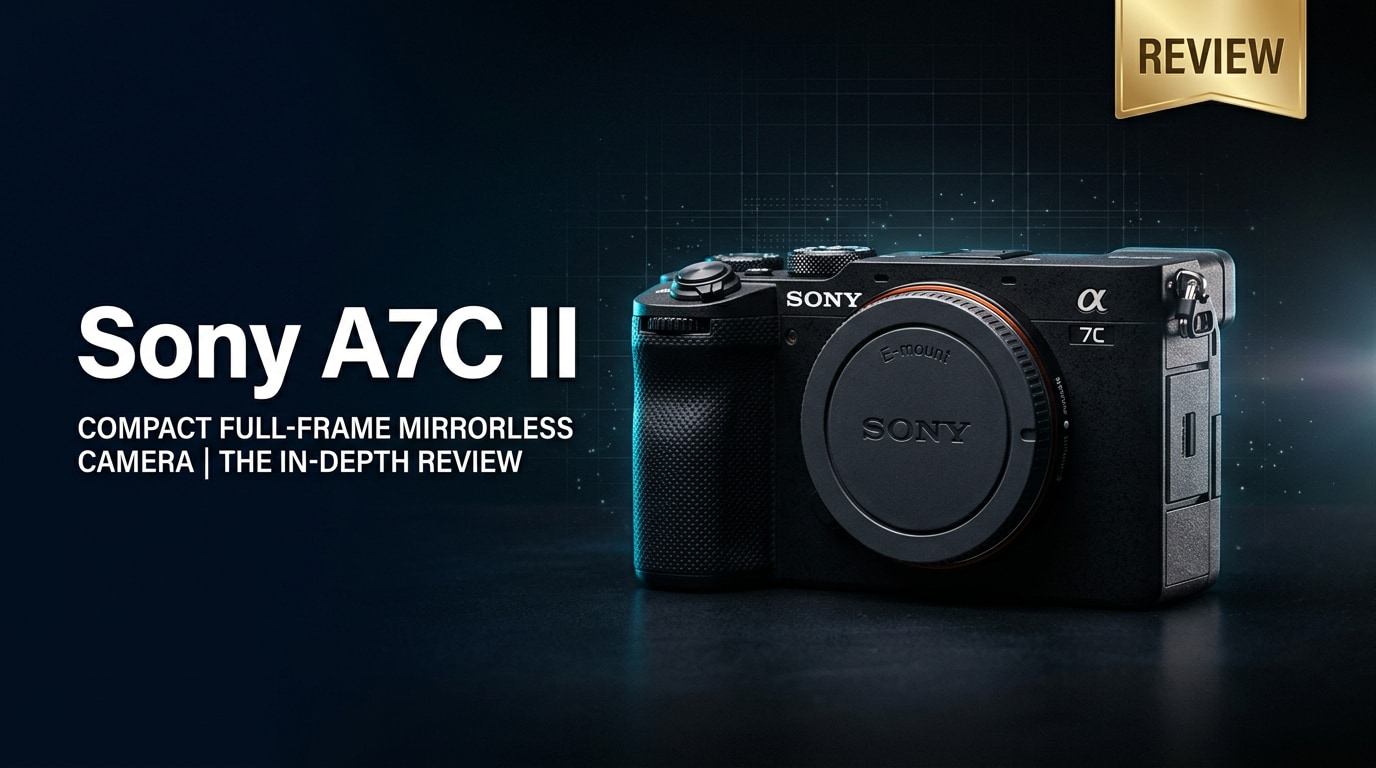
The Sony A7C II is a compact full-frame mirrorless camera built for modern creators who want pro-level image quality in a small, discreet body. It blends a high-resolution sensor, advanced autofocus, and powerful 4K video into a travel-friendly package, making it ideal for street photography, vlogging, and everyday shooting where portability and performance both matter.
Repair Corrupted Files To Save Your Data
 Security Verified. Over 7,302,189 people have downloaded it.
In this article
Introduction
The Sony A7C II is a second-generation compact full-frame body that targets creators who want the look and flexibility of a larger Sony A7 series camera in a lighter, more travel-ready form. It combines a modern high-resolution sensor, powerful autofocus, and robust 4K video tools, while keeping the familiar rangefinder-style design and flip-out screen that suit street shooters, vloggers, and everyday photographers.
What is New About Sony A7C II
Compared to the original A7C, the Sony A7C II brings a significant jump in both stills and video performance. It inherits much of its imaging pipeline from Sony's higher-end full-frame models but keeps the compact design that made the first A7C popular.
- Higher-resolution full-frame sensor for more detail and cropping flexibility.
- Next-generation subject detection autofocus powered by improved processing.
- Enhanced in-body image stabilization for smoother handheld photos and video.
- 4K video with better oversampling and creator-focused tools.
- Refined ergonomics, an improved EVF, and more customizable controls.
- Modern connectivity options, including better app integration for creators on the move.
All of these upgrades aim to make the camera feel more like a shrunken-down A7 series workhorse rather than a compromise for size.
Full Specs at a Glance
Here is a quick look at the core specifications that define the Sony A7C II as a compact full-frame powerhouse.
Sensor and Image Quality
| Feature | Specification |
|---|---|
| Sensor Type | Full-frame back-illuminated CMOS |
| Effective Resolution | Approx. 33 MP class (suitable for detailed stills and cropping) |
| Native ISO Range | Typically ISO 100–51200 (expandable, model-dependent) |
| Image Stabilization | 5-axis in-body stabilization for stills and video |
| Continuous Shooting | Up to around 10 fps with AF/AE tracking (depending on settings) |
Video and Connectivity
| Feature | Specification |
|---|---|
| Video Resolution | 4K recording from oversampled full-frame readout at common frame rates |
| Color Profiles | Picture profiles and flat gammas suitable for grading (e.g., S-Log, HLG, depending on firmware) |
| Autofocus System | Fast hybrid AF with subject recognition for people, animals, and more |
| Viewfinder & Screen | OLED EVF plus fully articulating vari-angle LCD for vlogging and low angles |
| Connectivity | USB-C, Wi-Fi, Bluetooth, microphone and headphone ports for creators |
Real-World Performance
In daily use, the Sony A7C II feels like a capable hybrid camera that rarely gets in the way. The updated autofocus system locks onto faces, eyes, and moving subjects quickly, making it easier to capture sharp images during street shoots or family events. Low-light performance benefits from the full-frame sensor and in-body stabilization, allowing you to shoot at slower shutter speeds or higher ISO before noise becomes distracting.
For video, the camera offers detailed 4K footage with pleasing color and solid dynamic range when using flat profiles and grading in post. The fully articulating screen and microphone input make it straightforward to use as a vlogging camera, while the compact body encourages you to bring it everywhere, from city walks to travel adventures.
Battery life and thermals are generally well-managed for typical hybrid use. If you shoot extended 4K clips in hot environments, it helps to monitor recording times, but for normal vlogging or travel sequences, the camera is comfortable to use handheld for long stretches.
Pros & Cons
Pros
- Compact rangefinder-style body with a full-frame sensor.
- Fast, intelligent autofocus that tracks people and moving subjects reliably.
- In-body stabilization helps with low light photos and handheld video.
- High-quality 4K video suitable for vlogs, YouTube, and travel films.
- Articulating touchscreen ideal for self-recording and creative angles.
- Good integration with mobile apps for quick sharing and remote control.
Cons
- Smaller body may feel cramped for users with large hands or big lenses.
- Single SD card slot can be limiting for redundant backups in critical work.
- Viewfinder size and magnification are more modest than on larger A7 models.
- Long-form 4K recording in hot conditions may require careful temperature management.
Who Is This Camera For?
The Sony A7C II is aimed at photographers and hybrid creators who value portability without giving up full-frame image quality. It is especially well-suited to:
- Travel and street photographers who want a discreet camera that draws less attention than a traditional DSLR-style body.
- Vloggers and YouTube creators looking for a compact 4K-capable camera with a flip-out screen, mic input, and reliable autofocus.
- Everyday shooters and families who want high-quality photos and video from a single, do-it-all camera.
- Enthusiasts upgrading to full frame from APS-C or smartphones and planning to build a compact lens kit.
Working professionals may use it as a lightweight B-cam or backup body to complement larger Sony A7 or FX-series cameras, especially when traveling light or shooting in tight spaces.
What to Do If Your Sony A7C II Files Get Corrupted
Shoot enough on any digital camera, and you may eventually encounter corrupted photo or video files. Power loss during recording, faulty SD cards, or file system errors can leave clips unplayable just when you need them most. When this happens on the Sony A7C II, you do not have to assume those memories are gone forever.
Why Use Repairit for Sony A7C II Files
Instead of experimenting with risky manual fixes, you can use Wondershare Repairit, a dedicated repair tool designed to handle damaged media from cameras like the A7C II. It focuses specifically on repairing photo and video files so they can open and play back normally again. To learn more or download the software, visit the Repairit official website.
Key Features of Repairit
- Repairs corrupted or unplayable photo and video files from cameras, phones, and computers.
- Supports multiple formats and storage locations, including SD cards and external drives.
- Offers an intuitive, stepwise interface with file preview before final recovery.
Step-by-Step: Repair Sony A7C II Photos and Videos
Follow these steps to repair damaged files from your Sony A7C II using Wondershare Repairit.
-
Choose a Location to Repair Data
Launch Wondershare Repairit on your computer and point it to where your problematic A7C II files are stored. This might be the SD card from the camera, a card reader, or a folder on your hard drive where you copied the files. Add the affected photos or videos to the repair list so the software knows exactly which items to process.

-
Deep Scan the Location
Start the repair task and let Repairit run a deep analysis on the selected media. It inspects the file structure, identifies header or metadata issues, and checks for missing or broken frames. During this phase, the tool reconstructs as much of the original file as possible to restore normal playback and recover visual details.

-
Preview and Repair Your Desired Data
When Repairit finishes its work, you can preview the repaired versions inside the app. Check that your Sony A7C II photos display correctly and that videos play smoothly with both image and sound. Select the files you want to keep and save them to a safe destination, ideally a different drive or SD card to avoid overwriting the damaged source.

Conclusion — Should You Buy?
The Sony A7C II successfully brings full-frame performance to a compact body that you can carry all day. With upgraded autofocus, solid 4K video, and useful creator features, it is a strong choice for travel, street, and everyday content creation where size and weight really matter.
If you want a discreet camera that still delivers professional-looking photos and video, the A7C II stands out in Sony's lineup. Combine it with good backup habits and a dedicated repair tool like Wondershare Repairit, and you will be better prepared to protect your images and clips from unexpected corruption or card issues.
FAQ
-
1. Is the Sony A7C II good for beginners?
Yes. While the Sony A7C II offers advanced performance, its reliable autofocus, effective auto modes, and compact size make it approachable for beginners who want room to grow into a full-frame system. -
2. Can the Sony A7C II record 4K video?
Yes, the Sony A7C II can record high-quality 4K video using oversampled footage from the full sensor width at common frame rates, making it suitable for vlogging, YouTube content, and travel films. -
3. What memory card should I use with the Sony A7C II?
Use reputable SD cards that meet or exceed the speed class recommended for 4K, such as UHS-I U3 or faster. This helps reduce the risk of dropped frames, buffering issues, and potential file corruption. -
4. How can I recover corrupted video files from my Sony A7C II?
If you suspect corruption, stop using the SD card to avoid overwriting data. Then run a repair tool like Wondershare Repairit to scan, repair, and export playable versions of your damaged Sony A7C II clips. -
5. Does the Sony A7C II overheat when shooting 4K?
In normal conditions and typical clip lengths, the Sony A7C II manages 4K recording well. In hotter environments or during very long takes, it is wise to monitor recording duration, allow cooling breaks, and avoid direct sun exposure to minimize overheating.




