
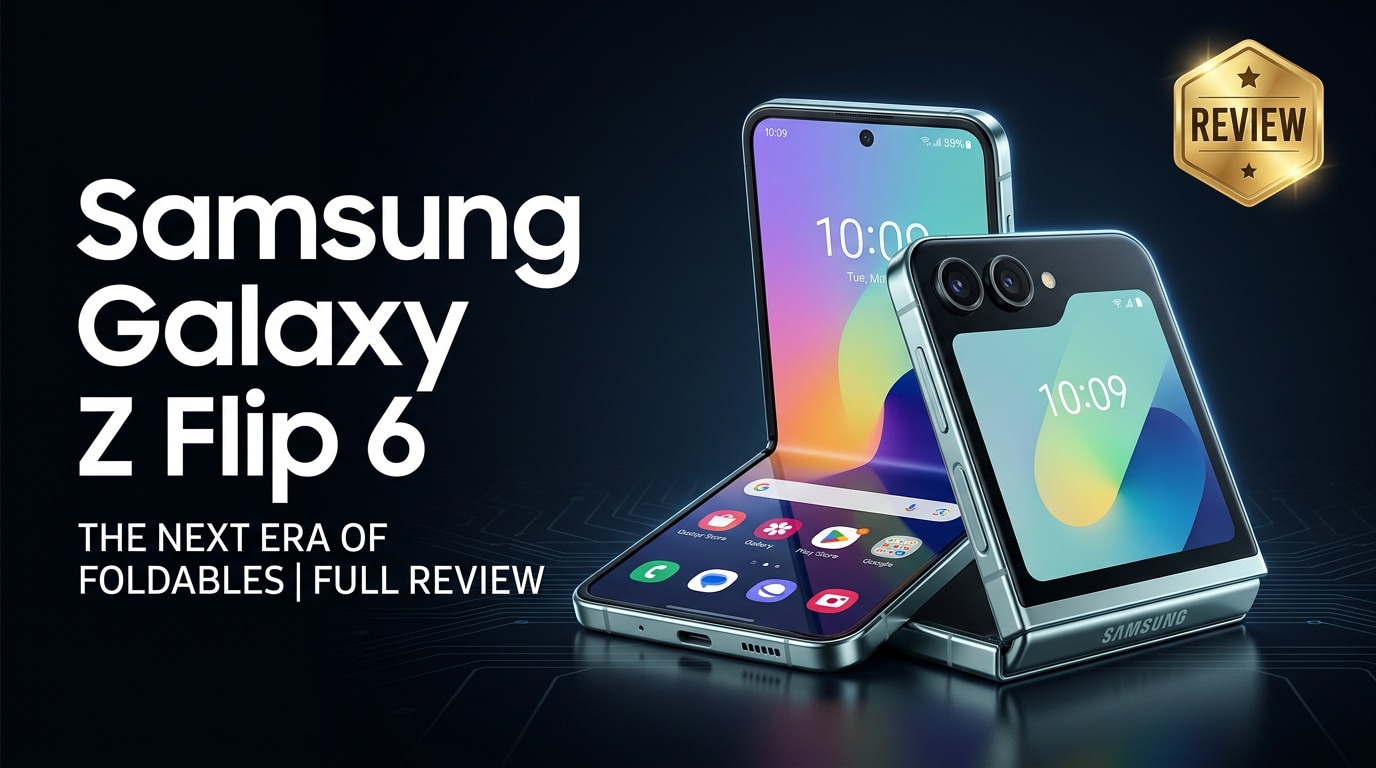
The Samsung Galaxy Z Flip 6 is Samsung's latest clamshell-style foldable phone, designed to feel like a compact flagship that folds in half for easier pocketability. It combines an improved cover screen, upgraded internals, and refined software tricks that take advantage of the folding design. This guide reviews its specs, camera, battery, and everyday performance, and also explains how to protect and repair your photos, videos, and files if something goes wrong.
Repair Corrupted Files To Save Your Data
 Security Verified. Over 7,302,189 people have downloaded it.
In this article
What's New About Samsung Galaxy Z Flip 6
The Galaxy Z Flip 6 is an iterative but meaningful upgrade over its predecessor, tightening up almost every area that matters for a foldable. Samsung focuses on a tougher hinge, brighter displays, a more capable processor, and smarter Flex Mode features that trigger when the phone is partially folded. The cover screen gets more functional widgets and app support, while AI-powered tools like photo editing and transcription lean on the latest Snapdragon platform. Collectively, these tweaks make the Flip 6 feel more like a mainstream flagship and less like an experimental gadget.
Price, Storage, and Design
Samsung Galaxy Z Flip 6 price and storage options
The Samsung Galaxy Z Flip 6 lands in premium flagship territory, typically positioned near the top end of Samsung's smartphone lineup. Pricing varies by region and promotions, but you can generally expect:
| Model | Expected segment |
|---|---|
| Galaxy Z Flip 6 (base) | Flagship price with 256 GB storage |
| Galaxy Z Flip 6 (higher tier) | Higher price with 512 GB storage |
There is no microSD card slot, so choosing between 256 GB and 512 GB matters if you film lots of 4K videos or download large games. Many buyers of a foldable benefit from the extra storage tier, especially if they plan to keep the device for several years.
Design, colors, and durability
The Z Flip 6 stays true to the iconic clamshell silhouette: a tall inner display that folds neatly in half, plus a wide cover screen on the outside for quick glances. Samsung has tightened the hinge, reducing wobble and making the open position feel more solid. The frame uses armor aluminum, and Gorilla Glass on the outer panels improves scratch resistance.
Samsung typically offers a mix of bold and subtle color options, from classic black or graphite to pastel tones and sometimes online-only finishes. The matte treatment on the back makes the phone less slippery and hides fingerprints better than glossy glass.
In terms of durability, the hinge is rated for hundreds of thousands of folds, and water resistance is on par with modern foldables, giving you protection against splashes and brief exposure to rain. Still, like every folding device, the inner screen requires more care than a flat slab phone, and a case is highly recommended.
Display, Performance, and Daily Use
The inner display of the Samsung Galaxy Z Flip 6 is a tall, high-refresh-rate OLED panel that looks vibrant and sharp, especially for social apps, vertical videos, and reading. The crease is still visible from certain angles, but Samsung continues to minimize its feel during swiping and scrolling. Outdoors, improved peak brightness makes both the inner and outer screens easier to read in direct sunlight.
On performance, the Flip 6 uses a flagship Snapdragon chipset paired with ample RAM, so navigation feels smooth, and multitasking with several apps open is no problem. Games run at high settings with stable frame rates, and the phone stays reasonably cool thanks to a refined cooling system.
Daily use is where this foldable stands out. You can quickly check notifications, control music, or reply to messages from the cover screen without opening the phone. Flex Mode lets you prop the phone half-open on a table for hands-free video calls, watching content, or taking group selfies. Once you adapt to folding it shut after every interaction, the compact footprint in a pocket or bag becomes a major perk.
Camera Review
The camera system on the Galaxy Z Flip 6 focuses on versatility and fun rather than extreme zoom. You typically get a main wide camera, an ultra-wide lens, and a capable selfie camera built into the inner display, while the cover screen doubles as a large preview for higher-quality rear-camera selfies.
In good light, the main camera captures sharp, punchy images with Samsung's recognizable contrast and saturation. Dynamic range is strong, so bright skies and shadowy areas retain detail, and autofocus is quick enough for moving subjects. The ultra-wide lens matches the color profile of the main camera fairly well, making it handy for landscapes and tight indoor spaces.
Low-light performance sees gains from improved processing and a brighter lens, although image noise can creep in if you zoom heavily. Night mode helps retain detail and color, though it may smooth textures a bit to reduce grain.
Video recording at up to 4K is stable and crisp, with electronic and optical image stabilization managing walking shots quite well. Flex Mode again adds unique shooting angles: you can rest the phone on a surface, tilt the top half, and frame time-lapses, vlogs, or group clips without a tripod. Just remember that 4K clips consume storage quickly and can be more vulnerable to corruption if recording is interrupted or storage is nearly full.
Battery, Charging, and Software Experience
Battery life has historically been a weak spot for compact foldables, but the Samsung Galaxy Z Flip 6 pushes capacity and efficiency a little further. With balanced use across social media, messaging, browsing, and a moderate amount of camera and video streaming, most users can expect a full working day before reaching for a charger. Heavy gaming or prolonged 4K filming will drain it faster, so power users may still want a top-up in the evening.
Charging speeds are competitive but not class-leading: wired fast charging gets you from low to comfortable in roughly an hour, and wireless charging adds convenience for desks or bedside tables. Reverse wireless charging is available for topping up earbuds or a smartwatch in a pinch.
On the software side, Samsung's One UI is heavily optimized for folding interactions. Many apps reflow gracefully when you pivot between the cover and inner screens, and Flex Mode layouts move controls to one half of the display while content fills the other. Samsung's long-term update policy means multiple years of Android and security updates, so the Flip 6 should remain secure and up to date for a long time. However, as with any device, occasional software glitches or crashes can still happen and, in rare cases, may leave you with corrupted photos or videos.
Pros and Cons of Samsung Galaxy Z Flip 6
Pros
- Compact clamshell design that folds down small without sacrificing flagship-grade performance.
- Functional cover screen for quick replies, widgets, and camera previews.
- Fun camera experience with Flex Mode and high-quality rear-camera selfies.
- Vibrant, bright inner display with smooth high refresh rate.
- Improved hinge durability, water resistance, and long-term software support.
Cons
- Higher price than many traditional slab phones with similar specs.
- No microSD card slot, so storage choice is final.
- Battery life is good but still behind some large-bar flagship phones.
- Inner screen requires more care and can show a visible crease.
- 4K recording and heavy multitasking can quickly consume storage and stress thermals.
What to Do If Your Samsung Galaxy Z Flip 6 Files Get Corrupted
Why use Repairit for Galaxy Z Flip 6 file issues
Even a premium phone like the Samsung Galaxy Z Flip 6 is not immune to data glitches. Sudden shutdowns, low storage, interrupted 4K recording, or cable disconnects during transfer can leave your videos or photos unplayable. When that happens, Wondershare Repairit offers a specialized toolkit to fix corrupted clips, images, and documents from your phone, SD card, or computer. It guides you through a simple workflow and lets you preview recovered results before saving. You can learn more from the Repairit official website and keep it on hand as a safety net for your Galaxy Z Flip 6 memories.
Key features of Repairit for Galaxy Z Flip 6 users
- Repairs corrupted videos, photos, and documents from phones, cameras, and computers, including files created on the Galaxy Z Flip 6.
- Offers a guided, beginner-friendly repair flow with real-time progress information and preview before you save the fixed files.
- Supports widely used formats like MP4, MOV, JPG, and others, plus high-resolution footage such as 4K recordings from your foldable.
How to repair corrupted Galaxy Z Flip 6 files step by step
-
Step 1: Import your damaged Galaxy Z Flip 6 files into Repairit
Install and open Wondershare Repairit on your Windows PC or Mac. On the home screen, choose the correct module for what is broken, such as Video Repair or Photo Repair. Connect your Galaxy Z Flip 6 with a USB cable or insert its SD card using a card reader, then click the add button to browse and select the videos, photos, or documents that will not open or play properly.

-
Step 2: Start automatic repair and check the preview
Once your problematic files are listed, hit the repair button to begin. Repairit will scan each item, analyze its structure, and attempt to rebuild missing or damaged data segments. The progress bar lets you know how far along the repair is. When the process completes, click a file to open its preview and confirm whether the video plays smoothly, the audio is in sync, or the photo now displays without errors or artifacts.

-
Step 3: Save the repaired copies to a safe location
If the preview looks good, select the files you want to keep and choose the save option. Pick a secure folder on your computer or an external drive rather than the original corrupted location to avoid overwriting. After saving, you can copy the repaired files back to your Samsung Galaxy Z Flip 6, upload them to cloud storage, or share them as usual, knowing you have a clean, working backup.

Conclusion — When Should You Buy?
The Samsung Galaxy Z Flip 6 refines the modern clamshell formula with stronger hardware, better displays, and software that takes real advantage of folding. It delivers a fun camera experience, reliable performance, and a compact design that feels special every time you snap it shut.
You should consider the Galaxy Z Flip 6 if you value style, one-handed use, and creative photo and video angles more than having the biggest battery or screen size. Just plan ahead for storage, keep regular backups, and rely on tools like Wondershare Repairit if important Flip 6 photos or videos ever become corrupted so you can protect your memories over the long term.
FAQ
-
1. Is the Samsung Galaxy Z Flip 6 durable enough for daily use?
The Samsung Galaxy Z Flip 6 is designed for everyday use with a reinforced hinge, stronger screen layers, and water-resistant protection against splashes. However, the folding inner display is still more delicate than a standard glass slab, so using a case, avoiding sharp objects in the same pocket, and closing the hinge gently will help it last longer. -
2. How long does the Samsung Galaxy Z Flip 6 battery last in real life?
For most users who mix social media, web browsing, messaging, and moderate camera use, the Galaxy Z Flip 6 should comfortably last a full day on a single charge. Heavy tasks such as long 4K video shoots, gaming, or extended 5G streaming can drain the battery faster, so you may need an afternoon top-up in those scenarios. -
3. Can I use standard cases and screen protectors with the Galaxy Z Flip 6?
No. The folding design, hinge position, and dual-screen layout mean you must use accessories specifically made for the Galaxy Z Flip 6. Look for cases and protectors that clearly list Z Flip 6 compatibility so the hinge can move freely and both displays remain protected. -
4. What should I do if my Galaxy Z Flip 6 videos will not play or show errors?
First, reboot the phone, clear the cache of your gallery or video app, and try another media player to rule out a software glitch. If the clip still fails, transfer it to a computer and use a dedicated repair tool such as Wondershare Repairit to analyze and fix the corrupted video file before it becomes unrecoverable. -
5. How can I prevent corrupted files on my Samsung Galaxy Z Flip 6?
Avoid force-closing the camera while recording, keep enough free storage space, and do not unplug the cable while copying data to or from a computer. It is also wise to enable automatic cloud backups and occasionally export your favorite photos and videos to a PC or external drive so you always have another copy if something goes wrong.




