
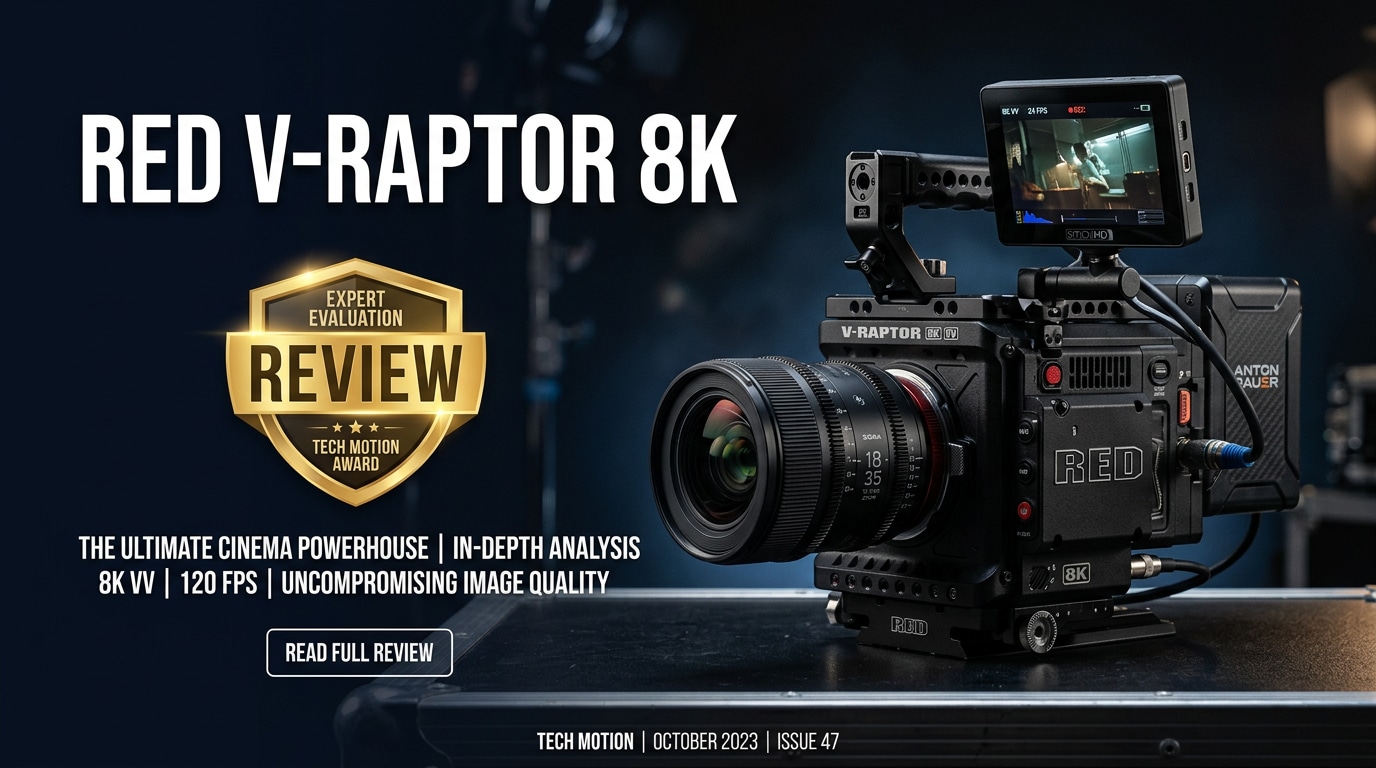
The RED V-Raptor 8K is RED Digital Cinema's flagship DSMC3 camera, combining a full-frame 8K sensor, extreme frame rates, and a compact, production-ready body. Built for high-end narrative, commercial, and doc work, it delivers deep post-production flexibility and future-proof resolution for demanding cinema workflows.
Repair Corrupted Files To Save Your Data
 Security Verified. Over 7,302,189 people have downloaded it.
In this article
What is New About RED V-Raptor 8K
The RED V-Raptor 8K represents a major step forward from previous DSMC2 cameras, bringing a redesigned full-frame sensor, refined DSMC3 body, and faster processing into a single package.
- Full-frame 8K VV sensor with impressive dynamic range and clean high-ISO performance.
- Extremely high frame rates in 8K, 6K, 4K, and 2K with various crops and aspect ratios.
- Enhanced autofocus options (including phase detect) compared with older RED bodies.
- More compact, lightweight chassis with improved thermal design and reliability.
- CFexpress Type B media for faster, more robust recording and offload speeds.
- Streamlined menus and monitoring tools tailored to modern on-set workflows.
Full Specs at a Glance
Below is a quick look at some of the headline specifications that define this RED 8K camera in practical use.
Sensor and Recording Formats
| Category | Details |
|---|---|
| Sensor Type | Full-frame (Vista Vision) CMOS, 8K |
| Max Resolution | 8K up to very high frame rates (project-dependent) |
| Recording Format | REDCODE RAW (R3D), various compression ratios |
| Dynamic Range | Wide latitude suitable for HDR cinema delivery |
| Frame Rates | Multiple 8K/6K/4K/2K options, including high-speed modes |
Body, I/O, and Power
| Category | Details |
|---|---|
| Media | CFexpress Type B cards approved by RED |
| Lens Mount | Interchangeable mount options (e.g., RF mount) |
| Connectivity | 12G-SDI out, timecode, control, and accessory ports |
| Power | Professional battery support plus DC-in |
| Body Features | Modular design ready for rigs, gimbals, drones, and studio builds |
Real-World Performance
In production, the RED V-Raptor 8K shines through its combination of resolution, speed, and flexible RAW workflow. The 8K VV sensor delivers crisp detail with pleasing color and roll-off, while the high frame rates make it ideal for action, sports, and stylized slow motion. R3D files integrate smoothly with major NLEs and grading systems, giving you deep control over exposure, ISO, and white balance in post.
On set, the DSMC3 body boots quickly, handles long takes without overheating, and pairs well with compact rigs, Steadicam, or drones. The main trade-off is data: 8K RAW generates heavy file sizes that demand fast media, robust DIT practices, and plenty of storage and processing power in post.
Pros & Cons
Pros
- Full-frame 8K sensor with cinematic dynamic range and color.
- Extremely high frame rates for slow motion across multiple resolutions.
- Flexible REDCODE RAW workflow widely supported in pro post-production.
- Compact DSMC3 body suitable for solo operators and small crews.
- Modular ecosystem with professional monitoring, I/O, and rigging support.
Cons
- High media, storage, and computing requirements, especially at 8K.
- RAW workflow may be overkill for simple or fast-turnaround projects.
- Additional investment needed for lenses, power, monitoring, and support gear.
- Large R3D files can be more vulnerable to corruption if workflow is not robust.
Who Is This Camera For?
The RED V Raptor review story is really about matching its capabilities to the right kind of production. This is a camera built for:
- Narrative features and series needing future-proof, high-dynamic-range masters.
- High-end commercials, fashion, and beauty work where detail and color fidelity are critical.
- Documentaries and branded content that demand cinematic quality in small crews.
- VFX-heavy productions that benefit from 8K plates and flexible RAW adjustments.
- Creators who want a long-term A-camera platform that can adapt to new workflows.
If you mainly shoot quick-turn online content, the camera can still be useful, but you may not fully exploit its capabilities unless your post pipeline and clients truly benefit from 8K RAW.
What to Do If Your RED V-Raptor 8K Files Get Corrupted
Why R3D Footage Gets Corrupted
Even with a professional camera like the RED V-Raptor 8K, R3D clips can become unreadable due to sudden power loss, card removal during recording, failing media, or interrupted file transfers. Symptoms include files that will not import into your NLE, clips that stop playing halfway, or footage that shows artifacts, glitches, or missing frames.
When this happens, do not reformat your card or continue writing new data to the same media. Instead, protect the affected files and attempt a structured repair using a specialized tool.
How to Repair RED V-Raptor 8K Files with Repairit
Wondershare Repairit is a dedicated data repair solution that can help you recover unusable 8K video from damaged R3D or other professional formats. It is designed with a guided workflow that suits both filmmakers and content creators. To learn more about supported formats and features, visit the Repairit official website.
Key Features of Repairit for Filmmakers
- Repairs corrupted or unplayable video files, including high-resolution and professional formats common in cinema workflows.
- Offers an intuitive, step-based interface that walks you through diagnosing and fixing problematic clips with minimal guesswork.
- Supports batch repair so you can restore multiple damaged shots from a card or drive in one pass.
Step-by-step: Repair Corrupted RED V-Raptor 8K Files
-
Choose a Location to Repair Data
Open Repairit and select the video repair module. Add your affected RED project media by dragging individual R3D clips into the window or pointing Repairit to the folder where your camera originals live. If the footage sits on an external SSD or backup drive, connect it and choose that volume so the tool can access every problematic file in one go.

-
Deep Scan the Location
Start the repair process and let Repairit perform a deep analysis of your R3D clips. The software examines file headers, containers, and internal video and audio streams to pinpoint where the structure is broken. It then applies targeted repair methods to rebuild damaged segments, fix timeline inconsistencies, and recover playback so your 8K footage behaves like a clean, newly recorded file.

-
Preview and Repair Your Desired Data
When the scan completes, use the integrated preview window to check the repaired files. Scrub through the clip, confirm motion looks smooth, inspect highlights and shadows, and verify that audio is in sync. Once satisfied, select the clips you want to keep and export them to a safe destination drive, separate from the original media, so you can drop the recovered shots straight back into your edit timeline.

Conclusion — Should You Buy?
The RED V-Raptor 8K is a flagship cinema camera that delivers full-frame 8K resolution, serious dynamic range, and extreme frame rates in a surprisingly compact body. For narrative, commercial, and documentary productions that can leverage RAW flexibility and high-res mastering, it offers a powerful, future-ready platform.
However, its strengths come with heavy data requirements and the need for disciplined media handling. Pairing the camera with reliable cards, robust backup routines, and a repair tool like Wondershare Repairit for corrupted R3D files helps safeguard your projects. If your workflow and clients can truly benefit from what this camera offers, the V-Raptor 8K is a compelling investment for modern cinema.
FAQ
-
1. What resolution and frame rates does the RED V-Raptor 8K support?
The RED V-Raptor 8K records up to full 8K at very high frame rates, with additional high-speed options in 6K, 4K, and 2K using various windowed modes. Exact frame rates depend on your chosen aspect ratio and compression settings. -
2. Is the RED V-Raptor 8K suitable for solo operators?
Yes. The compact DSMC3 body, relatively light weight, and RF-style mount make it manageable for solo operators or small crews, though you will still need supporting gear such as power, media, and rigging for most professional jobs. -
3. How can I prevent R3D file corruption on the RED V-Raptor 8K?
Use RED-approved CFexpress cards, avoid removing media or cutting power while recording, format cards in-camera, keep batteries well charged, and back up footage to at least two separate drives at the end of each shooting day. -
4. Can Wondershare Repairit fix corrupted RED R3D files?
Wondershare Repairit is designed to repair many types of damaged video files and may help with corrupted RED footage. Always confirm current R3D support and follow the instructions on the official website before running a repair session. -
5. Do I really need 8K for YouTube or online delivery?
You do not need 8K to deliver to platforms like YouTube, but shooting 8K gives you cleaner downsampled 4K, more room for reframing and stabilization, and additional flexibility for future distribution requirements.




