
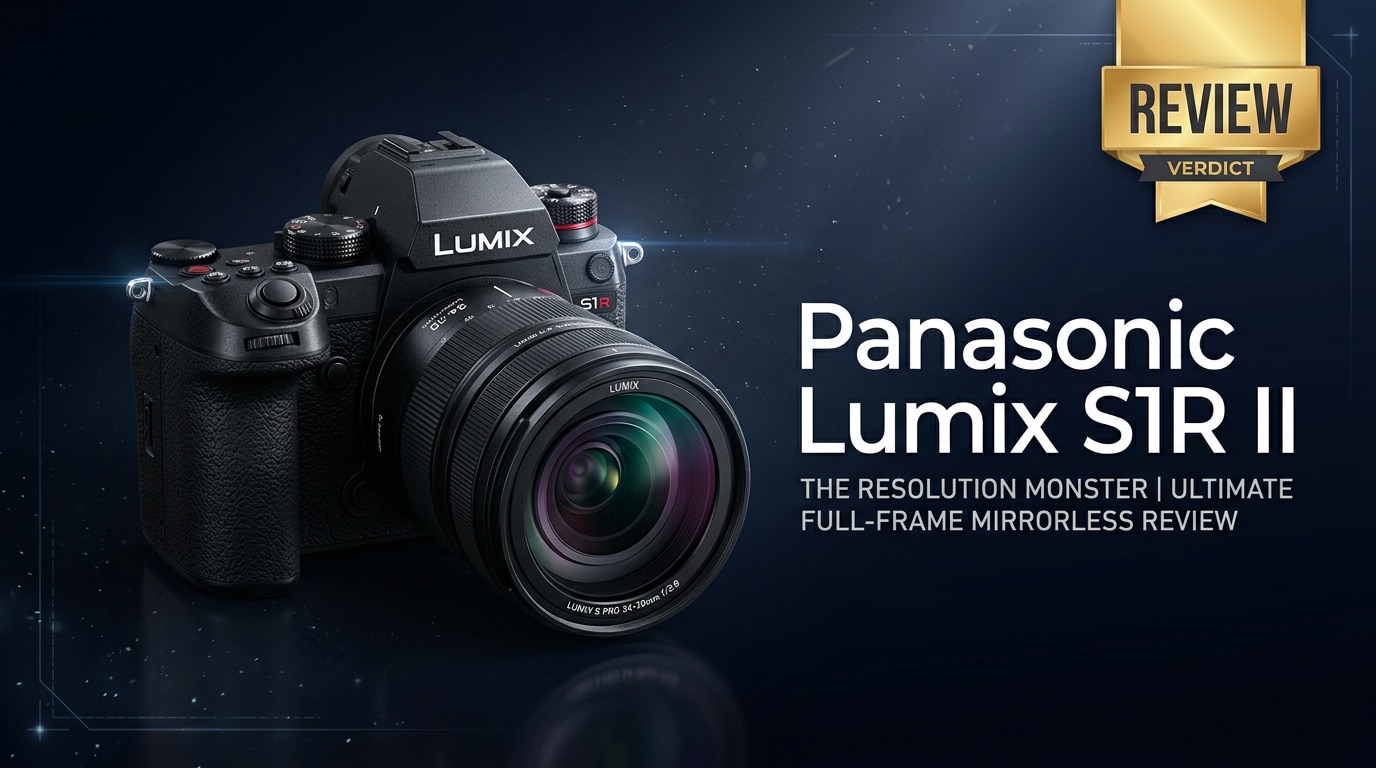
The Panasonic Lumix S1R II is a pro-grade full-frame mirrorless camera built for photographers who want maximum detail, rugged reliability, and flexible shooting options. With a high-resolution sensor, advanced stabilization, and robust video tools, it targets landscape, studio, and commercial shooters who need clean, ultra-detailed files for large prints, cropping, and demanding clients.
Repair Corrupted Files To Save Your Data
 Security Verified. Over 7,302,189 people have downloaded it.
In this article
What's New About Panasonic Lumix S1R II
The Panasonic Lumix S1R II refines the original S1R with more resolution, smarter autofocus, and improved handling. The new high-megapixel sensor delivers cleaner detail and better dynamic range, while updated subject-detection AF improves tracking for people and animals. Panasonic has also tuned in-body image stabilization, optimized viewfinder performance, and streamlined menus to make day-to-day shooting faster and more intuitive.
Video shooters benefit from higher-bitrate recording options and better heat management, bringing the camera closer to true hybrid status. Altogether, these upgrades make the S1R II a more confident companion for demanding professional work.
Full Specs at a Glance
Sensor and Imaging Pipeline
At the heart of the Panasonic Lumix S1R II is a high-resolution full-frame sensor aimed squarely at detail-obsessed photographers. Here is a quick look at the core imaging hardware.
| Component | Specification |
|---|---|
| Sensor type | Full-frame CMOS, approximately 61MP effective resolution |
| Image processor | High-speed Venus Engine (next-gen version for S series) |
| Native ISO range | ISO 100–25,600 (expandable for extended low/high ISOs) |
| Image formats | RAW (14-bit), JPEG, HEIF options depending on configuration |
| Stabilization | 5-axis in-body image stabilization with enhanced high-res support |
Body, Storage, and Connectivity
The S1R II keeps the solid, weather-sealed body style of the S series, tuned for professional use in challenging environments.
| Area | Details |
|---|---|
| Build and sealing | Magnesium-alloy chassis, dust/splash-resistant, designed for cold-weather operation |
| Viewfinder and LCD | High-resolution OLED EVF, tilting or articulating rear touchscreen LCD |
| Storage | Dual card slots supporting high-speed SD (UHS-II) or similar high-performance media |
| Video | 4K recording with high bitrates, flat/log profiles, and advanced stabilization |
| Ports and connectivity | USB-C, HDMI, mic and headphone jacks, remote port, Wi-Fi and Bluetooth |
Real-World Performance
In practice, the Panasonic Lumix S1R II shines when you push it for detail and consistency. The 61MP files are rich enough for large exhibition prints, tight crops in product photography, and intricate landscape scenes. Dynamic range allows recovery of shadows and highlights, giving you more flexibility when lighting is less than ideal.
Autofocus has been refined, with better subject recognition and tracking performance than the previous generation. It is not a pure sports camera, but it handles moderate action, portraits, and events with confidence. In-body stabilization helps keep handheld images sharper at slower shutter speeds and supports smoother handheld video.
Video capabilities, while not the core focus, are strong enough for hybrid shooters. 4K footage is detailed, and the camera offers profiles suitable for color grading. The tradeoff is that high-resolution stills workflows demand fast cards, a capable computer, and thoughtful file management to avoid slowdowns and data issues.
Pros & Cons
Pros
- Extremely detailed 61MP full-frame sensor for large prints and flexible cropping.
- Rugged, weather-sealed body built to handle professional field work.
- Improved subject-detection autofocus with better tracking than the first S1R.
- Effective 5-axis in-body stabilization for both stills and video.
- High-quality EVF and rear screen that make critical focusing easier.
- Robust 4K video options suitable for hybrid shooters and commercial use.
Cons
- Large files require fast cards, more storage, and a powerful computer.
- Body is on the heavy side compared with some competing mirrorless systems.
- Autofocus, though improved, may still lag behind the fastest sports-focused rivals.
- High-resolution workflow can expose you to greater risk if a card becomes corrupted.
Who Is This Camera For?
The Panasonic Lumix S1R II is tailored to photographers who live and breathe detail. Landscape shooters will appreciate the ability to capture complex scenes with fine textures in foliage, rocks, and architecture. Studio, commercial, and product photographers benefit from the extra pixels when clients demand large-format output, tight crops, or intricate retouching.
Fine art and archival work also pair well with this camera, thanks to its dynamic range and color depth. On the other hand, casual users or creators who prioritize a compact, lightweight setup may find the S1R II more than they need. For them, smaller-resolution bodies or lighter systems may be a better fit.
What to Do If Your Panasonic Lumix S1R II Files Get Corrupted
Why Repairit Helps Lumix Shooters
When you work with massive 61MP RAW files and high-bitrate video, file corruption is more than an inconvenience; it can put paid jobs at risk. Card errors, power loss, or interrupted transfers can leave images from your Panasonic Lumix S1R II unreadable. Wondershare Repairit is designed specifically to tackle these situations, repairing broken photos, videos, and documents from cameras and memory cards. You can learn more on the Repairit official website, where the workflow is laid out in a straightforward, step-by-step manner for both beginners and professionals.
Key Features of Repairit
- Repairs corrupted or unplayable photo and video files from cameras and memory cards.
- Supports a wide range of formats, including popular RAW and high-resolution codecs.
- Simple, guided workflow with file preview before final recovery and export.
How to Repair Corrupted Lumix S1R II Files Step by Step
-
Choose a Location to Repair Data
Launch Wondershare Repairit and select whether you want to fix photos or videos from your Panasonic Lumix S1R II. Add the specific corrupted files from your computer, or point the program to the memory card or folder containing the damaged media. This lets Repairit gather everything that needs attention in one place before the repair process begins.

-
Deep Scan the Location
Start the scan so Repairit can analyze each file in depth. The software looks for structural problems and inconsistencies that prevent your Lumix S1R II photos and videos from opening or playing correctly. You can monitor progress as it moves through the selected items, and you do not need to intervene while the deep analysis runs.

-
Preview and Repair Your Desired Data
Once Repairit finishes its work, you will see a list of repaired files ready for review. Use the preview window to confirm that your Lumix S1R II photos display correctly and videos play without glitches. Select the items you want to keep, then save them to a safe location on your computer or an external drive, separate from the original card or folder to avoid further damage.

Conclusion — Should You Buy?
The Panasonic Lumix S1R II is a serious tool for detail-driven photographers who value robust build quality, refined autofocus, and dependable stabilization. Its 61MP full-frame sensor produces files that stand up to heavy cropping, large prints, and demanding commercial work, while still delivering strong video performance for hybrid creators.
If your priority is maximum resolution and reliability over a compact form factor, the S1R II is a compelling option in the full-frame space. Just remember that such large files demand careful storage, fast cards, and a safety net like Wondershare Repairit to protect your work when corruption or card errors strike.
FAQ
-
1. Is the Panasonic Lumix S1R II good for video as well as stills?
The Panasonic Lumix S1R II is primarily tuned for high-resolution still photography, but it offers strong video features, including high-bitrate 4K recording, advanced stabilization, and flat profiles suitable for color grading. Dedicated video specialists may prefer a more video-centric S-series body, yet the S1R II is fully capable for hybrid use and professional content. -
2. Who should consider buying the Panasonic Lumix S1R II?
The S1R II is ideal for landscape, commercial, product, fine art, and studio photographers who need extremely detailed files for large prints and tight cropping. It is less appropriate for casual shooters or anyone who prioritizes a small, lightweight body over maximum image quality and build strength. -
3. What memory cards work best with the Lumix S1R II?
Use high-speed UHS-II or faster SD cards (or whichever high-performance format the camera supports) to handle 61MP RAW bursts and high-bitrate video. Stick with reputable brands and format cards in-camera regularly to reduce the chance of file corruption and write errors. -
4. What should I do if my Panasonic Lumix S1R II files become corrupted?
Stop shooting on that card immediately to avoid overwriting data. Copy any readable files to your computer, then run a repair tool such as Wondershare Repairit to scan and fix damaged photos or videos. After recovery, safely back up your repaired files and reformat the card in-camera before using it again. -
5. Can I recover deleted photos from the Lumix S1R II?
Deleted images may be recoverable if the data area has not been overwritten. Do not record new content on the card, connect it to a computer, and use dedicated data recovery and repair software to scan for recoverable Lumix S1R II files. Save any restored items to a different drive or card to avoid further data loss.




