
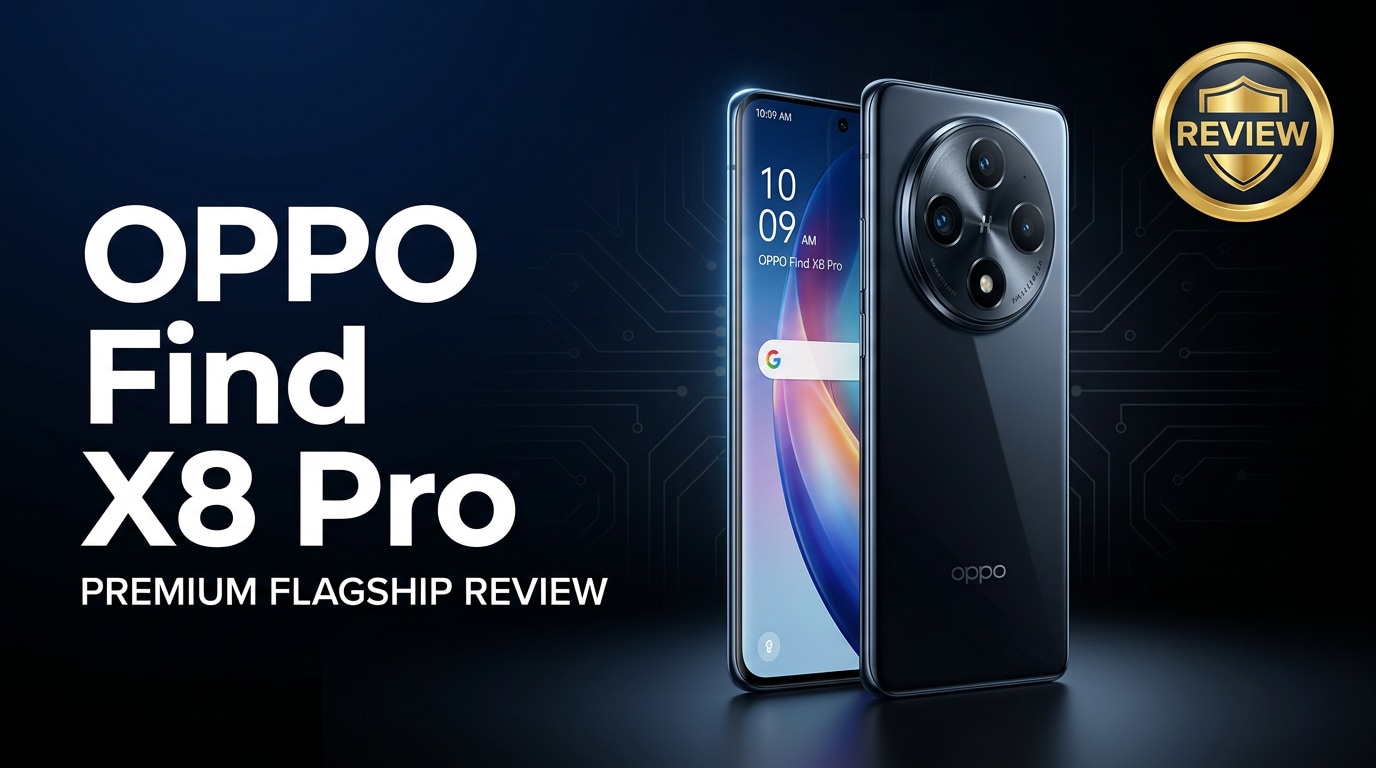
The OPPO Find X8 Pro is a premium Android flagship that focuses on power, photography, and efficiency. It combines a high-end chipset, large high-refresh display, fast charging, and advanced camera system tailored for users who shoot a lot of 4K video and high-resolution photos. This guide walks you through its strengths, trade-offs, and how to protect your data if anything goes wrong.
Repair Corrupted Files To Save Your Data
 Security Verified. Over 7,302,189 people have downloaded it.
In this article
The OPPO Find X8 Pro sits at the top of OPPO's lineup with a flagship processor, a high-end OLED display, and a versatile camera array aimed at enthusiasts and creators. Beyond raw specs, it is built for reliable everyday use, from gaming and streaming to professional-style shooting, while handling large files and multitasking without slowing down.
What's New About OPPO Find X8 Pro
This generation of the OPPO Find X8 Pro focuses on better efficiency, upgraded imaging, and more refined software features compared to previous Find X models.
- An updated flagship chipset delivers higher frame rates in games and faster app launches while using less power.
- Improved image processing and camera software enhance low-light performance, portrait separation, and 4K video stabilization.
- A brighter, more adaptive high-refresh display optimizes between battery life and smoothness in real time.
- More efficient fast charging and battery management reduce heat while still topping up the phone quickly.
- Refined ColorOS features, such as enhanced privacy controls and smoother animations, improve daily usability.
Taken together, these changes make the Find X8 Pro feel faster, more polished, and more reliable, especially for media-heavy users.
Price, Storage, and Design
Pricing and configurations
Exact pricing for the OPPO Find X8 Pro varies by region, but it is positioned firmly in the premium flagship segment. OPPO typically offers generous base storage with higher-tier options for power users.
| Model | Likely Storage / RAM Focus |
|---|---|
| Base OPPO Find X8 Pro | Large storage suited for everyday users with many apps and photos |
| Higher storage variant | Targeted at users who shoot lots of 4K video and keep big game libraries |
Most variants are designed to minimize the need for external storage, which is important if you capture a lot of high-bitrate videos and RAW-style images.
Design and build quality
The OPPO Find X8 Pro continues OPPO's premium design language, with slim bezels, a curved or subtly contoured display, and a distinctive camera island.
- Premium materials such as glass and metal give it a solid in-hand feel.
- A pronounced camera module highlights the phone's imaging focus.
- The body is optimized for comfortable grip despite the large screen size.
- Water and dust resistance (where available) help protect against everyday mishaps.
The craftsmanship and finish make the device look and feel like a top-tier flagship, matching its performance ambitions.
Display, Performance, and Daily Use
The display and performance of the OPPO Find X8 Pro are central to its appeal, especially for gaming, multimedia, and productivity.
- Display: A large, high-resolution OLED panel with a fast refresh rate ensures smooth scrolling and vivid colors for movies, social media, and games.
- Brightness: High peak brightness makes the screen easy to read outdoors and supports HDR content for supported apps.
- Refresh rate: Adaptive refresh helps balance smoothness with battery life by matching the rate to the content you are viewing.
- Performance: The flagship chipset and ample RAM allow you to run multiple apps, photo editors, and demanding games without lag.
- Thermal management: Improved cooling reduces throttling during longer gaming or 4K recording sessions.
In daily use, this translates into quick app switching, fluid animations, and consistent performance even when juggling navigation, music streaming, chats, and camera usage simultaneously.
Camera Review
The camera system is one of the biggest reasons to choose the OPPO Find X8 Pro, especially if you care about photography and video quality.
- Main camera: A high-resolution primary sensor delivers detailed shots with good dynamic range in daylight and improved performance in low light.
- Telephoto and ultra-wide: Additional lenses provide flexible framing, from ultra-wide landscapes to zoomed portraits and distant subjects.
- Portrait mode: Refined edge detection and background blur offer more natural-looking portraits with better skin tones.
- Video: 4K recording with advanced stabilization keeps footage smoother while walking or panning, ideal for vlogs and travel clips.
- AI features: Scene detection, night modes, and smart HDR help you get better images without having to fine-tune every setting.
These capabilities make the Find X8 Pro a strong tool for mobile creators, but large 4K files and burst photo sessions also increase the importance of reliable storage and backups.
Battery, Charging, and Software Experience
The OPPO Find X8 Pro is built for power users who spend all day on their phones, so battery longevity and charging speed are critical.
- Battery life: A large battery, combined with an efficient processor and adaptive refresh rate, comfortably supports a day of mixed use that includes browsing, streaming, gaming, and camera usage.
- Fast charging: OPPO's signature fast-charging tech helps you recharge from low to usable levels in a short time, minimizing downtime.
- Heat control: Charging and heavy use are managed to reduce excessive heat, which can affect both performance and long-term battery health.
- Software: ColorOS adds customization, privacy tools, and productivity features on top of Android while aiming to remain smooth and responsive.
With proper settings and occasional maintenance (like clearing unused apps and cache), the software experience should stay fluid long term.
Pros and Cons of OPPO Find X8 Pro
| Pros | Cons |
|---|---|
| Flagship-level performance suitable for gaming, multitasking, and heavy apps | Premium pricing puts it in competition with other top-tier flagships |
| Versatile camera system with strong 4K video and low-light capabilities | Large size may feel bulky for users who prefer compact phones |
| Bright, high-refresh OLED display for smooth visuals and media consumption | High-resolution 4K videos and photos can quickly fill storage if you do not manage files |
| Fast charging and efficient battery management for all-day use | Heavier camera and gaming use can still lead to heat build-up in long sessions |
| Polished software experience with useful customization options | ColorOS interface may require an adjustment period for users coming from stock Android |
What to Do If Your OPPO Find X8 Pro Files Get Corrupted
Why files get corrupted on phones
Even a high-end phone like the OPPO Find X8 Pro is not completely safe from file corruption. Sudden shutdowns during recording, storage errors, failed transfers, and software crashes can all damage your videos or photos. When this happens, clips may not play, previews may be missing, or the gallery may report unsupported or broken files.
To reduce risk, avoid interrupting recordings, keep enough free storage, and back up your media regularly. However, if damage has already occurred, you need a dedicated repair tool instead of simply trying to reopen the file repeatedly.
How to repair corrupted photos and videos safely
If important pictures or 4K clips from your OPPO Find X8 Pro become unplayable, a specialized repair solution is often more effective than manual tricks. Wondershare Repairit is designed specifically to fix corrupted or inaccessible media from phones, cameras, and computers. You can learn more on the Repairit official website.
Repairit provides a guided process, so even less technical users can attempt to fix files before giving up on their data.
Key features of Wondershare Repairit
- Repairs corrupted or unplayable videos, photos, and other media copied from devices like the OPPO Find X8 Pro.
- Supports multiple formats and repair modes to handle different types of damage and corruption severity.
- Offers a straightforward interface with preview options so you can verify repaired files before saving them.
Step-by-step: Repair corrupted OPPO Find X8 Pro media with Repairit
- Launch Repairit and load the damaged files
Install and open Wondershare Repairit on your computer. From the home screen, select the type of content you want to repair, such as Video Repair or Photo Repair. Connect your OPPO Find X8 Pro or use a card reader, then copy the problematic files to your computer. In Repairit, click the add button and browse to these corrupted videos or images to import them into the program.

- Start the repair scan and check the previews
After adding all damaged media, click the Repair button. Repairit will analyze the structure of each file and try to rebuild missing or broken data. This process may take a few minutes, depending on file size and number. When the scan finishes, use the Preview option next to each file to watch the fixed video or view the repaired photo, confirming that playback, colors, and details look normal.

- Save the repaired media and back it up safely
If the previews look correct, click Save or Save All to export the repaired files. Choose a secure folder on your computer or an external drive, not the original location that may be unstable. Once saving completes, you can copy the fixed videos and photos back to your OPPO Find X8 Pro for everyday use, and keep an extra backup on cloud storage or another drive to avoid losing them again.

Conclusion — When Should You Buy?
The OPPO Find X8 Pro is a compelling choice if you want a flagship phone that excels in performance, display quality, and camera versatility. It suits gamers, content creators, and power users who demand smooth multitasking, sharp photos, and stable 4K video recording.
If you are upgrading from an older OPPO flagship or a midrange device and value imaging, fast charging, and a refined Android experience, the Find X8 Pro deserves a spot on your shortlist. Just remember to manage storage carefully, back up important media, and use a repair tool like Wondershare Repairit if your files ever become corrupted.
FAQ
-
1. Is the OPPO Find X8 Pro good for mobile photography and video?
Yes. The OPPO Find X8 Pro combines advanced camera hardware with strong image processing, giving you detailed photos, improved low-light shots, and stable 4K video. It is a solid option for creators and everyday users who rely on their phone as a primary camera. -
2. How much storage does the OPPO Find X8 Pro offer?
The OPPO Find X8 Pro is usually sold in higher-capacity variants aimed at heavy users, so you can store large photo libraries, 4K videos, and many apps. Exact storage and RAM combinations depend on your region and local availability. -
3. What should I do if videos on my OPPO Find X8 Pro will not play?
Start by restarting your phone and trying another media player. If clips still fail, copy the problematic files to a computer and use Wondershare Repairit to scan and repair potential corruption before you delete or overwrite the originals. -
4. How can I extend the battery life of the OPPO Find X8 Pro?
Lower the screen brightness, reduce the refresh rate when you do not need it, disable GPS and background activity for unused apps, and enable built-in power-saving modes. These steps help you get more screen-on time without sacrificing core features. -
5. Is the OPPO Find X8 Pro worth upgrading from an older OPPO flagship?
If you want better camera performance, smoother gaming, and faster charging, the OPPO Find X8 Pro is a meaningful upgrade over many older OPPO models. It is especially worthwhile if you record a lot of 4K video or rely on your phone for intensive multitasking.




