
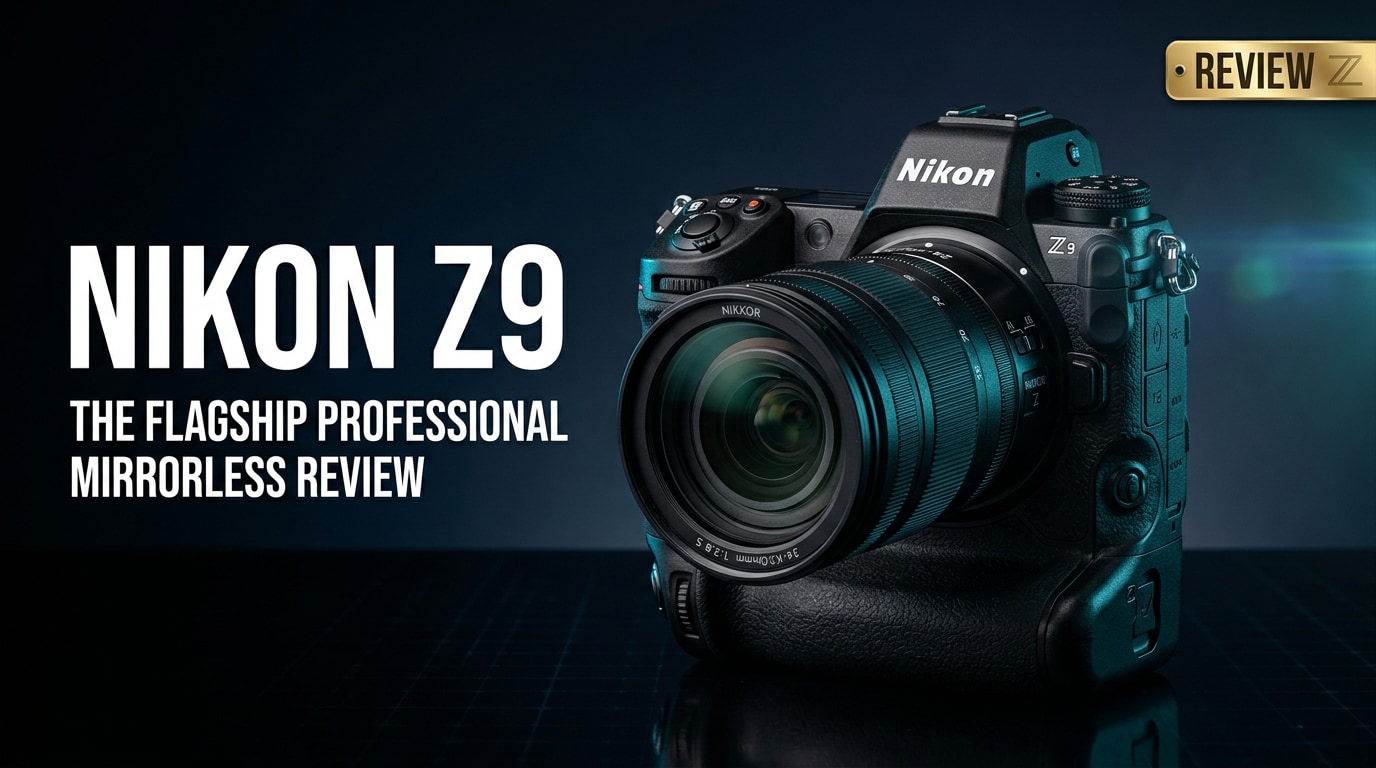
The Nikon Z9 is Nikon's flagship full-frame mirrorless camera, engineered for professionals who demand speed, durability, and cutting-edge autofocus. With a stacked CMOS sensor, advanced subject detection, and robust 8K video, it targets sports, wildlife, and hybrid shooters who need a body that keeps up with fast-paced assignments while delivering top-tier image quality.
Repair Corrupted Files To Save Your Data
 Security Verified. Over 7,302,189 people have downloaded it.
In this article
Introduction
The Nikon Z9 sits at the top of Nikon's mirrorless lineup, combining a 45.7MP stacked full-frame sensor, blackout-free EVF, and deep buffer to handle demanding assignments. Built for professionals, it offers high-speed stills, advanced 8K and 4K video, and a rugged body that can withstand harsh shooting environments, from stadium sidelines to remote wildlife locations.
What's New About Nikon Z9
The Nikon Z9 represents a major leap over earlier Nikon Z series bodies, bringing DSLR-level toughness and speed to a mirrorless system.
- New 45.7MP stacked CMOS sensor with fast readout, reducing rolling shutter and enabling silent, blackout-free shooting.
- Advanced subject detection AF that recognizes people, animals, and vehicles across the frame for both stills and video.
- 8K up to 60p (via firmware) and 4K up to high frame rates, with internal 10-bit recording and N-Log/HLG for flexible grading.
- Elimination of the mechanical shutter, relying entirely on the electronic shutter with minimal distortion.
- Integrated vertical grip and high-capacity battery for extended pro use, similar to Nikon's flagship DSLRs.
- Improved menu design and customizable controls tailored to hybrid shooters who switch between photo and video.
Full Specs at a Glance
| Feature | Nikon Z9 Specification |
|---|---|
| Sensor & Resolution | 45.7MP full-frame stacked CMOS, ISO 64-25600 (expandable) |
| Autofocus System | Hybrid phase/contrast AF, advanced subject detection for people, animals, and vehicles |
| Shooting Speed & Buffer | High-speed continuous shooting suitable for sports and wildlife, with deep buffer using CFexpress Type B |
| Video Capabilities | Internal 8K recording, high-quality 4K modes, 10-bit N-Log/HLG, pro-level codecs via firmware updates |
| Build & Storage | Weather-sealed body with integrated grip, dual CFexpress Type B/XQD card slots |
Real-World Performance
In day-to-day assignments, the Nikon Z9 feels like a true flagship, with instant responsiveness and reliable tracking that lets you concentrate on composition and timing rather than camera limitations.
Autofocus and Tracking
Autofocus is a core strength of the Nikon Z9. Subject detection reliably locks onto eyes, faces, and bodies, even with fast-moving athletes or erratic wildlife. The AF system covers a broad portion of the frame, so you can compose more freely while keeping critical focus. In low light, focusing remains confident, particularly when paired with fast Z-mount glass.
Image Quality and Dynamic Range
The 45.7MP sensor offers detailed files suitable for large prints, cropping, and editorial use. Dynamic range is generous, allowing you to recover shadow and highlight detail from RAW files with minimal noise. For photographers coming from Nikon DSLRs like the D850, the rendering and color response will feel familiar but with added flexibility and cleaner high-ISO performance.
Video Performance and 8K Workflow
For video creators, the Nikon Z9 is a powerful all-in-one body. Internal 10-bit 8K footage delivers immense detail, while oversampled 4K modes offer sharp, clean results with better storage efficiency. Rolling shutter is well controlled for a stacked sensor, and the lack of a mechanical shutter helps avoid vibrations during filming. Robust codecs and N-Log or HLG profiles make it suitable for professional color grading workflows.
Pros & Cons
| Pros | Cons |
|---|---|
| Flagship-level build quality with integrated vertical grip and strong weather sealing. | Large, heavy body compared with smaller mirrorless options; not ideal for travel-light shooters. |
| Fast stacked sensor with blackout-free shooting and excellent subject detection AF. | High-speed performance and 8K workflows require fast, premium CFexpress Type B cards. |
| Pro-grade 8K and 4K video features, internal 10-bit recording, and strong codec support. | Large file sizes for RAW and 8K footage demand significant storage and backup planning. |
| Deep buffer and responsive handling suited to sports, wildlife, and event work. | Price positions it firmly as a professional investment rather than an entry-level upgrade. |
Who Is This Camera For?
The Nikon Z9 is designed primarily for professionals and serious enthusiasts who shoot fast action, demanding events, or high-end commercial work. Sports and wildlife photographers will benefit from the tracking performance and deep buffer, while wedding and event shooters gain reliable autofocus, robust low-light capabilities, and dependable battery life.
Hybrid creators who deliver both stills and video will also appreciate having 8K, advanced 4K, and high-quality audio options in the same body. If you mostly shoot casual travel, family, or occasional projects, a smaller Nikon Z body may be more practical, but for those who need the highest performance in the Z system, the Z9 is the flagship choice.
What to Do If Your Nikon Z9 Files Get Corrupted
Why Nikon Z9 Files May Become Corrupted
Even with a flagship body like the Nikon Z9, your photos and videos can become corrupted due to factors beyond the camera itself. Sudden power loss, pulling a card out during writing, damaged card readers, or file system errors can all leave NEF RAW images or high-bitrate video clips unreadable. When client work or once-in-a-lifetime wildlife moments are on the line, you need a reliable way to repair these files rather than simply accepting the loss.
This is where a dedicated repair toolkit such as Wondershare Repairit becomes invaluable. It focuses on fixing corrupted media and file structures so you can salvage as much usable footage and imagery as possible from your Nikon Z9 shoots.
Key Features of Wondershare Repairit
Wondershare Repairit is an all-in-one repair solution designed to help you restore broken Nikon Z9 photos, videos, and documents from memory cards, SSDs, and hard drives. It works with many camera formats and provides an intuitive interface, so you can focus on saving your work instead of wrestling with complex recovery tools. To explore the software and download the latest version, visit the Repairit official website.
- Repairs corrupted video, photo, and document files from cameras, memory cards, and external or internal drives.
- Supports a wide range of formats and codecs used by DSLRs and mirrorless cameras, including high-resolution and high-bitrate media.
- Lets you preview repaired files before saving so you can confirm that your Nikon Z9 clips or images are usable.
Step-by-step: Repair Nikon Z9 Files with Repairit
-
Choose a Location to Repair Data
Open Wondershare Repairit and select the module that matches your problem, such as Video Repair for Nikon Z9 footage or Photo Repair for NEF stills. Then point the software to the source that contains your damaged files: this might be a CFexpress/XQD card attached via a reader, an external SSD, or a folder on your computer where you copied the shots. Add the problematic Nikon Z9 files into the repair queue before moving on.

-
Deep Scan the Location
Start the repair scan so Repairit can analyze the selected Nikon Z9 files in detail. During this stage, the tool examines headers, metadata, and internal structures to identify issues such as incomplete writes, corruption from interrupted transfers, or playback errors. Allow the deep scan to run until it finishes; this gives Repairit the information it needs to reconstruct your photos or videos as accurately as possible.

-
Preview and Repair Your Desired Data
Once Repairit has completed its work, you will see a list of repairable Nikon Z9 files. Use the built-in preview to check image details or play back video segments, confirming that the issues have been resolved. When you are happy with the results, choose the files you want to keep and save them to a safe destination, such as a different folder, drive, or backup disk. This final step ensures your newly repaired files are protected from further damage.

Conclusion — Should You Buy?
The Nikon Z9 is a true flagship mirrorless camera that merges fast autofocus, a high-resolution stacked sensor, and pro-grade 8K video into a single, rugged body. It is best suited to professionals and dedicated enthusiasts who regularly shoot demanding subjects such as sports, wildlife, news, and large-scale events.
If you can justify the size, price, and storage requirements that come with such a capable body, the Z9 is one of the strongest options in the mirrorless market. Pairing it with a dependable repair tool like Wondershare Repairit adds an extra layer of protection for your most valuable files, helping ensure that technical glitches do not erase crucial work.
FAQ
-
1. Is the Nikon Z9 good for professional sports and wildlife photography?
Yes. The Nikon Z9 offers fast burst speeds, subject detection autofocus for people and animals, and a tough, weather-sealed body, making it highly suitable for professional sports and wildlife work. -
2. Does the Nikon Z9 overheat when recording 8K video?
The Nikon Z9 features improved heat management and is designed for extended 8K recording. In normal real-world conditions, it can record for long durations before reaching any thermal limits, though very hot environments may still shorten recording times. -
3. What memory cards are recommended for the Nikon Z9?
The camera supports CFexpress Type B and XQD cards. For best results with continuous bursts and 8K video, use fast CFexpress Type B cards from reputable brands and keep a few spares for longer shoots. -
4. Can I recover deleted or corrupted Nikon Z9 files?
Often you can. Stop using the affected card immediately to avoid overwriting data, then use recovery and repair tools such as Wondershare Repairit to scan the storage, fix corrupted files, and recover as much footage or as many photos as possible. -
5. Is the Nikon Z9 worth upgrading to from the Nikon D850 or Z7 series?
If you need faster autofocus, blackout-free shooting, improved video features, and a more responsive mirrorless experience, the Nikon Z9 is a significant upgrade over the D850 and early Z series bodies, especially for action-heavy or hybrid work.




