
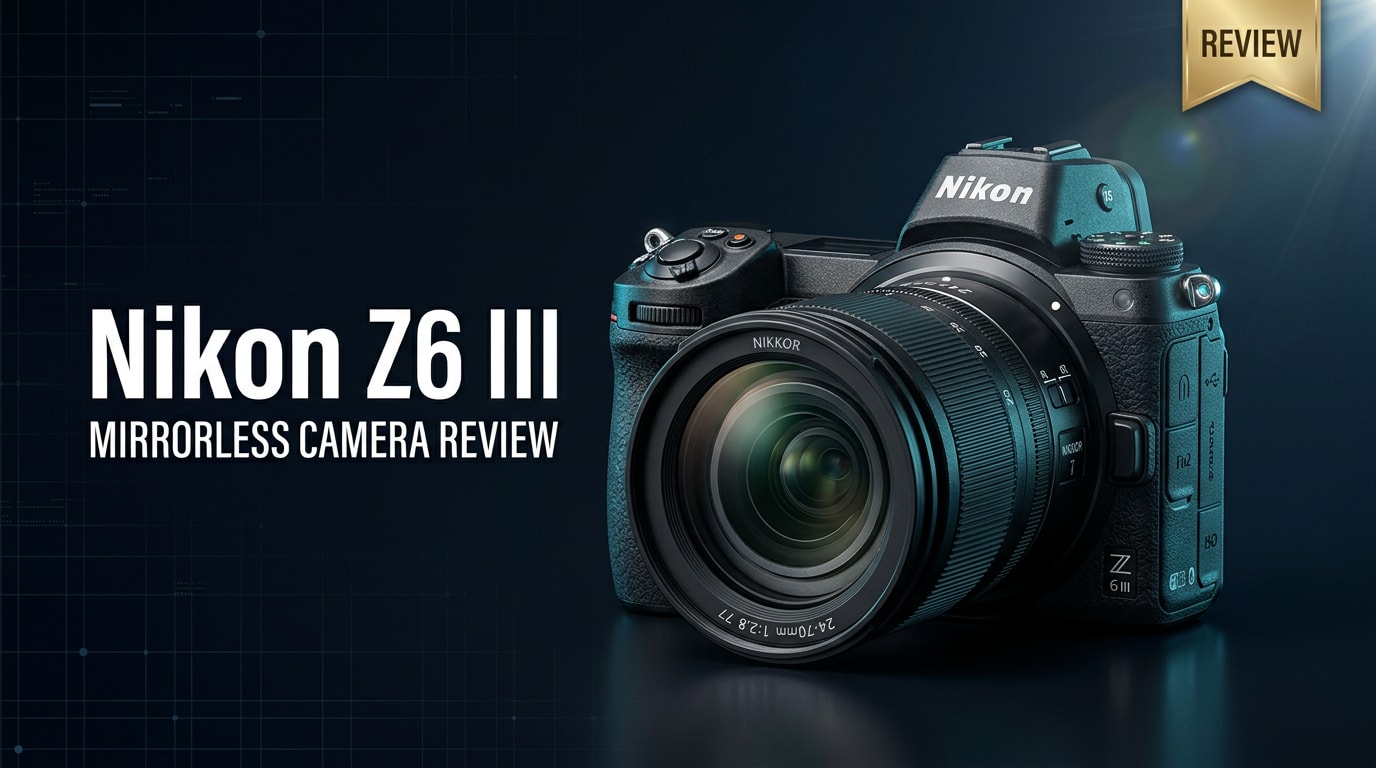
The Nikon Z6 III is a mid-range full frame mirrorless camera built for creators who need both serious stills and modern video tools. With a faster sensor, stronger autofocus, and 6K video, it aims to be a capable hybrid body for weddings, events, travel, and online content without the bulk or price of Nikon's flagship models.
Repair Corrupted Files To Save Your Data
 Security Verified. Over 7,302,189 people have downloaded it.
In this article
Introduction
The Nikon Z6 III continues Nikon's popular Z6 line as a flexible full frame mirrorless camera for hybrid creators. It brings faster readout, deeper buffers, and richer video formats while staying compact and user-friendly. Whether you shoot weddings, corporate work, travel, or YouTube, this body aims to cover both stills and video without forcing you into a flagship price tier.
What's New About Nikon Z6 III
Nikon has positioned the Nikon Z6 III as a serious upgrade over earlier Z6 generations rather than a minor refresh. The headline change is a faster, stacked-style sensor architecture that dramatically improves readout speed, rolling shutter control, and autofocus responsiveness.
You also get more advanced subject detection, with better recognition of people, animals, and vehicles, plus improved tracking across the frame. For video shooters, internal 6K recording, higher frame rates, and richer codecs move the Z6 series well into hybrid territory, rivaling more expensive bodies.
Other refinements include a deeper buffer for continuous bursts, a sharper and smoother EVF, more reliable face/eye detection in low light, and a user interface tuned for creators who constantly swap between photo and video modes on the same shoot.
Full Specs at a Glance
On paper, the Nikon Z6 III lands squarely in the mid-range full frame space, but with several high-end features trickling down from Nikon's flagship Z lineup.
| Core Feature | Specification |
|---|---|
| Sensor | Full frame stacked CMOS, approx. 24 MP |
| Image Processor | Next-gen EXPEED engine for faster readout and AF |
| ISO Range | Native ISO 100–51,200 (expandable further) |
| Autofocus System | Hybrid phase/contrast AF with advanced subject detection |
| Continuous Shooting | High-speed bursts with deep buffer for RAW sequences |
| Video Recording | Up to 6K recording with advanced codecs and N-Log/flat profiles |
| Stabilization | In-body 5-axis image stabilization (IBIS) |
| Viewfinder & Screen | High-res EVF and tilting touch LCD |
| Card Slots | Dual slots: CFexpress Type B/XQD + SD UHS-II |
| Connectivity | USB-C, HDMI, headphone/mic, Wi-Fi and Bluetooth |
| Body Design | Weather-sealed magnesium alloy chassis |
| Battery Life | Updated EN-EL series battery with USB-C power support |
Sensor and Image Pipeline
The stacked sensor in the Nikon Z6 III is designed for speed rather than sheer resolution. You get around 24 megapixels, which is a sweet spot for low light performance, manageable file sizes, and 6K oversampled footage. The quicker readout significantly reduces rolling shutter artifacts in both stills and video, which is crucial if you shoot action, panning shots, or handheld 6K footage.
Nikon's latest processing engine improves noise handling, color depth, and autofocus computation. RAW files hold up well to heavy editing, and dynamic range remains strong for backlit scenes or high-contrast environments.
Body, Slots, and Connectivity
The body of the Nikon Z6 III is familiar to existing Z users: a weather-sealed, compact chassis with a deep, comfortable grip. Dual card slots give you flexible workflows: CFexpress Type B or XQD in one slot for maximum speed, and SD UHS-II in the other for backup or overflow.
Video creators benefit from full-size or robust micro HDMI output, a USB-C port for data and potentially power, and separate headphone and mic jacks. Wireless connectivity via Wi-Fi and Bluetooth allows quick transfers and remote control through Nikon's mobile app, which is helpful for solo shooters.
Real-World Performance
In real shooting conditions, the Nikon Z6 III performs like a true hybrid workhorse. Autofocus is notably faster and stickier than earlier Z6 bodies, especially for face and eye tracking during both stills and video. It keeps up with moderate sports, wildlife, and fast-paced events with confidence, provided you learn Nikon's AF modes and tracking behavior.
Low light performance is excellent for a 24 MP full frame sensor. You can comfortably push the ISO for indoor events or night cityscapes while retaining usable detail and color. In-body image stabilization is effective for handheld stills at slower shutter speeds and also helps smooth out video footage, especially when combined with lens-based VR.
For video, 6K recording offers extra detail and flexibility for cropping or reframing in post. Creators who deliver in 4K can oversample from 6K for cleaner results. Log and flat picture profiles provide more room for grading, and the camera's ergonomics make run-and-gun shooting more manageable than with larger cinema cameras.
Battery life is solid enough for a typical day of mixed stills and short clips, but intensive 6K recording or continuous bursts will drain batteries faster, so carrying spares or using USB-C power is still recommended for professional work.
Pros & Cons
Pros
- Fast stacked-style 24 MP sensor with reduced rolling shutter
- Responsive autofocus with reliable subject and eye detection
- 6K recording and strong 4K output for hybrid creators
- Dual card slots with CFexpress/XQD plus SD UHS-II flexibility
- Compact, weather-sealed body with comfortable ergonomics
- Effective in-body stabilization for handheld stills and video
Cons
- 6K and high-bitrate modes demand fast, premium memory cards
- Battery life can drop quickly during intensive video shoots
- Menu system and AF options have a learning curve for new users
- File sizes from high-quality video modes can strain storage and backup workflows
Who Is This Camera For?
The Nikon Z6 III is ideal for creators who need one camera to handle both stills and serious video. Wedding and event photographers can rely on its autofocus, low light capability, and 6K video to cover an entire day without switching systems. Travel and documentary shooters will appreciate the balance of image quality, portability, and weather sealing.
For YouTubers and content creators, the camera offers clean, detailed video, strong autofocus for talking-head pieces, and good connectivity for external audio and monitors. Enthusiasts stepping up from older DSLRs will find it a powerful yet approachable upgrade, and even professionals can use it as a main or B-camera alongside higher-end Nikon Z bodies.
What to Do If Your Nikon Z6 III Files Get Corrupted
Why Use Repairit
Shooting 6K video and high-speed bursts on the Nikon Z6 III puts a lot of stress on your memory cards and storage. Power loss, card removal during writing, or card errors can leave you with corrupted clips or RAW files that refuse to open. Instead of accepting data loss, you can use Wondershare Repairit, a dedicated repair tool for damaged media.
Repairit specializes in fixing photos and videos from cameras and memory cards, including footage from modern mirrorless bodies. You can learn more and download it directly from the Repairit official website, then follow a simple guided workflow to recover your Nikon files.
Key Features of Repairit
- Repairs corrupted or unplayable photo and video files from cameras, memory cards, and external drives.
- Supports popular DSLR and mirrorless codecs and formats commonly used by cameras like the Nikon Z6 III.
- Streamlined interface with previews so you can check repaired files before saving them.
How to Repair Nikon Z6 III Files Step by Step
-
Choose a Location to Repair Data
Launch Wondershare Repairit on your computer and pick the module that matches the type of damaged media you have, such as photo or video repair. Click to add the folder, memory card, or external drive where your problematic Nikon Z6 III files are stored. This tells Repairit exactly which location to scan, whether it is a card reader with your CFexpress card or a backup drive from a recent shoot.

-
Deep Scan the Location
Start the scan so Repairit can analyze the selected location in depth. The software checks file headers, structure, and metadata to find Nikon photos and videos that are corrupted, incomplete, or refuse to play. You do not need technical knowledge; just let the scan complete while Repairit automatically attempts to repair issues behind the scenes. For large 6K clips, expect the scan to take a bit longer.

-
Preview and Repair Your Desired Data
When the scan and repair process is finished, Repairit shows you a list of recoverable Nikon files. Use the built-in preview to confirm that repaired photos look correct and that videos play smoothly with proper audio. Select only the Nikon Z6 III clips and images you want to keep, then save them to a safe destination such as your computer's internal drive or a different external disk. Avoid writing them back to the original card to reduce the risk of further corruption.

Conclusion — Should You Buy?
The Nikon Z6 III refines Nikon's mid-range full frame mirrorless line with faster performance, more capable autofocus, and flexible 6K video options, all inside a compact, familiar body. It is a confident hybrid camera that comfortably handles demanding stills work and serious video production for a wide range of creators.
If you need a versatile mirrorless camera for events, travel, or content creation and want a smart balance of price, portability, and features, the Z6 III is an excellent choice. Pair it with solid backup habits and a reliable repair tool like Repairit so that, even if something goes wrong with your files, you still have a path to recovery.
FAQ
-
1. Is the Nikon Z6 III good for professional work?
Yes. The Nikon Z6 III offers fast autofocus, strong low light performance, and robust 6K video options, making it well-suited for professional work such as weddings, events, corporate shoots, and commercial content creation. -
2. What memory cards does the Nikon Z6 III use?
The Nikon Z6 III uses dual card slots: one CFexpress Type B or XQD slot and one SD UHS-II slot. This lets you choose between maximum speed, redundant backup recording, or overflow storage depending on your workflow. -
3. Can the Nikon Z6 III shoot 6K video?
Yes. The Nikon Z6 III can record high-resolution 6K video internally or via external output, depending on your chosen settings. This is ideal if you want extra detail, room to crop in post, or high-end delivery formats. -
4. How do I avoid corrupting Nikon Z6 III files?
Use high-quality, fast memory cards, avoid removing cards or batteries while the camera is writing data, and format cards in-camera regularly. Back up your Nikon Z6 III footage to at least one additional drive as soon as possible after each shoot. -
5. Can corrupted Nikon Z6 III footage be repaired?
In many cases, yes. A tool like Wondershare Repairit can scan and repair damaged photo or video files from your Nikon Z6 III, helping you recover important clips that no longer open or play correctly.




